Vercel Labs’ open-source tool agent-desktop now has a sandbox command that installs, creates, starts and drives a macOS virtual machine for an agent, according to its sandbox docs. The VM gives the agent its own desktop, so it can click through apps without touching yours.
Lahfir, a member of technical staff at Vercel Labs according to their X profile, announced the feature on 13 November. They said agents can now install, create, start and drive their own macOS VM, or run in a remote Sandbox.
New in agent-desktop – sandboxes 📦
November 13, 2026
Your agents can now install, create, start, and drive their own macOS VM, or run in a remote Sandbox
agent-desktop is a command-line tool and C library under the Apache-2.0 licence. It reads desktop apps through the operating system’s accessibility tree, the structured list of buttons, fields and menus that screen readers use, and returns JSON with a reference for every element an agent can act on. The README lists support for macOS, Windows and Linux.
Two sandboxes, two drivers
The docs say the agent-desktop sandbox commands manage local macOS VMs through a provider called macos. Linux and Windows have no local provider. The remote option in the announcement is Vercel Sandbox, a hosted Linux microVM that the Vercel SDK creates and drives instead.
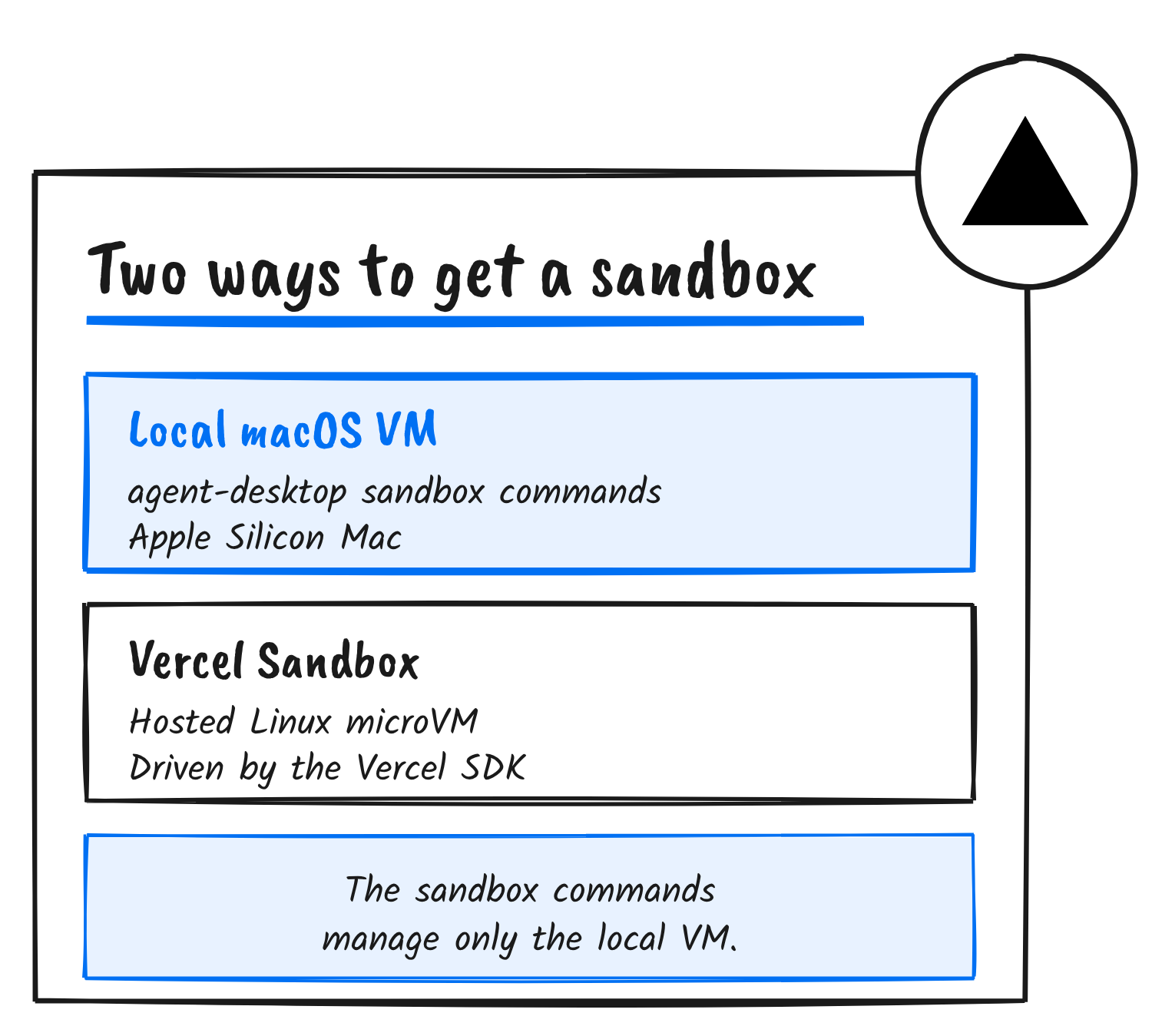
For Vercel Sandbox, the docs have you build an image once with a desktop session (Xvfb, D-Bus and AT-SPI), the agent-desktop Linux binary and a wrapper called agent-desktop-run. A new sandbox starts with no X server and no accessibility bus, the docs say, so every command goes through that wrapper, which starts the session when it’s missing.
Building the macOS VM
The local provider needs an Apple Silicon Mac on macOS 13 or later, plus Xcode Command Line Tools for the Swift compiler. On an Intel Mac, sandbox install macos reports unavailable. The docs give this order of commands.
| Command | What it does |
|---|---|
sandbox install macos | Compiles and signs the VM host |
sandbox create base --provider macos --set ipsw=latest | Downloads and installs the newest macOS this Mac can install |
sandbox start base | Opens a window for the one-time setup |
sandbox create work --provider macos --set from=base | Clones the set-up VM; the source must be stopped |
sandbox start work | Starts the clone headless; --window shows its desktop |
sandbox exec work -- snapshot --app Finder -i | Runs agent-desktop inside the guest |
agent-desktop sandbox ....The first VM needs a person at its desktop. In the guest, they run guest-setup.sh from the shared folder, turn on Remote Login under System Settings, and allow sshd-keygen-wrapper under Accessibility. The docs say agent-desktop can’t do either step from outside the guest. The provider records the setup, so clones never repeat it.
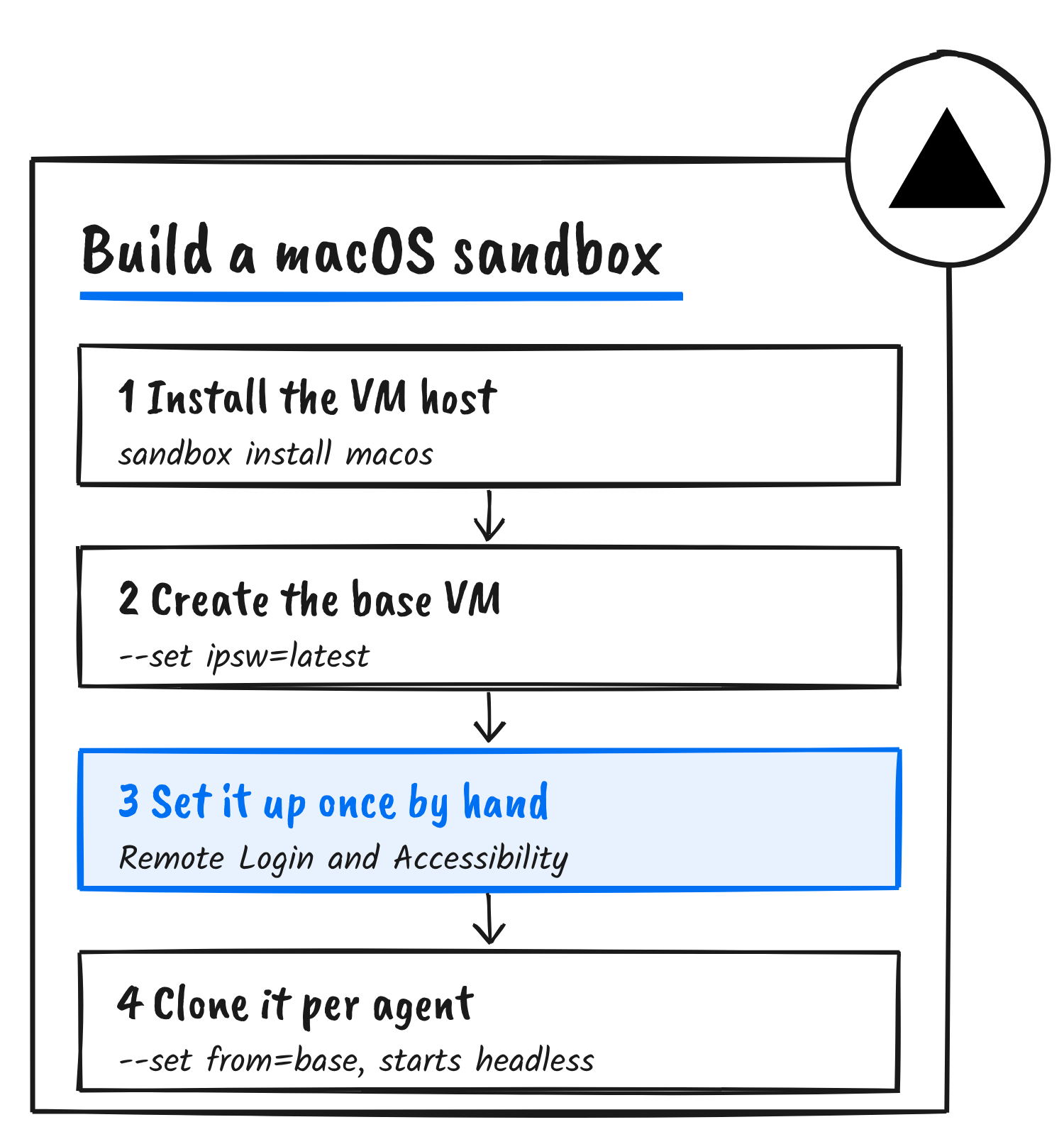
The docs call cloning a set-up VM “tested end to end” and describe creating the first VM from a macOS image as experimental.
What the VM separates
Each sandbox is a separate VM with its own disk, desktop and agent-desktop state, the docs say. It doesn’t separate the network or the host. Every sandbox on a host shares one virtual network, a guest can reach the host’s network services, and guests on one host can reach each other. The docs tell readers to treat a guest as code running on their own network.
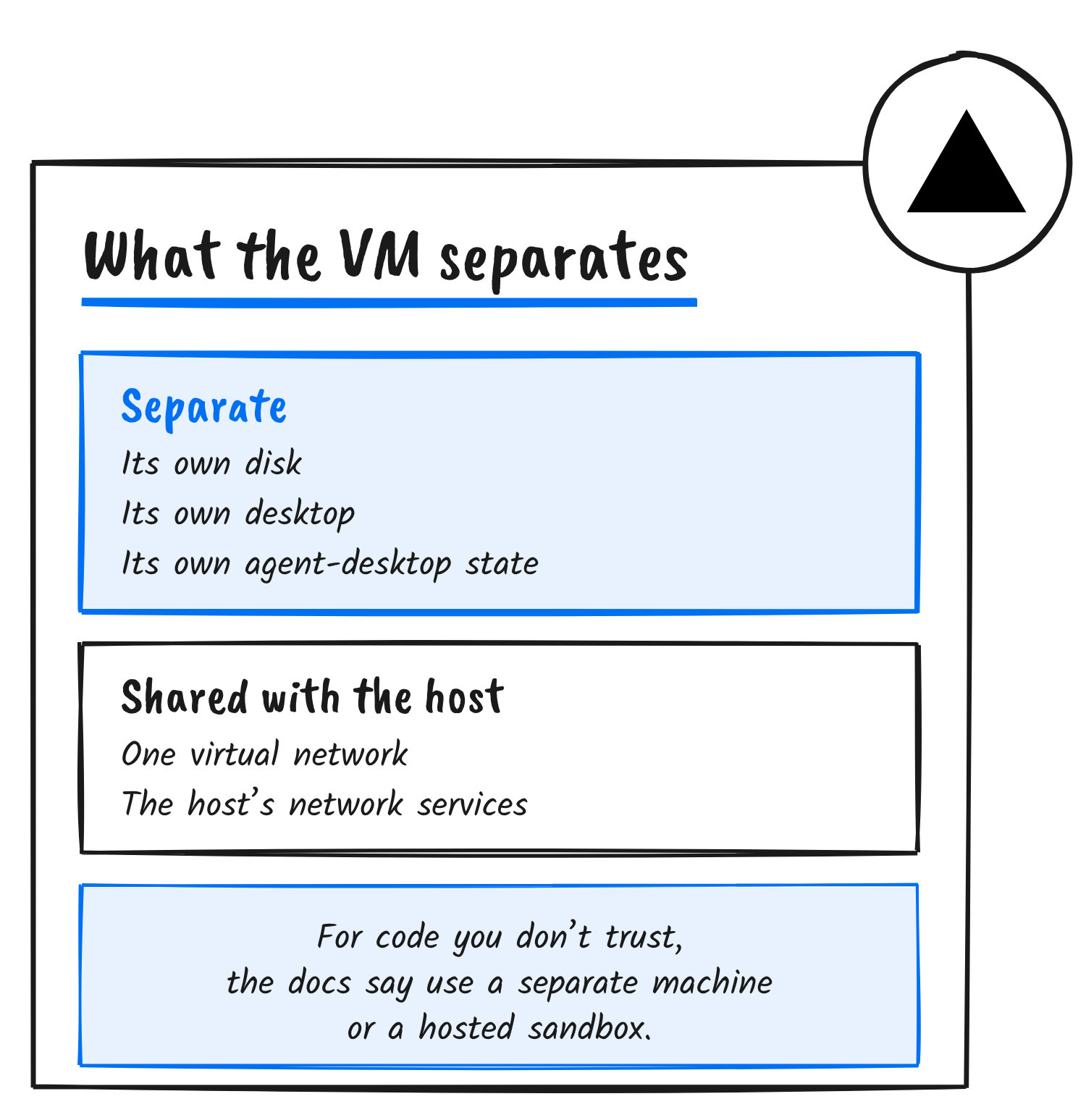
Two more details sit in the same page. Accessibility is granted to sshd-keygen-wrapper, so every SSH session as the guest user can drive the guest desktop. The SSH key in the sandbox folder is the guest credential, and anyone who can read it can run commands as the guest user. The VM host runs as you, and agent-desktop doesn’t prevent a guest escape. For code you don’t trust, the docs say to use a separate machine or a hosted sandbox.
Limits and release status
macOS allows two macOS VMs running at once, and a third start fails. sandbox exec waits at most 300 seconds for one guest command. Each sandbox keeps a full macOS disk image, and sandbox rm deletes it.
The 1.2.0 release notes, published on 5 November, list an MCP server and macOS fixes but don’t mention sandboxes. The docs pages describing the sandbox commands carry an 11 November update date, and the README on the main branch lists a sandbox command.
Lahfir described the earlier manual route on 31 October: run agent-desktop inside a macOS VM that Apple’s Virtualization framework boots in a window, so the agent sees only what’s inside it.
Discover more from Sulat AI & Tech News
Subscribe to get the latest posts sent to your email.