Anthropic’s ClaudeDevs account says the coordinator in Claude Code Projects is now “much more proactive”. In a project, Claude splits your work across parallel threads. The coordinator now answers your questions in the project chat and gives you updates on the status of your ongoing threads, the account says.
The post on X on 13 November is two sentences about the coordinator. It doesn’t give plans, versions or dates, so the details below come from Anthropic’s Projects docs.
What a project is
A project is one ongoing conversation, at claude.ai/code or in the desktop app, where Claude coordinates a stream of related work, the docs say. It starts a thread for each task. Each thread is usually a Claude Code cloud session with its own context window, and it reports back to the conversation when it finishes. A cloud thread works on its own branch and opens a pull request when the work calls for one.
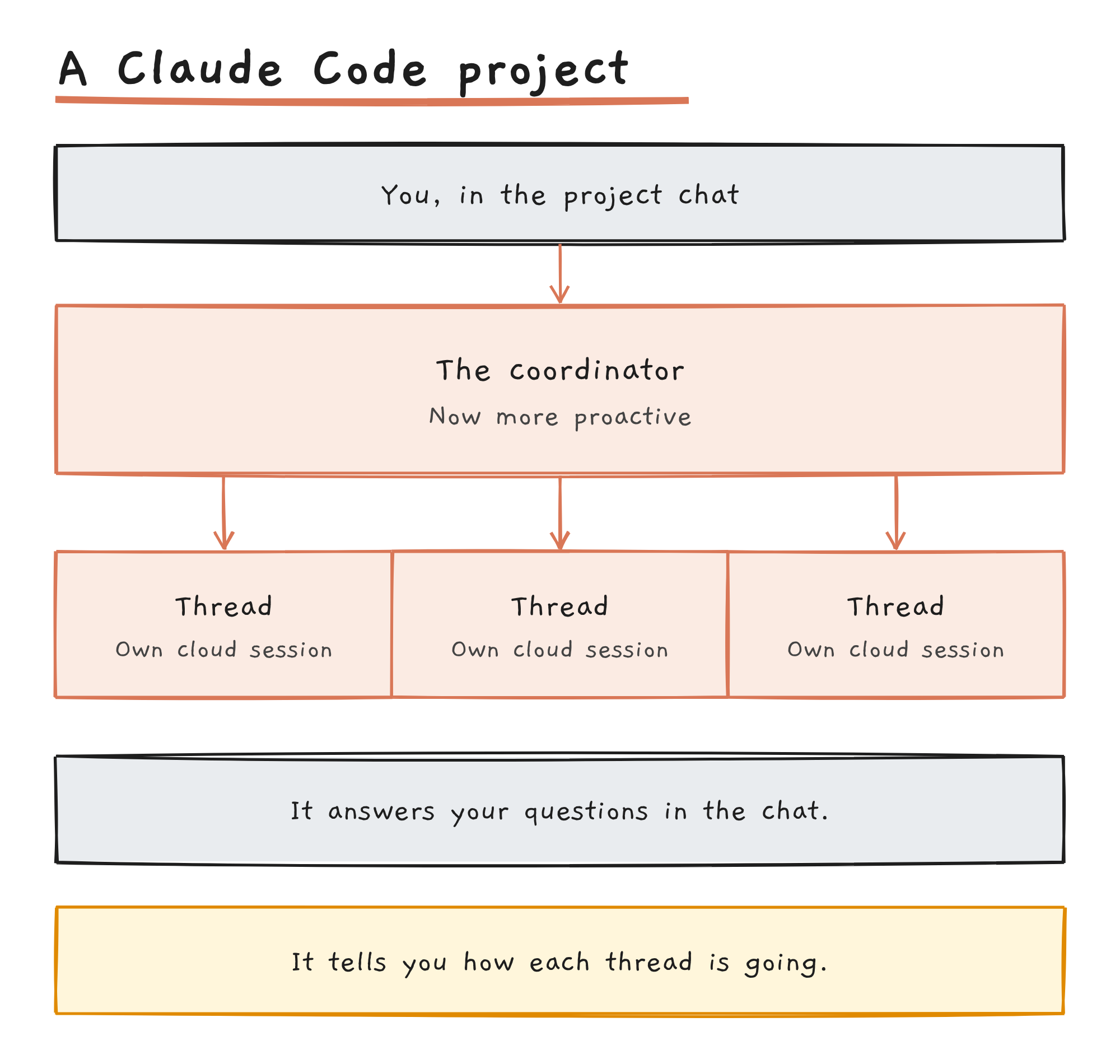
The coordinator is the Claude in the project conversation. It decides what becomes a thread and keeps track of every thread it started, but it sees what threads report back, not every step they take.
What the update changes
The post names two behaviours: answering questions in the project chat, and updating you on thread status. The docs describe the coordinator answering quick questions in place instead of starting a thread. They also describe an Overview pane that groups threads as Ready for review, Waiting on you, Working, Landing, Idle and Resolved.
The post doesn’t say how the coordinator decides when to post, or whether the Overview pane changed.
You can tune how often it posts
The docs say you tell Claude in the conversation how many threads to run at once, when to post updates and when to open pull requests. Their examples include “Post shorter updates”, “Only post when something finishes or is blocked” and “Give me a status update on every thread”. If Claude starts a thread for something you meant as a quick question, the docs suggest “Answer that here instead of starting a thread”.
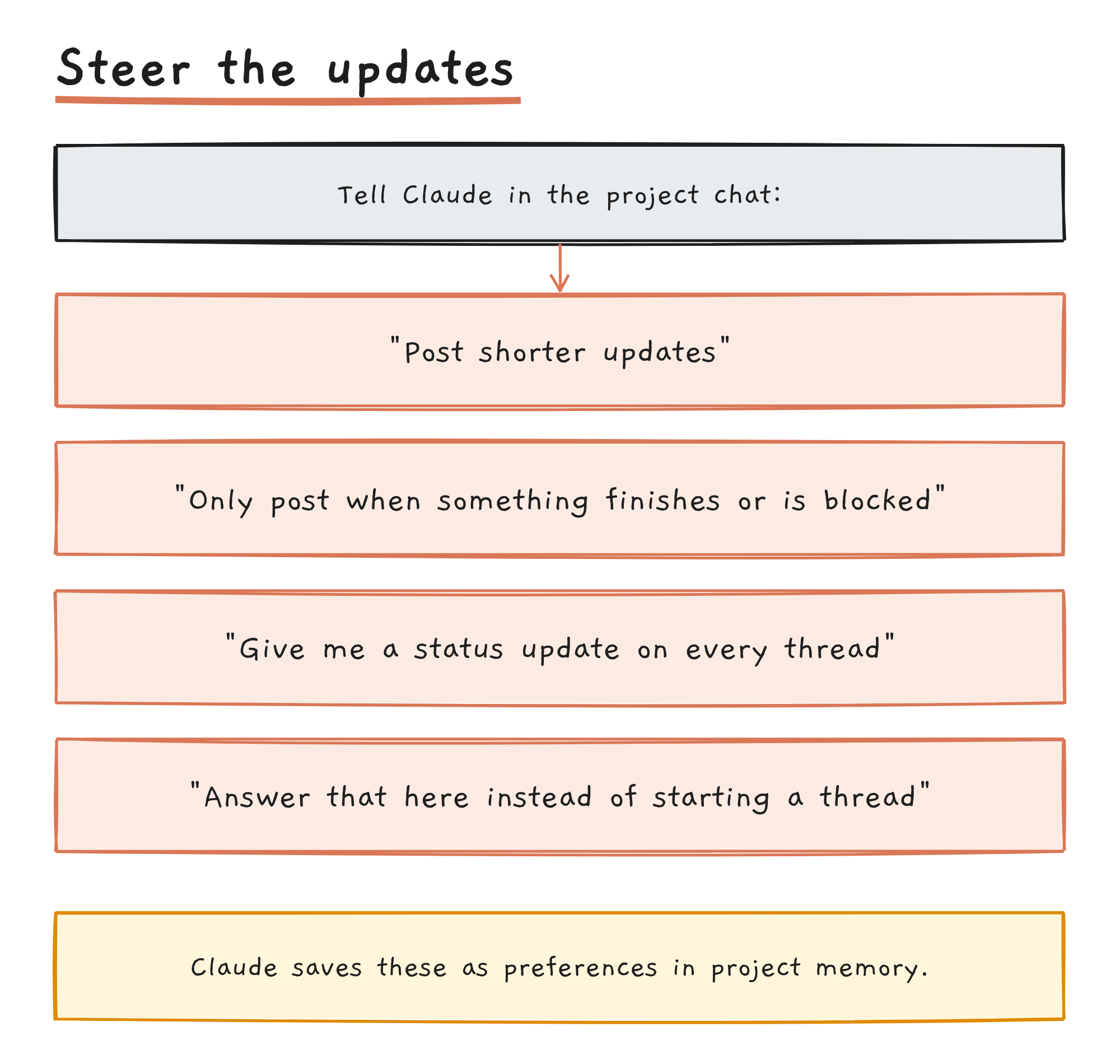
Claude saves preferences like these to project memory and follows them in later cloud threads. The docs say they’re instructions Claude keeps to, not enforced settings. A rule you want worded exactly, and applied to every thread from the start, goes in the project’s instructions.
Who can use Projects
| Question | Answer, per Anthropic’s docs |
|---|---|
| Status | Public beta, rolling out gradually |
| Plans | Pro, Max and Ultra; not offered on Team or Enterprise plans yet |
| Where | claude.ai/code, the desktop app and the Claude mobile app; not the terminal CLI, the VS Code extension or the JetBrains plugin |
| Where threads run | In the cloud by default; on your own computer through Remote Control when you ask |
| Code projects | Code on github.com, a connected GitHub account with push access and the Claude GitHub App installed |
| Usage | Draws on the same plan limits as your other Claude Code sessions, and uses them faster |
| Defaults | A new project runs Opus everywhere, with high effort for threads and low effort for the conversation |
If you don’t see Projects in the sidebar at claude.ai/code, check under More. If it’s missing there too, the rollout hasn’t reached your account, and Anthropic has a waitlist.
What the post doesn’t cover
The unofficial site Hermes AI News, citing the same post, lists more changes: read-only thread sharing, reminders, and the /btw and /fork commands. The post mentions none of them, and Anthropic’s Projects docs say a project’s threads can’t be shared with another user.
Anthropic hasn’t said whether the proactive behaviour can be switched off. The docs’ way to change how the coordinator behaves is to tell it in the project chat.
Discover more from Sulat AI & Tech News
Subscribe to get the latest posts sent to your email.