GitHub is pointing developers back to three Copilot features it launched on 28 October at its Universe conference: automations for issue triage, projects in the GitHub Copilot app, and Copilot Fusion, which picks the models for each task. Fusion is generally available, projects are in public preview, and automations are available on paid Copilot plans.
In a post on X, GitHub lists the three and invites people to “find out how our dev team is using them” in a video. The post doesn’t give plans, prices or dates, so the details below come from GitHub’s changelog, docs and Universe post.
Copilot Fusion is generally available
Instead of choosing a model for each task, you select Fusion in the model picker and choose an effort level, GitHub says. Standard is for everyday coding, High is for harder tasks and deeper reasoning, and Max is for the most demanding work. For each prompt, Fusion decides which models to use and how they work together, using one of three patterns.
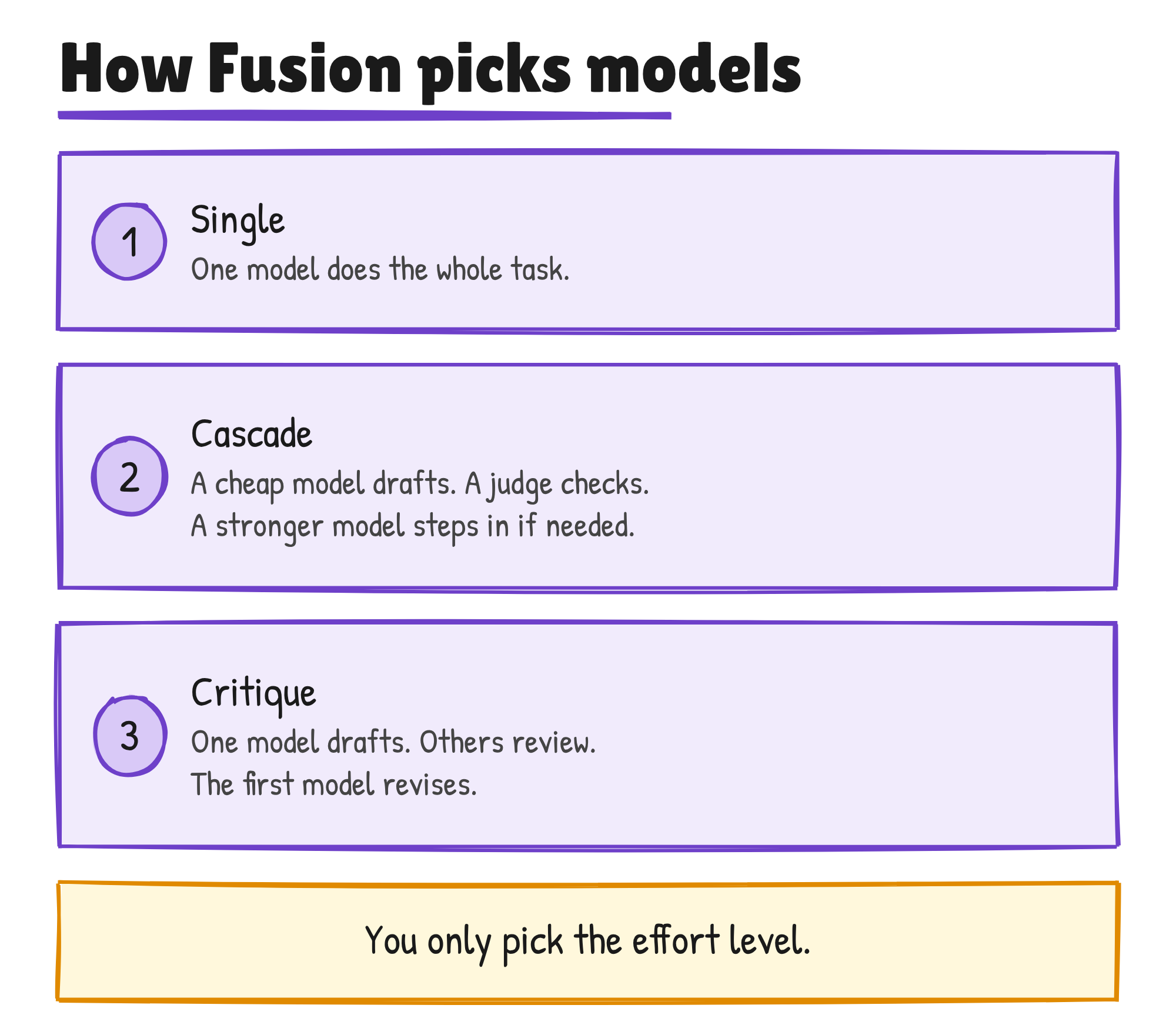
Fusion combines the multi-model orchestration of Project HydraFusion, which GitHub released as a research preview in September, with Copilot’s auto model selection. Anyone who had enabled auto, HydraFusion or HydraFusion Max moves to the matching Fusion level.
Fusion is in VS Code, the Copilot app, the Copilot CLI and JetBrains IDEs. GitHub’s changelog says it’s available on all Copilot plans and that more clients are coming. The docs show Fusion High and Max aren’t included on Copilot Free or Student.
You’re billed for each model Fusion uses, at that model’s standard rate, and there’s no separate Fusion charge. High and Max can use more than one model on a task, so they can use more AI credits than Standard. Through 30 November, paid Copilot plans get 30% off model costs when using Fusion.
GitHub says Fusion Max scored 60 on the Artificial Analysis Coding Agent Index, within two points of Claude Code with Opus 5.5 Max. In its Universe post, GitHub adds that Fusion Max did it at half the cost and with 40% less time per task. Those are GitHub’s figures. AT&T’s Hari Pokhrel, a principal software engineer, says Fusion Standard “has improved token efficiency across AT&T by automatically selecting the right model for the task.”
Administrators decide which models Fusion can pick from, and Fusion only uses models already enabled in the enterprise and organisation policies. With Enterprise managed settings they can make Fusion, at any effort level, the default model.
A separate experimental preview lets Fusion choose between supported on-device models and cloud models in the Copilot CLI, the Copilot app and VS Code. It’s opt-in and runs at the Standard level only. On Windows, GitHub offers a managed download through Windows ML. You can also point it at MAI Code 1.1 Flash or Qwen3.8 Flash Next through a local OpenAI-compatible server, and you manage that download and runtime yourself.
Automations can now learn from outcomes
Copilot automations run the Copilot cloud agent on a schedule or in response to an event. You write the task once, then choose the triggers, the model and the tools Copilot may use. GitHub’s headline example is issue triage: labelling new issues as a bug, an enhancement or other, based on their content. The docs say an automation that changes an issue can explain each change and rate its confidence, applying high-confidence changes itself and proposing the rest for review.
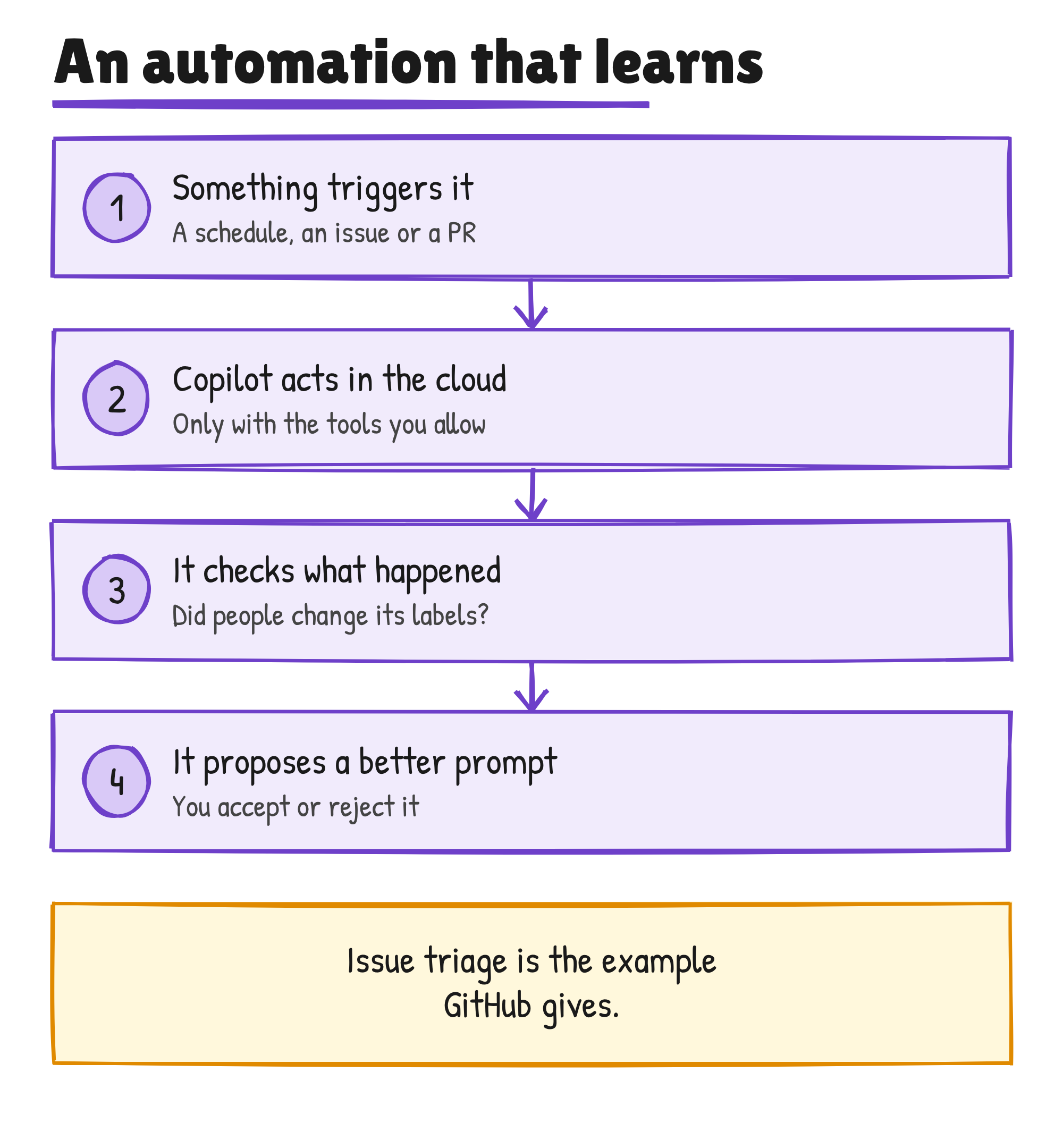
The new part is that automations learn from their outcomes. GitHub’s examples: a triage automation can learn from whether people change the labels it applied, and a code review automation can learn from whether developers accept its comments. Copilot then proposes a change to the automation, and you accept or reject it before it applies.
GitHub also widened what automations can do on 28 October:
- Triggers: the GitHub REST API can now start an automation, so Jira, Sentry or PagerDuty events can fire one. There are 24 new GitHub triggers across issues, pull requests, discussions and security alerts, and one automation can trigger another.
- Tools: 20 new GitHub tools, including merging pull requests and retrying workflow runs, plus tools from custom MCP servers.
- Cost controls: AI credit limits per run, per day, per week or per month.
- Shared automations: everyone with read access can see one and anyone with write access can edit it. Credits are billed to the repository owner, and actions are attributed to Copilot. They’re rolling out, and organisation admins must enable the “Allow use of Copilot cloud agent billed to the organization” policy.
Automations are available on Copilot Pro, Pro+, Max, Business and Enterprise, and anyone with write access to a repository can create one. GitHub’s docs say they aren’t available in public repositories. Each run uses GitHub Actions minutes and AI credits. By default, automations ignore events from people without write access, to reduce the risk of prompt injection from outsiders.
Projects in the Copilot app are in public preview
A project gives work that spans several repositories, or no repository at all, one home inside the Copilot app. You describe a goal and add context such as repositories, design mocks, Slack threads or notes from a design meeting, then choose the models and tools. Copilot runs as many agents as the work needs and brings back results, such as pull requests, for review. GitHub says projects run in fully managed, parallel sessions.
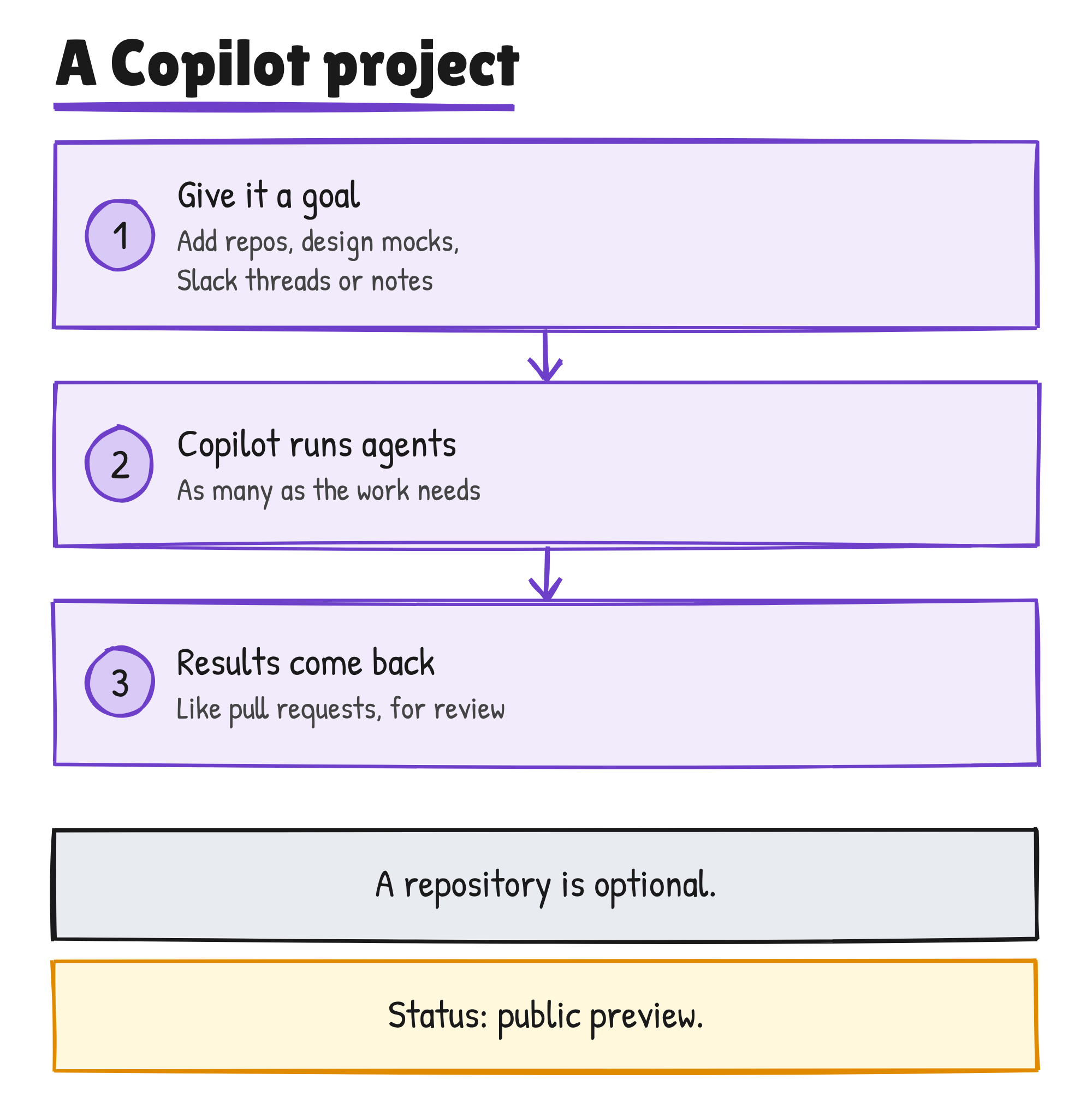
The projects docs say an Overview panel groups a project’s work as Needs input, Open, Working and Done, and that you can open a session and steer it with a message. A project can also hold recurring tasks. GitHub’s example is creating a new promo video whenever a feature lands. For a focused task in one repository, you can still start a session straight from that repository.
GitHub’s changelog and docs don’t say which Copilot plans include projects.
What else GitHub shipped on 28 October
The same day, GitHub released several other Copilot features. The table lists each one’s status and who gets it, as GitHub states it.
| Feature | Status | Who gets it |
|---|---|---|
| Copilot Memory | Generally available | Paid Copilot plans |
| Copilot dreaming | Public preview | GitHub says availability and settings vary by capability |
| Agent Merge | Released | Paid Copilot plans, subject to organisation and enterprise policies |
| Computer use in the Copilot app | Public preview on macOS and Windows | Organisations can disable it through managed settings |
| Image generation and editing in Copilot | Released | GitHub doesn’t list plans |
| Copilot code review Max | Introduced | GitHub doesn’t list plans |
| Session continuity across the app, VS Code, the CLI and the web | Announced | GitHub doesn’t list plans |
| GitHub Agentic Workflows | Generally available | Free, Team and Enterprise on github.com; the default Copilot CLI engine needs a Copilot licence |
| Copilot in GitHub Enterprise | Available through GitHub Sales | Enterprise customers use all Copilot features without a separate subscription and pay for the AI credits they use; self-serve is coming soon |
Memory lets Copilot keep personal preferences and repository conventions across sessions and clients. Agent Merge adds a “Watch and fix” button to a pull request’s merge box, and Copilot then works in a cloud environment to fix failing Actions workflows, resolve merge conflicts, or both. GitHub says Copilot code review Max posted the highest F1 score on ReviewBench for high-severity issues.
GitHub’s changelog team also covered the three features in an October releases episode, listed by Tech Hub on 12 November. It links GitHub’s 16 September post on porting the Copilot runtime to Rust. In that post, Stephen Toub writes that agents wrote most of more than 800,000 lines of Rust across 128 pull requests, at about US$120,000 in token spend, and that Agent Merge handled every porting pull request.
Fusion’s 30% discount on paid plans ends on 30 November. GitHub says self-serve access to Copilot for Enterprise customers is coming soon, and it hasn’t given a date.
Discover more from Sulat AI & Tech News
Subscribe to get the latest posts sent to your email.