DeepSeek has opened the features behind its DeepSeek App to developers through its API, the company said on 13 November 2026. On deepseek-flash, the model name now served by DeepSeek-V4.1-Flash-1017, a request can turn on web search, link reading, safety review and automatic chat titles with parameters, and OCR, speech to text and text to speech run as separate APIs billed per use.
DeepSeek announced it on X, saying developers can “recreate the full DeepSeek App in your own application”. It also released an open-source chat demo under the MIT licence, with a hosted copy, and put the full parameter reference in its Build a Chatbot guide.
🚀 The full DeepSeek App experience, now via API
— DeepSeek (@deepseek_ai) November 13, 2026
Search, files, links, safety, and voice. The capabilities behind the DeepSeek App are now available through the DeepSeek API.
Enable built-in features with a few parameters, or call standalone APIs such as OCR, ASR, and TTS. Build richer conversations or recreate the full DeepSeek App in your own application.
Try our open-source frontend demo, with support for importing DeepSeek conversation history. 1/4
What a request can switch on
DeepSeek says the features work on deepseek-flash through all three of its chat endpoints: Messages, Responses and Chat Completions. The service runs the searches and page reads itself, and the client only displays the returned blocks and passes them back unchanged on the next turn.
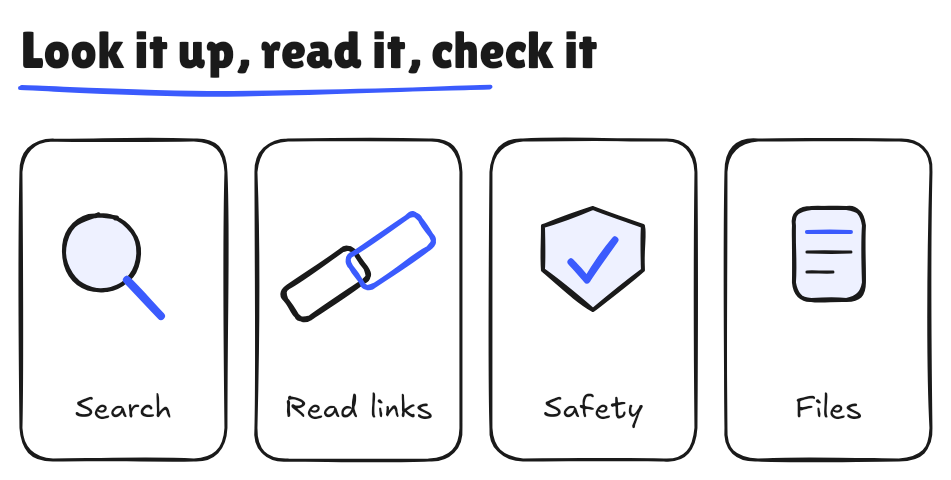
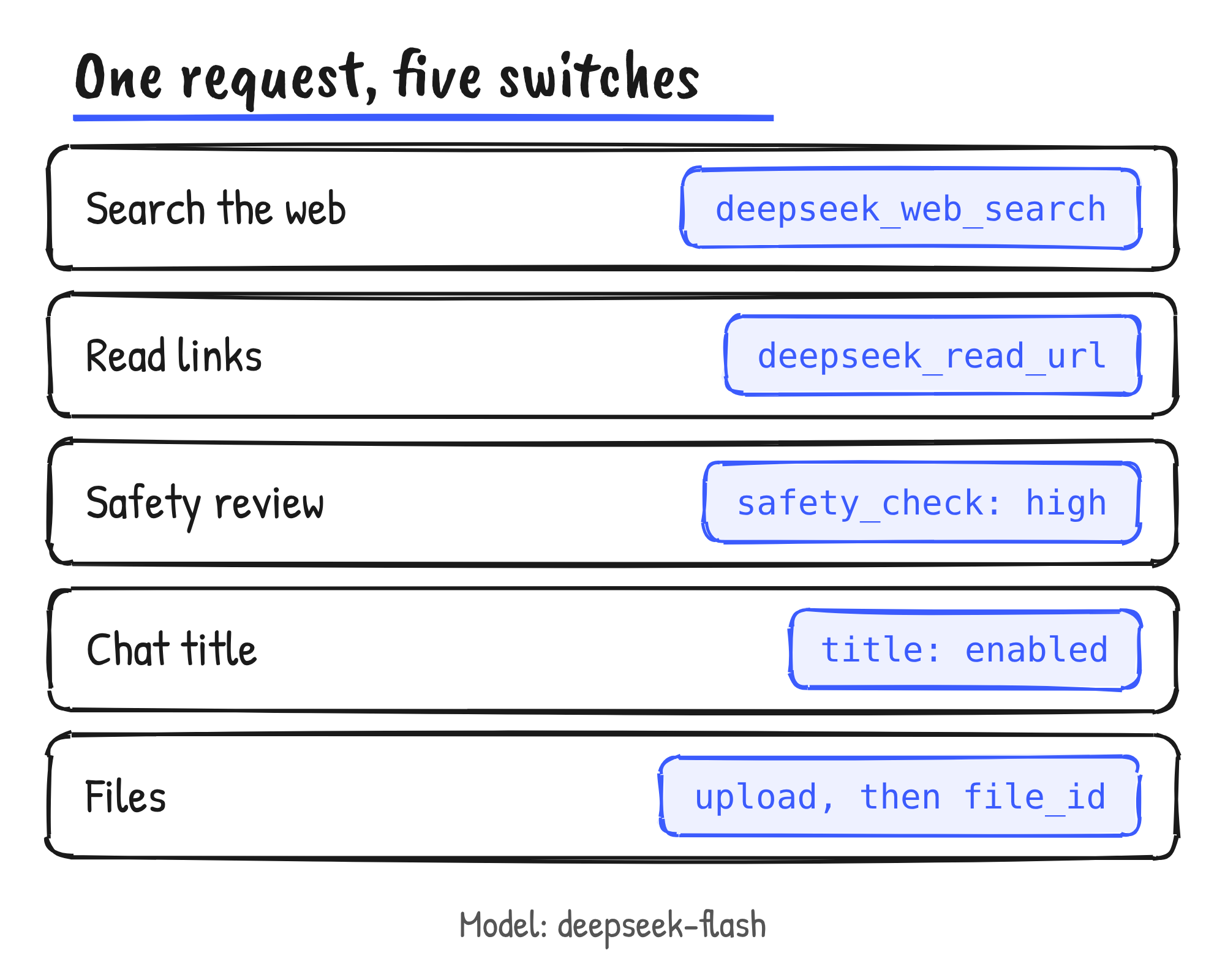
Declaring the deepseek_web_search tool with thinking off lets the model run web or image searches and answer with citations. With thinking on, the same tool becomes what DeepSeek calls deep thinking search: the model searches, opens pages and finds text in them across several reasoning steps. The deepseek_read_url tool fetches links that appear in the user’s message. Setting title to enabled returns a short conversation title when the answer ends.
Files go through a separate upload. A PDF, Word or PowerPoint file or an image is sent to the Files API with a parsing purpose, and the returned file_id is referenced in a chat message. The text_recognition purpose keeps text only and drops charts, photos and diagrams. The rich_layout_recognition purpose crops the figures out and gives them to the model at their original positions, using input tokens and counting towards the per-request image limit. A file can be up to 100 MiB and 1,000 pages, and one request can reference at most 20 documents.
Two constraints come with the web tools, link reading, safety review and titles. DeepSeek decides sampling settings such as temperature and top_p and ignores the values in the request, and its error list says other server tools can’t be declared alongside them yet. The guide says parsing is billed once per page at upload and that each chat turn is then billed for input tokens at the model’s price. It doesn’t give the per-page figure.
The standalone APIs and what they cost
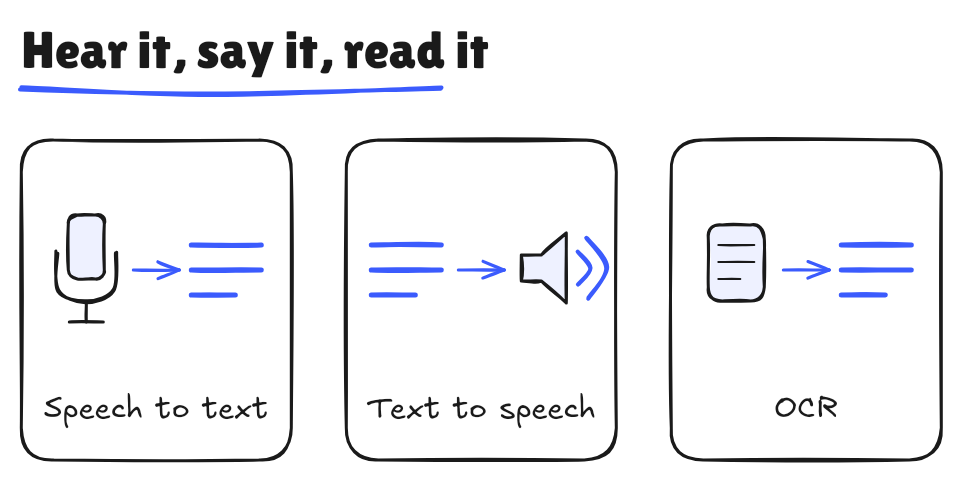
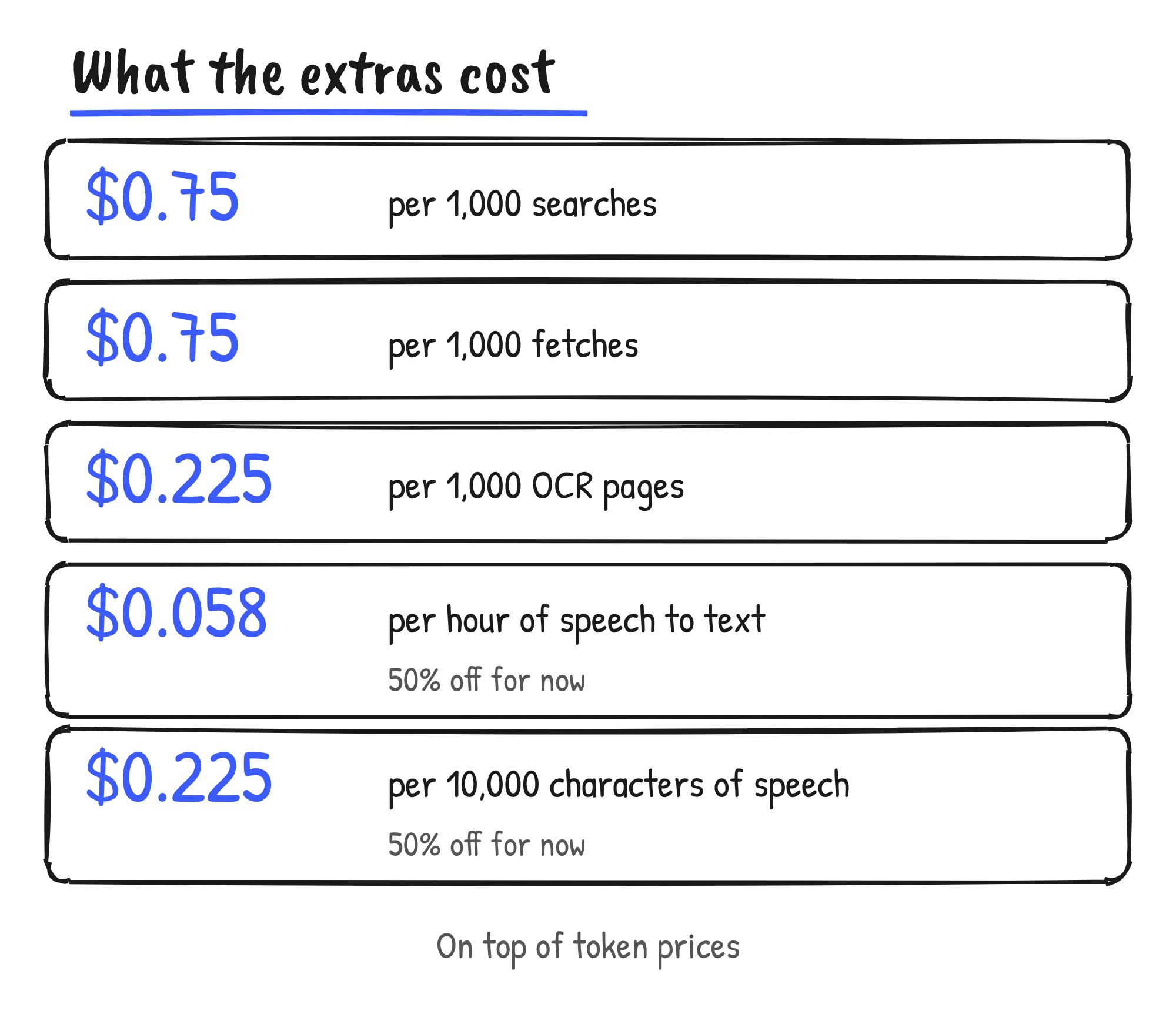
Search, Fetch, OCR, speech to text (ASR) and text to speech (TTS) can each be called on their own. DeepSeek says the extended features add tool fees on top of the usual token charges. Search and Fetch already had their own launch; OCR, ASR and TTS are the new endpoints.
| API | What it takes | Limits | Price |
|---|---|---|---|
| OCR | PDF, Word, PowerPoint or image, sent to /v1/tools/ocr | 100 MiB, 1,000 pages | US$0.225 per 1,000 pages |
| Speech to text | 16-bit PCM WAV or Ogg Opus, sent to /v1/tools/asr | 120 seconds, 8 MiB, no streaming | US$0.058 per hour, half the US$0.116 list price for a limited time |
| Text to speech | Text sent to /v1/tools/tts, or over WebSocket in chunks | 10,000 billed characters per request | US$0.225 per 10,000 characters, half the US$0.45 list price for a limited time |
| Search and Fetch | Queries or URLs | Per successful request | US$0.75 per 1,000 requests each |
Speech to text detects the language from the audio and covers 21 languages, including English, Chinese, Cantonese, Japanese, Korean, Spanish and Filipino. Text to speech detects the language from the text and covers 10: Mandarin Chinese, Cantonese, English, Japanese, Korean, Malay, Arabic, Indonesian, Thai and Vietnamese. It has two voices, stella (female) and tide (male), and each Chinese character counts as two billed characters. DeepSeek hasn’t given an end date for the half-price period.
Model tokens are billed as before. For deepseek-flash, DeepSeek’s pricing page lists US$0.15 per million input tokens on a cache miss and US$0.60 per million output tokens at off-peak rates, and double that at peak. Peak hours are 01:00 to 04:00 and 06:00 to 10:00 UTC, Monday to Friday, excluding Chinese public holidays.
What the safety check does
Setting safety_check to {"level": "high"} turns on what DeepSeek calls basic risk control, which reviews both the model’s input and its output. A blocked input returns a 400 error, Content Exists Risk. A blocked output ends the response with stop_reason: "refusal" and no stated reason. The connection stays open after the model finishes while the full output is reviewed, so text that has already streamed to the user has to be removed by the client.
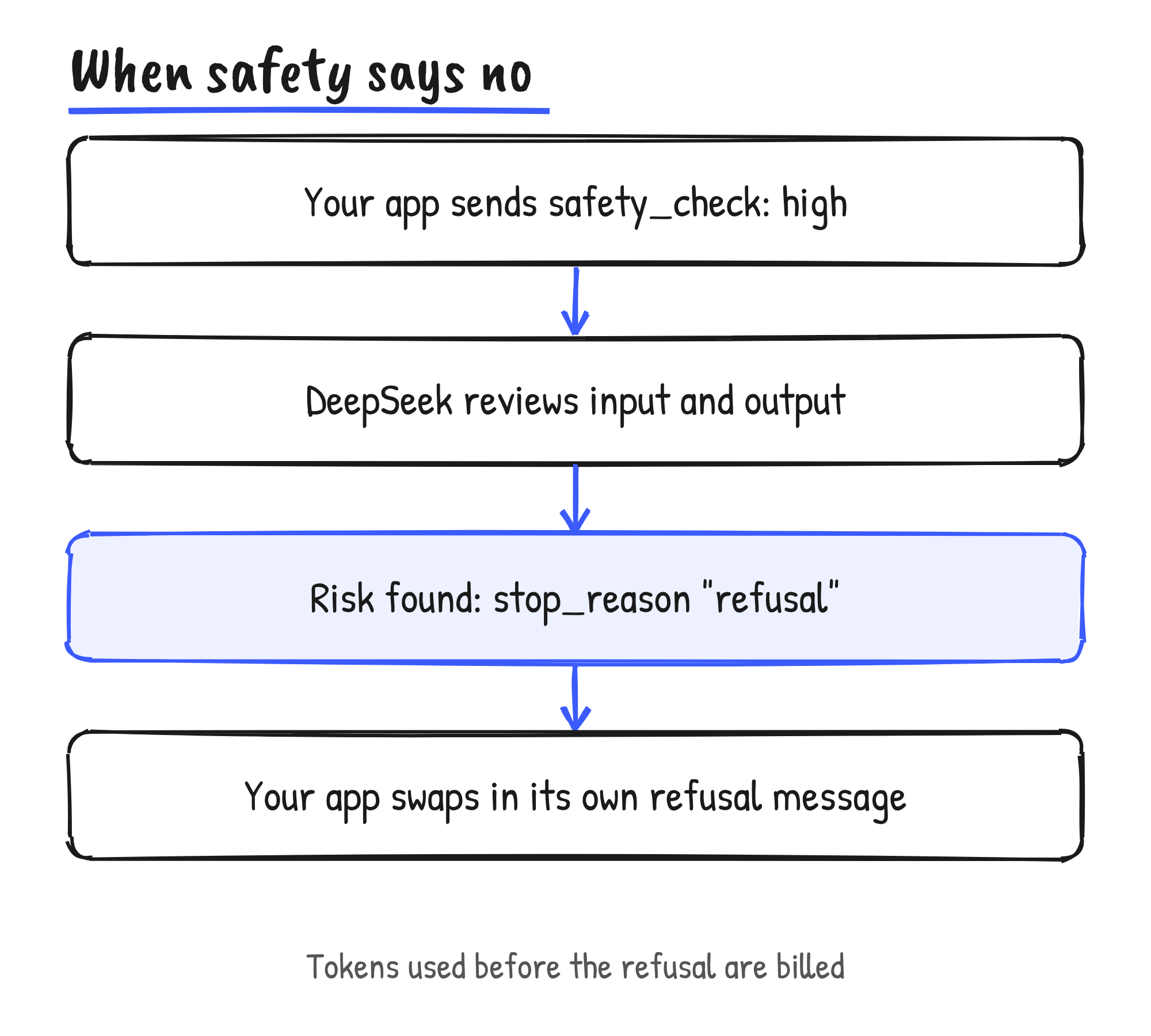
The review tokens are billed as output tokens and reported separately as safety_tokens, and tokens used before a refusal are billed. DeepSeek says public-facing apps must enable the check, and that developers stay responsible for content moderation, large model registration where it applies, and AI-generated content labelling.
The chat demo
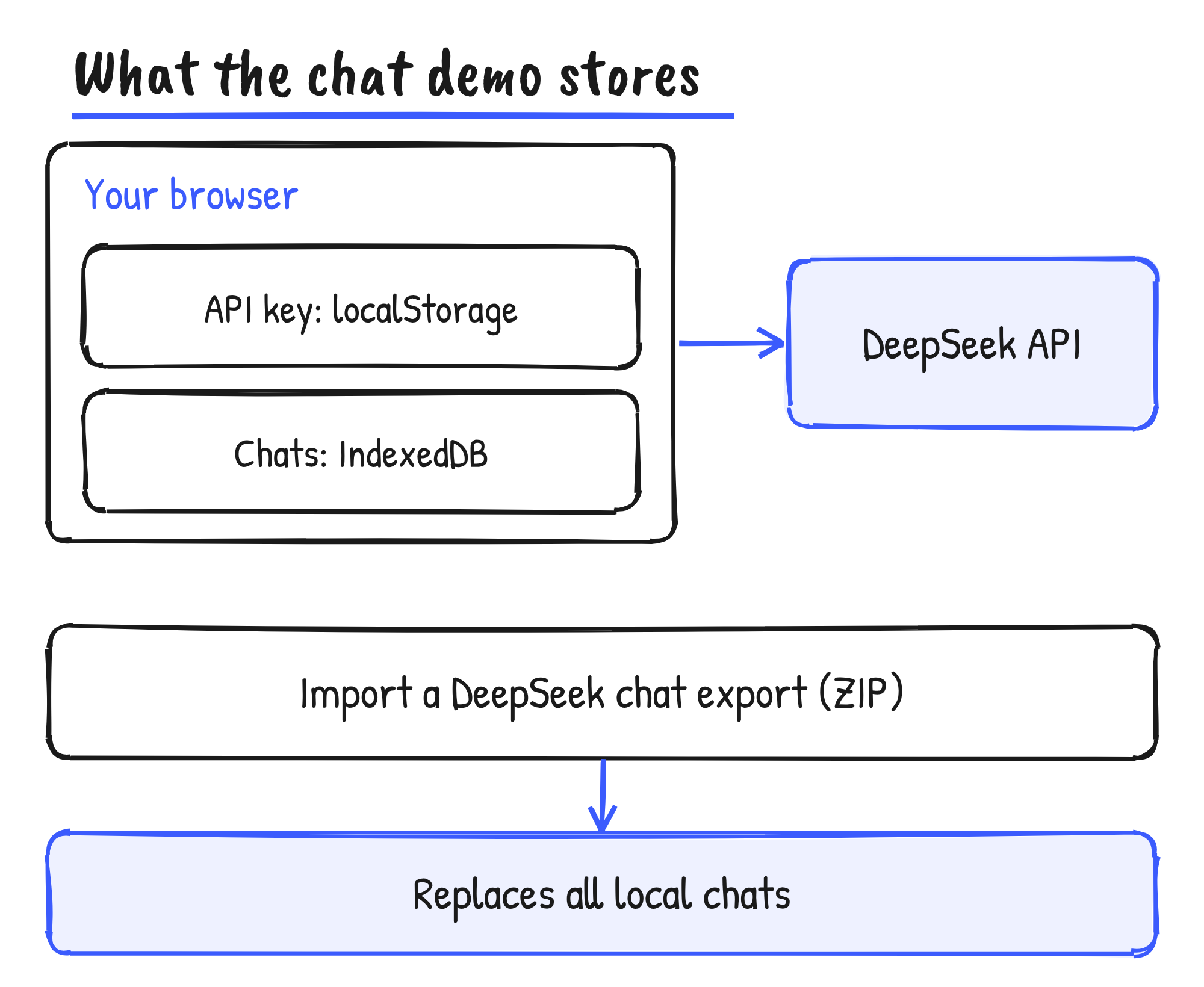
The demo is a static web app with no application backend: the browser talks straight to the API. It supports multiple conversations with automatic titles, prompt editing and message branches, streaming replies, deep thinking, search, link reading with citations, file attachments, voice input, read-aloud replies, Markdown, KaTeX maths and Mermaid diagrams, in English and Simplified Chinese. Running it from source needs Node.js 22.12 or later and pnpm.
The repository’s README says the API key and settings sit in the browser’s localStorage, and conversations and original attachments in IndexedDB. Settings can import a ZIP exported from DeepSeek’s own app, and an import replaces all local conversations and attachments. Exports leave out API keys, settings and non-image attachments. DeepSeek labels the demo as for demonstration only.
What isn’t in the announcement
DeepSeek’s announcement and guides carry no accuracy figures for its search, OCR or speech models. The web tools, link reading, safety review and file input are documented for deepseek-flash only; the guide names no other model. The announcement is the first of a four-part thread on X, and DeepSeek’s documentation lists the full parameters at api-docs.deepseek.com.
Discover more from Sulat AI & Tech News
Subscribe to get the latest posts sent to your email.