GitHub says Copilot code review can now choose its own review effort for each pull request, flag exposed secrets and read related public repositories, according to a changelog post dated 17 November (18 November in New Zealand). All three are in public preview for Copilot Pro, Pro+, Max, Business and Enterprise plans. The Max plan and the Max review level are separate things.
GitHub summarised the update in a thread on X that it ties to Microsoft Ignite, Microsoft’s annual conference.
Copilot code review got major upgrades 🚀
— GitHub (@github) November 18, 2026
What we announced at #MSIgnite 👇
Adaptive chooses between Lite, Balanced and Max
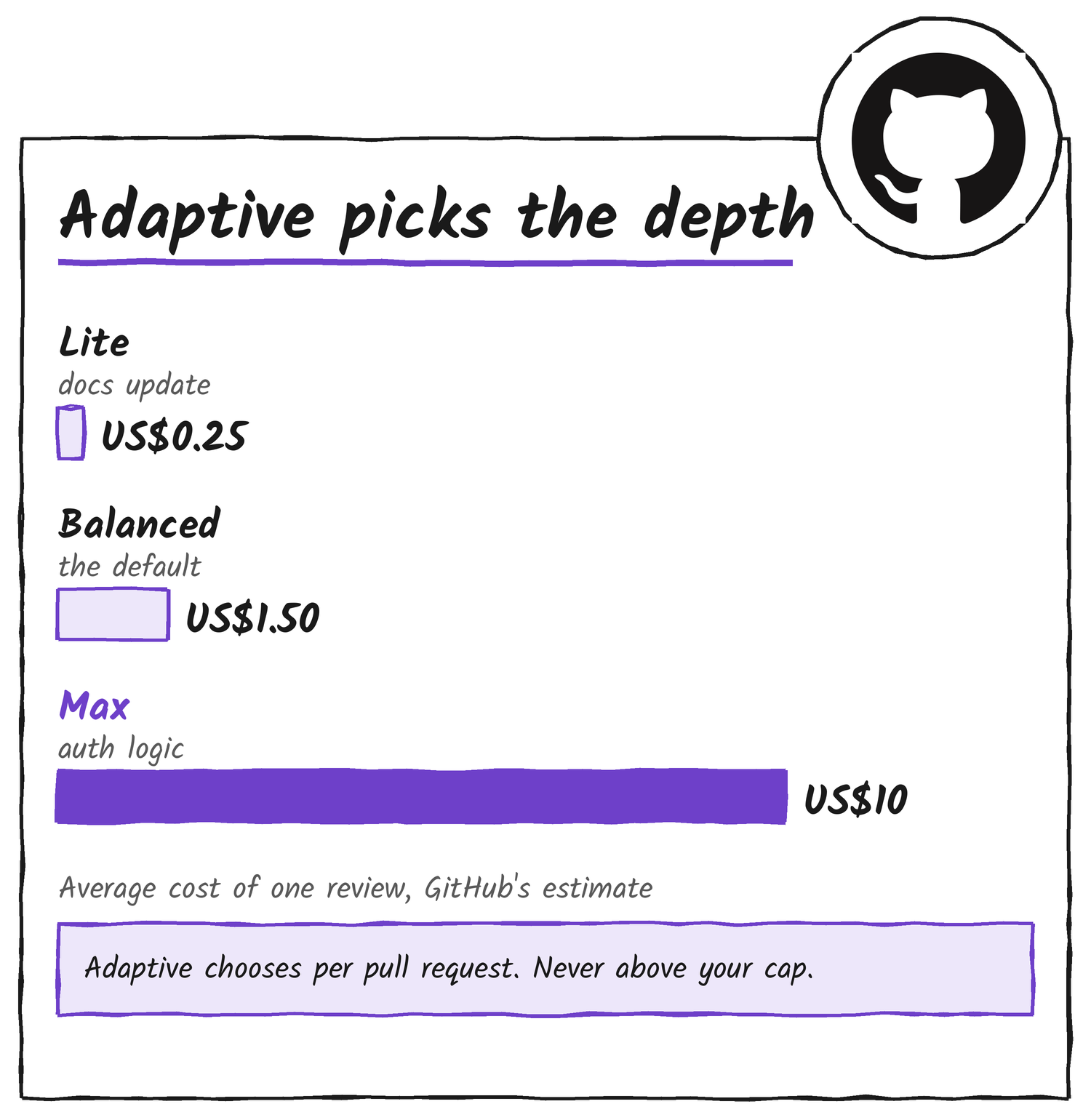
Copilot code review has had three effort levels since Max joined Lite and Balanced in public preview on 28 October. Lite is the quick pass for common bugs and style problems. Balanced sends the review to a stronger reasoning model for complex logic, security-sensitive code and changes that span services. Max runs several models from different providers and reconciles what they find. Until now someone had to pick the level in settings or when requesting the review. With Adaptive, GitHub says, Copilot looks at each pull request’s complexity and risk, reviews it at Lite, Balanced or Max, and shows on the review which level it picked. The changelog’s examples are a documentation update, which may only need Lite, and a change to authentication logic, which benefits from Max.
You can select Adaptive for one pull request from the Reviewers bar, or set it as the default in personal, repository, organisation or enterprise settings. Balanced stays the default, so nobody gets Adaptive until they choose it. Adaptive never picks a level above the maximum review effort that an enterprise, organisation or repository has set.
| Level | What GitHub says it does | Typical range per review | Average per review |
|---|---|---|---|
| Lite | Fast, targeted feedback on bugs, vulnerabilities and style | US$0.05 to US$1 | US$0.25 |
| Balanced (default) | Longer analysis of complex logic, security-sensitive code and cross-service changes | US$0.25 to US$5 | US$1.50 |
| Max | Several high-reasoning models, with findings reconciled into one review | US$1.50 to US$25 | US$10 |
The levels differ most on price. GitHub’s docs put an average Lite review at US$0.25 and a Max review at US$10, which is 40 times as much, and say actual costs can fall outside the ranges. With Adaptive, the docs say, consumption varies with the level Copilot selects. By default, automatic reviews are billed to the pull request author’s Copilot entitlement, and a manual request bills whoever asked. Organisations can choose to bill the organisation instead. Neither the changelog nor the docs says which signals Adaptive reads or how often it picks each level.
Cross-repository context reads other public repositories
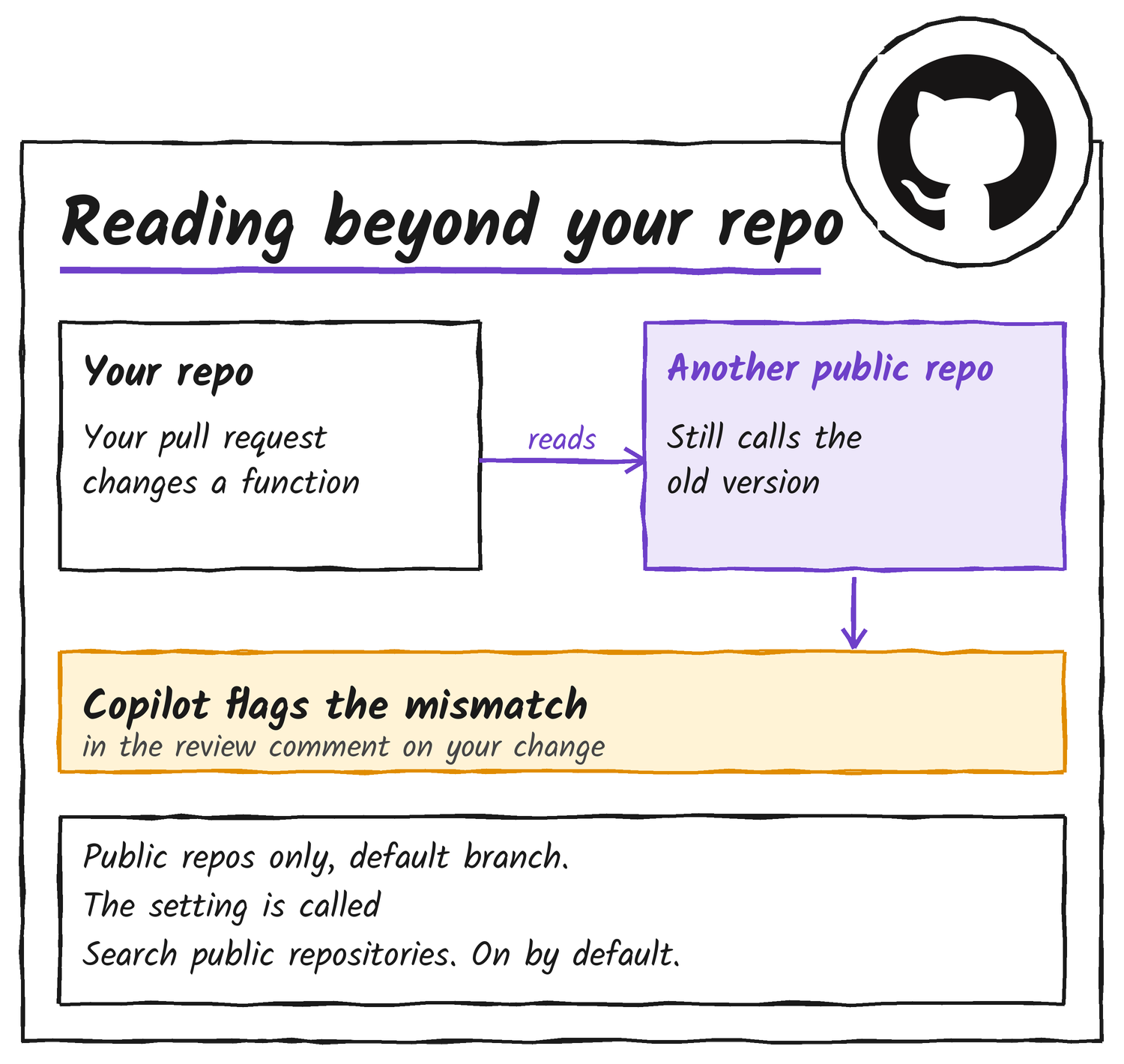
Cross-repository context lets Copilot read related public repositories during a review, so it can find code elsewhere that depends on your change. The changelog says it can also pull in documentation, custom instructions and skills stored in those repositories, and GitHub’s docs say Copilot searches their default branch. It reads public repositories only.
GitHub’s X thread says you choose which repositories Copilot can read. The docs describe one switch instead. It’s called Search public repositories, it’s on by default, and repository administrators can turn it off. If your Copilot access comes from an organisation or enterprise, the Opt in to preview features policy has to be enabled too.
Secret detection checks the lines you add
Copilot code review can now flag exposed credentials in review comments, so you can remove them before you merge. GitHub says it uses two methods. For known formats, detectors built with more than 150 partners in its secret scanning partner programme match more than 500 secret types by pattern, using techniques such as regular expressions. For secrets with no recognisable format, it uses large language models and a GitHub model built for secret detection.
🔐 Secret detection in reviews
— GitHub (@github) November 18, 2026
Copilot code review can now flag secrets in your pull requests, including secrets that don’t follow a recognizable format. It uses GitHub’s purpose-built model for secret detection and points out exposed credentials in review comments (so you can remove them before you merge).
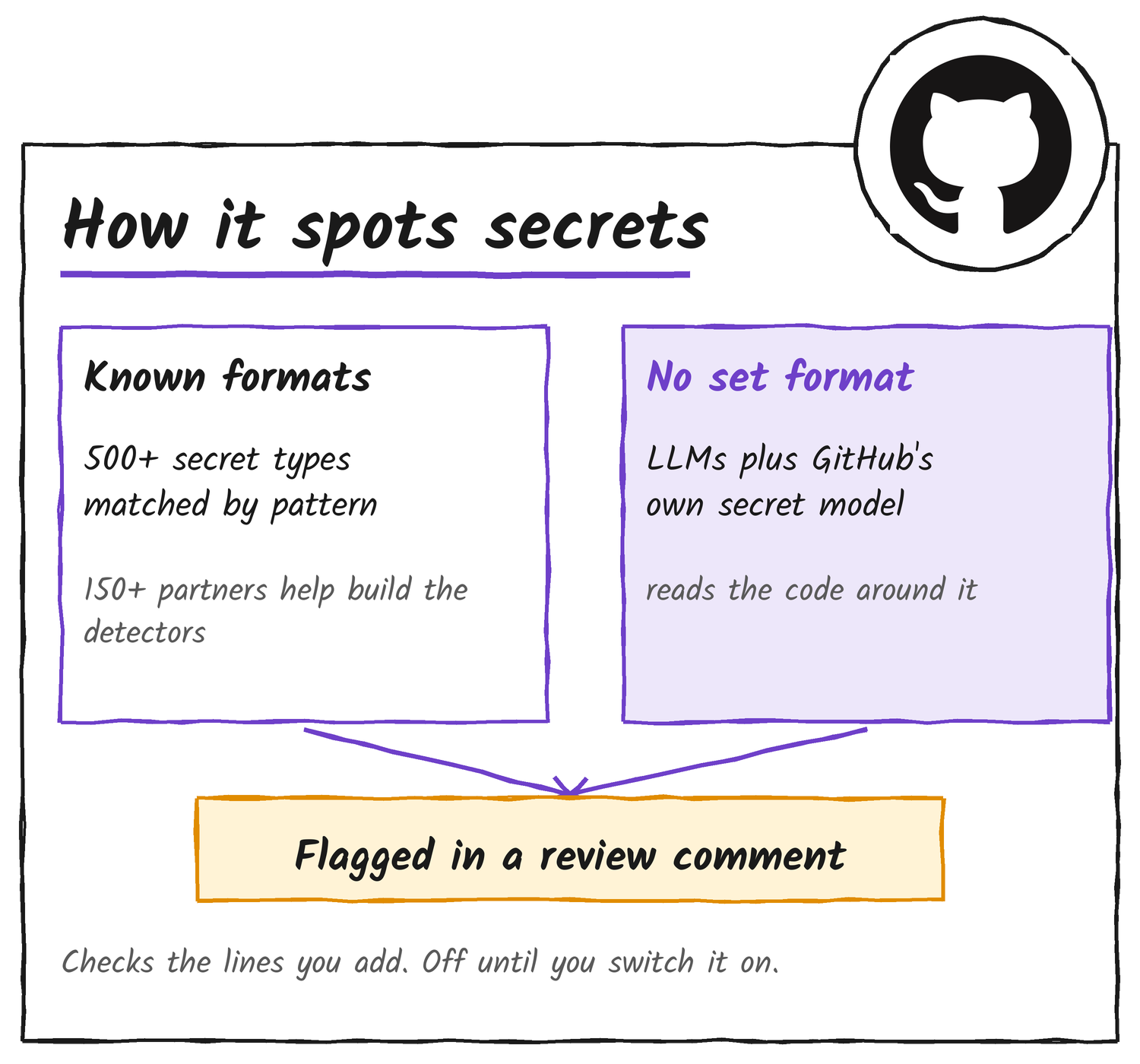
A companion changelog, Secret scanning on demand for developers and agents, adds the settings. Code review flags secrets on added lines, and the entry says GitHub’s secret checks look at your changes and don’t search repository history. The feature is off until you switch it on, under Settings, Copilot, Code review, by turning on Secret scanning under Security. Scans consume AI credits under the Secret Protection AI Credit SKU, and GitHub says no additional plan is required.
Review outcomes and Azure DevOps
Repository insights, now the first item in each repository’s Insights tab, shows how Copilot code review feedback lands. It counts comments addressed, high-severity comments addressed, pull requests with no later human change request, and merged pull requests Copilot didn’t review. It also charts an addressed rate and the categories of comments, and anyone with read access to the repository can open it. The same figures are in the repos-1-day reports of the Copilot usage metrics API, which needs the usage metrics policy enabled. GitHub’s X thread calls the page generally available, and the changelog entries don’t give it a status.
Copilot code review for Azure DevOps is generally available after a public preview. Administrators turn it on for an organisation, project or repository, can add a branch policy that requests a review automatically, and can set a default of Lite or Balanced. Usage is billed in GitHub AI credits to the Azure subscription linked to the Azure DevOps organisation.
GitHub hasn’t given dates for general availability of Adaptive, cross-repository context or secret detection, and says features in public preview are subject to change. To try Adaptive on a pull request, open the effort menu in the Reviewers bar. For a default, go to Settings, then Copilot, then Code review.
Discover more from Sulat AI & Tech News
Subscribe to get the latest posts sent to your email.