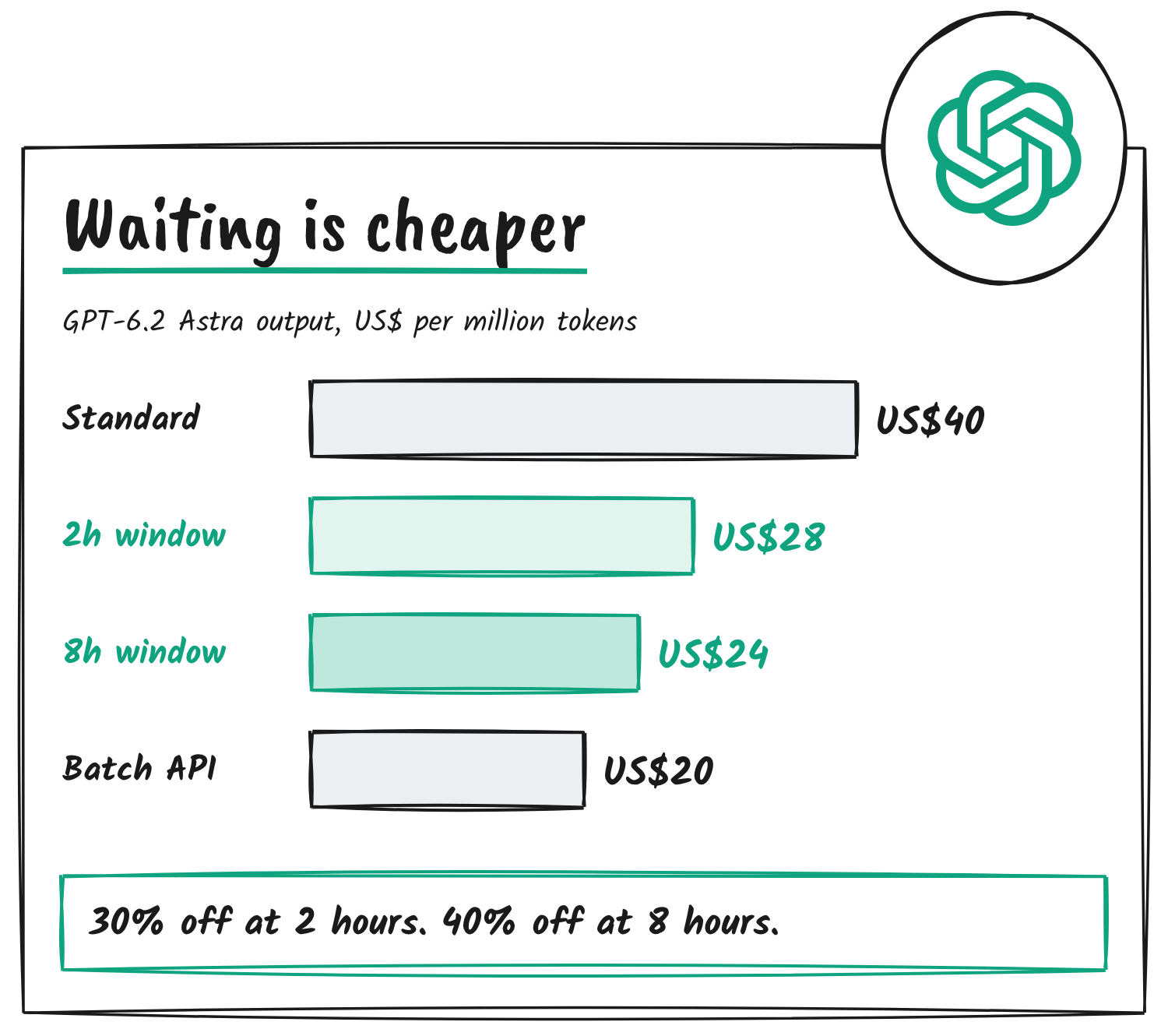
OpenAI has opened a public beta of two discounted completion windows in the Responses API’s background mode. Pick a two-hour or eight-hour target for the first response, and token rates on GPT-6.2 Astra and GPT-6.2 Sol drop 30% or 40% below Standard. Astra’s output price falls from US$40 to US$28 or US$24 per million tokens, and Sol’s from US$10 to US$7 or US$6.
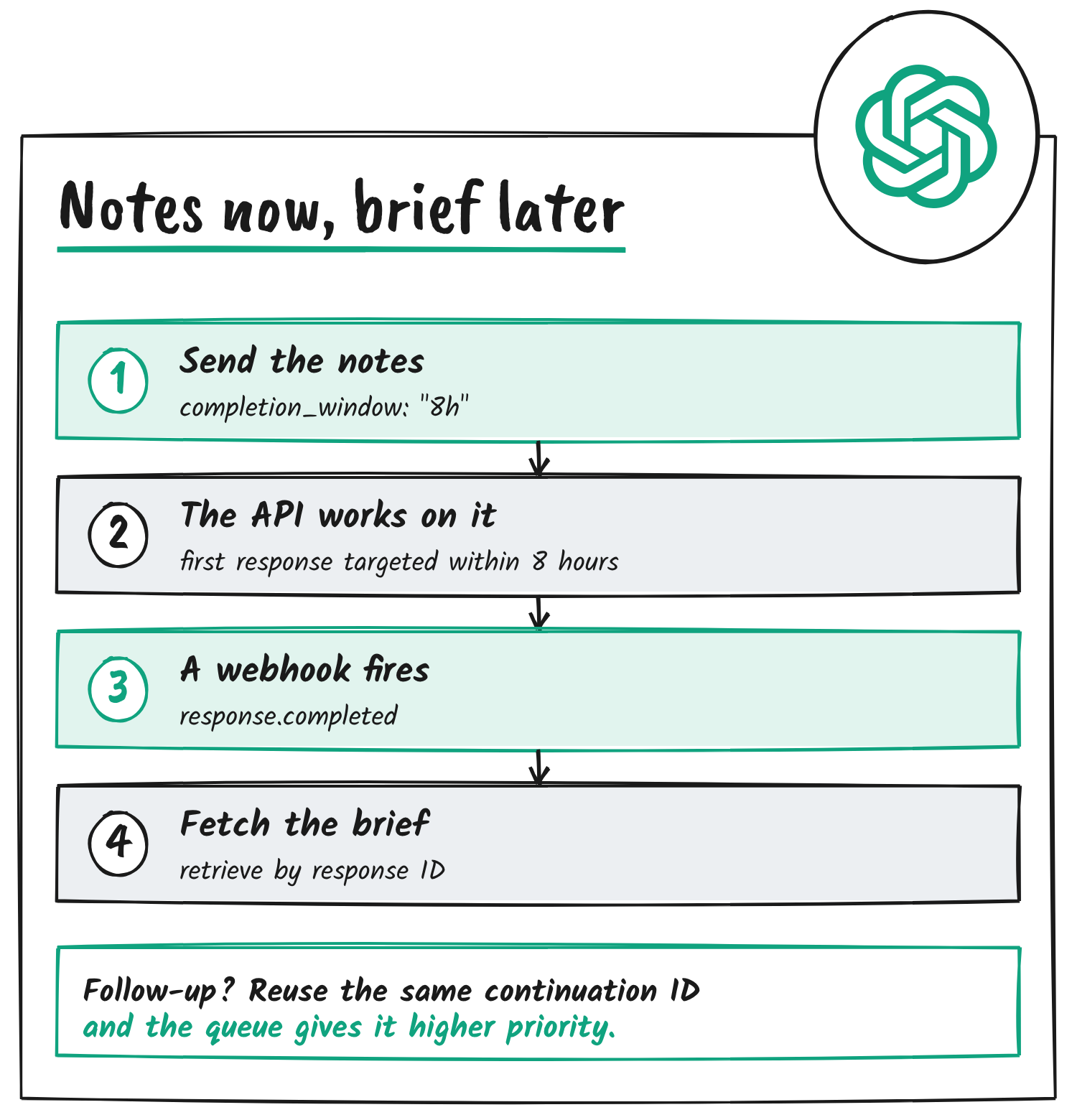
OpenAI Developers announced the beta on X on 18 November US time, which was 19 November in New Zealand, saying workflows that can wait save up to 40% per token on Astra or Sol. Its example sends meeting notes before you log off and asks for a morning brief, with completion_window set to “8h”. OpenAI’s API changelog lists the beta under 17 November and names two more supported models, GPT-6.1 Terra and GPT-6 Luna.
Not every workflow requires an immediate response.
— OpenAI Developers (@OpenAIDevs) November 18, 2026
For single- or multi-turn workflows that can wait, save up to 40% per token than Standard on GPT-6.2 Astra or GPT-6.2 Sol.
In Responses API background mode, choose a 2h or 8h target for the first response. These discounted windows are now in public beta.
Three windows, two discounts
Background mode runs long Responses API requests asynchronously. Its background_options.completion_window setting takes soonest, 2h or 8h. Soonest is the default and has no discount; OpenAI’s example for it is a report someone is waiting on. For the two-hour window the guide suggests analysing the morning’s support tickets before an afternoon triage meeting, and for the eight-hour window reviewing a batch of documents overnight.
On 2h and 8h requests, the API aims to finish within the chosen window after it accepts the request. The discount applies to model token rates on each eligible request, and OpenAI’s pricing page sets it at 30% below Standard for two hours and 40% for eight.
| Option | Timing | Astra input / output | Sol input / output |
|---|---|---|---|
| Standard | On request | US$8.00 / US$40.00 | US$2.00 / US$10.00 |
| Background, 2h | Target within 2 hours | US$5.60 / US$28.00 | US$1.40 / US$7.00 |
| Background, 8h | Target within 8 hours | US$4.80 / US$24.00 | US$1.20 / US$6.00 |
| Batch API | Within 24 hours | US$4.00 / US$20.00 | US$1.00 / US$5.00 |
The same cuts reach the other two models. Terra’s Standard rates of US$1 and US$5 come to US$0.60 and US$3 at eight hours, and Luna’s US$0.10 and US$0.50 come to US$0.06 and US$0.30. Batch still costs less, at half of Standard, but its jobs go in as a file of requests with a 24-hour turnaround. Background requests go in one at a time and can chain into follow-ups.
Sending an overnight request
Three fields do the work: background set to true, service_tier set to default, and a 2h or 8h completion window. The windows run on Standard processing, and with auto a request qualifies only if the API picks Standard. OpenAI says new models since Astra and Sol launch without Flex processing, which makes these windows its route for long-running Responses API work.
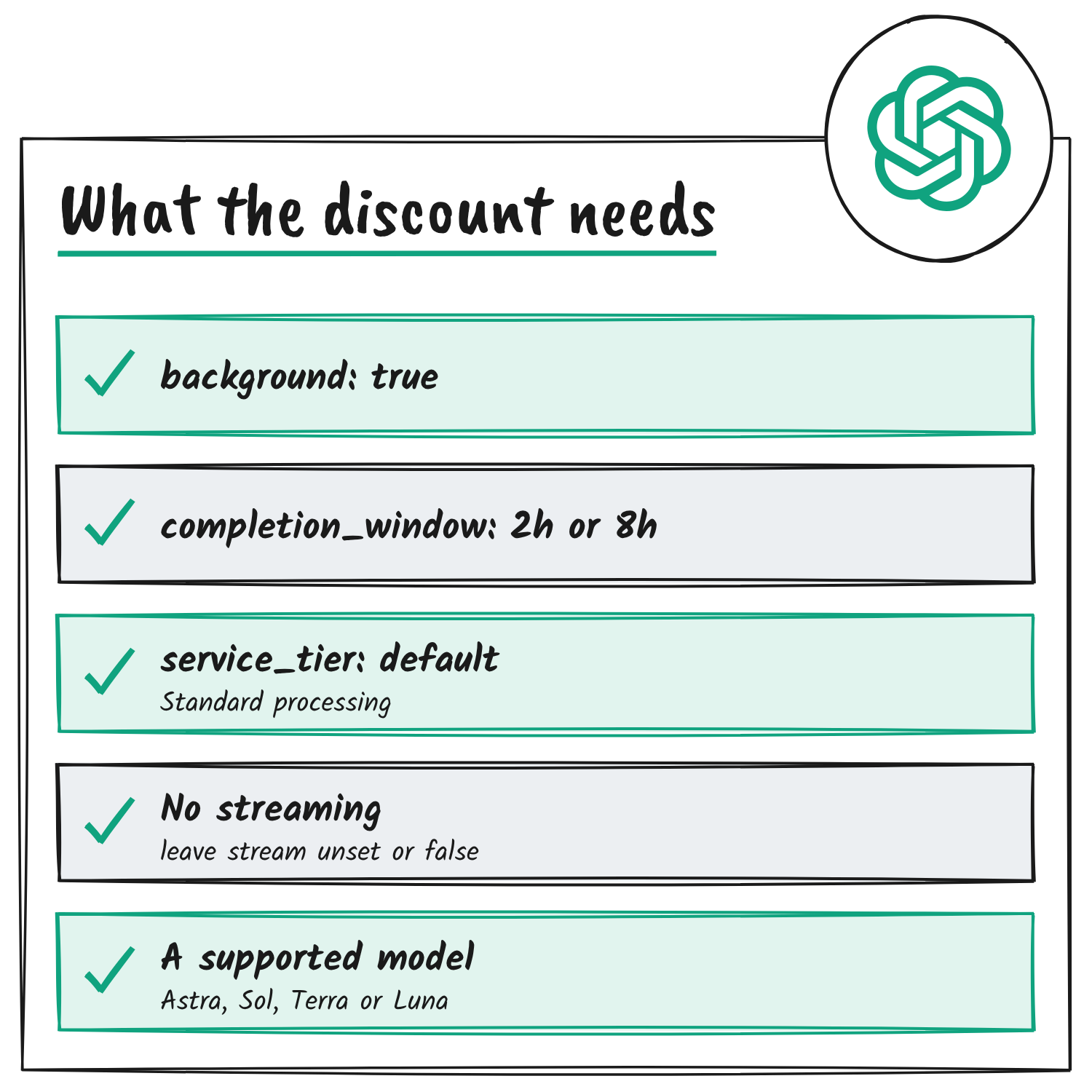
A request for the morning-brief example, built from the guide’s documented fields, looks like this:
{
  "model": "gpt-6.2-sol",
  "input": "Here are today's meeting notes. Write a morning brief.",
  "background": true,
  "service_tier": "default",
  "background_options": {
    "completion_window": "8h",
    "continuation_id": "notes-2026-11-19"
  }
}
Leave stream unset or false, because 2h and 8h requests don’t stream. After the API accepts a request, it retries eligible capacity errors on its own. For the result, the guide points to a webhook: subscribe an endpoint to response.completed, verify the signature, return a 2xx quickly and retrieve the response by event.data.id. Polling the response ID works too while its status is queued or in_progress.
Follow-ups and queue priority
The completion target covers the first response, and its clock starts when the API accepts the initial request. The discount covers every eligible request in the workflow, follow-ups included. OpenAI’s worked example reviews documents overnight with GPT-6.1 Terra. The first request asks the model to look up a document by ID through a function tool, a response.completed webhook announces the result, and the app runs the lookup and sends a follow-up with the output and previous_response_id.
Set “completion_window” to “2h” for 30% less per token than Standard, or “8h” for 40% less. Set a continuation ID when you send the notes and reuse it on follow-up requests to give them higher queue priority.
— OpenAI Developers (@OpenAIDevs) November 18, 2026
A follow-up should reuse the model, service tier, background setting, completion window and continuation ID. OpenAI says reusing the window, continuation ID, model and project makes follow-ups eligible for higher queue priority, and that start times depend on scheduling. When the earlier response has expired, drop previous_response_id and replay the original input plus every output item in order, including encrypted reasoning items and the original function call.
Limits that come with the discount
Requests on 2h or 8h windows share the Batch/Background rate limit with Batch API jobs. It caps the input tokens queued for a model, and the API counts those tokens at submission. Requests on the default soonest window use the regular request and token limits.
Prompt caching splits along the same line: a Standard request outside the discounted windows can’t reuse cache entries made by a 2h or 8h request, even when the prompt is identical. Background mode also stores response data temporarily when store is false or Zero Data Retention is on, and OpenAI says it encrypts that request content at rest for all three windows.
The background mode guide has the full parameter list and a webhook example, and the pricing page lists the rates under background completion windows.
Sources
- OpenAI Developers on X: background mode discounted windows
- OpenAI API docs: Background mode
- OpenAI API docs: pricing
- OpenAI API docs: rate limits
- OpenAI API docs: Batch API
- OpenAI API docs: changelog
Disclosure: I’m an OpenAI, Firecrawl and Devin ambassador.
Discover more from Sulat AI & Tech News
Subscribe to get the latest posts sent to your email.