
Aaron Ring, an associate professor at Fred Hutch, says the US$99.99 Google AI Ultra plan includes 1,000 Colab credits a month, which he works out as about 55 H100 hours or about 100 hours on an RTX PRO 6000. He also says the Colab command-line tool lets an agent spend those credits the way it would on Modal, with no notebook. Google’s plan page confirms the 1,000 units. The hourly rates behind his numbers are user measurements, not a Google figure.
Ring posted it on 21 November, and it had about 47,000 views when I checked. His closing line, “Come for the Neon, stay for the GPUs,” points at Gemini 4 Neon, which Google launched on 18 November at US$3 per million input tokens and US$15 per million output tokens.
What Google lists
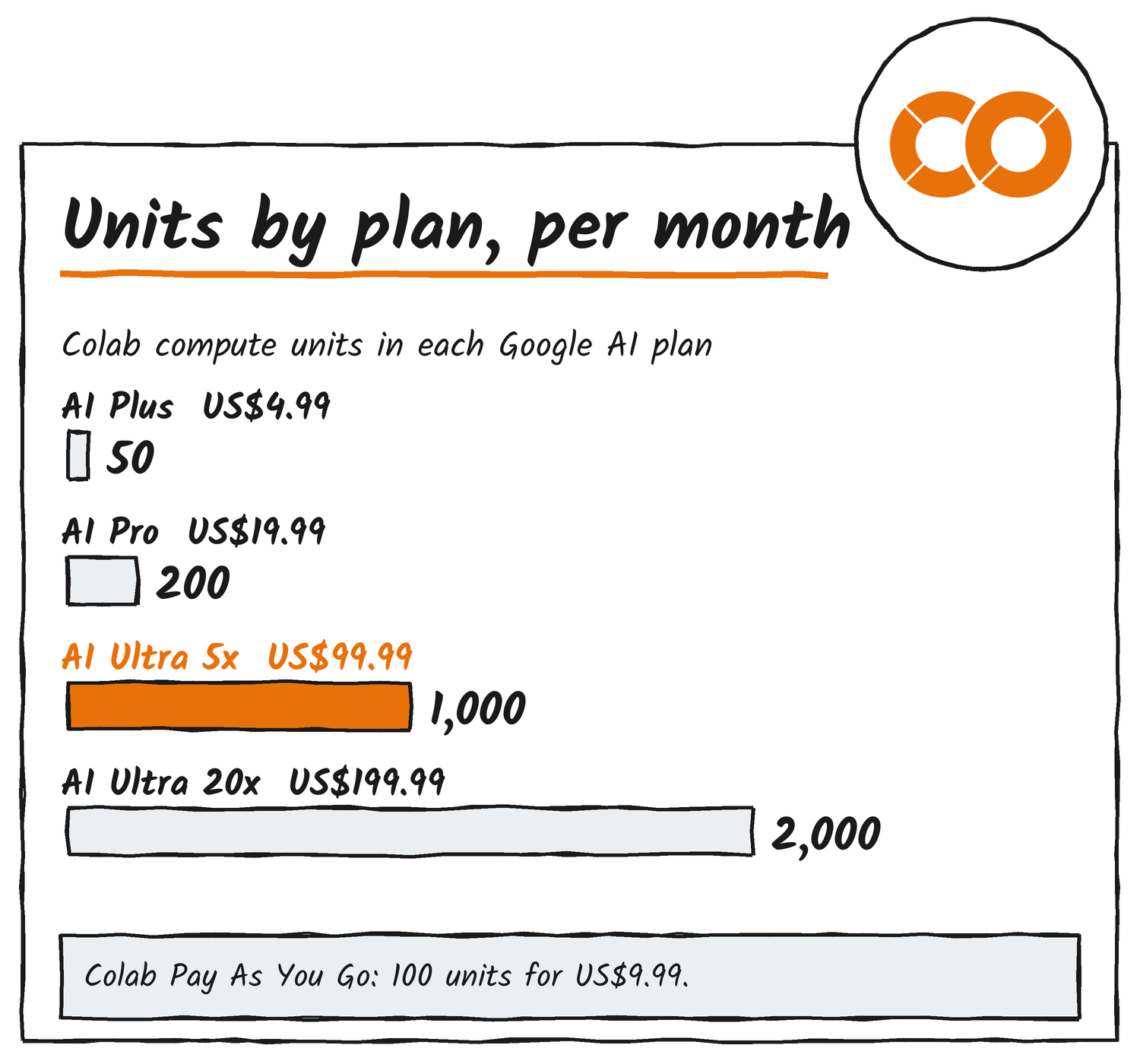
Google’s AI plans page puts Colab compute units on their own line in the plan table. Colab joined the plans on 22 September, and Google’s developers blog said Ultra subscribers get “uninterrupted background execution and Premium GPU access”, so a long training run can finish without a browser tab open. The units are separate from the Gemini 4 Neon limits that the same table lists for Antigravity and AI Studio.
| Plan | Price a month | Colab units a month |
|---|---|---|
| Google AI Plus | US$4.99 | 50 |
| Google AI Pro | US$19.99 | 200 |
| Google AI Ultra 5x | US$99.99 | 1,000 |
| Google AI Ultra 20x | US$199.99 | 2,000 |
What 1,000 units buy
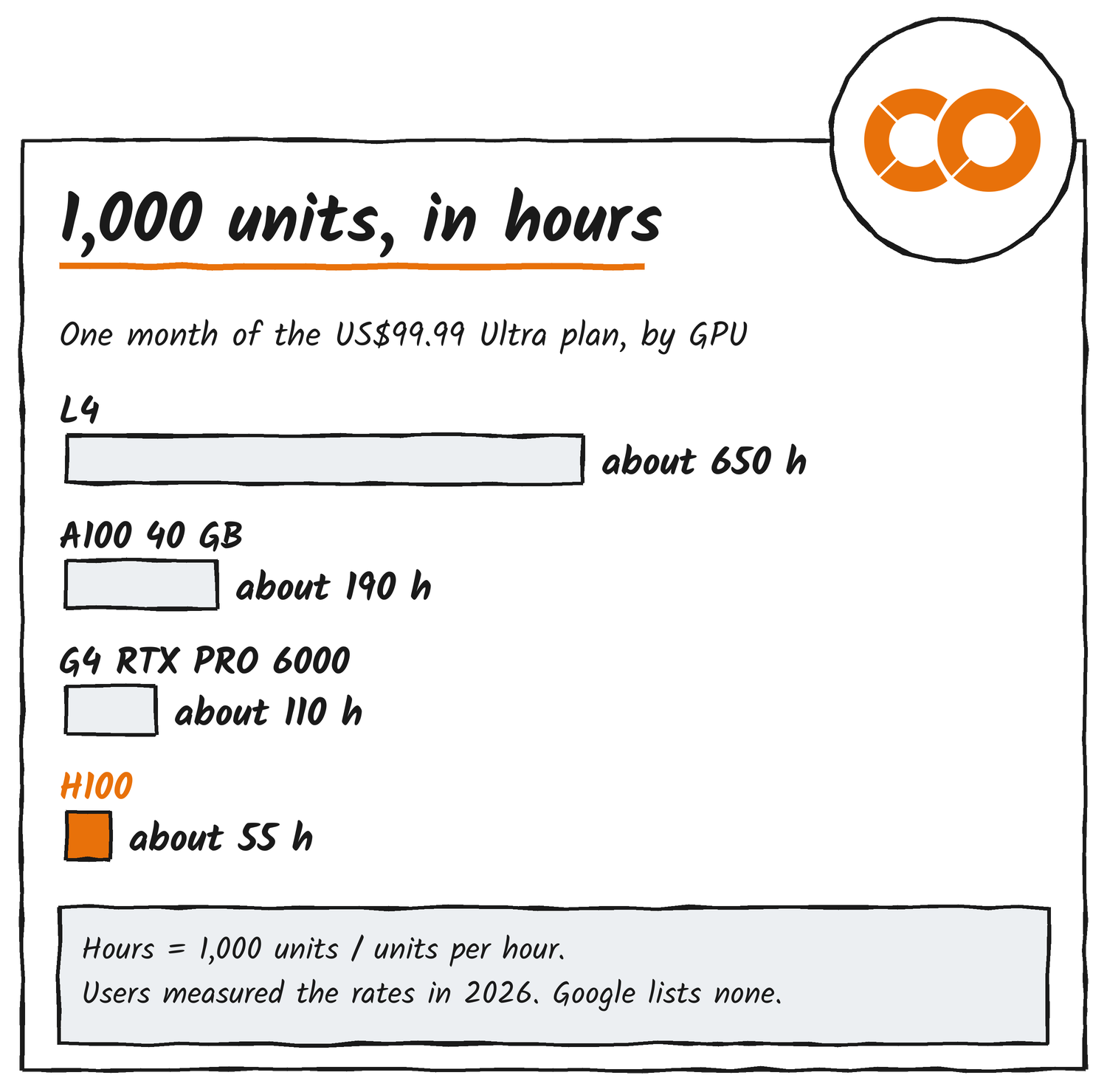
Google doesn’t publish hourly rates for each GPU, and Fastero’s Colab guide says the same. Two users have measured them: Chris McCormick in March and Cody Collier on 27 July. Collier logged about 18.05 units an hour for an H100, 8.90 for a G4 (the RTX PRO 6000 Blackwell with 96 GB of memory), 5.30 for a 40 GB A100 and 1.54 for an L4. Dividing 1,000 by each rate gives about 55, 112, 189 and 649 hours.
| GPU | Measured units an hour | Hours from 1,000 units |
|---|---|---|
| H100 | about 18.05 | about 55 |
| G4 (RTX PRO 6000) | about 8.90 | about 112 |
| A100, 40 GB | about 5.30 | about 189 |
| L4 | about 1.54 | about 649 |
Ring’s 55 H100 hours matches Collier’s rate. His 100 G4 hours implies about 10 units an hour, and one open-source Colab project logged a G4 start at 10.05. Fastero reports that users on Colab’s issue tracker have seen higher rates for the same GPUs since 29 October, for example the 80 GB A100 going from 6.77 to 8.88 units an hour, and that Google hadn’t replied by 5 November. The CLI’s colab usage command shows the current rate and balance.
Colab’s Pay As You Go price is US$9.99 for 100 units, according to Fastero and QuantaCloud. That puts 1,000 units at US$99.90, about the price of the Ultra plan. The comparison covers units only: a Colab product manager wrote in August, in a comment Fastero quotes, that H100 and G4 runtimes are for Pro+ subscribers, so Pay As You Go doesn’t open those GPUs.
How an agent spends them
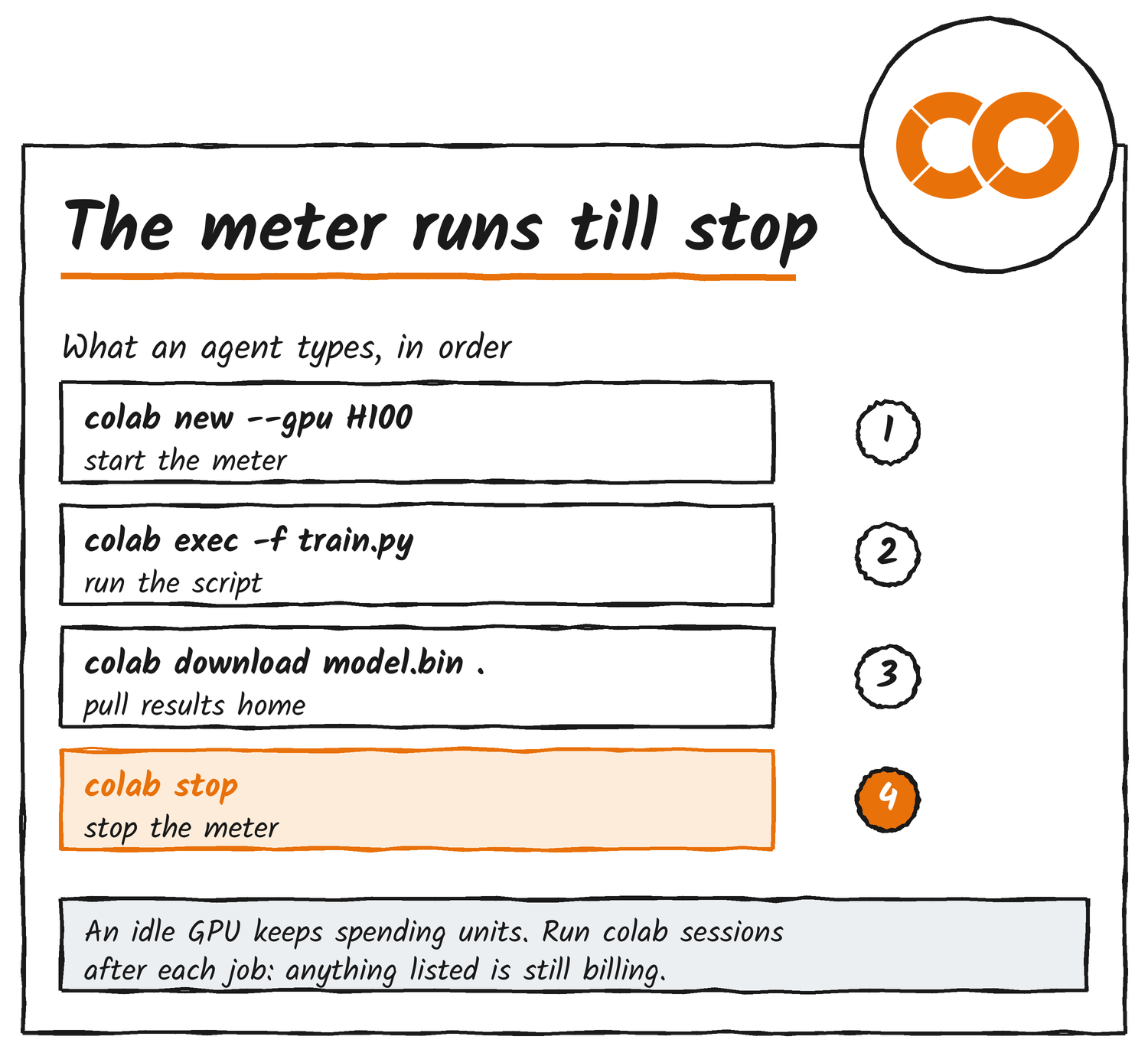
Google announced the Colab CLI on 5 June and published it as an Apache-2.0 repository, googlecolab/google-colab-cli. It runs on Linux and macOS and doesn’t support Windows. An agent with terminal access starts a runtime with colab new --gpu H100, runs a local script with colab exec, pulls results back with colab download and releases the machine with colab stop. The colab run command does all of that in one step: it provisions a fresh VM, runs the script, retrieves the output files and tears the VM down.
The repository includes a skill file, colab-operator, that tells an agent how to drive the commands. Google’s own example has an Antigravity agent fine-tuning Gemma 3 1B on a T4.
colab new until colab stop, not only while the script runs.What to check before relying on it
Google’s Ultra help page says the Colab benefit is available only on the web and isn’t available to Google One trial memberships. The CLI’s README says colab usage shows the account’s compute-unit balance and rate, and colab pay opens the subscription page. It doesn’t say which plan’s units pay for a CLI session; Ring says the AI Ultra credits do.
A session keeps spending units until it’s stopped. Google’s advice, as Fastero quotes it, is to disconnect when you’re done, and colab stop or colab run does that from a terminal. Colab’s FAQ also disallows SSH shells and remote control on runtimes that have no positive unit balance, and the CLI has had a colab ssh command since version 0.7.0. The hi5 guide to Colab says an H100 is often unavailable.
Google hasn’t published per-GPU rates or said how the CLI draws on a plan’s units, so colab usage is the number to watch.
Sources
- Google One: Google AI plans and Use Google AI Ultra benefits
- Google Developers Blog: Colab is now part of your Google AI plan, 22 September 2026
- Google Developers Blog: Introducing the Google Colab CLI, 5 June 2026, and the repository README and changelog
- Google: Introducing Gemini 4 Neon, 18 November 2026
- Cody Collier: Google Colab Accelerator Reference, and Fastero: Google Colab GPU guide, updated 11 November 2026
Discover more from Sulat AI & Tech News
Subscribe to get the latest posts sent to your email.