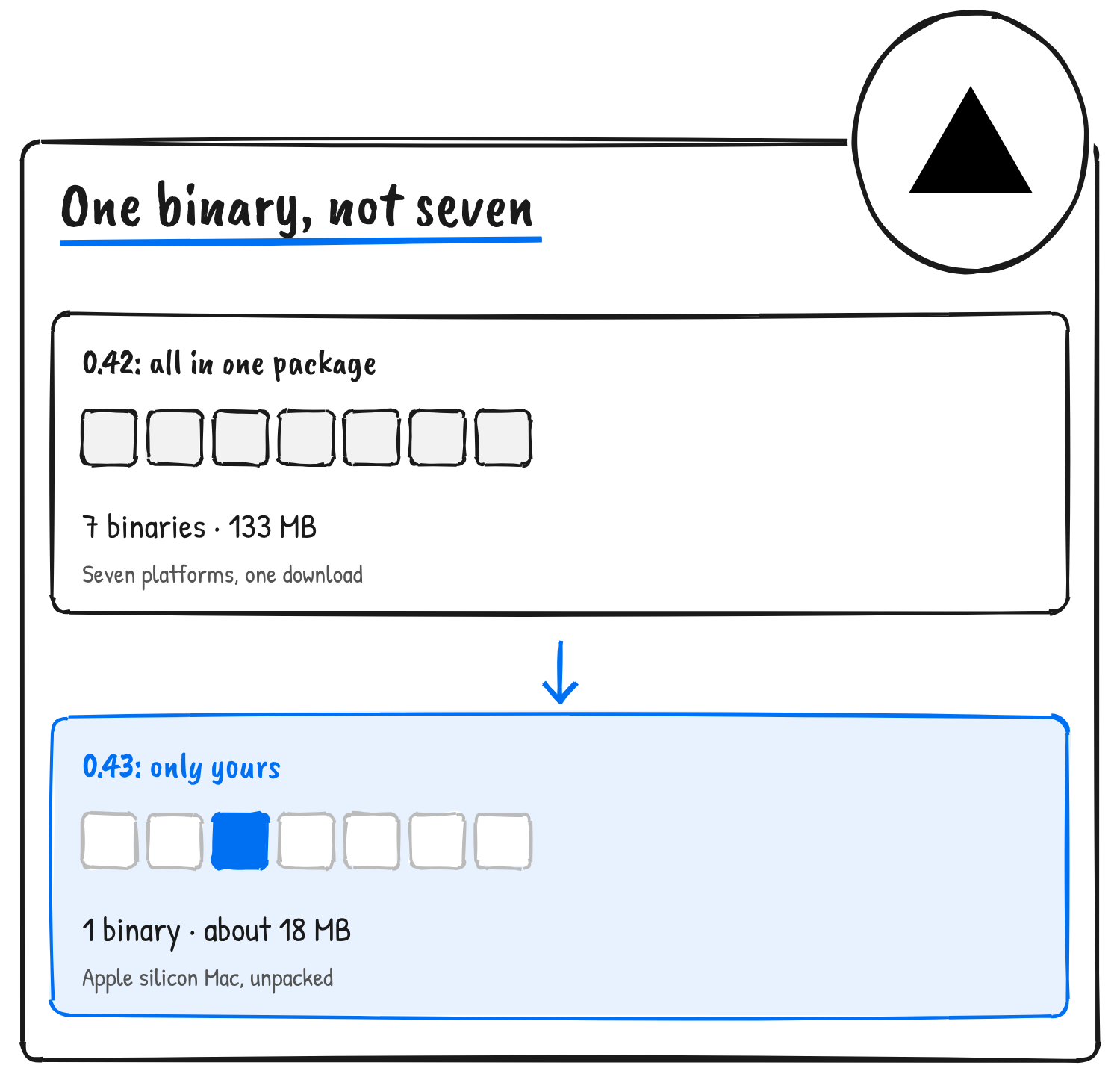
Vercel Labs released agent-browser 0.43.0 on 13 November NZ time (12 November UTC), and the update splits the tool’s native binaries into per-platform npm packages, so an install downloads only the binary for the host machine. Chris Tate of Vercel says that makes it “up to 7.5x smaller” and that it starts in 2 ms.
agent-browser is a Rust command-line tool that lets an AI agent drive Chrome from the shell. Its snapshot command returns a page as compact text with a ref such as @e1 for each element, and the agent acts on a ref and reads the page again, according to the project README. Tate announced the release on X.
agent-browser v0.43
— Chris Tate (@ctatedev) November 13, 2026
→ up to 7.5x smaller
→ starts in 2 ms
No more Node wrapper: npm, pnpm, yarn and bun link straight to the native binary for your platform
Why the install shrank
The npm registry lists agent-browser 0.42.0 as one package holding seven prebuilt binaries: 133.2 MB unpacked and a 59.6 MB download. In 0.43.0 the main package is 0.3 MB unpacked, and npm fetches one of seven @agent-browser/cli-* packages that match the machine’s operating system and CPU. Those run from 17.7 MB to 20.5 MB unpacked and 8.2 MB to 8.8 MB to download.
The 7.5x figure holds for the platform package alone on Apple silicon Macs and Linux ARM64: 133.2 MB against 17.7 to 17.9 MB. On Linux x64 with glibc, the common server setup, it’s 6.5x. Adding the main package’s 0.3 MB brings the best case to 7.4x. The ratios are calculated from the registry’s unpacked sizes.
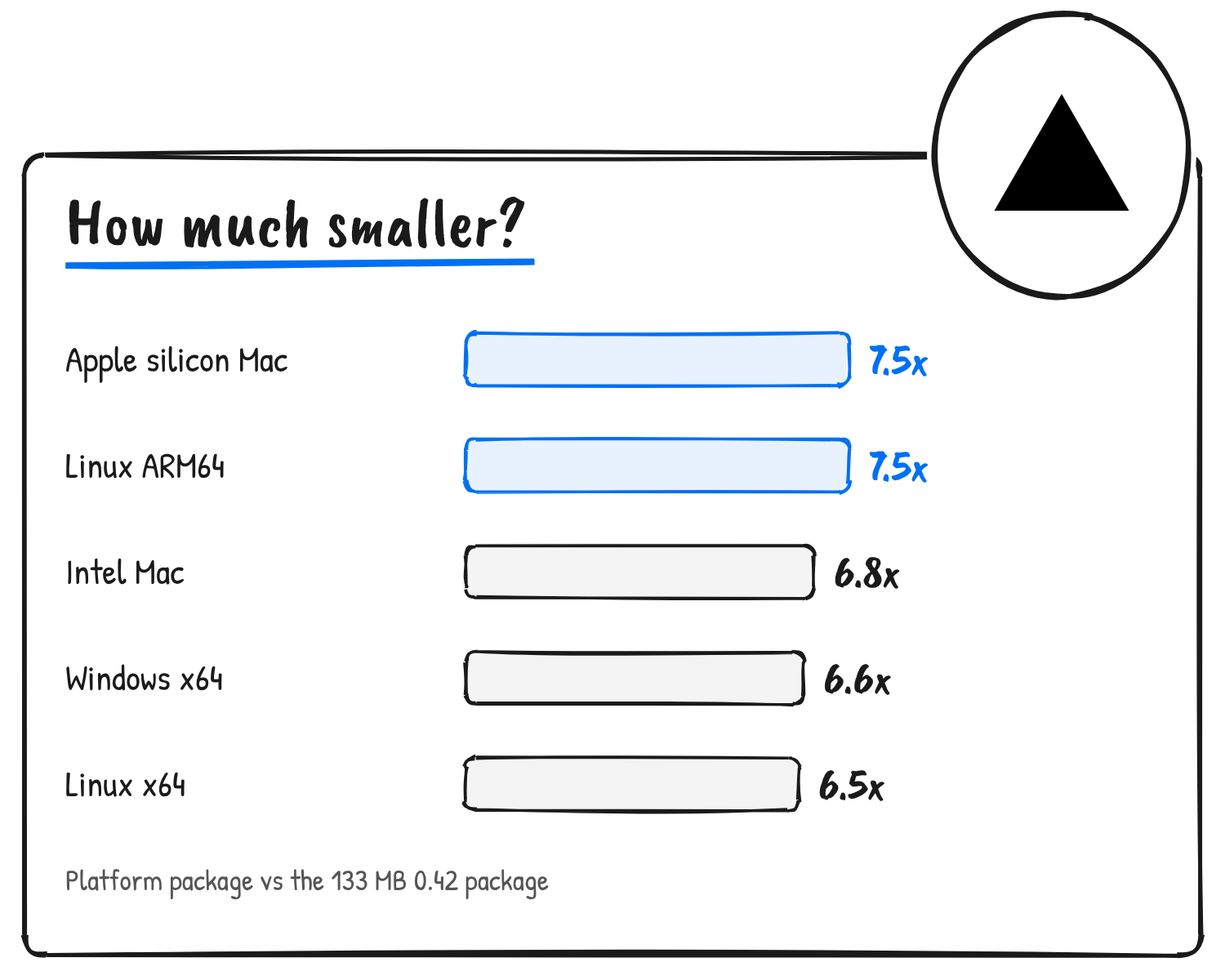
| Platform package | Unpacked | Download | vs 0.42.0 |
|---|---|---|---|
| macOS Apple silicon | 17.8 MB | 8.2 MB | 7.5x |
| Linux ARM64 (musl) | 17.7 MB | 8.3 MB | 7.5x |
| Linux ARM64 (glibc) | 17.9 MB | 8.3 MB | 7.5x |
| macOS Intel | 19.5 MB | 8.6 MB | 6.8x |
| Windows x64 | 20.0 MB | 8.7 MB | 6.6x |
| Linux x64 (musl) | 20.2 MB | 8.8 MB | 6.6x |
| Linux x64 (glibc) | 20.5 MB | 8.8 MB | 6.5x |
What “no Node wrapper” means
The package’s command is still a Node script, bin/agent-browser.js, and the package declares Node 22 or later. Its source comments say the launcher points the package manager’s command link at the native binary so later runs skip Node. A postinstall script does that where install scripts run. npm 12, pnpm and bun block dependency install scripts by default, the comments say, so the launcher does it on the first run instead, and for pnpm it rewrites the shell shim to run the binary directly. The release notes say the global command links to the binary when install scripts are blocked.
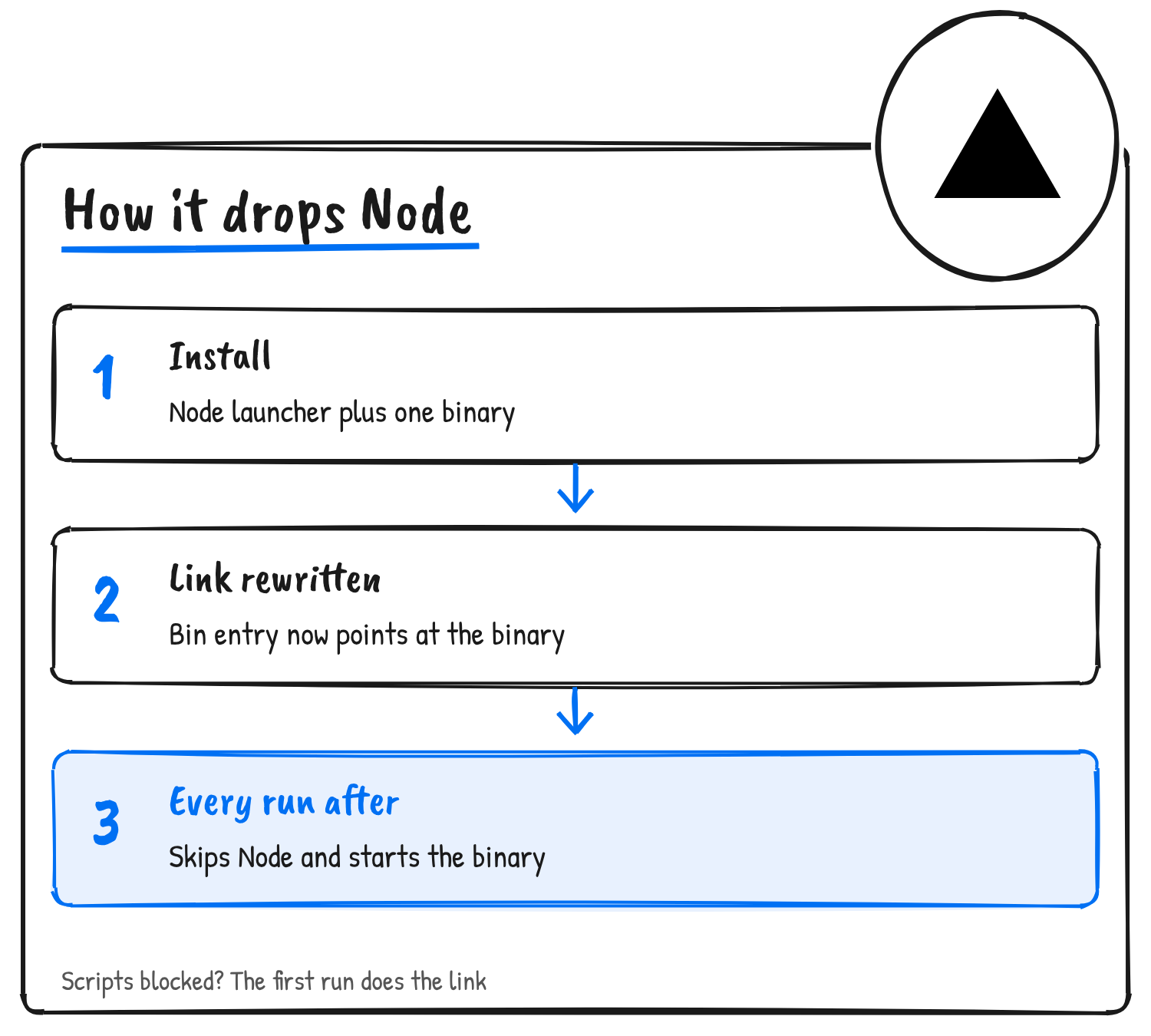
A fresh npm install [email protected] on Linux x64 produces a 21 MB node_modules folder, and node_modules/.bin/agent-browser links to the native bin/agent-browser-linux-x64.
The 2 ms claim and the rest of 0.43.0
The 0.43.0 release notes list no startup timing. The 2 ms figure comes from Tate’s post, which doesn’t say how it was measured.
The release adds snapshot hints for controls whose accessible name is empty or shared with another ref, listing the control’s icon, image file, data-testid, name or id, and the text of the nearest row (#2578). It also adds a Modern Web Guidance skill that retrieves Chrome’s guidance for a task and checks the built page in agent-browser (#2577). Commands on a tab that closes now fail with Target closed: CDP session <id> detached instead of waiting for the timeout (#2576), recordings with an emulated device scale capture at full density (#2572), and snapshots of large pages parse the accessibility tree once (#2509).
Install with npm install -g agent-browser, then run agent-browser install to download Chrome for Testing. The README lists binaries for macOS (ARM64 and x64), Linux (ARM64 and x64, glibc and musl) and Windows x64, and every release is listed on the project’s GitHub releases page.
Discover more from Sulat AI & Tech News
Subscribe to get the latest posts sent to your email.