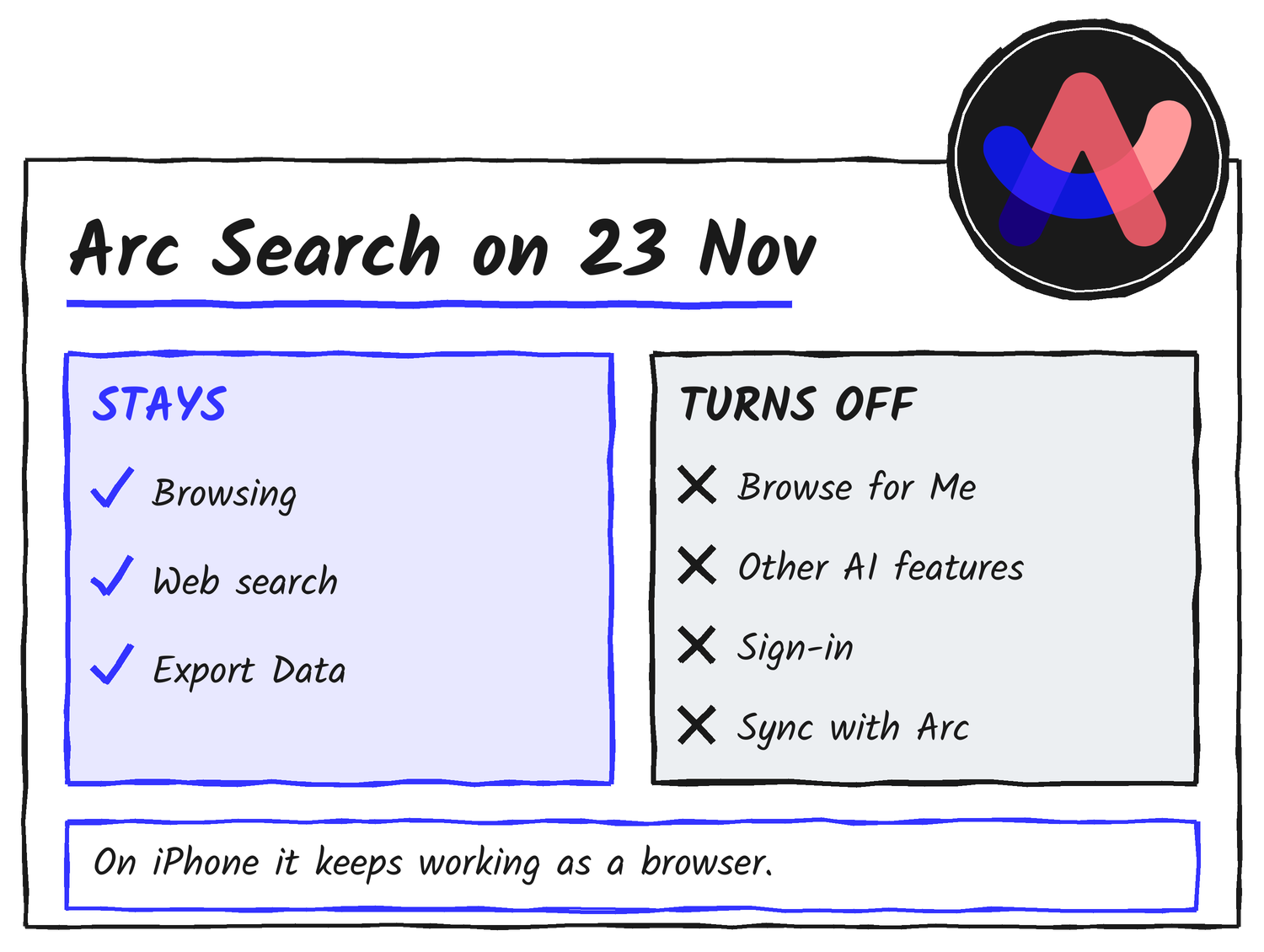
Arc is on its way out. The Browser Company will shut it down on 22 December, and Arc Search, the iPhone and Android browser, starts losing pieces first. From 23 November, Browse for Me and the other AI features are gone, and so are sign-in and sync. On iPhone the app carries on as a plain browser. On Android it disappears on 22 December, from Google Play and from your phone. I open Arc Search on my iPhone every day, so I read everything the company has published, then the coverage, then looked at what else is out there.
The short version
- 23 November: Browse for Me and the other AI features in Arc Search turn off on iOS and Android. Sign-in and sync with Arc turn off too.
- iPhone after that: Arc Search keeps working as a browser. That’s the help centre’s wording, and arc.net calls it a lite version of the mobile browser.
- Android after 22 December: the app is removed from Google Play and from the devices it’s installed on.
- Do now: export your open tabs, save anything you want from synced Spaces and Browse for Me pages, then pick a replacement.
- Dia, the official successor, has no iPhone or Android app. It’s offered for macOS and Windows.
What changes, and when
The company announced the sunset on 22 October. Its farewell page and the Arc Help Center set out the dates.
| Date | What happens |
|---|---|
| 22 October | Sunset announced. New Arc accounts can no longer be created. The latest Arc adds an Export Data option. |
| 23 November | Arc Search on iOS and Android loses Browse for Me, other AI features, sign-in and sync. Arc on macOS and Windows starts showing sunset reminders. |
| 15 December | Last day to request a copy of your Arc account data or ask for it to be deleted. |
| 22 December | Arc for macOS and Windows stops working. Accounts are deactivated and personal data is deleted within 30 days. Arc Search for Android is removed from Google Play and from devices. Arc Search for iOS keeps working as a browser. |
What’s left on your iPhone
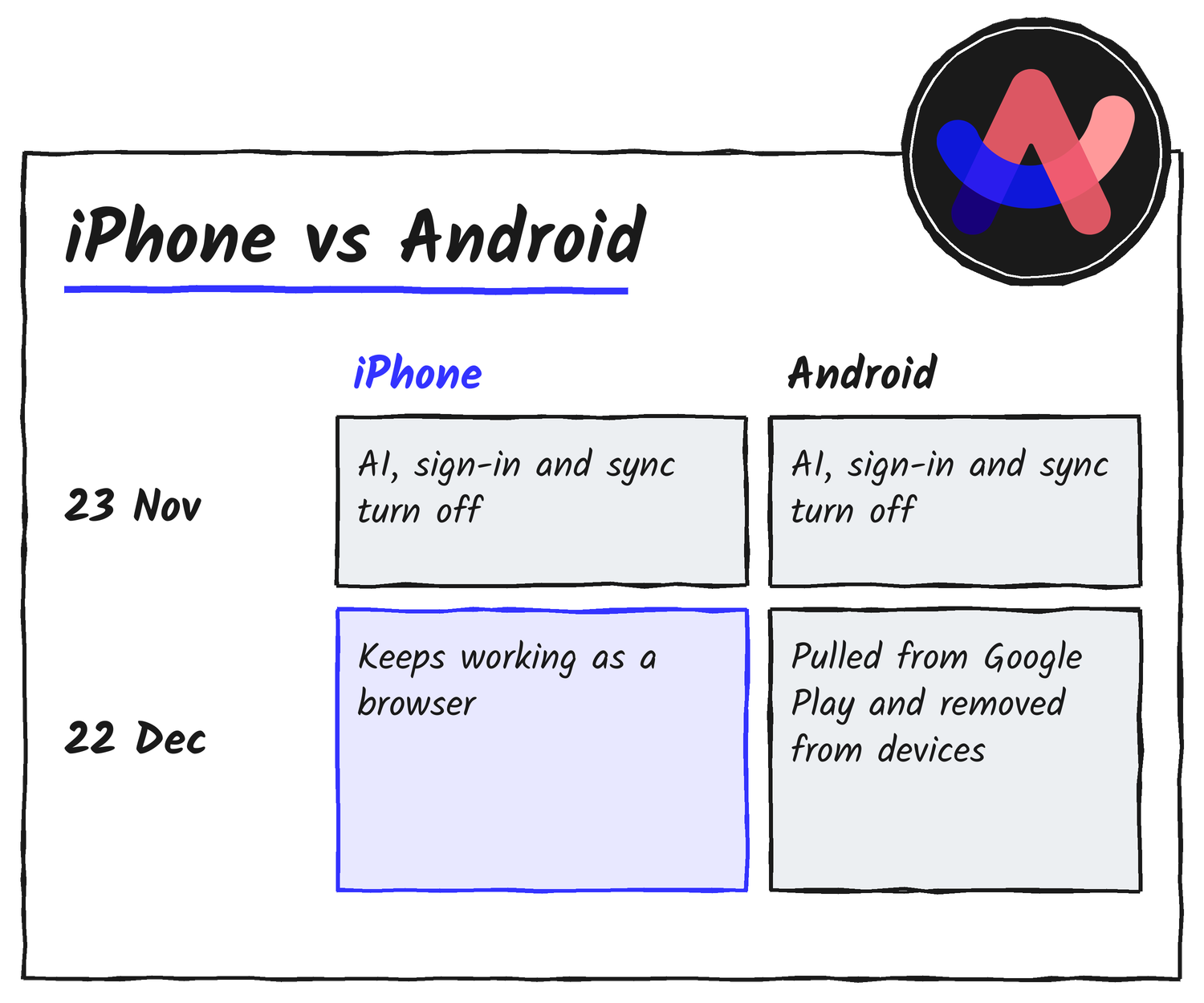
Will it still open and search the web after 23 November? Yes. The help centre says you can still search and browse as usual. What disappears is everything tied to an Arc account or Arc’s servers: Browse for Me, the other AI features, sign-in and sync. If you use Arc Search to see Spaces, pinned tabs and Today tabs synced from Arc on a computer, that view needs you to be signed in, so it goes when sign-in does. Call Arc is already gone from the iOS app.
Some things Arc hasn’t said. Do Spaces and pinned tabs already synced to your phone stay visible after sign-in ends? No answer. How long does Arc Search for iOS stay on the App Store and keep getting updates? No answer there either. What it has said is that it’s no longer accepting feedback or feature requests for Arc Search, and that during the sunset the team only looks at larger problems that affect many members, such as Arc crashing or not opening.
Security is the company’s own reason for ending Arc. On iPhone, Arc Search draws pages with Apple’s WebKit engine, and Apple updates that through iOS. The app wrapped around it is the part that’s stopped getting new work.
Why people loved Arc
Arc was announced in April 2022 and reached general release in July 2023, according to Wikipedia. It felt designed. Tabs lived in a vertical sidebar. Spaces split work from personal browsing. Pinned tabs and folders kept the daily sites close, and Split View put two pages side by side. CEO Josh Miller’s own description of the goal was “Something with taste, care, feeling.” Atlassian’s head of product, Sanchan Saxena, told Computerworld that Arc had “groundswell adoption at Atlassian”, with thousands of employees using it, and that its design aesthetics were “far superior to many consumer browsers”.
Arc Search arrived on iPhone in January 2024 with a different pitch. The launch post led with Browse for Me, which reads several pages and builds one answer page. The app also auto-archived old tabs, blocked ads, trackers and banners, opened with the keyboard up and had a clean reader mode. TechCrunch reported that Browse for Me read at least six web pages for each query. Android followed in open beta in October 2024, after a closed test with 18,000 users.
Here’s the awkward part, from the same letter. Miller wrote that most people found Arc “simply too different, with too many new things to learn, for too little reward”, and gave usage figures: only 5.52% of daily users used more than one Space regularly, and only 4.17% used Live Folders. The features fans praised most weren’t what most people used.
Why it’s ending
Security is the official reason. The farewell page says “keeping a browser secure takes constant, dedicated work that is only increasing in the age of AI”, and that the engineering and security teams are now focused on Dia. The wind-down was slow, though. In May 2025 the company said it had stopped building new Arc features and would keep up Chromium upgrades and security fixes. In September 2025 Atlassian agreed to buy The Browser Company for about US$610 million in cash, Reuters reported.
Atlassian has been plain about where the effort goes. Saxena said Dia would be built for knowledge workers, and about a pure consumer browser, using “my mom trying to browse” as his example, he said “we’re not going to build that product for her.” Arc Search was a consumer product. Don’t expect Arc to be open-sourced, either. Miller wrote in 2025 that Arc runs on the company’s internal Arc Development Kit, which also underpins Dia, so Arc can’t be released meaningfully without it. TechCrunch noted that users’ reactions to the sunset were largely disappointed, with many asking again for it.
What to do before 23 November
- Export your open tabs. In Arc Search on iPhone, tap the Tab Switcher icon at the bottom left, tap Settings, then tap Export Data. You can share or copy the list. Browse for Me and Incognito tabs aren’t included. arc.net’s mobile section calls the same option Export Open Tabs.
- Copy what you need from synced Spaces. Sign-in works until 23 November, so open your Spaces and pinned tabs now and save the links you want.
- Save Browse for Me pages you want to keep. The export skips them, so take a screenshot or copy the text.
- Move your computer browser too. See the next section.
- Keep Arc Search installed until your replacement is set up. It keeps working as a basic browser on iPhone.
- Ask for your account data by 15 December if you want it. The copy covers account details and a record of how you’ve used Arc. It doesn’t include history or passwords stored on your device, because Arc doesn’t have them.
If you also use Arc on a computer
Using Arc on a Mac or PC too? It works until 22 December. Dia is free on macOS and Windows. When it asks which browser to import from, pick Arc, and it brings over passwords, history, tabs, Spaces (now called Profiles), Folders (now called Tab Groups), bookmarks and extensions. Arc says you don’t need to export anything first if you’re moving to Dia. The company says Dia’s features that match Arc’s are free and the AI is optional.
To take your tabs to another browser, export them as a list of links. On a Mac, open Arc > Settings > Advanced > Export Data. On Windows, press Ctrl+, then find Export Spaces and tabs under Advanced and select Export Data. If you want a free, open-source option with vertical tabs, browsers.to’s Arc alternatives guide says Zen Browser version 1.24b can import Arc’s Spaces directly.
Where to go on iPhone
Dia isn’t an option here, because the Arc Help Center says it’s offered for macOS and Windows. These are the iPhone browsers closest to what Arc Search did.
| Browser | What it offers | The catch |
|---|---|---|
| Comet (Perplexity) | An AI assistant and answer engine in the browser, plus voice mode and normal search results. It’s the closest thing to Browse for Me. Free, launched on iOS on 18 March 2026. | In-app purchases. The assistant runs on Perplexity’s answer engine, so your questions go to Perplexity. |
| Orion (Kagi) | A WebKit browser with built-in ad and tracker blocking, zero telemetry, a sidebar or grid tab view, and support for Chrome and Firefox extensions. Free. | Kagi says extension support is experimental while Orion is in beta. |
| Crest | Spaces with separate cookies, history and passwords, pinned sites, folders, Split View for up to four pages and Peek. Free, open source, no account, optional iCloud sync. Its site says it imports Arc Spaces on the Mac. | Its site says it’s early access and its security hasn’t been independently audited. The App Store listing shows 18 ratings and needs iOS 26.1 or later. |
| Safari | Already on your phone, with iCloud Keychain and shared tab groups. | None of Arc Search’s AI features. |
Brave and Vivaldi also have iPhone apps, and Yab, a Mac browser that imports from Arc, has an iPhone beta on TestFlight.
Which one to pick
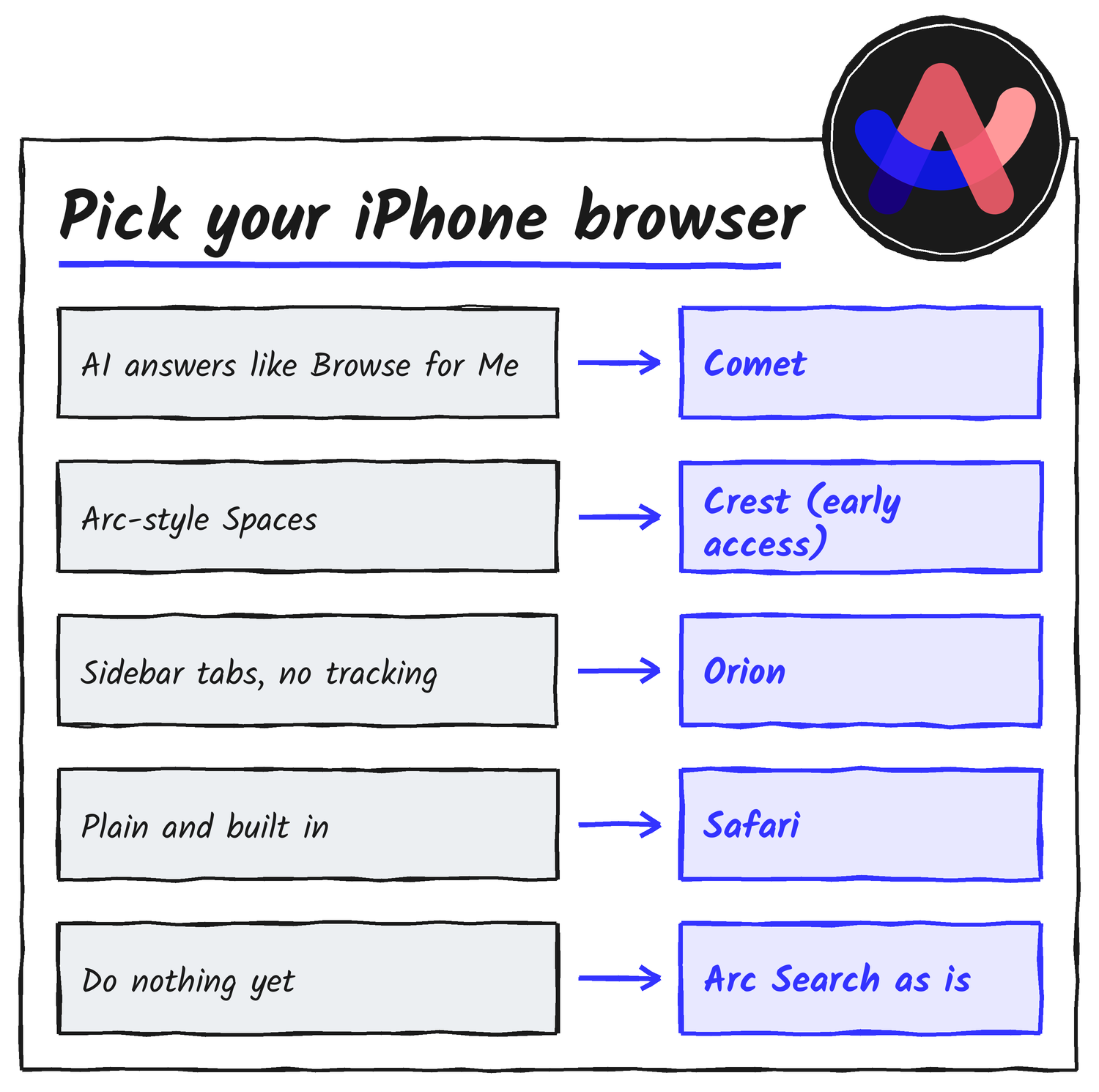
- You used it for Browse for Me: try Comet. Its assistant answers questions with cited sources, which is the nearest match on this list.
- You used it for clean, fast browsing: Orion or Safari. Both use WebKit, so they’re closest to how Arc Search renders pages.
- You lived in Spaces and pinned tabs: Crest is the only iPhone option here built around them. Its own early-access warning is a fair reason to test it with a few tabs first.
- You just want it to keep working: there’s no need to switch on 23 November. Export your tabs, then move when you’re ready.
The 23 November deadline is about losing sync and AI, not losing the browser, so the export is the one job that can’t wait.
Discover more from Sulat AI & Tech News
Subscribe to get the latest posts sent to your email.