Parallel Web Systems has launched Image Search, an API and MCP tool that returns up to 20 image links per request. You send keyword queries and, if you want, a plain-English description of the image you’re after. Parallel calls it the first image search engine designed for agents, and it starts at US$1 per 1,000 requests.
Parallel announced the launch on X on 17 November, linking its launch post, a quickstart and a free playground. The post promises 5,000 free searches a month and says the tool runs through the API and through Parallel’s MCP server. MCP, the Model Context Protocol, is the standard agents use to call outside tools.
How a request works
Image Search takes two inputs, according to Parallel’s launch post: keyword queries that say what to look for, and an optional objective that describes in plain language what a good result looks like and what to leave out. Its example asks for the current logo of the card company Ramp and rules out wheelchair and skate ramps.
The docs give the details. You send a POST to api.parallel.ai/v1/images/search with an API key in the x-api-key header. The only required field is search_queries, which takes one to three queries of up to 200 characters each. The objective can run to 5,000 characters. An optional location field takes a two-letter country code for geo-targeted results, and max_results runs from 1 to 20, with 10 returned if you don’t set it.
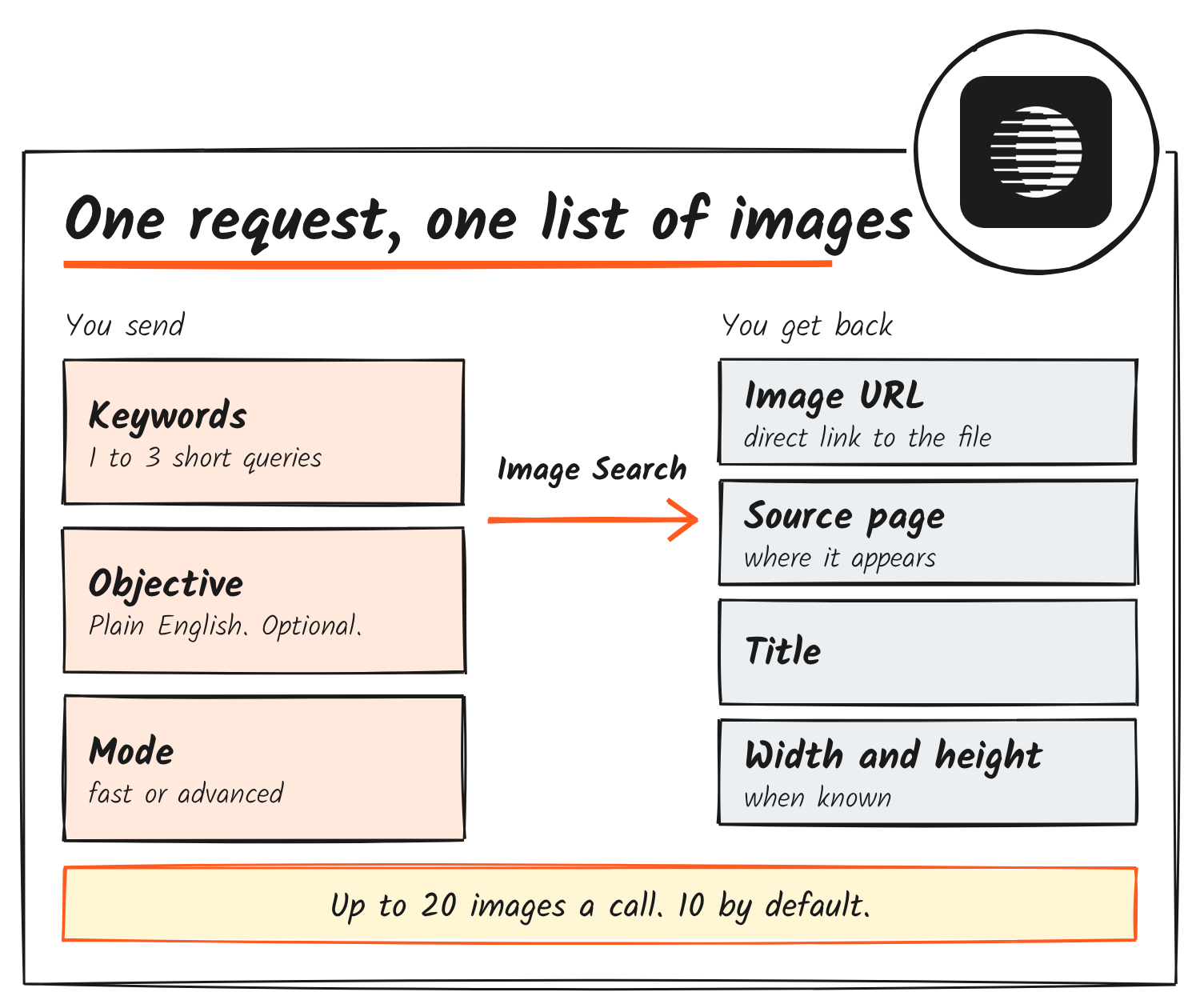
Results come back with a title, a direct link to the image, the page it appears on and pixel dimensions when they’re known. Parallel’s API reference says that page link is there for attribution and context. The MCP docs say results link to images but don’t describe them.
Fast, advanced and the default
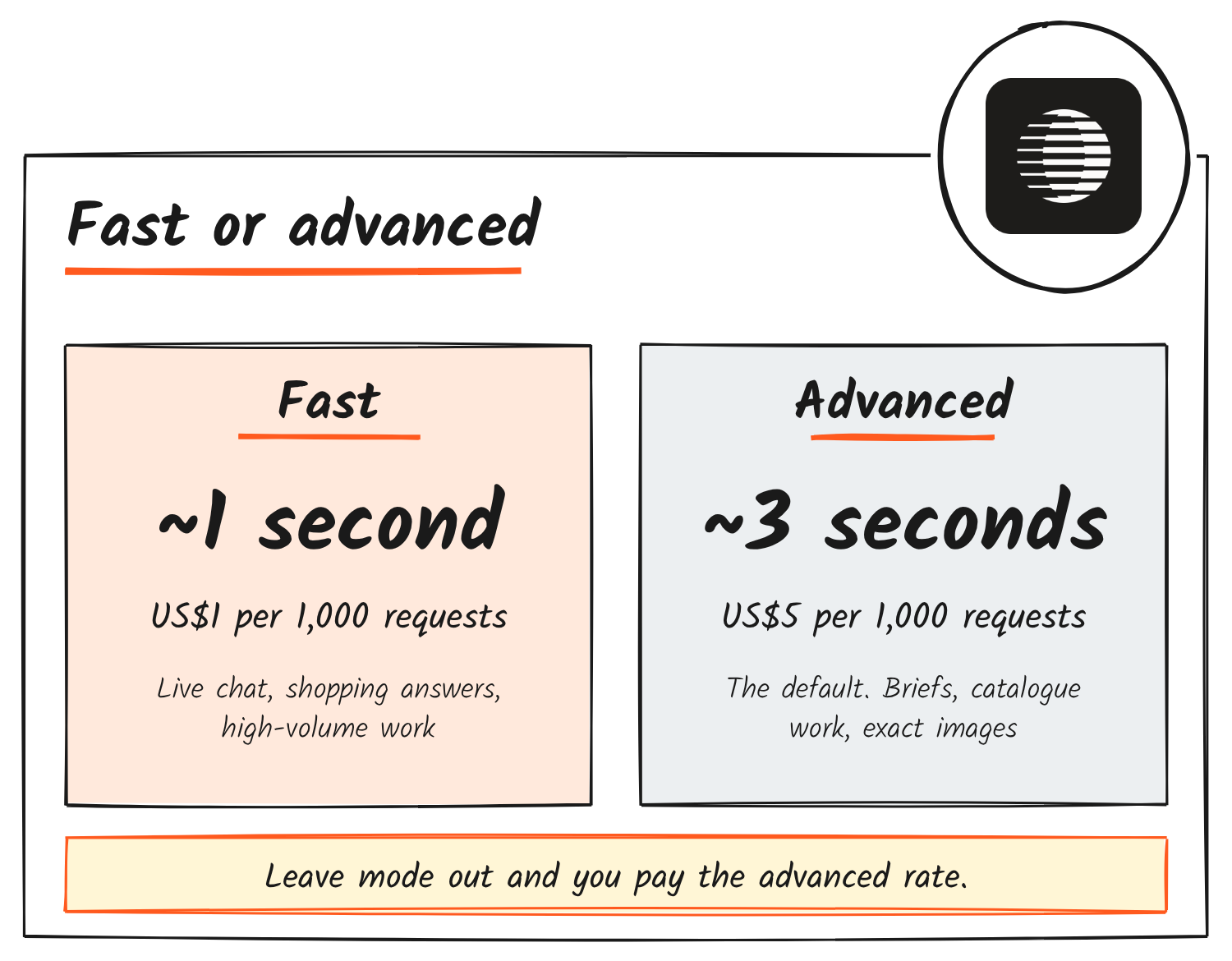
| Mode | Typical speed | Price per 1,000 requests | Parallel says it suits |
|---|---|---|---|
| Fast | About 1 second | US$1 | Live chat, shopping answers, high-volume workloads |
| Advanced (default) | About 3 seconds | US$5 | Briefs, catalogue enrichment, anything where the exact image matters |
Parallel’s pricing page says a request returns up to 20 results at no extra charge, and the rate-limit page puts the default for the images endpoint at 600 requests a minute. Because the API defaults to advanced, a request that doesn’t set mode costs US$5 per 1,000, five times the headline price.
Using it through MCP
Parallel’s MCP server lists an image_search tool. Without a key you can connect to mcp.parallel.ai/mcp and run fast mode for free, at lower rate limits. Ask for advanced mode without signing in and the tool returns an error telling you to sign in. Calls made with OAuth sign-in or an API key are billed at the API rates once any free usage on the account runs out. By default the tool returns up to 10 images.
On 17 November a fast-mode call to the keyless endpoint, asking for the current Parallel Web Systems logo, returned 10 results in about 1.1 seconds, with no warnings. Four of them were logo files from Parallel’s brand-kit page. Every result had the title, direct URL, source page and pixel size that the docs list.
Parallel says select customers have used the API in beta since early October. Its list of uses includes adding headshots and company logos to research briefs and presentations, bulk-gathering headshots and logos for CRMs and company databases, finding product and merchant photos for shopping and delivery apps, pulling visual references so app-building agents can choose colours and style, and sourcing reference photos for image and video generation.
How it compares
Image search APIs for developers already existed when Parallel launched. Brave’s Search API has a dedicated images endpoint that returns up to 200 images per request, 50 by default, and filters by country, language and safe search. Brave’s Search plan, which lists images among its results, costs US$5 per 1,000 requests and includes US$5 in free credit each month. Tavily’s search API returns image URLs alongside text results when include_images is on, with optional descriptions of each image.
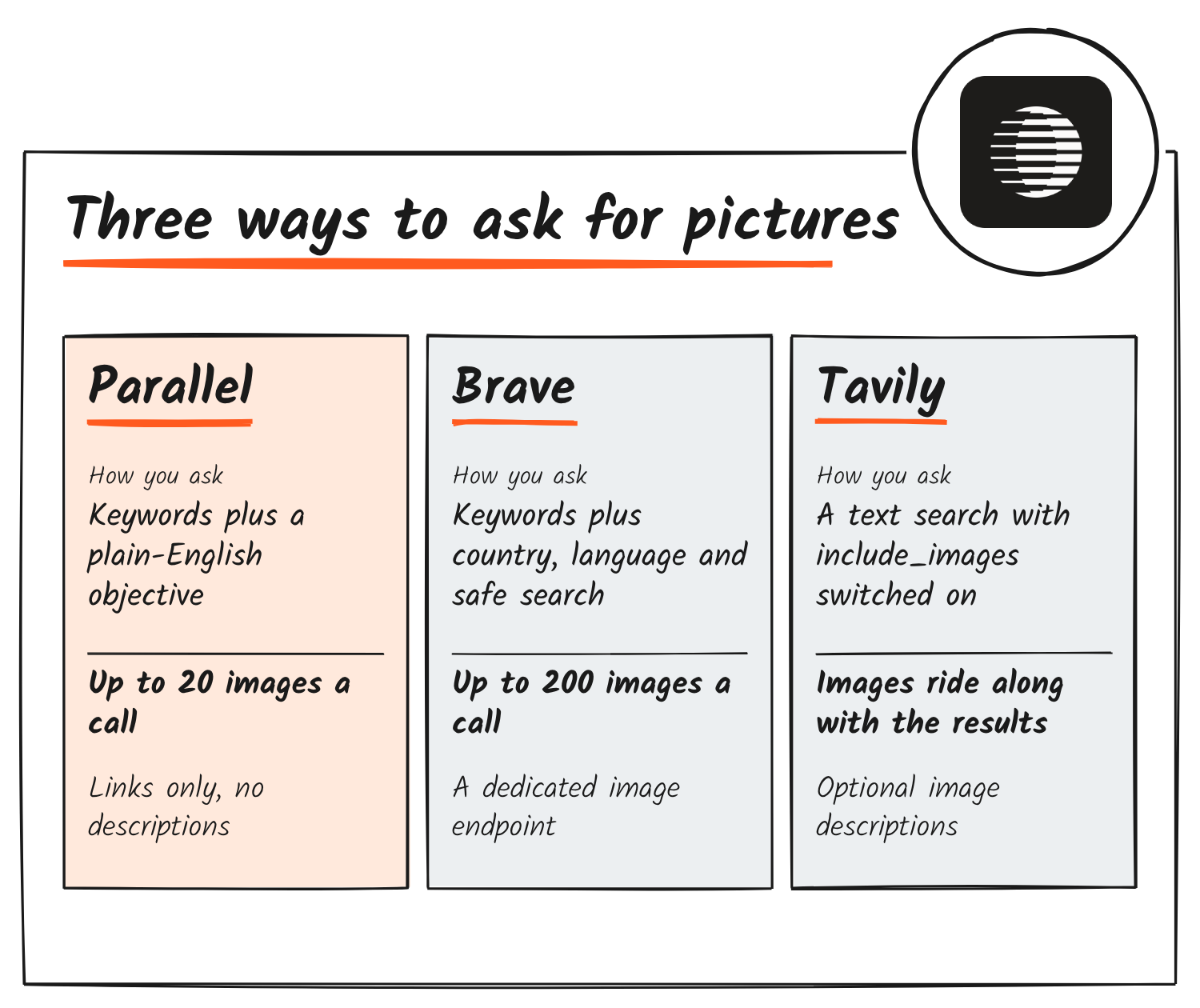
The objective field is what Parallel adds. Its launch post publishes no accuracy or relevance results for Image Search, so the field’s effect on what comes back isn’t measured in anything the company has released.
What the terms say about the results
The launch post says use of Image Search, including any images it returns, is subject to Parallel’s Customer Terms, which took effect on 10 November. Under those terms each output is meant primarily for the person who submitted the query. Customers can’t copy, cache or store outputs, or make them available to third parties, in connection with what the terms call AI and Data Selling Services. That covers training data for models and building databases or data-resale products.
Customers can build outputs into materials for their own end customers. Output from one query is meant for one end customer, though, and can’t be cached or passed to others. The terms also bar distributing or publishing outputs outside that allowance.
Bulk-gathering headshots and logos for CRMs and company databases is on Parallel’s own list of beta uses. The terms bar using outputs to create databases, and they don’t mention CRMs. Neither the launch post nor the Image Search docs say who owns the returned images or whether they’re licensed for reuse.
Parallel’s best-practices and modes pages cover how to write objectives and choose a mode, and the playground at platform.parallel.ai/play/images runs searches without code.
Discover more from Sulat AI & Tech News
Subscribe to get the latest posts sent to your email.