Spotify has opened Artist Profile Protection to every artist on the service. It lets artists review releases delivered under their name and remove themselves from the ones that aren’t theirs. In the default mode, a release you ignore still goes live with you listed on it, according to Spotify’s help centre.
Spotify made the tool available to all artists on 17 November, eight months after it began testing it with thousands of artists including Samia, Diplo, Searows and Dave East. It says releases land on the wrong profile because of metadata errors, shared artist names and deliberate impersonation, and that easy-to-produce AI tracks have made the problem worse. TechCrunch notes that Billboard reported last month that Sony Music had asked platforms to remove more than 260,000 deepfake songs, nearly double the figure it gave in March.
“Artists should never have to find someone else’s music under their name,” Sam Duboff, Spotify’s global head of marketing and policy at Spotify for Artists, said. “Their artist profile should be in their control.”
How it works
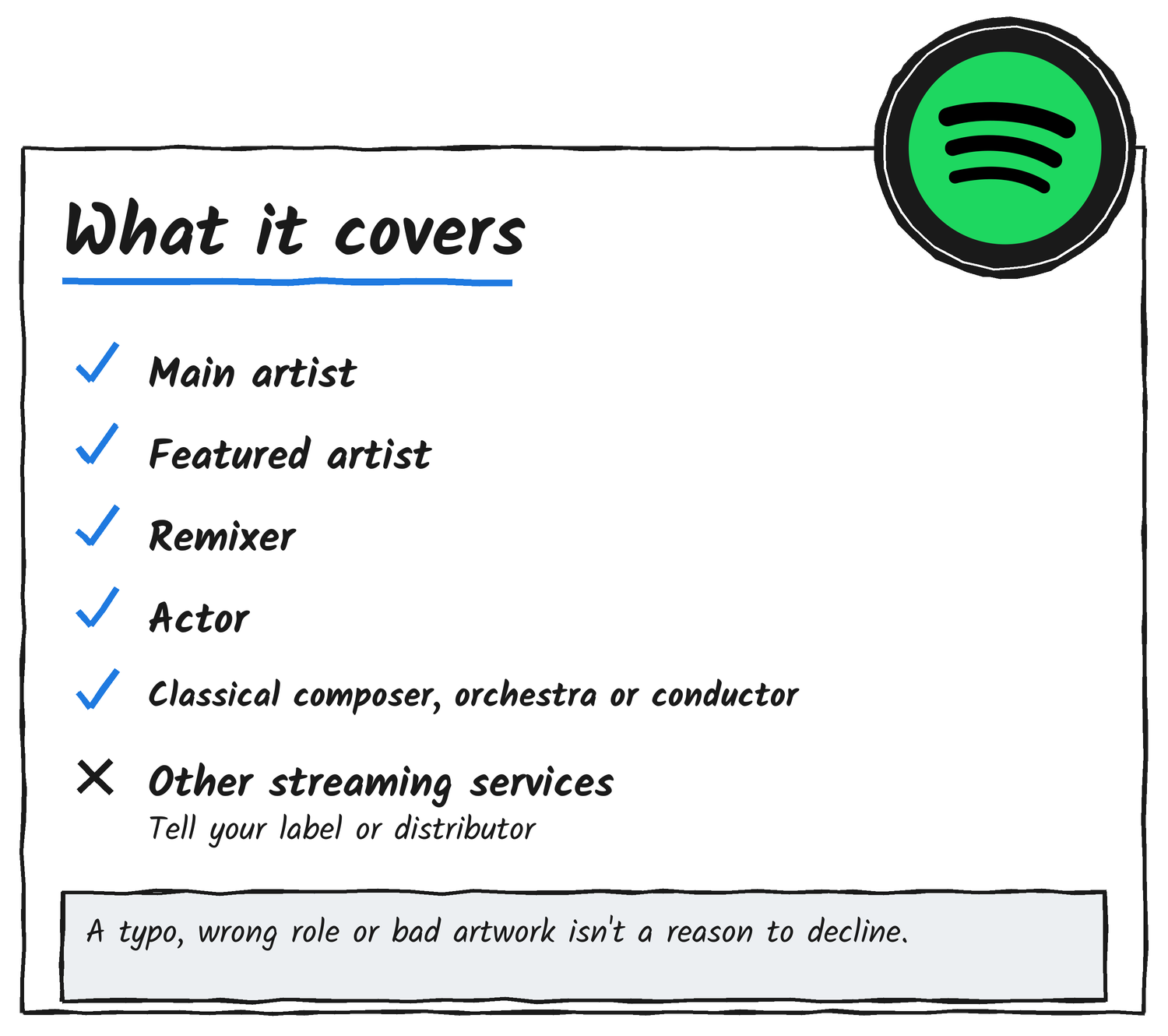
Artist team admins and editors turn the tool on from the user menu in Spotify for Artists. After that, Spotify emails whenever music is delivered with the artist’s name attached. Releases that list the artist as a main artist, featured artist, remixer or actor show up under Music, then Review. On classical releases it also covers composers, orchestras and conductors. Selecting Remove takes the artist off the release, so it doesn’t appear on their profile, count toward their stats or turn up in recommendations to their listeners. Artists can act before a release goes live or up to 28 days after.
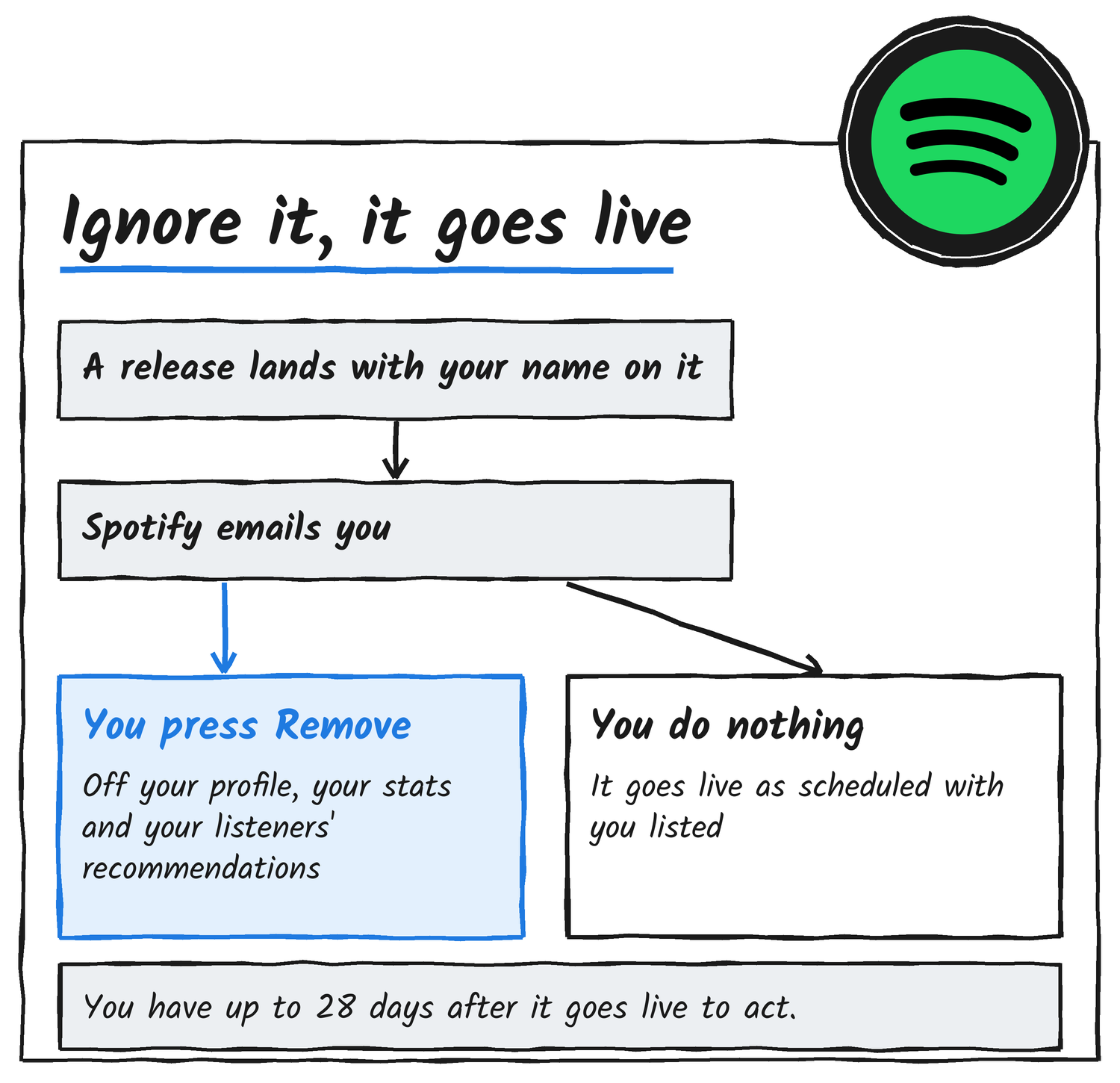
Ignoring a release is the same as approving it
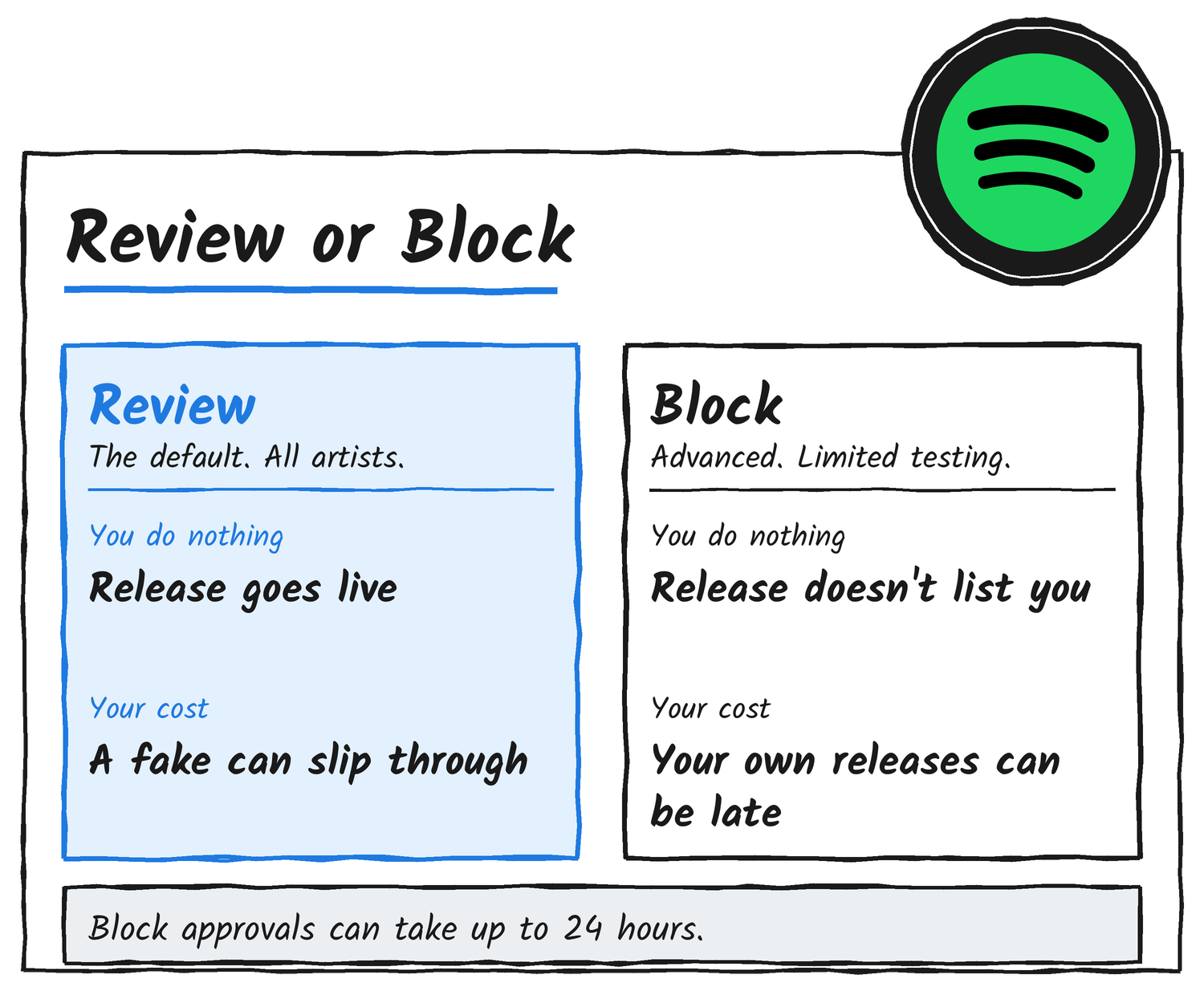
The default setting is Review releases. If nobody acts, the release goes live as scheduled with the artist listed. The protection only works if someone on the artist team opens the email and presses Remove.
The March beta worked the other way. Music Business Worldwide reported then that releases an artist didn’t act on were blocked from their profile by default, and the current default marks a change from that version. Spotify says it refined the tool with the beta artists so they can protect their profiles without disrupting release schedules.
Block releases is the hard stop
Artists who want a hard stop can opt in to Block releases under advanced settings, where a release needs their approval before it can list them. Spotify recommends it for artists with a common name or repeated mismatches who are comfortable managing their catalogue, because it can delay or block their own releases if nobody approves them. Approvals can take up to 24 hours to process. Artists on Block releases can give trusted distributors a unique artist key that marks releases delivered with it as pre-approved. Spotify’s help centre says it’s testing Block releases with a limited group of artists, so many artists won’t see the setting yet.
What it doesn’t do
Removal applies only on Spotify. Spotify’s announcement says the release may still appear under the artist’s name on other streaming services, so the artist may need to tell their label or distributor. A typo, wrong role or bad artwork isn’t grounds to decline a release, and Spotify sends those to its page on fixing problems with your music. Artists can report music mixed up with another artist, or illegal content, to Spotify, and undoing a decision means contacting Spotify.
Discover more from Sulat AI & Tech News
Subscribe to get the latest posts sent to your email.