
Cloudflare now deletes Workers versions and Pages deployments once they’re 30 days old, the company says in a changelog post dated 19 November. Two things survive: the 100 most recent versions or deployments, and whatever is currently deployed. Running applications and Worker Previews aren’t affected, but the URLs tied to deleted versions stop working.
A Workers version is created each time you upload code or change a Worker’s settings or secrets. A Pages deployment is created each time Pages builds and deploys your site, production or preview. Cloudflare’s docs for Workers and Pages now set out the same rule for both.
How the rule works
After 30 days, a version or deployment is deleted unless it passes one of two tests. Either it’s one of the 100 most recent for that Worker or project, or it’s currently deployed. For Workers, a version counts as deployed if it serves any share of traffic, including either side of a gradual deployment. For Pages, the exception is your current production deployment.
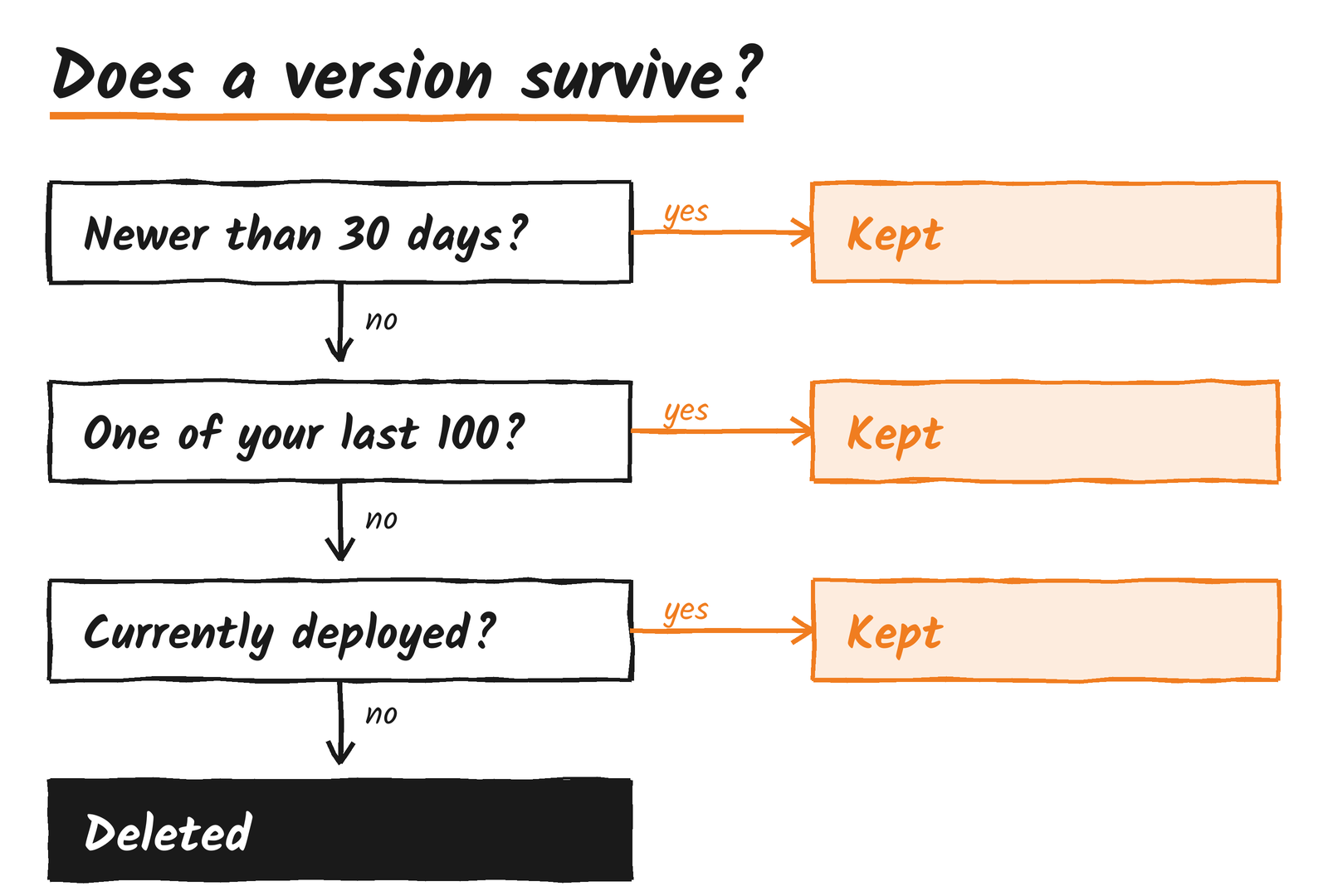
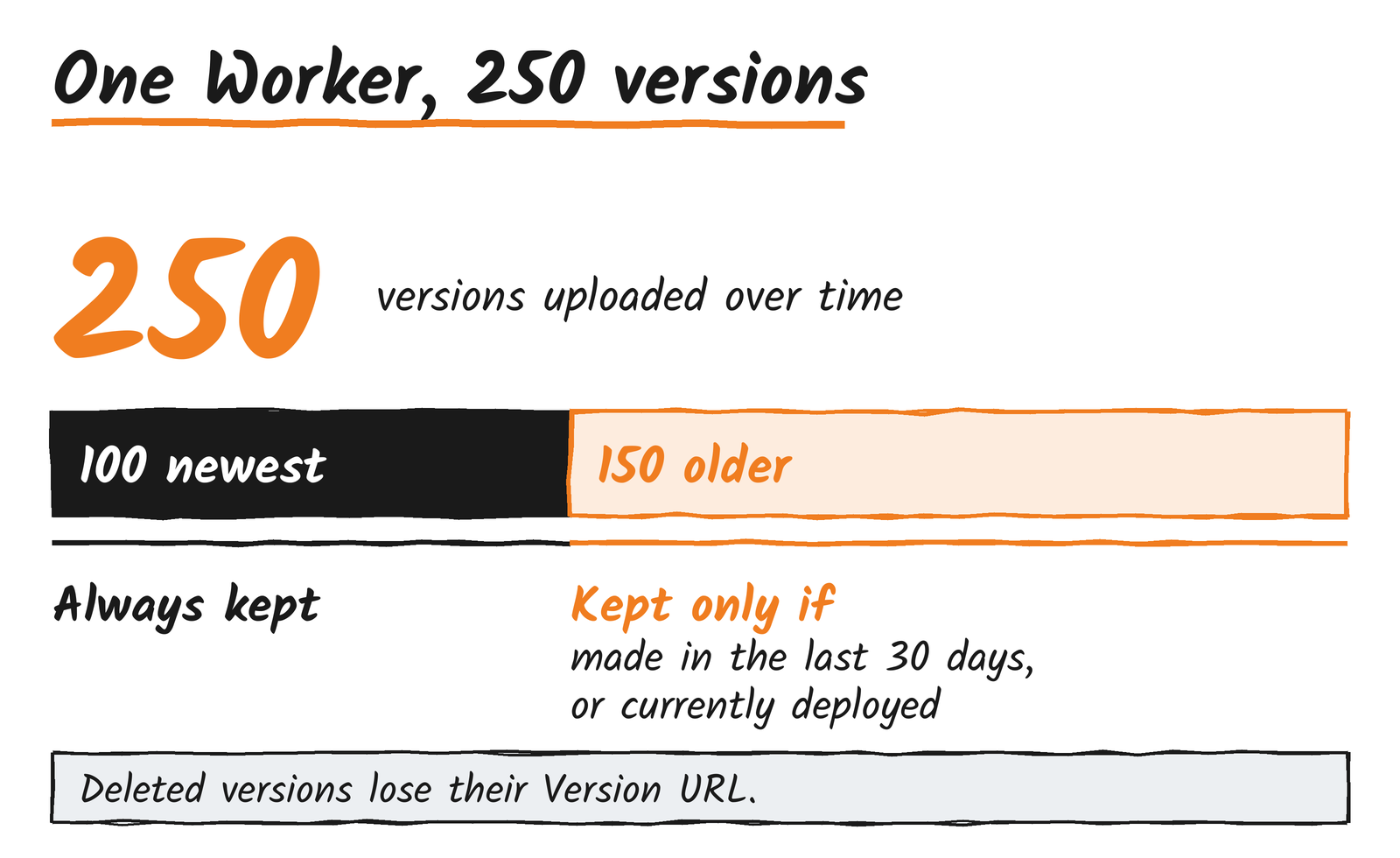
Cloudflare’s example is a Worker with 250 versions. Its 100 most recent are always kept. Of the other 150, the ones made in the last 30 days stay and older ones go unless they’re deployed. Pages follows the same arithmetic, and production and preview deployments both count toward its 100.
What stops working
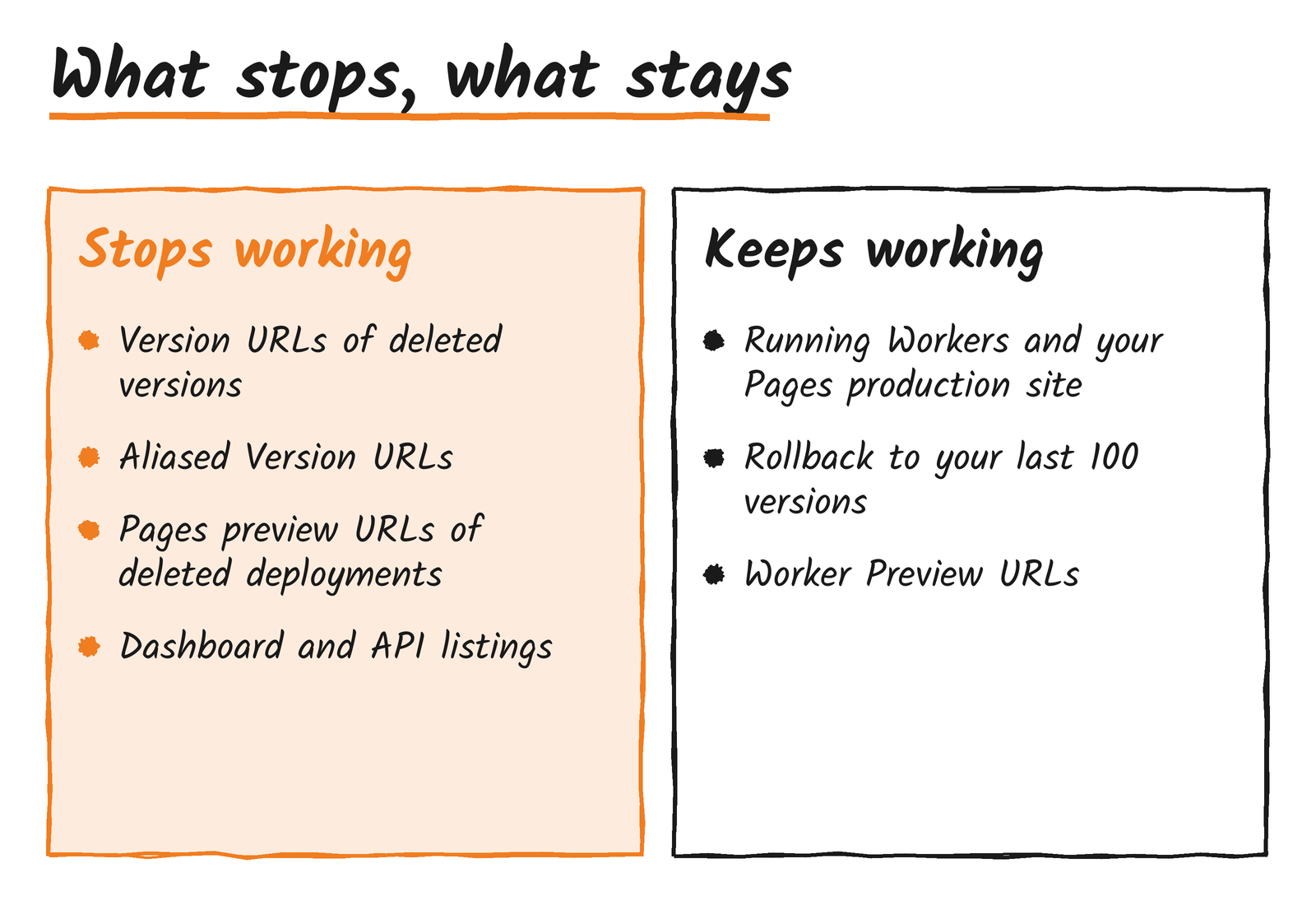
Deleted versions and deployments no longer appear in the dashboard or the API. The Version URL of a deleted Worker version stops working, and so does any aliased Version URL made with –preview-alias. An alias doesn’t stop its version from being deleted. On Pages, the unique preview URL of a deleted deployment, such as <hash>.<project>.pages.dev, stops working, and you can’t roll back to that deployment.
For Workers, you can only deploy, start a gradual deployment with, or roll back to one of the 100 most recent versions. Deployment history is kept, though a past deployment that used a deleted version now lists that version as deleted.
What isn’t affected
Deployed Worker versions and your current Pages production deployment are always kept. You can still roll back to any of your 100 most recent Worker versions, and to any Pages production deployment that hasn’t been deleted. Worker Preview URLs always serve the latest deployment of that Preview.
Use Previews for links you share
Cloudflare’s compare workflows page says a Version URL runs one uploaded version against your production resources and doesn’t create isolated branch resources. It says not to use Version URLs for branch or pull request testing, and to use Previews instead. Previews have their own variables, secrets and bindings, support custom domains, and isolate Durable Objects and Containers automatically.
Any link to an aliased Version URL that you’ve pasted into a pull request, ticket or test plan stops working once its version is deleted. The compare workflows page maps the old command to its replacement:
# before
wrangler versions upload --preview-alias staging

# after
npx wrangler preview --name staging
Cloudflare’s changelog post points to Workers version retention, Pages deployment limits and compare workflows for the details.
Discover more from Sulat AI & Tech News
Subscribe to get the latest posts sent to your email.