
Databricks has released the Azure Databricks Genie plugin for Microsoft Copilot Cowork, which lets Copilot hand business questions to Genie instead of hunting for answers itself. The company announced it on X on 20 November and described it in a blog post dated 18 November, alongside a generally available Genie app for Microsoft Teams and Genie inside Excel.
What the plugin does
The plugin connects Copilot Cowork and Copilot Chat to Genie One, the Databricks agent that answers questions across a customer’s data. Users turn the plugin on in Cowork, click Connect and sign in with their Azure Databricks credentials. Databricks says it needs no OAuth app registration and no manifest edits.
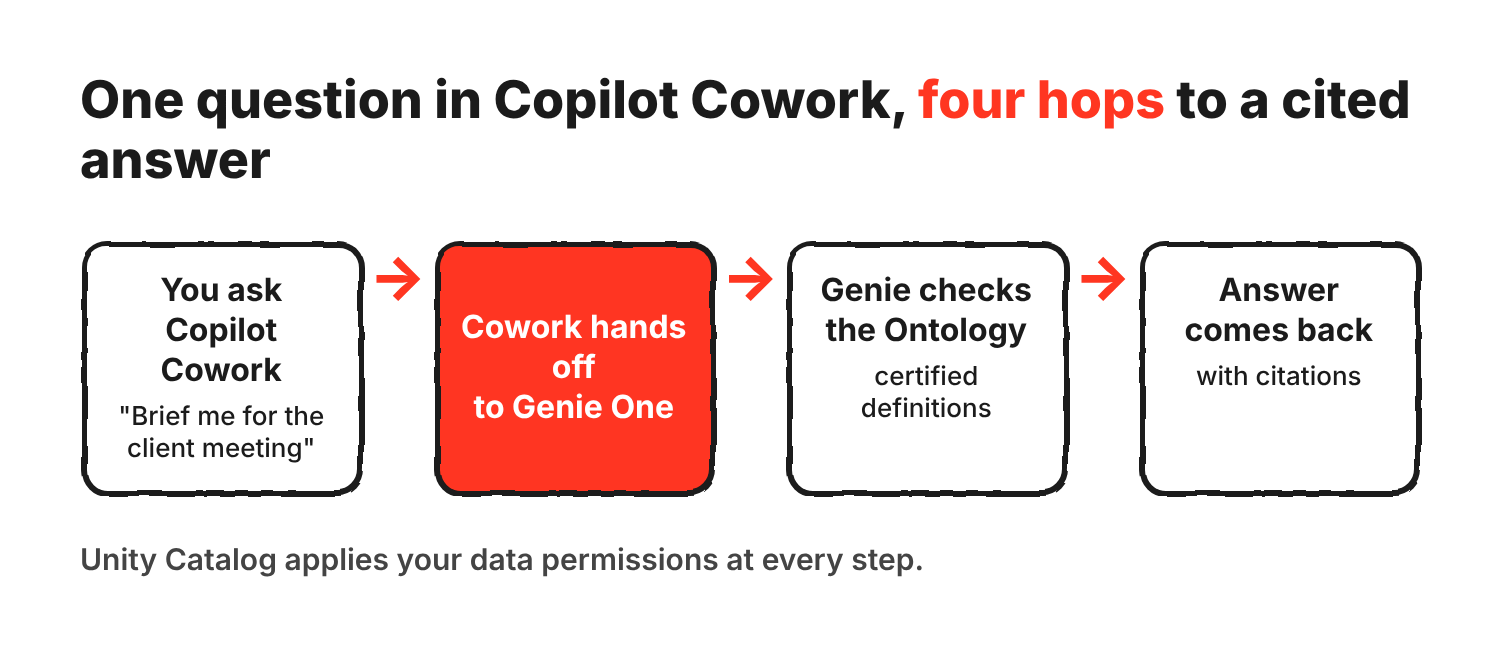
The blog’s worked example is an account director who asks Cowork for a briefing before a customer meeting. Cowork delegates to Genie, which pulls usage, spend and account trends from Azure Databricks using certified metric definitions. It then reads recent customer email threads in Outlook through its Microsoft 365 connector to flag open escalations. Cowork turns the result into a Word brief, an Excel overview with charts and a presentation. Databricks says every figure comes from Genie, so the documents match the numbers finance and the account team already report.
Why the Ontology is the pitch
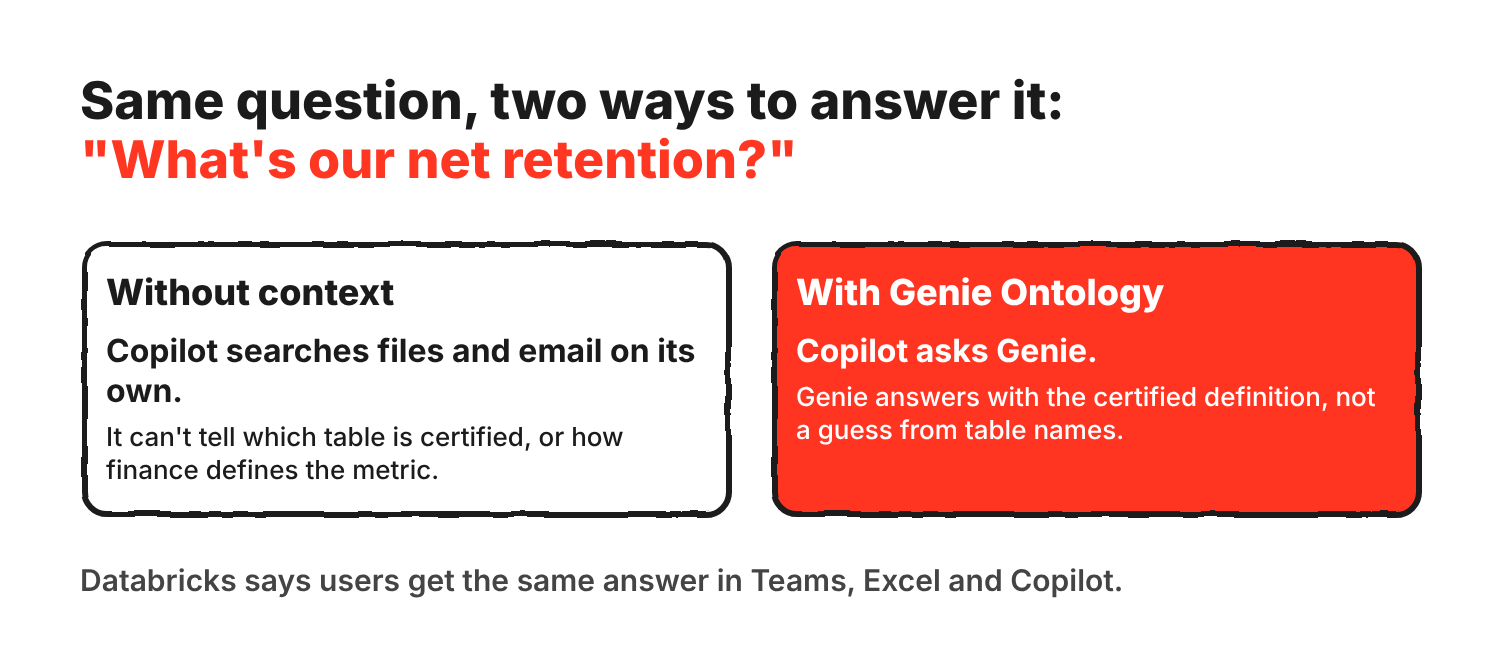
Databricks’ argument rests on a gap. An assistant can read a person’s email, files and calendar, but it can’t tell which revenue table is certified or how finance defines net retention. Genie Ontology is the company’s answer. It combines the business semantics teams define, such as metric views and certified definitions, with context Genie learns from dashboards, queries and documents. Databricks says Genie Ontology is now generally available.
In practice, when Copilot asks Genie a question, the reply uses the certified definition instead of a guess from table names. The X post puts it as “build your Ontology once in Azure Databricks” and bring that knowledge into Microsoft 365 workflows.
Teams, Excel and Copilot Studio
Genie in Teams is generally available. Users send the Databricks Genie app a direct message or mention it in a channel or group chat, and it replies in the thread. It can schedule recurring analyses, return charts and take actions through MCP connectors, asking for approval before it changes anything.
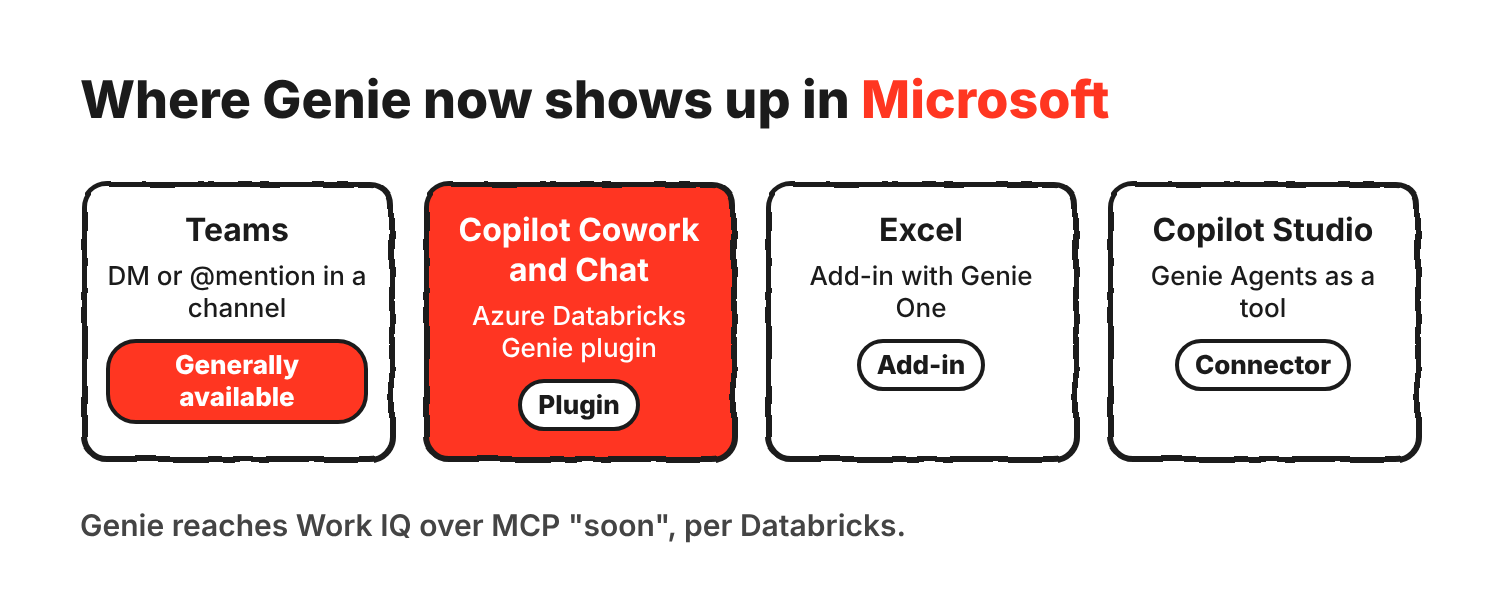
| Surface | What Databricks says it does | Limits and status |
|---|---|---|
| Teams | Direct messages and @mentions, scheduled analyses, charts, approved MCP actions | Generally available. File uploads work only in direct messages, up to five PDF, Word or CSV files of 20 MiB or less |
| Copilot Cowork and Chat | The Azure Databricks Genie plugin delegates questions to Genie One | The blog gives no availability status or pricing |
| Excel | Plain-English questions with cited answers, live pivots on Unity Catalog metric views, scheduled refreshes, write-back to Databricks tables | Works in Excel for the web and for desktop on Windows and macOS |
| Copilot Studio | The Azure Databricks connector for Power Platform adds Genie Agents as a tool | For custom agents that combine Genie Agents with other tools |
Databricks says to use the Teams app by default rather than publish a Copilot Studio agent to Teams. The app needs no Copilot Studio licence and also works in Microsoft 365 Copilot.
The admin work is real. A Microsoft 365 admin has to consent to tenant-wide Graph permissions for the Teams app. Workspaces on Private Link need a context-based ingress rule, because Teams doesn’t support outbound Private Link. Saving documents as PDFs is limited to direct messages and needs OneDrive.
Governance
Databricks says Unity Catalog enforces each user’s data permissions, so Genie only uses what the person asking is allowed to see. Admins manage usage through Unity Gateway, which provides traces, MCP policies and budget controls. The MCP policies decide which servers and tools Genie can use, who can reach them and which actions need human approval.
Databricks also says Genie will soon connect to Work IQ over MCP, bringing Microsoft 365 email, meetings, documents and Teams messages into Genie under the signed-in user’s Microsoft Entra ID identity. Genie One in Microsoft Foundry brings the same governed context to agents built there.
What the blog leaves out
The blog doesn’t give pricing for the plugin, and it doesn’t say whether the plugin is generally available. It applies that label only to the Teams app and Genie Ontology. The Work IQ connection has no date beyond “soon”. The blog gives no accuracy figures for answers delivered through Copilot, and its account-briefing example is a scenario, not a customer result. Databricks’ earlier accuracy claims for Genie came from a benchmark it ran itself.
Terms in this post
- Genie One
- The Databricks agent that answers business questions across a customer’s whole data estate.
- Genie Agents
- Narrower agents scoped to curated data and instructions. Questions can be pinned to one.
- Genie Ontology
- The context layer that combines defined business semantics with context learned from everyday work.
- Unity Catalog
- The Databricks governance layer that enforces who can see which data.
- Unity Gateway
- The admin layer for traces, MCP policies and budget controls on AI usage.
- MCP
- Model Context Protocol, a standard way for AI agents to call tools and read data.
Sources
- Databricks: What’s new for Genie in Microsoft, 18 November 2026
- Databricks on X, 20 November 2026
- Databricks docs: Genie app in Microsoft Teams
- Databricks docs: Connect to Databricks from Microsoft Excel
- Databricks: Genie Ontology
Discover more from Sulat AI & Tech News
Subscribe to get the latest posts sent to your email.