
Gergely Orosz, who writes The Pragmatic Engineer newsletter, said on X on 20 November that Browserbase “rocks for doing any type of web access with agents”. “I’m a convert,” he wrote. His post isn’t paid, he said, and he has “no affiliation beyond now I’m paying for it”. The screenshot he attached shows his account moving from Browserbase’s Free plan to its Developer plan. A second post explains the job he bought it for.
Why RSS couldn’t do the job
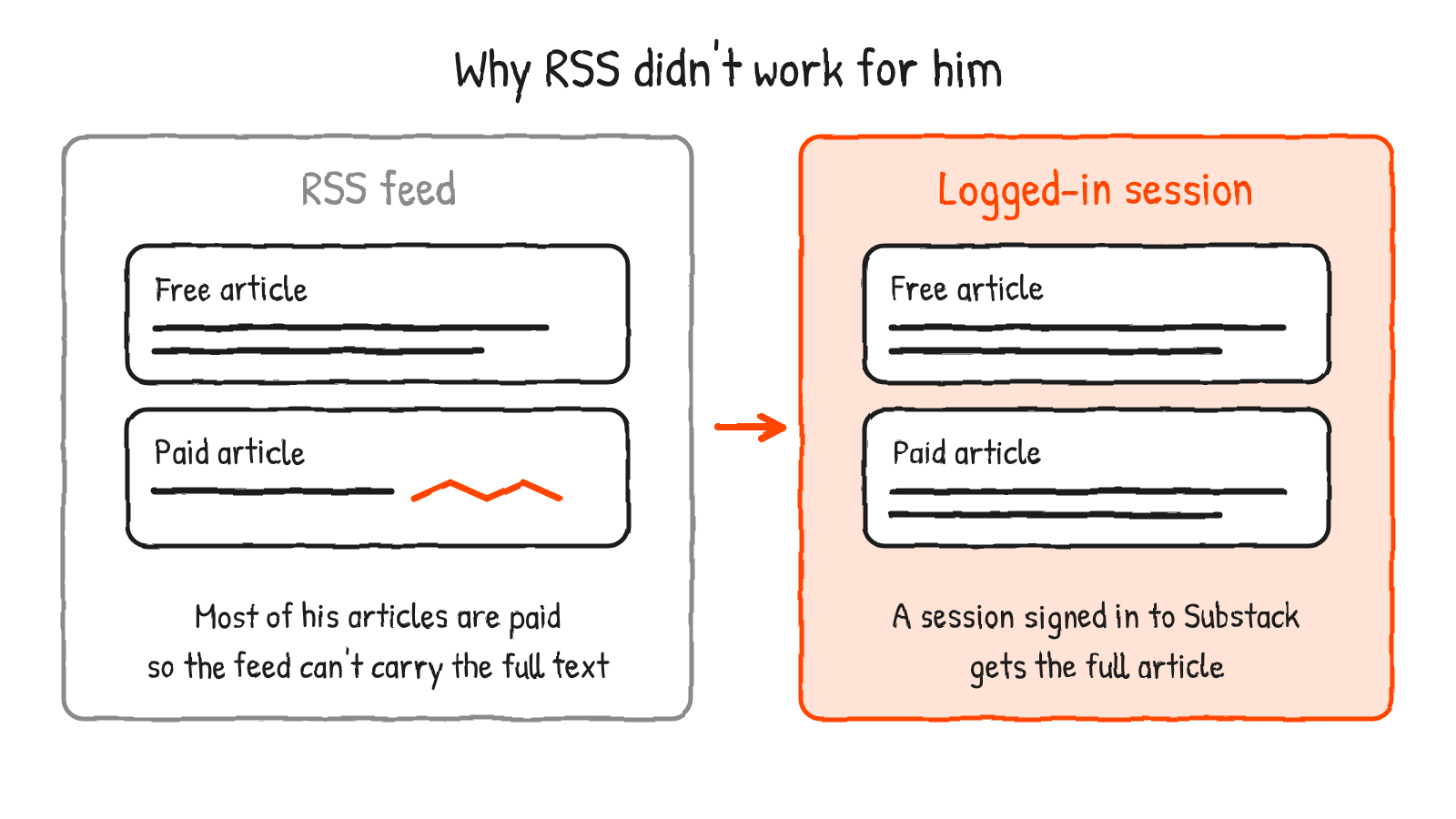
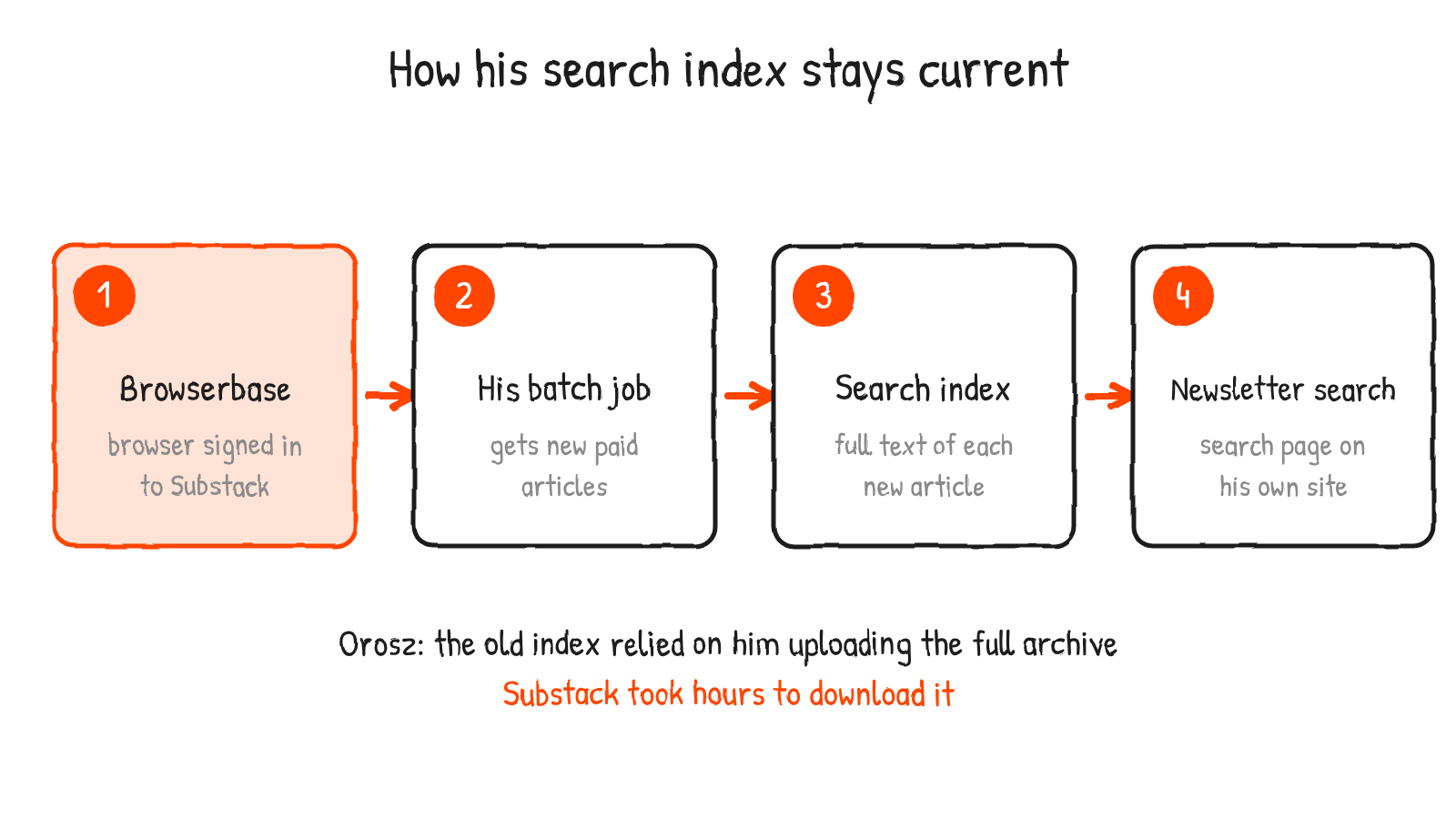
Orosz runs a search engine for his newsletter at pragmaticengineer.com/search, where readers can filter results to paid or free articles. He said the first version was getting out of date because it relied on him uploading the full archive to the index, and downloading that archive from Substack takes hours. The public RSS feed was no help either. “I cannot use the RSS feed because most of my article are paid,” he wrote, and he wants the full article indexed.
So needed a way to have some session logged in to Substack, and upload new, paid articles to my index.
Gergely Orosz, X, 20 November 2026
That’s a login problem, not a scraping one. The job needs a browser session already signed in to Substack that can open each new paid article and hand its text to the index. A feed can’t do that, and a session can.
What Browserbase gives a batch job
Browserbase runs browsers in the cloud and exposes them to code and to agents. By default each session starts with a fresh user data directory, so cookies and site data reset between runs. Its Contexts feature is the answer to that. You create a Context, pass its ID when you start a session with persist set to true, and log in once. Later sessions that use the same Context ID come up already signed in. The docs say the first login can be done by hand through the live view or by script, and that you should wait a few seconds after ending the session so the Context is updated. A Context stores the browser’s user data directory, including cookies and localStorage.
For agents, Browserbase has a hosted MCP server and a Browse CLI. The CLI’s page says it works with Claude Code, Cursor and Codex, and that its contexts command keeps cookies, storage and browser state across sessions so an agent doesn’t have to log in on every run. Orosz said Browserbase “integrates very very well with Codex and now my batch job”.
What he’s paying
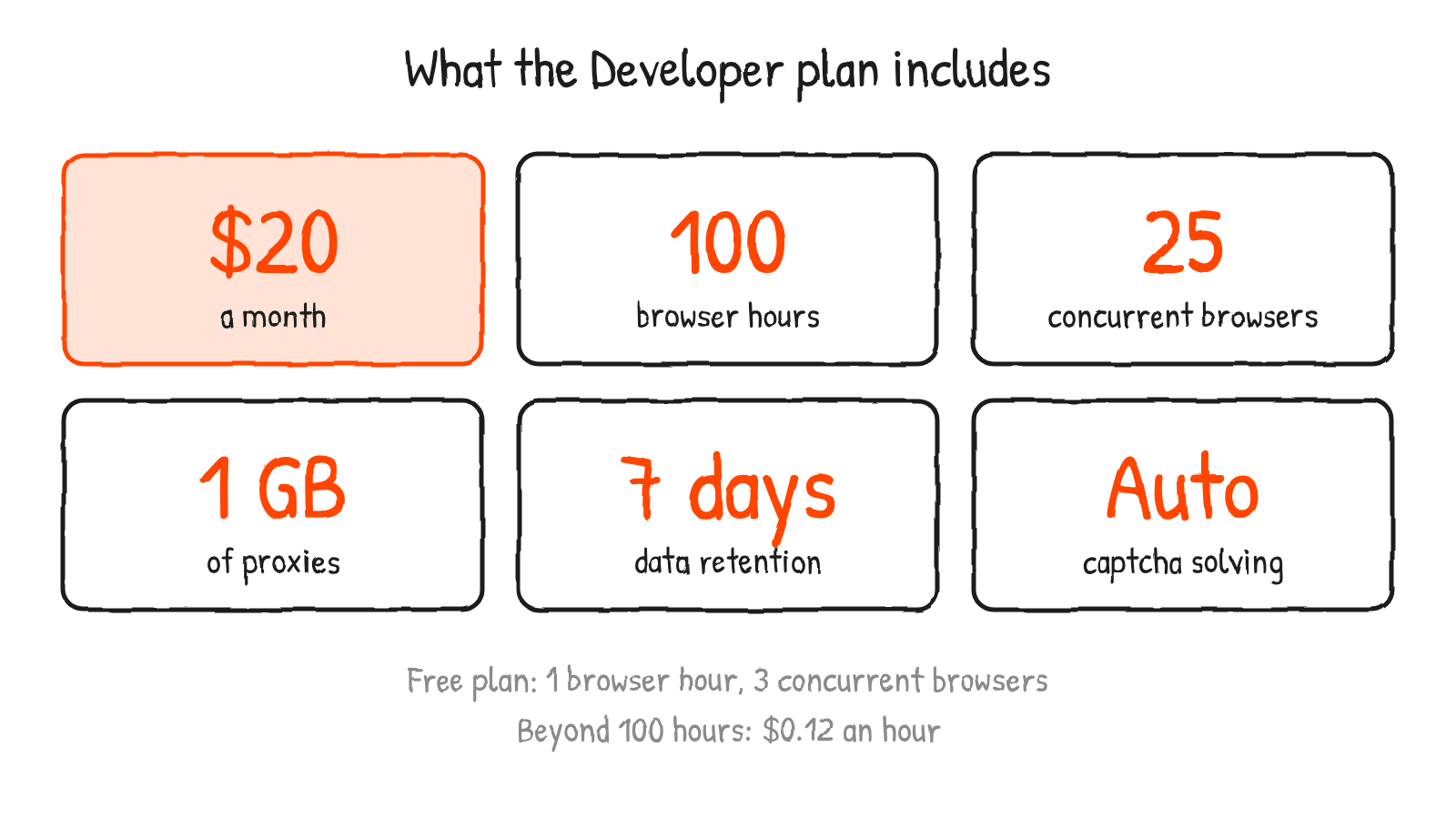
The screenshot is Browserbase’s upgrade confirmation. It lists 100 browser hours in credits, 1 GB of proxies, 25 concurrent browsers, 7-day data retention and automatic captcha solving. Browserbase’s pricing page puts the Developer plan at $20 a month, with extra browser hours at $0.12 each and extra proxy data at $12 a gigabyte. The Free plan has one browser hour, three concurrent browsers and 15-minute sessions, while Developer sessions can run for up to six hours.
Browserbase’s reply
Paul Klein IV, whose X profile lists Browserbase, replied: “wow! full circle moment. been a huge fan of pragmatic engineer for a long time. if there’s anything we can do better, please let me know!”
Browserbase has turned up in earlier coverage here. Its Stagehand framework supported Stripe’s WebMCP tools on launch day, and 1Password listed it among the integrations coming for its agent sign-in tool.
Orosz’s wider point is that “we’ll need new primitives that work well with AI agents”, and that “programmatic browser access is def one of them”. His own case is a paid archive, a login and a job that runs in the background.
Sources
- Gergely Orosz on X: post and follow-up, 20 November 2026
- Browserbase docs: Contexts, MCP server, plans and pricing
- Browserbase: Browse CLI and pricing
- The Pragmatic Engineer: newsletter search
Disclosure: I’m an OpenAI, Firecrawl and Devin ambassador.
Discover more from Sulat AI & Tech News
Subscribe to get the latest posts sent to your email.