1Password says its new 1Password for Agents platform lets a personal AI agent sign in to a website without ever receiving your password. The agent asks for a login, you approve it in 1Password, and 1Password fills the sign-in form in the agent’s browser. It costs nothing extra for Individual and Family accounts and works with Muse, Grok Bot, Town and Instinct.
John Torrey, 1Password’s chief business officer, announced the platform on 22 October, alongside a press release. His example is Muse, Meta’s personal agent: ask it to build a party invitation, track RSVPs and shop for supplies on a budget, and it requests access to RSVPify and Oriental Trading as it needs them. You pick which 1Password login it can use, and, the post says, Muse never sees the credentials or anything else in your vault.
The problem it targets
An agent that reaches a sign-in page stops and asks for a credential. 1Password’s blog says that leaves two options: take over the session and type your username and password yourself every time, or paste the password into the prompt and let the agent hold it beyond the task. Passwords saved in a browser or in notes don’t help, the post says, because agents can’t use them. The agent halts at each login until you sign in manually.
How a sign-in works
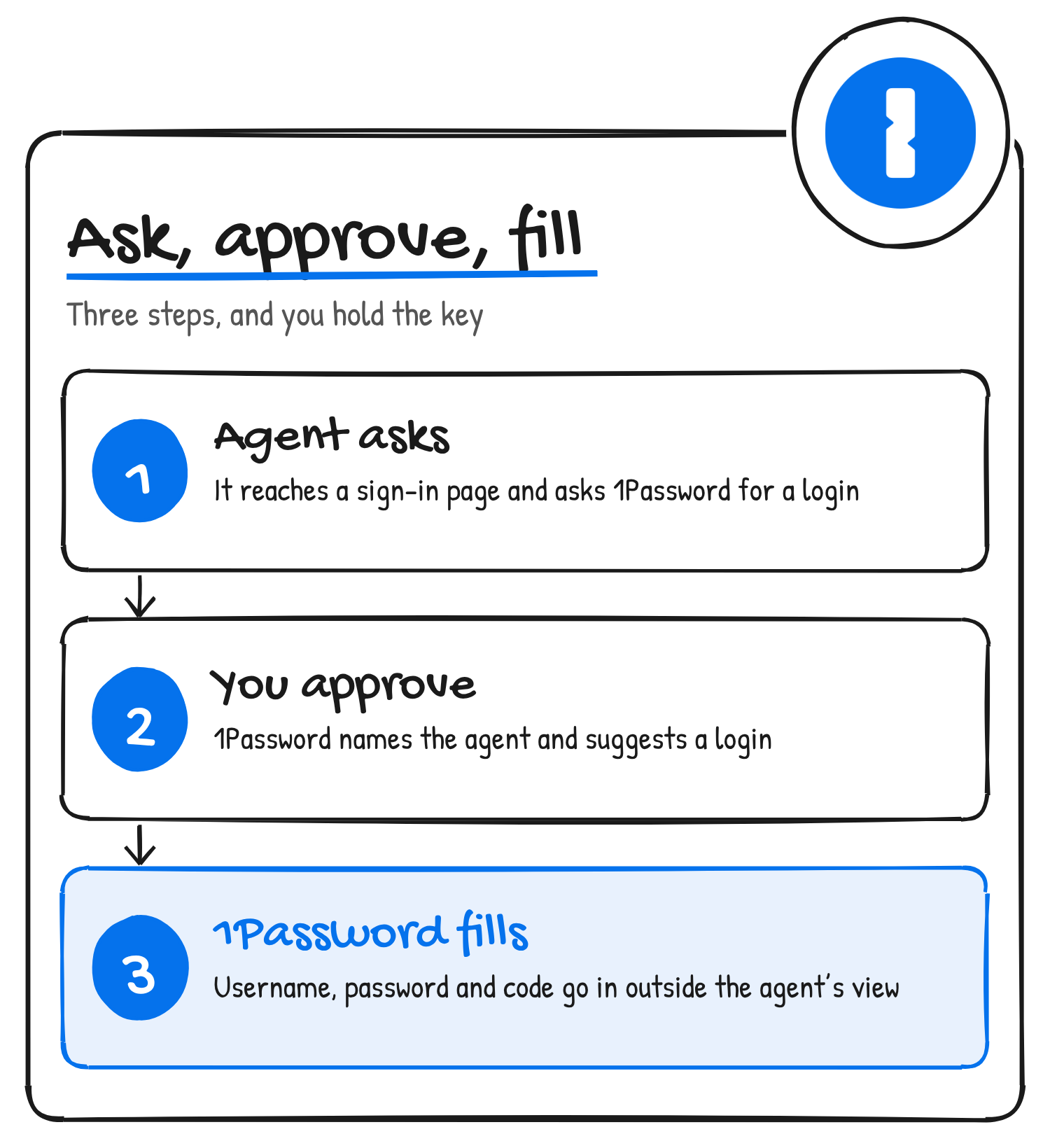
You connect 1Password to a supported agent from the agent’s own settings. Connecting lets the agent ask 1Password to sign in, and 1Password’s support page says it doesn’t give the agent access to your vaults. After that, the flow has three steps:
- The agent reaches a sign-in form and asks 1Password for a login.
- 1Password opens a prompt on your device that names the agent and suggests logins for that site. You approve one, choose a different login or deny the request.
- If you approve, the 1Password browser extension in the agent’s browser fills your username, password and one-time code into the form outside the agent’s view, then submits it.
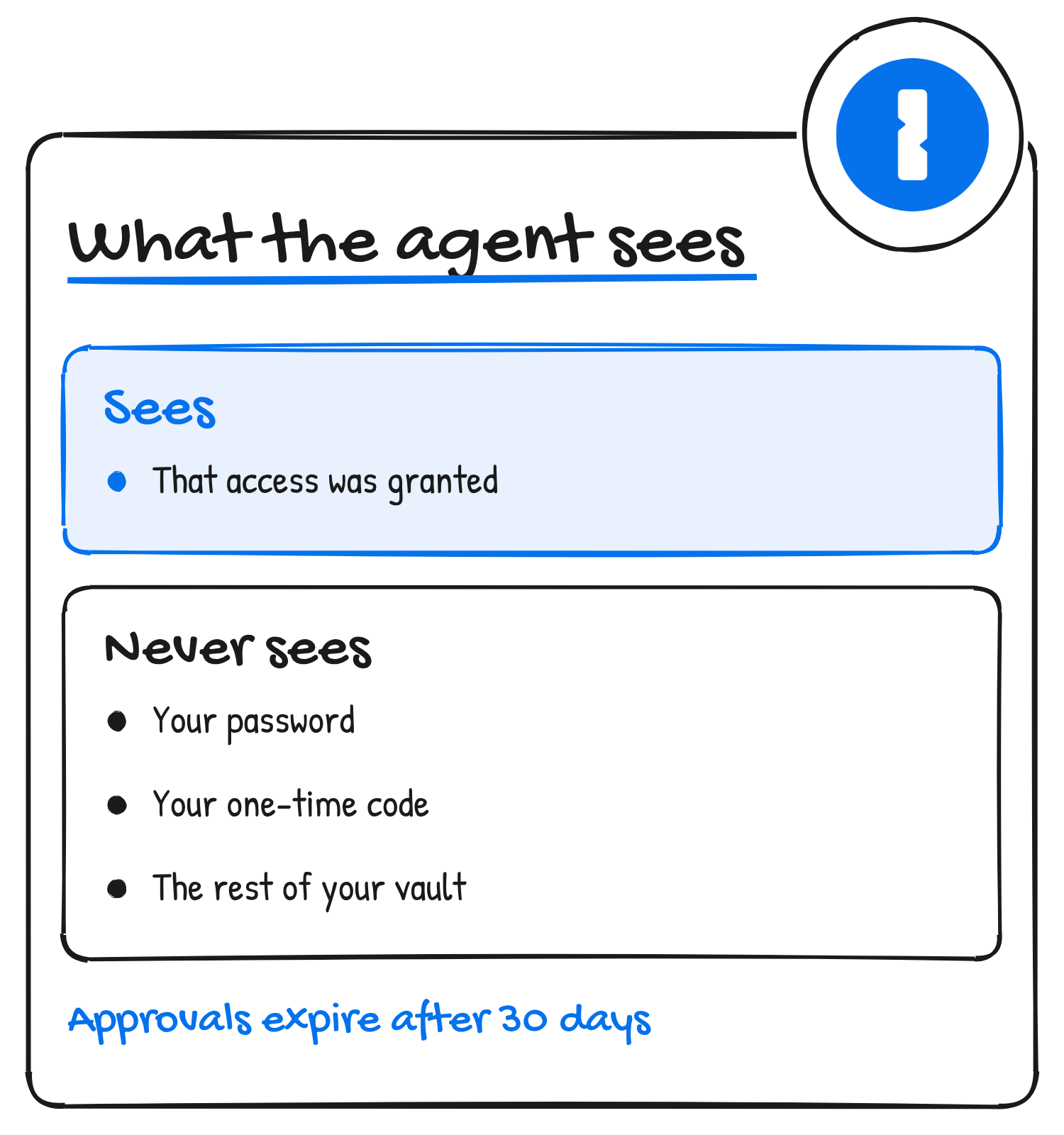
An agent can’t approve its own request. 1Password’s security page says every new request opens 1Password, and the app has to be unlocked before you can approve it. Once you approve a login, the agent can keep using it for up to 30 days. After that it has to ask again.
1Password only fills and submits the form. The website decides how long the agent stays signed in, the same as it would in your own browser. 1Password’s setup pages say some sites sign you out after a few minutes, some still ask for multi-factor authentication, and some block automated access. You can ask the agent to sign out when the task is done.
What the agent never sees
1Password’s integrations page says the agent only sees that access was granted. It doesn’t receive the password or the one-time code, and connecting it doesn’t expose the rest of your vault. Aashish Tripathi, 1Password’s chief product officer, put the aim this way in the press release: an agent “should be able to do the job it’s been asked to do without getting permanent access to everything behind the account”.
The security page describes how. When you connect an agent, 1Password creates a new set of keys for that connection and encrypts them with an integration key that only the agent developer receives. When you approve a login, 1Password derives a client key on your device and gives the developer an encrypted copy. To fill a login, the developer sends that key to 1Password’s confidential computing enclave, which decrypts only the approved item and sends it to the browser extension over an end-to-end encrypted channel. Connecting uses OAuth 2.0 and follows the RFC 9700 best practices.
You can revoke access at any time. On 1Password.com, open Integrations, find the agent under “Autofill for AI” and disconnect it. 1Password says that deletes the connection’s keys and every approval tied to it.
Which agents and accounts work
1Password’s integrations page lists four agents as available today:
- Muse, from Meta: iOS, Android and web.
- Grok Bot, which 1Password’s materials call SpaceXSI Grok Bot: iOS, Android, macOS, Windows and Linux.
- Town, the maker of Townie: iOS, Android, macOS, Windows and Linux.
- Instinct: iOS and Android.
1Password also published setup steps for Claude Duet on 5 November. They need a Claude Pro, Max or Ultra account and the Claude Duet iOS, Android or web app. In the announcement, Anthropic’s Ami Vora said Claude Duet “asks before it signs in anywhere, and soon 1Password will complete the sign-in with the passwords people have already set up”.
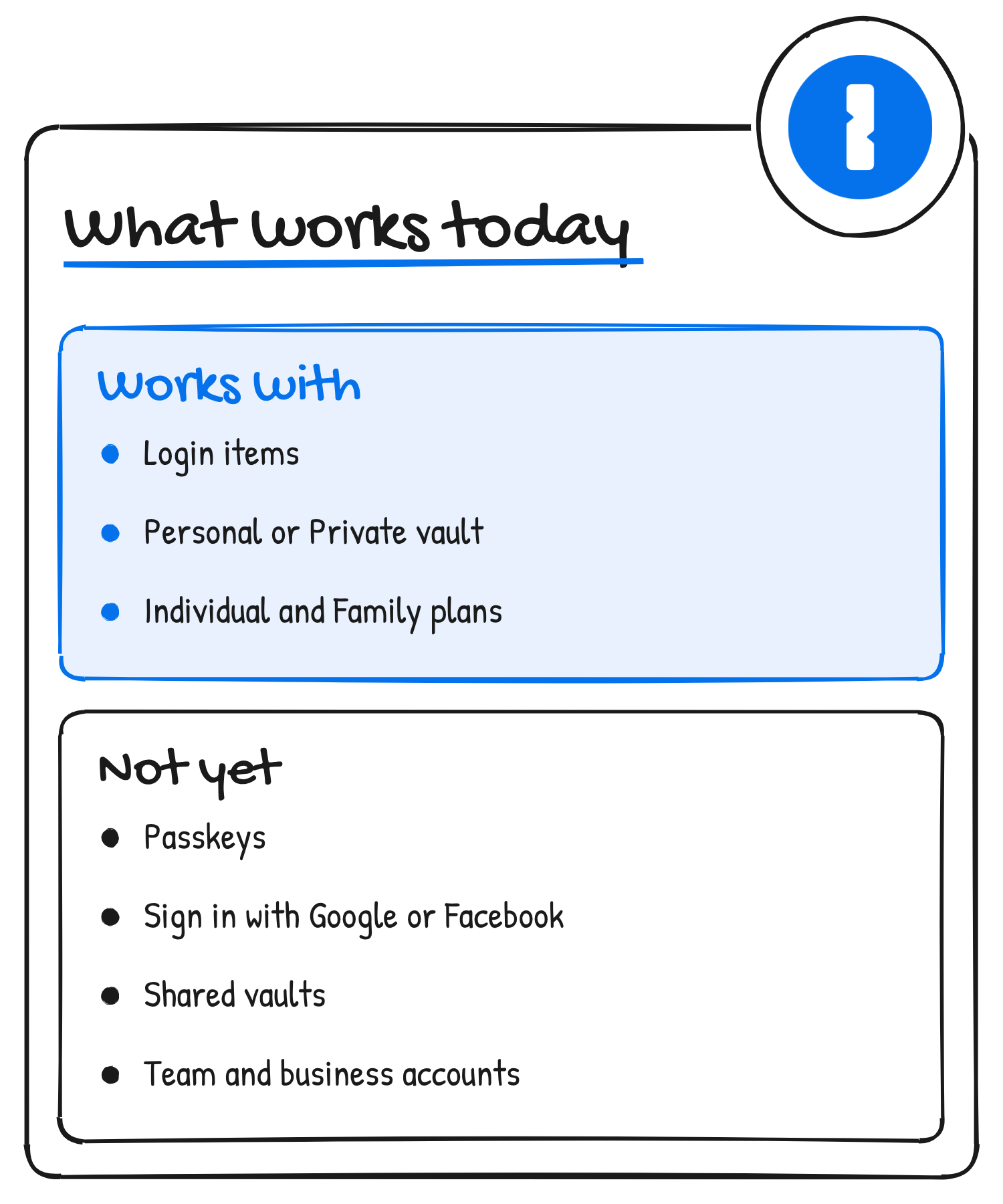
On the account side, you need an Individual or Family account on 1Password.com, with the 1Password app (version 8.12.42 or later) installed on the same computer or phone as the agent app. The logins have to be Login items in your Personal or Private vault. Team and business accounts and accounts on 1Password.eu or 1Password.ca aren’t supported, and neither are passkeys, logins that use Google or Facebook sign-in, other item types or shared vaults.
What you still trust
1Password’s security page lists three accepted risks. Once a form is submitted, the credentials are in the hands of the website and its scripts, and 1Password can’t control what happens next. After a successful fill, what the agent does on the site is governed by the agent’s own safeguards, and 1Password’s guarantees cover the storage, approval, delivery and filling of credentials, not the agent’s behaviour during a session.
The third is the developer. The agent developer stores the authorisation tokens and the integration key for your connection, and its agent controls the environment the login is filled into. Whether the agent’s model ever sees a credential depends on how the developer builds its service. 1Password says it reviews some developer architectures and requires encrypted storage of those secrets, and that it can’t enforce what happens inside third-party systems. Its support page adds that every provider has signed an agreement to uphold shared security principles and passed a security review.
More agents are on the way. 1Password’s blog lists ChatGPT Work and dots from OpenAI as coming soon, along with Browserbase, Browser Use, Dana, KERNEL, Perplexity, Ramp, Tomo and Wajo, and the integrations page has a waitlist for agents that aren’t supported yet.
Discover more from Sulat AI & Tech News
Subscribe to get the latest posts sent to your email.