
Peter Alexander, who wrote the proposal and co-leads the MCP working group behind it, says the MCP Events extension is “finalised in beta” and ready for clients and servers to adopt. He announced it on X on 21 November, New Zealand time. The extension lets an MCP client subscribe to things that happen in another system, such as a new email, a repository push or a production incident, and have an agent react when nobody is there to ask. The official Events page lists SEP-3415 as Final and the extension as Beta, maintained by the Tasks and Events Working Group.
The MCP Events extension is now finalised in beta. This means it is ready for clients and servers to adopt and provide feedback, so that we can fix any spec issues and get it stabilised.
— Peter Alexander (@Poita_) November 20, 2026
modelcontextprotocol.io/extensions/events/overview
Alexander says beta means the extension is ready to adopt, and that the feedback will let the group fix spec issues and stabilise it.
Why MCP needed a new mechanism
MCP is request-driven. A person or a model asks, and a server answers. The docs say agents increasingly need to act on things that happen when nobody is asking, like a new email, a push to a repository or a production incident.
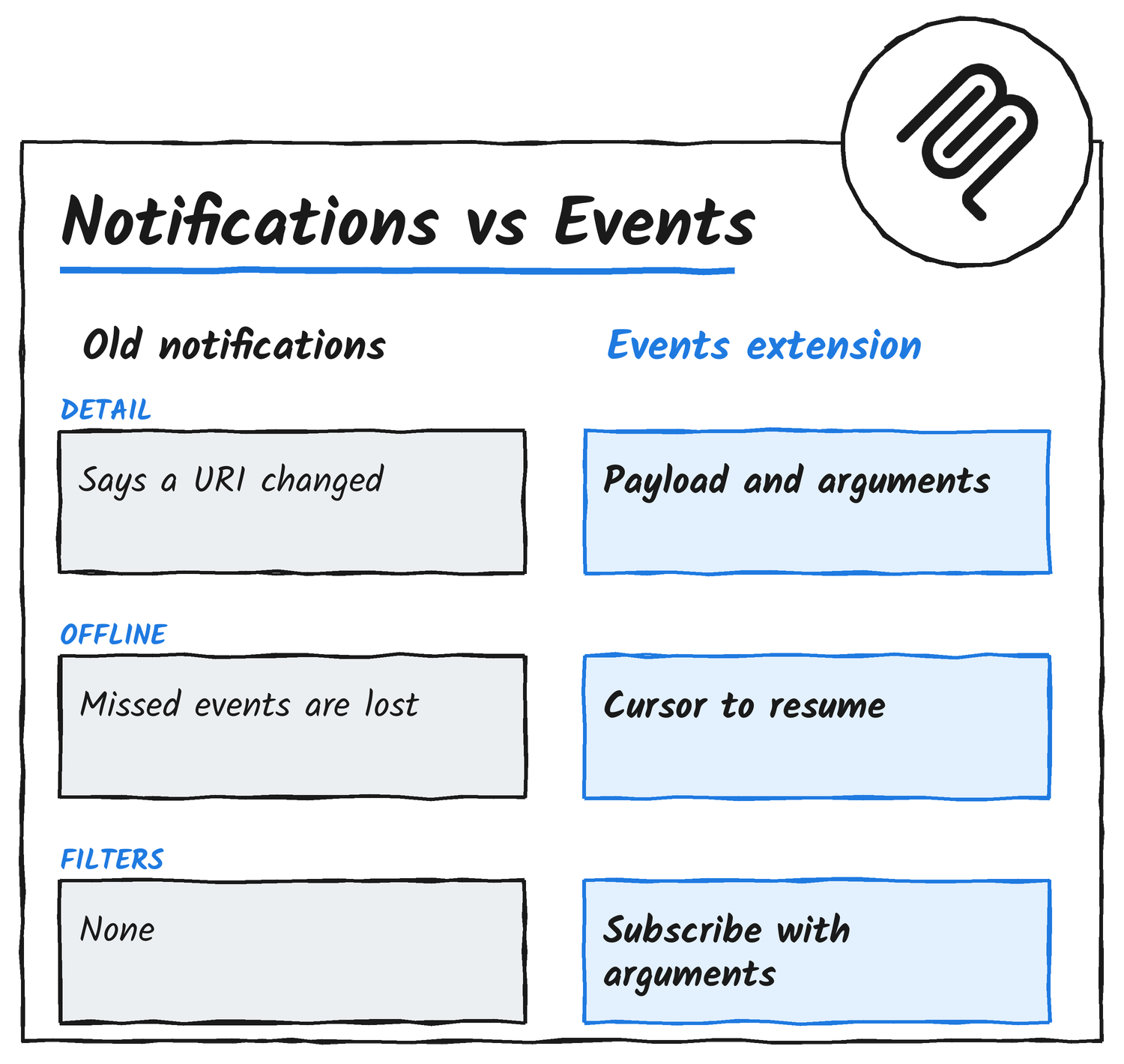
MCP already has notifications, such as notifications/resources/updated and the list_changed family, and the docs give three reasons they don’t cover this. They carry no parameters or payload, so a notification can say a list changed but can’t say that a P1 incident was created for service X. They arrive only on an open subscriptions/listen stream, so a client that isn’t connected receives nothing. And there’s no cursor, so anything that happens during a disconnect is lost and the client can’t tell it missed something.
How an event reaches an agent
The extension is identified as io.modelcontextprotocol/events. The server advertises it in its server/discover capabilities, and the client calls events/list to see what’s on offer. Each event type has a name, an inputSchema for the subscription arguments, a payloadSchema for the data it delivers, and the delivery modes it supports.
The client subscribes with an event name and arguments. A null cursor means start from now. Each event then arrives as an occurrence with an eventId, name, timestamp, data and cursor, and the client stores the cursor after every delivery. After a disconnect or restart it resubscribes with the stored cursor. If the server can’t serve from that position, it returns truncated: true, so the client knows events were skipped. The client SDK hands each event to the agent runtime, which decides what to do, for example by starting a new agent turn.
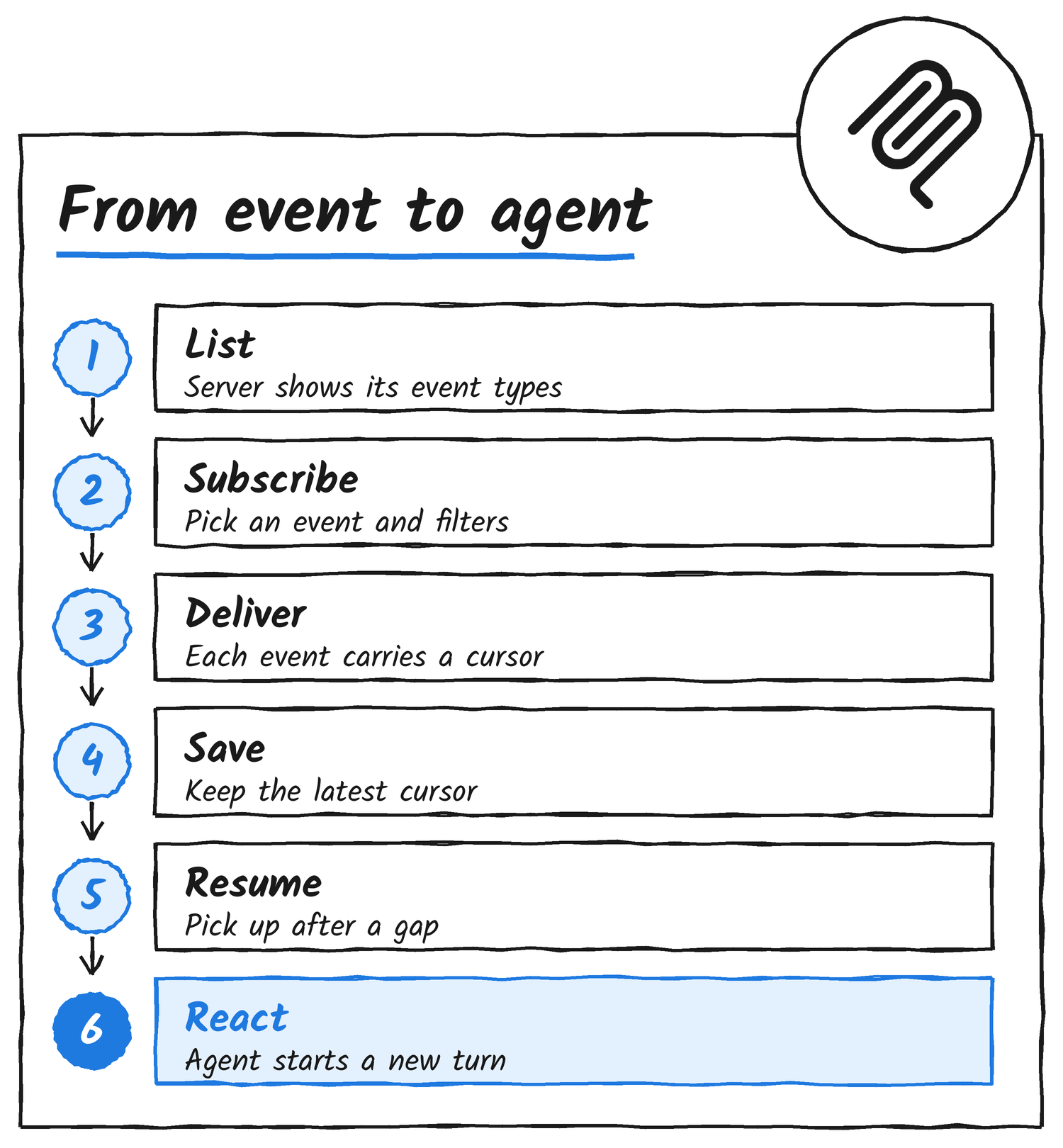
The docs say Events needs protocol revision 2026-07-28 or later, and both client and server have to opt in.
Poll, push or webhook
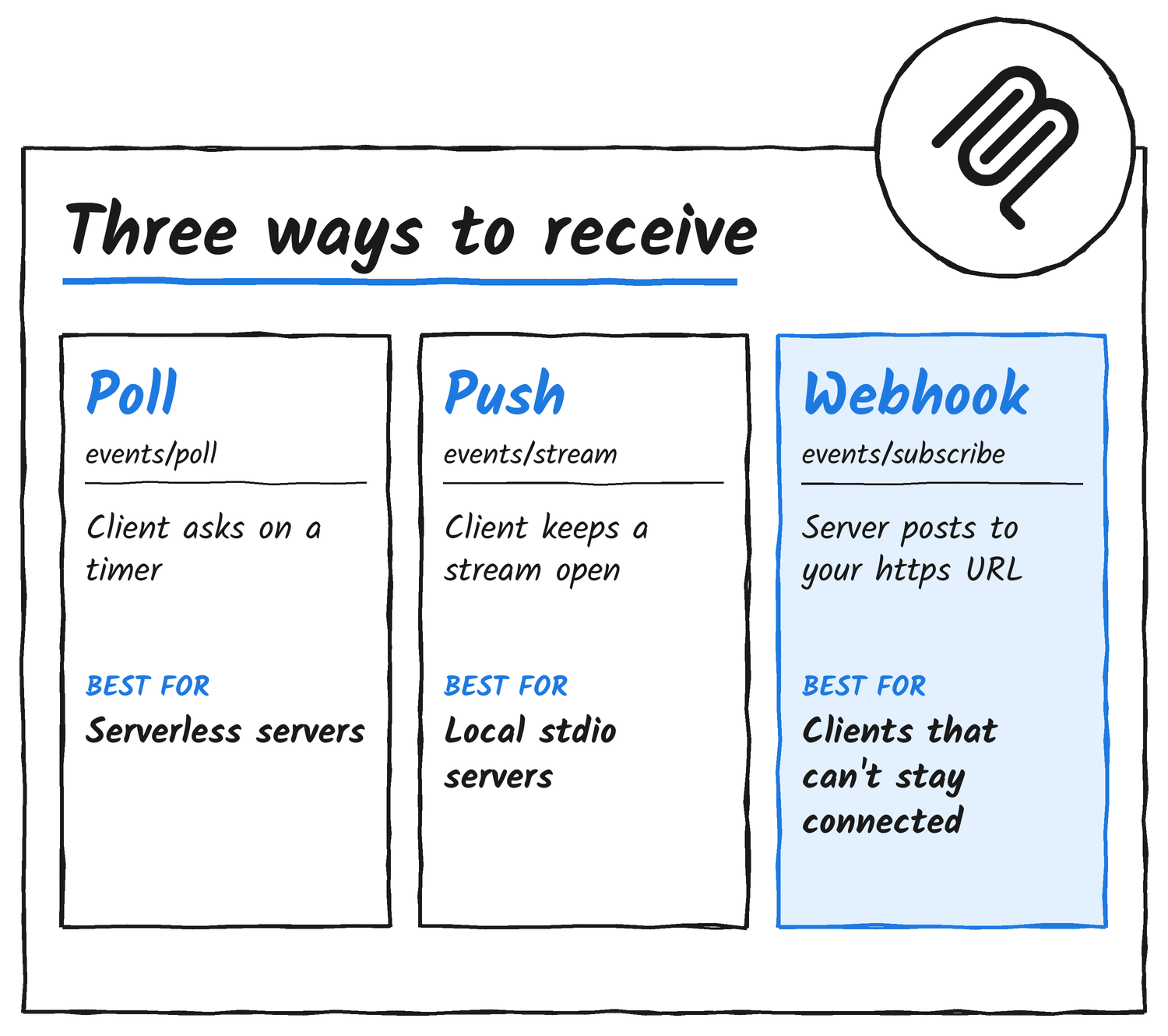
An event type lists any non-empty subset of three delivery modes, and none is mandatory. The docs say SDKs typically prefer webhook when the client has a callback endpoint, then push, then poll, and a client can override the choice per subscription.
| Mode | Method | How it works | Good fit |
|---|---|---|---|
| Poll | events/poll | The client asks at the interval the server recommends. The server holds no per-client state. | Stateless and serverless servers, simple clients |
| Push | events/stream | The client holds a long-lived request open and the server delivers events on it as notifications. | Local stdio servers, clients that stay connected |
| Webhook | events/subscribe | The client registers an https callback URL and the server posts signed events to it under a renewable TTL. | Remote servers, clients that can’t hold a connection |
In webhook mode the client registers an https callback URL and a signing secret, and the server has to verify the endpoint before it delivers anything. The SEP lists the failure categories a server can report for a bad endpoint: connection_refused, timeout, tls_error, http_4xx, http_5xx and challenge_failed.
Cursors and what you’re promised
Cursors are opaque positions in the event stream, chosen by the server. The docs say they make delivery at-least-once when the upstream is durable and the client resumes from its last cursor. Replay is optional per event type. A server returns cursor: null for one with no addressable history, and the client then always starts from now.
A client can pass maxAgeMs with a stale cursor to cap the replay, so a host that was offline for a week gets at most the last five minutes, in the docs’ example. The eventId is stable for an upstream event, so duplicates can be discarded. Poll and push deliver in order within a subscription. Webhook ordering is best-effort, and the timestamp field orders events. The client owns its list of subscriptions, because no server method lists them.
What you can do with it
The docs name new messages, repository pushes, payments, incidents and calendar changes as the kind of thing an agent should act on. They point to unattended agents, which need something to wake them, and to filtered streams, such as P1 incidents for service X or email from one sender. The SEP’s own examples are a Slack message, a GitHub push and a PagerDuty incident.
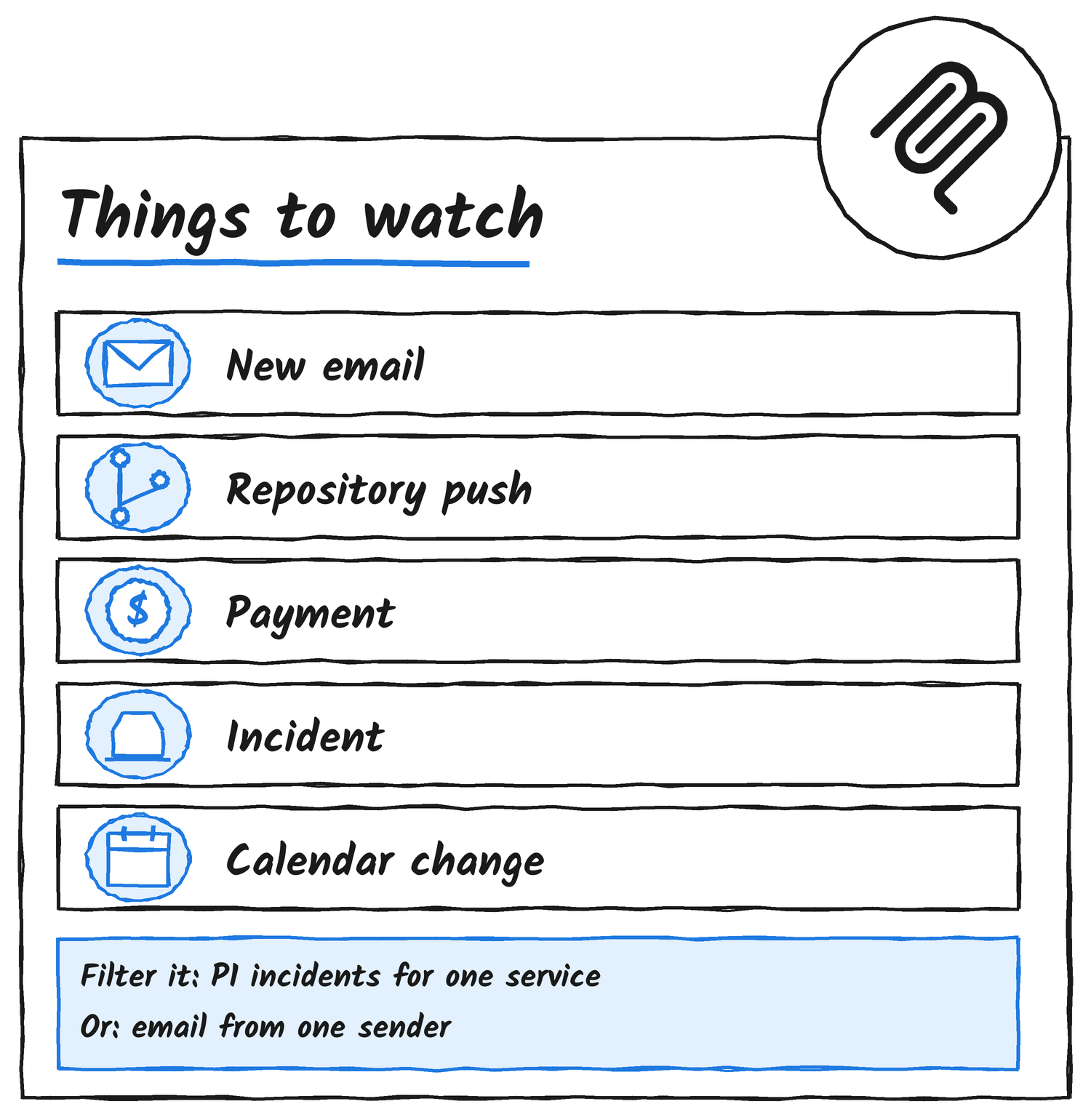
Subscription arguments aren’t limited to filters. The SEP says they can be filters, transforms or other server-defined configuration, and its sample email.received event takes a from pattern of *@anthropic.com plus a redact_pii flag.
A server doesn’t need a native push source. The SEP’s SDK guidance describes a polling loop the SDK runs for APIs that only offer polling, such as Gmail’s history endpoint. Servers that already receive webhooks or run change streams can emit events directly, and emit-only event types are served from a ring buffer of recent events.
What happens after an event arrives is up to the client. Hookdeck’s guide says SEP-3415 leaves that choice open: a client might add the event to the conversation, wake the agent or queue it for later, and it may skip the model entirely. Hookdeck’s example is a failed GitHub Actions build waking an agent to investigate, and it has built an open-source bridge on its Event Gateway that turns webhooks into MCP events.
The docs draw a line with Tasks. If a client is waiting for the result of a long-running operation it started itself, Tasks is the tool, and Events is for things that happen upstream. The wake-on-event idea also runs through Anthropic’s always-on agents guide, which I covered on 16 November.
Who has built on it so far
OpenAI’s developer docs say ChatGPT supports MCP Events in Work chats on ChatGPT web, in Work chats in the desktop app with Cloud selected, and with dots. It supports webhook delivery and callback verification from the draft spec. Polling, streaming and the draft’s gap and terminated control notifications aren’t supported.
Expose, a tunnelling service, says it built an event called request.completed for its MCP server, so a user can ask to hear when a Stripe webhook to their tunnel fails. It declares both a top-level events capability and the extensions entry, because ChatGPT reads the top-level one from an earlier draft. The SEP confirms that prototypes of the design sketch used a top-level events capability and that at least one deployed client reads it.
Vercel’s AI SDK and TanStack AI both ship experimental webhook support. TanStack says its wire format follows a draft revision of SEP-3415, and Vercel says polling and push-stream delivery aren’t supported. Several implementations were written against the earlier sketch or a draft revision, so method names and error codes can differ from the final text.
For the official SDKs, a TypeScript pull request from contributor KKonstantinov adds the extension to server and client with all three delivery modes, under experimental ext/events subpaths. It was still open on 20 November, and it says Events is served only on 2026-07-28 sessions. The same pull request describes a Python SDK pull request, number 3822, that covers poll and webhook with in-memory state. The extension support matrix on modelcontextprotocol.io doesn’t have an Events column yet.
The security model
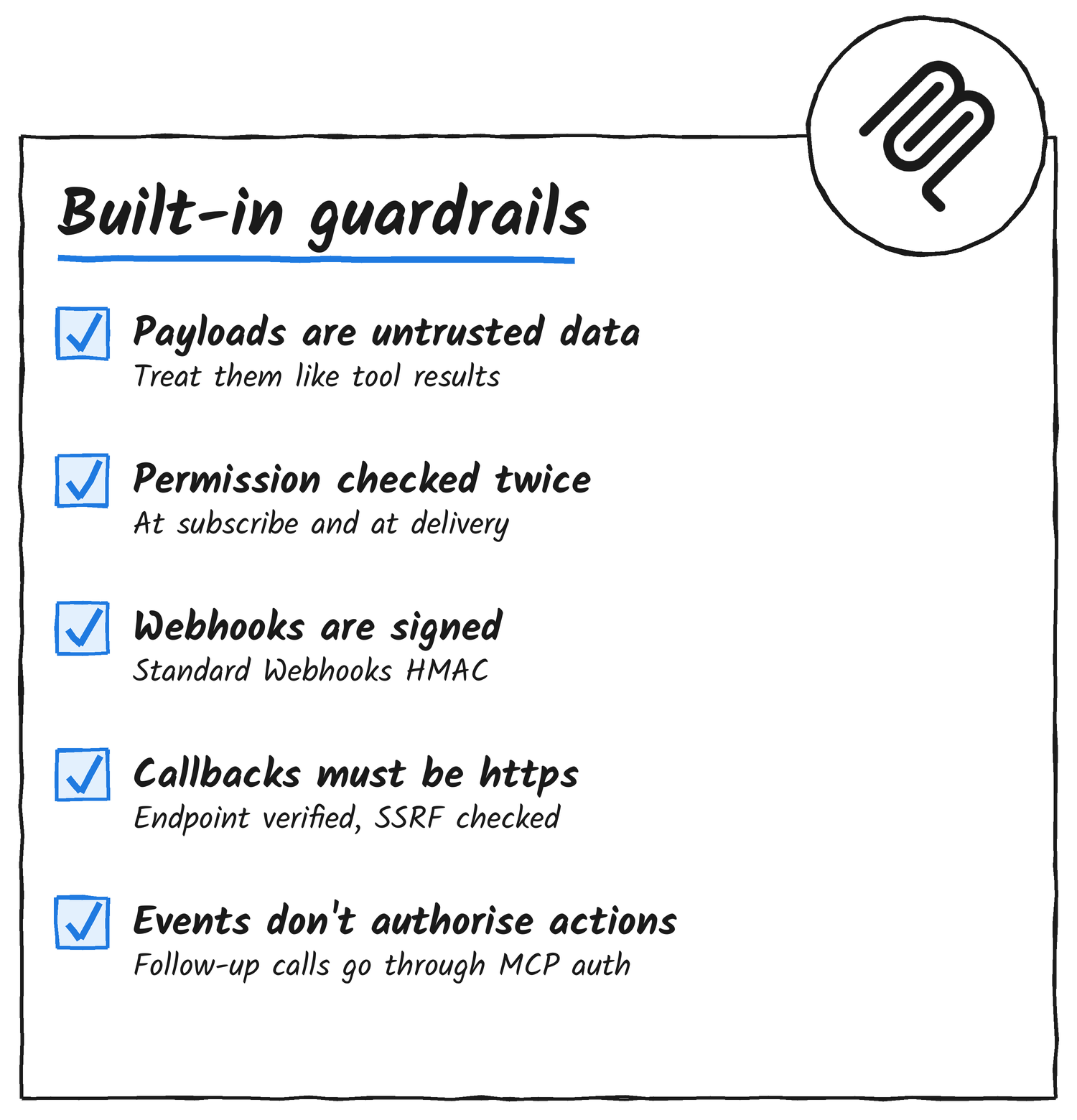
The docs treat event payloads as untrusted data. They come from external systems and can carry prompt injection, so they should be handled like tool results, and sanitised or sandboxed before they reach a model. Servers should send enough to identify and triage an event, such as a sender, subject and ID, and let the client fetch the full content with tools.
The server checks permission when a subscription is made, checks again at delivery, and ends the subscription if access is revoked. Receiving an event never authorises the agent to act, and its follow-up tool calls go through normal MCP authorisation. Webhook deliveries are signed with Standard Webhooks HMAC signatures, callback URLs must be https, the server verifies an endpoint before delivering to it, and it validates destination IPs to prevent SSRF.
What’s still open
The SEP lists five new error codes, -32023 to -32027, and calls the numbers provisional until they’re allocated. It also lists as an open question whether they should be new codes or InvalidParams with typed data. The notifications/events/list_changed notification is optional on both sides, and the TypeScript pull request leaves it out for now.
Alexander’s post asks for feedback so the spec can be fixed and stabilised. Until the official SDK pull requests merge, anyone building on Events is working from the spec and the experimental subpaths.
Where to start
Server authors advertise the extension in server/discover, describe each event type with its schemas and delivery modes, use the upstream system’s stable event ID as the eventId, and encode the upstream position in the cursor. Client authors declare the extension in their per-request capabilities, send no events/* requests to a server that hasn’t advertised it, validate arguments against each inputSchema, persist cursors durably, deduplicate by eventId and treat truncated: true as a possible gap to re-check with tools. The full spec is in the ext-events repository on GitHub, and the reasoning is in SEP-3415.
Discover more from Sulat AI & Tech News
Subscribe to get the latest posts sent to your email.