
The ChatGPT account on X posted a 59-second film on 20 November (US time) about Keith, who runs his own business as a fractional IT contractor and has a dot working alongside him. The post’s text is two lines: “This is Keith. Keith works in IT. So does Keith’s dot.”
It’s an advert, so what a dot does, what it can reach and who gets one comes from OpenAI’s own documents.
What the film shows
Keith says his Codex workflow before the dot was project folders, and that administration, configuring networks, and email systems and domains are now work he can hand to the dot.
The main job is a college with ageing servers. Keith snaps the racks on his phone and sends the pictures to his dot, which the film calls Po. Po works out the model and year of each rack-mounted server, then puts together a sheet of hardware to migrate, ranked by importance. Keith asks which to replace first, and Po recommends two.
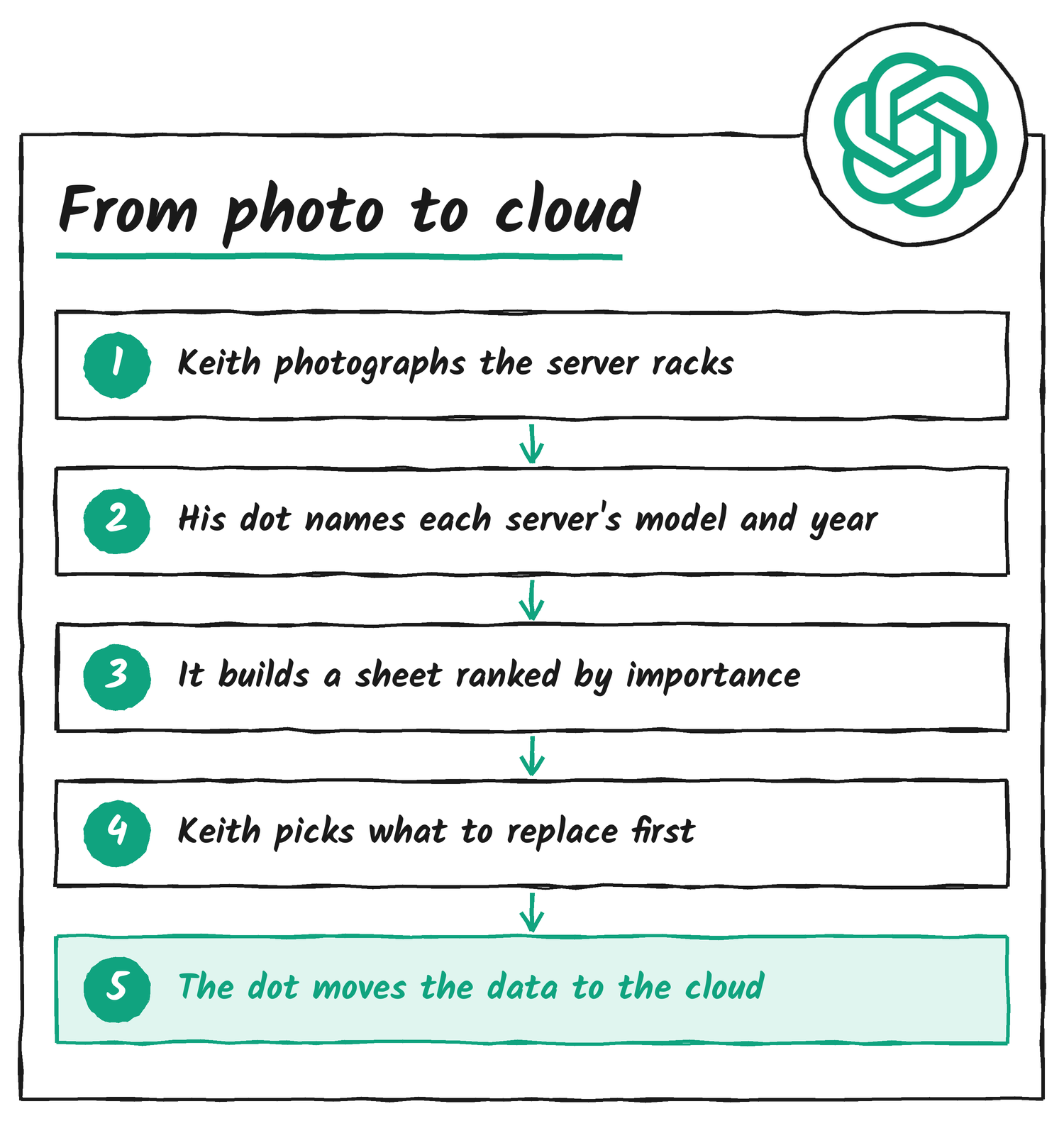
If those servers fail, Keith says, the college loses its data. A progress panel then reads “Replicating data” at 93 per cent, and the next scene shows “Migration complete” with a note that the school is cloud ready. Keith closes by saying the dot leaves him free for creative problem solving and for building more with people.
What a dot is
OpenAI introduced dots on 29 September as always-on agents in ChatGPT. A dot has its own cloud computer and browser, keeps working between conversations, and connects to more than 4,000 apps through plugins. GPT-6 Astra powers dots, and on 3 November OpenAI added GPT-6.1 Terra, so a dot can draw on different models for different parts of its work.
It’s the same dot whether you reach it in ChatGPT on desktop, web or mobile, in Slack and Teams, or on a call. Texting is in beta for a limited number of Pro users. To hand it a photo, as Keith does with his racks, you select + in the conversation.
Where Codex fits
A dot can create tasks in Codex cloud environments, as long as you’ve set the environment up in Codex first. With a computer connected, it can also start Work or Codex tasks there and use local skills. Talking to your dot doesn’t count toward your ChatGPT usage limits. Tasks it starts in Codex or ChatGPT Work do.
What a dot can reach
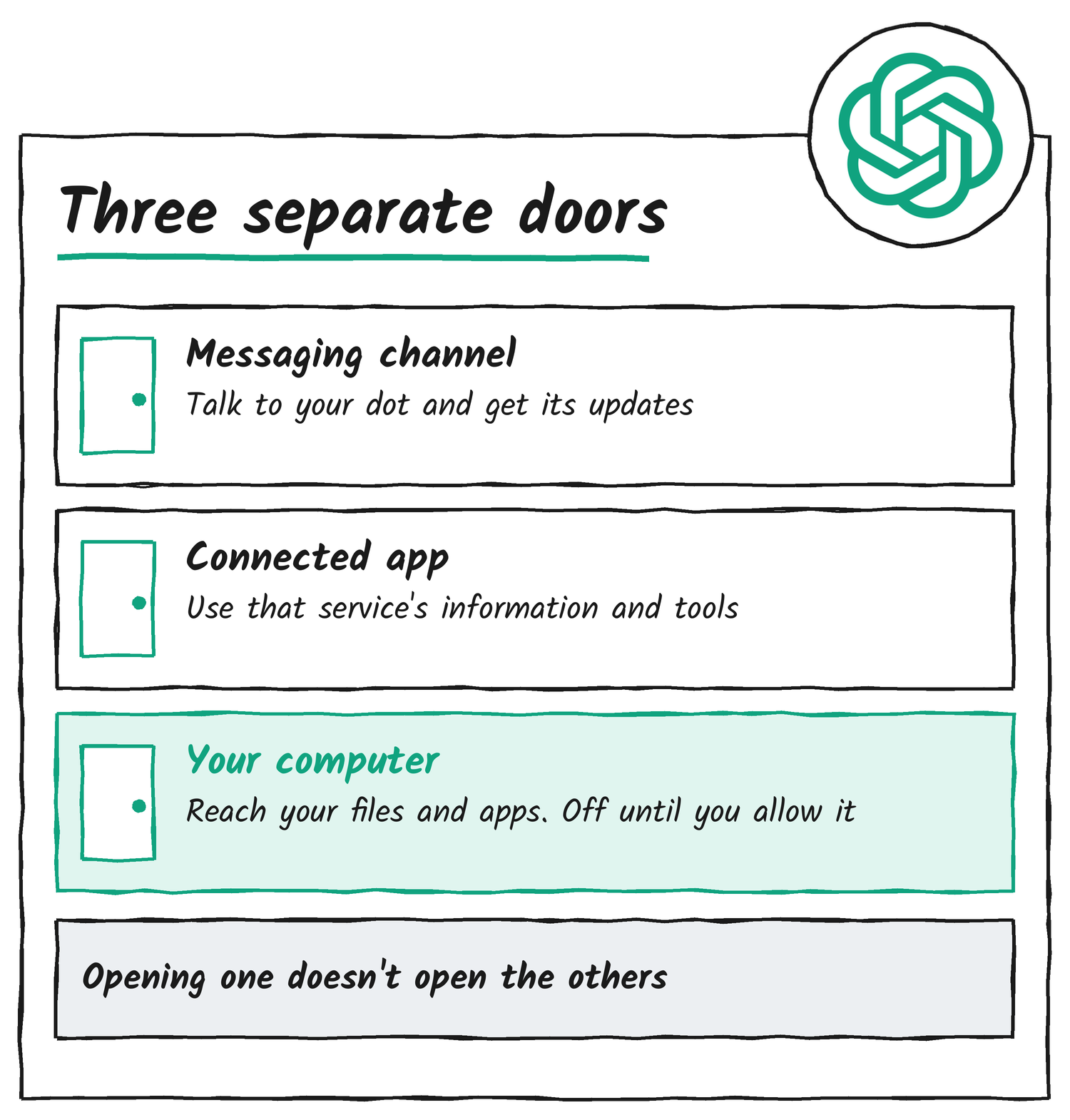
OpenAI keeps three connections apart. A messaging channel is how you talk to your dot. A connected app gives it that service’s information and tools. Your own computer is the third, optional and off until you allow it, and the dot can only use it while the machine is online with the ChatGPT app open. Setting up one doesn’t set up the others, so connecting a messaging channel doesn’t hand over your inbox, your other apps or your computer.
Each dot starts with built-in rules on when to act alone and when to ask. Custom Rules let you allow an action, require approval for it or block it, and a few tasks, such as changing a password, always stay with you. You can also open the dot’s computer and take over, or pause the dot whenever you like.
Who can have one
Dots are available to Pro users and selected Plus users aged 18 and over in markets outside the European Economic Area, Switzerland and the UK, and to Business Premium users in supported regions. They’re rolling out to eligible Business Standard members in the US. Enterprise, Edu and Healthcare workspaces have them generally available, and dots became available by default there on 18 November unless an admin opts out.

A first dot is included in Pro and Business Premium plans at no extra cost. Enterprise dots are free through 13 January 2027, and billing starts on 14 January 2027. Work a dot hands to ChatGPT Work or Codex is billed separately at standard rates.
For IT teams, OpenAI has also previewed specialist dots. Each has its own identity, credentials and access to the systems it needs, and can run on IT-provisioned hardware. They start with enterprise pilots, and OpenAI is working with Microsoft to manage them through Agent 365.
Sources
- ChatGPT on X, 20 November 2026
- Introducing dots, OpenAI, 29 September 2026, updated 3 November
- Getting started with your dot, OpenAI Help Center
- Meet dots, ChatGPT Learn
- Managing dots in ChatGPT workspaces, OpenAI Help Center
Disclosure: I’m an OpenAI, Firecrawl and Devin ambassador.
Discover more from Sulat AI & Tech News
Subscribe to get the latest posts sent to your email.