Canva says its MCP server is now open to any agent or developer with no waitlist, and it has added REST APIs, an expanded command-line tool, service accounts with API billing and access to its Craft image model. The company announced the changes on 23 November US time in a newsroom post and an X thread. MCP, the Model Context Protocol, is the open standard that lets an AI agent call another service’s tools.
Canva’s post says the company is “becoming the design layer of the internet”: technology a product can build on so its customers can create and edit designs without the product building a design tool. Anwar Haneef, Canva’s Head of Ecosystem, wrote the post.
What Canva announced
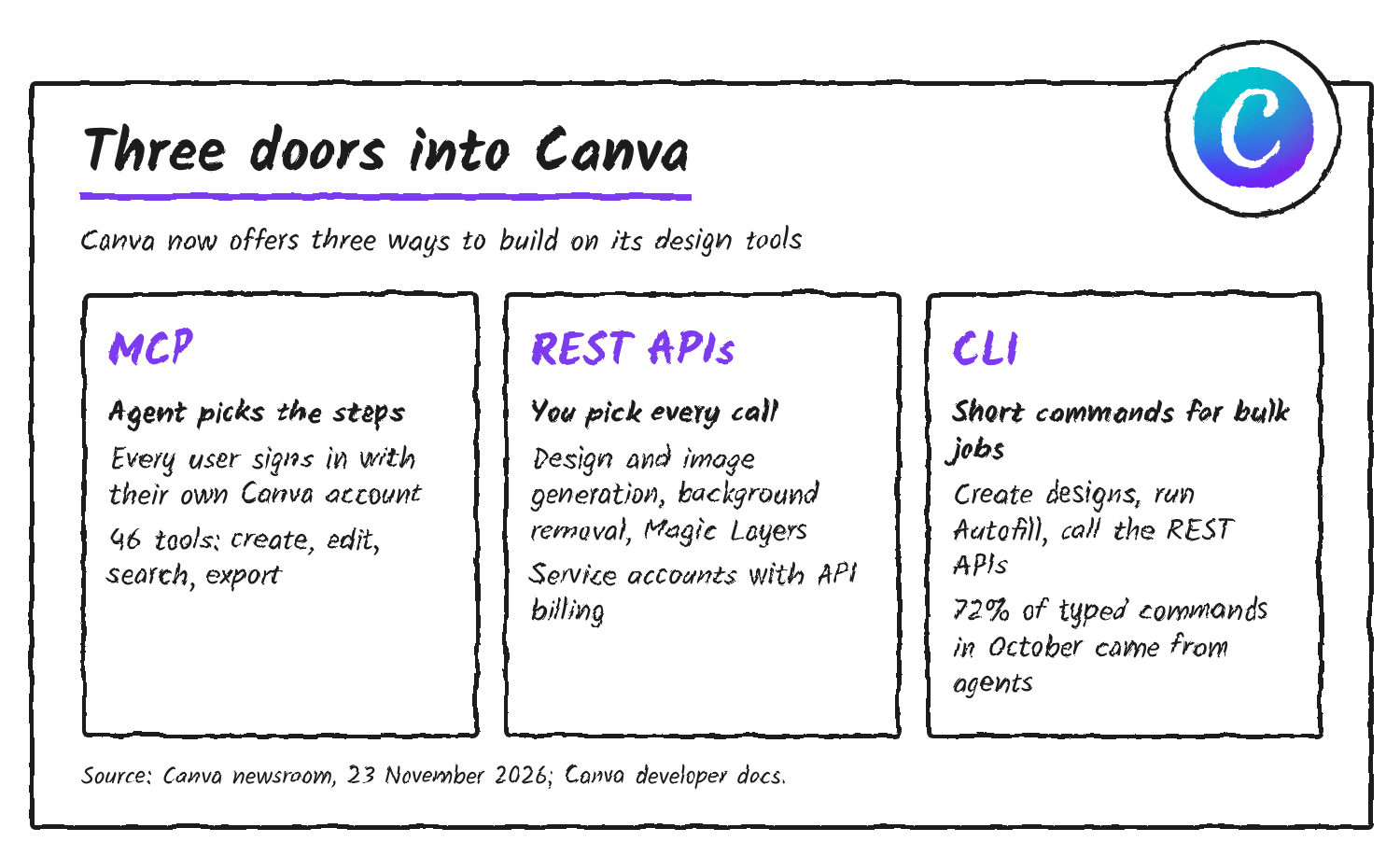
Canva now offers three ways in. MCP is for agent-led work: Canva says it rebuilt the server and consolidated overlapping tools so agents, “even those running on less powerful models”, pick the right one with less context. An agent can generate an editable design, image or video, remove a background, turn a flat image into a layered design, resize, export, and pull existing designs and templates.
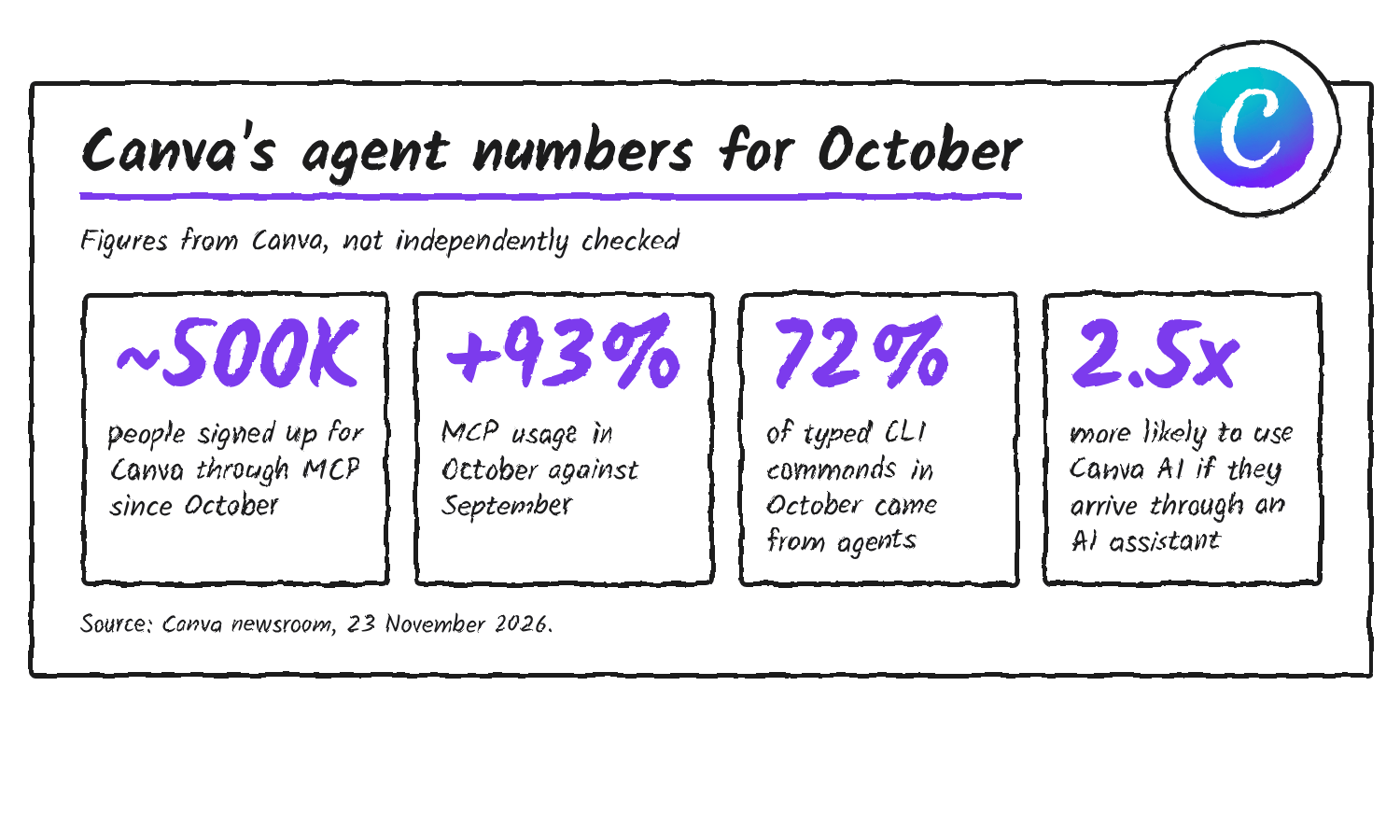
The REST APIs are for builders who want to choose every call. Canva lists design generation, image generation, background removal and Magic Layers, which splits a flat image into editable layers. The CLI is for coding agents running bulk jobs: it can now create designs, run Autofill workflows and call the REST APIs from the command line. Canva says agents typed 72% of CLI commands in October.
Three different Canva MCP servers
Canva runs more than one. Its developer blog separates the Canva Dev MCP server, which feeds Canva’s docs to a coding agent so it can build Canva apps, from the remote MCP server this announcement covers. Canva’s help centre adds a third, the AI Connector people add to ChatGPT, Claude, Gemini and Microsoft Copilot, and says it isn’t the same as the Developer MCP server.
What a developer gets, and the limits
Canva’s developer blog, dated 27 October, already described the self-serve setup. A developer creates an app in the Developer Portal, turns on Canva MCP, copies the client ID, generates a client secret, adds a redirect URL and connects to https://api.canva.com/connect/v1/mcp over Streamable HTTP. A client that uses a Client ID Metadata Document instead of a secret still has to apply through a waitlist to register its redirect URI, the same post says.
Canva’s tools page lists 46 tools across designs, editing, images, assets, folders, comments, brand templates, autofill, exports and resizing. Each has its own request limit, and tools without one share a cap of 300 requests a minute per user, counted across all of that user’s MCP clients. Canva’s usage policy says generate-design can take up to 60 seconds, and its troubleshooting page recommends a 60-second timeout.
| Tool | Limit | Plan |
|---|---|---|
generate-design | 20 requests a minute | All plans |
generate-image | 10 requests a minute | All plans |
perform-editing-operations | 50 requests a minute | All plans |
export-design | 20 requests a minute | All plans; Free exports are standard quality |
search-designs | 100 requests a minute | All plans |
resize-design | 20 requests a minute | Pro and above; limited trial on Free |
autofill-design | 60 requests a minute | Pro and above |
Brand kits and brand templates need Pro or above too. Exports of designs with premium elements can fail with a license_required error. Canva’s usage policy says its credit model applies to tools such as generate-design, and partners must show users their Canva credit use rather than hide it.
The sign-in catch
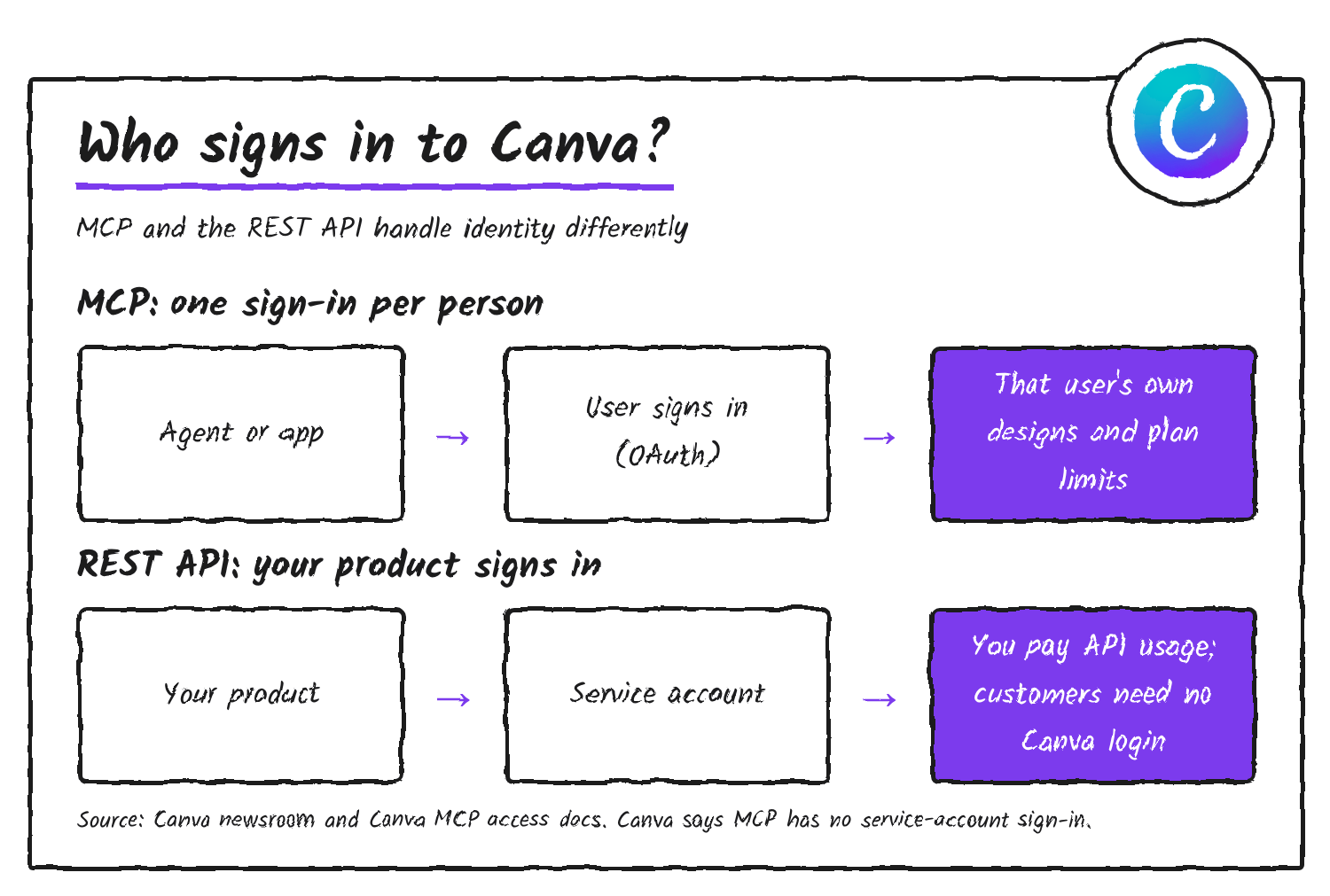
Every person using Canva through MCP signs in with their own Canva account, and the tools only reach what that person can already open. Canva’s troubleshooting page says there’s no single service account or application-level sign-in that covers all users, and its access page says Canva stores designs, assets and permissions per user, not per organisation.
The service accounts in the announcement apply to the REST API. Canva’s post says they make API billing available, so a product’s customers can use Canva inside it without each person signing in to Canva, while the developer manages usage and cost. A product that wants customers to skip the Canva login needs the REST API, not MCP.
The usage policy also sets rules for anyone building on MCP. Canva-sourced data, prompts, outputs and brand kit elements can’t be used to train, fine-tune or evaluate outside AI models. Brand kits can only be used to make or change Canva designs, and apps can’t crawl, pre-fetch or index a user’s designs, folders or brand kits without an explicit user action. A shared agent can’t run on another person’s Canva token, and Canva can suspend access for a breach.
Craft and video come along
Canva Craft is the image model Canva Research built from scratch, unveiled on 22 October. Canva says it plans a layout first, covering which elements appear, their scale and any text, then renders the image at up to 2K across more than 30 aspect ratios, with text in 55 languages. Canva says Craft debuted fourth on DesignArena, a crowdsourced design ranking, and placed first for People and Portraits (out of 87 models) and Landscapes and Nature (out of 85). On that basis Canva calls itself the world’s second most advanced lab for image generation.
At launch Craft reached developers through the public API, with MCP marked “coming soon”. The 23 November post says it’s now available through both. Canva also lists two upcoming variants, Craft-fast and Craft-ultrafast, aimed at “a fraction of the cost of leading frontier models”.
A second newsroom post the same day covers video. Inside Claude and ChatGPT, Canva MCP can now turn a brief into an editable video using models including Seedance 2.5. The user approves a timed production plan before anything is generated, and can edit text, swap images and adjust layouts in a side panel before opening Canva. Canva says video is available in select markets, and in Claude for paid subscribers.
The numbers Canva gave
All of these figures come from Canva. Nearly 500,000 people have signed up for Canva through MCP since October, the newsroom post says, and four in 10 first-time MCP users are new to Canva. MCP usage rose 93% from September to October. People who arrive through an AI assistant are 2.5 times as likely to use Canva AI.
On developers, Canva says month-on-month growth in new developers doubled from 22% in September to nearly 46% in October, and the number of API clients using its public API rose 38%. It also says expected annual recurring revenue from MCP rose more than 300% from September to October, and calls that “still in early stages”. Canva gave no dollar figure for it.
The business behind it
The announcement came in the weeks after a restructure. Co-founder and CEO Melanie Perkins told staff in early November that 1,271 people, or 22% of Canva, would be affected, saying growth “has slowed for the first time in a decade”. Sydney becomes the primary home for more of the product teams, and Product, Growth and Platform merge into one Product Org. Reuters, The Verge and ABC reported the cuts.
The Australian Financial Review reported, citing confidential internal data, that Canva’s annualised revenue was about US$3.69 billion near the end of October, roughly where it started the year. Canva’s own Craft post says more than a quarter of a billion people use it, creating over 400 designs a second.
How it compares with Figma and Adobe
Design tools are opening to agents on different terms. Canva’s pitch is that any developer can add its tools to their own product. Figma’s remote MCP server is built around design context for code, with canvas writing added, and by Figma’s own docs it only connects to clients in its MCP catalogue. Adobe has built connectors with specific assistants.
| Company | Who can connect | What agents do | Cost note |
|---|---|---|---|
| Canva MCP | Any developer through the Developer Portal; Client ID Metadata Document clients wait | Generate, edit, resize, export and manage designs, images and video | Most tools on all plans; resize, autofill and brand kits need Pro |
| Figma MCP | Clients in Figma’s MCP catalogue; new clients join a waitlist | Read design context for code; write to the canvas in Design, FigJam and Slides | Canvas writing is free during the beta, then usage-based; a Full seat is needed outside drafts |
| Adobe connectors | Claude, ChatGPT, Gemini and Slack | Edit images, create designs, resize video, search Creative Cloud assets | Depends on the connector and the Adobe services the user has |
Canva also sits inside the assistants themselves. Its help centre lists ChatGPT, Claude, Gemini and Microsoft Copilot as AI Connector options, and the newsroom post adds Muse. The 23 November change is about the other direction: letting a developer’s own product or agent call Canva.
Canva’s announcement gives no prices for REST API billing, and the MCP docs still say service-account sign-in isn’t supported. The Canva developer docs hold the full tool list and the Developer Portal setup steps.
Discover more from Sulat AI & Tech News
Subscribe to get the latest posts sent to your email.