
OpenCode 2.4.0 lets its agent put work on a calendar. It can run a prompt, a Code Mode script or a fixed shell command once, on an interval, on a cron schedule, or when a connected MCP server pushes an event. OpenCode’s account announced it on X on 23 November, and the release notes call it Automations. What it unlocks is unattended work that starts itself: the nightly audit, the build watcher and the alert triager that used to need a cron job, a CI webhook or a vendor’s cloud now live inside the agent’s own background service.
What shipped
Each automation is a name, a trigger, an action and an optional expiry. You manage them with the /automation command or the automation tools, and the agent can create them for you. The v2.4.0 changelog says the agent can schedule prompts, Code Mode scripts or fixed shell commands to run “once, on an interval, on a cron schedule or when a connected MCP server pushes an event”.
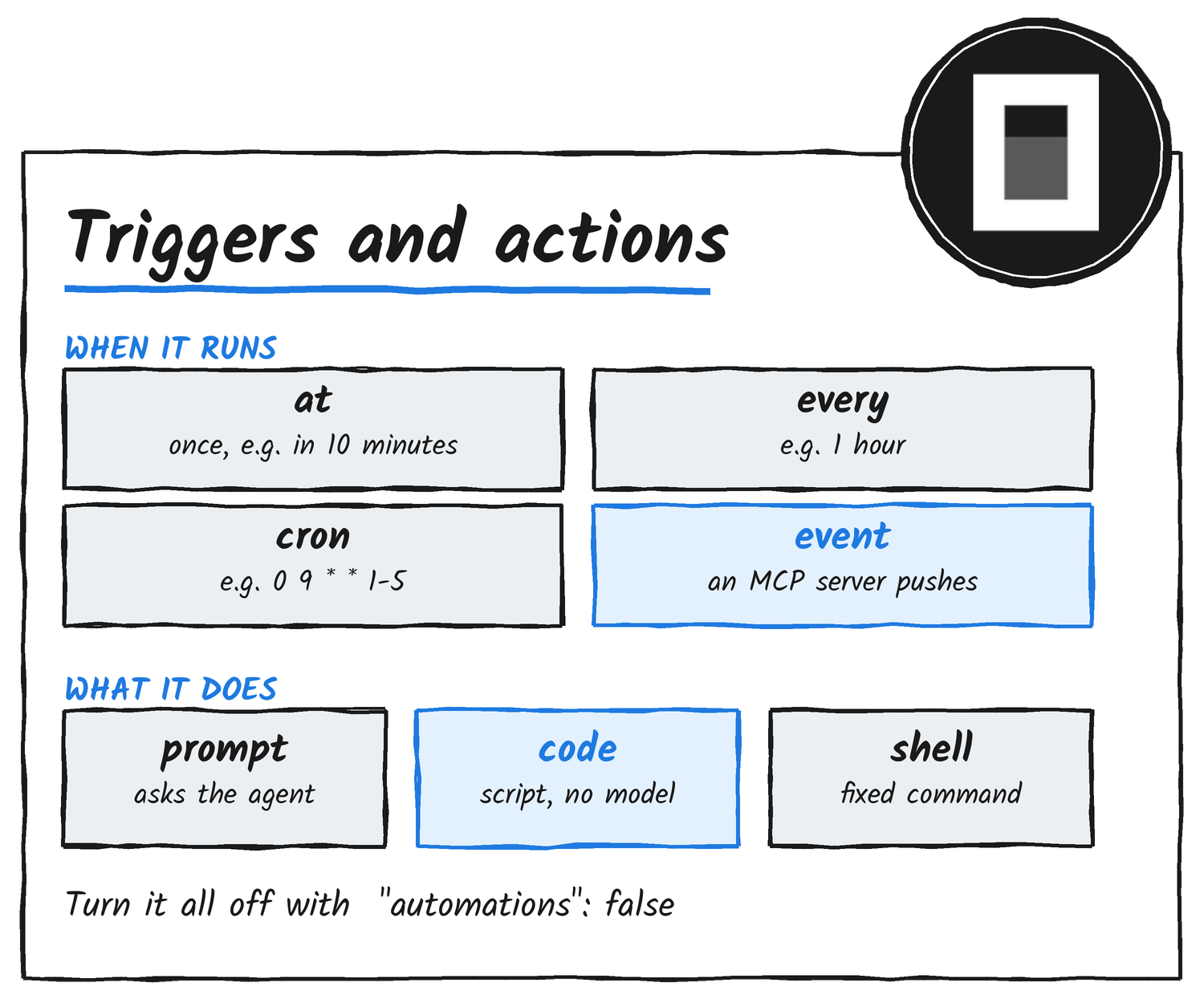
The trigger and action shapes below come from the schema in OpenCode’s repository, which the release notes don’t spell out. A timer trigger is at (a time or “in 10 minutes”), every (such as “1 hour”) or cron, each with an optional tz. An event trigger names a server, an event and optional arguments. A prompt action sends text to an agent, a code action runs a script with no model call, and a shell action runs one fixed command. The feature is on by default. To switch it off, set this in your config:
{ "automations": false }What it unlocks
Overnight jobs that start without you
The plain case is a timer. A cron trigger can start a dependency audit at 2am, and the prompt can go to the session that created it, to another session in the project, or to a fresh subagent. The subagent option is the useful one for recurring work. The child session doesn’t report back to the session that made the automation, so the audit doesn’t land in the middle of whatever you’re typing. This example is mine, built from the schema:
await tools.automation.create({
  name: "Nightly dependency audit",
  trigger: { type: "cron", cron: "0 2 * * *", tz: "Pacific/Auckland" },
  action: {
    type: "prompt",
    prompt: "Run the audit script, summarise new advisories and branch the safe upgrades.",
    to: { subagent: "general" },
  },
})
This builds on the 2.3 change that made subagents run in the background, which the OpenCode 2.0 explainer covers. It also builds on the shared background service from 2.0, whose announcement said the client package suits scheduled tasks. The service is the thing that makes a timer possible, because something has to stay running between your sessions.
Watchers that cost nothing until something happens
A code action runs a script with no model call. It gets state, now, a run count, any args and, for event triggers, the event. It can return nothing and stay quiet, save some state for the next run, mark itself done, or hand off one prompt. The script has a 30-second timeout and a 32 KB output cap, and it reaches your MCP tools through Code Mode. That’s the code mode idea pointed at a schedule: the model is only woken when the script decides it should be.
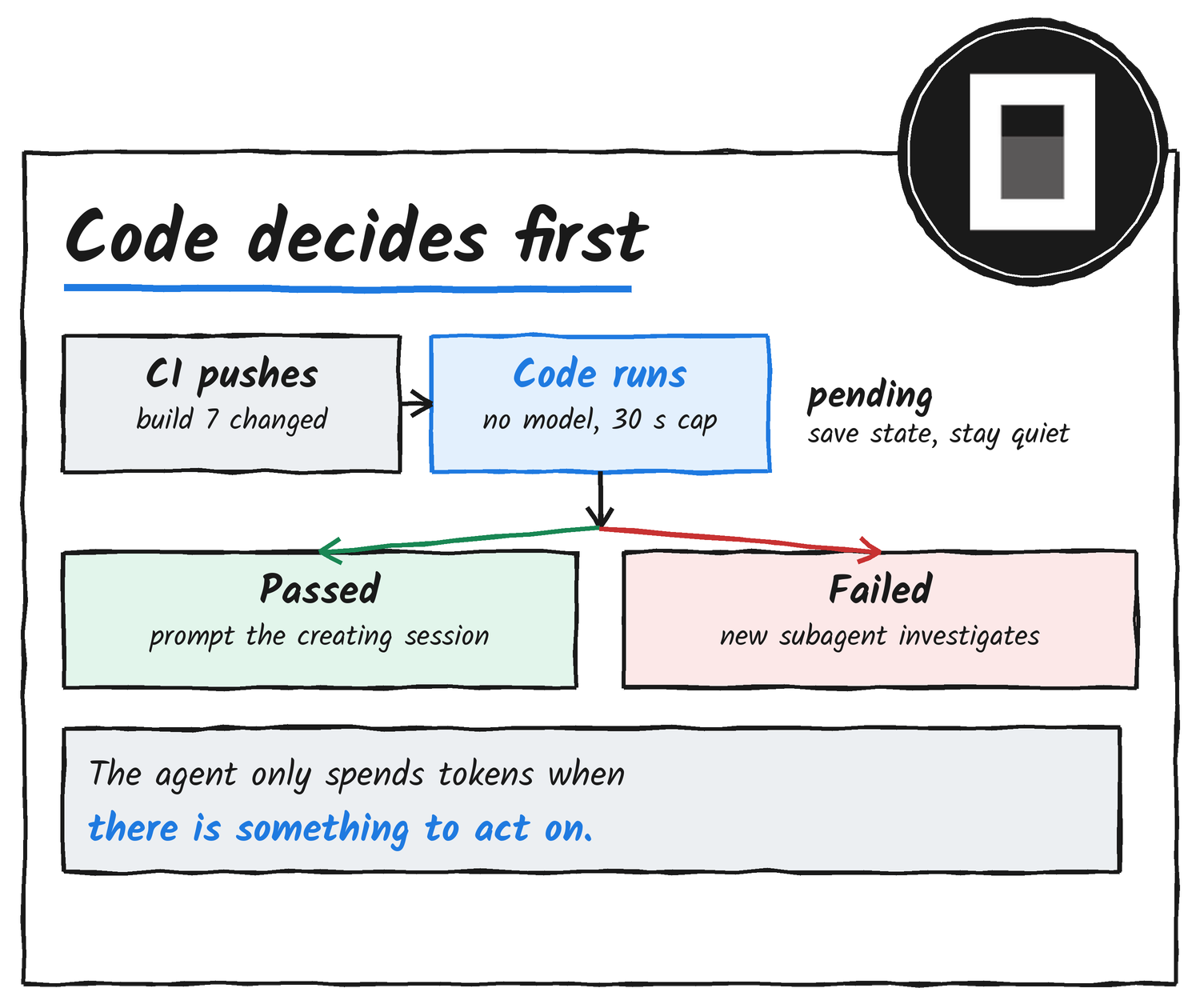
OpenCode’s pull request shows the pattern with a build watcher. It assumes a connected ci server that advertises a build.changed event. A pending build saves its state and wakes nobody. A pass prompts the creating session. A failure starts a new subagent to investigate. The tool name below is the one in 2.4.0, after a namespace change from tools.opencode.automation_create:
await tools.automation.create({
  name: "Watch build 7",
  trigger: { type: "event", server: "ci", event: "build.changed", args: { build: 7 } },
  action: { type: "code", code: `
    const status = input.event.data.status
    if (status === "success") return { done: true, send: { prompt: "Build 7 passed." } }
    if (status === "failure") return { done: true, send: { prompt: "Investigate build 7.", to: { subagent: "general" } } }
    return { state: status }
  ` },
})
Only one prompt can be sent per run, and a script can’t pick a session by ID. If the send is rejected, the run saves neither its state nor its done flag, so the next run retries. OpenCode tested the event path with a local fixture that pushed pending, success and failure. It wasn’t run against a live provider.
Reacting to events instead of polling
Event triggers use MCP Events, the extension that lets a client subscribe to things that happen in an upstream system. The Events SEP, number 3415, is marked Final and the extension itself is in Beta. It needs protocol revision 2026-07-28 or later. OpenCode’s client implements push delivery, where it holds a long-lived events/stream request open. Its pull request says poll and webhook delivery are out of scope.
The client handles the unglamorous parts. It treats a stream as dead after three silent heartbeat intervals and reconnects with a backoff from one to 30 seconds. It resumes from a saved cursor, asks for at most an hour of backlog and remembers the last 100 event IDs so a replayed event isn’t delivered twice. An event too large for its prompt is skipped, and the automation keeps running. A watch waits for a disconnected server to come back rather than pausing.
The catch is supply. An event trigger only works against a server that offers push events. Appwrite’s hosted MCP server is one: its docs say events are live there with webhook and push delivery, and that self-hosted deployments turn push on with a flag and a Redis-compatible server. To see what a server has to implement, the MCP Events server tutorial builds one in Node. Creating an event watch also has to happen from a tool call in a local session. The HTTP API can create timers but not event watches.
Fixed commands with a paper trail
A shell action runs one fixed command with no model involved. The changelog says it asks for approval once, when it’s created, and records each run’s exit code and output. That suits jobs where you already know the command, such as a test run every hour for the next eight hours. The expires field stops it afterwards. This example is also mine:
await tools.automation.create({
  name: "Hourly tests",
  trigger: { type: "every", every: "1 hour" },
  action: { type: "shell", command: "bun test" },
  expires: "in 8 hours",
})
There’s a guardrail on the other side. A stored automation can’t call the create, pause, resume or delete tools, so a scheduled job can’t spawn more scheduled jobs.
Plugins and scripts can drive it too
Version 2.4.1, released the same day, lets Effect and Promise plugins create, list and delete automations through ctx.experimental.automation. The HTTP routes sit under /api/experimental/automation and the client exposes client.experimental.automation. The word experimental is still in those names, so expect them to move.
How it compares with other coding agents
OpenCode is late to this. Cursor introduced Automations on 5 March 2026, Anthropic put routines into Claude Code in research preview on 14 April, and GitHub extended Copilot Automations on 28 October. What OpenCode brings is a different event source and a different home.
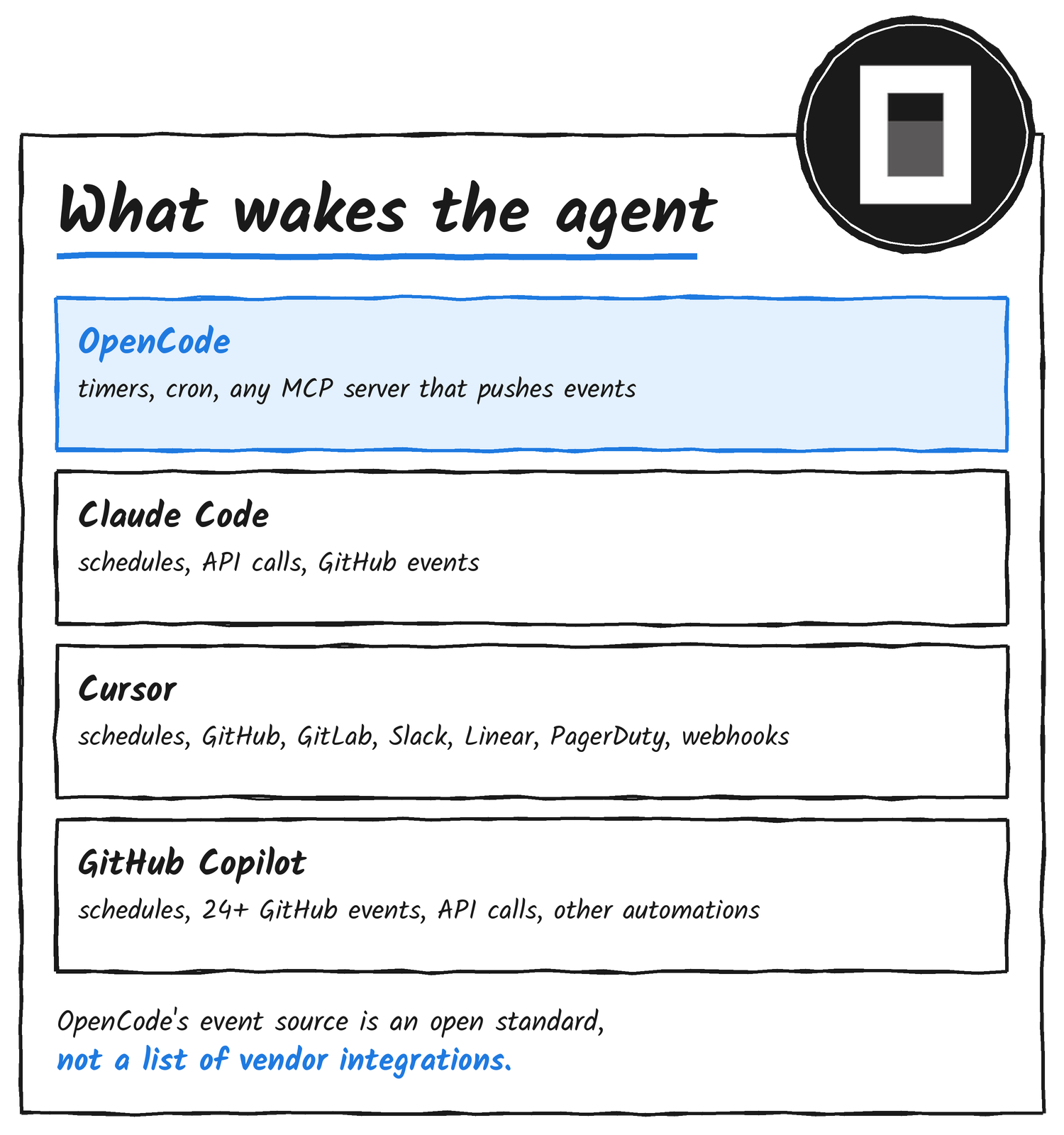
| Tool | What starts a run | Worth knowing |
|---|---|---|
| OpenCode 2.4.0 | A time, an interval, cron, or an event pushed by an MCP server | A code action can gate the model. The release notes list no spend caps. |
| Claude Code | Schedules, API calls and GitHub events for cloud routines; schedules for desktop tasks and /loop | Cloud runs use a fresh clone with a one-hour minimum interval. /loop runs in an open session on your machine. |
| Cursor | Schedules or cron, pull request and push events, Slack, Linear, PagerDuty and webhooks | Runs Cloud Agents. Scheduled triggers may run late but never early. |
| GitHub Copilot | Schedules, 24 more GitHub events added in October, REST API calls and other automations | Credit limits per run, day, week or month. |
Two differences matter. First, the event source is an open standard. Cursor and Copilot list the integrations they support, and an OpenCode trigger can come from any MCP server that offers push events. Appwrite’s is the only hosted server with documented push delivery that I found, so the standard’s reach is a bet on where MCP Events goes. Second, the work stays in your own agent. Claude Code’s cloud routines clone a repository fresh for each run, while an OpenCode automation runs in your project directory, against your configured MCP servers and your permission rules. The price of that is that your machine or server has to be running the OpenCode service.
Because OpenCode works with many model providers, the cost of an always-on agent depends on which model you point it at. The price cut piece covers what OpenCode’s Console charges for two cheaper models.
What came before
- 12 October: OpenCode 2.0 moves the terminal, web and desktop apps onto one shared background service.
- 16 November: experimental schedules become automations, adding timer and MCP event triggers and code and subagent actions (pull request 64160).
- 20 to 22 November: the MCP Events client is brought up to the beta and its experimental flag is removed (pull request 65271).
- 21 November: automations move to a top-level config key and switch on by default in every build (pull request 65296).
- 23 November: v2.4.0 ships the feature, and v2.4.1 adds plugin access.
Before you leave one running
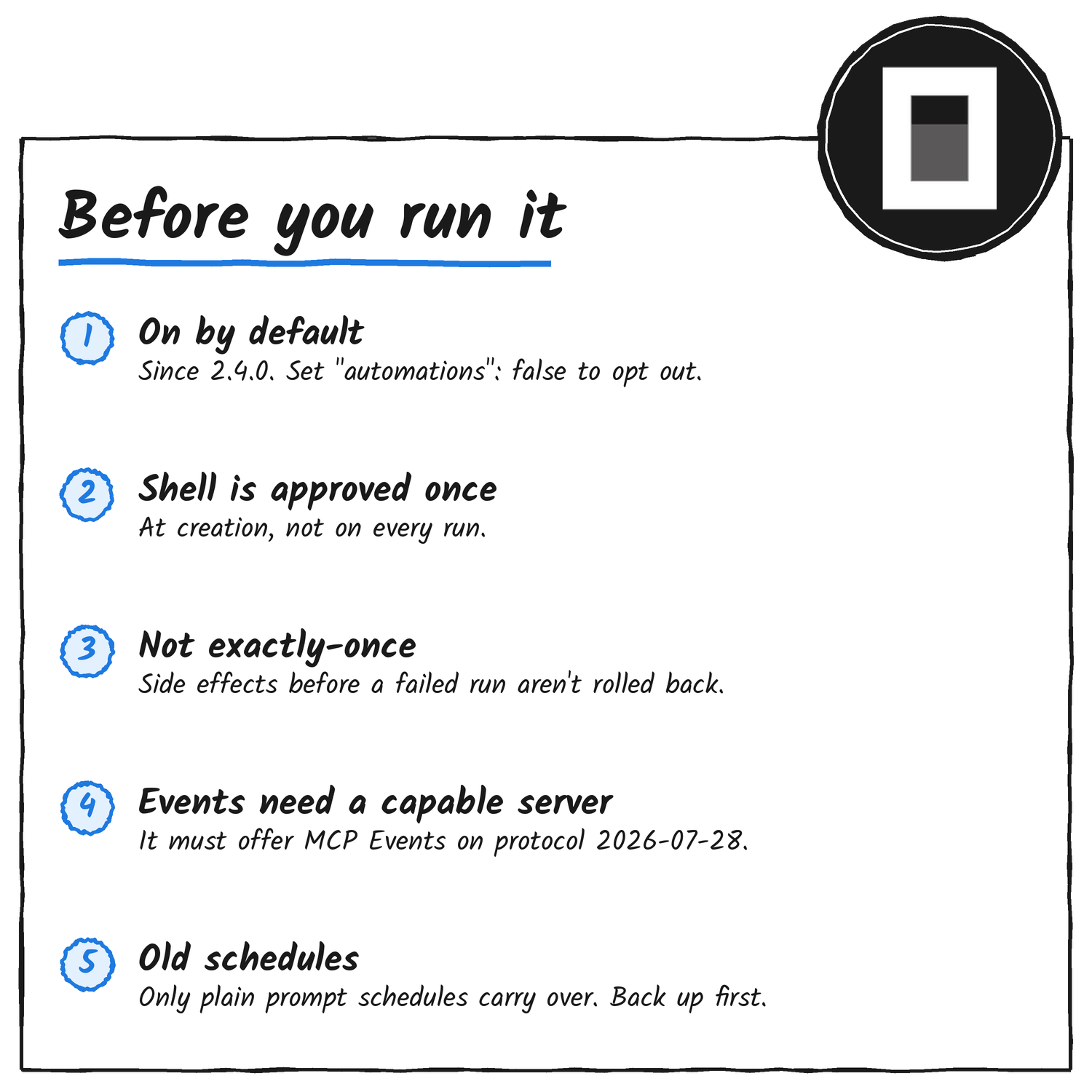
It’s on by default. Automations were off in release builds until pull request 65296 turned them on everywhere. Anyone who opted out under the old experimental.automations or experimental.schedules keys, or with the OPENCODE_FLAGS environment variable, now needs "automations": false. Old config keys log a warning, but the environment flag is ignored.
A shell approval is a standing approval. It’s granted once, at creation. For scripts that call the shell tool, the pull request says each run still checks your current deny rules. OpenCode’s permissions docs say shell runs “with the host user’s filesystem, process, and network authority”. If you want a hard stop on certain commands, put a deny rule in place before you approve anything. This is the docs’ own example:
{
  "$schema": "https://opencode.ai/config.json",
  "permissions": [
    { "action": "shell", "resource": "*", "effect": "ask" },
    { "action": "shell", "resource": "git status *", "effect": "allow" },
    { "action": "shell", "resource": "git push *", "effect": "deny" }
  ]
}
Delivery isn’t exactly-once. A rejected send pauses a watch, and a failed send leaves the cursor where it was. The pull request says tool side effects before a failure aren’t rolled back. Check lastOutput before resuming a paused watch.
Old schedules mostly don’t carry over. The migration copies active or paused plain prompt schedules. Schedules with a condition or a run limit, and finished ones, are dropped, and reverting the code won’t bring them back. Back up the database first if you need them. Permission rules that named opencode_automation_* stop matching, because the tools are now automation_*.
The release has other changes in it. The desktop app gets a built-in browser that imports sign-ins from Chrome, Edge, Firefox or Safari and that the agent can drive. There’s a generate_video tool for providers with a video model, and the new terminal look is now the default. Some upgrades need attention: GitHub Copilot no longer reads GITHUB_TOKEN, and MCP servers without a protocol setting are now tried on the newest protocol first. The changelog lists the full set.
Discover more from Sulat AI & Tech News
Subscribe to get the latest posts sent to your email.