
OpenCode 2.0 turns the open-source coding agent into one background service. The terminal, the web interface and the desktop app all talk to it, so a session started in one window shows up in the others. Anomaly, the company behind OpenCode, announced the release on 12 October 2026. That was six weeks ago, and the newest release listed on GitHub is already v2.3.2. This is what 2.0 changed, what the 2.3 releases have added since, and what breaks if you upgrade.
One service behind every window
OpenCode has always had a client and server split, but Anomaly says it was mostly used by power users. In 2.0 the server runs by default. The CLI docs say OpenCode “discovers or starts one shared background server for your user account”, and every local client connects to it. That server owns sessions, configuration, integrations, permissions and tool execution.
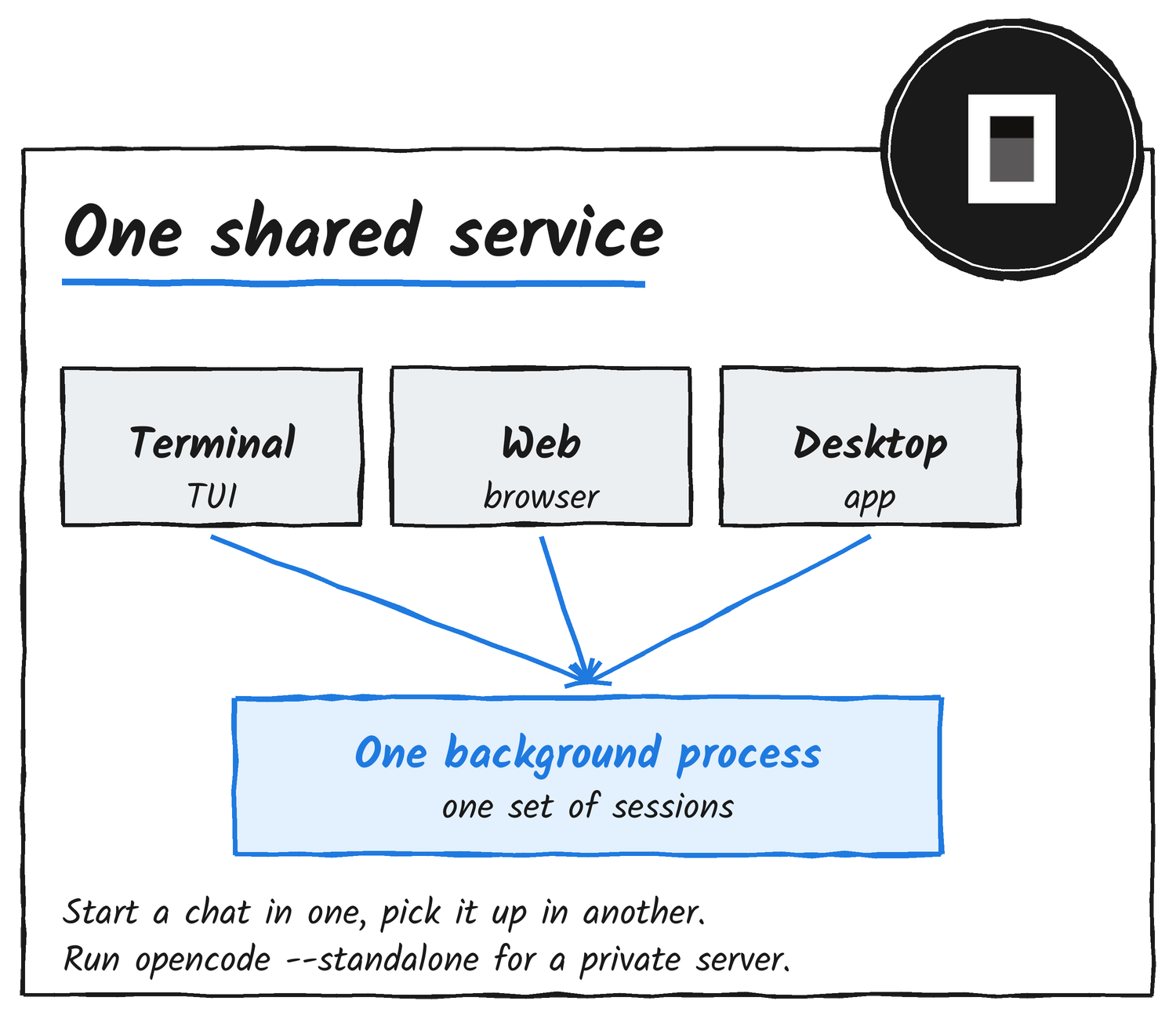
Scripts get the same access. The new @opencode/client package finds the local service on its own, which Anomaly says suits scheduled tasks. You can expose the service to other hosts with /pair or opencode pair.
To skip the shared service, run opencode --standalone for a private server, or opencode --server with a URL to connect to a specific one. Setting opencode service set disabled true makes private servers the default and stops the running service. Pairing needs the shared service, so it doesn’t work while the service is off.
The service also changes where work runs. Tool execution happens inside it, and OpenCode’s permissions docs say shell commands run “with the host user’s filesystem, process, and network authority”. Every agent starts from a base policy that allows all actions except reading .env files, which asks first. Reads and edits outside the project folder go ahead without a prompt unless you add an external_directory rule. If you want prompts, add ask rules for shell and external directories.
Code Mode is now the default for MCP servers
This is the MCP change. Every MCP server in 2.0 is opted into Code Mode. Rather than the model calling one tool, reading the result and calling the next, it writes a short JavaScript script that calls tools, maps over the results and calls more tools in a single round trip. A script can fetch a bug report from GitHub and file it in Linear without the model seeing each step. The code mode explainer covers the idea in depth.
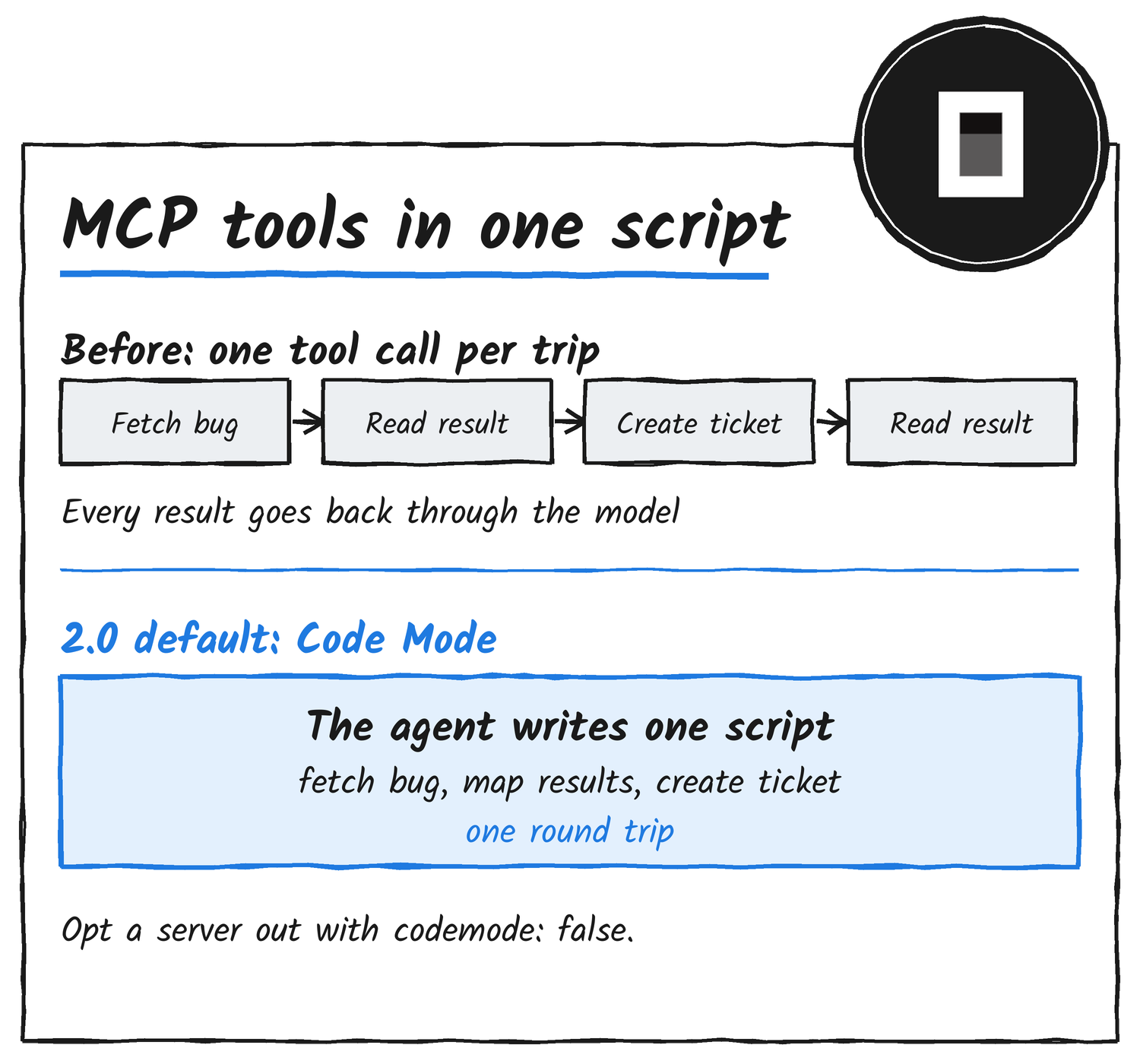
The @opencode/codemode package runs those scripts in a minimal JavaScript interpreter, and it turns MCP servers or OpenAPI endpoints into functions the script can call. Anomaly’s pitch is that you can add “a thousand of them with minimal context bloat”. The announcement doesn’t include benchmarks.
Code Mode doesn’t skip permissions. The docs say the nested tool calls still follow their own rules, and a deny on the execute action removes Code Mode and lists the tools directly. To opt one server out, set codemode to false on it:
{
  "mcp": {
    "servers": {
      "context7": {
        "type": "remote",
        "url": "https://mcp.context7.com/mcp",
        "codemode": false
      }
    }
  }
}
Background subagents and shell commands
The primary agent can now hand work to a subagent and keep going. Anomaly says this happens automatically, and you can trigger it yourself, including on a different model than the main agent. Its example is asking for a background subagent to review code while you carry on prompting. Shell commands can also run asynchronously, and the agent gets a notification when they finish. If a foreground command or subagent runs long, a hotkey moves it to the background.
The 2.3 releases have pushed this further. v2.3.0, dated 13 November, made subagents always run in the background: they return their session ID straight away and report to the parent when they go idle. That release also made the terminal transcript quieter by default, folding each run of tool calls and thoughts into one row. v2.3.1, dated 18 November, stopped OpenCode killing a shell command that hits its timeout. It now moves to the background instead, and a foreground timeout of 0 means the default 120 seconds.
For scripts and CI, opencode run waits for the background jobs its prompt started. The changelog says there’s no time limit on that wait, so a dev server or file watcher keeps the run open until you press Ctrl+C or send SIGTERM. Set a timeout on CI jobs.
Upgrading from 1.x
From the latest 1.x release, run the command below. The desktop app updates from the download page. Since 17 November, the OpenCode 1 desktop app also offers the upgrade itself: it downloads 2.0 in the background and installs when you pick Restart to upgrade, Upgrade on quit or Later. Sessions, projects and settings are kept, and plugins made for OpenCode 1 need an update.
opencode upgrade --majorOpenCode 1 and 2 both use the opencode command and don’t install side by side. If you installed 1.x through a package manager, remove it before installing 2.0, because the 2.0 curl installer replaces the 1.x binary.
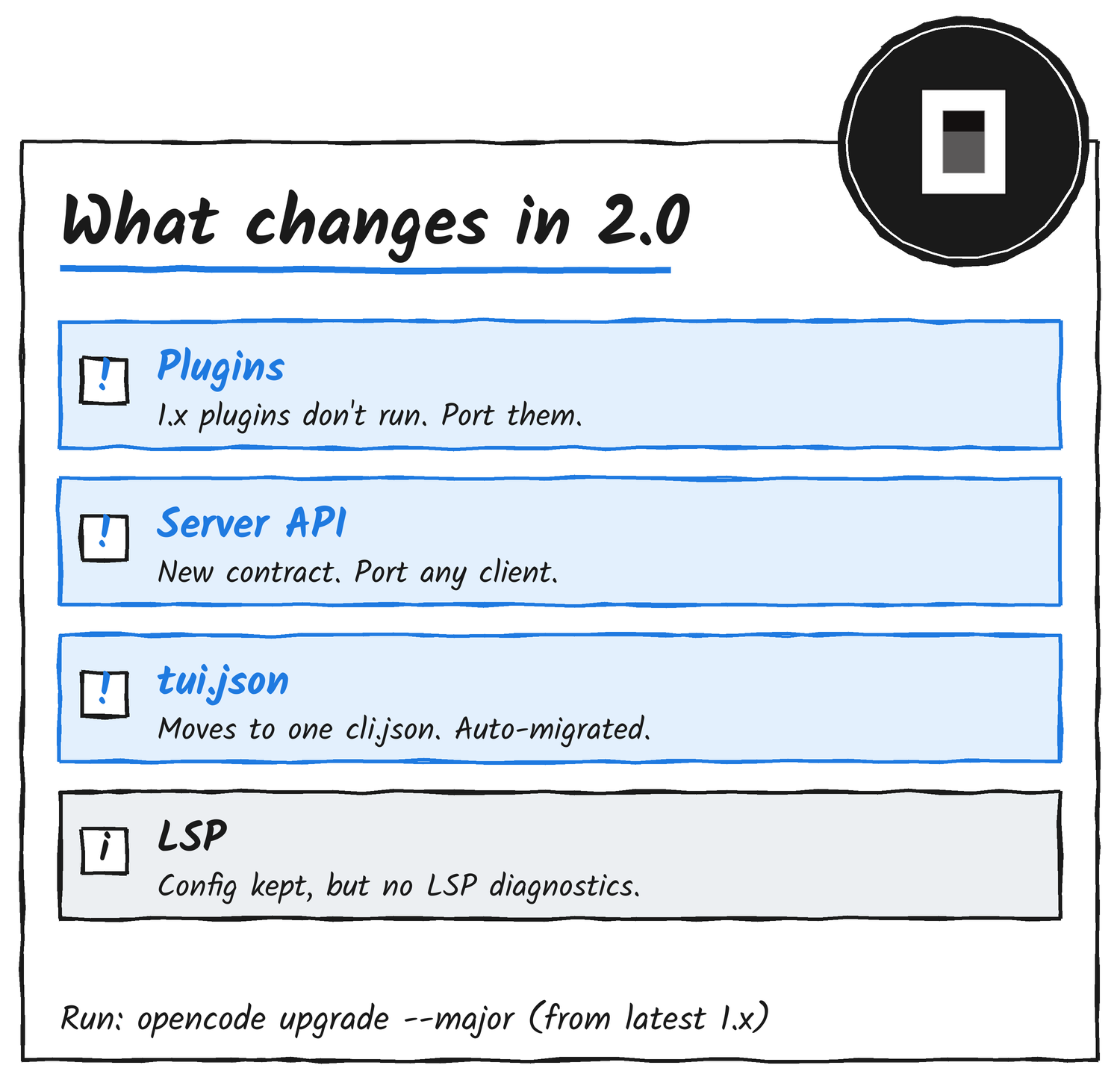
The migration guide lists three intentional breaking changes. 1.x plugins don’t run, because the plugin API is new. The server API and its clients have new contracts, so anything built on the old API needs porting. And terminal config moves from layered tui.json files to one global cli.json, which is migrated automatically. 2.0 still reads opencode.json from the same system, global and project locations as 1.x, and files under .opencode/ should keep working. The guide says to treat a supported feature that stops working as a compatibility bug.
One feature is gone rather than changed. 2.0 keeps your lsp config but doesn’t run language servers, expose LSP tools or produce LSP diagnostics, so the migration guide points you to your own lint, typecheck or compiler commands instead.
Plugins and the SDK
Anomaly rebuilt nearly every 2.0 feature as an internal plugin, and there are now more than 80 of them. Terminal plugins have moved from experimental to stable, and plugins can be hot-reloaded, so OpenCode can write one for itself mid-session and use it straight away. The @opencode/sdk package exposes the same code that powers the CLI as a library, for running your own flavour of OpenCode on a server or in an environment such as Durable Objects.
The release is separate from OpenCode’s pricing news. On 22 November, the Console price of GLM 5.3 and DeepSeek V4.1 Flash dropped 60%, which the price cut article covers.
Discover more from Sulat AI & Tech News
Subscribe to get the latest posts sent to your email.