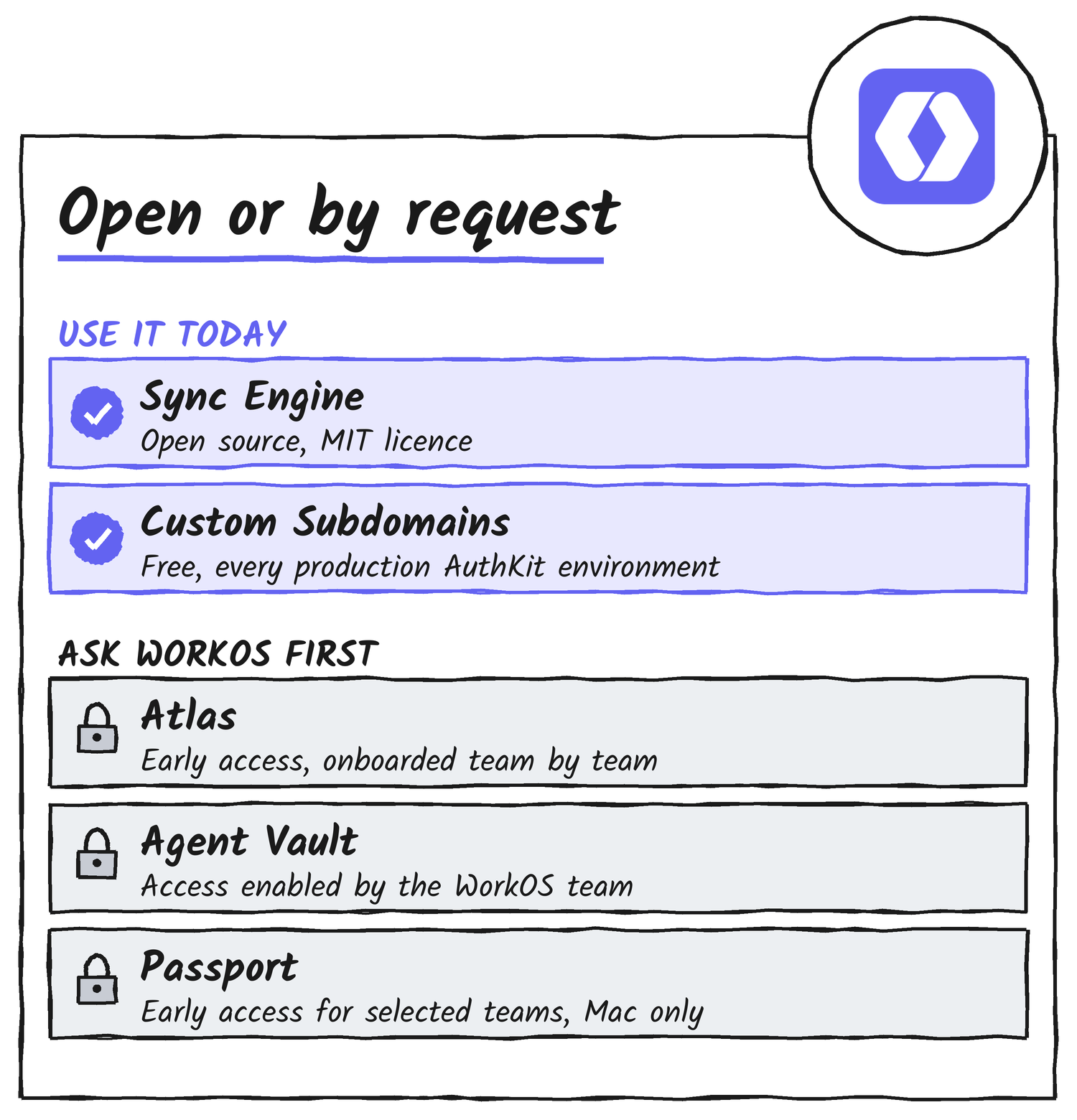
WorkOS finished its Fall 2026 Launch Week on 20 November, US time, with five releases in five days: Atlas, Agent Vault, Passport, Sync Engine and Custom Subdomains. Two of them are available now, since Sync Engine is open source under the MIT licence and Custom Subdomains is free in every AuthKit production environment. WorkOS is letting teams into the other three, Atlas, Agent Vault and Passport, by request.
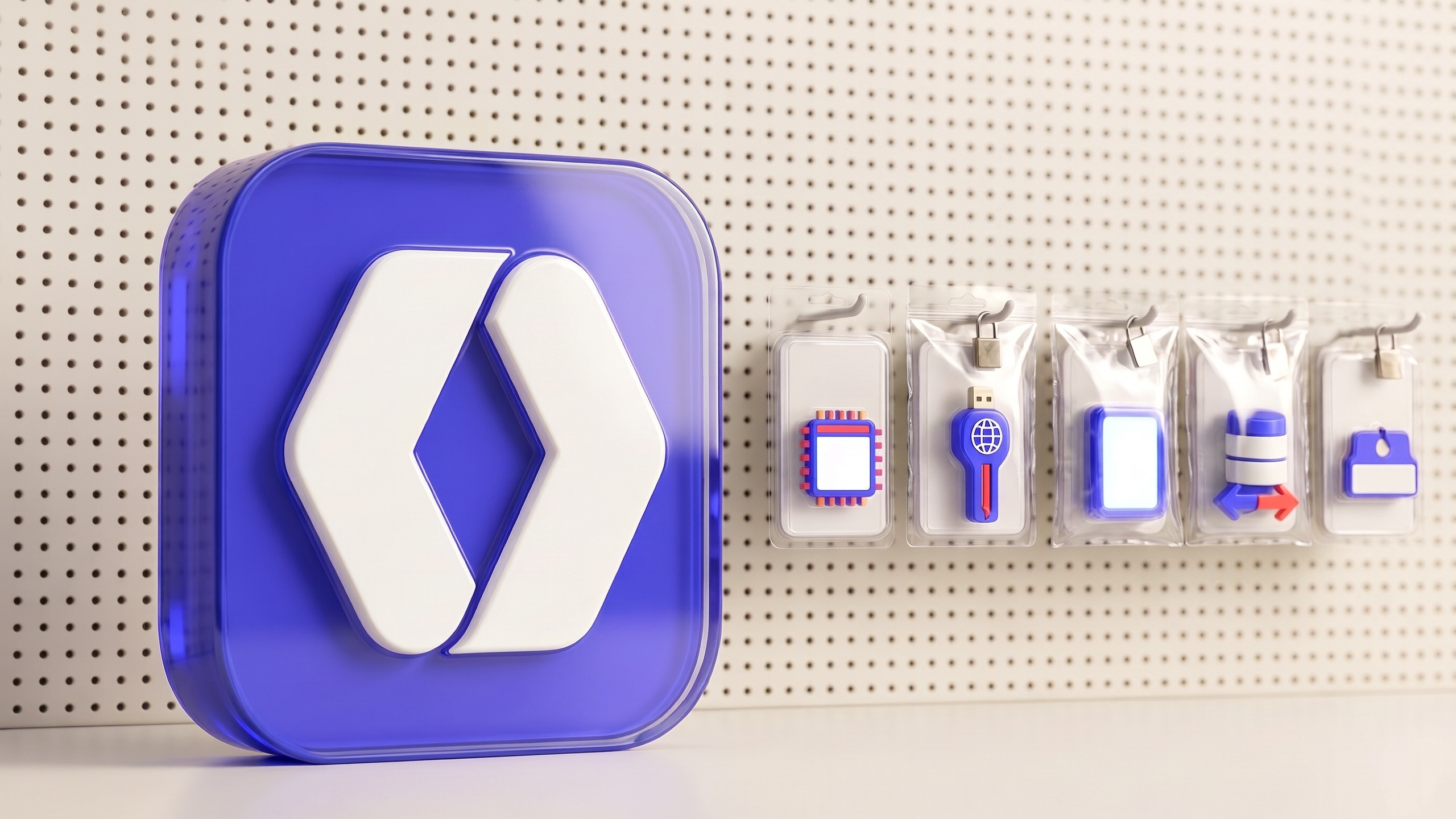
Founder Michael Grinich closed the week on X by listing all five, in a post that links to the launch-week microsite and carries key art showing each product as a blister pack hanging on a retail pegboard.
- The week in one table
- Atlas: a home for apps built with coding agents
- Agent Vault: a signed-in browser for sites with no API
- Passport: sign in once, on the Mac
- Sync Engine: your WorkOS data in your own database
- Custom Subdomains: a name for your login page
- What ties the week together
- What WorkOS hasn’t published
The week in one table
Each launch got its own blog post and changelog entry. The table sorts them by what a reader can do about each one today, using WorkOS’s own wording for availability.
| Launch | Day (US) | What it does | Who can use it today |
|---|---|---|---|
| Atlas | Mon 16 Nov | Hosts internal apps built with coding agents, with company sign-in and admin-approved data connections | Early access; WorkOS onboards teams one by one |
| Agent Vault | Tue 17 Nov | Gives agents a signed-in browser for websites with no usable API | Access enabled by the WorkOS team; not generally available |
| Passport | Wed 18 Nov | Signs employees in to work apps from a registered Mac, manages devices and governs agent access | Early access for selected teams; Mac only |
| Sync Engine | Thu 19 Nov | Mirrors WorkOS users, organisations and memberships into your own database | Anyone; open source under the MIT licence |
| Custom Subdomains | Fri 20 Nov | Lets an AuthKit login page use a name you pick, such as yourapp.authkit.app | Every AuthKit production environment, free |
5
launches in five days
2
available now
3
by request
4
databases Sync Engine mirrors into
Atlas: a home for apps built with coding agents
Atlas opened on Monday 16 November, and the launch already has its own article here. WorkOS describes it as a place to host the internal apps that staff build with a coding agent such as Claude Code, Cursor or Codex, with company sign-in, admin-approved data connections and central access control from the first deploy. The launch page lists the same compatibility: “Claude Code, Codex, and other coding agents”.

Availability hasn’t changed since that article: WorkOS says it’s onboarding teams one by one and setting Atlas up alongside each of them. The announcement’s description of the person who has to say yes matters for the rest of the week, because it calls them “usually a hands-on engineering leader who, at most startups, is also the de facto IT admin.”
Agent Vault: a signed-in browser for sites with no API
Agent Vault, released on Tuesday, is aimed at developers building agentic products rather than at a company’s own staff. WorkOS describes a narrow problem: an agent that can do the work but can’t get past a login screen, such as a freight portal with no usable API. A user saves the website login through a WorkOS widget, the agent connects over MCP, the protocol agents use to call tools, and Agent Vault starts a session in a hosted browser. WorkOS says the agent works inside the site without receiving the saved password, and that saved logins use WorkOS Vault’s encryption.
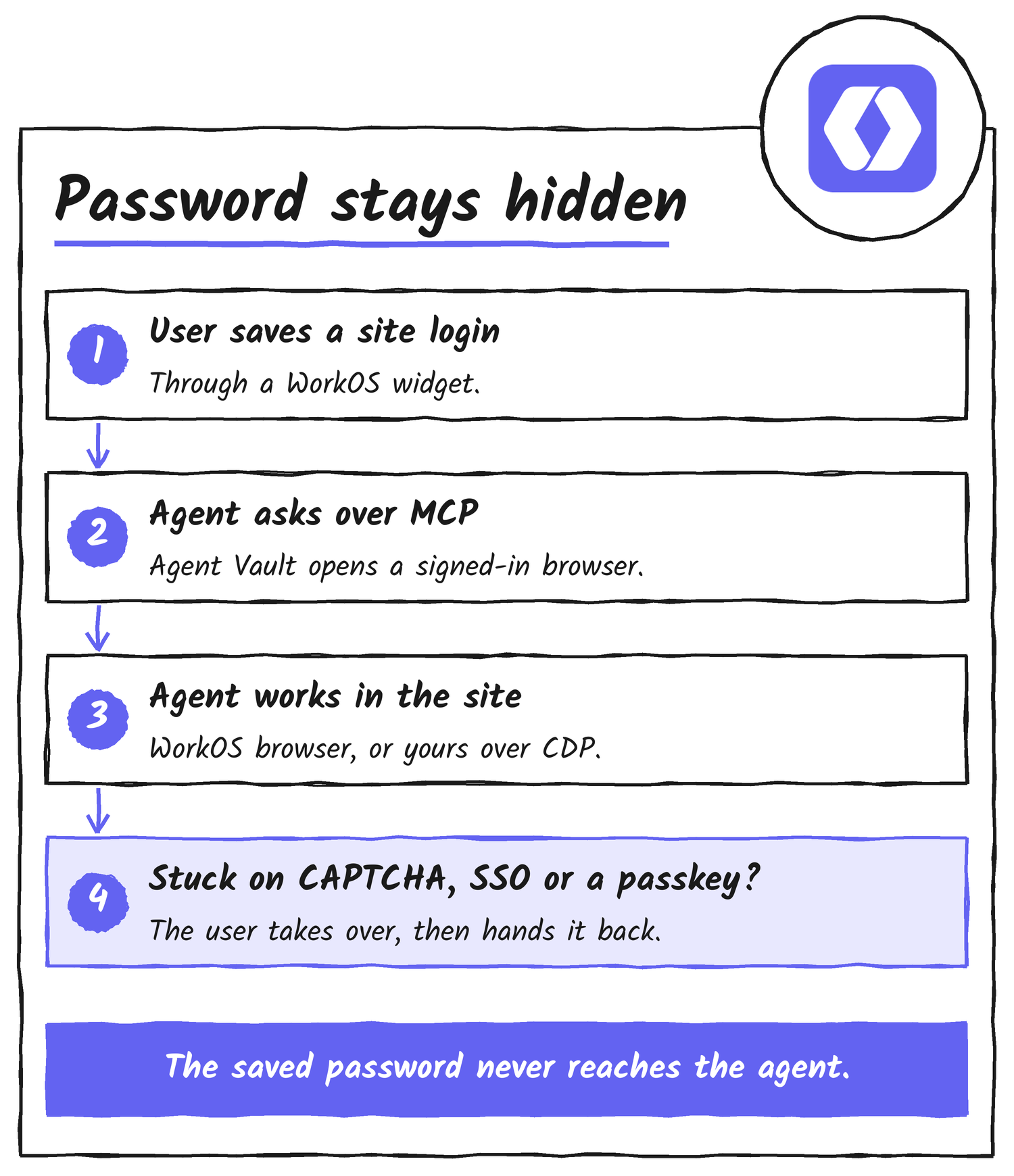
When a site asks for something automation can’t do, such as SSO, a CAPTCHA or a passkey, the user opens the live browser, finishes that step and hands the session back. The post says Agent Vault retries first and falls back to the user when it can’t recover on its own. Developers can use the WorkOS-hosted browser or connect one they run themselves over CDP, the interface a program uses to drive a Chrome browser, with one browser provider per environment, and a self-hosted browser still leaves credential storage with Agent Vault.
It sits beside Pipes, the WorkOS product that supplies OAuth-based access tokens for supported integrations. Pipes covers services with an API or OAuth, Agent Vault covers the ones that only expose a website, and WorkOS says an application can use both. Access is by contact: the post says Agent Vault launched with access enabled by the WorkOS team and isn’t generally available. It gives no pricing, and it doesn’t describe how the hosted browser is isolated or how long a session lasts.
Passport: sign in once, on the Mac
Passport arrived on Wednesday, and WorkOS says it can’t be switched on yet. The company says employees register a Mac once, after which work apps open already signed in through Apple’s Platform SSO, and the changelog adds that apps connect over SAML or OpenID Connect and that access is assigned to people and groups. Beyond sign-in, Passport manages employee accounts and groups, either directly or synced from an HR or directory tool, and lets an admin enrol company devices, push settings and apps, and see which devices exist, who uses them and what’s installed. Device management supports only Mac at launch, and the post says more platforms are on the way.
This isn’t a typical Launch Week feature that you can turn on today.
WorkOS, Passport announcement
Passport is a new product, WorkOS says, and a first group of teams is being let in now while everyone else is asked to join the line through a request form. The announcement names the intended customer as “the founder, CTO, or hands-on engineer who ends up being IT”, which is the same person Atlas’s announcement describes.
The agent side separates Passport from a plain single sign-on product. WorkOS says it gives a team one MCP server under its control, that agent access is separate from employee sign-in, and that policy enforcement runs on Airlock, the governance layer WorkOS showed alongside Passport at its init() conference on 7 October. In the keynote demo, according to the post, an agent working a billing issue had one refund approved by a human, another denied for going over a limit, and an email containing financial data blocked before it was sent.
WorkOS’s init() recap makes the separation concrete. Engineer Matt Davidson, demonstrating at an imaginary company called FooCorp, opened Notion with automatic sign-in off and was asked for a passkey he didn’t have; with it on, Notion opened already signed in. When he then asked Claude which Airlock integrations he could reach, Claude listed GitHub, Linear, Slack, Datadog, incident.io and Snowflake and reported that Notion wasn’t connected, so signing in to an app and letting an agent use it are two separate settings. The launch posts and product page for Passport carry no pricing and no general availability date.
Sync Engine: your WorkOS data in your own database
Sync Engine, released on Thursday, is the only launch of the week built for developers who already use WorkOS, and the only one whose code anyone can read. WorkOS says it mirrors users, organisations and memberships into a database you control, so a page that needs members, roles and your own records runs one query instead of an API round trip for each lookup. The repository, workos/sync-engine on GitHub, is MIT-licensed; it was created on 9 August 2026 and had 88 commits when I checked on 22 November.
There’s one package per database: @workos/sync-postgres, @workos/sync-mysql, @workos/sync-mongodb and @workos/sync-clickhouse. Each ships a command line tool and a container image for linux/amd64 and linux/arm64, and the engine can also run as a TypeScript library inside an app. WorkOS names Neon, PlanetScale, MongoDB and ClickHouse as launch partners, with an integration guide for each.
export DATABASE_URL=postgres://localhost/app
export WORKOS_API_KEY=sk_live_...

npx @workos/sync-postgres init       # create the schema
npx @workos/sync-postgres backfill   # load what already exists
npx @workos/sync-postgres listen     # tail the Events API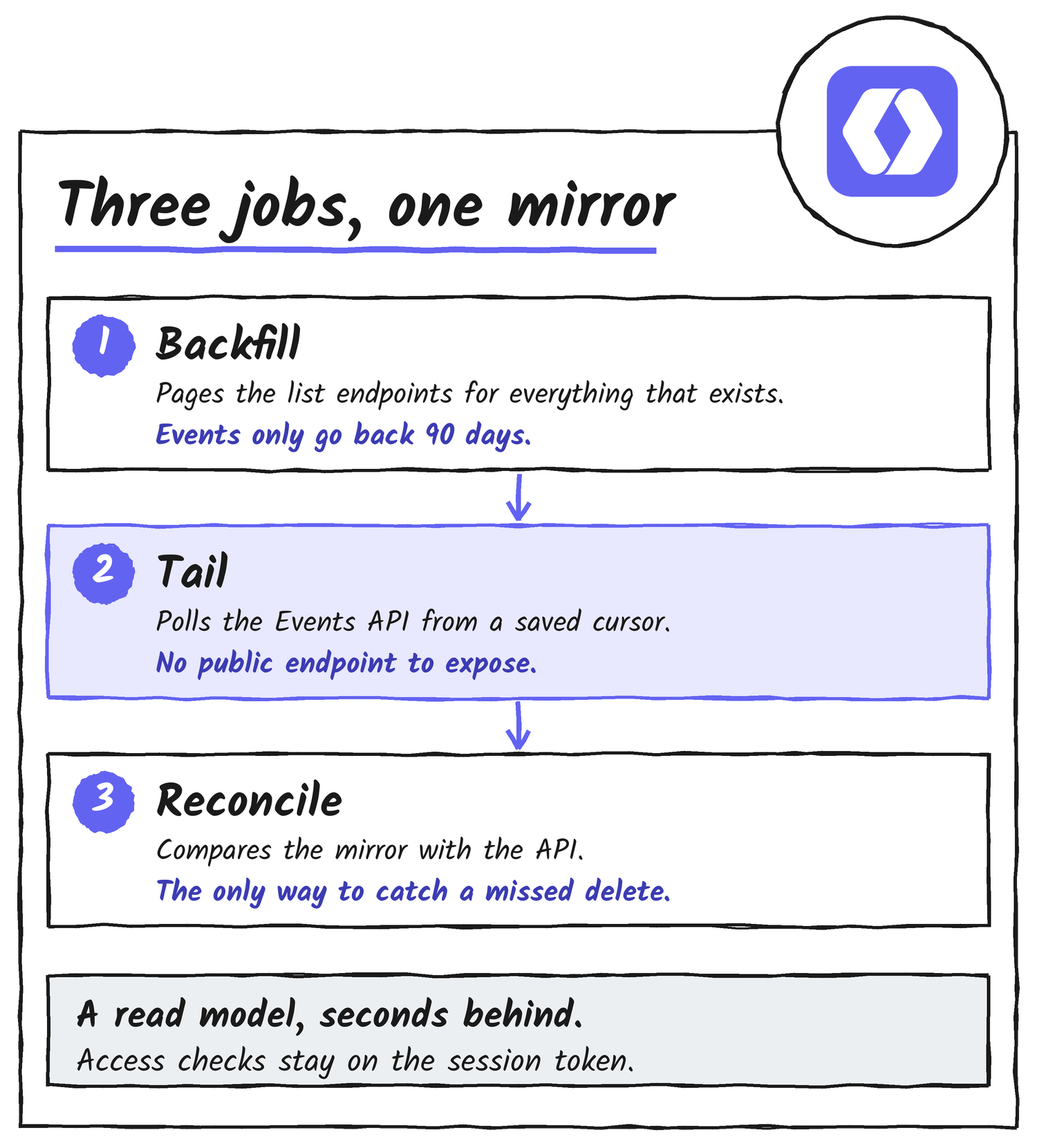
Three parts keep the copy correct, and the documentation says why each exists. Backfill pages the REST list endpoints, because the Events API keeps only 90 days of history. Tail polls the Events API from a durable cursor, which means there’s no public endpoint to expose. Reconcile compares the mirror’s ids with the API, the only way to find a missed delete, since a deleted object is absent from every list endpoint.
The schema is unusual. The engine writes a single column, _raw, holding the object exactly as WorkOS returned it, and every other column is generated from it, so a field WorkOS adds later is queryable the moment it appears. Deleted objects are tombstoned, meaning the row stays with a deleted timestamp, and each table gets a _live view that hides them. There are no foreign keys, because events routinely arrive with children before parents and a key would turn that ordering quirk into a stuck stream.
Check it yourself: the members-and-roles join
SELECT o.name AS organization, u.email, m.role_slug
  FROM workos.organization_memberships_live m
  JOIN workos.users_live u ON u.id = m.user_id AND u._env = m._env
  JOIN workos.organizations_live o ON o.id = m.organization_id AND o._env = m._env
  ORDER BY o.name, u.email;
This is the Postgres example from WorkOS’s documentation. Each join also matches on _env, because ids are unique within an environment and one database can mirror several.
What it mirrors, and what it can’t
By default the engine mirrors every object that emits events: users, organisations, memberships, domains, invitations and sessions; directories, directory users and groups; SSO connections; and AuthKit groups, roles, permissions and feature flags. Every event is archived verbatim to workos.events, and invitation acceptance tokens and webhook signing secrets are stripped before any row is written. Fifteen authentication event types have no REST endpoint anywhere in the API, so sign-in history survives only if it’s captured as it happens, and it’s gone after 90 days otherwise.
| Object | What the documentation says |
|---|---|
| Sessions | Only active sessions are listable, and only per user; ended sessions older than the event window are unrecoverable. |
| Sign-in attempts | No REST endpoint exists, so history begins when you start syncing. |
| Directories | No dsync.updated event exists, so a directory moving from linked to invalid credentials emits nothing and only reconcile sees it. |
| Group memberships | Event-only; memberships that existed before syncing started aren’t mirrored. |
| SSO profiles | Not mirrored: there’s no list endpoint, no get-by-id and no events. |
| Audit log events | Not mirrored: they aren’t listable and emit no events, so WorkOS points to exports or log streams. |
| Vault values | Not mirrored, because they shouldn’t leave Vault. |
WorkOS also says what the mirror isn’t. It’s a read model, typically seconds behind, so authorisation decisions belong on the session token, a just-created user should be read from the API response already in hand, and there’s no write-back. The documentation’s table of what to read from where lists a read-only database role as the way to give an agent or LLM access to the mirror.
Custom Subdomains: a name for your login page
The week ended with its smallest launch and the one most developers can use in a minute. Until Friday, an AuthKit login page lived at a generated address such as shiny-buffalo-47.authkit.app, and the only alternative was a custom domain on a domain you own, which needs DNS records and an add-on that WorkOS says costs US$99 a month. Now an admin opens Domains in the dashboard of a production environment, picks a name and saves, and the login page is live at yourapp.authkit.app with no DNS and no charge. WorkOS gives a reason beyond looks: the generated words sometimes “land somewhere unfortunate”.
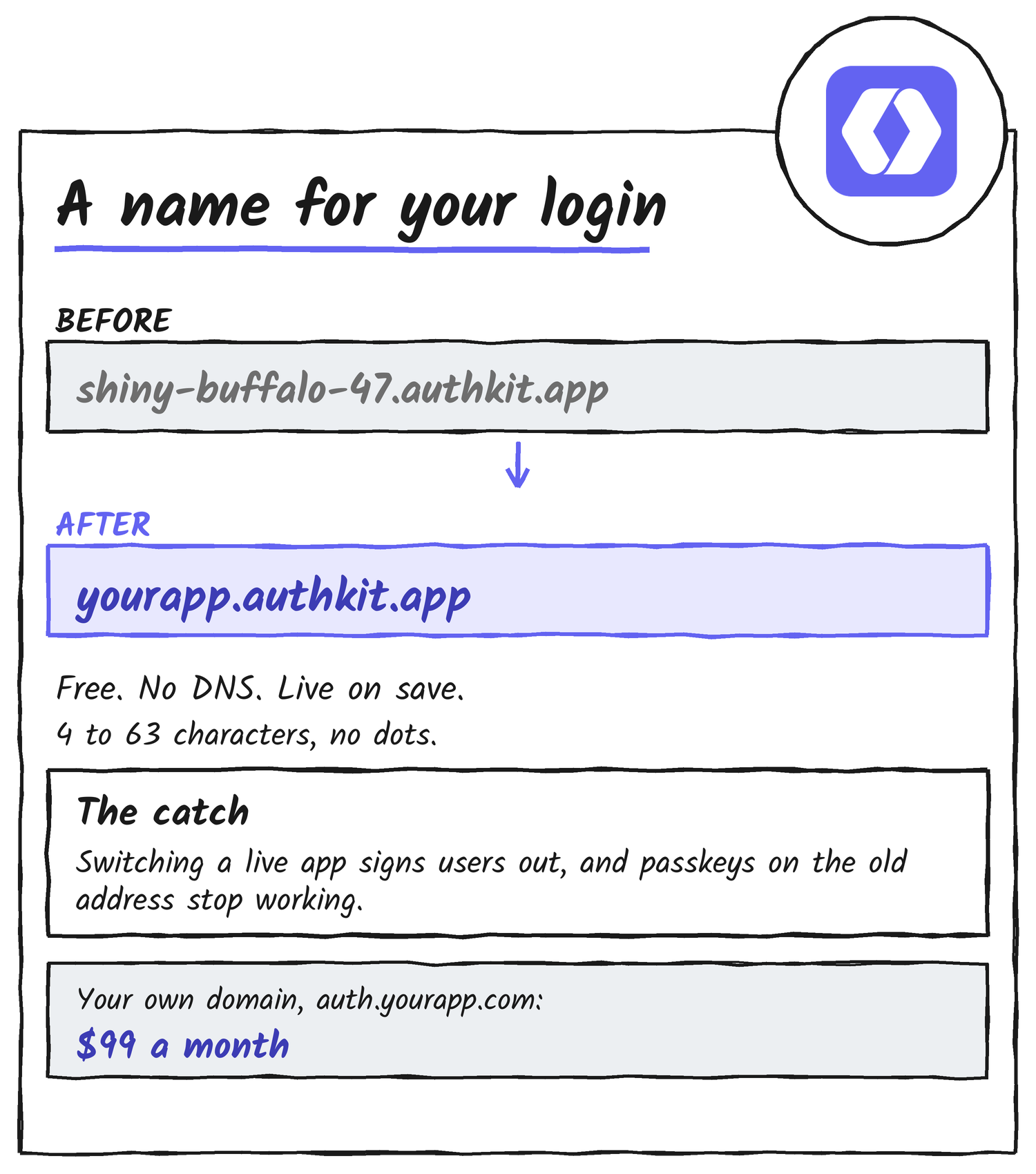
Names use lowercase letters, numbers and hyphens, run from 4 to 63 characters and can’t contain dots, so chan.dev fails and chan-dev works. Some names such as www, api and admin are reserved, offensive ones are blocked, and WorkOS says it can reclaim a name that’s used to impersonate someone else.
The catch is for apps that already have users. WorkOS says the login address is tied to active sessions, passkeys and MCP authorisation, so changing it signs users out and passkeys registered on the old address stop working. Sandbox environments keep their generated address, so the feature is for production only for now. The AuthKit domain page in WorkOS’s documentation, which the announcement links, still walks through the CNAME route for your own domain, and the custom domains overview warns that those domains can keep incurring monthly charges while they’re configured, even when unused.
What ties the week together
Four of the five launches concern who or what is signing in. Passport signs people in to work apps, Agent Vault signs agents in to websites, Atlas puts company sign-in in front of AI-built apps, and Custom Subdomains names the login page of AuthKit. Sync Engine is the exception, though it serves the same customers by moving identity data into their own databases.
Three of them involve MCP: Atlas apps can expose tools over it, Agent Vault agents connect through it, and Passport offers a single MCP server for a team’s agents. Passport’s announcement states the premise outright: “Your team’s users aren’t only people anymore.”
The split between open and gated follows the audience. The two launches anyone can use are developer plumbing, Atlas and Passport are aimed at the hands-on engineer who ends up as the company’s IT admin, and Agent Vault is a developer building block that WorkOS is enabling account by account. That grouping is my reading of the posts, not WorkOS’s framing.
What WorkOS hasn’t published
- The launch posts and product pages for Atlas, Agent Vault and Passport carry no pricing and no general availability date.
- Passport’s device management supports only Mac, and the post gives no date for other platforms.
- The Agent Vault post doesn’t describe how its hosted browser is isolated or how long a session lasts.
- Custom Subdomains works only in production environments, and the post gives no date for sandboxes.
- MCP
- Model Context Protocol, the standard way an agent calls tools and reaches data.
- CDP
- Chrome DevTools Protocol, the interface a program uses to drive a Chrome browser.
- Platform SSO
- Apple’s single sign-on feature for managed Macs, which Passport uses so work apps open signed in.
- SAML and OpenID Connect
- Two standard ways an app can trust a company’s sign-in system.
- Airlock
- WorkOS’s governance layer, which checks an agent’s calls against company policy.
- Tombstone
- A row kept in the mirror but marked with a deleted timestamp.
Sources
- Launch Week Fall 2026, WorkOS
- WorkOS Atlas: A secure home for the internal apps your team builds with AI, WorkOS, 16 November 2026
- Agent Vault gives your agents a signed-in browser for websites without APIs, WorkOS, 17 November 2026
- Passport: Sign in once and get to work, WorkOS, 18 November 2026
- Passport product page, WorkOS
- Passport: Automatic sign-in to work apps, WorkOS changelog
- init() 2026 recap: Airlock, Atlas, Passport and the builders on stage, WorkOS
- Sync Engine: Mirror WorkOS data into your database, WorkOS, 19 November 2026
- Sync data to an external database, WorkOS documentation
- workos/sync-engine, GitHub
- Custom AuthKit subdomains: Pick your own authkit.app address for free, WorkOS, 20 November 2026
- AuthKit Domain, WorkOS documentation
- Custom Domains, WorkOS documentation
- Michael Grinich on X, 21 November 2026
Discover more from Sulat AI & Tech News
Subscribe to get the latest posts sent to your email.