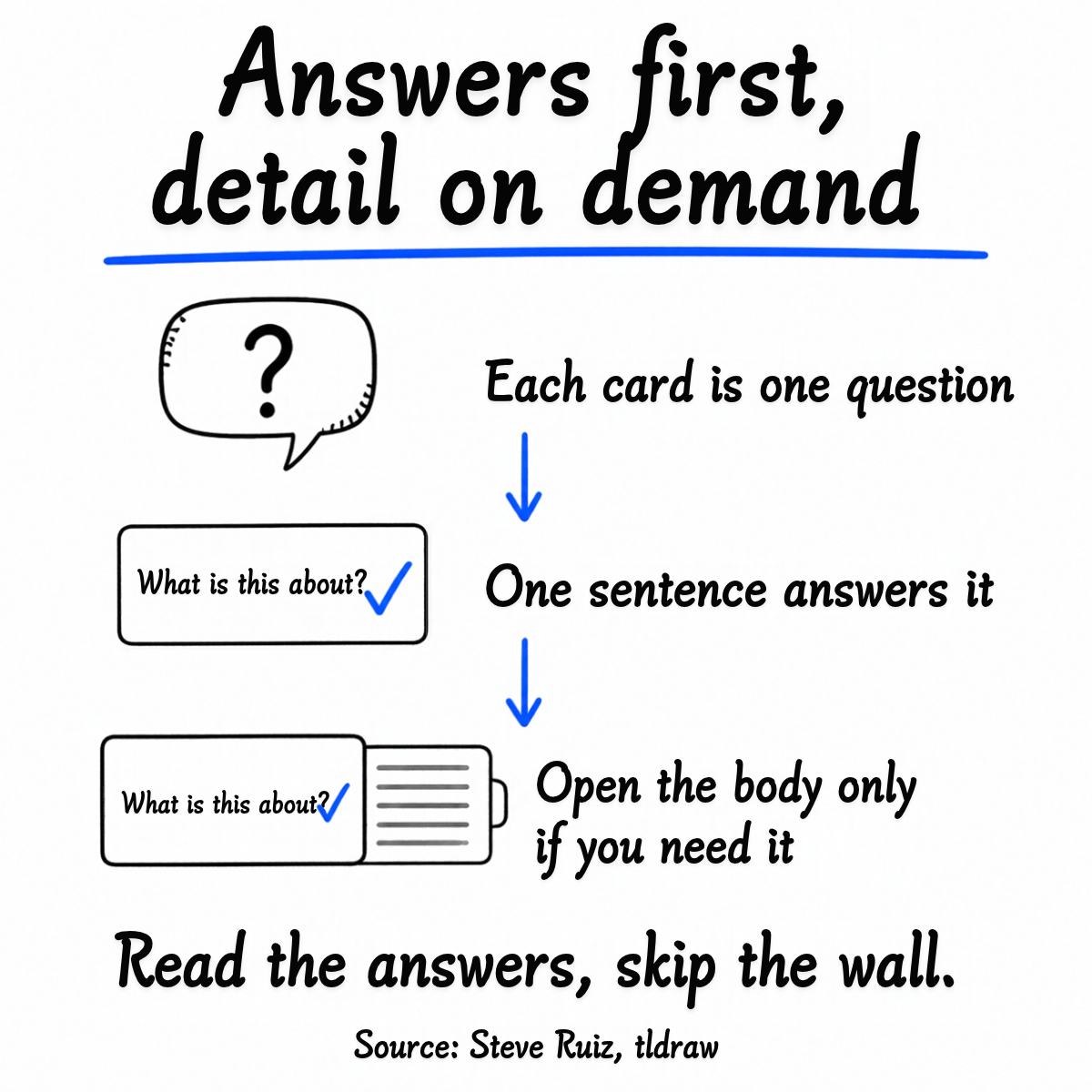
Steve Ruiz, who founded tldraw, posted a short video on 14 November, New Zealand time, of a card-based reader he built to get through a dense plan. It is a tree of questions. Each card has a one-sentence answer, and you open the body only when you need it. He followed it with a link to a gist, and the gist is thinner than the posts suggest: it holds one finished example, not the skill he says he shared.
The news is 13 days old, so this piece covers what the thing is, what has changed since, and whether you can use the idea today. I read the gist, rebuilt the missing converter from the example, and ran the whole route on a public-domain recording. The short version: the idea is sound and easy to test, the research on AI fatigue is real but doesn’t test a reader like this, and you can use the format now without Steve’s code.
- What Steve posted, and what is in the gist
- Is the fatigue real?
- The peers, and why tldraw cares
- How to use it with your own recordings
- Where this leaves it
What Steve posted, and what is in the gist
The first post says he is “suffering from markdown fatigue” and trying “a graph of cards, organized around questions and answers, with just enough information at every level.” It is keyboard driven and highlights the content you are on, which he says “gives me something to do while I read.” It had about 16,000 views when I looked.
The reply says he has “dumped the skill here if you want to let your claudes continue it forward” and links a gist called Scripting runtime. The gist holds two files: the markdown source of one map, and the built HTML page that displays it.
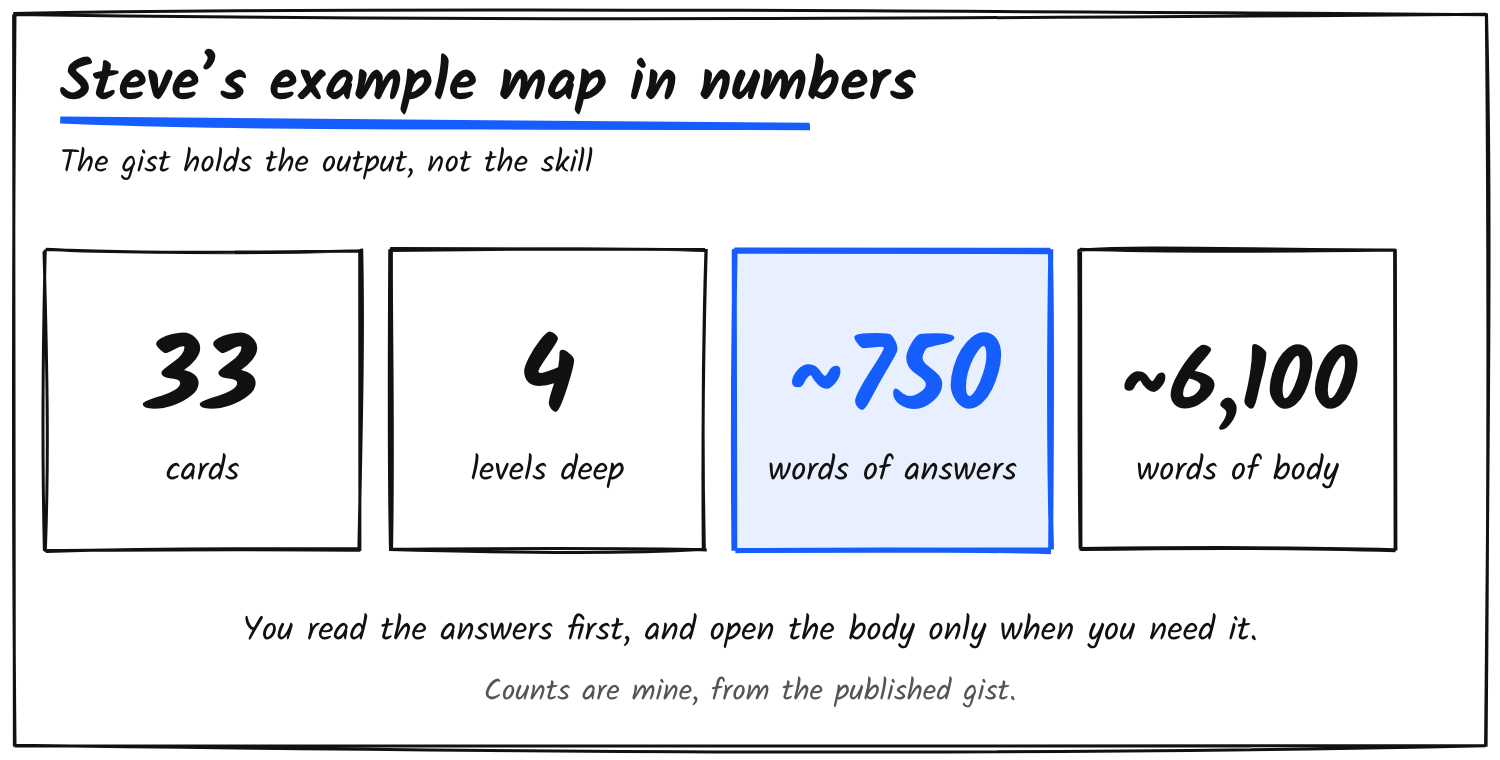
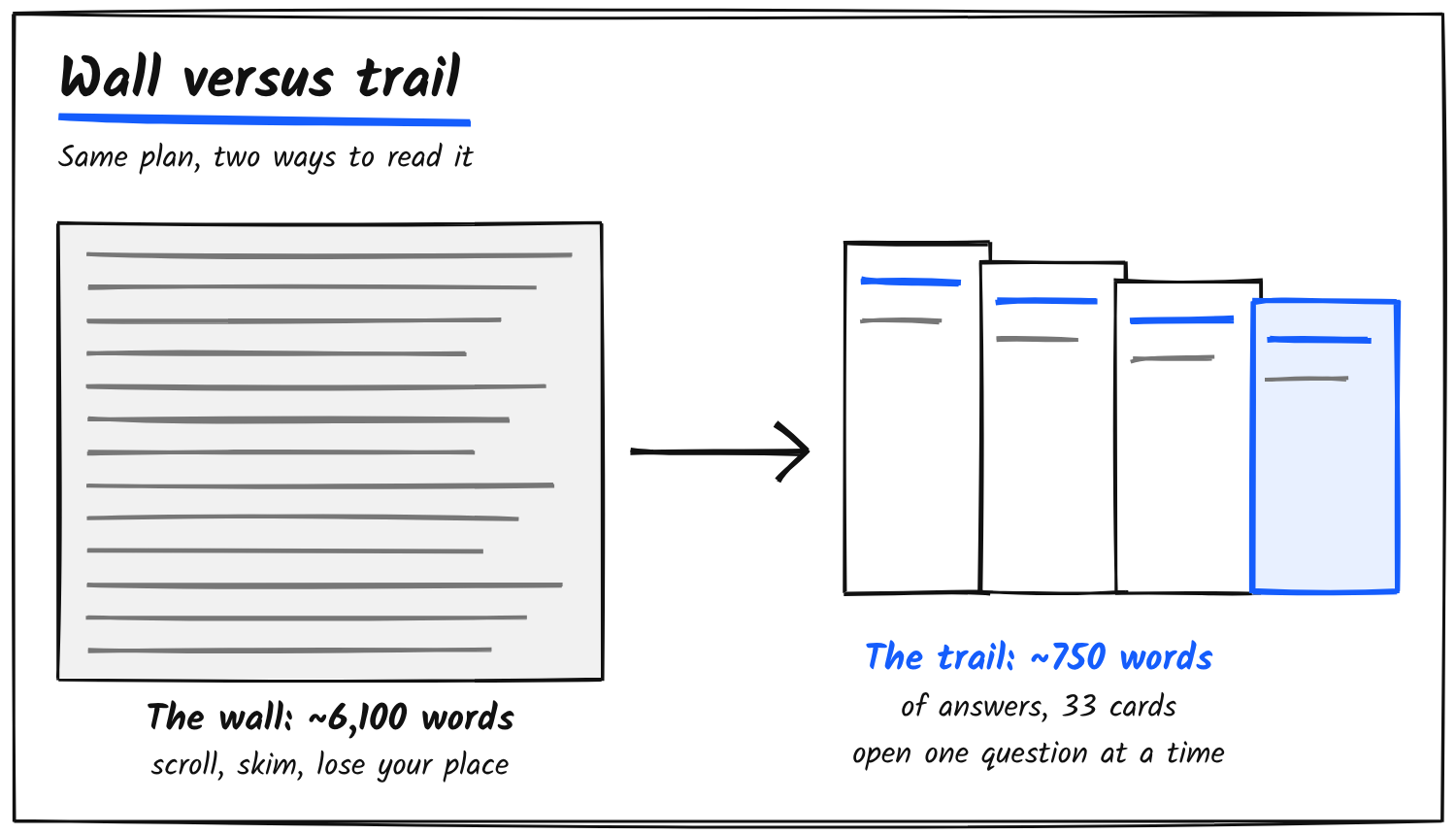
The example is the plan Steve was reading. It sets out how to make the tldraw app moddable in the way Factorio is, with people installing Lua mods written against a runtime API. The first milestone is a console that runs a one-off script against a live board, from a web playground or through MCP. The map has 33 cards, four levels deep. By my count the one-sentence answers come to about 750 words and the card bodies to about 6,100. A note at the top says the design gist it was built from, and some of the cards, still describe an earlier framing from before decisions Steve made on 13 November.
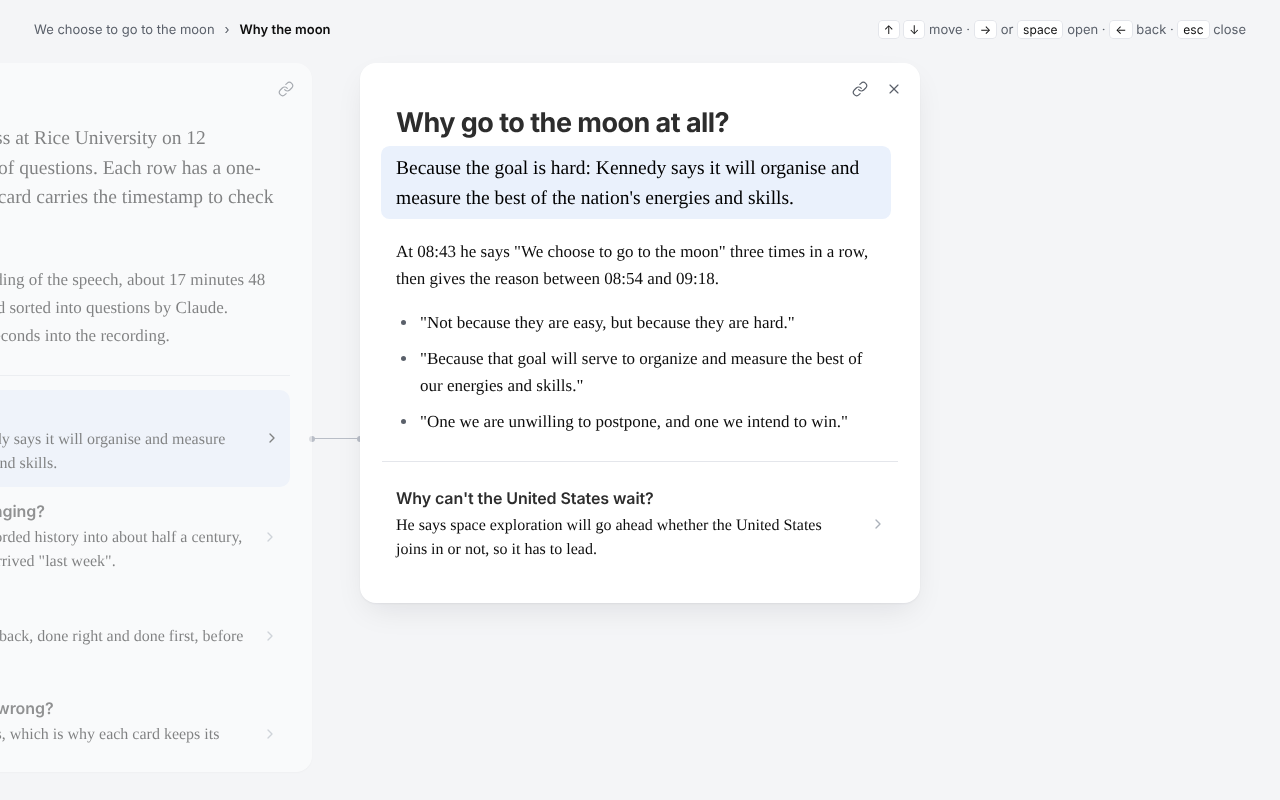
The viewer is a single HTML file. The open card sits in the middle, and earlier cards keep their scroll position and slide off to the left, faded, much like the columns in a Finder window. Up and down move between rows, right or space opens one, left goes back and escape closes it. Each row shows a question and its one-sentence answer, so the top level reads as a summary before you open anything.
What the gist doesn’t hold
I found only the example output. The viewer code is all there and readable. The part that turns a document into a map is not. The example’s markdown uses block references in the form answer-map:<map>#<card>.<block>, and the script that resolves them, map.mjs, isn’t in the gist. I can’t tell whether Steve has published the skill somewhere else. If you want to use the format today you rebuild that step, which is what I did below.
Is the fatigue real?
Yes, and the 2026 research agrees about where it comes from: reading and checking AI output, not producing it. None of these studies tests a card reader, so none of them tells you whether Steve’s fix works.
| Source | What it found | What it doesn’t show |
|---|---|---|
| CHI 2026, “When Help Hurts” | Fatigue and stress rose across repeated programming tasks in both the AI and the no-AI groups. In the AI group, a measure of verification load explained part of the rise. The authors point to checking and repairing output, not generating it. | Anything about plans or documents. The no-AI group tired too, so repetition alone does some of the work. |
| IBM researchers, “vibing fatigue” | Reviewing AI output is among the most taxing parts of the work, harder than reviewing human code, because people lack first-hand familiarity with what was written but stay accountable for it. | Whether any interface change helps. It is a read of interviews and older task-switching research. |
| arXiv, “Habituation at the Gate” | Across 11,429 reviews by 400 repeat reviewers, approval rose 14.5 percentage points and inline comments fell 22%. | Cause. The authors say they cannot establish causality, because the agents also improved. |
| ESEM 2026, 669 developers | Reviews became faster, less detailed and more permissive after agent adoption. | An agent effect. The same shift appeared in repositories with no agent activity. |
| Harvard Business Review, “brain fry” | Mental fatigue from overseeing AI beyond your capacity went with more errors, decision fatigue and intent to quit. Some patterns of use reduced burnout. | Which reading format helps. |
| Daniel Andreasson, six months with agents | His load comes from constant decisions, reviewing code he didn’t write and switching between sessions. | More than one person’s experience. |
My view, which is opinion and not a finding: a reader that puts the answer first and the evidence one keystroke away goes after the right cost. It lets you decide what to verify instead of verifying everything. But the sources above support the diagnosis, and Steve’s 16,000-view post supports that other people recognise it. Nobody has measured whether a card trail beats a plain document.
The peers, and why tldraw cares
The columns are old. Miller columns were invented by Mark S. Miller at Yale in 1980, were used at NeXT, and survive as the Columns view in the macOS Finder. Wikipedia notes they suit trees with many branches, and a plan broken into questions is one. What’s different in Steve’s version is that every level carries its own answer.
| Tool | How it handles a dense document | How it differs from an answer map |
|---|---|---|
| Hartley Brody’s annotation workflow | Keeps the plan as one markdown file and adds inline notes starting with --> for the agent to act on. | It is for marking up a plan, not for reading one. The file stays a wall. |
| NotebookLM Mind Maps | Turns uploaded sources into a branching diagram of topics. Google began rolling it out in March 2025, and its help page says the mobile app doesn’t support it. | Shows topics and links, not a question and a one-sentence answer at every node. |
| Obsidian Miller Columns plugin | Turns a nested markdown list tagged #miller-view into one column per depth, with the last column as a reading pane. | Same navigation, but you write the tree and there are no answers. |
| Obsidian Canvas | A free-form board of cards and arrows. | You lay it out by hand and it has no reading order. |
| tldraw MCP server | Lets an agent create and edit tldraw.com files, so a diagram is the output. | It answers the same fatigue with pictures. Launched 24 November, ten days after these posts. I cover its setup and limits separately. |
Why a canvas company cares: tldraw raised a $10 million Series A in April 2025, led by Lux Capital and Definition, and Steve’s own site says tldraw.com has close to 500,000 monthly active users. In March 2026 tldraw shipped an MCP app that lets agents draw in Cursor, and Steve argued in a post called Text is not enough that some ideas don’t fit in a chat box. The answer map is a different bet from that work: it fixes text with structure instead of replacing it with a canvas. That is my reading, not Steve’s stated position.
How to use it with your own recordings
The obvious use for most people is a recording, such as a meeting, a lecture or a call. The route I ran has five steps: a recording, a local transcript, a map written from it, a converter, and the card page. I tested it on the public-domain recording of John F. Kennedy’s Rice University speech of 12 September 1962, because I could check every card against the published text.
1,068 s
of audio, 17 min 48 s
50 s
to transcribe on a CPU
269
transcript segments
33
cards in my round trip against Steve’s example
1. What you need
Python 3, ffmpeg, a recording, and a copy of the gist’s HTML file saved as shell.html. I saw no licence on the gist, so I haven’t republished its page, and I’d keep your copy to yourself. Set up the transcription library and the markdown converter once:
python3 -m venv venv
./venv/bin/pip install faster-whisper markdown
2. Transcribe locally
faster-whisper runs on a CPU and nothing leaves your machine. This script decodes the audio with ffmpeg and writes one line per segment, each with its start time. I used the small English model, base.en, with int8 weights.
import sys,time,subprocess
import numpy as np
from faster_whisper import WhisperModel
t=time.time()
raw=subprocess.run(["ffmpeg","-loglevel","error","-i",sys.argv[1],"-f","f32le","-ac","1","-ar","16000","-"],capture_output=True,check=True).stdout
audio=np.frombuffer(raw,dtype=np.float32)
m=WhisperModel("base.en",device="cpu",compute_type="int8")
segs,info=m.transcribe(audio,beam_size=1,vad_filter=True)
out=[]
for s in segs:
    out.append(f"[{int(s.start)//60:02d}:{int(s.start)%60:02d}] {s.text.strip()}")
open(sys.argv[2],"w").write("\n".join(out))
print(len(audio)/16000,len(out),round(time.time()-t))./venv/bin/python transcribe.py recording.mp3 transcript.txtOn my run that took 50 seconds for the 1,068 seconds of audio and produced 269 segments.
3. Have Claude sort it into a map
The map is a markdown file. The level-one heading is the title, and every heading under it is a card. A quoted line directly under a heading is that card’s one-sentence answer, and the text below is the body. The optional {#id crumb="..."} after a heading names the card and its breadcrumb. This is the first card from my test map:
## Why go to the moon at all? {#why crumb="Why the moon"}
> Because the goal is hard: Kennedy says it will organise and measure the best of the nation's energies and skills.

At 08:43 he says "We choose to go to the moon" three times in a row, then gives the reason between 08:54 and 09:18.

- "Not because they are easy, but because they are hard."

### Why can't the United States wait? {#wait crumb="No waiting"}
> He says space exploration will go ahead whether the United States joins in or not, so it has to lead.
The prompt I used, to paste above the transcript
Turn the timestamped transcript below into an answer map in markdown.

Rules:
- Start with front matter containing a title, then one # heading and a > quoted answer of two sentences at most.
- Every ## and ### heading is a question a listener would ask, with {#short-id crumb="Short label"} after it.
- Directly under each heading, one > quoted line that answers it in one sentence.
- Below that, the body: the detail, with the MM:SS timestamp for every claim.
- Quote numbers and names exactly as spoken. If a word looks misheard, say so in the body.
- Nest follow-up questions one level down, three levels at most.
- Finish with a card called "What might the transcript have wrong?".
- No diagrams or figure blocks.

Transcript:
4. Convert it to cards
This is the converter I wrote after reading the gist. It strips the front matter, builds the tree from the headings, renders each body to HTML and swaps the data in the gist’s page. It reproduced all 33 cards of Steve’s example from its markdown. It does not handle the gist’s figure blocks.
The converter, 81 lines of Python
#!/usr/bin/env python3
"""Turn an answer-map markdown file into a card-trail HTML page.

usage: answermap.py map.md shell.html out.html

shell.html is the gist's scripting-runtime.html. This script swaps its META and TREE
constants for ones built from map.md and leaves the viewer code alone.
"""
import json, re, sys
import markdown

src, shell, out = sys.argv[1:4]
text = open(src, encoding="utf-8").read()
text = re.sub(r"\A---\n.*?\n---\n", "", text, flags=re.S)  # drop front matter

md = markdown.Markdown(extensions=["tables", "fenced_code"])

def html(chunk):
    md.reset()
    return md.convert(chunk.strip())

def inline(chunk):
    return re.sub(r"^<p>|</p>$", "", html(chunk))

def slug(s):
    return re.sub(r"[^a-z0-9]+", "-", s.lower()).strip("-")[:40] or "card"

head = re.compile(r"^(#{1,6})\s+(.*?)(?:\s*\{#([\w-]+)(?:\s+crumb=\"([^\"]*)\")?\})?\s*$")
lines, cards, buf, in_code = text.split("\n"), [], None, False
for n, line in enumerate(lines, 1):
    if line.startswith("```"):
        in_code = not in_code
    m = None if in_code else head.match(line)
    if m:
        buf = {"level": len(m[1]), "q": inline(m[2]), "id": m[3] or slug(m[2]),
               "crumb": m[4], "line": n, "text": []}
        cards.append(buf)
    elif buf is not None:
        buf["text"].append(line)

for c in cards:
    body = "\n".join(c.pop("text")).strip()
    quote = re.match(r"((?:>.*\n?)+)", body)
    if quote:
        c["a"] = inline(re.sub(r"^>\s?", "", quote[1], flags=re.M))
        body = body[quote.end():]
    c["body"] = html(body) if body.strip() else ""

root, stack = None, []
for c in cards:
    c["rows"] = []
    while stack and stack[-1]["level"] >= c["level"]:
        stack.pop()
    if stack:
        stack[-1]["rows"].append(c)
    elif root is None:
        root = c
    stack.append(c)
root["id"] = "home"
seen = set()
def walk(c):
    assert c["id"] not in seen, "duplicate card id: " + c["id"]
    seen.add(c["id"])
    c.pop("level")
    if not c.get("crumb"):
        c.pop("crumb", None)
    if not c["rows"]:
        c.pop("rows")
    for r in c.get("rows", []):
        walk(r)
walk(root)

title = re.sub(r"<[^>]+>", "", root["q"])
page = open(shell, encoding="utf-8").read()
meta = "const META = " + json.dumps({"title": title, "name": slug(title)})
tree = "const TREE = " + json.dumps(root, ensure_ascii=False).replace("</", "<\\/")
page = re.sub(r"^\s*const META = .*$", lambda m: "\t\t\t" + meta, page, count=1, flags=re.M)
page = re.sub(r"^\s*const TREE = .*$", lambda m: "\t\t\t" + tree, page, count=1, flags=re.M)
page = re.sub(r"<title>.*?</title>", lambda m: "<title>" + title + "</title>", page, count=1)
open(out, "w", encoding="utf-8").write(page)
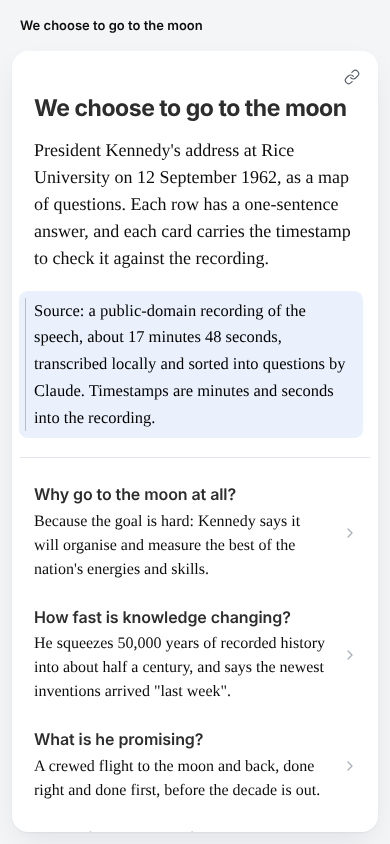
print(f"{len(seen)} cards -> {out}")./venv/bin/python answermap.py map.md shell.html map.htmlOpen map.html in a browser. Here is my test map with the first card open, and the same page at phone width.
5. Check it against the audio
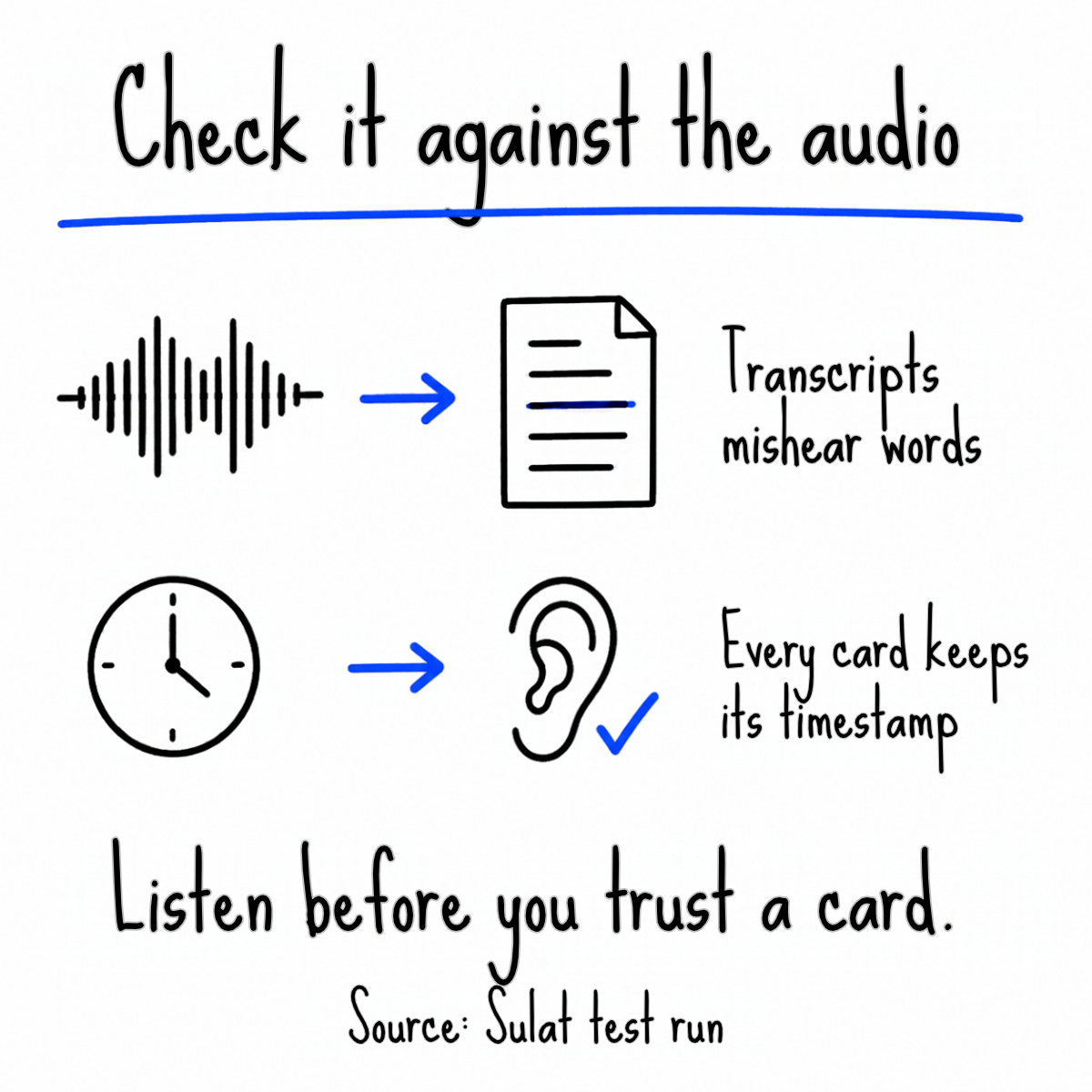
Treat the transcript as a draft. Mine opens with “President Kipzler” where Kennedy says Pitzer, and it has “satin” at 09:56 where he says Saturn. Both are small, and both would go straight into a card if I hadn’t kept the timestamps and listened. Every card in the map carries one for that reason.
What I ran, and what I didn’t
I ran the transcription, the converter, the round trip against Steve’s example, and screenshots of my map at 1280 and 390 pixels wide. I did not run Steve’s skill, which isn’t published. I did not test other languages, recordings longer than 18 minutes, or recordings with several speakers, and I did not time anyone reading a map against a plain document.
Three limits to know. The converter ignores figure blocks, so diagrams in Steve’s format won’t render. The viewer fetches Mermaid from cdnjs when a card needs a diagram, so those cards need a connection. And read marks are kept in the browser’s local storage, so they don’t follow you to another device.
Where this leaves it
If you read long plans that an agent wrote, this is worth an afternoon. The part that does the work is the discipline, not the viewer: a question for each heading and one sentence of answer under it. You can get that in plain markdown today, with the transcript and the prompt above, and without any viewer at all. The cards add navigation and read marks on top.
What to watch is whether Steve publishes the skill, since the invitation to “let your claudes continue it forward” can’t be taken up without it, and whether anyone measures a card trail against a wall. Until then the fatigue is established and the fix is a good idea that nobody has tested.
Sources: Steve Ruiz, first post / Steve Ruiz, reply / Scripting runtime gist / CHI 2026, When Help Hurts / IBM / Habituation at the Gate / ESEM 2026 / Harvard Business Review / Daniel Andreasson / Hartley Brody / Miller columns / tldraw Series A / tldraw MCP server
Discover more from Sulat AI & Tech News
Subscribe to get the latest posts sent to your email.