Google’s Antigravity app now has a second look for people who don’t write code. Version 2.30.0 adds a Knowledge Work interface layout for research, writing and everyday tasks. It hides Git, the terminal and code diffs, but runs the same agent with the same plugins, skills and MCP servers as the developer view. You can switch between the two in Settings > General > Interface Layout.
The Antigravity team says the change follows how the tool is already being used. In a blog post it says more and more daily sessions “center on deep research, data analysis, drafting documents and presentations, prototyping designs, and automating everyday workflows,” and that “tens of thousands of Googlers outside software engineering (across sales, finance, legal, product, design, research, marketing, and operations) now rely on Antigravity every week alongside engineers.”
What the Knowledge Work layout changes
Both layouts run “the exact same Antigravity agent, with full access to frontier models, local files, plugins, skills, rules, custom agents, and MCP servers,” according to the blog. What changes is what you see:
- Projects and sidebar. New projects are plain folders, with no Git worktree prompts, and the branch picker and IDE handoff buttons are gone.
- The conversation. Expandable tool-call groups, inline diffs and subagent cards give way to a single live progress line that clears when the turn ends. Permission prompts come with plain-language summaries of what the agent wants to run.
- The side panel. Review and Terminal are removed, Files becomes Folders, and the panel centres on Documents, Artifacts, Links, Uploads and Background Tasks. It stays hidden until a conversation produces something.
- Settings. Installed plugins are front and centre, while terminal, workspace and detailed permission controls move under Advanced Settings. Configured skills, rules, custom agents and MCP servers keep running in the background.
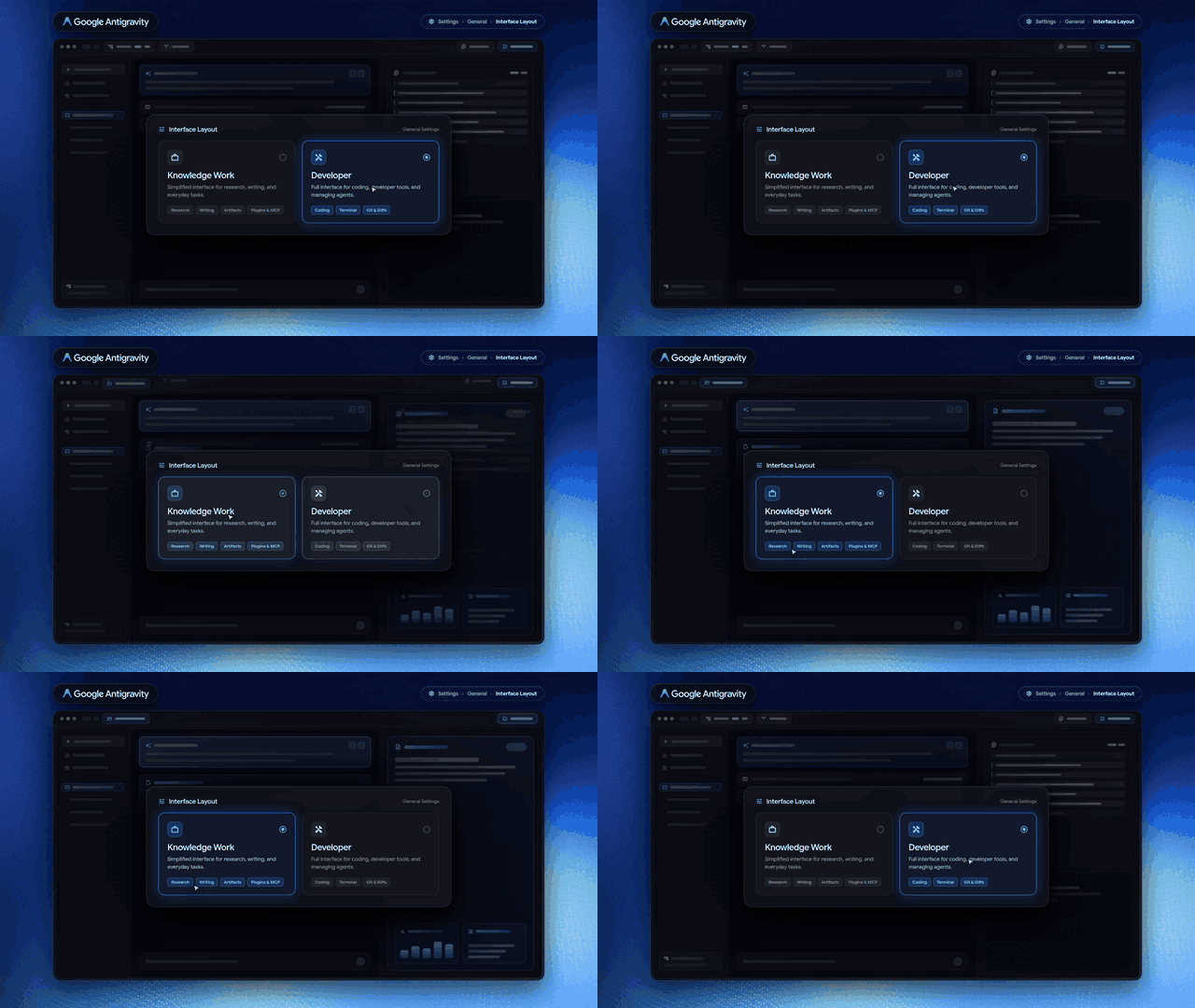
The switch takes effect straight away in open and new conversations, with no restart. Existing users stay on Software Engineering by default. New users are asked at first sign-in what best describes their work, from Software Engineering, Knowledge Work, Data & Analytics, Science or Design, and get a matching layout, starter prompts and recommended plugins. Picking one of the suggested starts adds any plugin it needs and fills in the prompt.
There’s one notable exclusion. The changelog says the layout is available “except on business and enterprise accounts”, and the settings docs list it for personal Google Accounts only. Antigravity itself has a free individual tier with basic weekly rate limits, with higher limits on Google AI Pro and Ultra.
The rest of version 2.30.0
The layout ships in a release with 27 improvements and 25 fixes. Voice mode, which runs on Gemini Live, has finished rolling out to everyone except business and enterprise accounts, and remote agents, which run conversations in the cloud, are now available to Google AI Ultra subscribers and paid Google AI Pro subscribers.
Antigravity can also now import MCP servers, skills, custom commands, subagents and instruction files from other coding agents, naming Claude Code, Codex and Cursor, into a plugin the user owns. The changelog says to “Ask the agent to import your setup to get started.”
Smaller changes include chat-bubble messages, tables that fit the conversation width, Markdown-style lists in the message box, and a permission preset that now applies only to the current conversation. The built-in browser gains background tabs, certificate warnings and support for USB and serial devices.
How it landed
Varun Mohan, who builds Antigravity at Google DeepMind, said developers remain the main audience but that non-developer use has grown quickly, and hinted at more announcements this week.
Richard Seroter, Google Cloud’s chief evangelist, made the broader case: “All agents are coding agents. Coding agents are the best (for now) foundation for other types of work, even non-technical.” He added that his own internal use of Antigravity “is 90% non-coding right now.” When one user asked whether that meant Antigravity couldn’t be used for both kinds of work at once, Rody Davis, who works in developer relations on Antigravity, replied that it was “Just a layout preference for the UI!”
Early users mostly agreed with that description. One developer who tried it after updating said it didn’t feel very different from the developer mode beyond hiding Git and the terminal, and compared the split to the Cowork and Code modes in the Claude desktop app. Not every reply was warm: one developer complained that Google was busy with interface changes while Ultra subscribers still couldn’t use its Carbon model.
Discover more from Sulat AI & Tech News
Subscribe to get the latest posts sent to your email.