Rex is a terminal multiplexer: one app that keeps many terminal sessions running, organised and reachable from other devices, so you can close the window, switch machines and pick up where you left off. It’s the first product from Superlogical, the company Ghostty creator and HashiCorp co-founder Mitchell Hashimoto started this year, and it has been built from the start to be driven by coding agents as well as people. It’s in a free public beta on the Mac, with Linux and FreeBSD servers, an iOS app in testing and a Windows client on the way.
This week Vercel Labs added a cloud option. Its experimental rex-cloud launcher starts a Linux computer on Vercel Sandbox and puts it in Rex’s sidebar next to the Mac you’re working on. Daniel San, who has been writing a series of guides to Rex, published a step-by-step setup on X, with Claude Code on his Mac opening and driving terminals on the cloud machine.
What Rex does
A multiplexer such as tmux or screen runs terminals inside a long-lived server process, so the programs in them keep going when you disconnect. Rex keeps that model and wraps it in native apps. Each Rex server holds sessions, and each session holds tabs and split panes. The Mac app runs its own server and can connect to Rex servers on other Macs or on Linux and FreeBSD machines, which then show up as hosts in a sidebar. By default Rex expects hosts to reach each other over Tailscale, and a copy of Tailscale is built into the server, so a Linux box doesn’t need it installed separately.
Superlogical pitched it to testers as a “drop-in replacement” for whatever terminal you use now, listing persistent sessions, responsive remote connections and program activity status as the headline features. The company also says it set out to fix common papercuts in existing multiplexers, making scrollback, text selection and scrolling work natively.
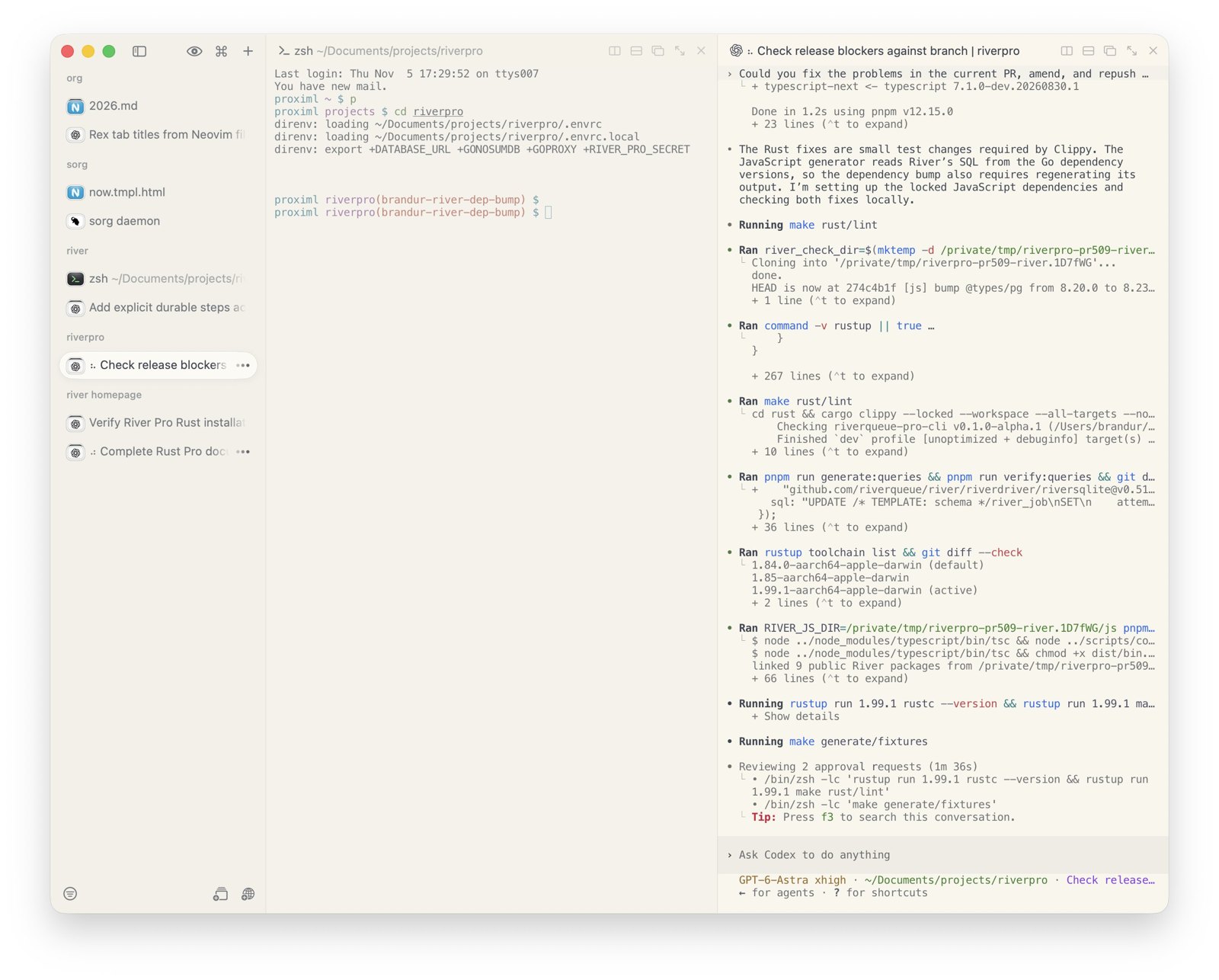
Recent builds have added floating panes, the Kitty graphics protocol over remote connections and drag-and-drop file transfer between devices. Alasdair Monk, Superlogical’s design co-founder, said the file transfer runs on a new “Rex Data protocol”, so moving a binary or a screenshot to another machine doesn’t involve ssh, rsync or ftp.
Built to be driven by agents
Everything in Rex is exposed through a rex command-line tool, a documented server API and Lua scripting. Rex also ships an agent skill: running rex skill setup finds Claude Code, Codex, OpenCode and Pi on the machine and teaches each one to open tabs, split panes, read what’s on a terminal’s screen and type into it. For Claude Code and Codex it also installs session hooks. Rex’s documentation gives examples of what that looks like:
| You ask | The agent |
|---|---|
| “Start the dev server in another tab and tell me when it’s ready.” | Starts the server without taking focus, then reads its tab until the server says it’s listening. |
| “Run the tests beside you and fix whatever fails.” | Runs the tests in a split, waits for them to finish, and reads the failures from the screen before fixing them. |
| “Close everything you opened.” | Closes the tabs and panes it created and leaves the rest alone. |
Because every host is reachable from the same CLI, an agent on one machine can act on another. Hashimoto described beta testers asking an agent to rerun benchmarks on a colleague’s Mac and bring both sets of results back for comparison.
We actually aren’t running evals on this stuff yet, but plan to. We want to make sure that all harnesses/models out there can be productive with Rex in as little turns as possible and do what you want them to do.
Mitchell Hashimoto, on X
Rex knows whether a program is busy or waiting through a new escape sequence Superlogical published, the Program Status Protocol (OSC 7501). A program prints it to say it’s idle, working, blocked on the user, finished or failed, and why. Rex shows the result as spinners and symbols on unfocused tabs and as markers in the session picker. Superlogical describes the protocol as generic, with nothing specific to Rex in it, and Charm’s Bubble Tea library for terminal apps added support in version 2.1.0, according to one of Charm’s engineers. The documentation’s own example shows Terraform waiting for approval:
# Terraform has finished planning and is waiting for the user to approve
# the apply. The message decodes to "Apply 3 to add, 1 to change, 0 to destroy?".
ESC ] 7501 ; state=blocked:kind=permission:app=terraform:msg=QXBwbHkgMyB0byBhZGQsIDEgdG8gY2hhbmdlLCAwIHRvIGRlc3Ryb3k/ ESC \
Who’s behind it
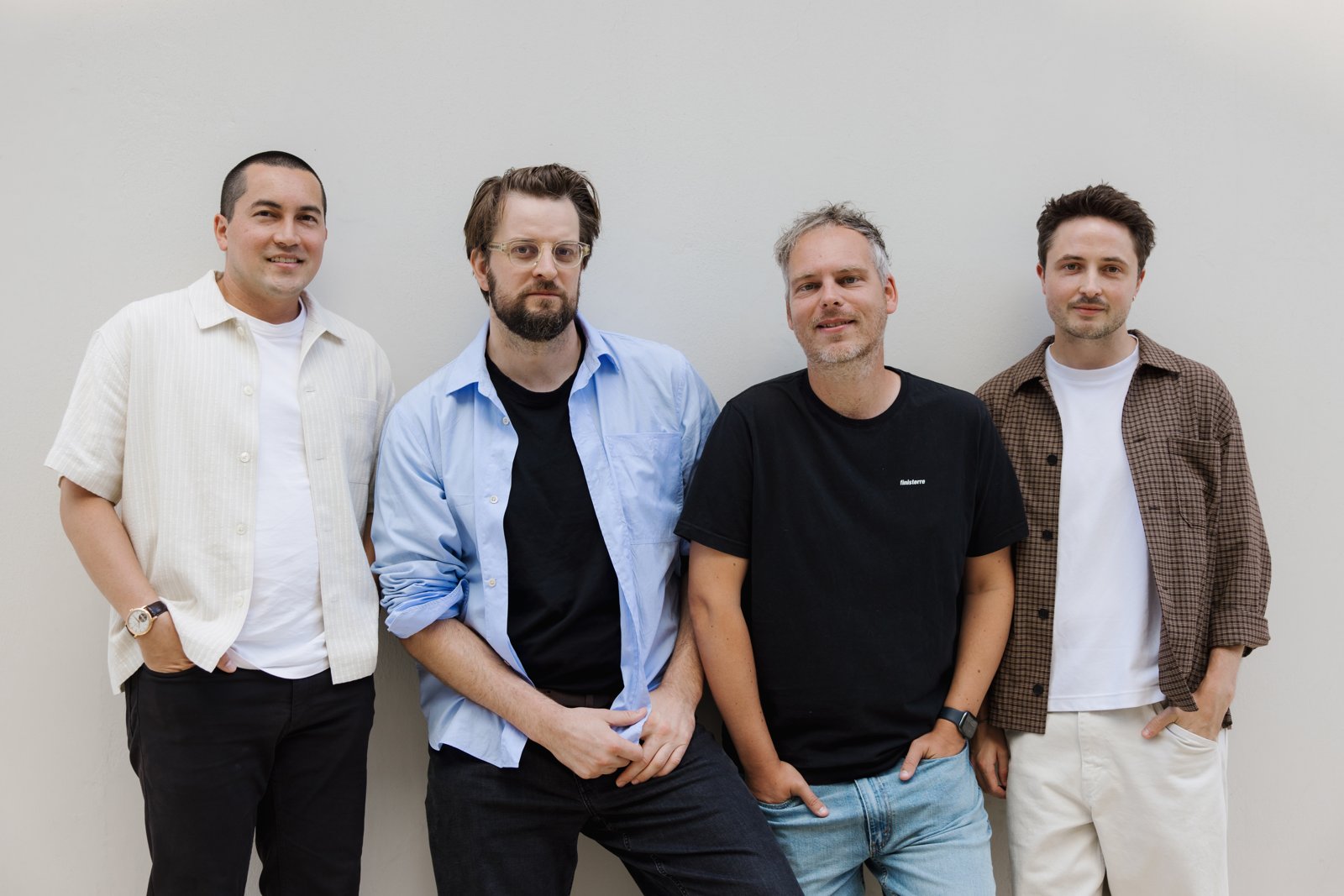
Superlogical announced itself in July with four founders. Hashimoto co-founded HashiCorp, created Vagrant, Terraform and Vault, and spent more than a decade as its CEO and CTO before building the Ghostty terminal. Jack Pearkes was HashiCorp’s first employee and later its VP of engineering. Alasdair Monk was head of experience at Poolside and VP of design at Vercel. Hector Simpson designed products at Poolside, Heroku, HashiCorp, Clearbit and Vercel.
Notable Capital, an early HashiCorp backer, led the seed round, with Amplify Partners also investing. Angel investors listed on Superlogical’s site include Vercel chief executive Guillermo Rauch, Stripe’s Patrick Collison, Shopify’s Tobias Lütke, Box’s Aaron Levie, HashiCorp co-founder Armon Dadgar and Pi creator Mario Zechner.
The company calls its goal “the multiplexer for all work” and lays out a three-step plan: build an excellent multiplexer, make everything in it composable, then make it safe and operable in production. It argues that local development, remote hosts, sandboxes, CI jobs, production systems and agents working in parallel are split across separate tools, and that the missing piece is a durable session around the work itself. Hashimoto has said the terminal is only the starting point.
The terminal is just a plugin btw. The app harness and server have no inherent knowledge about terminals. Terminals are the best starting point to get a sea change in GUIs for devs. We’ll have screenshots of Rex with zero terminals within months. Stand by.
Mitchell Hashimoto, on X
Rex in the cloud with Vercel Sandbox
rex-cloud is an MIT-licensed launcher from Vercel Labs, released as a GitHub prototype and not yet on the npm registry. Running rex-cloud start remote on a Mac reuses the Vercel login, creates a rex-cloud project to track usage if there isn’t one, and boots a Linux virtual machine with 2 vCPUs and 4 GB of memory from Vercel’s universal Sandbox image. Node.js, Git and the Claude Code and Codex command-line tools come preinstalled, though agents aren’t signed in on a new machine.
The launcher installs a Rex server inside the sandbox, downloaded from Superlogical’s release server and checked against a pinned checksum. It exposes a private Unix socket on the Mac and carries traffic through Sandbox’s authenticated WebSocket connection, so there’s no public Rex port. Once you add that socket in Rex’s settings, the cloud machine sits in the sidebar beside the local Mac, and an agent can use it straight away with the usual commands:
rex -S remote new build --json                                            # create a session
rex -S remote window new -s <session> tests --keep-open --json -- npm test  # run a command in a new tab
rex -S remote capture -s <session> -b <block> --trim                      # read its output
Stopping a machine saves its disk, and starting it again under the same name boots from that snapshot. Files, installed tools and agent logins survive, while running programs, memory and scrollback don’t. Daniel San wrote that the setup took him about 20 minutes, most of it updating Rex to build 1758 or later, and that his machine was ready about 10 seconds after he started it. After a stop and restart, his repository was still there and Claude Code opened already signed in. Two Macs signed into the same Vercel account can attach to the same cloud machine and see the same live terminals, and a --shared flag lets other members of the Vercel project join.
Running machines and stored snapshots count as Vercel Sandbox usage. The session limit depends on the Vercel plan:
| Hobby | Pro | |
|---|---|---|
| Longest run per start | 45 minutes | 24 hours |
| Active CPU | 5 hours a month included | US$0.128 an hour |
| Provisioned memory | 420 GB-hours a month included | US$0.0212 per GB-hour |
| Snapshot storage | 15 GB included | US$0.08 per GB-month |
rex-cloud extend adds time to a running machine up to the plan limit. Closing the laptop doesn’t stop the cloud machine, so it keeps running until its deadline or a rex-cloud stop.
Availability and price
Superlogical began inviting its mailing list on 5 October, starting with the Mac app, after a private test with about 50 people. Invitations have gone out in growing waves since. In mid-October Hashimoto said almost 50,000 people were still waiting, and by late October the company was just short of halfway through the list and inviting thousands a day. The Mac app and the Linux and FreeBSD servers are now open to every tester. The iOS app, with layouts for the iPad and Apple’s folding iPhone Duo, is in testing and Hashimoto says it will be free in the App Store. On 5 November Monk showed a pre-alpha Windows client that he said was about two weeks from its first alpha wave. A Linux desktop client is also in progress.
Rex is and will always be free.
Superlogical, “Public testing is beginning”
Rex doesn’t need an account, and its privacy documentation says it collects no telemetry and has no usage analytics, crash reporting of its own or licence checks. Superlogical hasn’t said how it will make money. It has promised to explain before the stable release and says that “the Rex clients and servers themselves are not going to be directly monetized, won’t require an account, won’t share data, and can be entirely self-hosted.” When Rex reaches a stable release, it’ll be downloadable without signing up to the mailing list.
How testers are reacting
Most of the reaction from developers on X has been enthusiastic, much of it from people comparing Rex with Ghostty. Brandur Leach, an engineer at River who previously worked at Heroku and Stripe, listed sessions, Codex status on every tab, task-completion notifications and the ability to update the app without losing open terminals.
Ghostty had 90% of the features I wanted. Rex brings that from 90 to 100
Brandur Leach, on X
Leach still had “a few nits, like uses native Mac full screen, which is literally the worst thing ever created.” Paul Stamatiou, head of design at Sesame, called Rex “ghostty on steroids with lots of UI love” and said it reminded him of the Arc browser, though he missed a graphical interface for Claude Code and acknowledged that’s “kind of against the ethos of what they seem to be building”. Marius Vach, a radiologist and machine learning engineer, said remote work felt so local that it took him “over 5 minutes to understand why a SSH command didn’t work. Turns out I was running it on the remote machine and not my local laptop”.
Monk has said one design goal for Rex is to “make any machine in the world feel like my local machine”. Setting that up across machines is where some testers stumble. Engineer Griko Nibras found it “bit weird to setup cross machines, esp separate tailscale nodes for rex itself”, while praising the iOS client. Others question the bet itself. Replying to Leach, developer Ryan Daigle asked whether Rex was “a terminal app that’s an era too late” when “the future are native (frontier) apps working in cloud envs”. Hashimoto answered that the terminal is just a plugin and that Rex screenshots with no terminals at all would follow within months.
Preview limits. Vercel Labs calls rex-cloud an experimental prototype. Its README says automatic startup at Mac login and moving a running local session to the cloud aren’t implemented, fresh-account sign-up, credential renewal and two-Mac sleep and wake still need validation, and confirmation from Superlogical for the automated server install is pending.
Discover more from Sulat AI & Tech News
Subscribe to get the latest posts sent to your email.