Anthropic’s ClaudeDevs account says you can now build custom themes for Claude Code on desktop with mods. You can change the colours and add an animated background, the account says, either by telling Claude how you want it to look or by starting from Anthropic’s theme-examples plugin.
The post on X on 13 November doesn’t give a version, a plan list or a price. The details below come from Anthropic’s mods docs and from the source of the theme-examples plugin, which Anthropic publishes in its official plugin directory.
What a mod is
A mod is a plugin that changes how Claude Code looks and behaves, Anthropic’s docs say. It’s made of JavaScript or TypeScript functions that Claude Code calls when something happens, such as a tool call, a submitted prompt or a part of the interface being drawn. Mods run in the terminal, in the Code tab of the desktop app and in the VS Code extension.
How a theme reaches your window
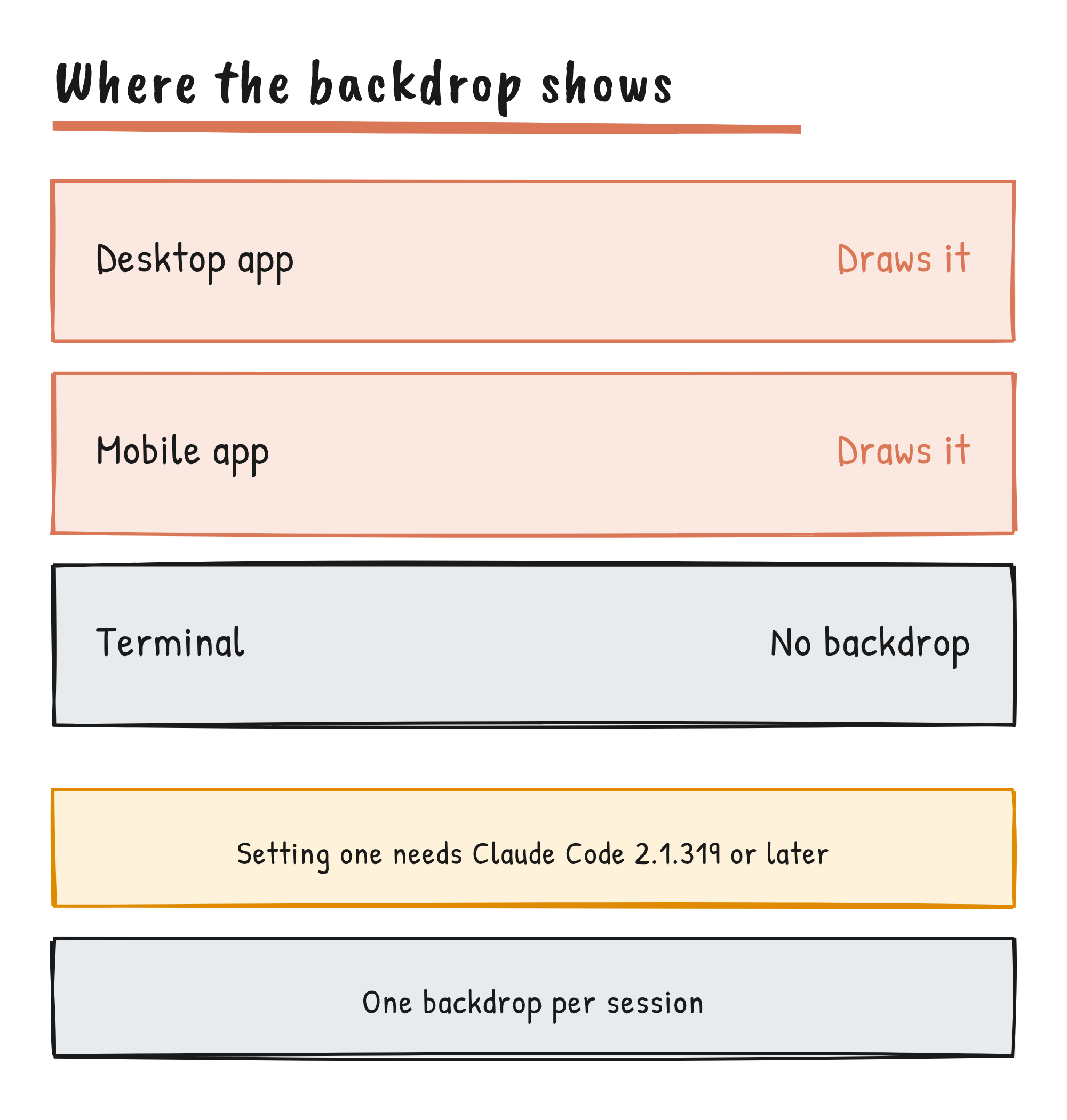
For an animated background, a mod calls $.theme.set with a backdrop, then draws that backdrop when the app asks for it. The desktop app or the mobile app puts it behind the conversation. The call needs Claude Code 2.1.319 or later, and it reports isDrawn: false when no connected app says it draws backdrops. The terminal draws no backdrop.
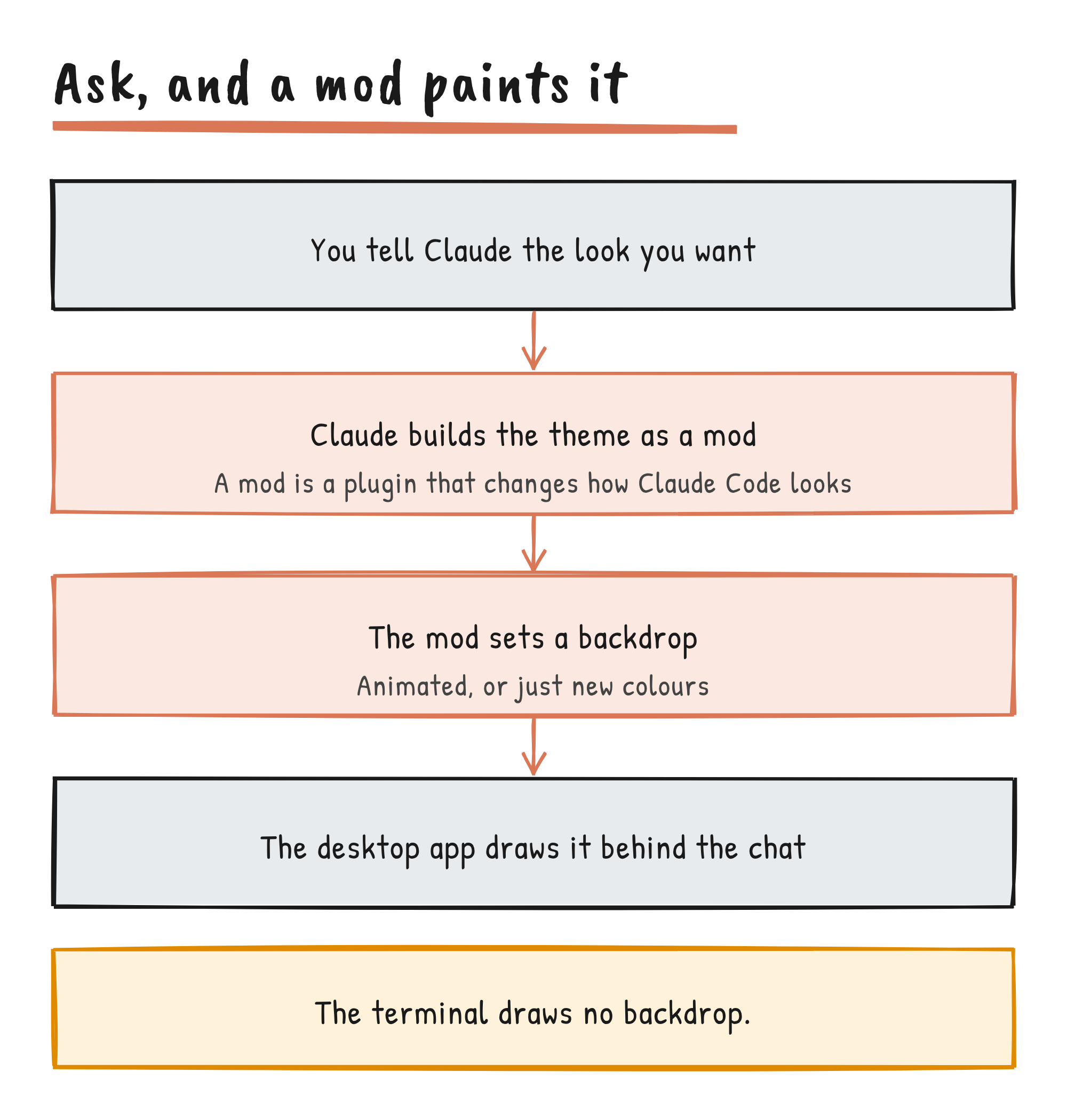
The post says to “just tell Claude how you want it to look”. Anthropic’s mod tutorial builds a mod by hand instead: a plugin manifest, a hooks file and a hooks module, loaded for one session with claude --plugin-dir. A session holds one backdrop, and setting a new one replaces the old.
| Question | Answer, per Anthropic’s docs |
|---|---|
| Version | Claude Code 2.1.319 or later to set a backdrop; mods run in the desktop app from 2.1.286 |
| Where a backdrop draws | The desktop app and the mobile app; the terminal draws none |
| Desktop WSL sessions | Plugins aren’t available there, so mods don’t run |
| How many at once | One backdrop per session |
| Safety | A mod runs with your permissions and isn’t sandboxed |
What theme-examples gives you
The plugin, version 0.4.3 under the Apache 2.0 licence, is “an example of what a plugin can do with the backdrop of the desktop window: read it, copy it, change it”, its README says. It has 20 animated scenes drawn as SVG, each with frosted-glass panels over it. The README names a lagoon seen from above, a night reef, a koi pond, halftone sunrises, pen-plotter tides, paper gardens, a departure board and a starfield in braille dots.
Each scene is made for a dark or a light window: 14 for dark and six for light. Eight of the 20 are light and dark versions of the same four scenes. The README says whether the window follows a scene’s kind depends on the app version, so pick one made for your window or change Settings, General, Appearance.
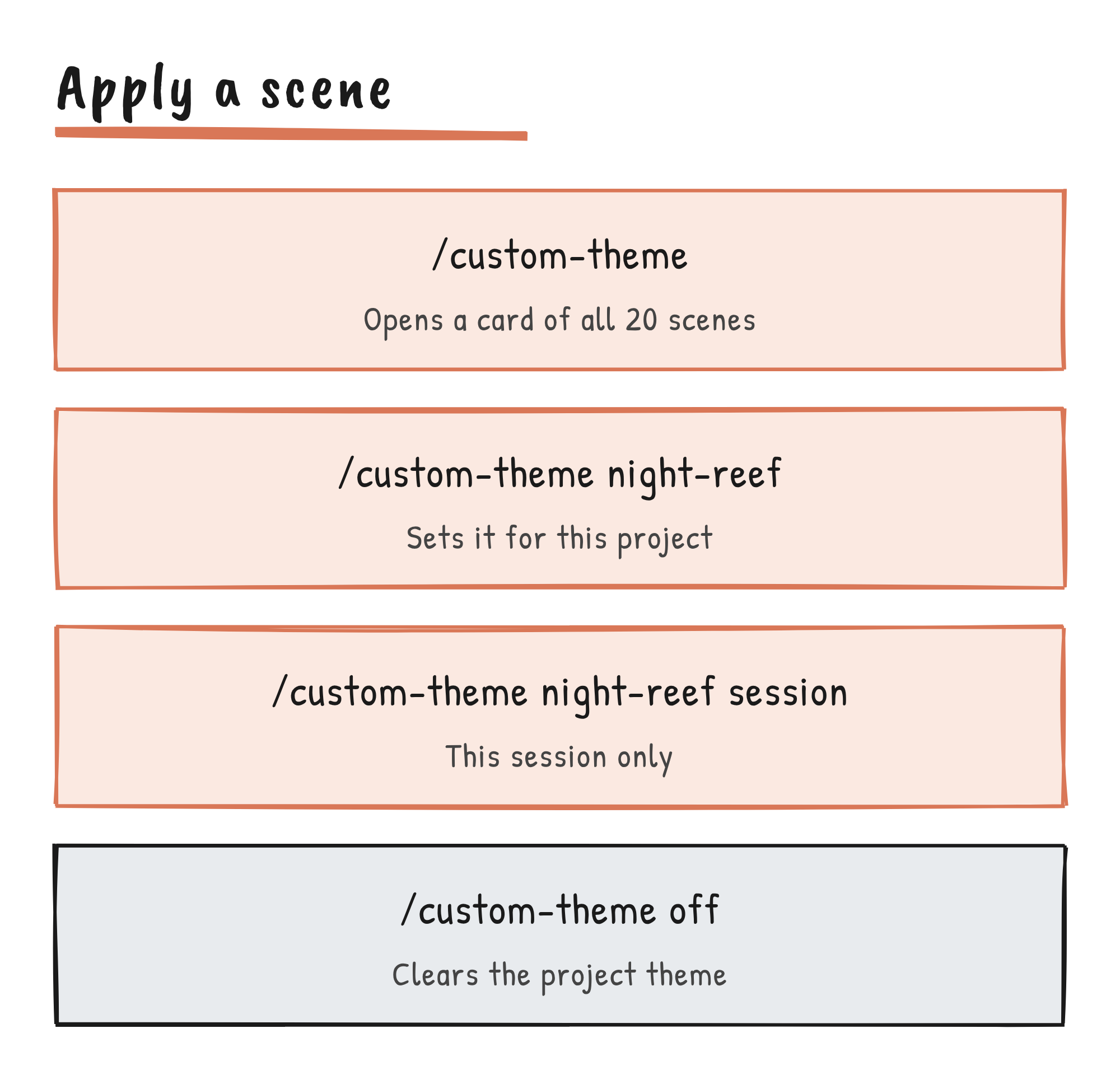
The plugin adds two commands. /custom-theme opens a card with a preview button for every scene. /fireworks sets off a short show over the scene, and one also goes off when Claude says “merged”. /fireworks auto off stops that. The README says the plugin looks for that one word in Claude’s replies and keeps none of the text, and that it reads no text of your prompt.
To install it, run /plugin install theme-examples@claude-plugins-official in a session. In the desktop app’s Code tab, click the + button next to the prompt box and choose Add plugins. If the official marketplace is missing, /plugin marketplace add anthropics/claude-plugins-official adds it.
Motion, comfort and known limits
When your system asks for reduced motion, every scene rests in a still picture and the fireworks stay hidden, the README says. Where the app draws without GPU acceleration, it stops a scene’s motion. A desktop version that doesn’t draw mod backdrops still gets answers from every command, plus a note that the window may not draw themes yet, and the choice is saved.
With another backdrop mod installed, a fireworks show or a preview ends on a bare window until that mod sets its backdrop again. A session has one theme at a time, so on newer versions of Claude Code, clearing a theme clears whichever one stands, another plugin’s too.
What people have already built
These are community projects, not Anthropic’s, and each README is the source for its claims.
- mod_gallery by Gnosis333 has animated side panels that change when Claude is idle or working, including a night train, a beach and a snowy cabin. Each scene is a hand-written SVG animation, and the animations show in the desktop app.
- claude-desktop-themes by 0toshigami has themes and live ASCII wallpapers for Claude Desktop. Its README says it’s unofficial, isn’t a supported theming feature and can break with a Claude Desktop update, and that a wallpaper’s scene file is code that runs on your logged-in Claude page.
- claude-skins has 15 skins that redraw the transcript, with diff and chart cards on the desktop, according to the unofficial Claude Mods directory.
Ideas to try
Everything in this section is an idea built on the facts above. Anthropic hasn’t announced any of it.
- One scene per project.
/custom-theme night-reefapplies to the project, and the project’s other open sessions take it at their next turn. Pick a different scene for each repository and tell your windows apart at a glance. - Match the time of day. Four scenes come in light and dark pairs, such as
halftone-dawnandhalftone-dusk. Switch to the twin when your system appearance changes, since the app may not follow. - A backdrop that reacts to your work. theme-examples already changes the window when Claude says “merged”. Mods can react to tool calls and turns, so the same pattern could mark a failed test run or a finished turn.
- A shared team look. Anthropic’s docs say a mod ships as a plugin through a marketplace, and an administrator can install an organisation’s mods through managed settings. A team could ship one scene in its brand colours.
- Fork the example. The licence lets you copy theme-examples and swap in your own SVG scene.
claude plugin validatelists what a mod does without running it,claude plugin testruns its tests, andclaude --plugin-dirtries it for one session. - Ask Claude for one. The post gives no example prompts. Something like “a slow rain on a dark window, with soft glass panels” is a starting point; read the code before you install a mod Claude wrote, because it runs with your permissions.
What the post doesn’t say
The post doesn’t name a desktop version that draws mod backdrops, and the plugin’s README only asks for “a version of Claude Desktop that draws a mod’s backdrop”. It doesn’t say which part of the interface a colour change reaches. Anthropic’s tutorial says a mod’s events and methods can change between releases, so check the interface docs for your version. Anthropic says it would love to see what people make; the ClaudeDevs account is where to watch for that.
Discover more from Sulat AI & Tech News
Subscribe to get the latest posts sent to your email.