Tobias Schmidt of AWS Fundamentals says his team is moving its internal admin app’s login onto AWS IAM Identity Center. In a thread on X on 17 November, he described the app as one more tile in the access portal the team already signs in to every day, set up as a customer managed SAML 2.0 application.
Identity Center is best known as the front door to AWS accounts. AWS documents the same service as a sign-in for your own apps too: any app that speaks SAML 2.0 can be added and assigned to users. Schmidt’s thread shows what that looks like for a team of two.
How the login works
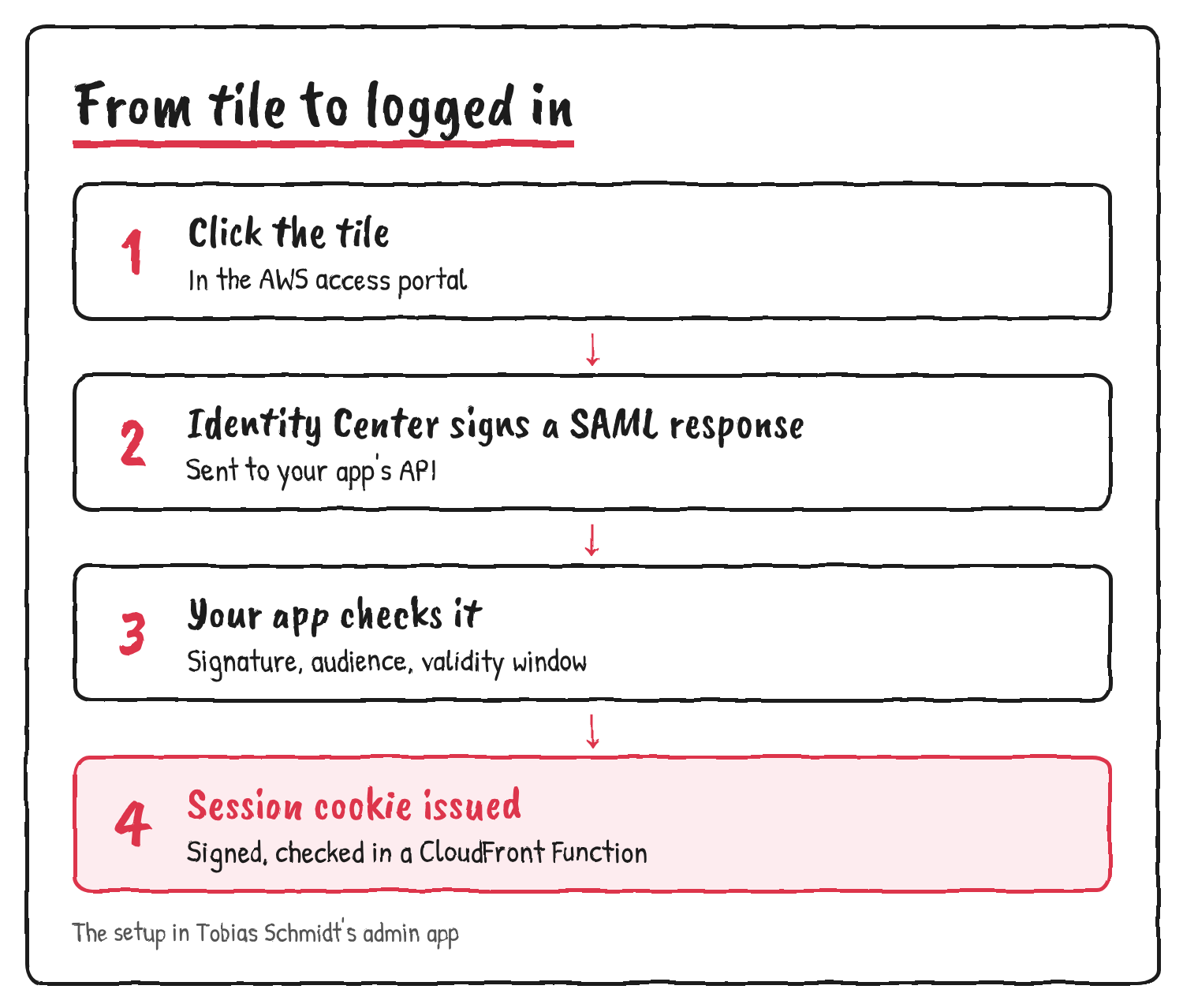
Schmidt’s team created a customer managed SAML 2.0 application in Identity Center. When someone picks the tile, Identity Center sends a signed SAML response to the admin app’s API. The API checks the signature, the audience and the validity window before it lets the person in. Who gets in is the user assignment on the application, so the code holds no email allowlist.
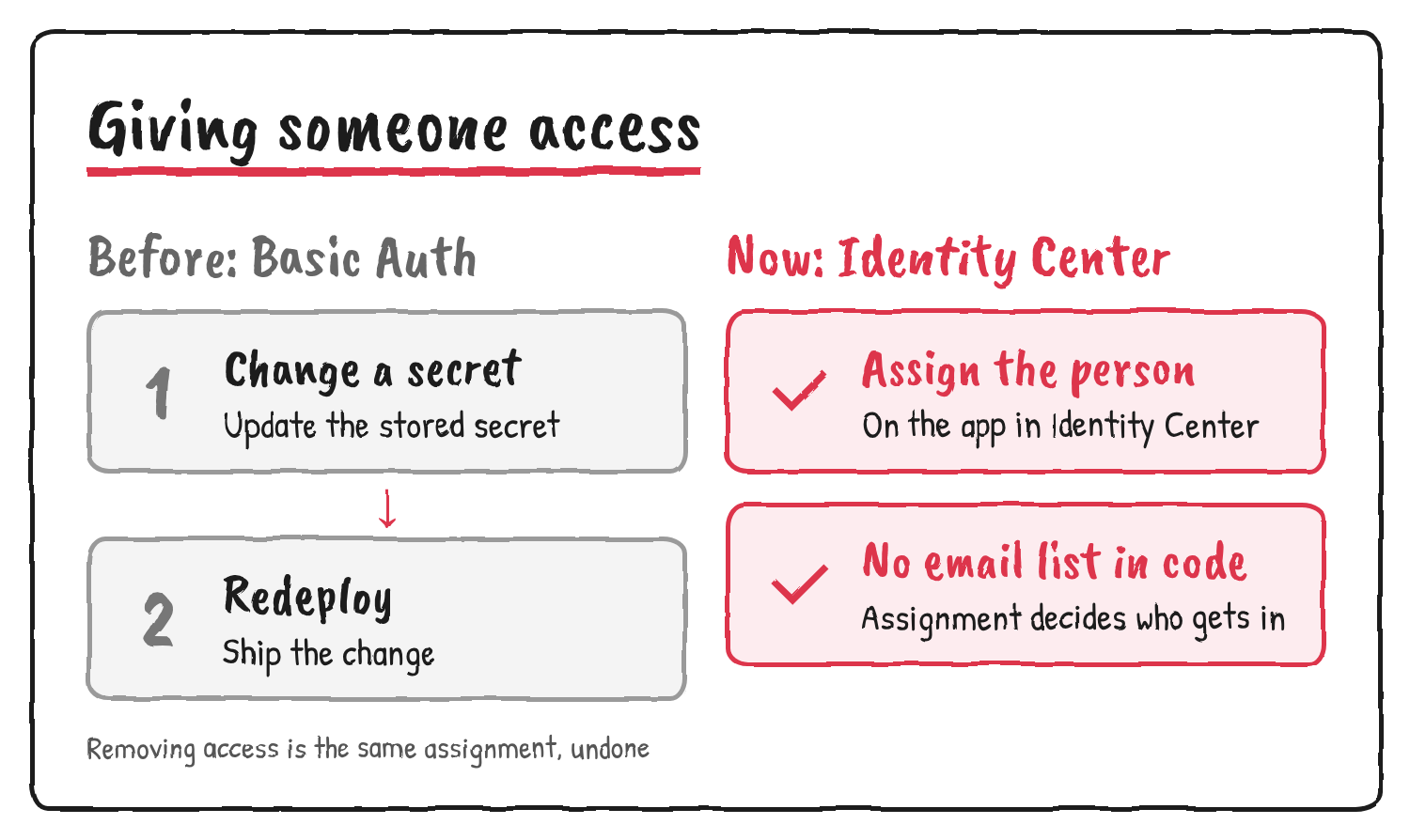
Before the move, the app sat behind Basic Auth. Giving someone access meant changing a secret and redeploying. Now it means assigning that person to the application in Identity Center.
Setting up your own SAML app
AWS’s documentation covers the console steps for an app that isn’t in the catalog:
- Open the IAM Identity Center console, choose Applications, then the Customer managed tab, then Add application.
- Choose “I have an application I want to set up”, pick SAML 2.0 and name the application.
- Download the Identity Center SAML metadata file and certificate. Your app needs both to set up the trust.
- Optionally set the application start URL, relay state and session duration.
- Under application metadata, enter the app’s ACS URL and SAML audience, then submit.
- Add the SAML attribute mappings your app needs, then assign users or groups on the application’s details page.
AWS recommends assigning groups rather than individual users. Nested groups aren’t supported, so a user who belongs only through a nested group can see a message saying they have no applications. Identity Center doesn’t validate signatures on incoming SAML authentication requests, and an app that supports only OpenID Connect can’t use it.
Two catches
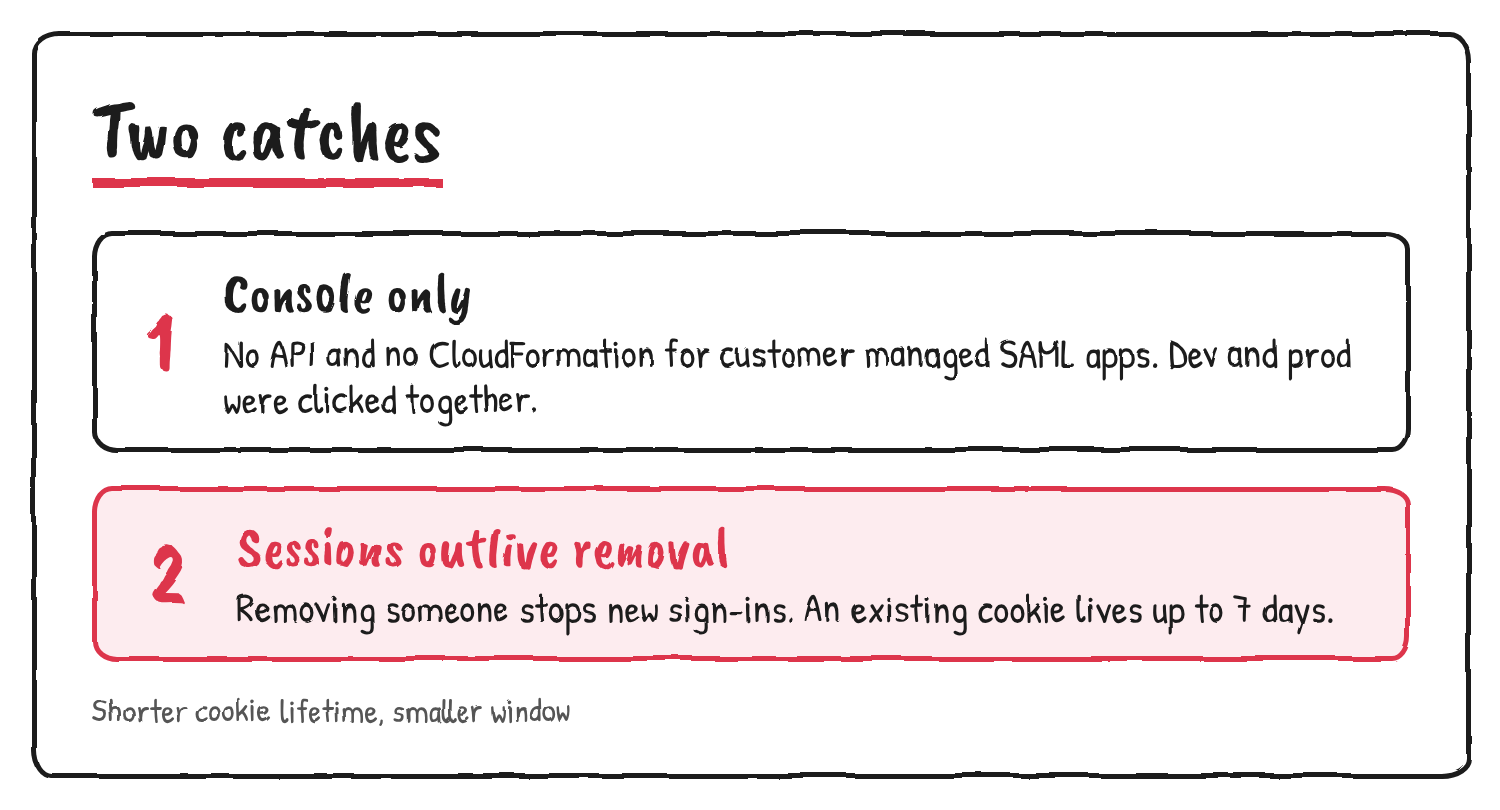
The first catch is that you can’t script the setup. AWS’s CreateApplication API and the matching CloudFormation resource, AWS::SSO::Application, only create OAuth 2.0 customer managed applications. AWS says SAML 2.0 customer managed applications are created in the console only. Schmidt’s team runs everything else as infrastructure as code, so its dev and prod apps were clicked together by hand.
The second catch is the session. The admin app keeps a signed cookie, checked in a CloudFront Function. Removing someone in Identity Center stops new sign-ins, but an existing session lasts up to 7 days. Schmidt says that’s fine for two people. Identity Center passes the session duration to the app in the SAML assertion, and AWS says each app decides whether to treat it as a maximum or an exact length. In Schmidt’s setup, the cookie lifetime is the window.
Sources
- Tobias Schmidt’s thread on moving the admin app to IAM Identity Center, X
- Set up your own SAML 2.0 application, AWS IAM Identity Center User Guide
- Understand application properties, AWS IAM Identity Center User Guide
- Assign user access to applications, AWS IAM Identity Center User Guide
- SAML 2.0 and OAuth 2.0 applications, AWS IAM Identity Center User Guide
- CreateApplication, AWS IAM Identity Center API Reference
- AWS::SSO::Application, AWS CloudFormation Template Reference
- AWS IAM Identity Center FAQs
Discover more from Sulat AI & Tech News
Subscribe to get the latest posts sent to your email.