Google has redesigned the time picker in Material 3 Expressive and added a scroll version, 9to5Google reports. Material’s scroll fields guidelines call the scroll time picker “a compact way to select time”. On the same day, Mike Taylor-Cai, a product manager on Google AI Studio, wrote in a Google Developers Blog post that AI Studio can now give its Android apps a database, user sign-in and protected Gemini calls, and publish them to a personal Google Play library.
The two announcements are separate, and both land on Android’s Kotlin and Jetpack Compose stack.
What changed in the time picker
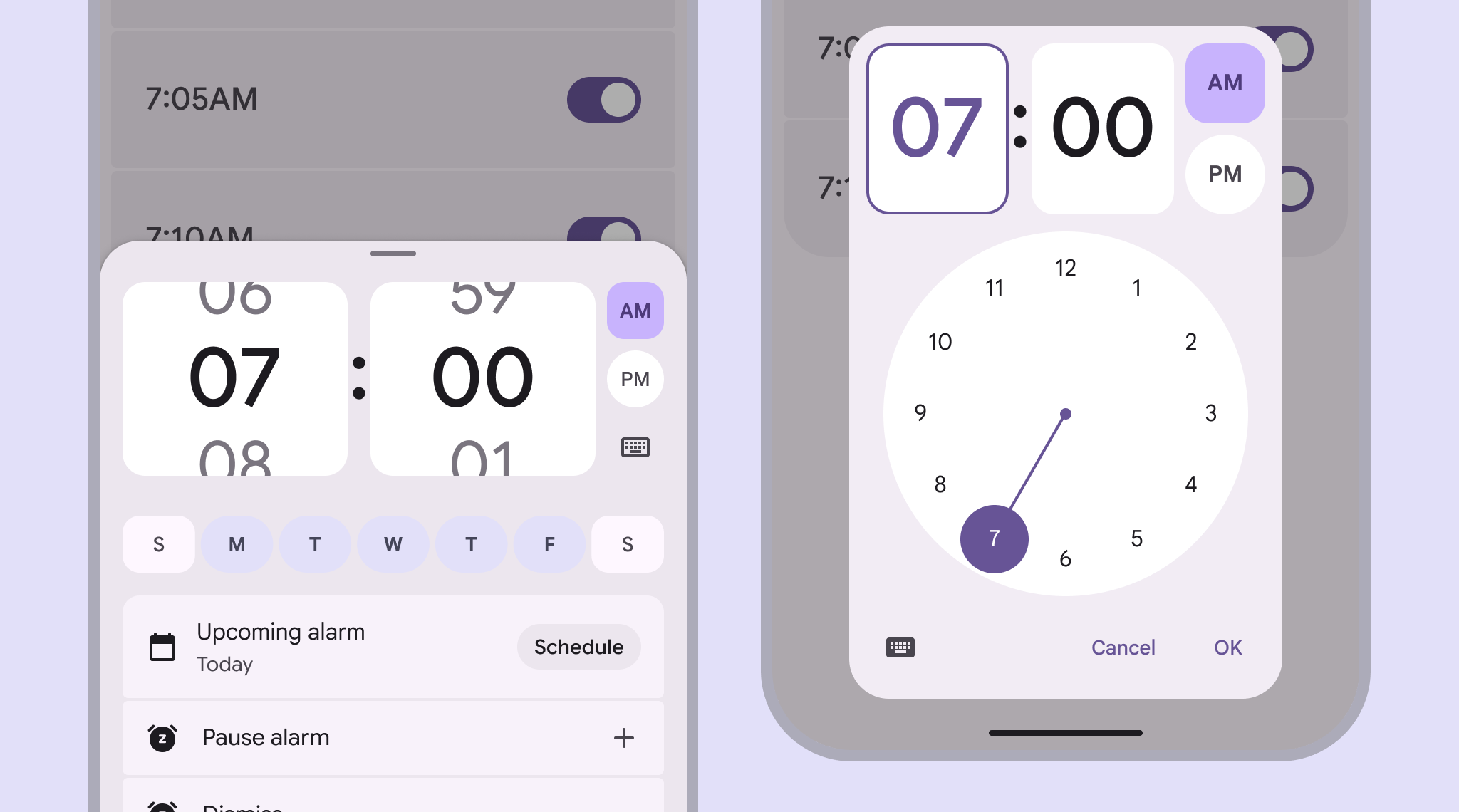
9to5Google says the input and dial pickers drop the “Select time” label, and that the AM and PM buttons now have an expressive shape, colour and behaviour. It also says the hour and minute fields and the dial selector have higher contrast. Google’s before and after images show the same changes.
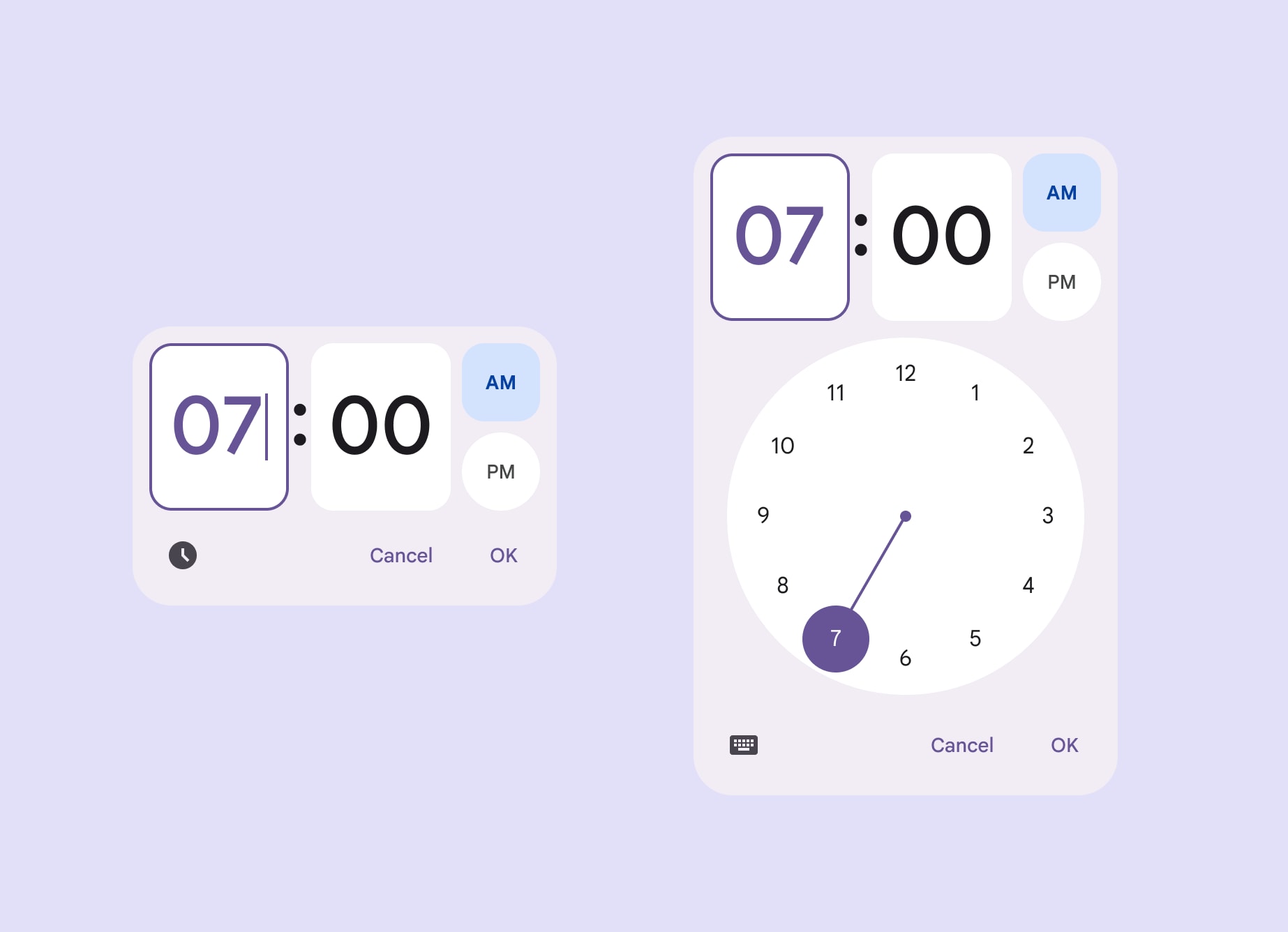
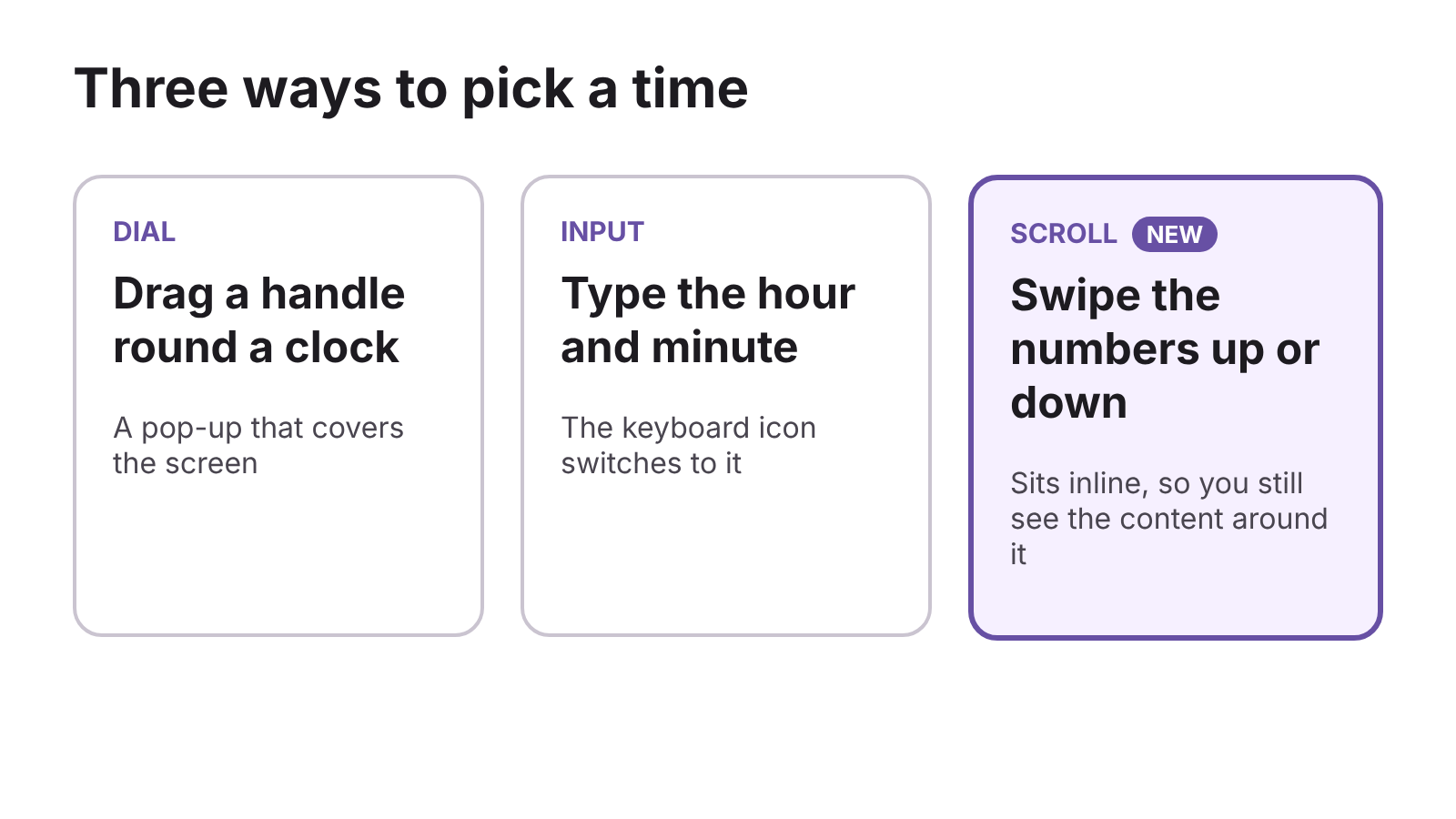
The new scroll picker lets you swipe the hour and minute up or down instead of typing or dragging a clock hand. The Material team calls it a “compact way to select time” that’s “best placed inline with other content”, and 9to5Google quotes its advice to use a scroll picker instead of a dial “when you want people to see surrounding content”. A keyboard icon switches it to the input picker. The dial and input pickers are modal, which means they cover the main content.
Scroll fields for other numbers
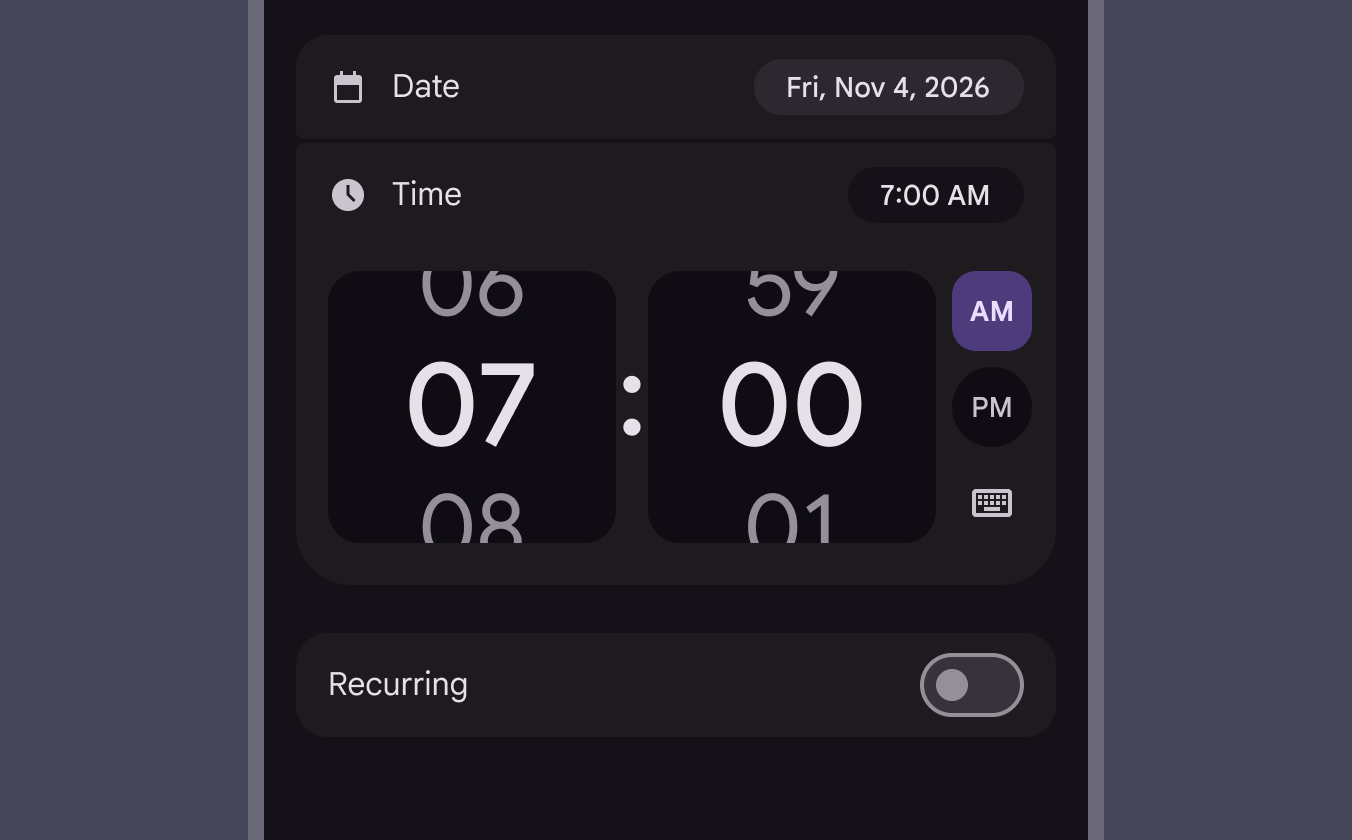
Google also introduced scroll fields, which use the same swipe-to-pick design for other units such as distance, weight and temperature. Material lists Android as the only platform. Its guidelines say to swipe a field or tap the faded value above or below to move, that values snap to the centre, and that the active value is darker and larger.
Material recommends up to four digits per field. It sets minimum widths of 100dp for one or two digits, 144dp for three and 186dp for four, and says to avoid consecutive numbers with five or more digits because they take too long to scroll. It also asks for a keyboard option for accessibility, and says inline placement is preferred, then a non-modal dialog, with a modal dialog only rarely. For choosing a time, it says to use a time picker instead.
The Compose Material 3 release notes list an expressive time picker in 1.5.0-alpha23 on 1 July 2026 and a new scroll variant for it in 1.5.0-alpha24 on 15 July. The same page shows 1.4.0 as the stable release and 1.5.0-rc01, dated 4 November, as the latest candidate.
AI Studio’s Android apps get a backend
Google AI Studio began building native Android apps on 19 May, with a browser-based emulator for previews. Taylor-Cai writes that those apps were limited to local session storage until now. Google says the Build agent, which now runs on Gemini 4 Carbon and Hydrogen, detects when a prompt needs saved data, sign-in or AI features and, once you confirm, sets up the backend and wires up the Kotlin code.
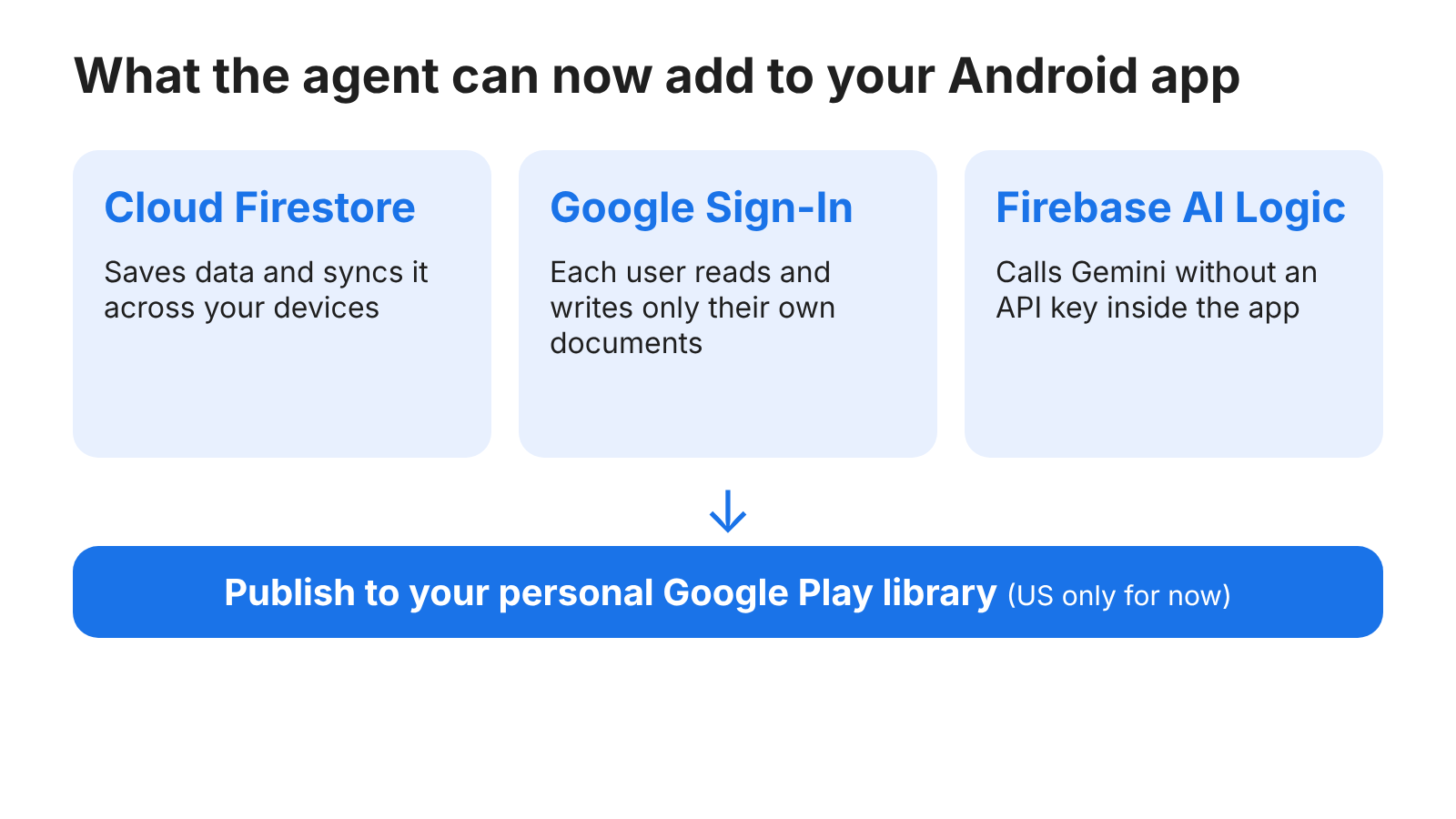
For saved data, the agent provisions a Cloud Firestore database, configures the Firebase Android SDKs and writes Firebase Security Rules for your data model. Google says a user can start on a tablet and continue on a phone, with offline caching that syncs when the connection returns. For sign-in, it sets up Google Sign-In through Firebase Authentication and adds rules so users can only read and write their own documents.
For AI features, it configures Firebase AI Logic and Firebase App Check, so the app can call Gemini without an API key inside the APK, the Android package file. Google’s Firebase documentation says a raw key in an APK can be extracted and abused for billing. App Check uses Google Fraud Defense, formerly reCAPTCHA Enterprise, to check that requests come from your genuine, untampered app.
The same Firebase page tells developers to review the AI-generated Security Rules before sharing, deploying or publishing. It also says the project and location you choose for the first Firebase feature apply to later services and can’t be changed.
Publishing to your own phone
A Play account can be set up from the publish panel in a few clicks, and AI Studio builds and signs the Android App Bundle (.aab) before sending the app to your personal Google Play library. Google says that replaces USB debugging, local signing keystores or a full developer console account. The May launch published to an internal testing track through a Play developer account. In a post on X, the Google AI Studio account says personal Play publishing is US only for now.
A faster emulator, screenshots and fonts
The emulator boots with lower latency. An HD toggle in its toolbar switches the stream to 1200p, and live audio now plays in the browser, which Google says suits voice assistants built on the Gemini Live API, text-to-speech coaches and games. A “Take a screenshot” button attaches the current frame to your prompt, so Gemini can change the Kotlin UI with the visual context.
You can also ask the agent for custom fonts, which it downloads and applies across the Compose theme. Behind the scenes, the Build agent now uses the official Android CLI to scaffold projects, look up current Android documentation and run Gradle builds. Google says all of this is rolling out in AI Studio on 17 November, US time. Material’s time picker and scroll fields pages are at m3.material.io.
Discover more from Sulat AI & Tech News
Subscribe to get the latest posts sent to your email.