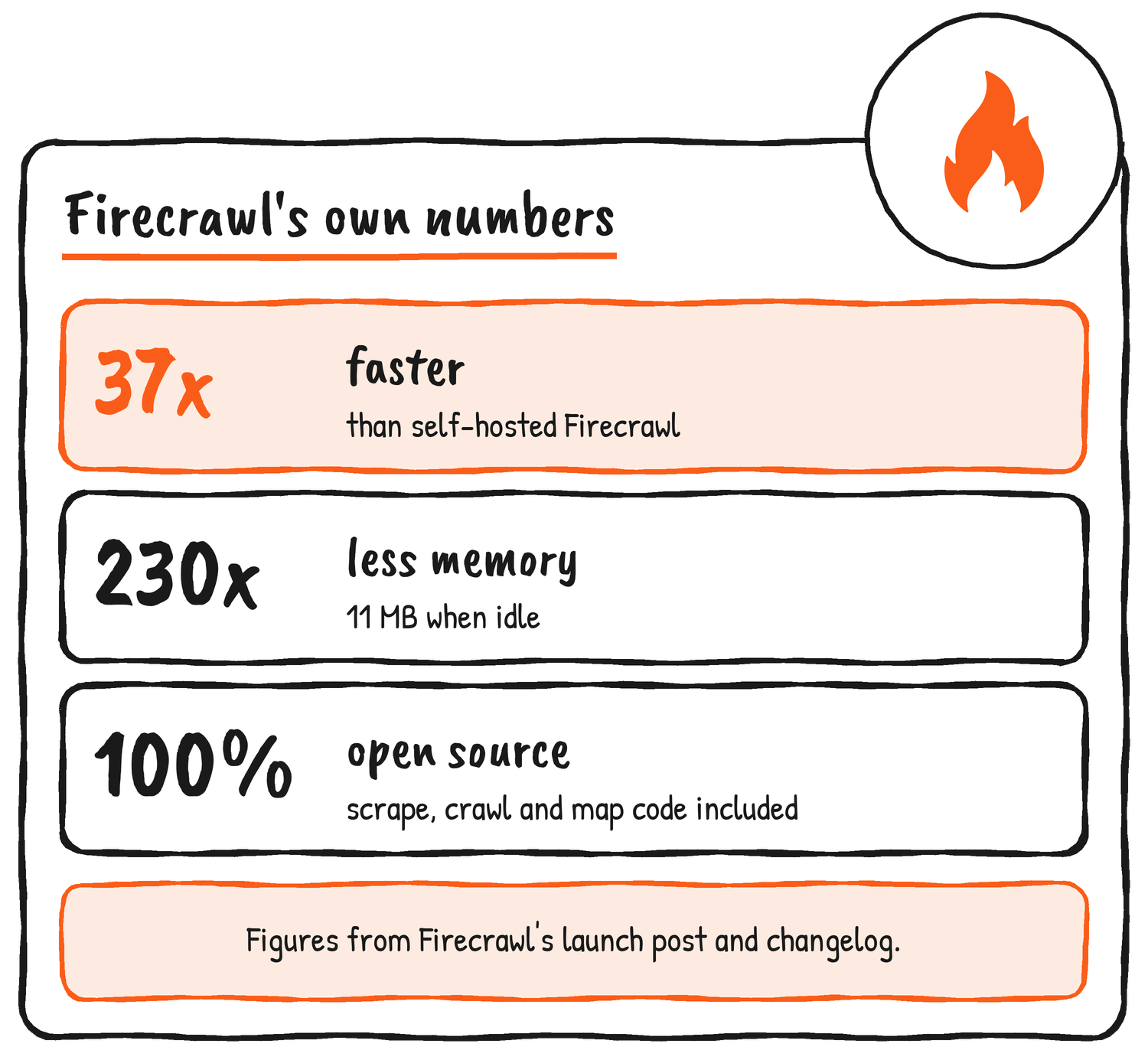
Firecrawl has rebuilt its open source repo so an AI agent can scrape the web from your own laptop, and it’s calling the result Firecrawl Local. It’s one binary that scrapes, crawls and maps sites and runs as an MCP server. Firecrawl says the Rust-based build is 37x faster than self-hosted Firecrawl and uses 230x less memory, with just 11 MB in use when idle.
Firecrawl announced Firecrawl Local on X and in its changelog on 18 November 2026. Its post leads with those two figures and a 100% open source licence, and says the build works with its MCP server and SDKs out of the box. (MCP, the Model Context Protocol, is the standard AI tools use to call outside tools.)
Introducing Firecrawl Local.
— Firecrawl (@firecrawl) November 18, 2026
We rebuilt the Firecrawl repo so agents can scrape locally.
– 37x faster rust based scrape primitive (vs self-hosted)
– 230x less memory (11 MB idle)
– 100% open source
Compatible out of the box with all of our MCP & SDKs.https://t.co/02y6pGZEMz
What’s in the binary
The comparison Firecrawl draws is with self-hosting, which gets you a full server with queues, workers and every output format. Local drops that machinery. The docs describe a single binary with no database, queue or container: it fetches a page, cleans it into markdown with the same code the Firecrawl API uses, and answers the v2 API on localhost if you want it to. The code is in apps/local of the Firecrawl repo, under the AGPL-3.0 licence.
| Command | What it does | Runs on |
|---|---|---|
| scrape | Scrapes one or more URLs | Your machine |
| crawl | Follows links from a start URL | Your machine |
| map | Lists a site’s URLs from its sitemaps and start page | Your machine |
| serve | Runs the Firecrawl v2 API on localhost | Your machine |
| mcp | Runs the Firecrawl MCP server over stdio | Your machine, other tools on Firecrawl Cloud |
| init | Adds the MCP server to the AI tools on your machine | Your machine |
| search | Searches the web | Firecrawl Cloud |
Install it and scrape a page
Getting it needs Rust and a C compiler, which means the Xcode command line tools on a Mac or build-essential on Debian and Ubuntu. Then it’s one cargo command, and a scrape is one more.
cargo install firecrawl-local
firecrawl-local --version
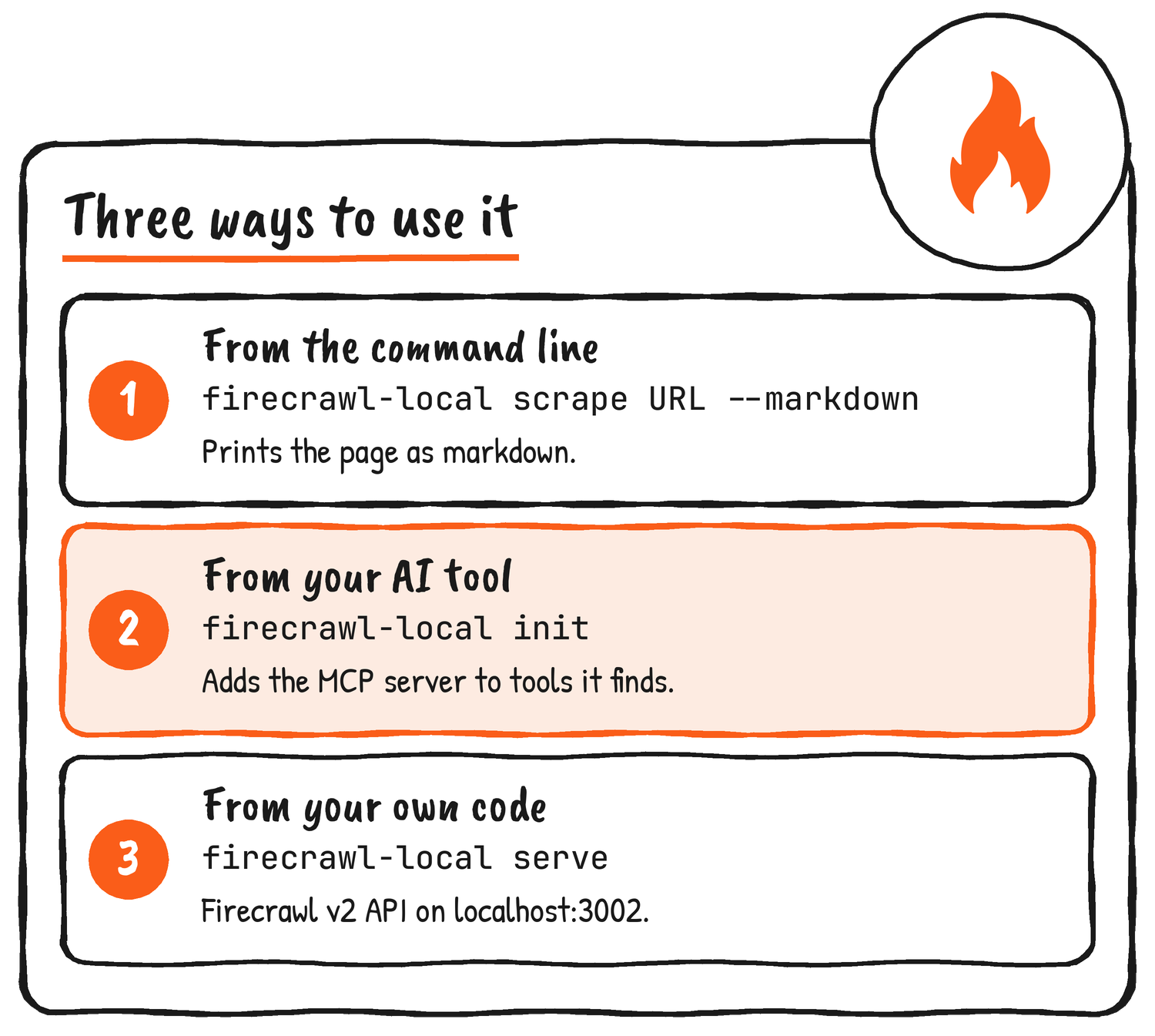
firecrawl-local scrape https://example.com --markdown
Without –markdown the scrape prints the JSON the Firecrawl API would return, and –format switches the output between markdown, html, rawHtml and links. Crawls can write a page per file, as in the command below. Anything that needs JavaScript renders in the Chrome or Chromium already on your machine, and PDFs and Office documents are parsed locally too.
firecrawl-local crawl https://docs.firecrawl.dev --limit 50 --out ./pagesPlug it into your AI tool
For an AI coding tool the shortcut is firecrawl-local init. According to the docs it looks for Claude Code, Claude Desktop, Cursor, Windsurf, Gemini CLI and Codex, backs up each config file, and then registers Firecrawl Local as an MCP server in whatever it finds. You can preview with –dry-run or limit it to one tool with –agent, and the tool needs a restart afterwards. Your agent ends up with the standard Firecrawl MCP tools. Behind them is the firecrawl-mcp npm package, which Firecrawl Local starts through npx, so you’ll want Node.js 22 or newer installed.
Point an SDK at localhost
If you already have code written for Firecrawl, the only change is the address. Start firecrawl-local serve, point the SDK at http://localhost:3002, and the same calls work without an API key. Firecrawl’s Python example looks like this:
from firecrawl import Firecrawl

app = Firecrawl(api_url="http://localhost:3002")
print(app.scrape("https://example.com").markdown)
Scrape, map, crawl and batch scrape are answered locally. Crawl and batch jobs are held in memory and expire an hour after they start.
What runs on your machine
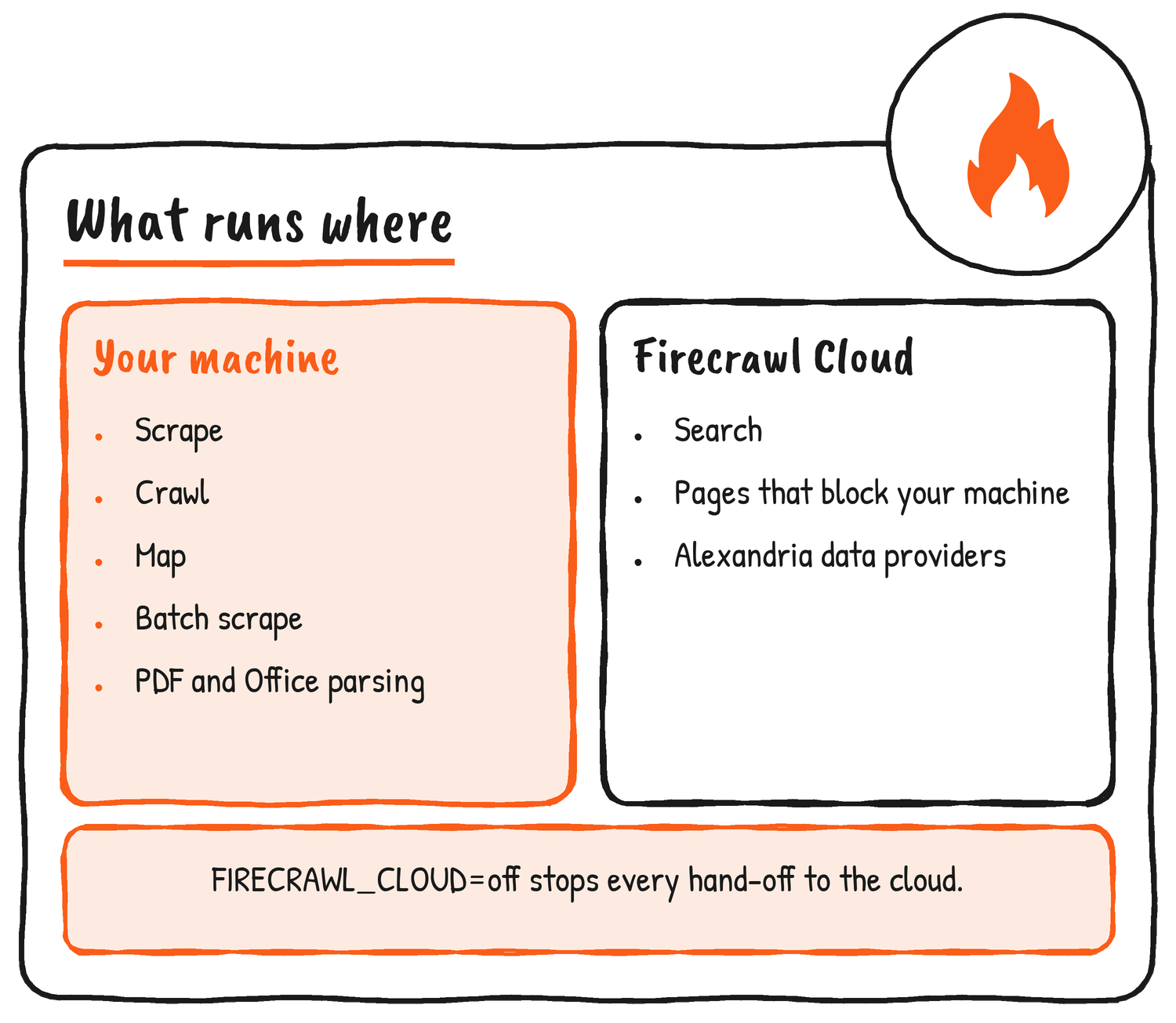
Firecrawl’s docs say scraping, crawling, mapping and document parsing happen on your machine and nothing is sent to it. A few things can’t, because a laptop has no search index. Search goes to Firecrawl Cloud, and so do Alexandria data providers (those need a free account) and any page that blocks both the plain fetch and the local browser. Keyless search is rate limited. An environment variable, FIRECRAWL_CLOUD, sets how much leaves: auto, the default, allows all of it, search allows only search, and off allows none.
Security defaults
The docs also cover what happens if an agent reads a page that hides instructions in it, which could steer it to an internal address. For an agent that browses sites you don’t trust, Firecrawl suggests registering the MCP server with –public-only, a flag on scrape, crawl and mcp that refuses localhost and private network addresses. Those tools can reach both by default. The serve command is stricter: it listens on 127.0.0.1, refuses private addresses unless you pass –allow-private, and wants a –token before it will bind to any other address. Link-local and cloud metadata addresses are blocked in every mode, and crawls follow robots.txt, identifying themselves as FirecrawlLocal.
Local, self-hosted or Cloud
Firecrawl’s own guide sorts the choice by what you’re trying to do: Local for a laptop or an agent with nothing to operate, self-hosting for a full server on your own infrastructure, and Cloud for every product with nothing to install.
| You want | Use |
|---|---|
| To scrape, crawl and map on your laptop or in an agent, with nothing to operate | Firecrawl Local |
| A full Firecrawl server with queues, workers and every format, on infrastructure you control | Self-hosting |
| Every Firecrawl product with nothing to install | Firecrawl Cloud |
Self-hosting itself is unchanged by this release. The Local docs have every flag and environment variable, and the code is on GitHub.
Disclosure: I’m an OpenAI, Firecrawl and Devin ambassador.
Discover more from Sulat AI & Tech News
Subscribe to get the latest posts sent to your email.