TablePlus founder Henry Pham marked the database client’s tenth year on 18 November with a blog post listing what he shipped in 2026: a built-in MCP server, Sync Database and Schedule Tasks, and support for 23 databases.
Pham announced it on the TablePlus X account, writing that he started building the app on a friend’s sofa in 2016 and slept on that sofa too. In a follow-up post he said he’s opening a personal account, because there’s a lot he wants to share that he can’t from the company one.
Ten years ago, I (Henry) started building TablePlus on the sofa in a friend’s apartment. I slept on that sofa too.
— TablePlus (@TablePlus) November 18, 2026
It’s been a great journey, thank you, everyone!https://t.co/k3G49Y0Z7C
TablePlus is a native database client for macOS, Windows, Linux and iOS. The post is a year in review, and the macOS changelog dates most of the features it lists.
Sync Database replaces Backup and Restore
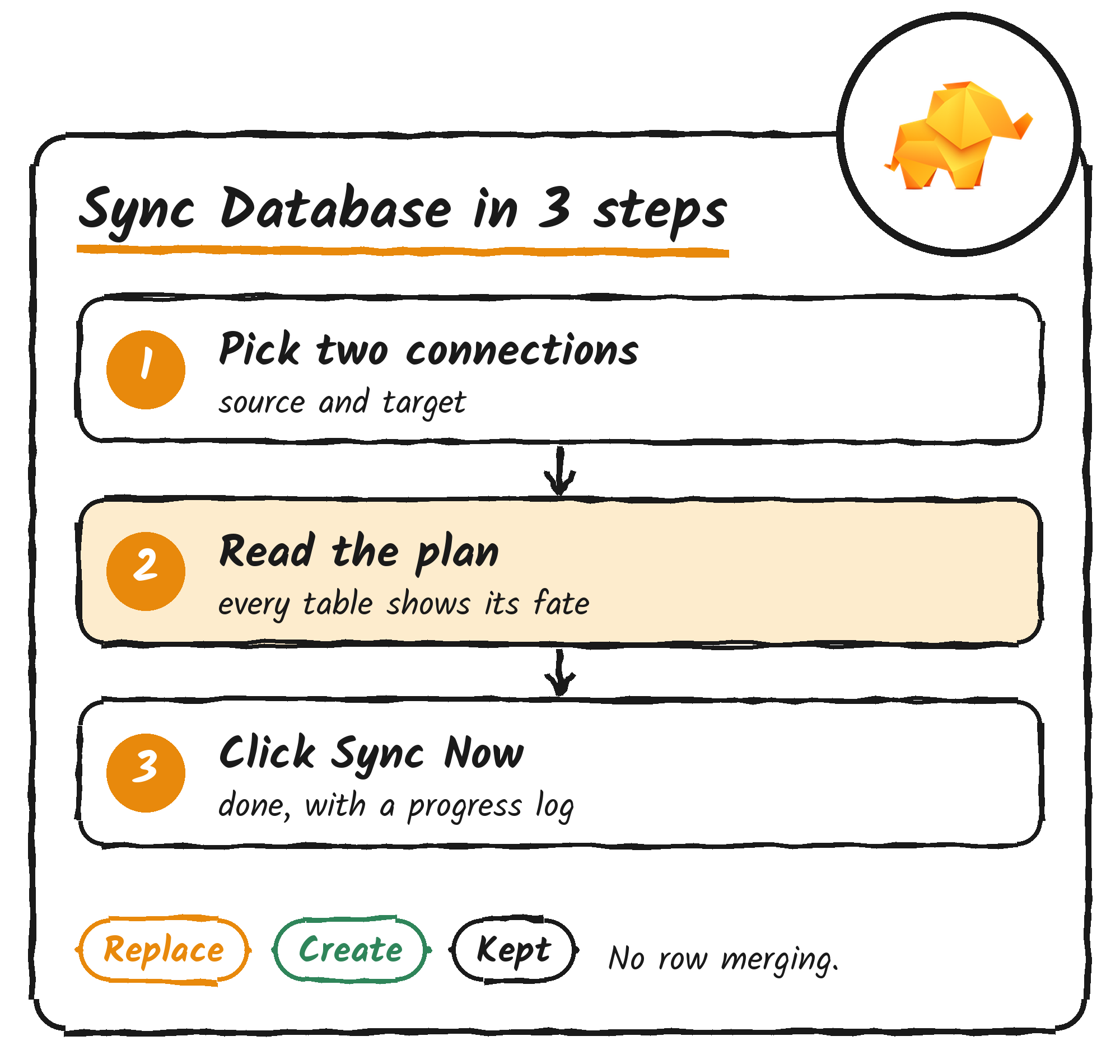
Sync Database copies a whole database, or some of its tables, from one connection to another. It reached macOS in version 27.2.0 on 28 October and replaces Backup and Restore, which the docs say is still available as a legacy option. Pham’s post says you pick two connections and click Sync Now, and that “small or big” a database syncs “in a few seconds”.
Sync doesn’t merge rows. A table that already exists in the target is replaced by the source table. Before it writes anything, TablePlus shows a plan that marks each table Replace, Create or Kept and lists what the target loses. It works only with PostgreSQL, MySQL and MariaDB, both sides must use the same database, and it can’t copy to an older server version.
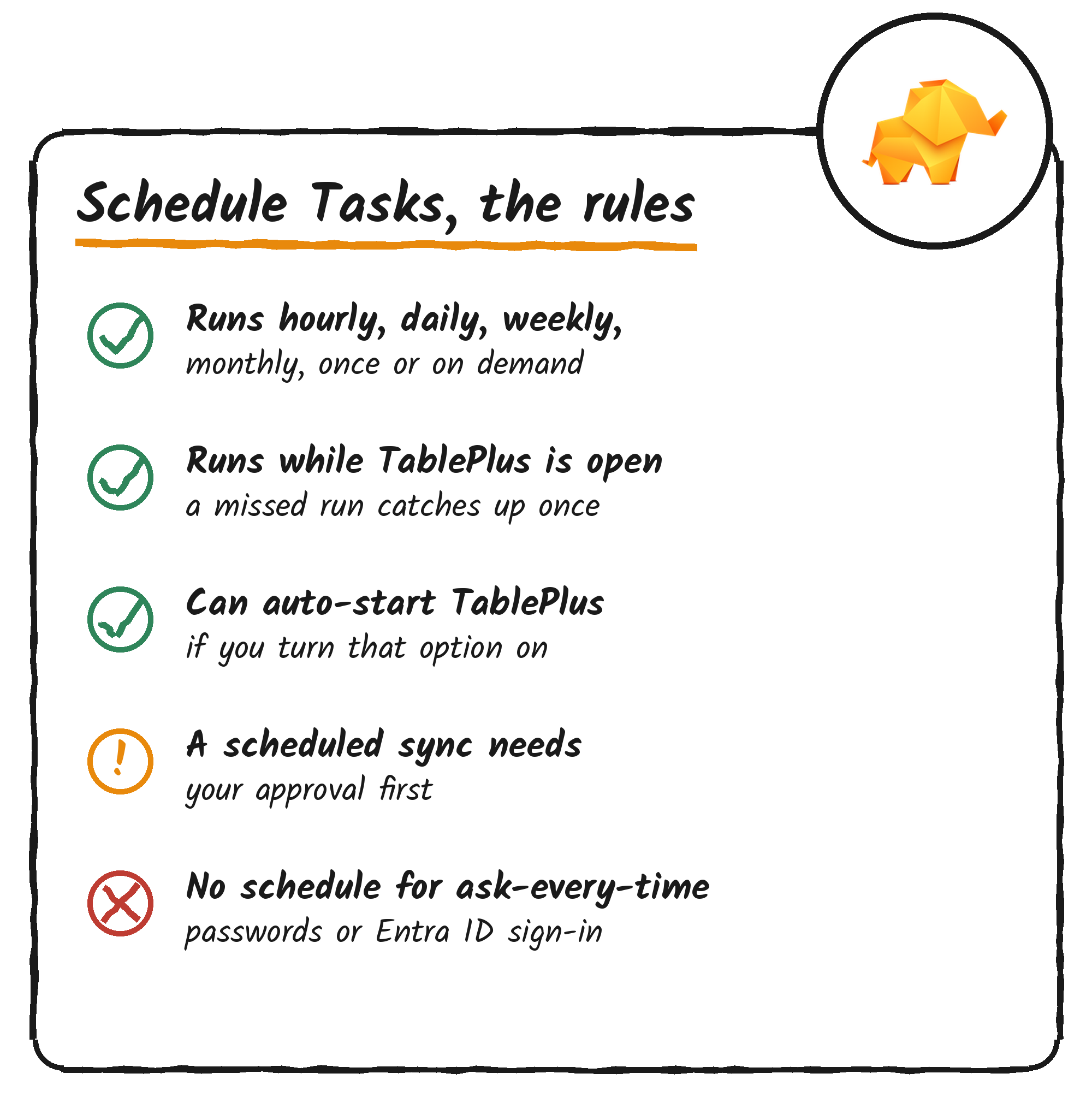
Schedule Tasks, added in the same release, runs backups, restores or syncs hourly, daily, weekly, monthly, once or on demand. A new schedule defaults to 2:00 AM every day. Schedules run while TablePlus is open, and a run missed while it was closed goes once when the app next opens, unless you turn on the option that starts TablePlus in the background when a task is due.
A scheduled sync needs your approval before it runs, and TablePlus skips a run and asks again if it would do more than you approved. Connections that ask for a password every time, or sign in with Microsoft Entra ID, can’t be scheduled. During the free trial you can create and run one schedule.
The MCP server runs on your Mac, with tokens you set
TablePlus’s built-in MCP server lets Claude Code, Codex, Cursor, VS Code and other MCP clients list your saved connections, open them and run queries. MCP, the Model Context Protocol, is the standard AI tools use to talk to outside software. The changelog says TablePlus introduced and reworked the server in version 7.1.8 on 10 June, and added one-click setup for coding agents in version 27.0.2 on 8 October.
The docs say the server runs inside TablePlus on your Mac, listens on port 51003 by default and only accepts connections from that Mac unless you turn on remote access over TLS. Each client connects with an access token. A Read Only token can list and open connections and run read-only queries such as SELECT. Read & Write adds queries that change data or structure, Full Access has every permission, and a Custom token sets Read Only or Read & Write for each connection. TablePlus shows a token’s value once, and tokens are stored in the macOS Keychain.
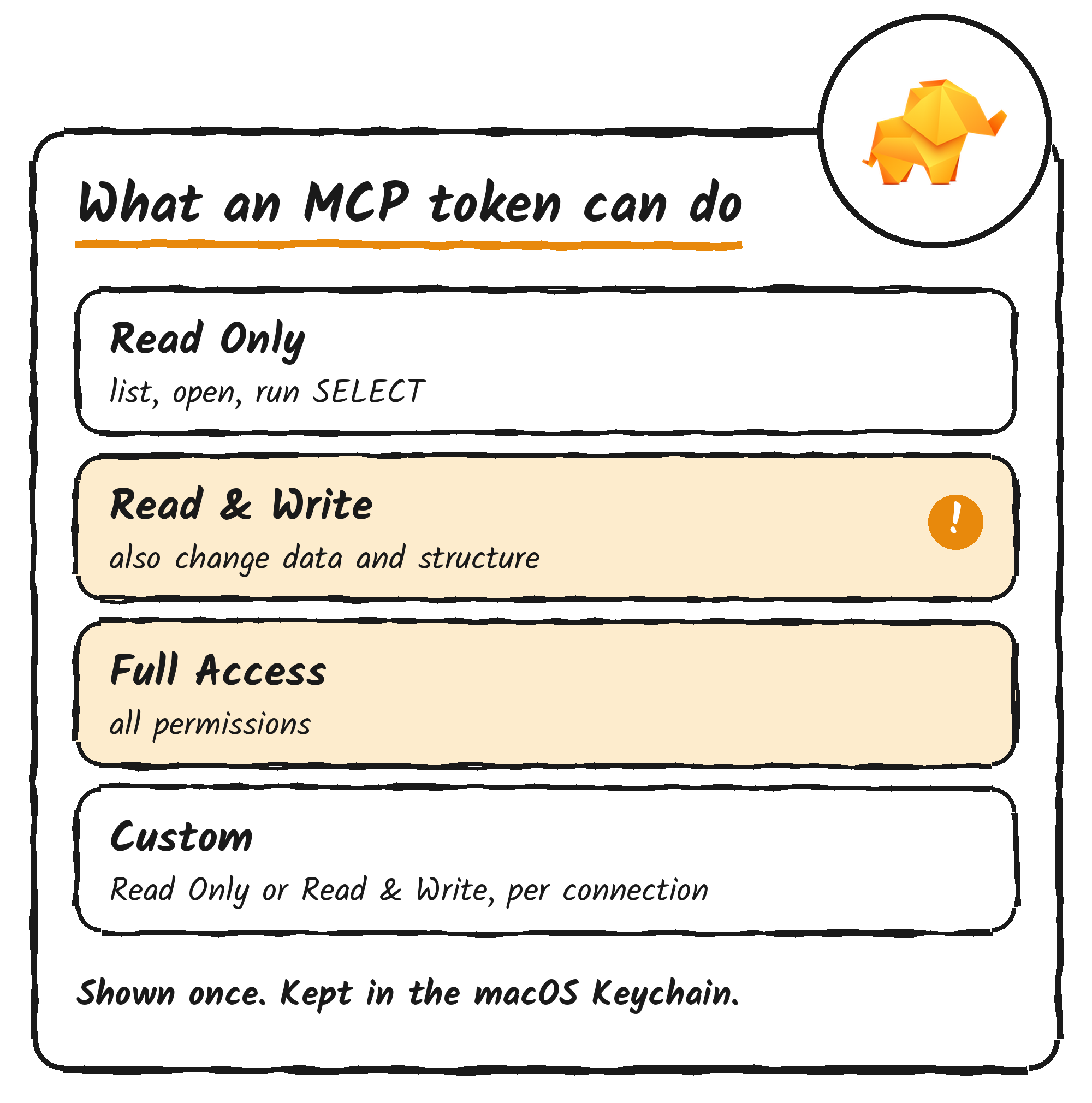
Write queries get an extra check. On a connection in Silent Mode, TablePlus asks before a client runs a query that changes data or structure, and that setting is on by default. The docs say that with it off, a Read & Write token can change data on a Silent Mode connection without asking, and they recommend Read Only tokens, or tokens limited to the connections a client needs. A query can run for up to 300 seconds.
The assistant in the right sidebar was reworked as well. Pham’s post lists OpenAI, Anthropic, Google AI, OpenRouter, DeepSeek, GitHub Copilot, Codex CLI, Claude CLI and Ollama, plus any OpenAI-compatible server and any agent that supports the Agent Client Protocol. He says nothing goes through TablePlus servers: your Mac talks to the provider you chose, and Ollama keeps a model on your machine.
23 databases, a redesign and a long list of small changes
The post says TablePlus now supports 23 databases in one app, but it doesn’t list them. The newest drivers in the macOS changelog are Elasticsearch, added on 1 September, and Amazon Athena and InfluxDB 3, added on 11 November. Windows and Linux, which lagged the Mac for years, now have the same features and design as macOS, the post says. The docs still list Oracle as macOS-only and Snowflake as macOS and Windows only.
| What shipped | macOS version | Date |
|---|---|---|
| Liquid Glass redesign | 7.0.0 | 18 May 2026 |
| MCP server, native diagram, Excel export | 7.1.8 | 10 June 2026 |
| Code folding in the query editor | 26.9.10 | 22 August 2026 |
| Elasticsearch driver | 26.10.0 | 1 September 2026 |
| JSON and Tree views, Notification Center, one-click MCP setup | 27.0.2 | 8 October 2026 |
| Sync Database, Schedule Tasks, jump to column | 27.2.0 | 28 October 2026 |
| Amazon Athena and InfluxDB 3 drivers | 27.3.0 | 11 November 2026 |
Liquid Glass is Apple’s translucent interface style. The post’s smaller items include JSON and Tree views for MongoDB, Elasticsearch, DynamoDB and Redis, a jump-to-column shortcut (⌘ + L), a Notification Center that lets long exports and imports run in the background, and a native diagram of your tables.
Pham also writes that “TablePlus is still the fastest app to return the data, even compared to the fastest Rust-based tools out there”. The post doesn’t include a benchmark or name the tools.
VMPal is the team’s next product
Pham points to VMPal, a newer product that runs macOS, Windows and Linux virtual machines on a Mac and gives an AI agent a machine of its own. He says every screenshot in the post was taken in a macOS 27 virtual machine running in VMPal.
SOC 1 is expected in December
Pham says customers’ security teams ask how TablePlus handles their data, so he’s working on SOC 1 and SOC 2 audit reports. He says he’s finished his part of the audit and is waiting for the auditor’s sign-off. He expects SOC 1 in December, before the end of the year, and SOC 2 early in 2027, because it needs a period of continuous monitoring. He plans to post when each report is done.
Discover more from Sulat AI & Tech News
Subscribe to get the latest posts sent to your email.