Anthropic has started rolling out a redesigned Claude app for iOS and Android. Daniel Destefanis, a product designer at Anthropic, announced the refresh on X at 8:25am on 21 November NZ time, and Robert Bye posted a launch video that afternoon saying it’s rolling out to all users, starting that day.
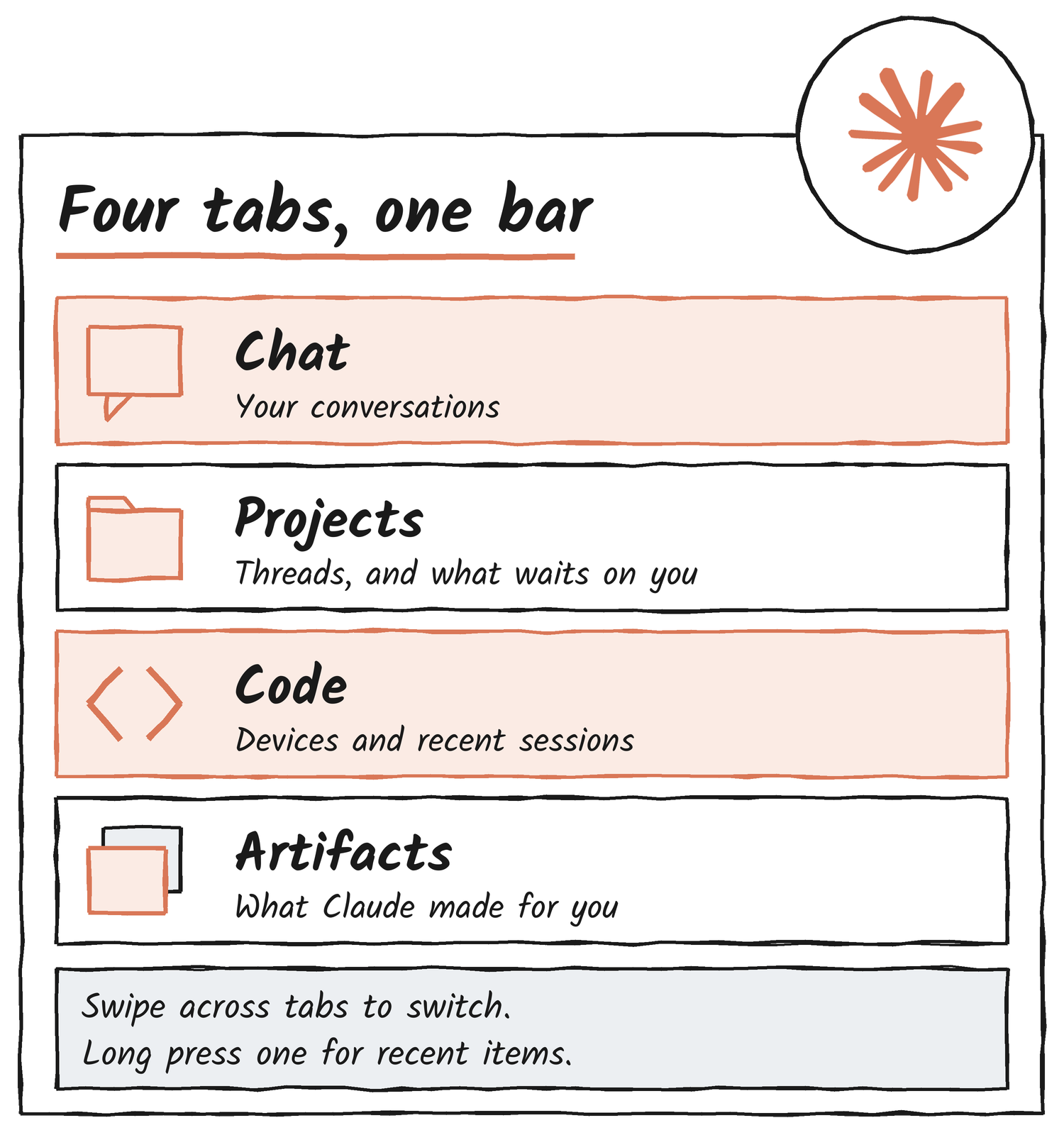
The headline change is a bottom bar with four tabs: Chat, Projects, Code and Artifacts. Behind it sit a quicker way to start a Claude Code session from your phone, a Projects view that shows what’s waiting on you, and a sidebar with search at the bottom. This piece covers what the designers posted, what their launch video shows and where each kind of session runs, using Anthropic’s own mobile documentation.
- What the designers announced
- The tab bar
- Code gets a front door
- Projects and what’s waiting on you
- Where the work runs
- More from the launch video
- How the app got here
4
tabs in the bottom bar
2
platforms: iOS and Android
5
colleagues thanked by Destefanis
1:27
length of the launch video
What the designers announced
Destefanis says the team wanted a design that supported code, projects and artifacts on mobile, and made it easier to start and resume sessions on the go. They also say the team refined many other parts of the app and added quality-of-life features. Destefanis calls the refresh a continuation of the team’s desktop work. Five colleagues get thanks: Pran, Khalil Cader, Robert Bye, Andrew and Graham.
We wanted a design that better supported code, projects, and artifacts on mobile, and made it easier than ever to start and resume sessions on the go.
Daniel Destefanis, Anthropic, on X, 21 November 2026 NZ time
Bye’s post credits Destefanis, Cader, Pran, Andrew and Graham for their work across iOS and Android, and says the app has a new tab bar.
| Who | Role, per their X profile | What they posted | When (NZ time, 21 November) |
|---|---|---|---|
| Daniel Destefanis | Product designer at Anthropic | The announcement and launch video | 8:25am |
| Pran | Designs Claude Code at Anthropic | Code sessions from the home screen; the Projects refresh | 8:28am |
| Khalil Cader | Product designer at Anthropic | Tabs, the new + menu, the sidebar | 8:42am |
| Robert Bye | Credited in Destefanis’s post | A launch video; rolling out to all users | 1:04pm |
The tab bar
The Verge reports that the new bottom bar carries tabs for chat, Projects, Code and Artifacts. Cader, a product designer on the team, says you slide across the tabs to switch, or long press one to jump straight to your recent items. The launch video shows the long press on the Projects tab: a short list of recent projects opens above the bar, with a New project row at the bottom.
Cader posted two more changes. The + menu is new, and the sidebar is more thumb friendly, with search at the bottom. In Bye’s video the + menu lists Camera, Photos, Files, Projects, Connectors, Skills and Model, and the model chip in the text box reads Opus 5.5.
Code gets a front door
Pran, who designs Claude Code at Anthropic according to their X profile, says starting a Code session is easier now: you pick one of your devices and start a session on it from the home screen.
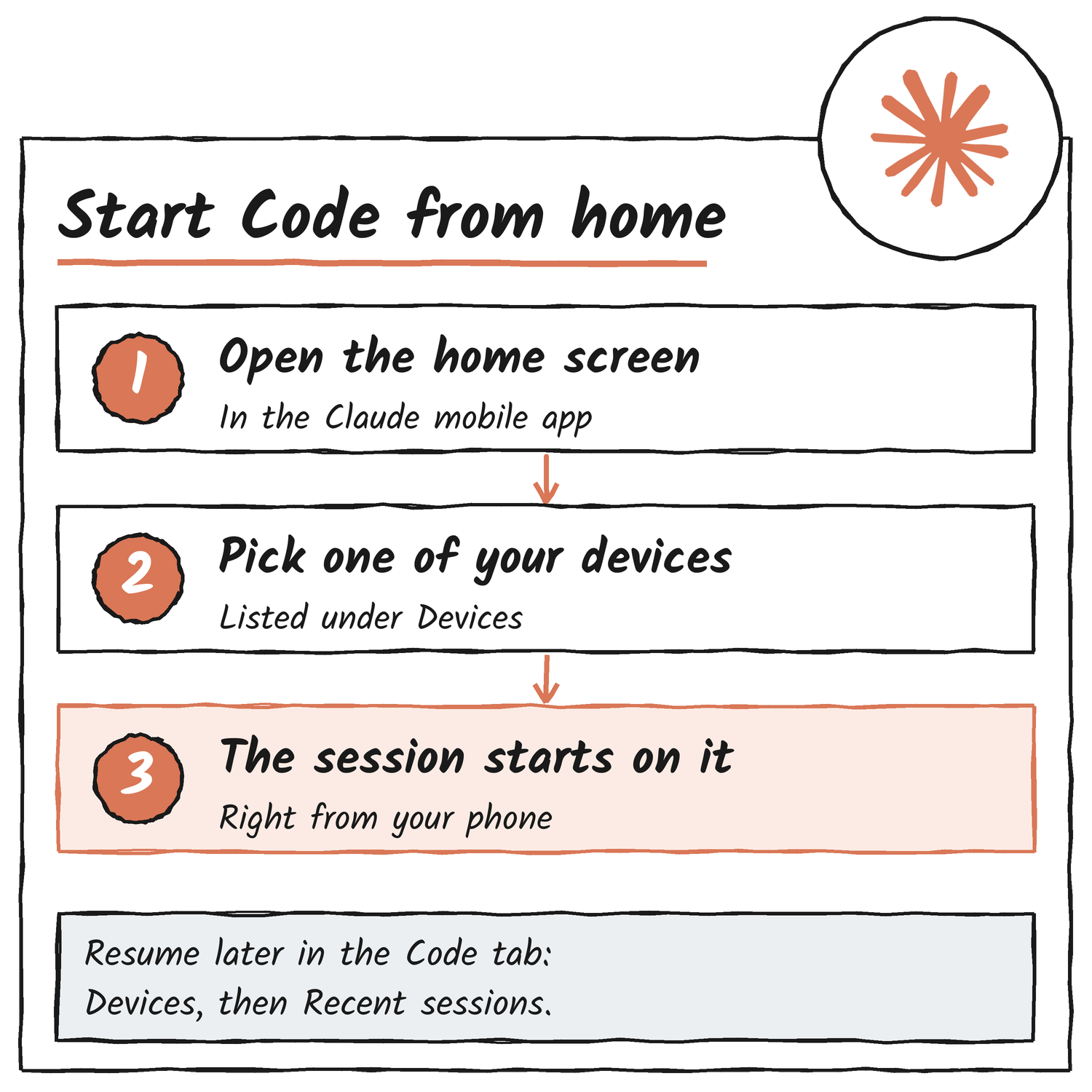
The Code tab in the launch video has a Devices selector, showing a desktop called Studio desktop, above a list of recent sessions. Each session shows its repository and branch, and some show a diff count such as +31 −0 or a state such as Waiting for you. The video uses demo content, so those names and numbers are sample data.
Anthropic’s mobile documentation says the Claude app is a client for Claude Code sessions, not a place where code runs. Cloud sessions and Remote Control both live in the Code tab, and Dispatch is a task you message in the app. If you don’t see the Code tab, the documentation says your plan or organization may not include these features.
What the mobile app can’t do in a Code session
- Commands that only run in the terminal, such as /plugin and /resume, don’t work from the app.
- Cloud sessions offer Accept edits, Plan and Auto modes. Remote Control sessions also offer Manual.
- Bypass permissions can’t be selected from the app in either case.
Projects and what’s waiting on you
Pran says Projects got a fresh coat of paint: Claude can run a few threads at once, and you can see at a glance what’s waiting on you. Anthropic’s documentation describes a project as a conversation where Claude coordinates parallel threads of work and reports back.
In the launch video the Projects tab splits into Pinned and All, with search and filter buttons. Opening a project shows tabs for Threads, Library and Scheduled, a row of its artifacts, and threads grouped under Waiting on you and Idle. Project settings has General, Setup and Usage tabs.
Where the work runs
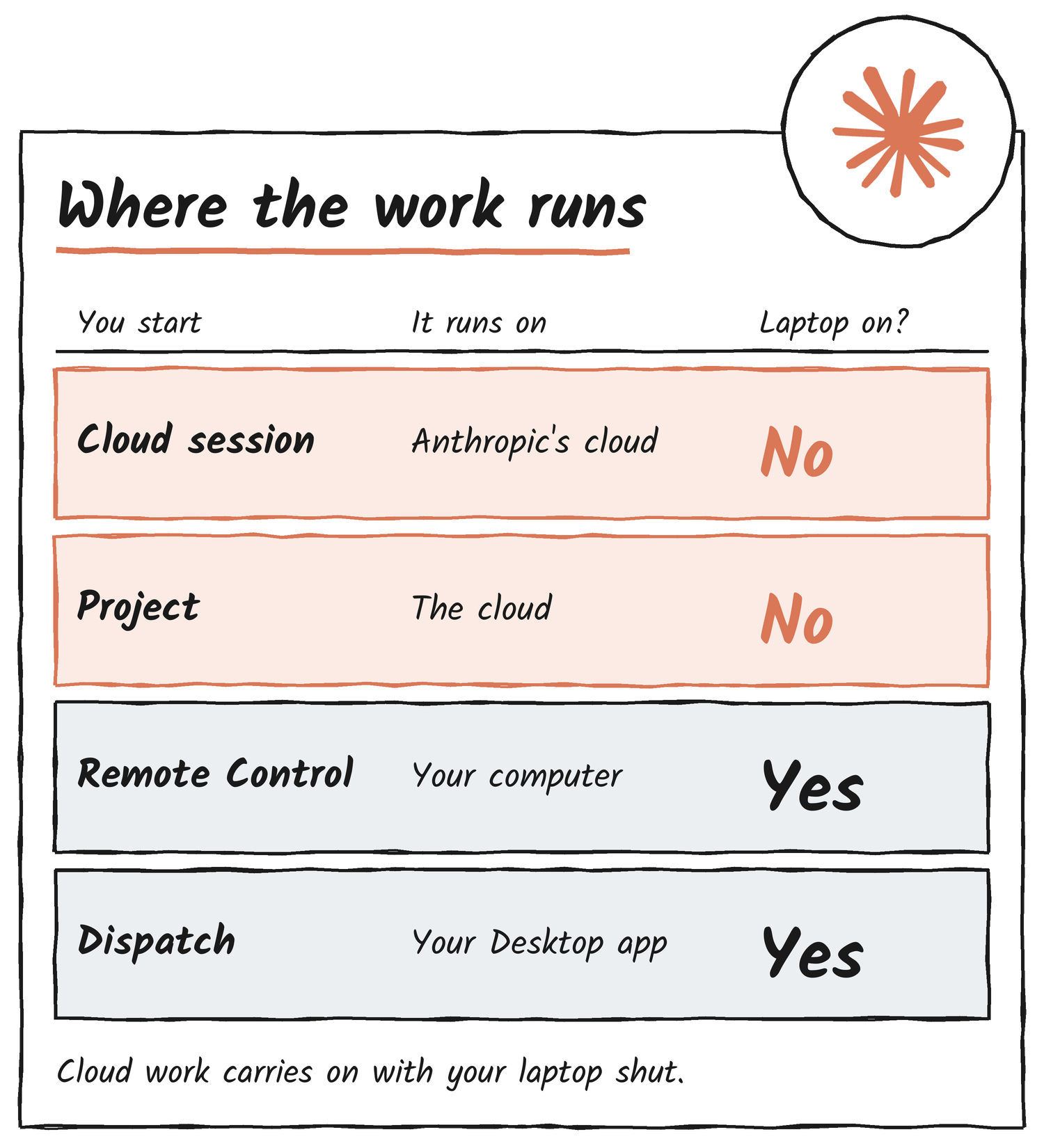
The mobile documentation separates the ways to start work by where the work runs. Cloud sessions and projects run in the cloud and carry on with your laptop closed. Remote Control and Dispatch drive your own machine, so it has to stay on, with Claude Code or the Desktop app running. If a machine sleeps during a Remote Control session, Claude Code reconnects when it comes back online. Dispatch needs a Pro, Max or Ultra plan and isn’t available on Team or Enterprise.
| Feature | What it connects to | Plan note |
|---|---|---|
| Cloud sessions | A session on cloud infrastructure, Anthropic-managed by default | Needs a claude.ai account; the repository is on GitHub |
| Projects | A conversation where Claude coordinates parallel threads | Runs in the cloud |
| Remote Control | A Claude Code session on your computer | Local files, tools and MCP servers stay on your machine |
| Dispatch | The Desktop app on your computer | Pro, Max or Ultra; not Team or Enterprise |
More from the launch video
A few other details show up in the video. Chat answers can show an inline bar chart. The Add to chat sheet lists photos, Camera, Add files, Add to project, a Research toggle and Connectors. The model picker lists Fable 5.2, with a Medium setting, and Opus 5.5. All of it is demo material, such as a Lisbon trip project.
How the app got here
| Date | What changed | Source |
|---|---|---|
| 7 Jul 2026 | Claude Cowork arrives on web and mobile, starting with the Max plan | Claude release notes |
| 16 Sep 2026 | A new Claude experience makes everything Cowork does available from any conversation, on web, desktop and mobile | Claude release notes |
| 23 Oct 2026 | The Claude app gets a refined new look, which Chase McCoy says went from sketch to launch in under three weeks | Chase McCoy on X |
| 29 Oct 2026 | On iPad and iPhone Duo, what Claude makes opens beside the chat instead of over it | Claude on X |
| 21 Nov 2026 | The mobile refresh: a bottom tab bar, a new Code entry point and a Projects update | Destefanis, Pran, Cader and Bye on X |
Destefanis says the team isn’t finished. The rollout is staged, so if your app still shows the old layout, it hasn’t reached your account yet.
Sources
- Daniel Destefanis on X, announcement and launch video, 21 November 2026 NZ time
- Robert Bye on X, launch post and video
- Khalil Cader on X, tabs; sidebar
- Pran on X, Code sessions; Projects
- Claude Code on mobile, Anthropic documentation
- Claude release notes, Claude Help Center
- Claude on X, mobile upgrades, 29 October 2026; Chase McCoy on X, 23 October 2026
- The Verge, on the new bottom bar
Discover more from Sulat AI & Tech News
Subscribe to get the latest posts sent to your email.