Google’s Gemini Notebook API now takes file uploads. A new upload route accepts PDFs, Word and PowerPoint files, EPUBs, CSVs, audio and images, none of which the API could ingest when its preview opened. Seth Ladd, who carries a Gemini Notebook label on X, announced it on 21 November NZ time.
What the new route takes
Google’s sources guide, last updated on 20 November, documents the upload endpoint as a POST to notebook.googleapis.com/upload/v1/{notebook}/sources:upload. Each upload creates one source. Processing runs in the background, so a client polls the source until it reads ACTIVE or FAILED.
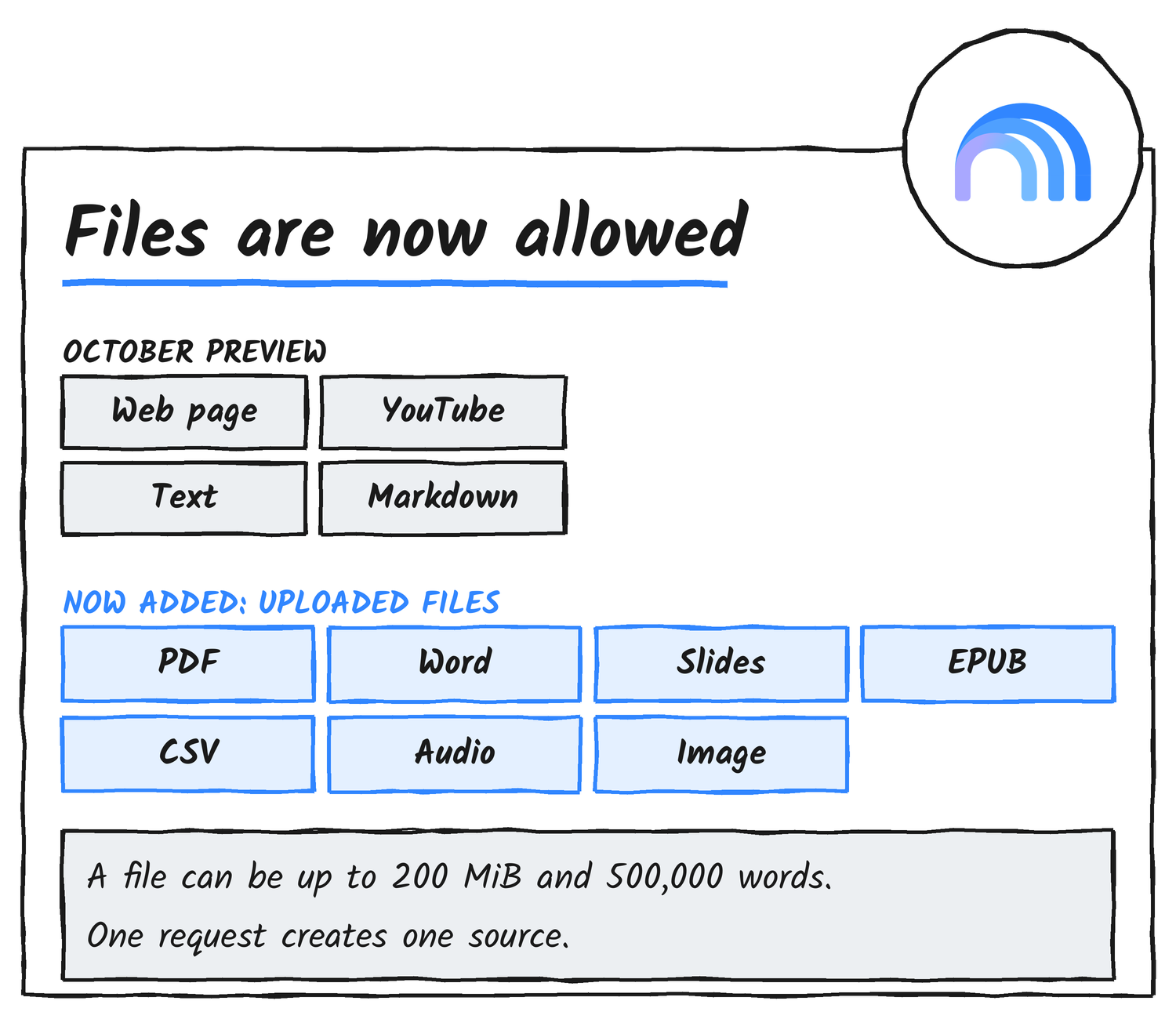
The request’s Content-Type has to be one of the types in the table. Anything else, including Excel spreadsheets, gets a 400 error.
| File type | Content-Type |
|---|---|
| application/pdf | |
| Word, PowerPoint, OpenDocument Text | DOCX, PPTX and ODT |
| Rich Text Format, Hangul Word Processor | RTF and HWP |
| EPUB | application/epub+zip |
| CSV, plain text, Markdown | text/csv, text/plain, text/markdown |
| Audio | any audio type |
| Video | 3GPP and 3GPP2 only |
| Image | any image type |
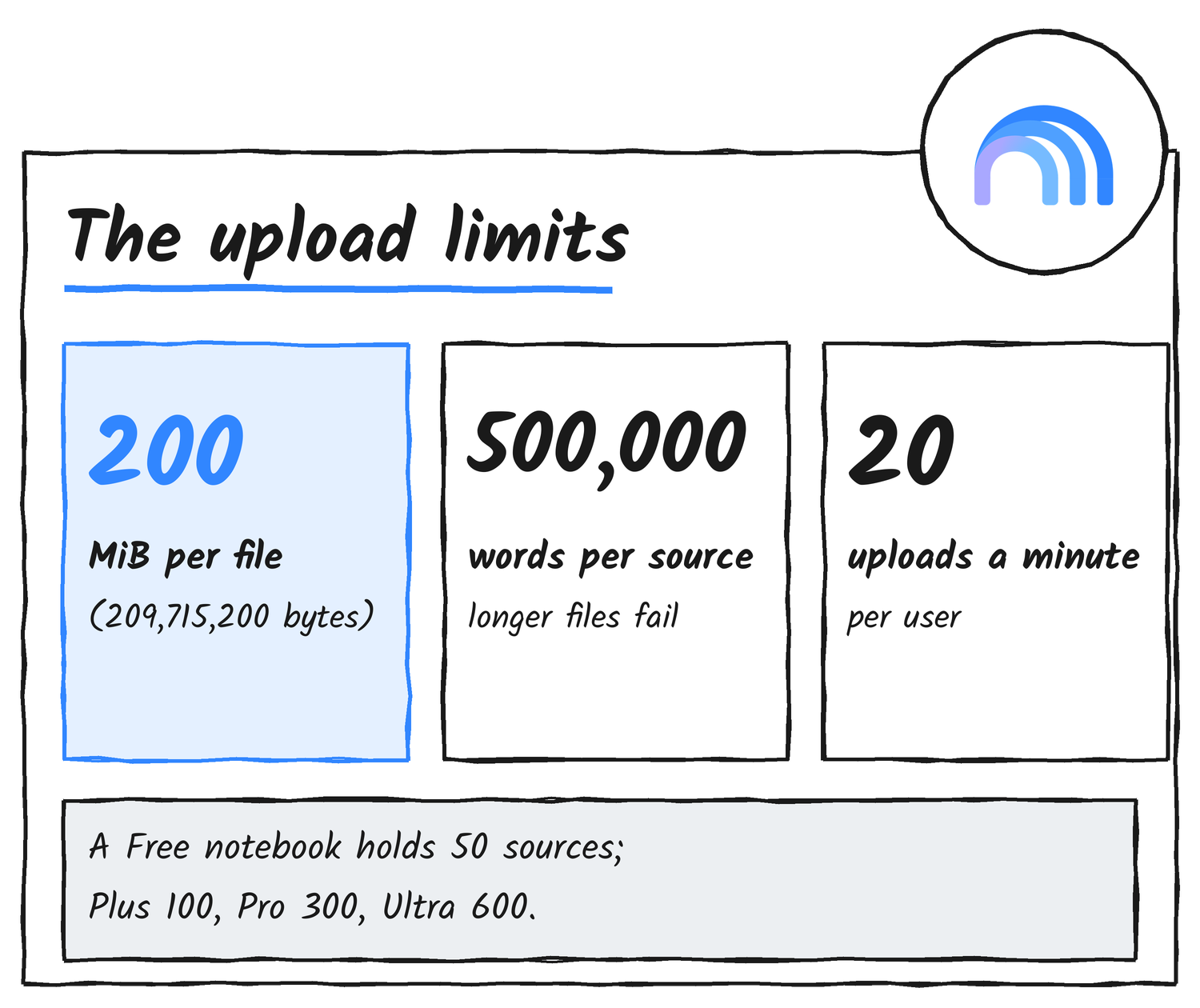
A file can be up to 200 MiB and 500,000 words. Each user can start 20 uploads a minute, and going over returns a 429 error with a retry delay. A notebook’s source allowance depends on the plan, according to Google’s rate limits page: 50 on Free, 100 on Plus, 300 on Pro and 600 on Ultra.
See the simple upload request
This is Google’s own example for a PDF. Without the displayName parameter the source is called Untitled.pdf.
curl -s -X POST \
  "https://notebook.googleapis.com/upload/v1/${NOTEBOOK_NAME}/sources:upload?uploadType=media&source.displayName=Quarterly%20report" \
  -H "Authorization: Bearer $ACCESS_TOKEN" \
  -H "x-goog-user-project: $PROJECT_ID" \
  -H "Content-Type: application/pdf" \
  --data-binary "@report.pdf"
The MCP server still can’t send a file
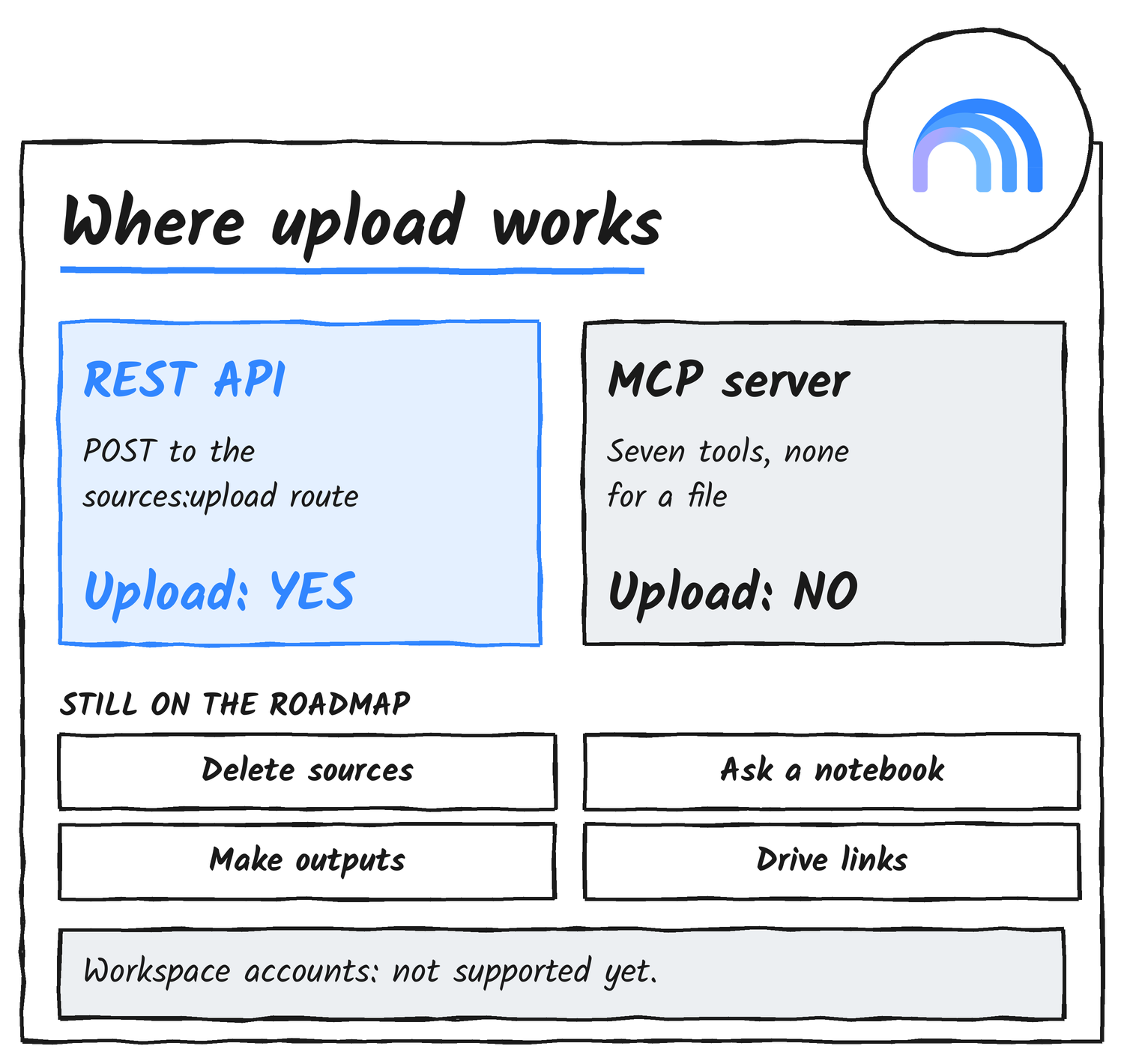
Ladd’s post tells developers to connect an agent to the MCP server or use the API directly to create notebooks, add text and now add files. Google’s MCP page lists seven tools: create, get, list and update for notebooks, and create, get and list for sources. None of them takes a file, and the page says uploads go through the REST endpoint instead.
An agent that only has the MCP connection can add a URL, text or Markdown, and it can’t add a PDF. To upload, the agent needs a shell or code to call the REST route with its own access token.
What changed since the preview opened
Gemini Notebook is the former NotebookLM, renamed on 16 July. When the API preview was covered on 8 November, binary uploads sat on Google’s roadmap, and the sources page dated 29 October said so. The roadmap page, updated on 19 November, no longer lists them.
Five items remain on it: Google Workspace accounts, deleting notebooks and sources, Google Drive URLs as sources, retrieving information from a notebook and generating artifacts. Google calls the roadmap informational and subject to change, and it gives no dates.
What an agent still can’t do
The REST reference lists create, get, list and patch for notebooks and create, get and list for sources. There is no delete, so a script that uploads in a loop fills a notebook’s source allowance and can’t clear it. There is also no way to ask a notebook a question through the API, which means answers still come from the Gemini Notebook apps.
The preview is free and limited to personal Google accounts. Workspace accounts get a 403 error, and an account that has never signed in to Gemini Notebook gets a 404 when it creates a notebook. Google’s Python client library can upload with resumable=False and no request body, but it names every source Untitled with the file’s extension, and its multipart and resumable uploads fail with HTTP 400. Naming a source needs the raw REST request.
Gemini Notebook Enterprise, a separate Google Cloud product, documents its own uploadFile method on a v1alpha endpoint. Google takes feature requests for the personal API in its Issue Tracker.
Discover more from Sulat AI & Tech News
Subscribe to get the latest posts sent to your email.