Ishay Tentser, co-founder and CEO of TimelinesAI, posted on X on 13 November that Claude can now read your team’s real WhatsApp chats. His recipe: add TimelinesAI as a custom connector, sign in with OAuth, skip the API keys, and be done in five minutes. The connector does what the post says. The post leaves out where the messages travel, what happens when Claude sends one, and what daily use costs, and TimelinesAI’s own pages cover all three.
The verdict: true, with the important parts missing
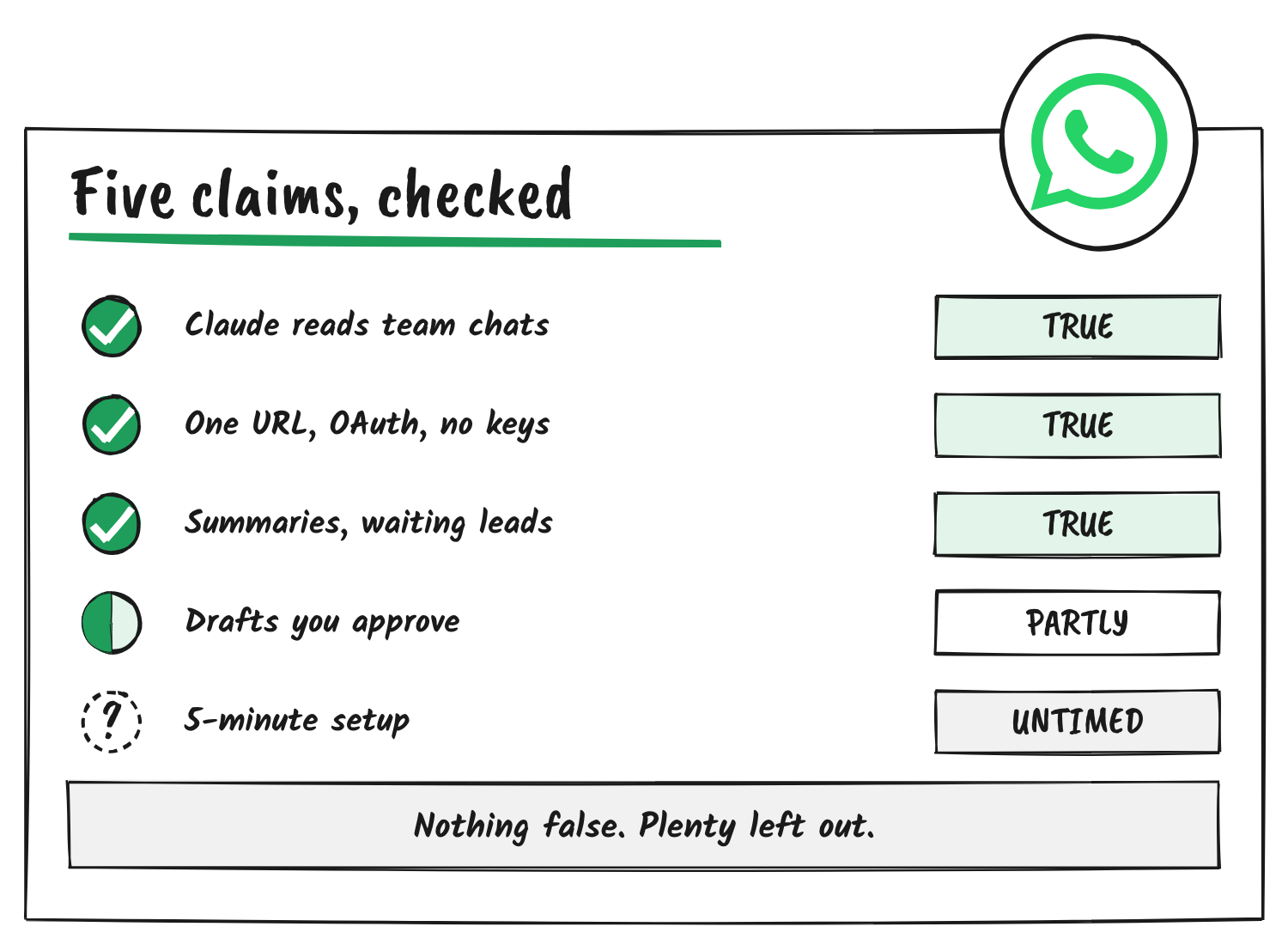
I checked each claim against TimelinesAI’s connector page, its MCP guide, its privacy notice and its comparison of connection methods, then against Anthropic’s help centre and WhatsApp’s. No sentence in the post is false. Two are incomplete in ways that matter, and one can’t be timed from the outside.
| Claim in the post | Verdict | What the sources say |
|---|---|---|
| Claude can now read your team’s real WhatsApp chats | True, but it isn’t a Claude feature | It’s TimelinesAI’s hosted connector, added to Claude as a custom connector. Claude reads what your TimelinesAI role allows, and only chats on numbers connected to your TimelinesAI workspace. |
| One URL, OAuth sign-in, no API keys | True | The address is mcp.services.timelines.ai/mcp. Sign-in is OAuth 2.0 with PKCE, and each person connects with their own login. |
| Summarise threads, find leads waiting for a reply | True | The server exposes 34 tools for listing chats, reading history, labelling and assigning. Finding leads depends on how your chats are labelled. |
| Draft answers you approve | Partly true | No draft feature exists. Claude writes drafts in the chat, and you approve by telling it to send. Sends are immediate, can’t be undone and look like you typed them. |
| 5-minute setup | Unverified | The steps are short, but I haven’t timed them. They need a TimelinesAI account, a connected WhatsApp number and a Claude plan that allows custom connectors. |
Claude didn’t gain anything
“Claude can now” reads like a product update. It isn’t one. Anthropic’s help centre says custom connectors using remote MCP are available on the Free, Pro, Max, Ultra, Team and Enterprise plans, with Free limited to one. TimelinesAI built a server that speaks that protocol, and Claude connects to it through the same custom connector slot as any other. On Team and Enterprise plans an Owner has to add the connector before anyone else can sign in.
Customize → Connectors → + → Add custom connector
Name:    TimelinesAI
Address: mcp.services.timelines.ai/mcp
The “real chats” part has limits too. TimelinesAI’s comparison page says a QR-linked number gets no deep history import. Claude sees new messages and whatever the linked-device session exposes, which the page puts at a few weeks.
“Draft answers you approve” has no safeguard behind it
This is the claim that matters most to anyone with customers on the other end. TimelinesAI’s connector page answers the question of whether Claude can send messages with a plain yes.
There is no sandbox and no undo.
TimelinesAI, WhatsApp MCP page
The same page says recipients can’t tell an MCP-sent message from one you typed. Approval is something you build into your prompt, and the guide tells you to: ask for drafts, read them, then tell Claude which to send. The page’s other option is drafts saved as private notes. Either way the product doesn’t stop a send. A badly worded prompt, or a reply you skim, goes out as you.
How the setup works, step by step
- Register a TimelinesAI account. The trial lasts 10 days and asks for no card.
- Add your WhatsApp number: in WhatsApp go to Settings, then Linked devices, then Link a device, and scan the QR code TimelinesAI shows.
- In Claude, add the custom connector with the address above and click Connect.
- Sign in to TimelinesAI on the page that opens and grant access.
- Start a new chat, switch the connector on and ask which WhatsApp accounts it can see.
The route is the part the post skips
The no-API-keys, scan-a-QR-code setup works because TimelinesAI links to your number as a device, the way WhatsApp Web does. WhatsApp’s help centre says that linking an account to unofficial versions of WhatsApp violates its terms of service and can lead to a temporary or permanent ban, or to restrictions on linking devices. It doesn’t name TimelinesAI.
TimelinesAI’s own comparison page is more direct than the post. It says the linked-devices protocol is Meta-sanctioned, then says the third-party libraries its category uses to script that protocol, its own included, sit outside Meta’s approved provider list. It puts numbers on the risk for personal numbers: a 12-hour freeze becomes likely at around 10 or more unanswered new chats a day, and a ban becomes likely after 20 to 30 templated mass messages.
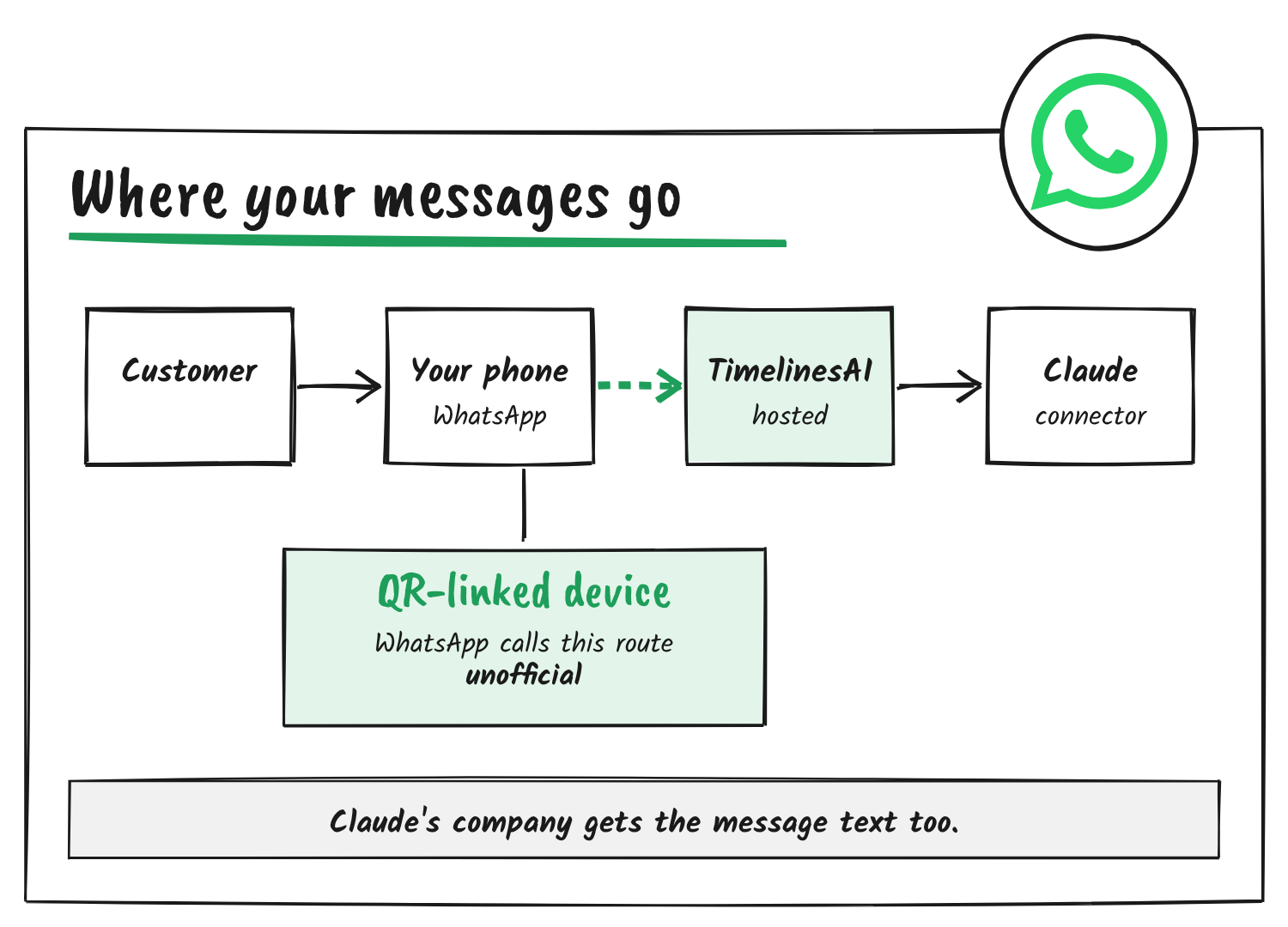
There is an official path. TimelinesAI’s connector also covers WhatsApp Business Platform numbers, which Meta supports, with 17 of its 34 tools aimed at them. Those numbers follow Meta’s template and 24-hour window rules, so Claude can only reply freely while a customer’s window is open. The post doesn’t say which kind of number it means.
- QR-linked device
- A WhatsApp number connected to a third-party service by scanning a QR code, the way WhatsApp Web links to a phone. TimelinesAI uses it for personal and WhatsApp Business app numbers.
- WhatsApp Business Platform
- Meta’s official API for businesses. Numbers on it follow Meta’s template rules, and conversations are opened with approved templates.
- MCP
- Model Context Protocol, the open standard that lets an assistant such as Claude call a service’s tools.
What daily use costs
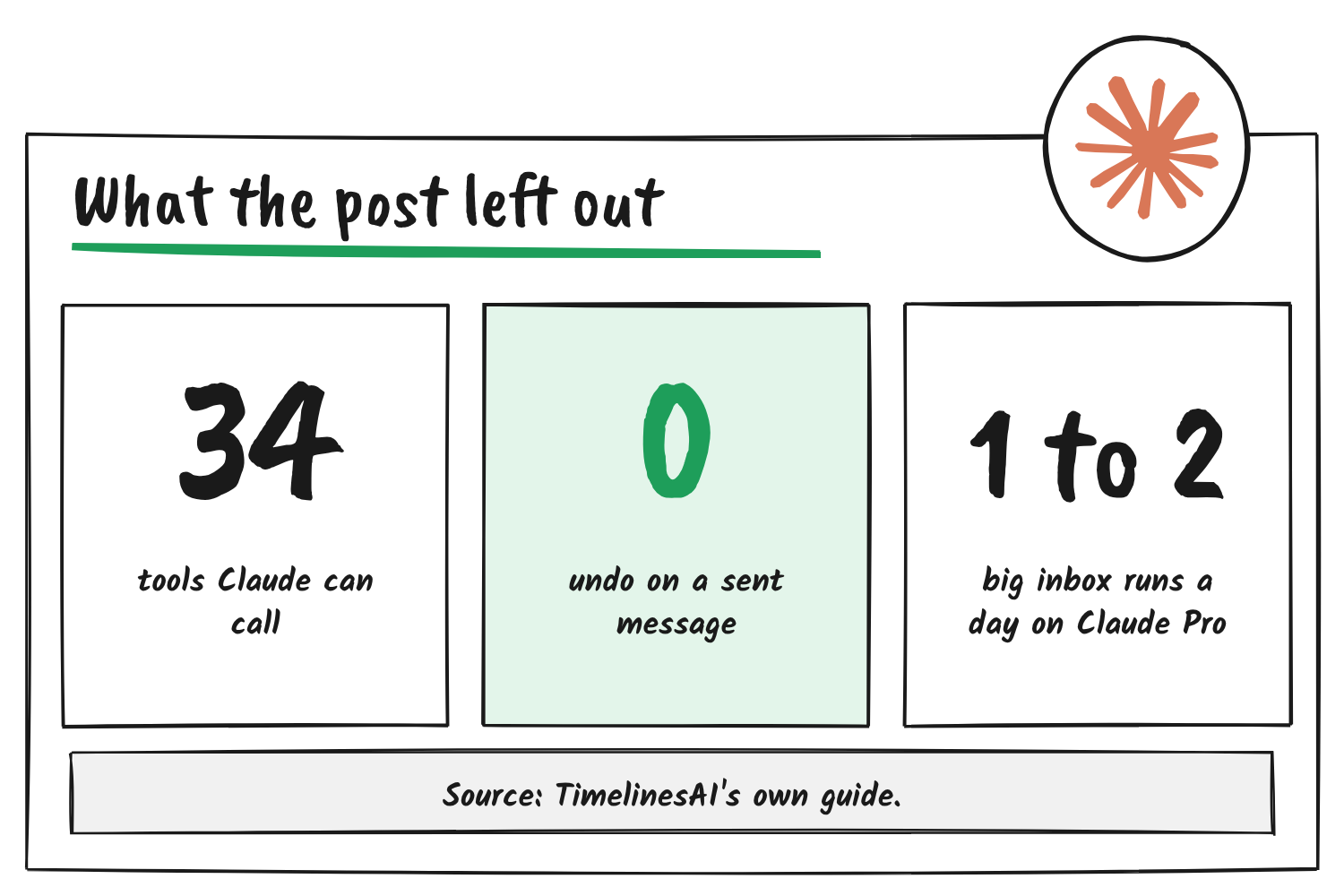
The post sells setup. TimelinesAI’s MCP guide covers use, and it’s less rosy. It says realistic daily use needs the $100 to $200 plans, because the $20 tiers run out quickly on inbox-sized data. It also says Claude Desktop’s chat mode times out on long runs and recommends Claude Code, Cursor or Codex instead. After the 10-day trial TimelinesAI sells per-seat plans, so the connector’s “included in every plan” comes with a subscription.
34
tools in the server: 3 for the workspace, 14 for QR numbers and 17 for Business Platform numbers
~105K
tokens of response data in TimelinesAI’s own read-only triage test of 30 calls
1 to 2
runs of that triage before Claude Pro’s daily allowance is gone, by TimelinesAI’s estimate
Who your customers’ messages reach
TimelinesAI’s privacy notice for the connector says the company behind your AI assistant receives the data and handles it under its own terms. Owners and admins can reach every chat in the workspace, team members reach their team’s numbers, and the assistant acts as you. Those chats include your customers’ messages, and each question you ask Claude sends some of them to Anthropic. The post doesn’t raise it.
Where the post falls short
Tentser’s post is marketing, and it’s accurate about what it covers. The problems are what it frames and what it drops, and TimelinesAI’s own pages publish the facts it drops.
- “Claude can now” credits Claude with a capability that belongs to TimelinesAI’s server.
- “Draft answers you approve” implies a review step. TimelinesAI’s documentation says sends have no sandbox and no undo.
- The post says nothing about the ban risk that TimelinesAI’s own comparison page describes.
- The post doesn’t mention that its guide calls the $20 Claude plan too small for daily use.
The post text doesn’t say Tentser runs the company he’s recommending, and I can’t see from the post data whether X labelled it as an ad. The link card’s address carries a utm_medium=paid_social tag, which marks it as paid promotion.
What I couldn’t verify
- The five-minute figure. TimelinesAI’s own lesson is titled “Connect in five minutes”, but I haven’t run the setup against the clock.
- Whether Meta bans numbers that only read through TimelinesAI’s connector. WhatsApp’s help page doesn’t separate reading from sending, and I found no public report of a ban tied to the connector.
- TimelinesAI’s customer counts and review scores. I didn’t check them.
If you try it anyway
- Use a spare number, or a Business Platform number, rather than the one your customers know.
- Start with read-only prompts and leave sending alone until you trust what Claude pulls.
- Ask for drafts as private notes, and read each one before it goes anywhere.
- Check your Claude plan against the usage figures above before you promise a team a daily inbox briefing.
Sources
- TimelinesAI, WhatsApp MCP server page and MCP guide
- TimelinesAI, WhatsApp MCP privacy notice (updated 22 October 2026)
- TimelinesAI, QR vs Coexistence vs WABA
- TimelinesAI Academy, connect Claude
- WhatsApp Help Center, About unofficial WhatsApp apps
- Claude Help Center, custom connectors using remote MCP
Discover more from Sulat AI & Tech News
Subscribe to get the latest posts sent to your email.