Anomaly, the company behind OpenCode, put Hex on the iPhone App Store on 22 November, NZ time. Hex for iPhone is a free keyboard with a dictation key built in. You tap it, talk, and the words land in whatever app you’re typing in, with the speech turned into text on the phone. There’s no account, no subscription and no ads.
- What Hex for iPhone is
- How a keyboard that can’t record manages to listen
- Two paths, by iOS version
- Full Access, and what Hex says it does with it
- Adaptive touch: the next update
- Hex on the desktop
- Setting it up
- Checks before you install
What Hex for iPhone is
Anomaly’s listing calls Hex “a keyboard you can talk to”. Type as usual, or tap the Hex key, say what you mean and the text appears at the cursor, with no app switching and no copy and paste. The keyboard is laid out like Apple’s, with the same long-press accents, autocorrect and suggestions, swipe typing in English and Spanish, emoji search, and a Return key that turns into send, go, search or done to suit each app. Hex also adds a Control Center control and an Action Button shortcut, and it shows a Live Activity while it records.
Free
no account, subscription or ads
iOS 18
the oldest version that runs it
iOS 26
needed to dictate inside the keyboard
14 days
how long the optional typing logs stay on the phone
The dictation side is where the listing spends its words. Here’s what version 1.0.1 says it does.
| Feature | What the listing says |
|---|---|
| Keyboard languages | English, Spanish, German, French, Italian, Portuguese, Norwegian, Polish, Czech, Ukrainian, Greek and more |
| Styles | Polished, Casual, Notes and Verbatim |
| Clean up what I say | Drops ums, repeats and the words you corrected, so “Friday at 3pm, actually 4pm” becomes “Friday at 4pm” |
| Spoken punctuation | Say “comma”, “period” or “question mark” in English, Spanish, French, German, Italian and Portuguese |
| Numbered lists | Say “first” and “second” and get a numbered list, in English and Spanish |
| Optional extras | Translate what I say, custom vocabulary, learn how I type, and clean up with Apple Intelligence |
How a keyboard that can’t record manages to listen
iOS refuses to let a keyboard extension record audio directly. Anomaly’s iOS README on GitHub describes how Hex gets around that. With Full Access on, the keyboard loads a hidden web view as it appears. When you press the Hex key, that web view captures audio through the browser’s getUserMedia call, under the microphone permission you gave the Hex app. The keyboard writes a temporary WAV file and hands it to Apple’s on-device speech transcription, which downloads its language assets the first time you use a language.
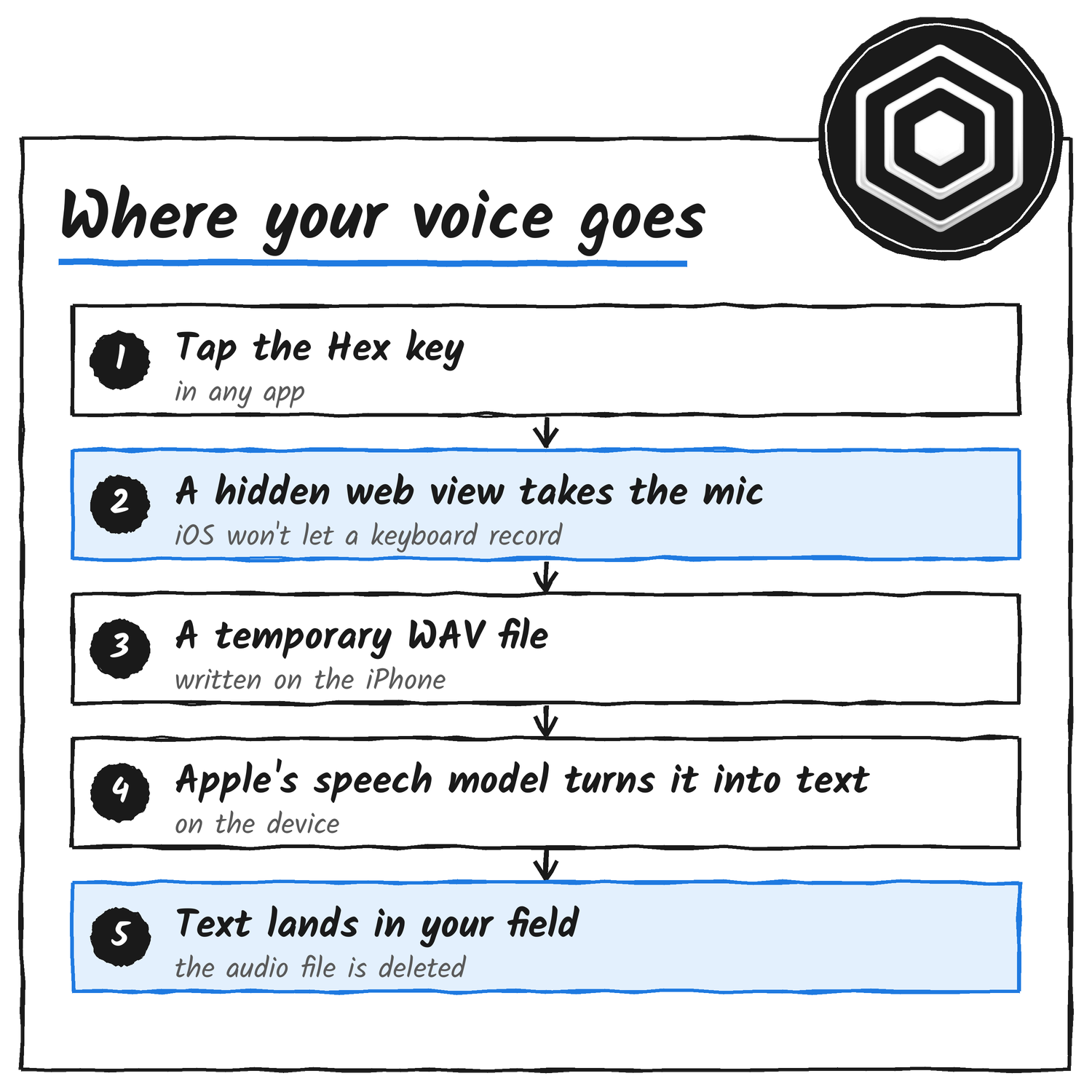
The web view loads without the microphone, so no orange recording dot shows until you dictate. Capture starts as your finger lands on the key, before iOS can tell a tap from a hold. A slide to the style menu or a cancelled touch drops the capture with nothing transcribed, and the orange dot shows for that moment.
Hex never asks for Speech Recognition access. The README says that permission covers SFSpeechRecognizer, which Hex doesn’t use, and that the SpeechAnalyzer API it does use runs without it. A TestFlight tester who’d switched the permission off dictated fine on iOS 27.0.1.
The memory limit that decides which path you get
iOS ends a keyboard that passes its memory limit, which the README puts at about 60 to 90 MB depending on the model. Hex checks what’s left before it starts: 32 MB for the first dictation, and 24 MB once the capture web view is loaded. When there’s less than that, the Dictate and Hex keys open the Hex app instead, the way the keyboard worked before iOS 26.
Two paths, by iOS version
Hex needs iOS 18 or later, and dictating inside the keyboard needs iOS 26 or later. On iOS 18 to 25 the keyboard opens Hex to record. Hex transcribes with Apple’s on-device speech recognition or, for English, with an on-device model it downloads once, which the README names as FluidAudio’s Parakeet V2. Then you swipe back to your app. On iOS 18, a dictation translates only if you finish it in Hex.
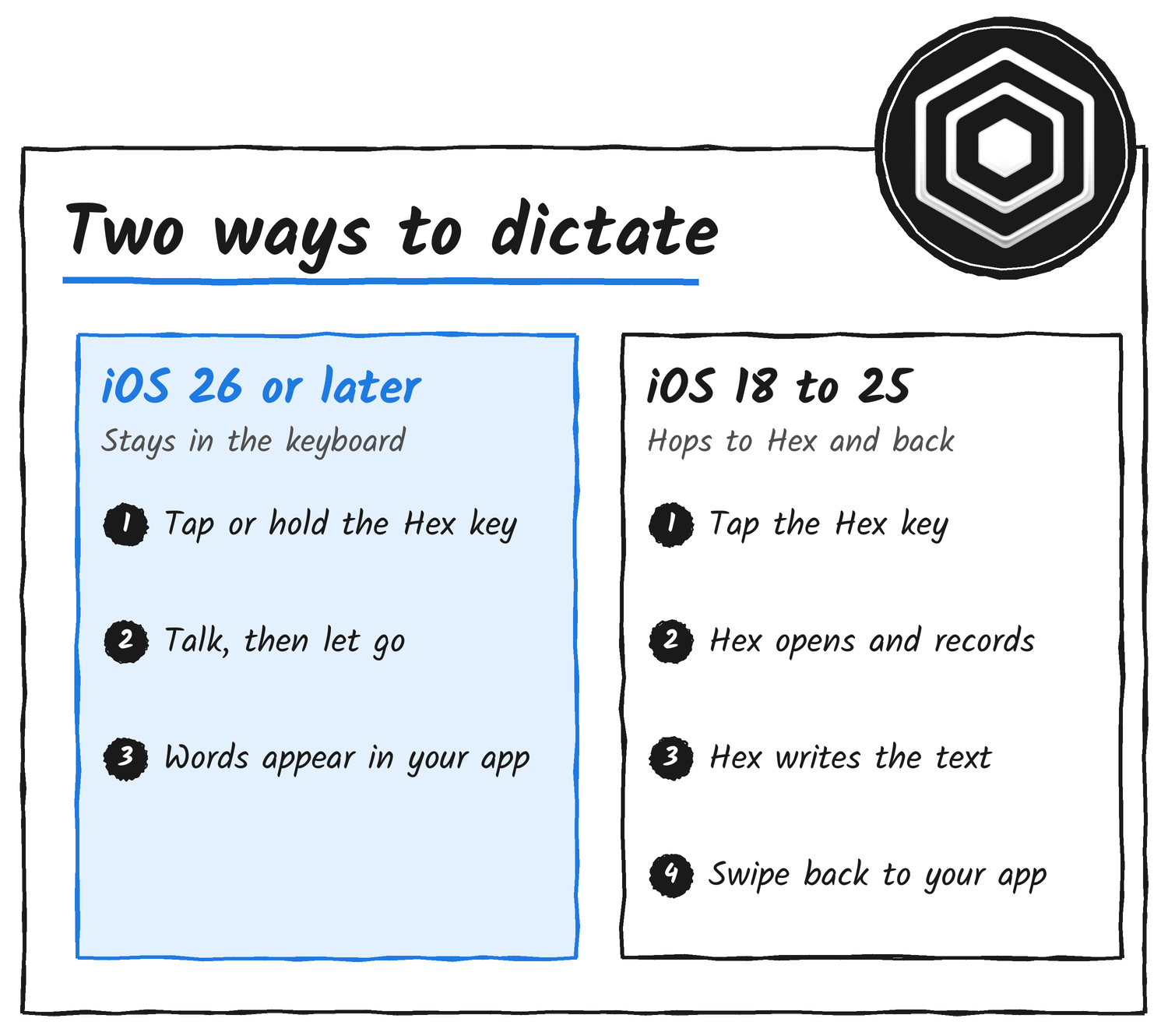
Languages follow the same split. On iOS 26 or later, Hex dictates in every language Apple can transcribe on the iPhone, starts with the iPhone’s own language and lets you switch from the keyboard. Anomaly’s iPhone page says that before iOS 26 Hex dictates in English only. The listing’s notes for version 1.0.1 say iOS 18 now gets dictation in more languages through Apple’s on-device recognition. The two descriptions differ.
Full Access, and what Hex says it does with it
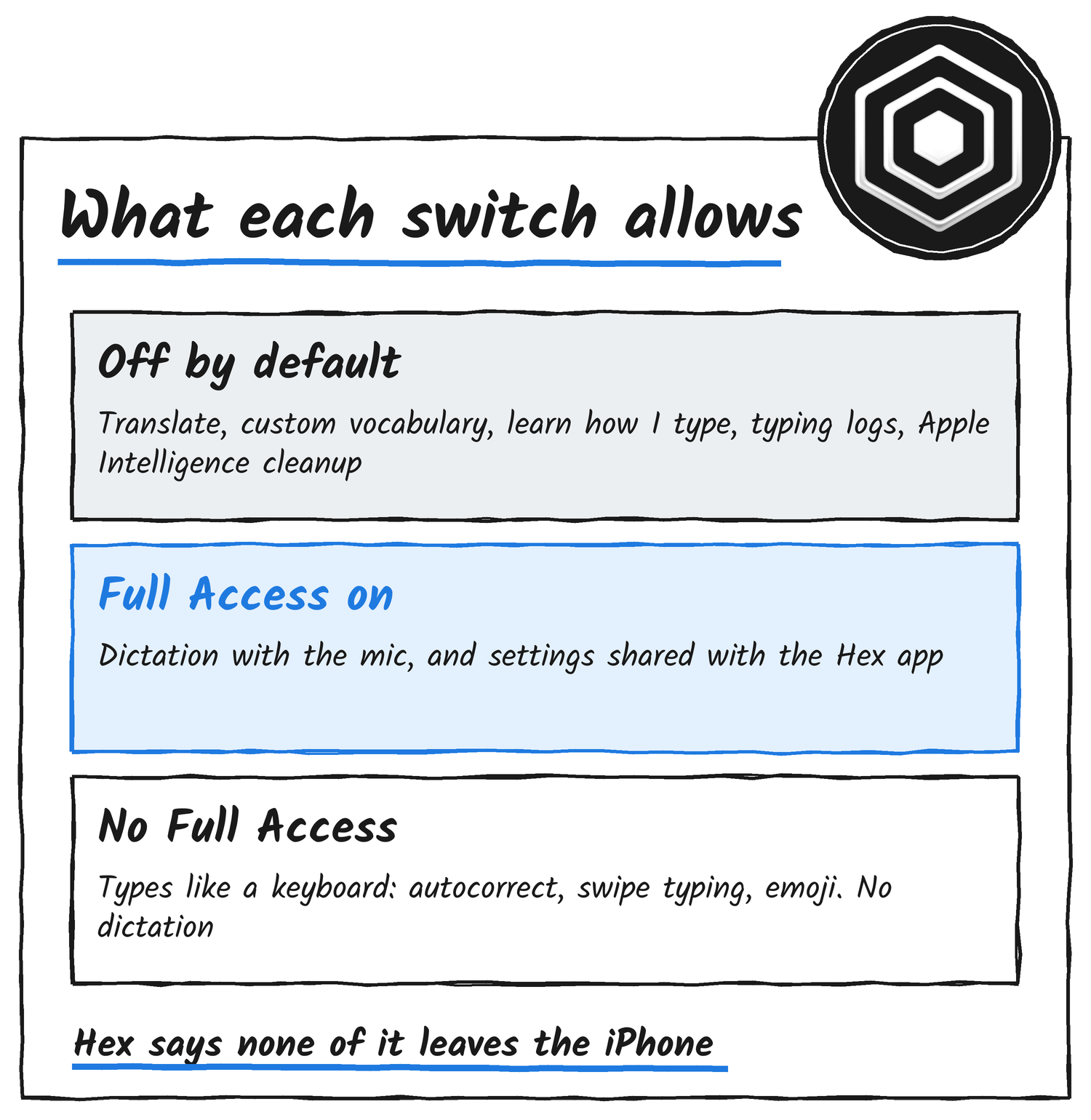
Hex Keyboard types without Full Access. To dictate it asks for Full Access, so it can record with the microphone you allowed for Hex and share settings and dictations with the Hex app. Without it, tapping the Hex key shows “Allow Full Access to dictate” in the suggestion strip, with a chip that opens Hex’s setup. iOS itself warns, on that same switch, that Full Access lets a keyboard’s developer transmit anything you type. Anomaly’s answer sits in three places, and they agree.
Hex has no servers and no analytics. Nothing you type or say leaves your iPhone.
Hex App Store listing
The privacy policy, last updated 20 November 2026, says Hex Keyboard makes no network requests. Dictation audio goes to a temporary file on the iPhone, is turned into text there, and the file is deleted as soon as it’s done or you cancel. The App Store’s privacy label reads Data Not Collected. And the iOS source is public in the same anomalyco/hex repository as the desktop app, so the README’s claims sit next to the code that’s meant to back them.
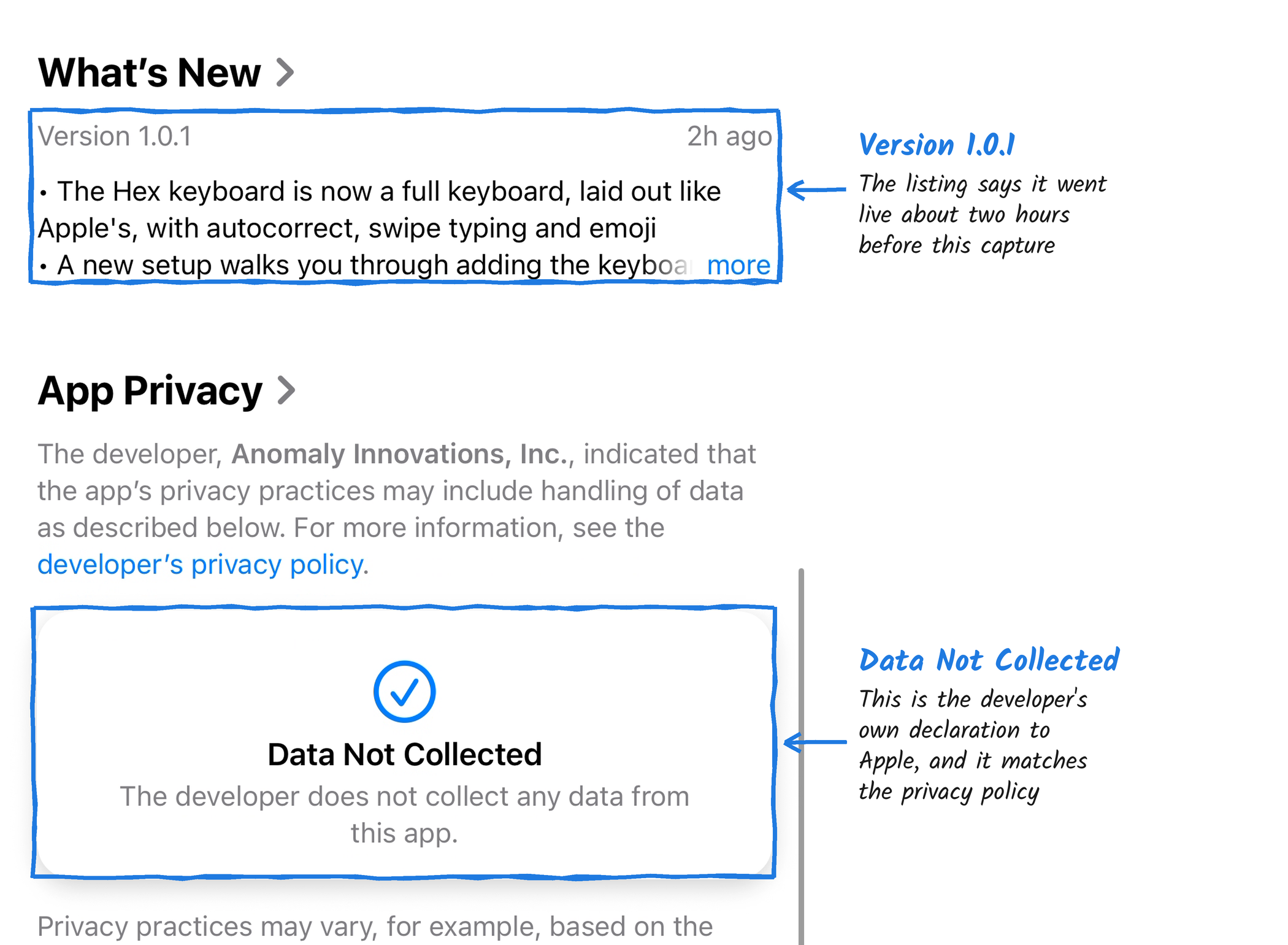
Two things do leave the phone. The first is the speech model. Apple’s arrives through iOS, and where Apple’s isn’t available, such as before iOS 26, Hex downloads its own English model from Hugging Face. The policy says those downloads never include your audio or text, though the server that sends one sees your IP address. The second is crash reports: if you share analytics with app developers in iOS, Apple may pass crash reports about Hex to Anomaly.
Switches that start off
The listing says these stay off until you turn them on, and that all of them run on the iPhone:
- Translate what I say: speak one language and insert another.
- Custom vocabulary: names and terms spelled your way, kept on the iPhone.
- Learn how I type: keeps where you tap on each key and the words you corrected, with what you changed them to. The policy says it never keeps what you write, and “Delete what Hex learned” erases it.
- Clean up with Apple Intelligence: fixes misheard words on iPhones that support it.
- Record typing logs (Settings, Privacy, Advanced): keeps a detailed log of your typing in Hex Keyboard, including the text around your cursor, for 14 days, for testing the keyboard. It never logs password, one-time code or card fields, and the logs leave the iPhone only if you share them. Turning it on asks first in a dialog.
Adaptive touch: the next update
Vogel says the next Hex update will ship with adaptive touch learning, which “will learn how you type and adapt the keyboard to be more accurate for you”. His own summary of where it stands is “still a lot to go, but slowly getting better”.
The feature already has a README entry. Adaptive touch sits under Settings, Experiments, and it’s off by default. It learns where you land on each letter key, on the device, then reads your taps against those personal key centres. The README says it never makes an automatic correction the keyboard wouldn’t make with it off. Anything only the personal centres read better is offered in the suggestion strip instead.
The README also publishes its benchmark, which replays 300 development sentences with synthetic taps in the iPhone 17 simulator. With a learned profile, English word error falls from 5.24% to 5.16%, with 16 words fixed and 5 broken. Spanish falls from 8.34% to 8.26%. With the personal centres deciding alone, English would reach 5.04% and Spanish 8.00%, and the README says the guard holds back most of that gain. It lists real iPhones, real grips and real hands as unverified.
Hex on the desktop
Hex already runs on computers. Hex for Mac, Windows and Linux works the same way at heart: hold a shortcut, speak, and it pastes the text where you are, transcribing on your machine. Its repository describes an optional OpenCode rewrite among its output steps, which ties it to the coding agent Anomaly is best known for. I’ve covered that side before, in OpenCode’s own-GPUs numbers and its price cut on GLM 5.3 and DeepSeek V4.1 Flash.
Anomaly’s privacy policy covers “Hex for iPhone and Android” and describes an Android app with its own keyboard, which downloads a 190 MB speech model during setup. Anomaly’s post announces only the iPhone release.
Setting it up
- Install Hex from the App Store and open it. Setup starts downloading the speech model for your language.
- Continue through the microphone step, then allow the microphone when iOS asks.
- Add Hex Keyboard in iOS Settings, which Hex’s setup page opens for you, and switch on Allow Full Access if you want to dictate.
- Try a dictation on the “Your turn” page. If nothing comes through, Hex says it heard nothing.
- Optional: add the Control Center control or the Action Button shortcut.
Checks before you install
- Check your iOS version: 18 or later installs it, and 26 or later dictates inside the keyboard.
- Decide on Full Access first. Without it you get a typing keyboard and no dictation.
- Leave Learn how I type and Record typing logs off unless you want them.
- The App Store listing shows no rating overview yet, because the app hasn’t received enough ratings or reviews.
- The policy carries a date, 20 November 2026, so it’s worth re-reading when the app updates.
Discover more from Sulat AI & Tech News
Subscribe to get the latest posts sent to your email.