

From 1 February 2027, an AI agent that reaches Gmail has to go through Google’s own MCP server or its Workspace CLI. Google’s Workspace AI Tools Addendum, last modified on 24 November, says so in its first term. For an agent that sends mail, the practical change is an approval step, and developers are already pushing back.
I read the Addendum, Google’s Gmail MCP guides and its admin policy page, then listed the Gmail server’s tools myself. My earlier piece on the rule said Gmail’s server had no send tool. Google’s reference now lists one, and the server returned it when I asked.
30
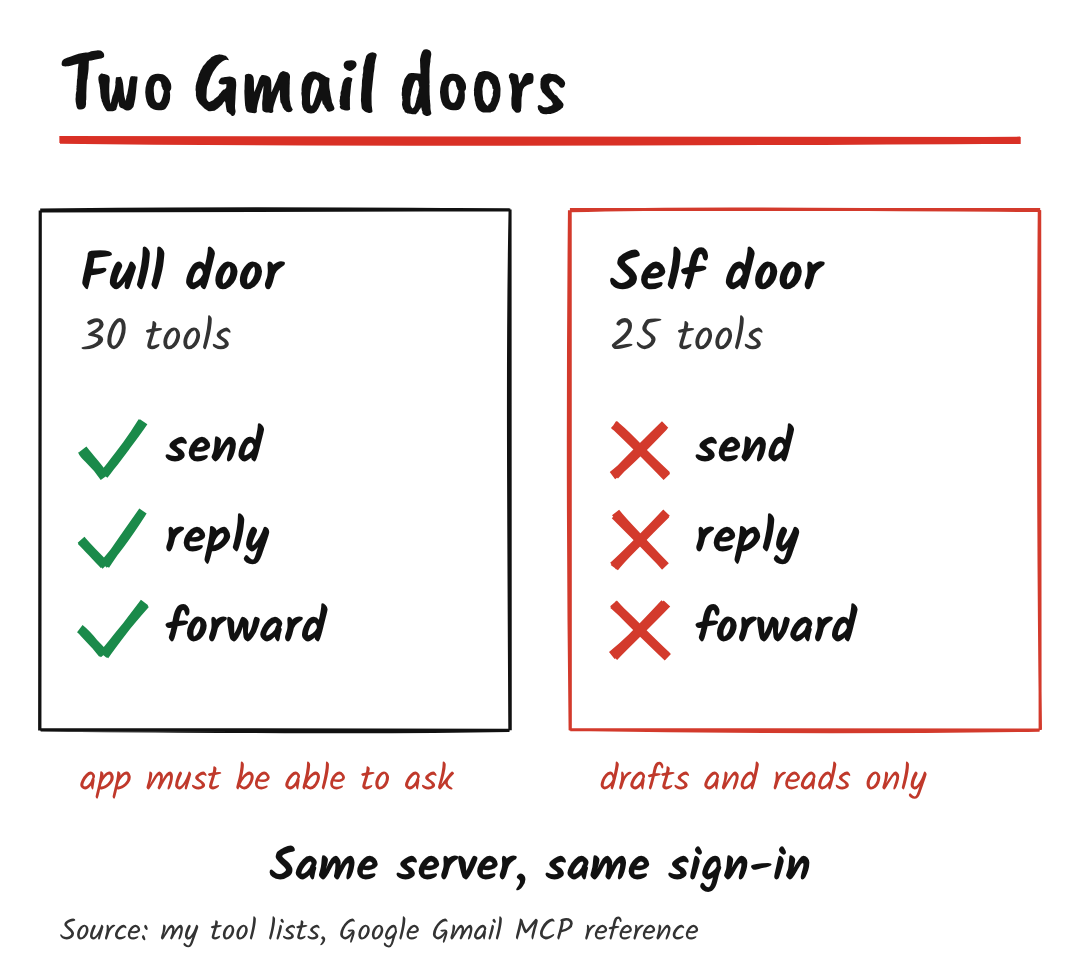
tools on Gmail’s full endpoint, send, reply and forward included
25
tools on the fallback endpoint, with none of the three
5,000
free MCP requests a day per project, per product
1 Feb 2027
when the Addendum takes effect
What the rule says
The GWS Access Tool must use a Google MCP where the GWS Access Tool is or is driven by an AI Agent, an AI Harness or an AI model or service employing an AI model. You may not obfuscate or otherwise allow any GWS Access Tool to avoid classification as a GWS Access Tool or to circumvent this requirement to use a Google MCP.
Workspace AI Tools Addendum, term 1
Google’s usage tiers page sets the date at 1 February 2027 and names the two routes: the Workspace MCP servers or gwscli. It adds that agents calling REST directly are held to Standard tier quotas whatever tier their project is on. Ordinary apps keep using REST.
What I ran
Google’s guide says each server has a full endpoint, /mcp/v1, and a fallback, /mcp/v1self, for apps that can’t show an approval prompt. I called tools/list on both Gmail endpoints without signing in.
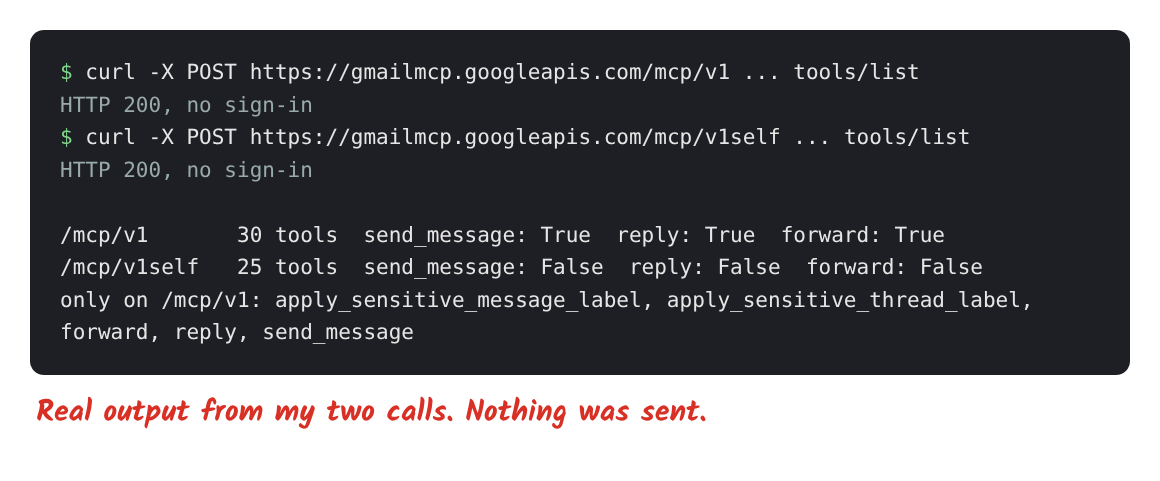
The full endpoint returned 30 tools and the fallback 25. The five missing from the fallback are send_message, reply, forward and two sensitive-label tools, which matches Google’s Gmail MCP reference. I didn’t send any mail. A send needs an OAuth client and a Google account I haven’t set up for this, so what happens at the approval step comes from Google’s guide and another developer’s test.
What happens to a send
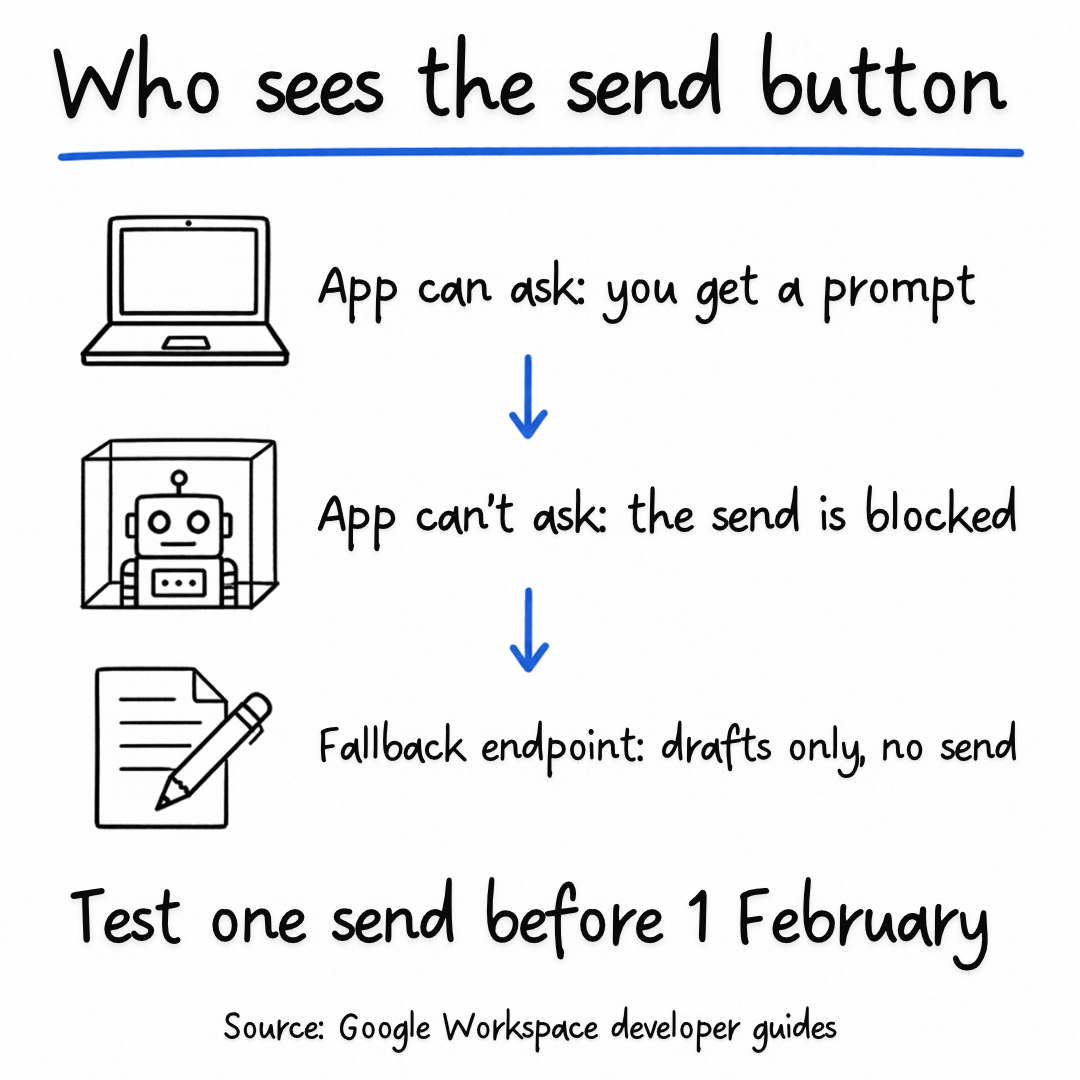
By default, Google’s approval guide says, a send to someone outside your domain needs a person to approve it. The server pauses and returns a form prompt. The app has to declare form elicitation support. If it doesn’t, the server blocks the call and returns a MissingRequiredClientCapability error. Google says prebuilt hosts such as Antigravity and Claude Desktop that support it need no extra code.
Satsawat Natakarnkitkul ran the test on a personal Google account and wrote it up on DEV Community. A send to another person was refused until the call declared the capability. Then the server sent back a question with four choices: allow once, always allow for this recipient, always allow this tool, or don’t allow. The refusal arrived as a normal tool result with isError set to true, so an agent that checks only for protocol errors would miss it. A send to the account’s own address went out with no question at all.
In a Workspace organisation, admins with the Security administrator privilege set the rules under Agents, Settings, User review for external agents. Each category can be Allow, Require approval or Block, per organisational unit.
| Activity | Default policy |
|---|---|
| External collaboration, such as sending email outside the organisation | Require approval, unless the user chose always allow |
| Internal collaboration | Require approval, unless the user chose always allow |
| External data access, such as reading mail from outside | Require approval, unless the user chose always allow |
| Internal data access | Allow |
Two details matter for automation. Unattended integrations that can’t show a prompt can only run actions that need no confirmation, such as ones an admin has set to Allow, and service accounts using domain-wide delegation fall under the same policies. The review rules don’t cover standard REST APIs or partner integrations. gwscli handles its own prompts over standard input and error.
The pushback
The Information reported on 28 November that the requirement is drawing developer backlash, according to Techmeme’s summary. The article is behind a paywall, and I’ve read only its headline and that summary.
The criticism I could read is about cost and control. Martin Alderson wrote that he thinks this is “the first major product that’s attempting to tax agentic use cases”, and that he isn’t sure it will work. He doubts Google can enforce the rule: “Quite how they plan on enforcing this I’m not sure”. Scaled tier MCP use for Gmail, Calendar and Drive is billed from the first request from 1 April 2027. Google’s cost estimator lists four unit prices from US$0.10 to US$0.50 per 1,000 requests, and Alderson reads that as roughly US$0.20 to read 1,000 emails.
Google’s case is control. Its announcement says over 99% of active developers stay inside the free Standard tier, and that on the MCP path admins get approval rules, data loss prevention and audit logs.
On Google’s developer forum, a team building a read-only email app asks whether deterministic Gmail sync can keep using REST when optional AI features summarise the retrieved mail, or whether it needs a separate MCP integration. Another developer asks which official channel can give a written reading of the Addendum. Neither thread had an answer from Google when I read it.
How other mail providers handle agents
| Provider | Agent route | Sending | Rule |
|---|---|---|---|
| Google Workspace | Gmail MCP server, gwscli | send_message on the full endpoint, with approval by default | Agents must use MCP or the CLI from 1 February 2027 |
| Microsoft 365 | Work IQ MCP, plus the Graph mail REST API | Work IQ MCP sends through /me/sendMail; Graph documents send over REST | Older Mail MCP server is for backward compatibility; new projects are pointed to Work IQ MCP |
| Fastmail | MCP server at api.fastmail.com/mcp | Send is its own OAuth access level, next to read-only and write | Optional; Fastmail says it hasn’t built AI into the product |
Google is the only one of the three whose terms I found requiring agents onto MCP. Microsoft steers new agent projects to one generic MCP endpoint but still documents the REST route. Fastmail treats its MCP server as one more API beside IMAP, and the person picks how much access to give. For Slack’s tighter agent-era limits, see the comparison in my earlier piece.
What to check before 1 February
- List every agent, automation and no-code flow that touches Gmail, service accounts included.
- Mark each agent’s OAuth client as an AI agent, and keep a separate client for features that aren’t agents, as Google’s OAuth help advises.
- Pick a route:
/mcp/v1with approval support,gwscli, or/mcp/v1selfif drafts are enough. - Send one test email to an outside address through the real app. You’ll get a prompt, an error, or a send with no question, and each means something different.
- If a job runs with nobody watching, ask your admin to set that activity to Allow, or have the agent write drafts for a person to send.
- Check what the agent stores. Google Technical Information, such as embeddings and memory indexes built from mail, can’t be kept past 30 days.
- Compare daily request counts with the 5,000 cap, because some MCP tools count as several requests.