
Stageshow is an agent skill from the designer Benji Taylor that helps a coding agent build faux product UI: the believable fake app screens you see on marketing pages, as stills, cursor demos and bento grids. I installed it in OpenCode and had five models build a feature card and a cursor demo for a made-up invoicing app. All five loaded the skill, and every cursor demo passed its filming gate at desktop and phone width. Two of the five stills passed at desktop and failed at phone width on the same fault. A no-skill control produced a clean, working still that looked like a different kind of picture. It’s a smoke test with one run per setup, and I list what I didn’t run near the end.
What Stageshow is
Taylor published Stageshow at the end of October and announced it on X in a short post: a skill that helps your agent make better faux UI stills, animations and bento grids. His own page is candid about the gap it targets: “Most good models can do this now without a dedicated skill, but the results often look sloppy and heavy-handed.” The idea is to write down the hundred small decisions that make a mock screen look intentional, so an agent can make them too.
Install is one line, npx skills add benjitaylor/skills --skill stageshow. The repository is MIT licensed. The skill needs Node 20.19 or later for its preview, and the filming tools use playwright-core and a local Chrome. The finished demos don’t depend on either.
The one idea, and five ways it goes wrong
The skill’s one-sentence brief is that the result “reads as a real product, simplified to what the viewer needs, framed with intent, and every motion has a cause.” It then lists five ways a mock screen fails.
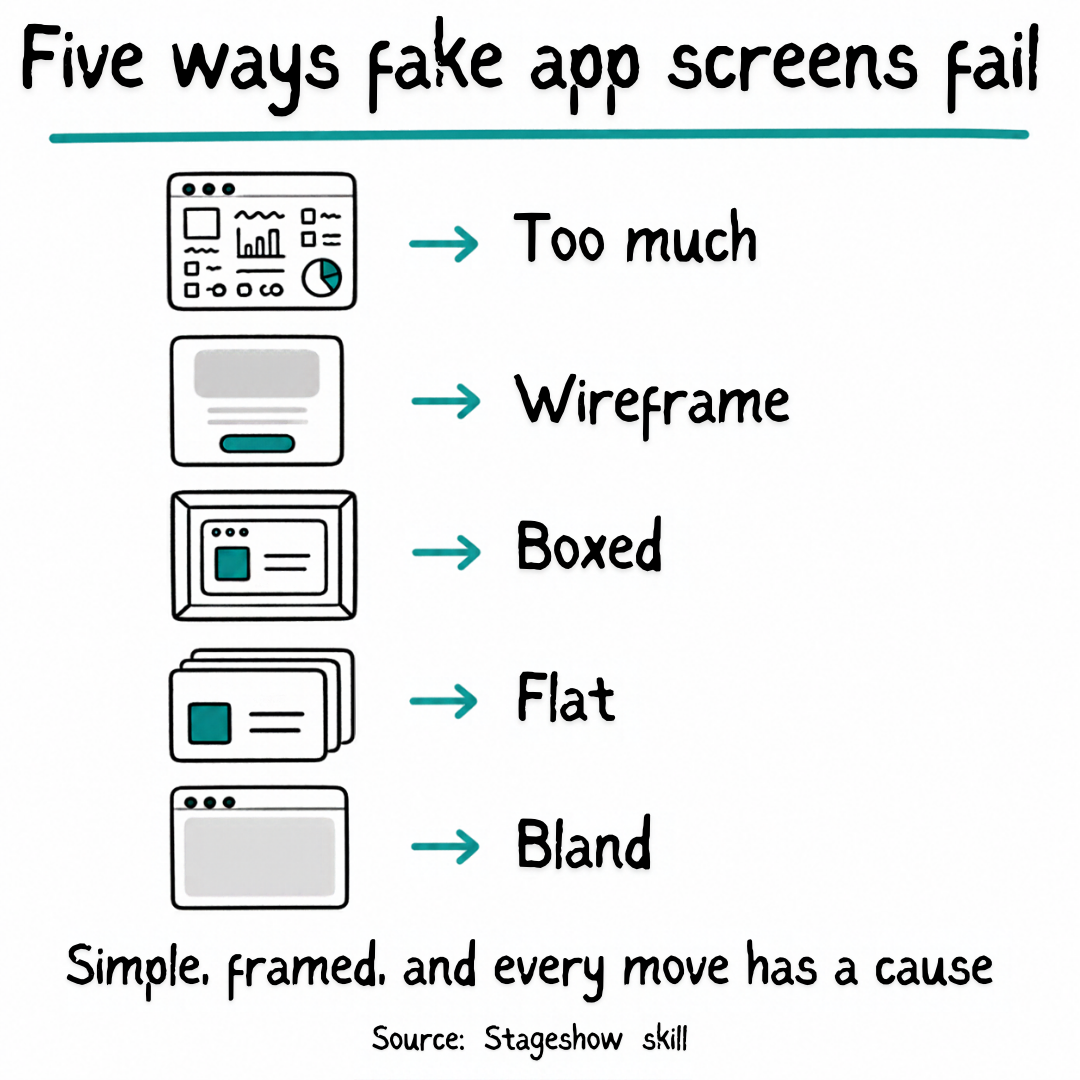
- Too much. Real text and numbers in every row. The more detail, the more it looks generated.
- Wireframe. Two grey blobs and a button, stripped of what made the product recognisable.
- Boxed. A whole window shrunk into a card with even margins, which reads as a pasted screenshot rather than a product shot.
- Flat. Every object the same weight in the same bordered card, so the eye has nowhere to land.
- Bland. A grey window with a cursor, whatever the brief asked for.
The fix it prescribes is a full, structured screen in quiet greys, real words only on what the story is about, placeholder bars for the rest, and a hard crop that puts the eye on the action. These are authored illustrations, not browser automation: a scripted click draws the cursor pressing, and nothing drives a real app.
What’s in the box
| Part | What it does |
|---|---|
| The skill file | A workflow of seven steps: pick the medium, choose a look, plan the story, start from the closest gold example, build the screen, choreograph, then rehearse. |
| A React kit | Windows, phones, rows, buttons, a stage that scales to fit, and a small scripting API for moves, clicks and typing. The skill says to use a kit part rather than hand-build a lookalike. |
| Gold examples | Dozens of worked scenes, from a feature card to a drag-to-reorder list to a phone swipe, which the skill calls “the bar, not a reference”. |
| References | Short documents on framing, craft, motion, products and verification, plus bad and good teaching pairs. |
| Filming tools | A script that films the page into a contact sheet and, with --gate, prints a pass or fail verdict on faults a viewer would see. |
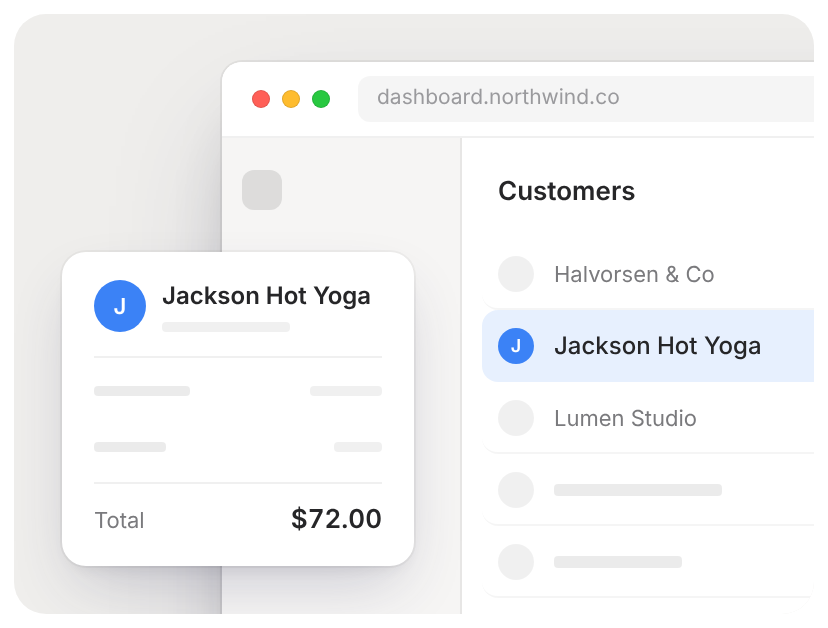
The step that matters most for a model is the fourth. The skill tells the agent to find the closest gold example, copy its folder and keep its structure, then swap in the brief’s product. It adds that “a copy that only changes the name is not done”. The last step is the gate: the agent has to film the demo at the shown width and at 390 pixels, fix whatever the verdict lists, and write a REHEARSAL.md next to the component saying what it copied, what it changed and what it didn’t check. The skill is plain that a pass is “necessary, not sufficient”.
Where it sits next to other design skills
Most design skills I’ve tested are guidance: rules written in a file that the model reads and applies on its own. In my test of Taste, Emil and Vercel’s guidelines, the skills changed the look of a page and the time it took, and the models fixed the mechanical faults without them. Inkworks pushed models towards engineering drawings, and Papercraft towards pop-up paper scenes. Google’s frontend skill redesigned a real docs page.
Stageshow differs in two ways. It ships working parts to copy, which gives a model something concrete to start from rather than only advice. And it ships a checker that prints a verdict a model can act on without anyone looking. The checker is objective about geometry, such as uneven gutters, jumps and text that gets cut off. It says nothing about taste, and the skill says so.
How I tested it
I made up a product, Ledgerly, a small invoicing app, and set two tasks. The first is a still feature card of an invoice list with one invoice marked as paid. The second is a short animated cursor demo that clicks “Send invoice” so the status chip changes from Draft to Sent. Five models did each task in OpenCode with the skill installed, and one model did the still again with no skill as a control.
| Model | Route |
|---|---|
| Kimi K3.1 Pro | Synthetic |
| DeepSeek V4.1 Flash | Morph |
| Claude Opus 5.5 | Anthropic API |
| GPT-6.2 Sol | OpenAI API |
| Gemini 4 Neon | Google API |
I set each project up the same way: a blank React and Vite project with the kit’s dependencies installed and the dev server already running. That saved every model the install step. The prompts below are word for word, with the port number swapped for whichever local port a run used. After each run finished I checked the result myself: a type check, then the film gate at the shown width and at 390 pixels, and for the demos a GIF recorded from the page.
The still prompt
Use the stageshow skill. This project is the marketing site for Ledgerly, a small invoicing app. Build a still feature-card illustration of Ledgerly for the site: an invoice list in a browser window, with one invoice being marked as paid. Put it in src/demos/still/index.tsx (default export; the page at http://127.0.0.1:PORT/?demo=still loads it, and the dev server is already running). Film it with the skill's film script, look at the result, and fix what's wrong. When you're done, save your final still as out/still.png.The cursor demo prompt
Use the stageshow skill. This project is the marketing site for Ledgerly, a small invoicing app. Build a short animated cursor demo of Ledgerly: a cursor clicks "Send invoice" on a draft invoice and the status chip changes from Draft to Sent. Put it in src/demos/demo/index.tsx (default export; the page at http://127.0.0.1:PORT/?demo=demo loads it, and the dev server is already running). Film it with the skill's film script using --gate and keep going until it ends "rehearsal passed" or you've done what you can. Save the final gate output as out/gate.txt.The no-skill control prompt
This project is the marketing site for Ledgerly, a small invoicing app. Build a still feature-card illustration of Ledgerly for the site: an invoice list in a browser window, with one invoice being marked as paid. Put it in src/demos/still/index.tsx (default export; the page at http://127.0.0.1:PORT/?demo=still loads it, and the dev server is already running). Take a screenshot of the #demo element with playwright-core (it's installed; Chrome is at the path in $CHROME_PATH), look at the result, and fix what's wrong. When you're done, save your final still as out/still.png.All five models loaded the skill and read its files, so none of these runs was a skill that sat unused.
The still feature card
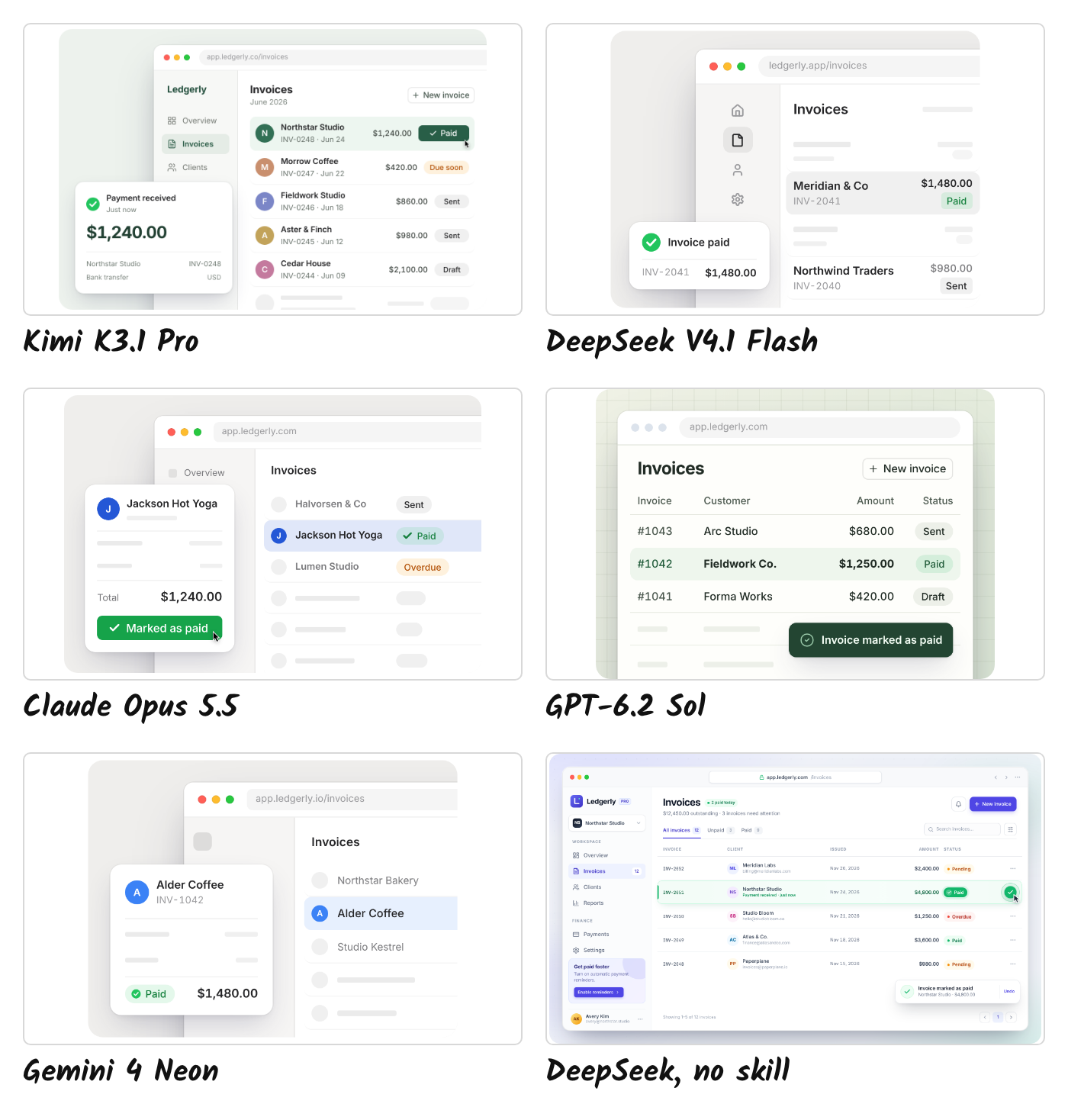
All five skill stills share a recognisable shape. The window is cropped at an edge, one card overlaps it, and most rows are placeholder bars. That’s the gold example’s layout, which is what the skill tells a model to copy. Two of the five followed it very closely. Opus kept the gold’s customer names, “Jackson Hot Yoga” and “Lumen Studio”, and only changed the amounts and the button. That’s the exact thing the skill warns about when it says a copy that only changes the name isn’t done. Gemini kept the layout but renamed the customers.
Kimi and DeepSeek went their own way. Kimi put real words in every row and a “Payment received” card beside the list, which is busier than the gold and reads as the most realistic of the five. DeepSeek used icon-only navigation, large type and bars for most rows. Sol’s is the furthest from the gold: a table with column headers on a patterned plate, with a dark toast confirming the payment. That plate behind the window is something the skill’s framing rules call out as a fault.
| Model | Time | List-price cost | Gate at desktop | Gate at 390px | REHEARSAL.md |
|---|---|---|---|---|---|
| Kimi K3.1 Pro | 15.2 min | US$2.80 | Pass | Pass | Written |
| DeepSeek V4.1 Flash | 7.0 min | US$0.12 | Pass | Pass | Written |
| Claude Opus 5.5 | 8.2 min | US$1.76 | Pass | Fail | Written |
| GPT-6.2 Sol | 3.5 min | US$0.39 | Pass | Pass | Written |
| Gemini 4 Neon | 2.7 min | US$0.45 | Pass | Fail | Not written |
| DeepSeek, no skill | 3.0 min | US$0.04 | Not applicable | Not applicable | Not applicable |
The phone-width failure
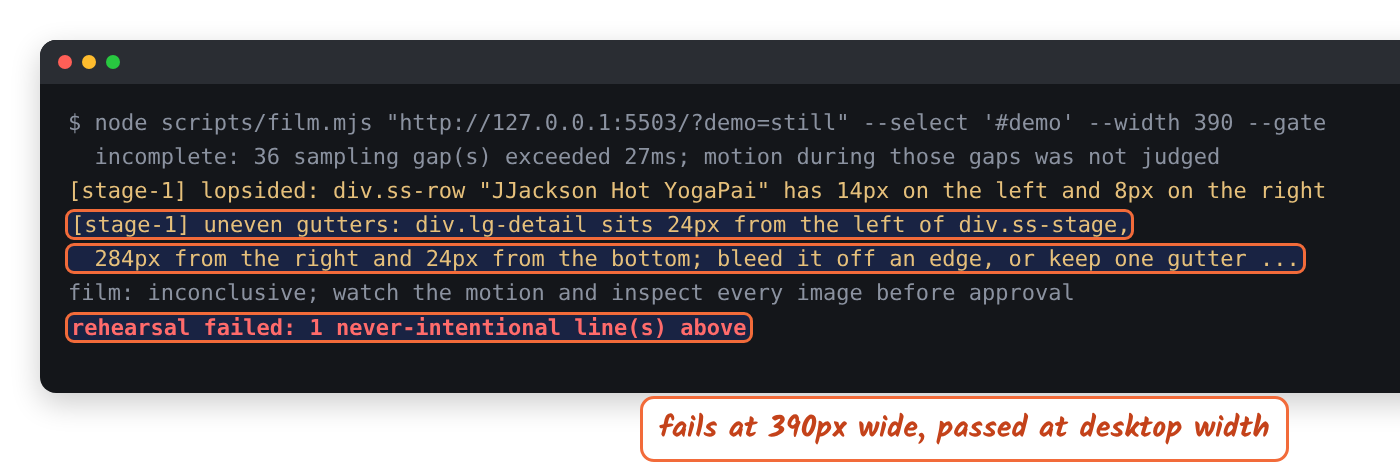
Opus and Gemini both passed the gate at desktop width and failed at 390 pixels. The line was the same for both: the detail card sat 24 pixels from the left of the stage and a couple of hundred from the right, which the gate calls uneven gutters. Both stills use the gold’s overlapping-card layout, so the same fault is no surprise. I don’t know whether either model ran the phone-width check itself. The skill asks for it, and I only know that the stills failed when I ran it afterwards.
The no-skill control
Taylor’s claim is that good models can already do this, and the control backs the first half. DeepSeek with no skill built a competent invoice page in three minutes for a few cents: sidebar, table, status chips, a toast, and a tick on the paid row. It type-checked and rendered.
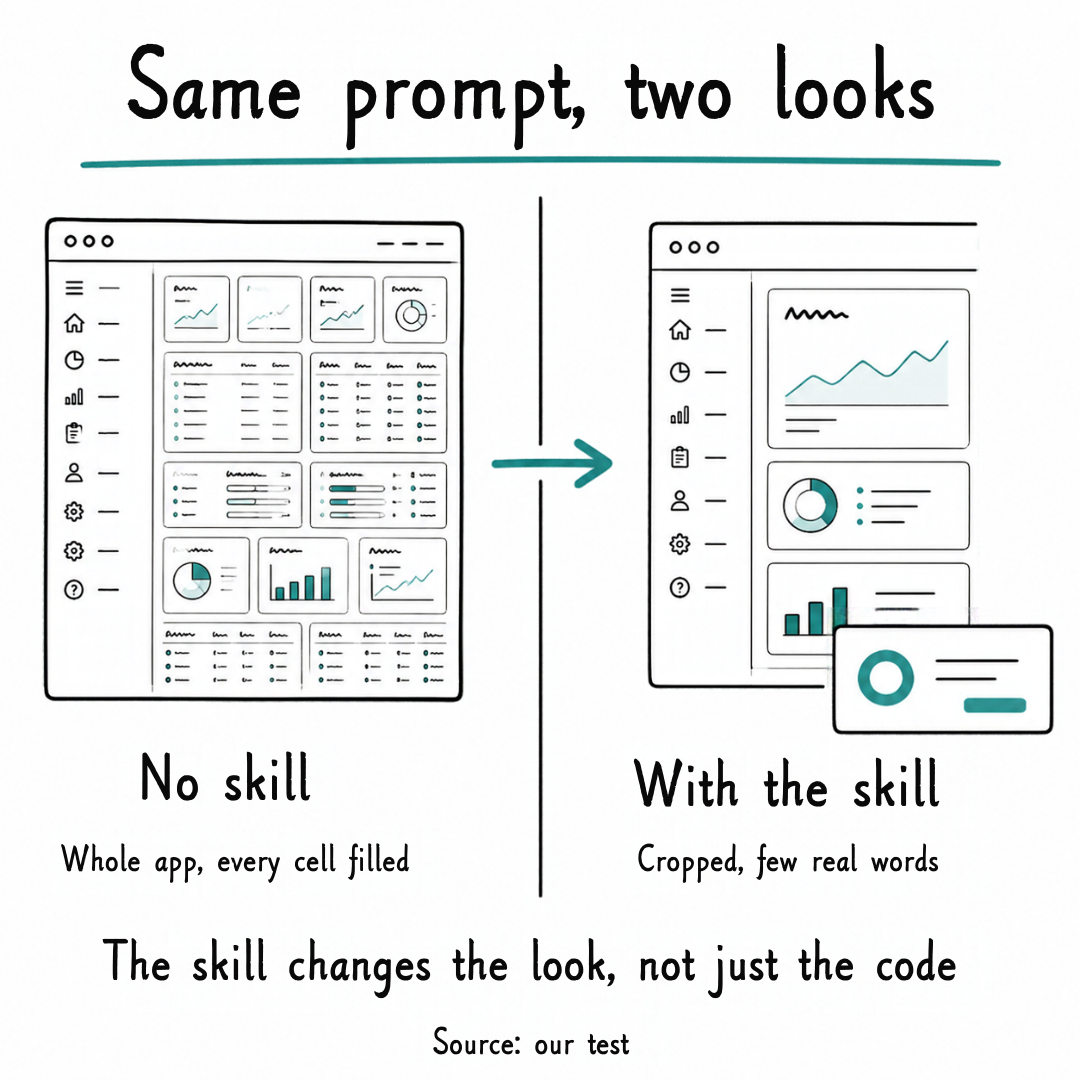
But it hits the first and third failures on the skill’s list. The whole app is on show, every row has real text at a small size, and the window sits inside even margins on a tinted plate. Whether you want that is a design call. For a feature card on a marketing page, I’d pick the skill’s version, because the eye lands on the paid invoice. It’s one control from one model, so treat it as a single data point, and the control also used a different filming method from the skill runs.
The cursor demo
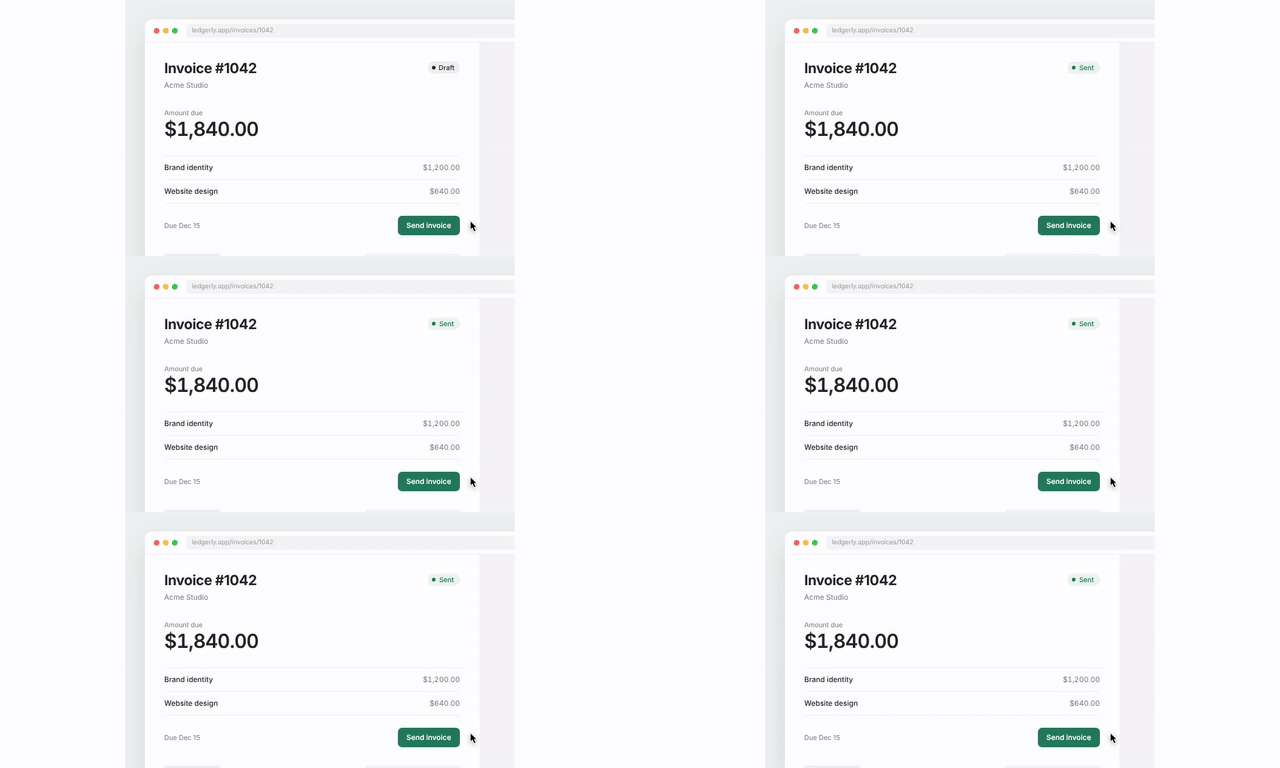
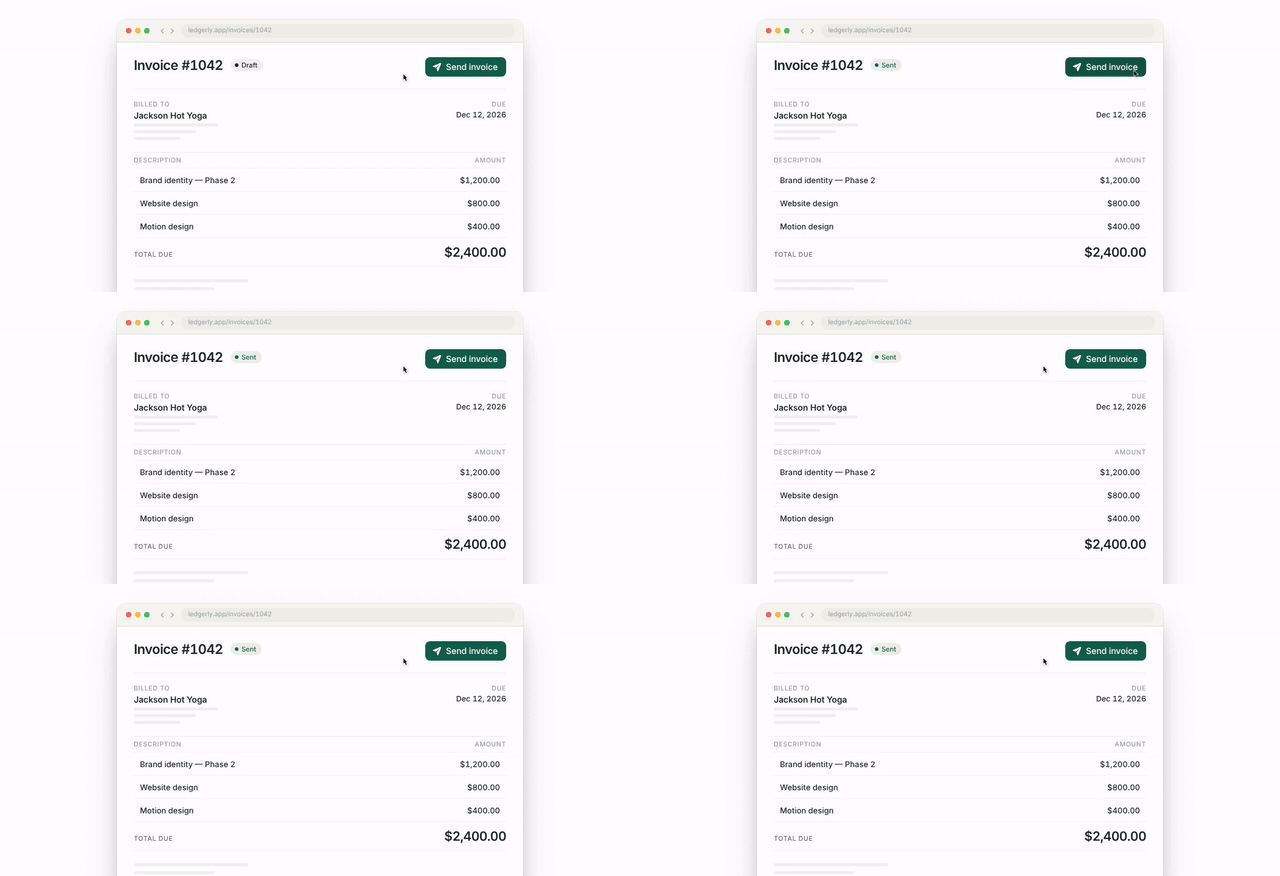
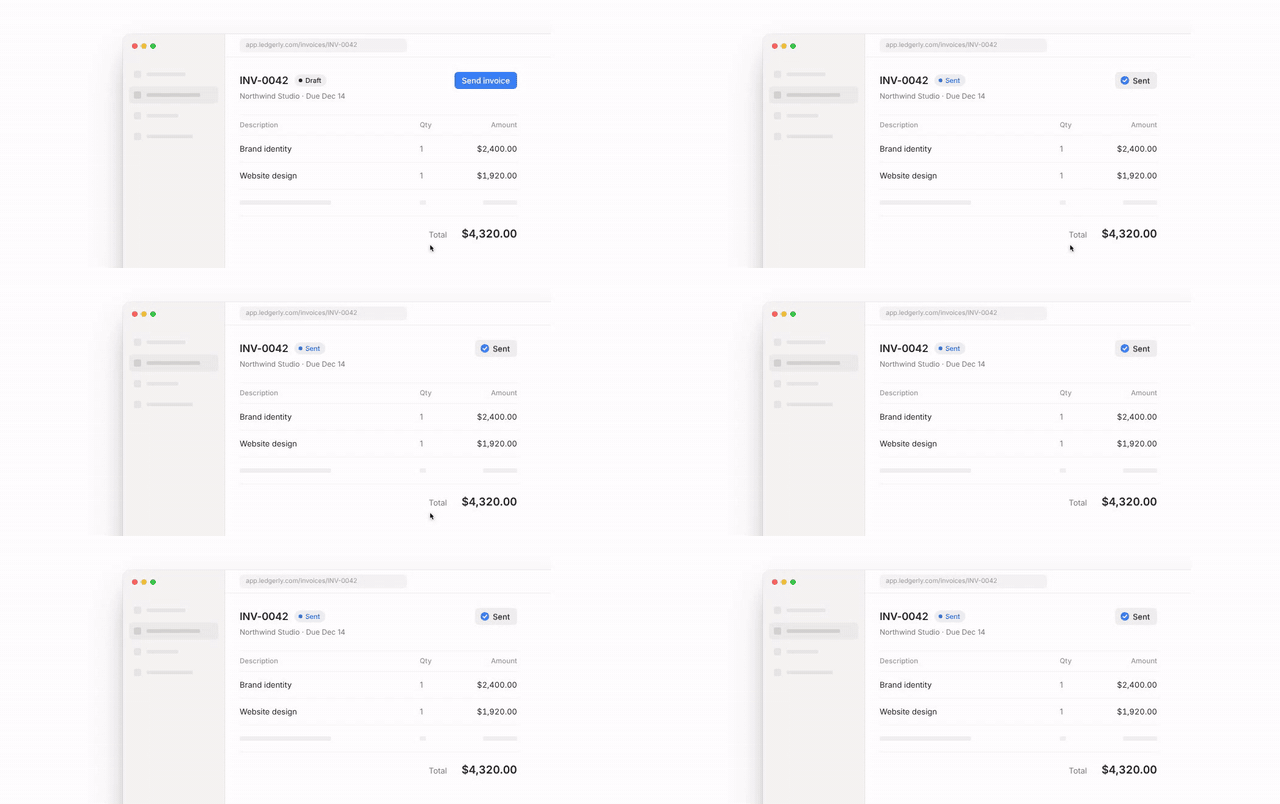
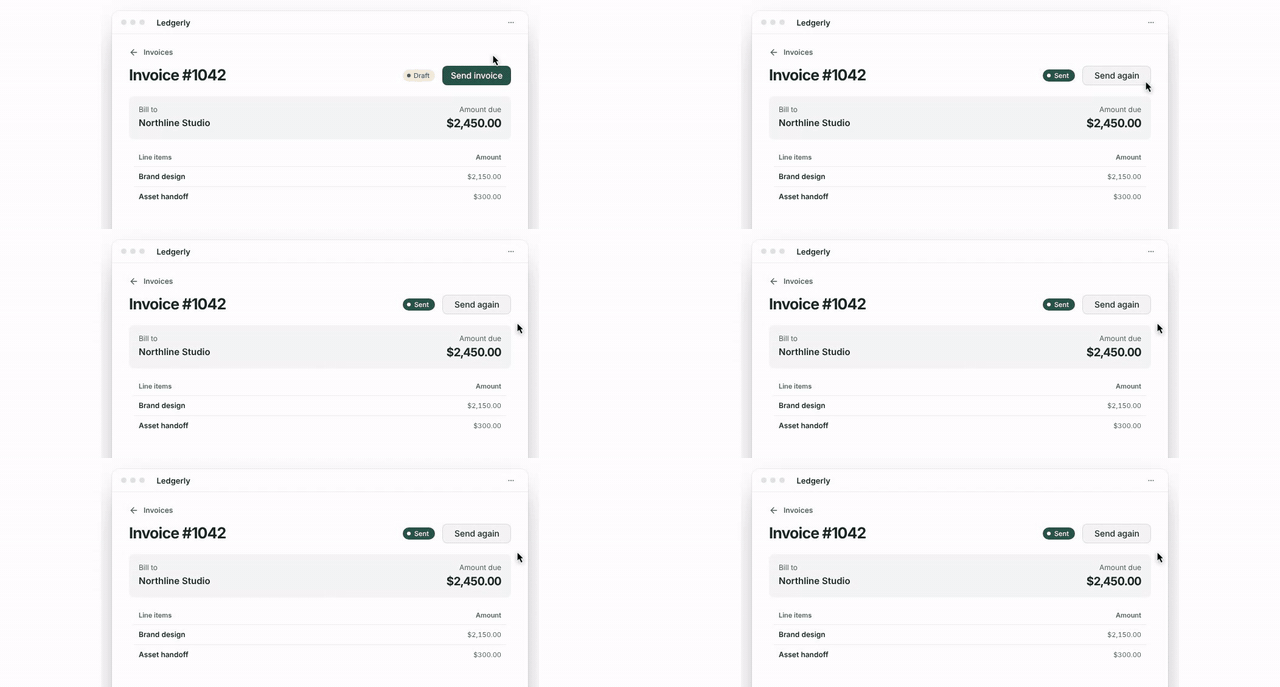
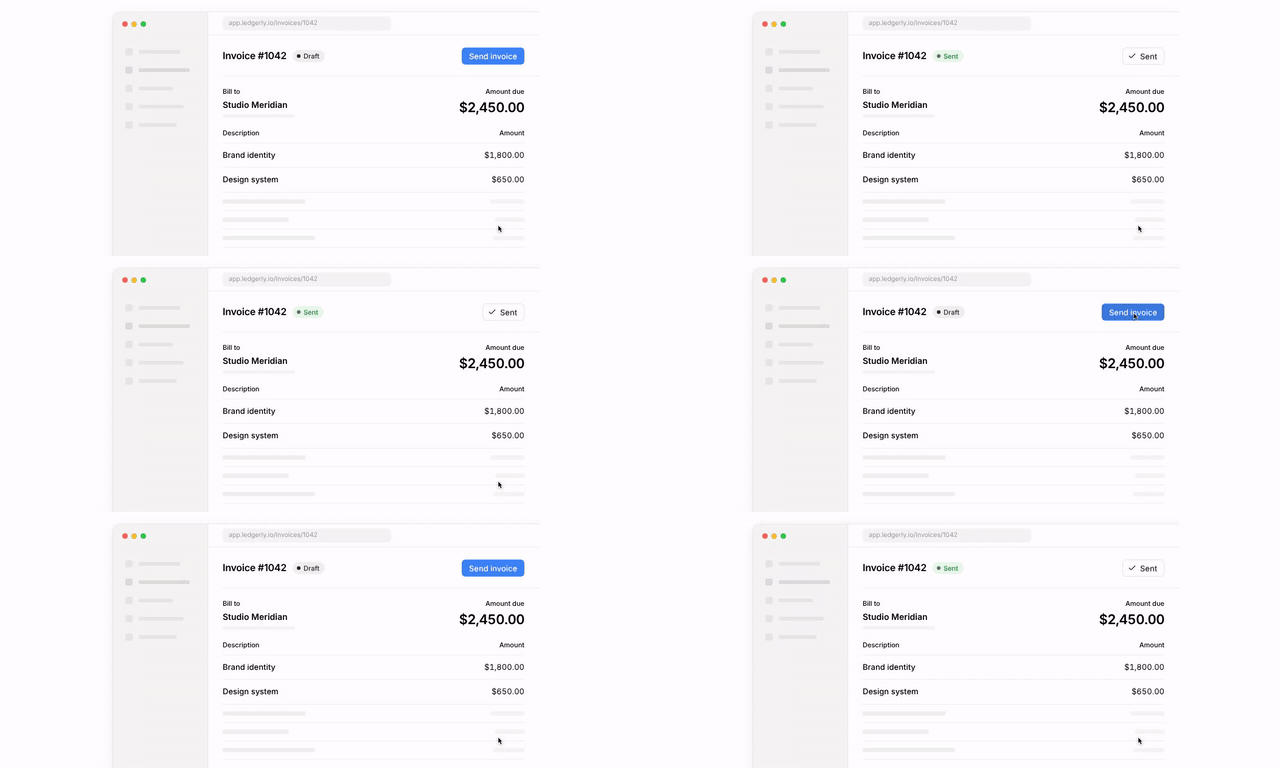
This is where the gate does the most. Every model got to “rehearsal passed” at both widths, with a clean type check. Each demo is a short loop of a cursor moving to the button, pressing it, and the chip changing to Sent. The gate also reported that its motion coverage was inconclusive, because some frames were sampled too far apart, so I judged the motion by eye from the GIFs below.
| Model | Time | List-price cost | Tool calls | Gate at desktop | Gate at 390px | REHEARSAL.md |
|---|---|---|---|---|---|---|
| Kimi K3.1 Pro | 21.8 min | US$3.00 | 122 | Pass | Pass | Written |
| DeepSeek V4.1 Flash | 13.7 min | US$0.21 | 106 | Pass | Pass | Written |
| Claude Opus 5.5 | 9.5 min | US$2.12 | 51 | Pass | Pass | Written |
| GPT-6.2 Sol | 9.2 min | US$0.70 | 103 | Pass | Pass | Written |
| Gemini 4 Neon | 2.5 min | US$0.39 | 29 | Pass | Pass | Not written |
Gemini was by far the quickest, and the only one that skipped the REHEARSAL.md notes the skill asks for. Its gate still passed. Kimi spent the most time and money and made the shortest loop, which suggests the extra effort went into checking rather than into a longer story. I can’t say more than that from one run each.
Time and cost
Against the control’s three minutes and four cents, the skill is slower and costs more on every model, because it asks the agent to film, read the contact sheet and fix things. The spread between models is wide. Kimi and Opus were the expensive ones at around two to three dollars a task at list price, while DeepSeek stayed in cents and Sol under a dollar. For a one-off feature card that’s cheap next to a designer’s hour. For a site with dozens of illustrations you’d want to pick the model with some care.
What I couldn’t test
- Anything beyond one run per setup. A second run could land differently, and the time and cost gaps are the numbers I’d trust least.
- Claude Code or Codex as the harness. I used OpenCode only.
- Hover-triggered demos, the compact phone design the skill asks for, and bento grids.
- Mocking a real, named product. Ledgerly is made up, and the skill has separate rules for real brands.
- Motion quality beyond my own eye. The gate’s motion coverage was inconclusive on every demo.
- A setup that includes the install step, since I installed the dependencies and started the dev server for every run.
I judged the pictures by eye, and design is subjective, so you may rank these differently.
Where that leaves Stageshow
With Stageshow, five different models produced stills that share one coherent, cropped, product-shot look, and five cursor demos that passed an objective check at two widths. Without it, a good model still produced a working page, just a plainer one. The skill’s biggest strength in this test was the gate, because it caught a phone-width fault in two stills that looked fine at desktop width. Its biggest risk is the one it names itself: a model that copies a gold example too literally, as Opus did with its customer names. If you make marketing illustrations with an agent, it’s worth installing and running on your own product. Run the gate at 390 pixels yourself, and read the contact sheet.
Disclosure: I’m an OpenAI, Firecrawl and Devin ambassador.