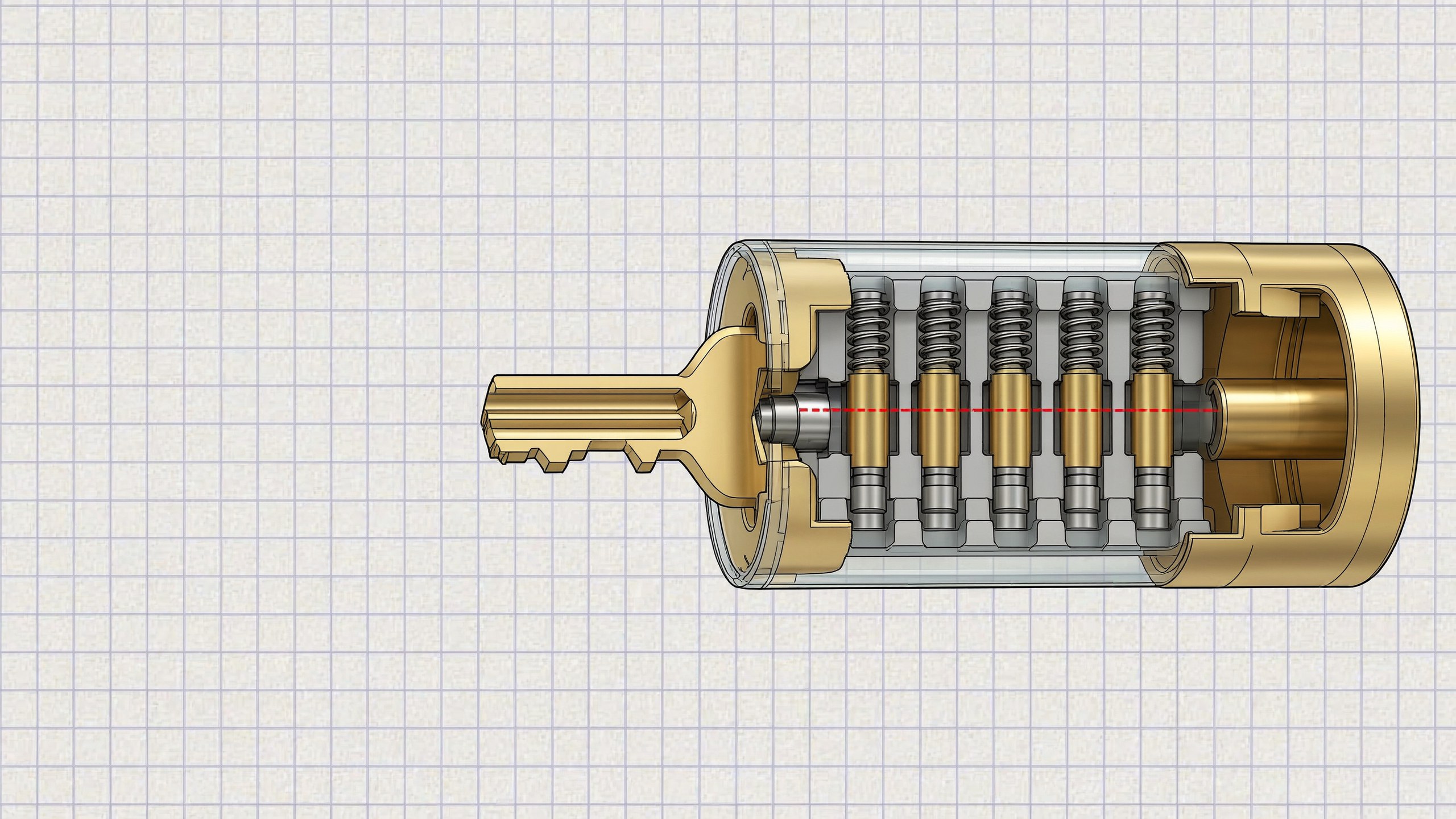
I installed Inkworks, an open-source agent skill for building interactive 3D “how it works” pages, and asked five models to build the same pin tumbler lock with it. All five finished, and all five passed the skill’s own smoke test when I ran it again myself. The builds took from about six minutes to twenty, and the results were consistent enough to read as one family. When I ran a no-skill control with DeepSeek, it also built a good lock, faster and cheaper, in a different style. So the skill buys you a look and a safety net, not an ability the models lack.
What Inkworks is
Inkworks comes from a developer posting as explorax_ and is MIT-licensed, on GitHub as Moh4696/inkworks-skill. It started as a four-cylinder engine explainer and was then split into a reusable kit. The kit is a three.js page with no build step, and each machine is one JavaScript file that describes its parts, its phases and its labels. Everything on screen comes from a single driver angle, so play, step and scrub all move the same value.
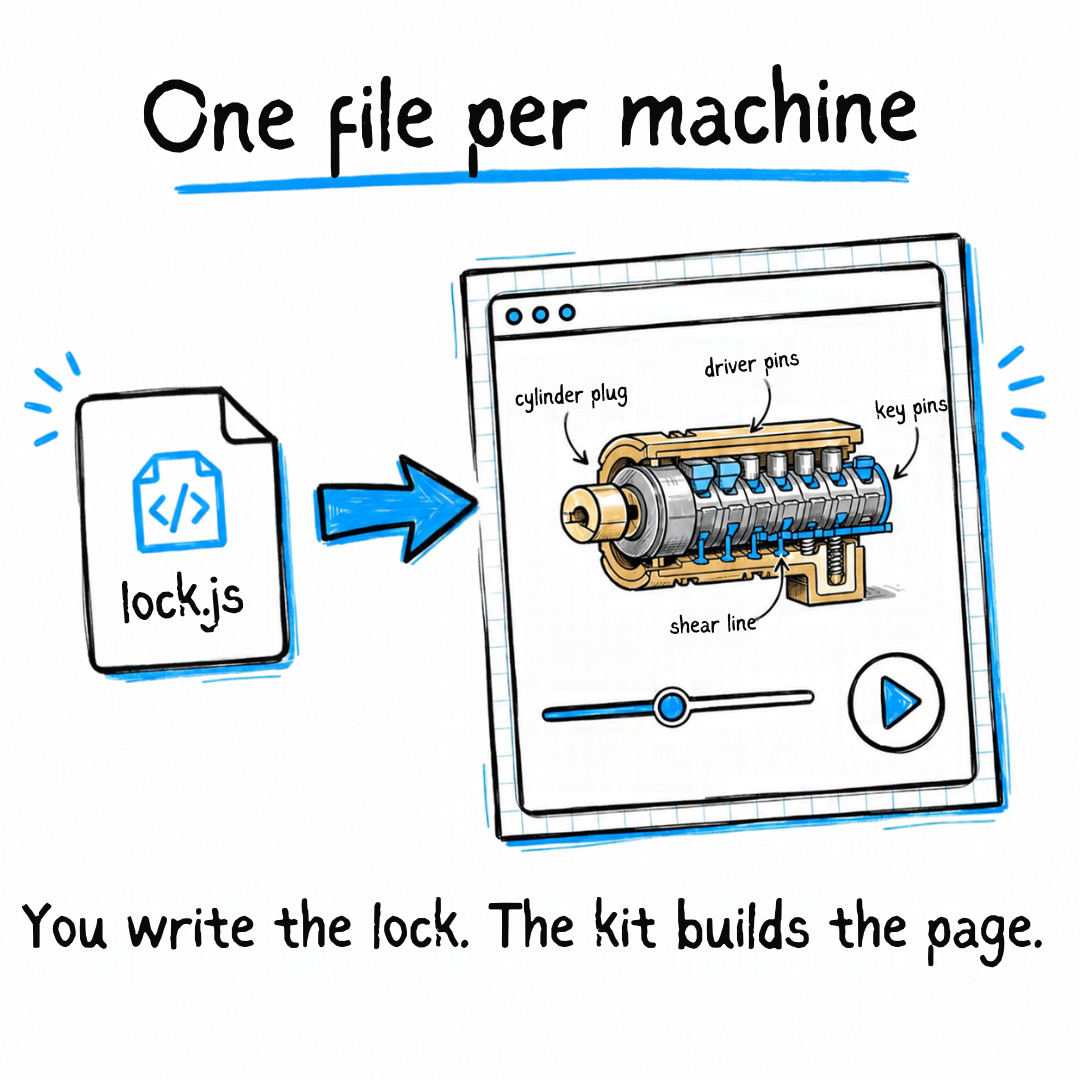
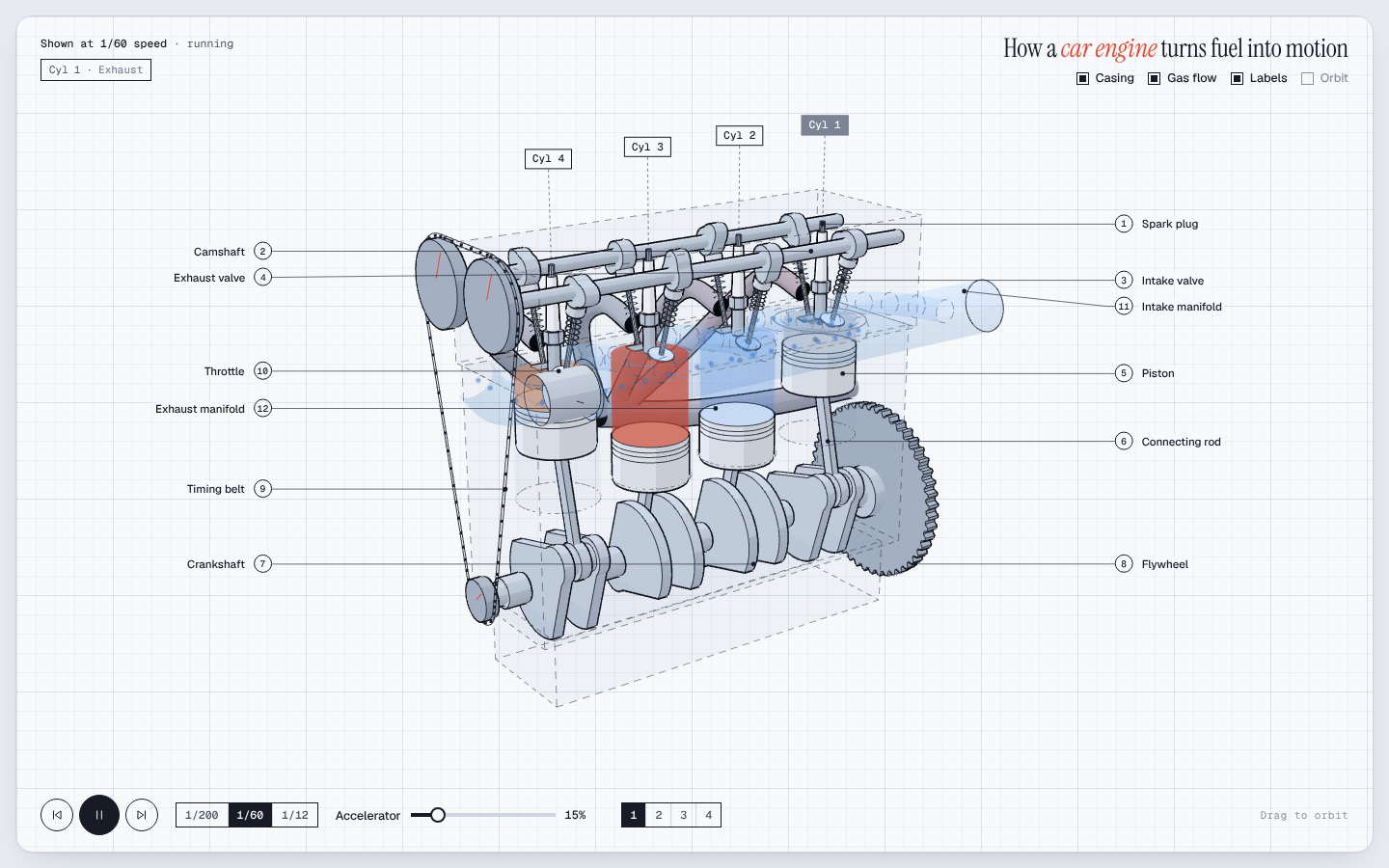
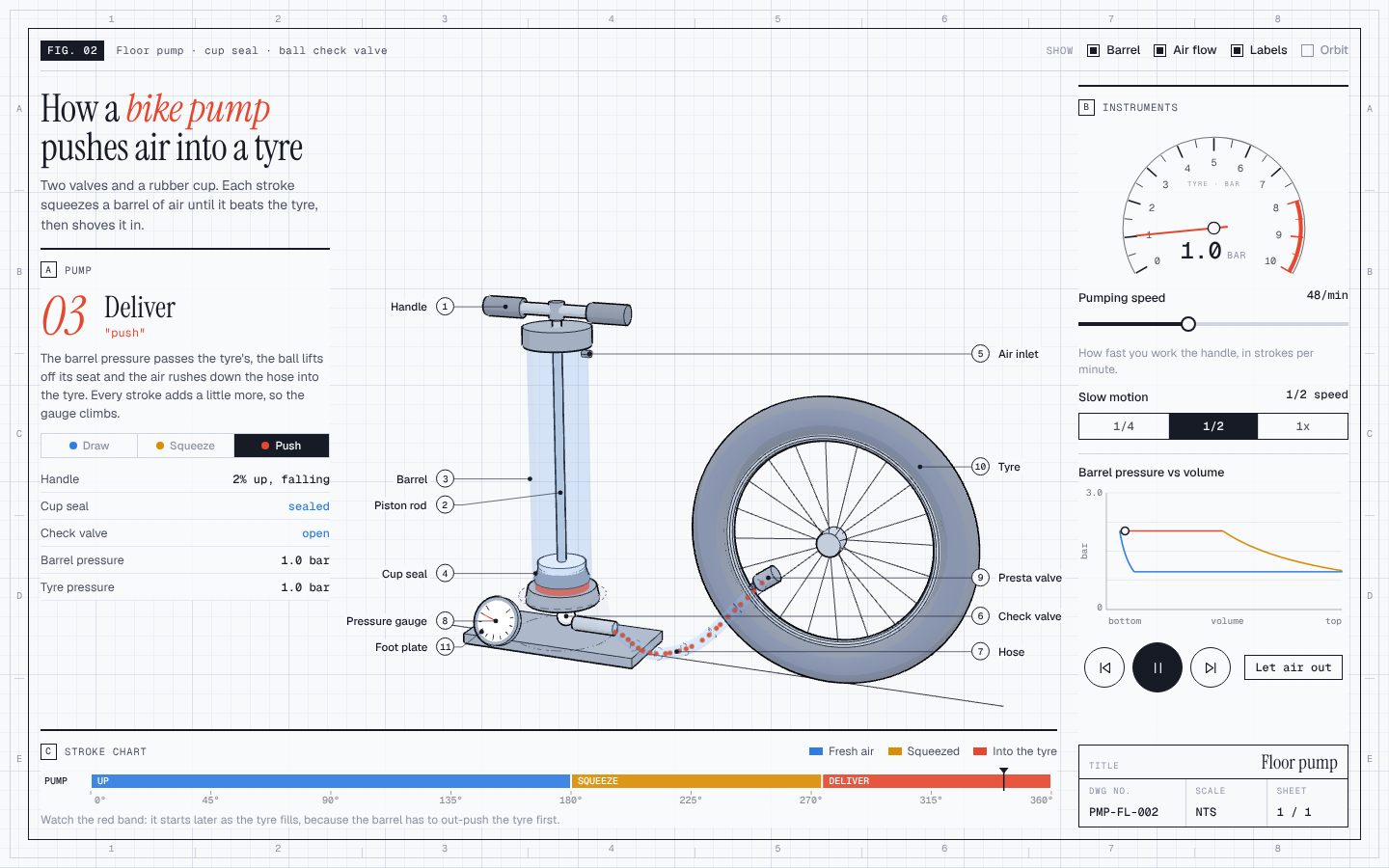
It offers two layouts. The sheet layout is a white drafting sheet with grid paper, a phase panel, a gauge, a cycle chart and a title block. The figure layout is the model alone on a rounded card with labels either side. Two worked examples ship with it, an inline-4 engine and a bike pump, and there are tools for a smoke test, stills and a recorded clip.
I installed it into OpenCode with one command, and OpenCode loaded it on its own when the prompt named it. The smoke test clicks every control in both layouts at three screen sizes and fails on any page error. Here’s the install and a passing run, trimmed.
npx skills add Moh4696/inkworks-skill -a opencode -y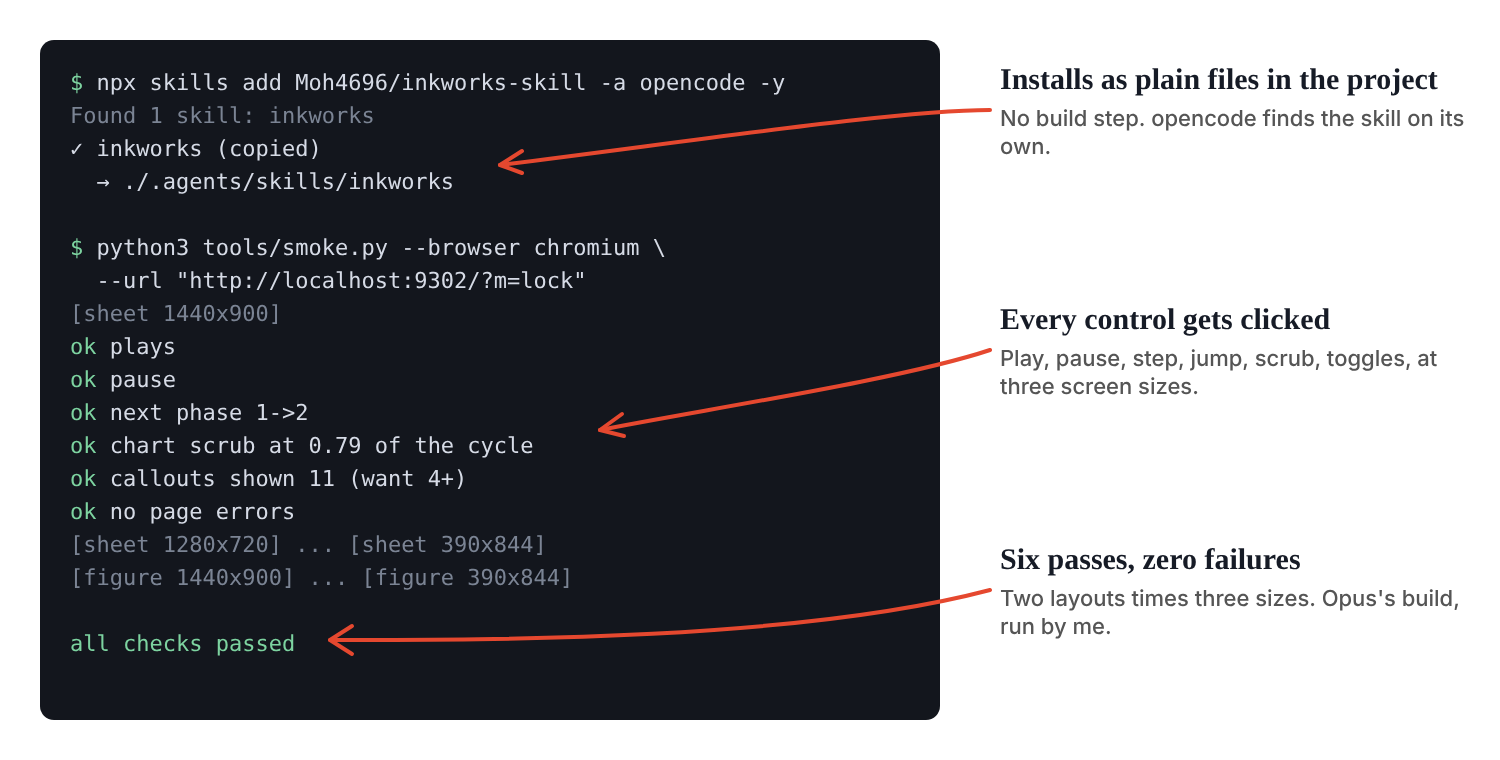
How I tested it
The skill is the thing under test, so every model got the same prompt and the same fresh folder, run headless in OpenCode 1.19.6. Kimi K3.1 Pro ran through Synthetic, DeepSeek V4.1 Flash through Morph, Claude Opus 5.5 and GPT-6.2 Sol through their own APIs, and Gemini 4 Neon through Google’s. I picked a lock because it’s a mechanism with real logic: five pin stacks have to line up at the shear line before the plug can turn. This is the prompt, word for word.
Using the inkworks skill, build an interactive 3D explainer of how a pin tumbler lock works, in the ./lock folder. Run the skill's smoke test against it (use --browser chromium, WebKit isn't installed on this machine) and fix whatever it flags. When it passes, reply with two sentences on what you built.Afterwards I ran the smoke test myself on every build, rather than trusting each model’s summary, and photographed each page in headless Chromium. I also ran a control: DeepSeek again, with no skill and this prompt.
Build an interactive 3D explainer of how a pin tumbler lock works, as a web page in the ./lock folder, using three.js. It should let me orbit the camera and step through the key going in and the plug turning. Check that it loads in a headless Chromium (Playwright is installed, set PLAYWRIGHT_BROWSERS_PATH=/opt/pw-browsers) with no console errors and fix whatever it flags. When it works, reply with two sentences on what you built.One run per model means these are smoke tests, not benchmarks. A second run could come out differently.
What came back
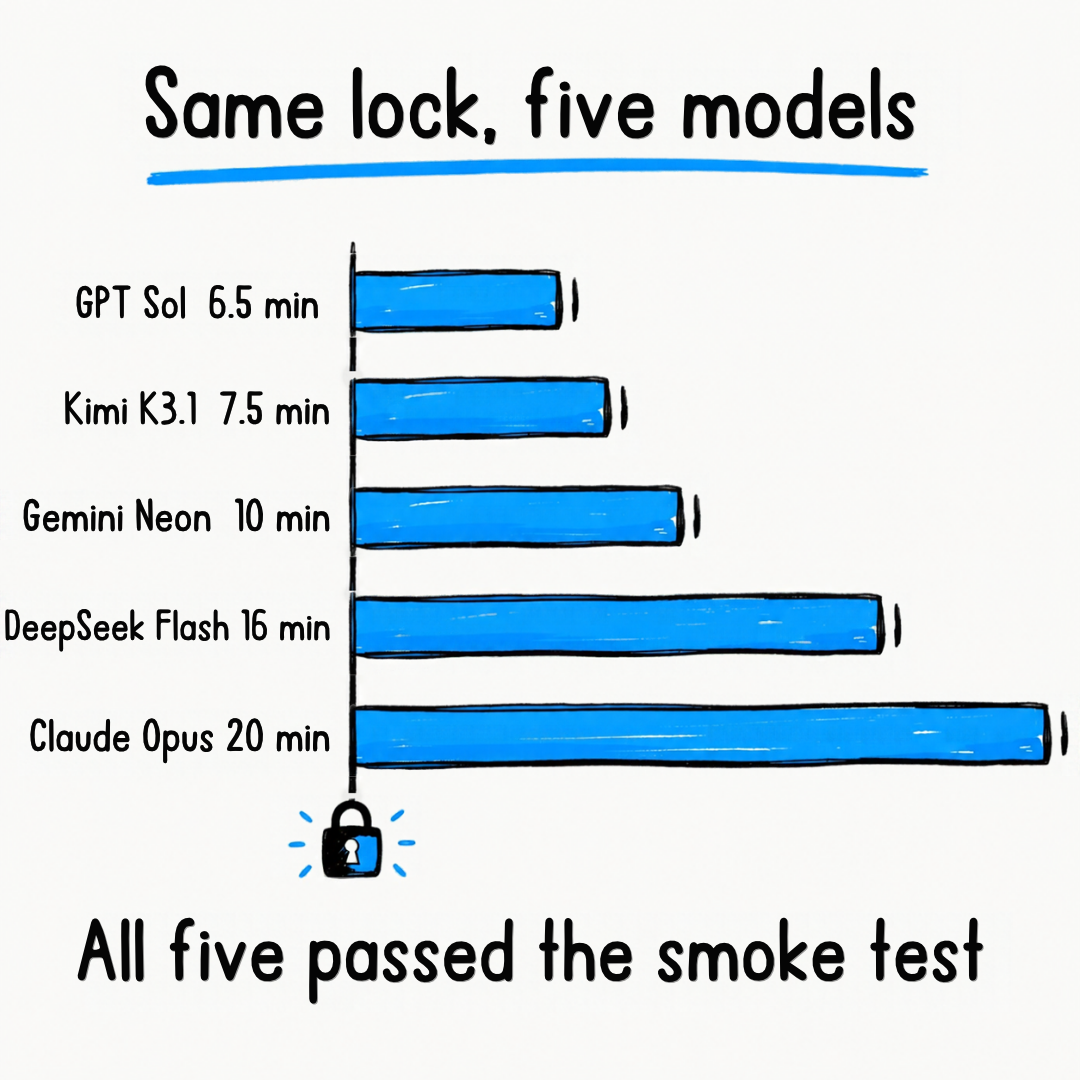
Every model finished, exited cleanly and passed the smoke test on my re-run with no page errors. Costs are OpenCode’s own list-price estimates from the token counts.
| Model | Build time | Cost | Smoke test | What stood out |
|---|---|---|---|---|
| GPT-6.2 Sol | About 6.5 minutes | US$0.28 | Passed | Fastest, and tidy |
| Kimi K3.1 Pro | About 7.5 minutes | US$0.50 | Passed | Clean page, key slides in and pin pairs lift |
| Gemini 4 Neon | About 10 minutes | US$1.31 | Passed | Most parts, but a garbled label and a jittery chart |
| DeepSeek V4.1 Flash | About 16 minutes | US$0.13 | Passed | Cheapest, thin key, square-pulse chart |
| Claude Opus 5.5 | About 20 minutes | US$1.68 | Passed | Added a wrong-key toggle, slowest and dearest |
The five locks
All five pages share the skill’s bones: a drafting sheet, numbered balloons, a phase panel that steps through the key going in, the pins lining up, the plug turning and the relock, a gauge and a cycle chart you can scrub. They differ in the details, which is where each model’s habits showed.
GPT-6.2 Sol
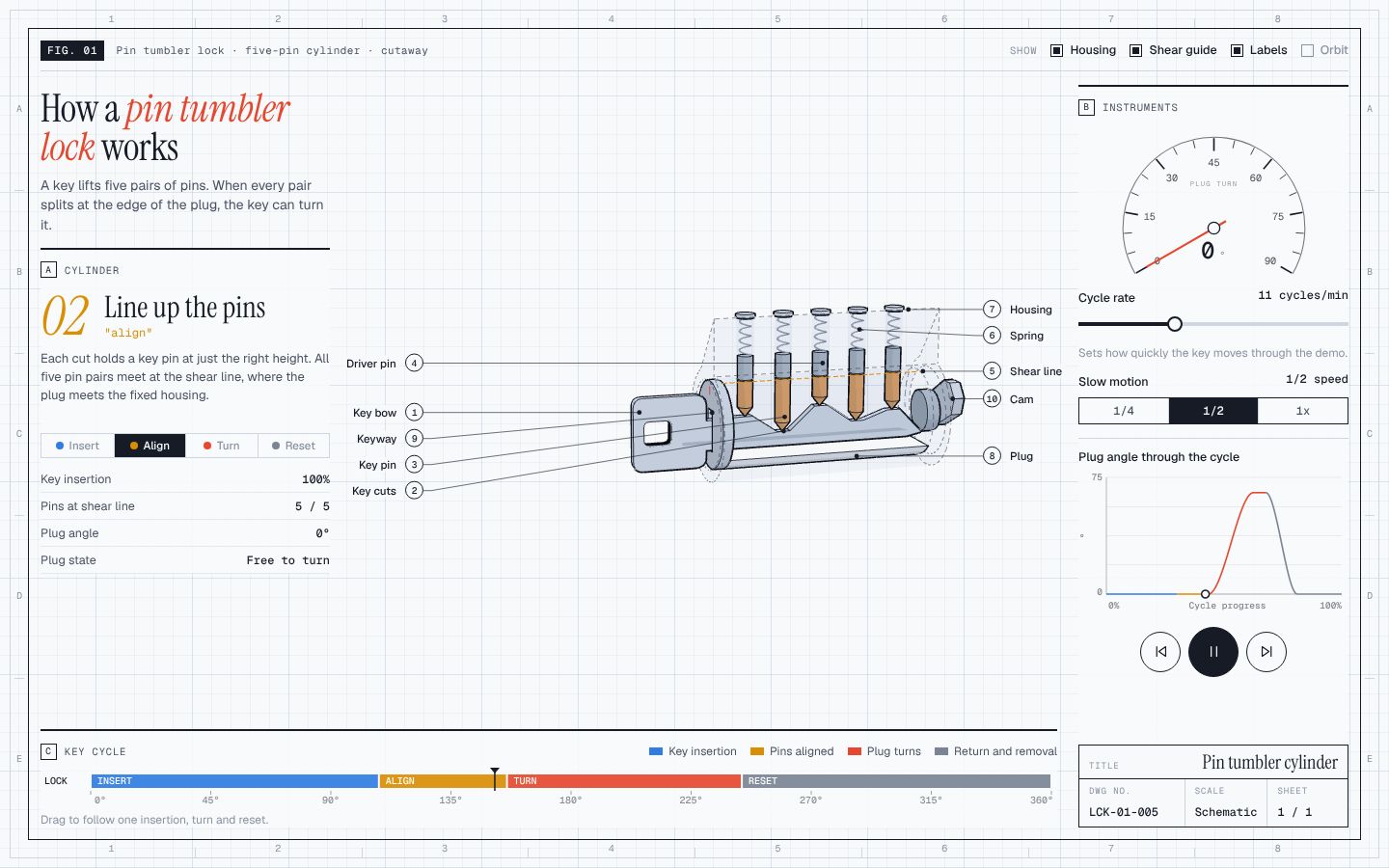
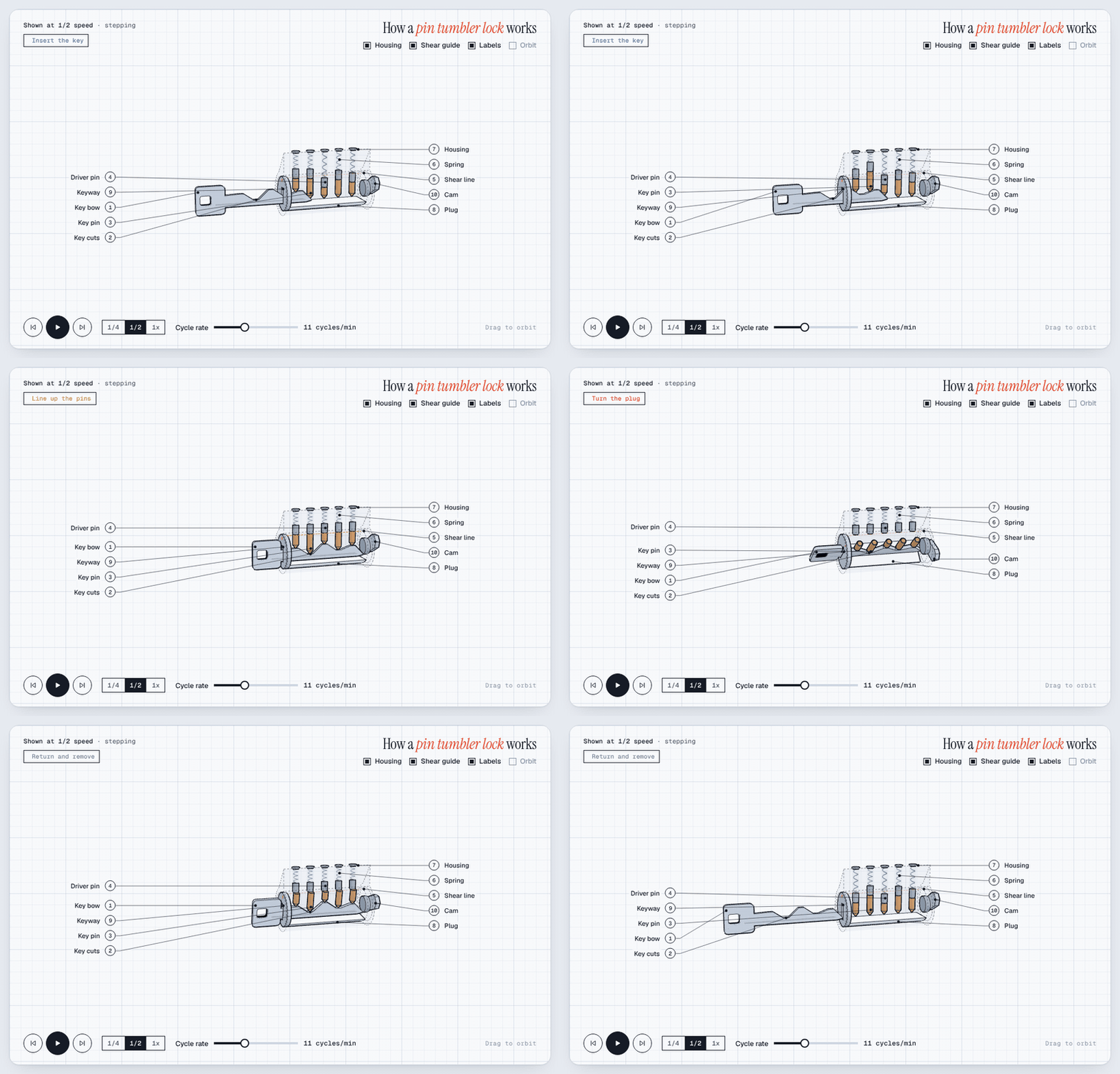
Sol was the quickest and wrote the smallest mechanism file of the five. The page is plain and correct.
Kimi K3.1 Pro
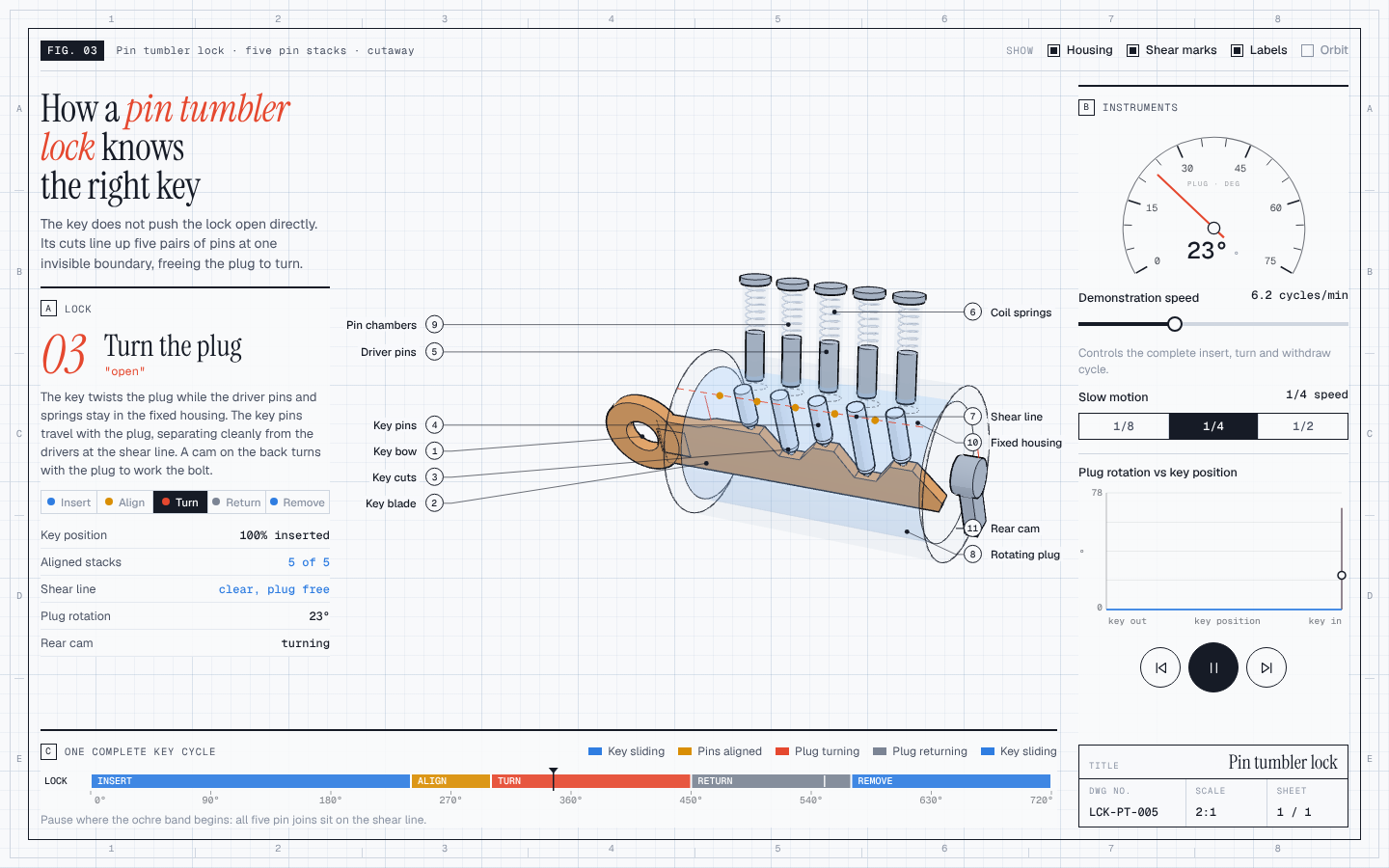
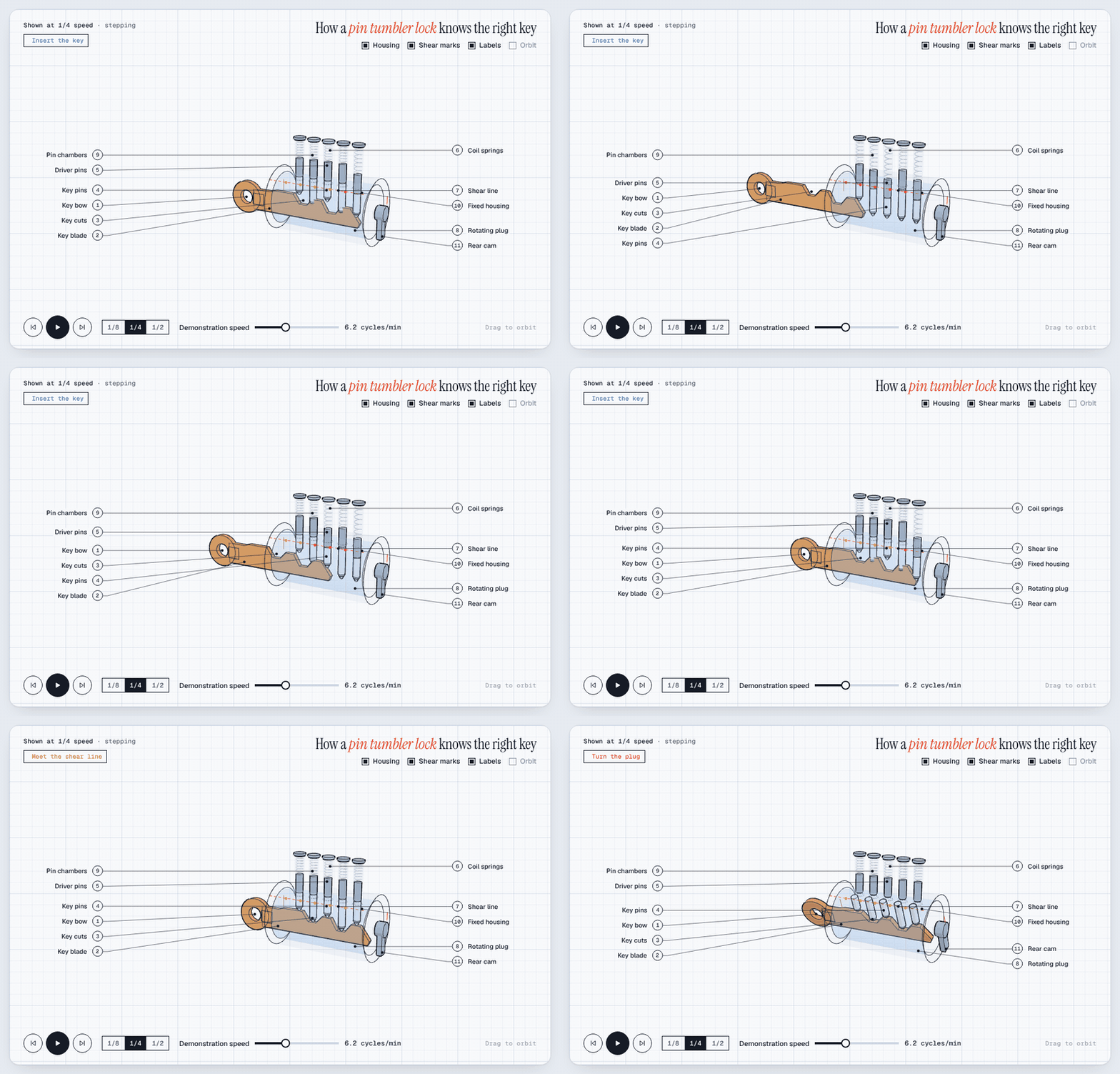
Kimi’s lock is the one I’d show a newcomer first. The key slides in, the pin pairs lift to the shear line and the plug and cam turn, in a layout that reads easily.
Gemini 4 Neon
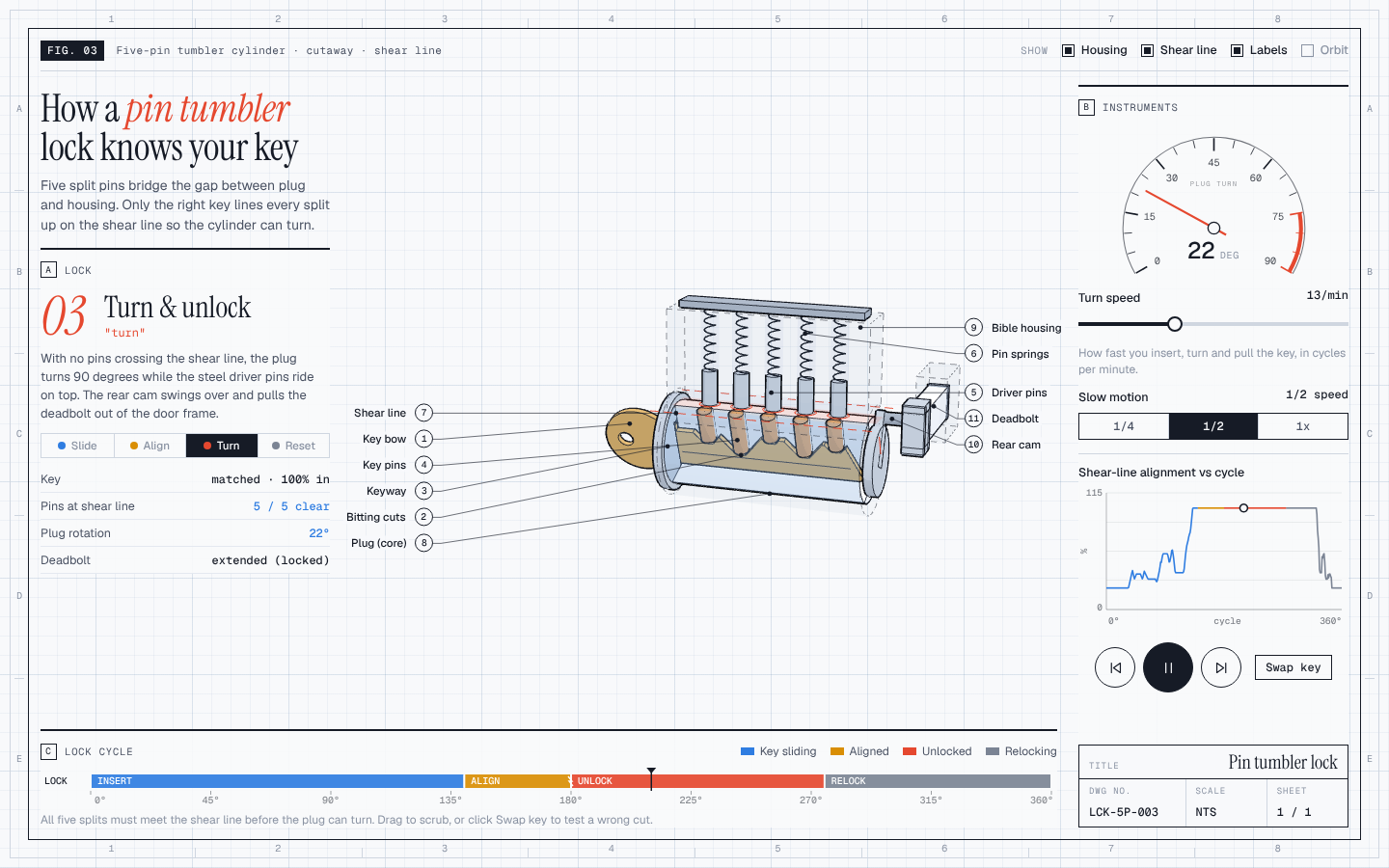
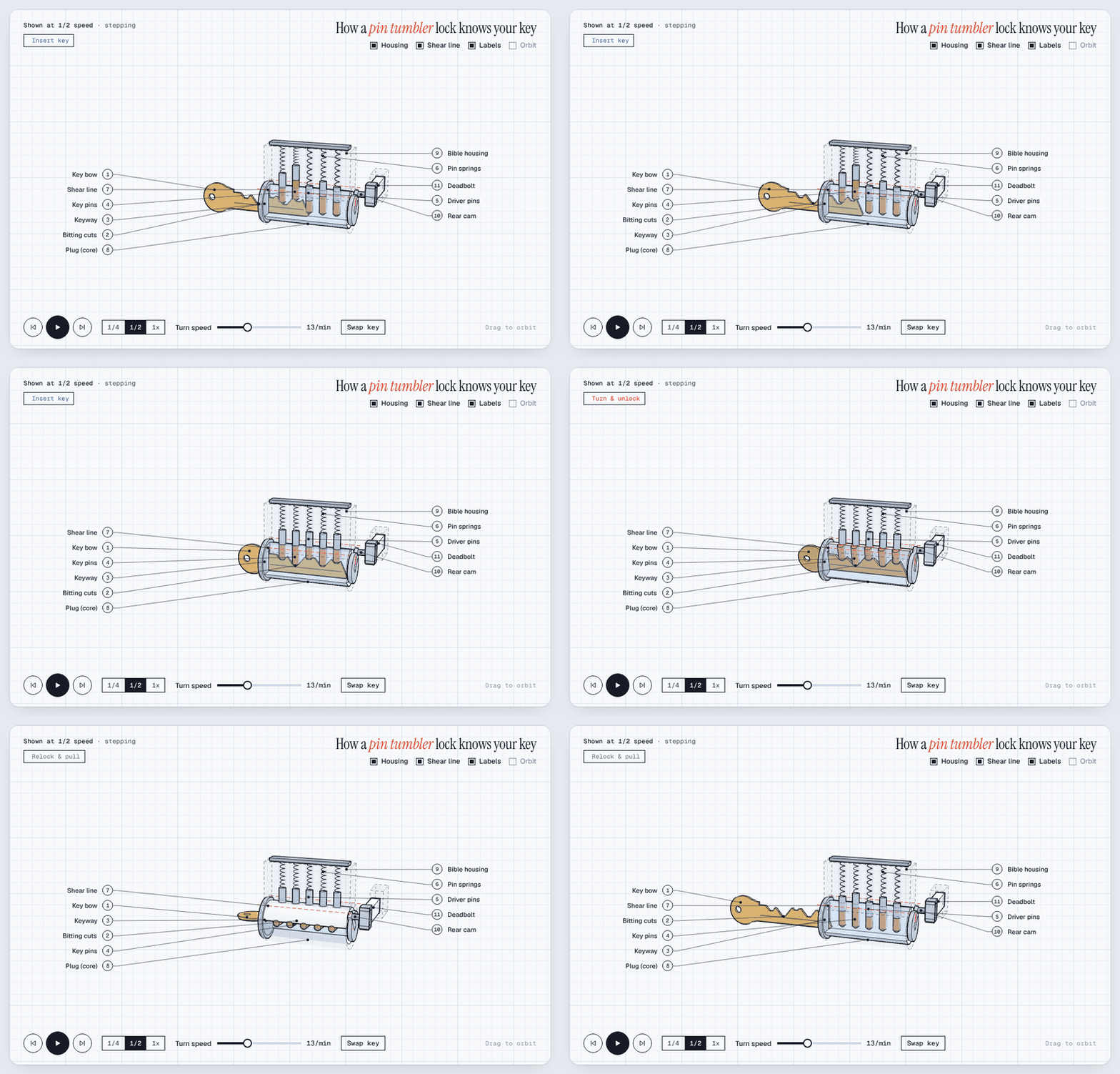
Neon went the furthest on realism. Its mechanism file is about double the others, and it modelled a rear cam and a deadbolt that slides out of the door frame, plus a “Swap key” button that tests a wrong cut. It also left a label reading “Bible housing” where it meant the housing, and its shear-line chart is jittery rather than smooth. The smoke test can’t catch either, because it checks controls and page errors, not wording or shape.
DeepSeek V4.1 Flash
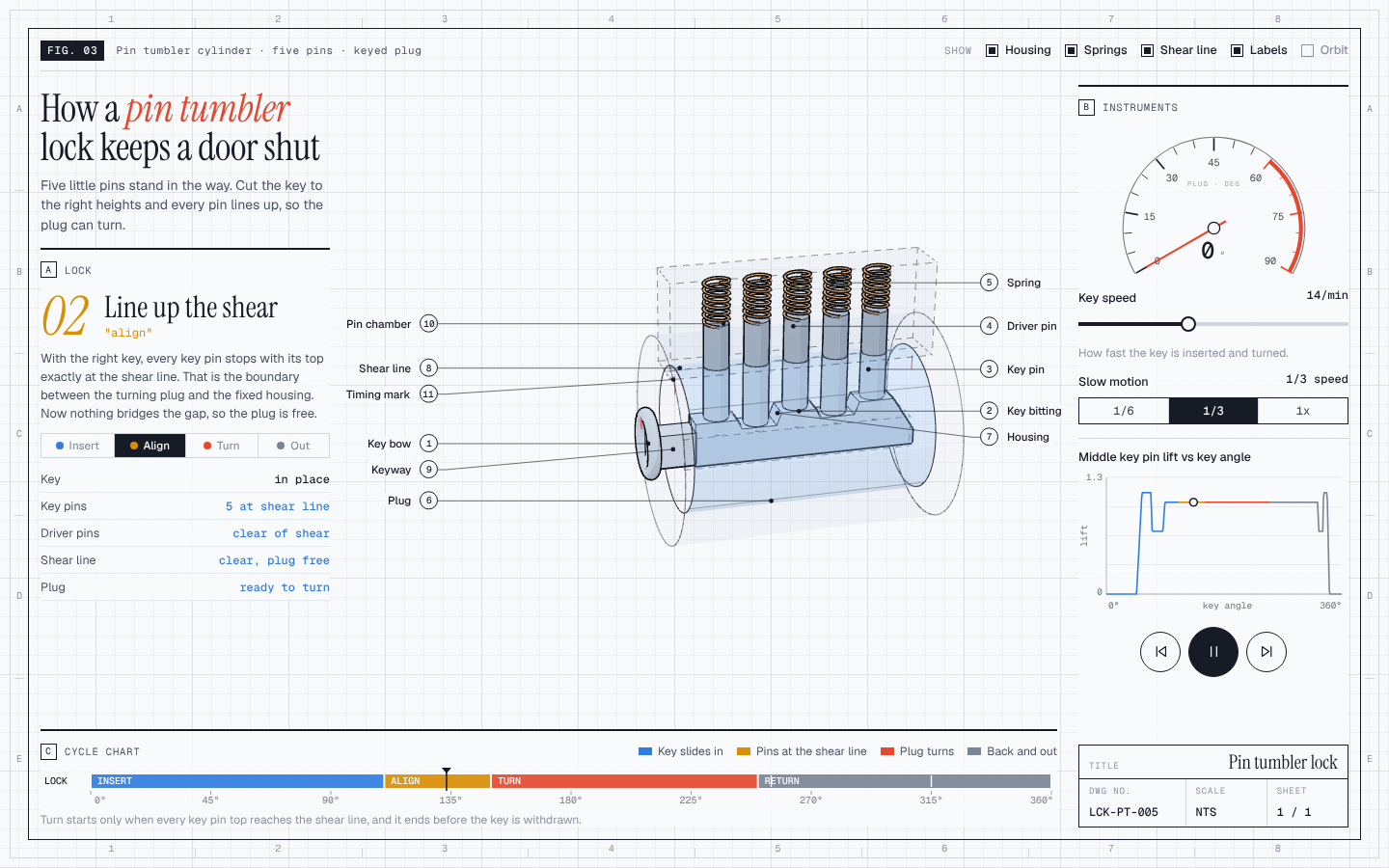
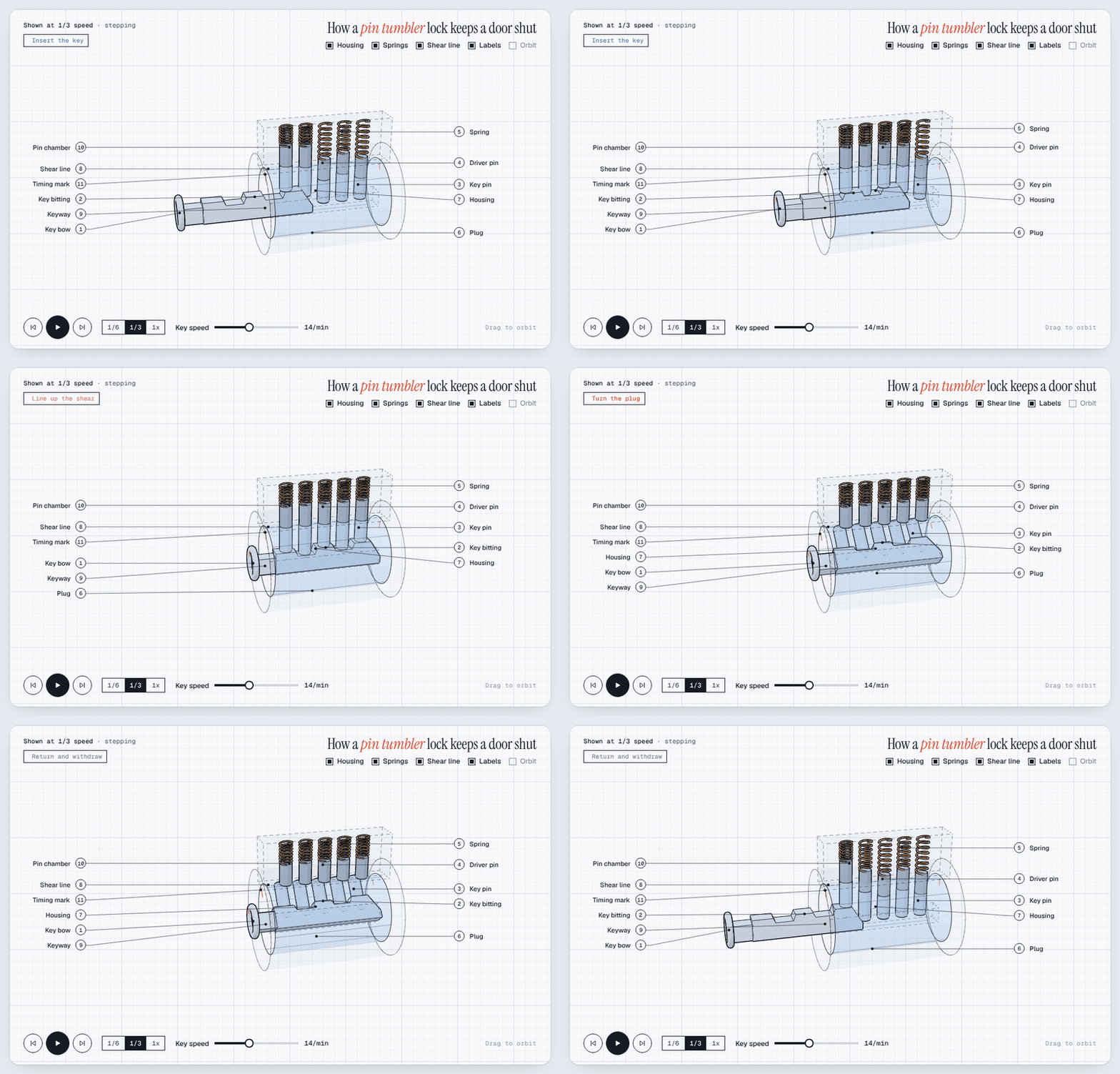
DeepSeek took the longest of the cheap models, with the most tool calls and a lot of thinking, but it cost the least by a distance. In my view the springs are the best-drawn of the five. The key is thin, and the lift chart is a square pulse rather than a curve, which is accurate for a pin that either clears the shear line or doesn’t, but looks stark.
Claude Opus 5.5
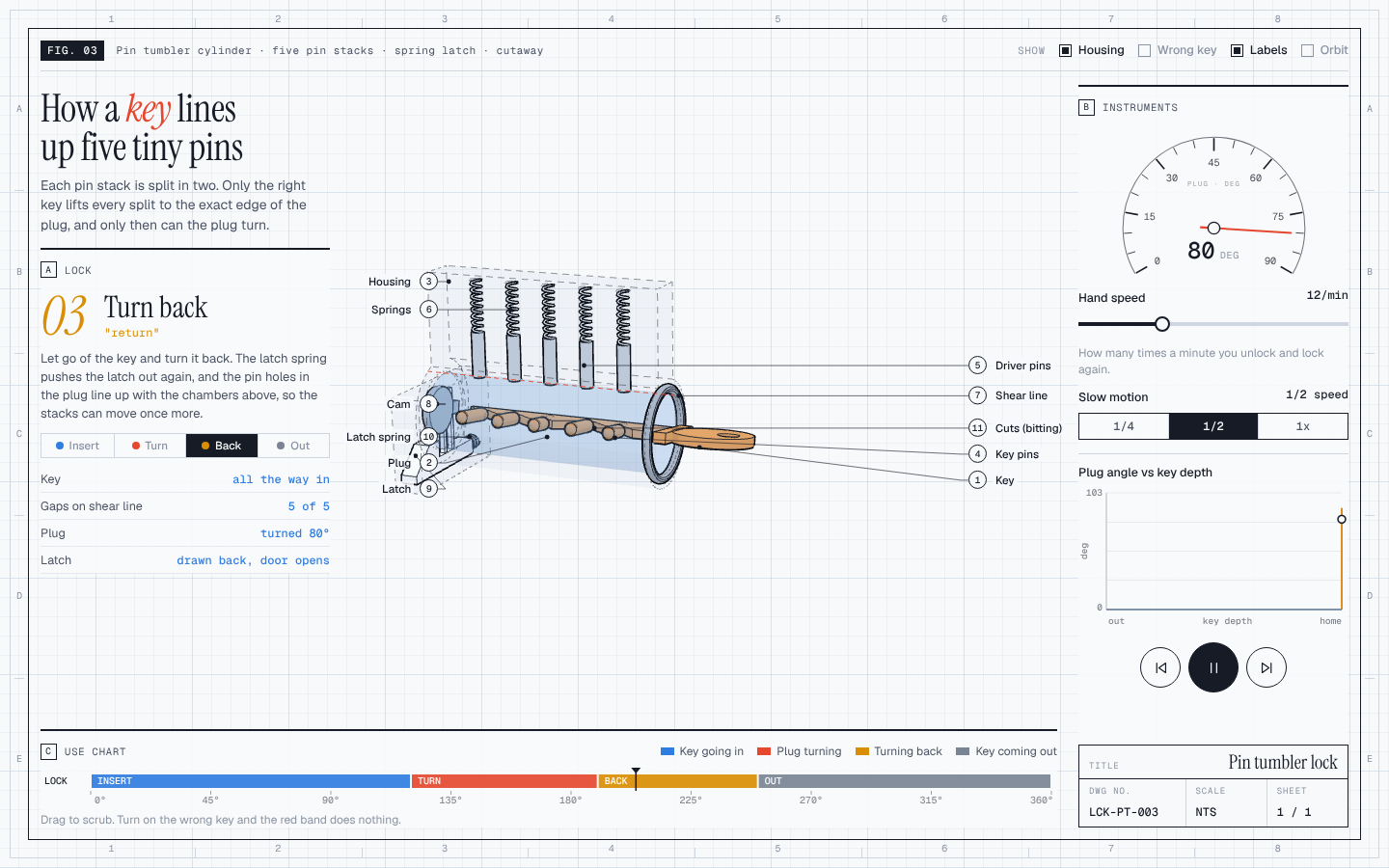
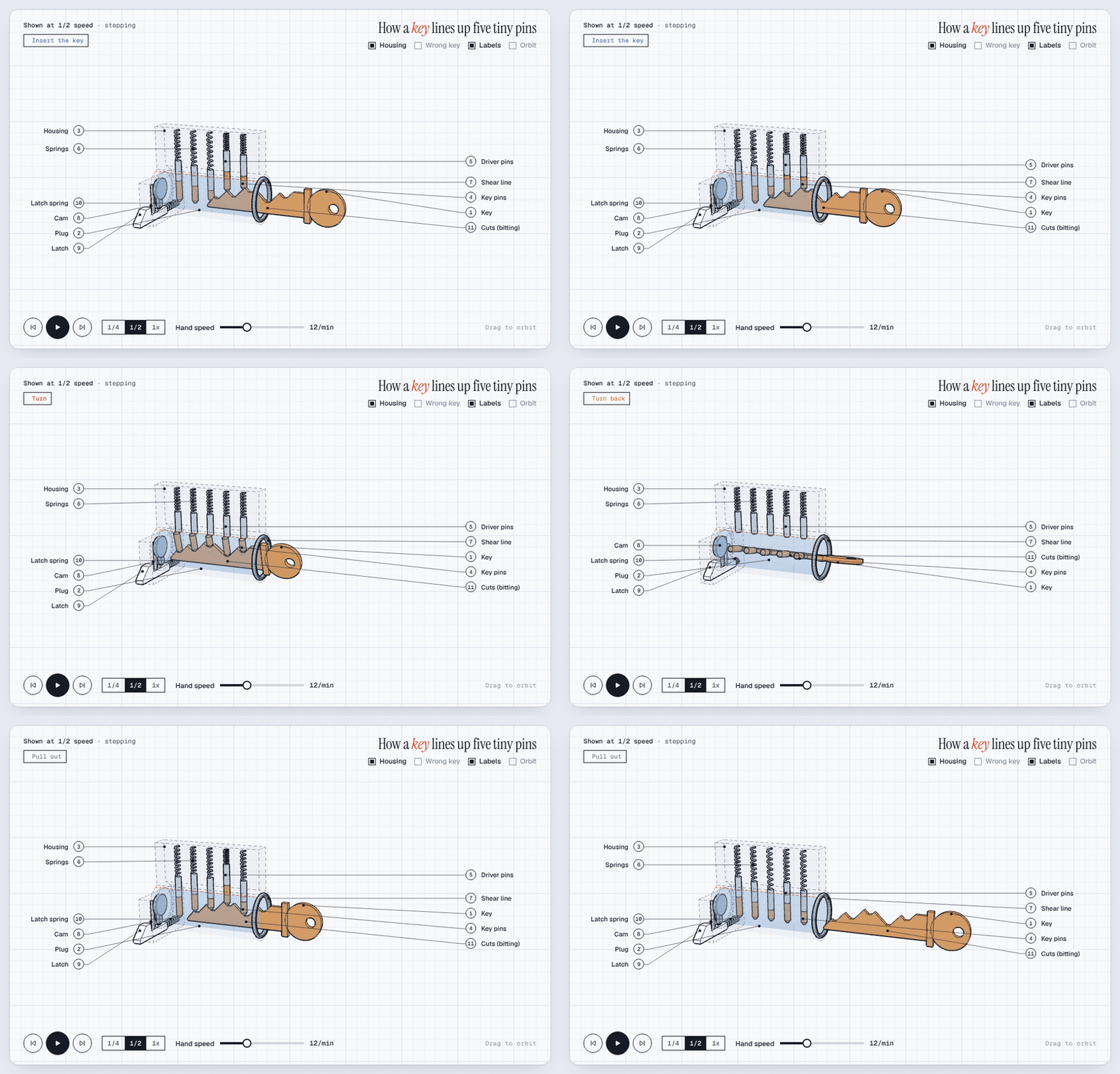
Opus built the best explainer, in my view, because of one addition: a “Wrong key” toggle that leaves two pins across the seam between plug and housing, so you can see why the plug won’t turn. That’s the point of a lock, and it’s the clearest demonstration of it (Neon’s “Swap key” button does a similar job). It also took the longest and cost the most.
Skill against no skill
With the skill, DeepSeek took about 16 minutes and cost about US$0.13. Without it, DeepSeek took about 13 minutes and cost about US$0.10, and built a dark, glossy page with an orbiting camera, five steps and a card of text for each. It passed its own load check with no console errors.
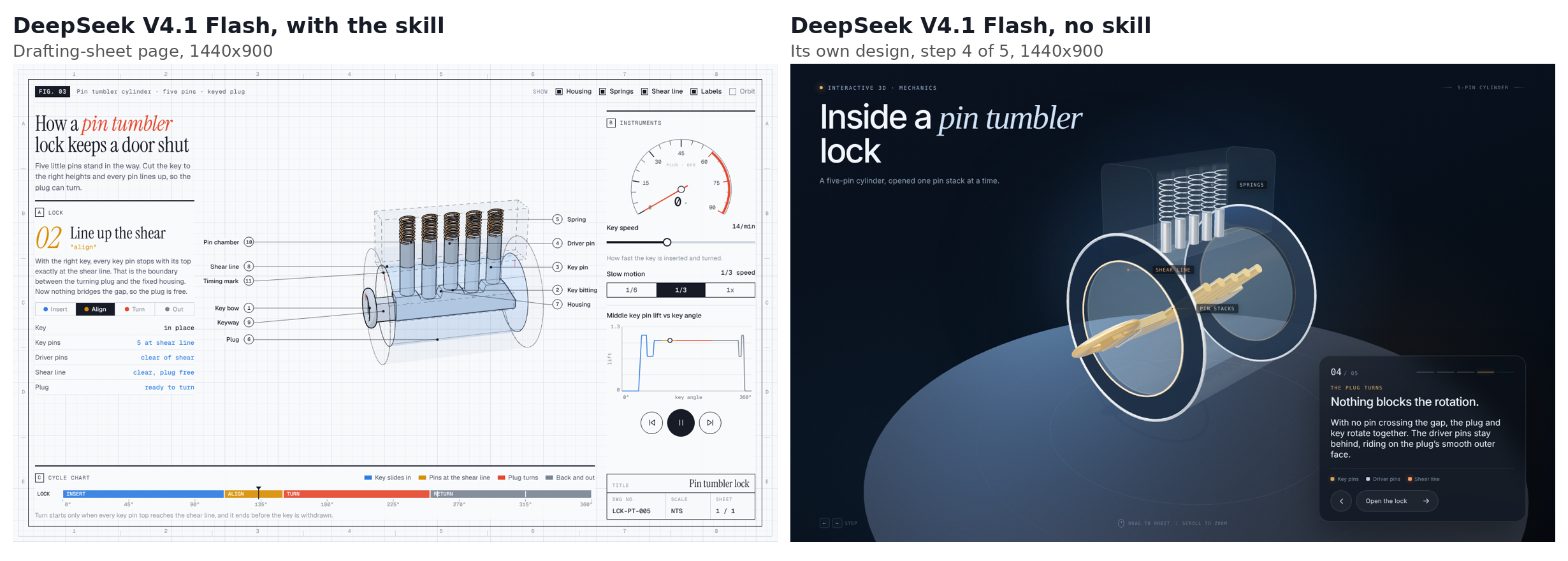
The no-skill page is prettier at first glance, and on a phone it fits one screen where the skill’s sheet layout scrolls. What the skill adds is everything around the model: a scrubbable cycle chart, a gauge, readouts, speed controls, numbered labels and a second layout, all in one consistent look. It also adds a smoke test that clicks every control, which the control run didn’t have. If you want one lock, the skill isn’t needed. If you want a set of machines that look like a series, it earns its place.
What I couldn’t test
The smoke test checks that controls work and nothing throws, not that the mechanism is right, so I judged correctness by eye and didn’t verify the physics. I ran Chromium with software rendering and didn’t test WebKit, which the skill’s tools prefer. I didn’t run its clip recorder or its sound track tool, and I didn’t try a machine other than a lock. Each model got one run, so a rerun could change the order.
Where that leaves Inkworks
Inkworks works. It got five different models to the same finished kind of page, and the built-in smoke test gave each of them a way to check their own work. I’d reach for it when I want a mechanism explained on a page that looks like an engineering drawing, and I’d skip it for a quick one-off, where DeepSeek alone did fine. If you try it, read the labels yourself, because the smoke test won’t catch a wrong word. For other skill tests, see my runs of Papercraft and OpenCode’s Seaglass model.
Disclosure: I’m an OpenAI, Firecrawl and Devin ambassador.