
OpenCode has released an early version of OpenCode Rune, a desktop app written in Rust with no Electron. The company posted it on X late on 27 November UTC, the morning of 28 November in New Zealand, and linked a dev build anyone can download. I installed the Linux packages, ran the app, compared its size with the official desktop app, and used it with two Morph models, DeepSeek V4.1 Flash and Kimi K3.1 Pro.
Everything below comes from my own runs on Linux and from the project’s repository. OpenCode describes Rune as the “next version of our desktop app built with our native app framework” and says it has “no Electron so it’s quite snappy”.
What Rune is
Rune is two things with one name. The framework is Rune, a Rust toolkit from Anomaly, the company behind OpenCode, licensed MIT with a 2026 copyright. The app is OpenCode (Rune), which the README calls OpenCode Desktop “rewritten from scratch in Rust”. It draws on the GPU through Metal, DX12, Vulkan or WebGPU, and the same app runs in a browser over WebGPU.
The repository lists what’s built in: its own GPU text renderer, a terminal pane that uses libghostty-vt, the terminal engine from Ghostty’s Mitchell Hashimoto, previews of Office documents, voice dictation, a SQLite store and 63 languages. Plugins are written in Luau, a typed Lua dialect, and reload while the app runs. A browser pane uses Chromium’s embedded framework (CEF) as a sidecar that loads only when you open a web page.
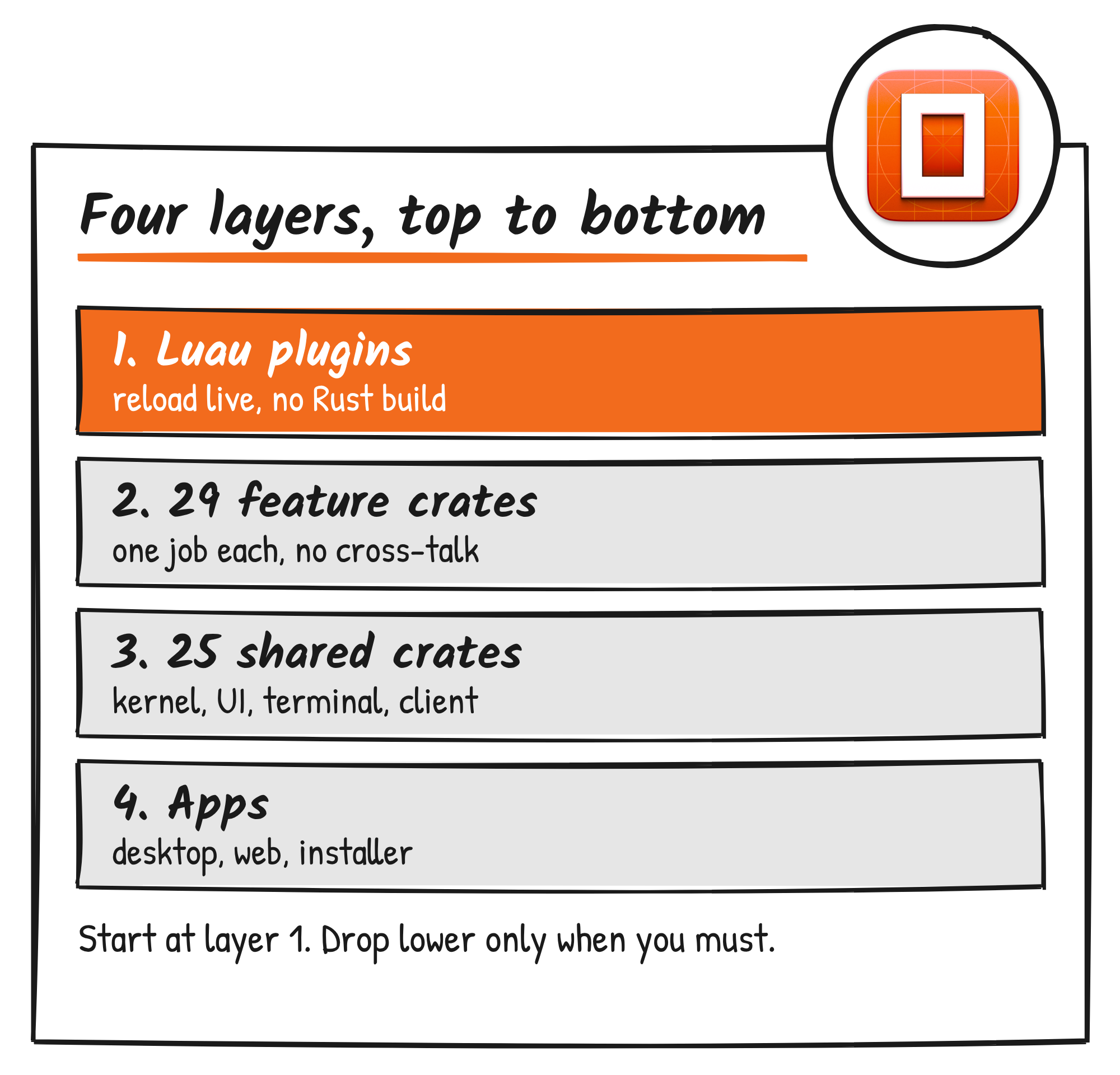
The README says the app is “10–100× faster and lighter” than the one it replaces. It gives no figures, no hardware and no method for that range. The project’s AGENTS.md file also sets a policy of no automated tests; the app is checked through a headless mode that renders a screenshot, dumps the UI tree or plays a script.
What you can download
Rune has one channel, dev, and no stable release. The README lists 14 download targets across macOS, Windows and Linux, built about every six hours when the app’s files change. macOS and Windows builds update themselves; Linux is manual. I tested dev build 502 on Linux x64 and put its AppImage, deb and rpm beside the official OpenCode Desktop 2.4.2 packages. That official app is Electron: it moved there from Tauri in a dev.to post by Brendonovich in April.
| Package (Linux x64) | Rune dev-502 | Official 2.4.2 | Rune against official |
|---|---|---|---|
| AppImage | 226.2 MB | 325.6 MB | about 31% smaller |
| deb | 182.7 MB | 259.0 MB | about 29% smaller |
| rpm | 222.8 MB | 229.2 MB | about 3% smaller |
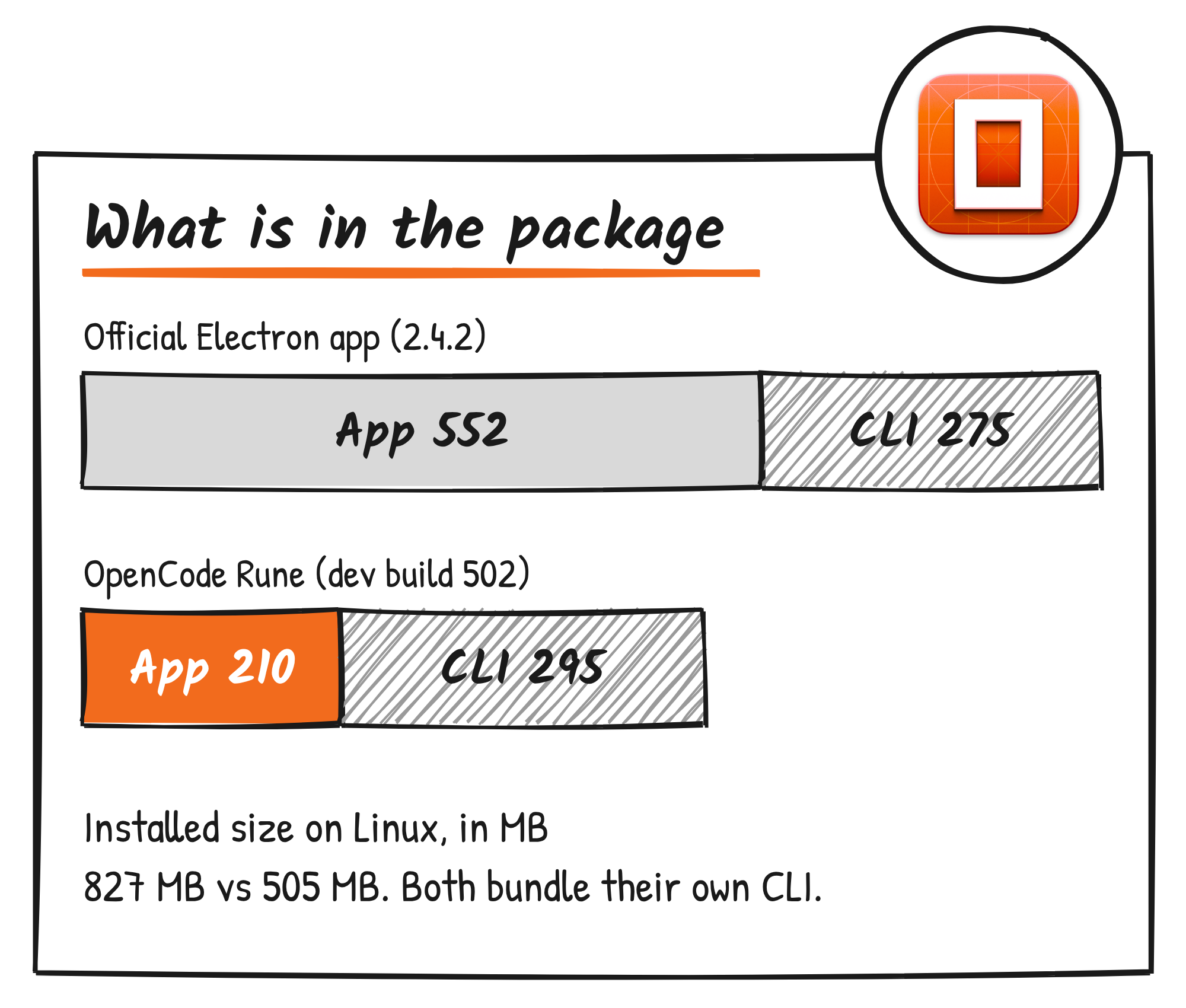
| Installed | 505.0 MB | 827.0 MB | about 39% smaller |
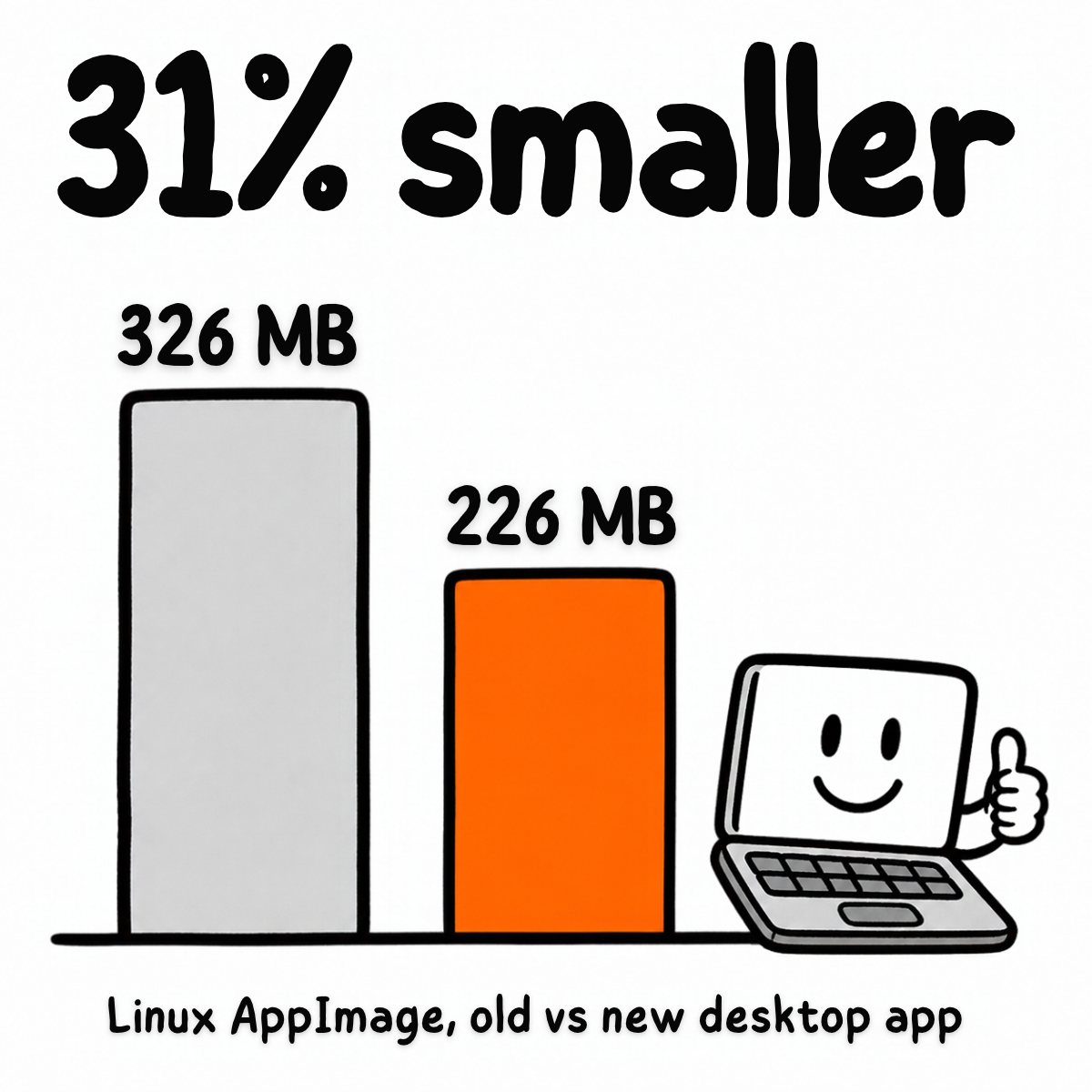
Both apps bundle the opencode command-line tool, and Rune’s copy is the larger one: 295.5 MB, version 0.0.0-dev-1365, against 275.3 MB in the official app. Take that out and the rest of the Rune install is about 210 MB against about 552 MB. The Rune packages contain no CEF, Chromium or Electron files at all, so the browser pane’s sidecar isn’t part of the download.
Running it
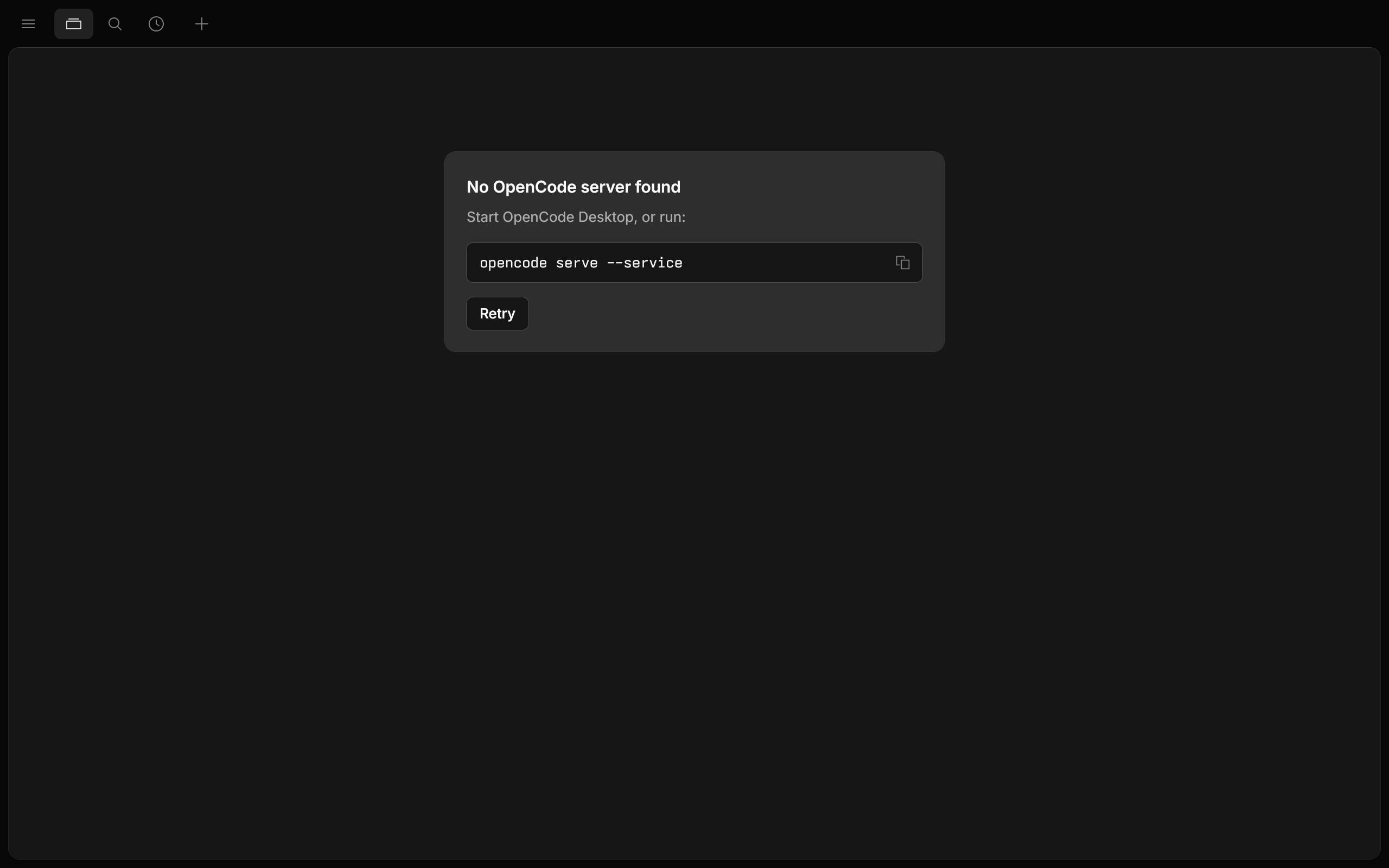
Rune talks to an opencode serve --service process. In my headless runs it didn’t start one: with none running it showed "No OpenCode server found" and the command to start one, so I launched the bundled CLI by hand. My machine is a cloud container with no GPU, so I ran Rune on lavapipe, a software Vulkan renderer. Headless, it reached its first pixels in 430 milliseconds, of which GPU set-up took 270 and one frame 17.5. Peak memory was 311 to 356 MB, and that includes the software renderer, so it says little about a machine with a real GPU.
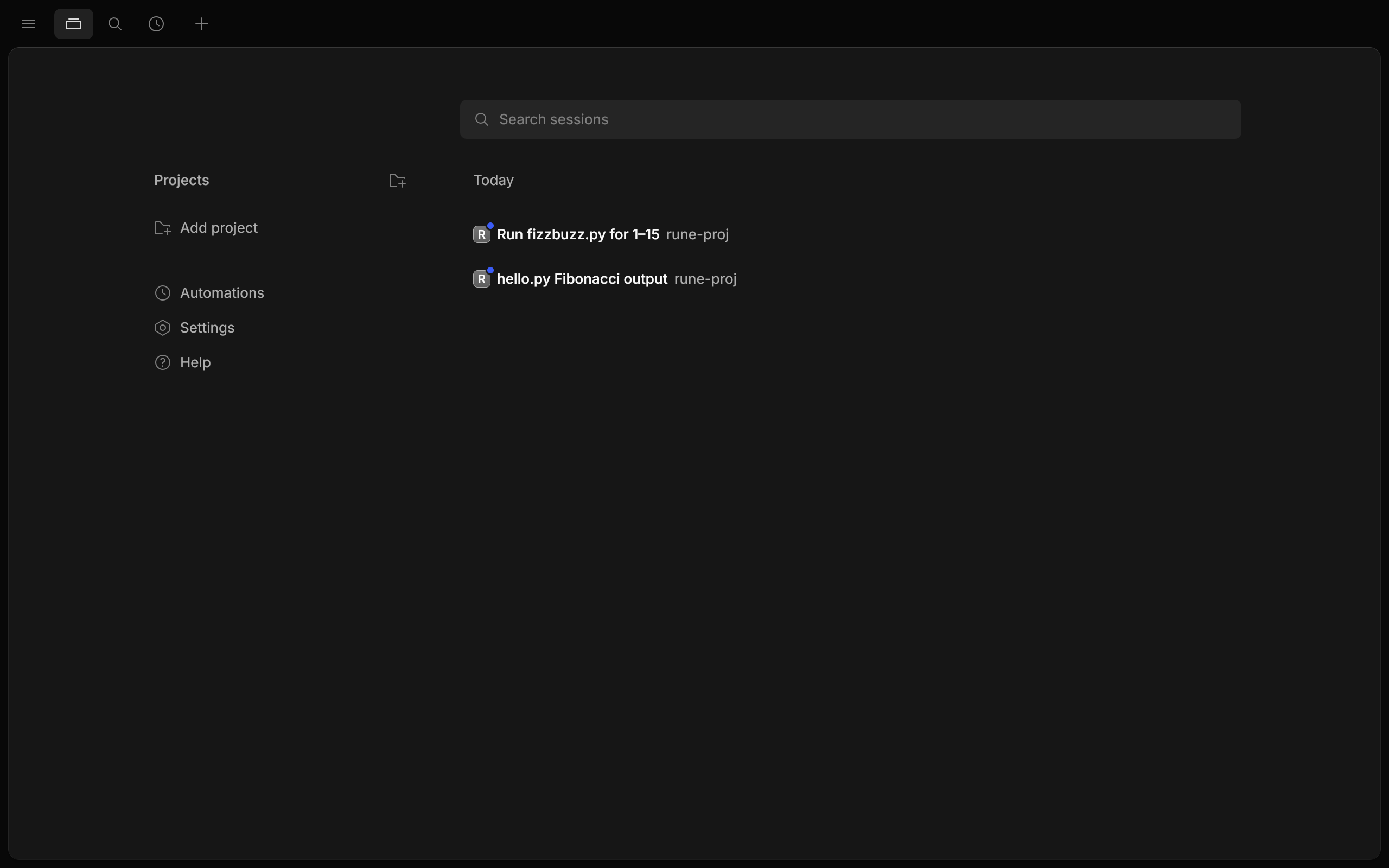
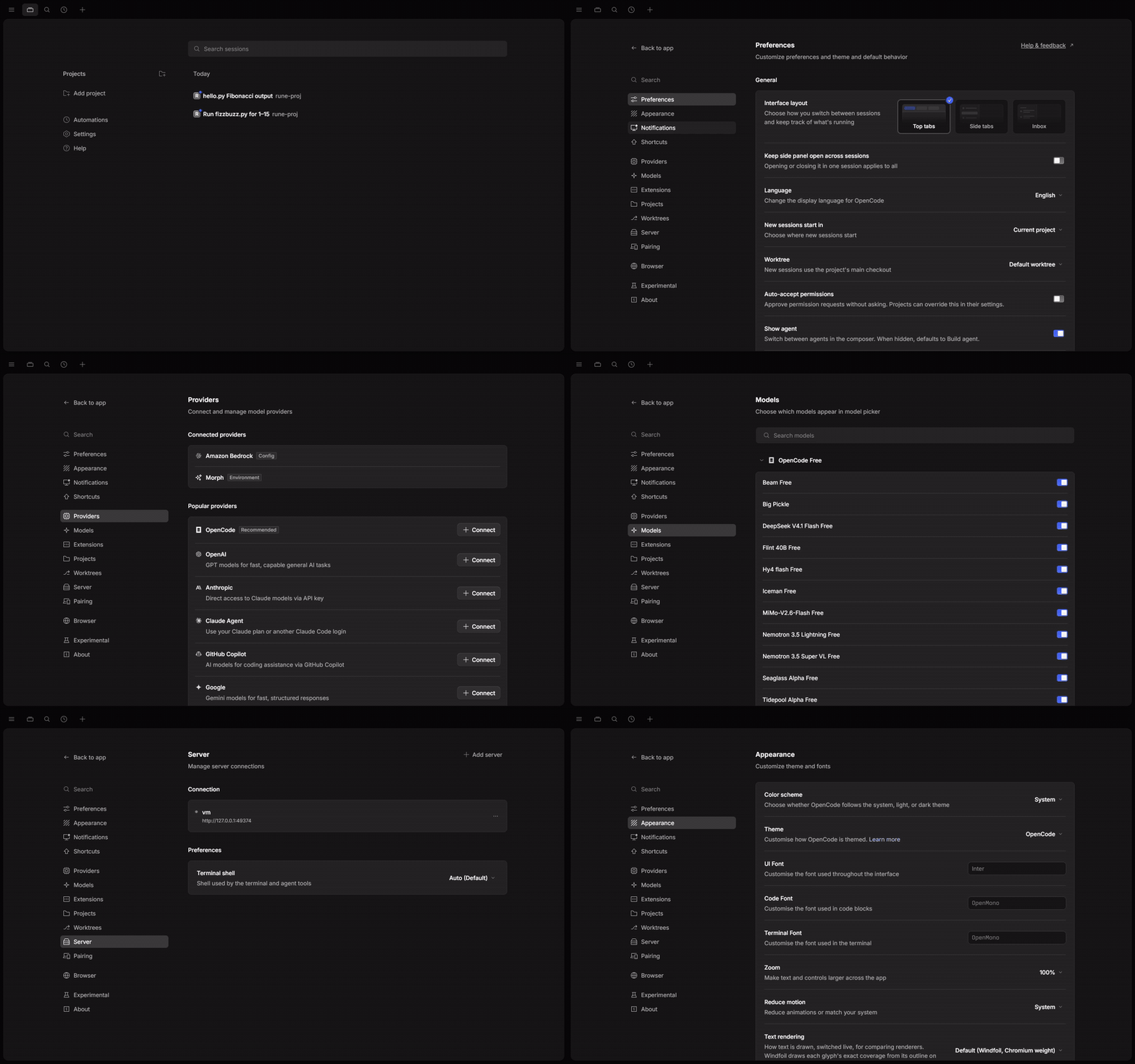
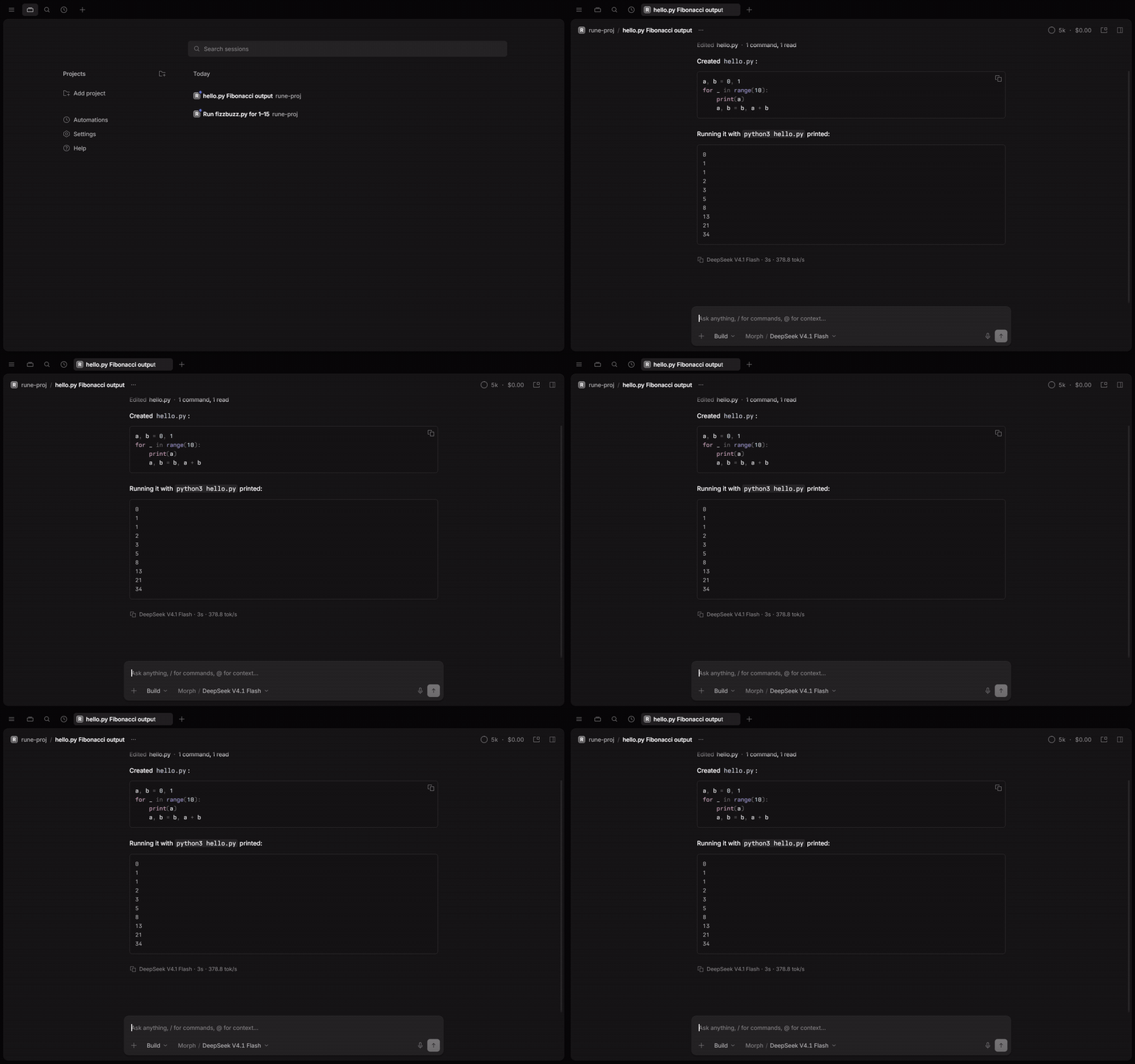
I set my Morph key in the environment before launching, and Morph’s models showed up in the model picker. Rune’s headless mode can’t send prompts, so I created the sessions with opencode run against the same service and opened them in the app. The DeepSeek V4.1 Flash session was a request to write and run a Fibonacci script in a test project. It created hello.py, ran it and printed the first ten numbers. Rune’s footer showed 3 seconds and 378.8 tokens a second, and the session header showed 5,000 tokens and a cost of $0.00.
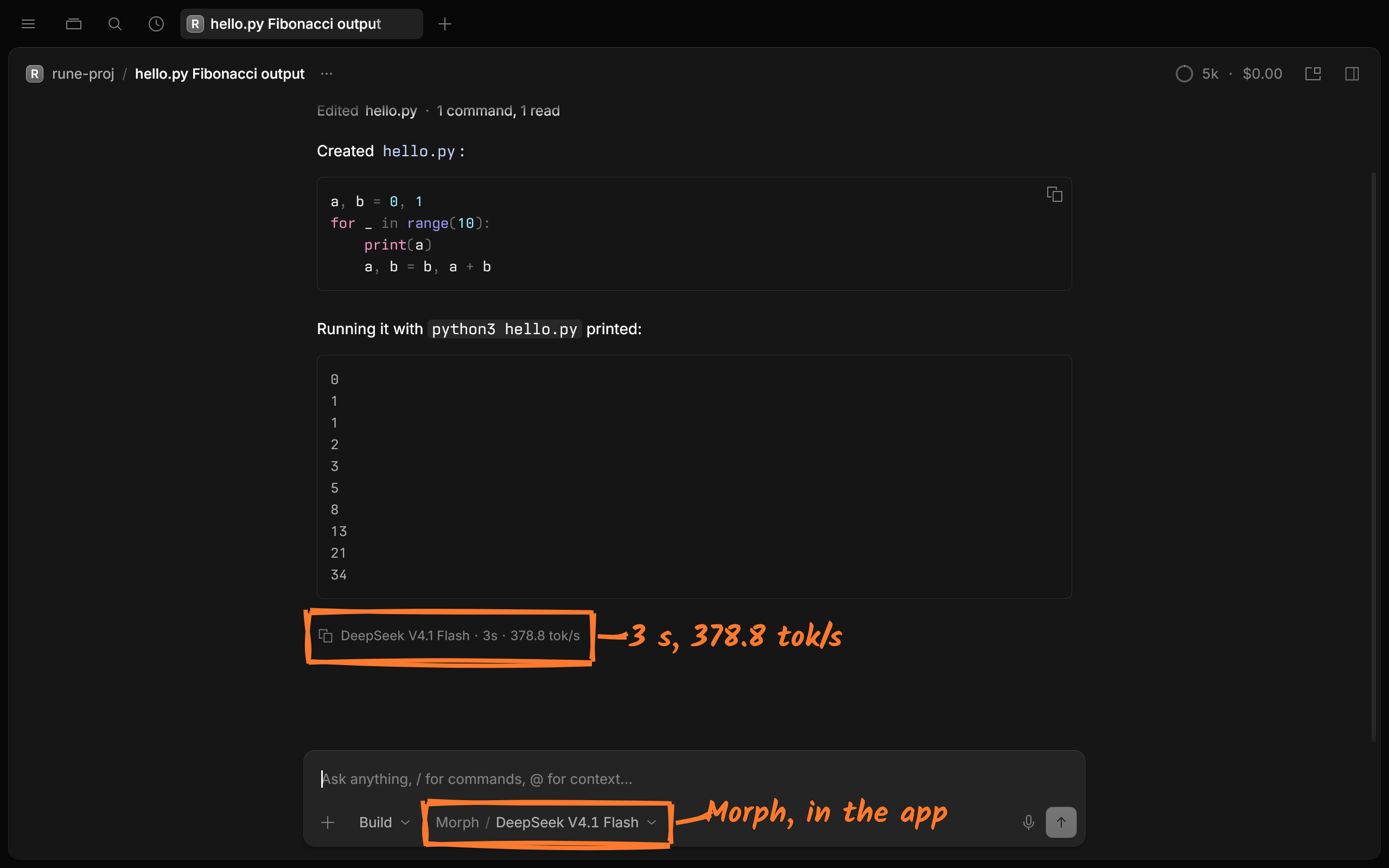
The tokens-a-second figure is the app’s own display for one short reply, and the $0.00 is what Rune showed for that session. Neither is a benchmark. I didn’t compare Rune’s speed or memory with the Electron app: the Electron app ran under a virtual display here, and its memory readings weren’t reliable enough to publish. That leaves the README’s “10–100×” claim neither confirmed nor contradicted.
Here are the two apps on their new-session screens, both in the light theme. Rune’s is drawn by software Vulkan; the official app ran under a virtual display.
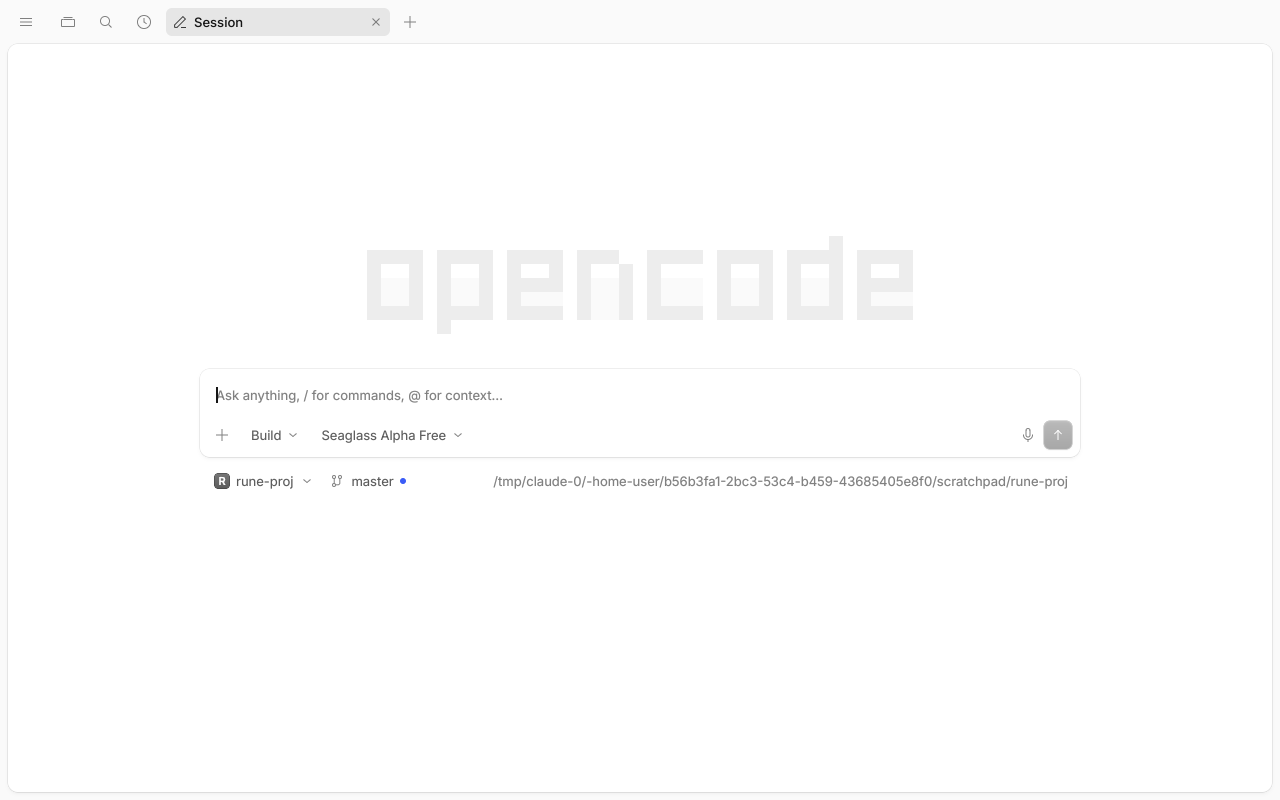
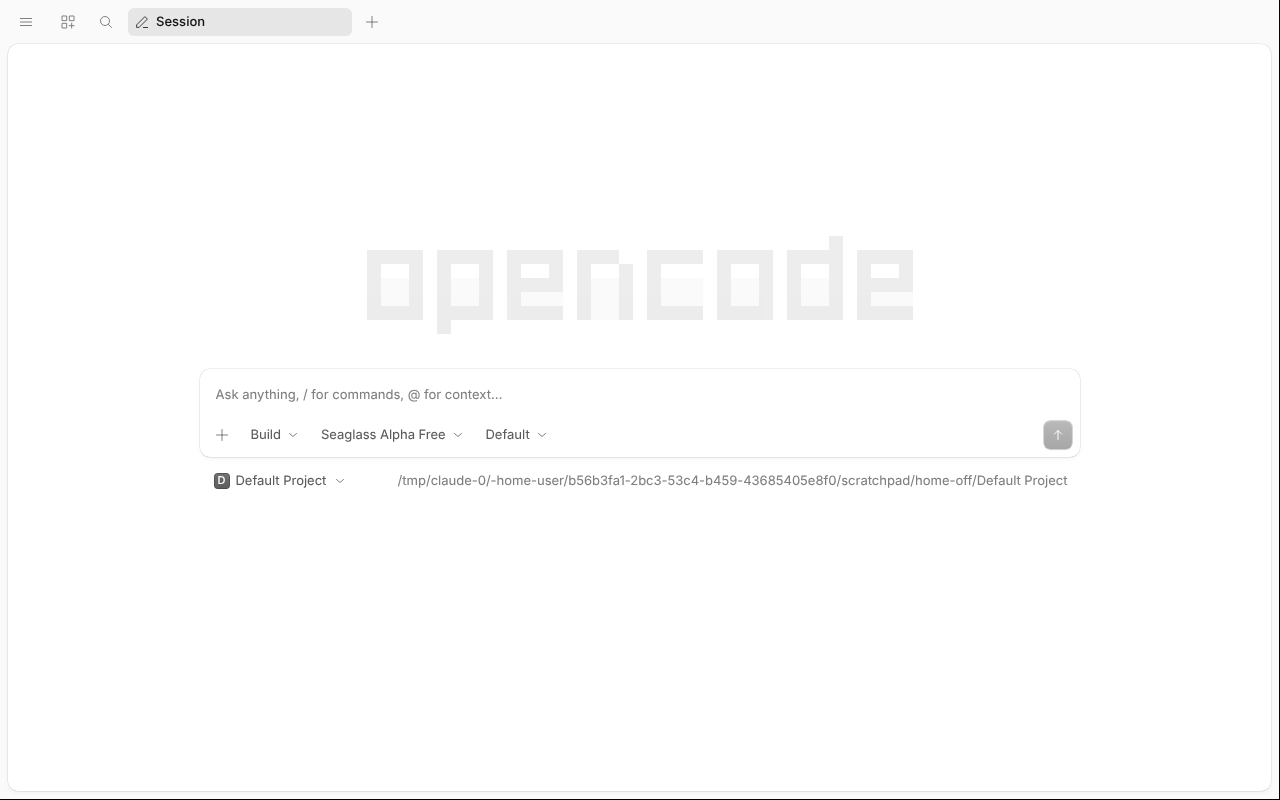
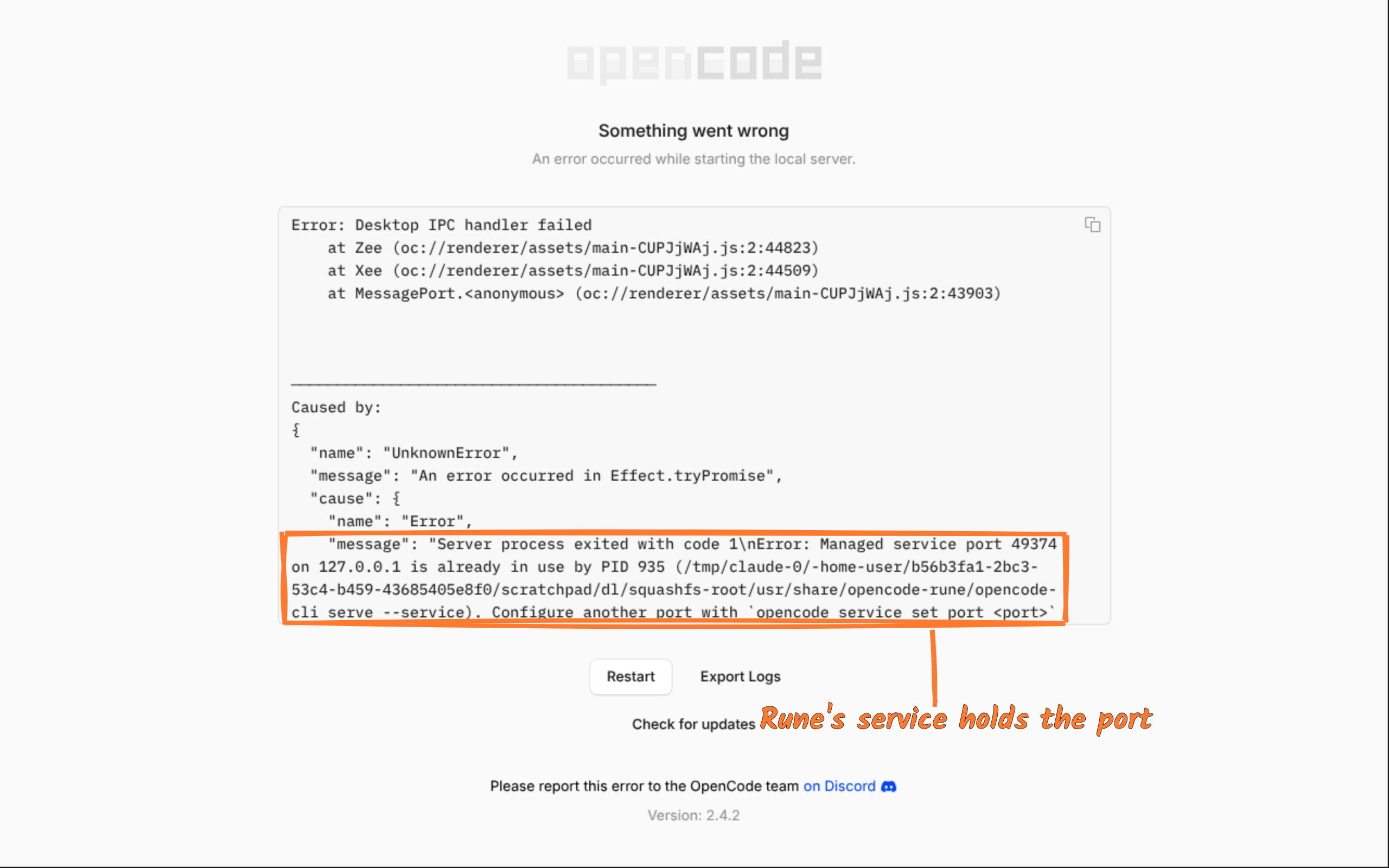
One clash showed up. The official 2.4.2 app wouldn’t start while the service I’d launched from Rune’s bundled CLI held port 49374, and its error names the process. It opened normally once the port was free. I haven’t tested what happens when both apps are installed and started in the usual way.
Two Morph models, tested through opencode
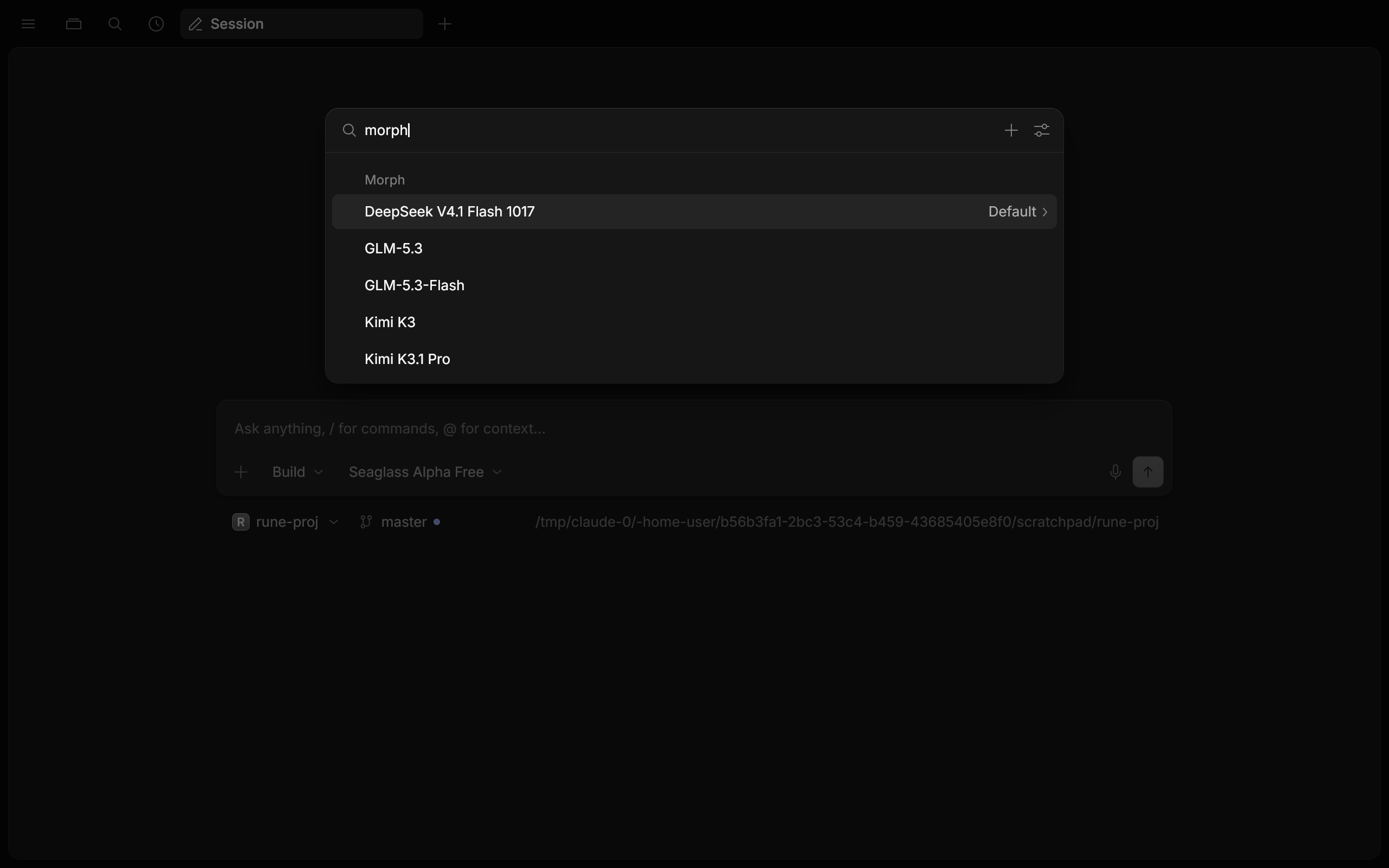
Morph sells API access to open-weight models, including DeepSeek V4.1 Flash and Kimi K3.1 Pro, on a US$200-a-month Ultra plan with per-minute limits. The API is OpenAI-compatible at api.morphllm.com/v1, with the model ids morph-dsv41flash and morph-kimik31. opencode 1.19.6 reads Morph’s models.dev listing, so morph/morph-dsv41flash worked with no config file. Both models think before answering by default.
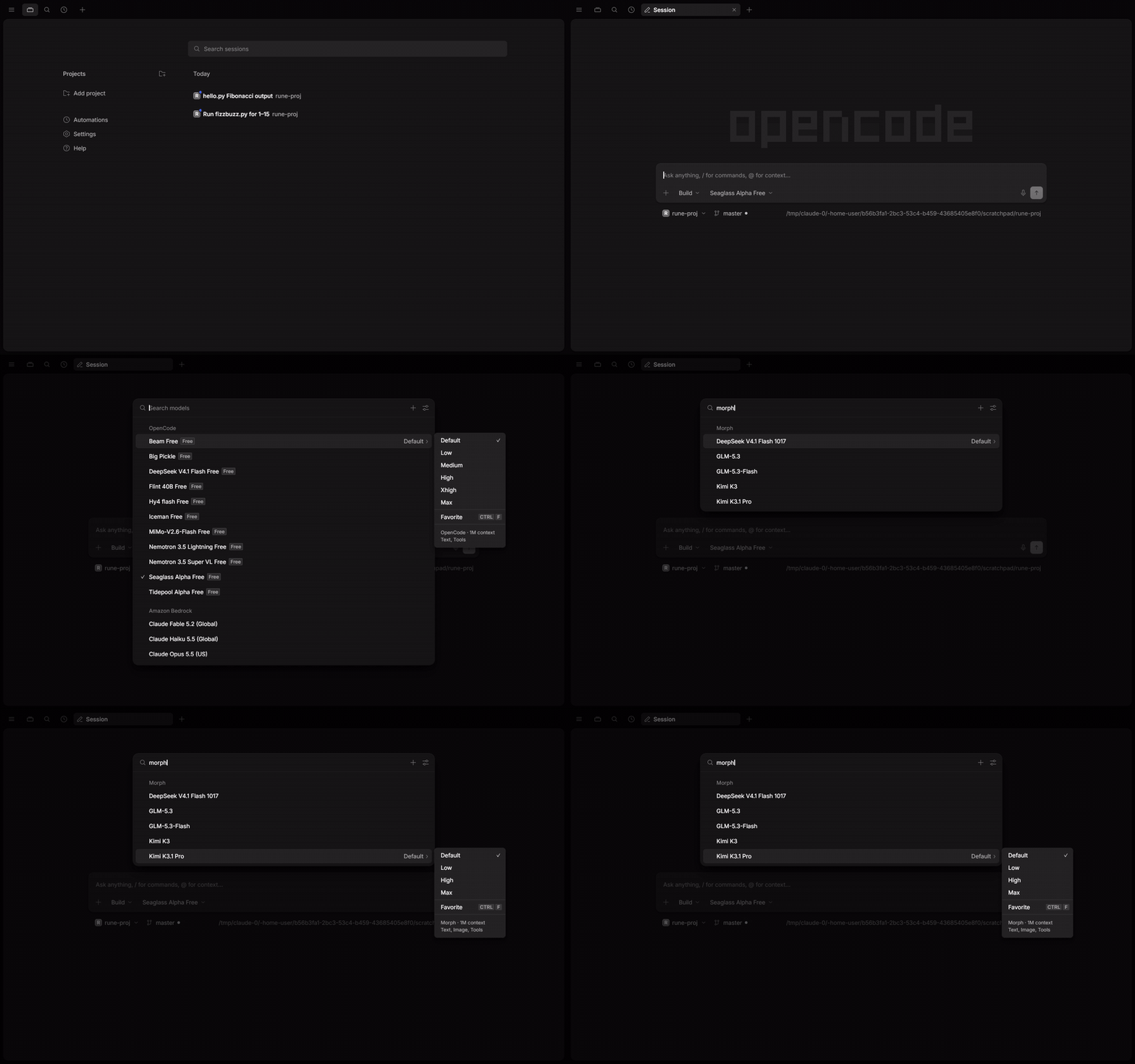
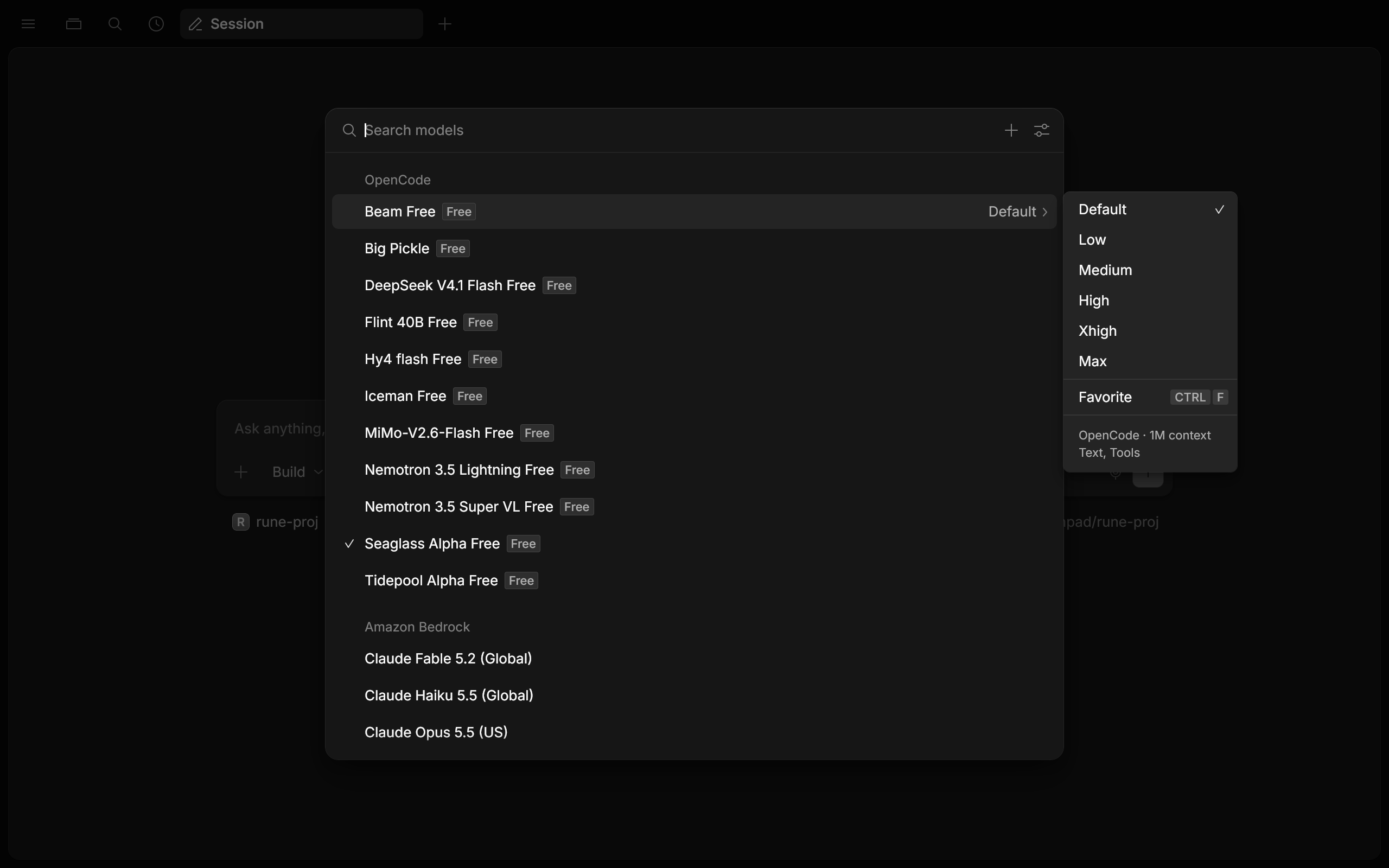
I gave each model three small coding tasks in a fresh copy of a Node project, each with an npm test check: fix a date bug, write an LRU cache, and refactor a money class. I ran each task three times per model, one run at a time, through opencode run, the command-line route that Rune’s service shares. That’s nine runs per model. It’s a smoke test of whether the models work in opencode, not a benchmark.
| Nine runs each | DeepSeek V4.1 Flash | Kimi K3.1 Pro |
|---|---|---|
| Tests passed | 9 of 9 | 9 of 9 |
| Median time per run | 7.8 s | 63.6 s |
| Median by task (date, cache, money) | 6.1 / 9.0 / 11.7 s | 46.4 / 47.0 / 73.4 s |
| Steps per run (mean) | 5.8 | 8.7 |
| Tool calls per run (mean) | 6.1 | 13.6 |
| Output tokens, of which reasoning | 7,666, of which 3,045 | 17,118, of which 8,804 |
| opencode’s cost estimate at list price | US$0.024 | US$0.989 |
9 of 9
runs passed by each model
7.8 s
DeepSeek V4.1 Flash, median run
63.6 s
Kimi K3.1 Pro, median run
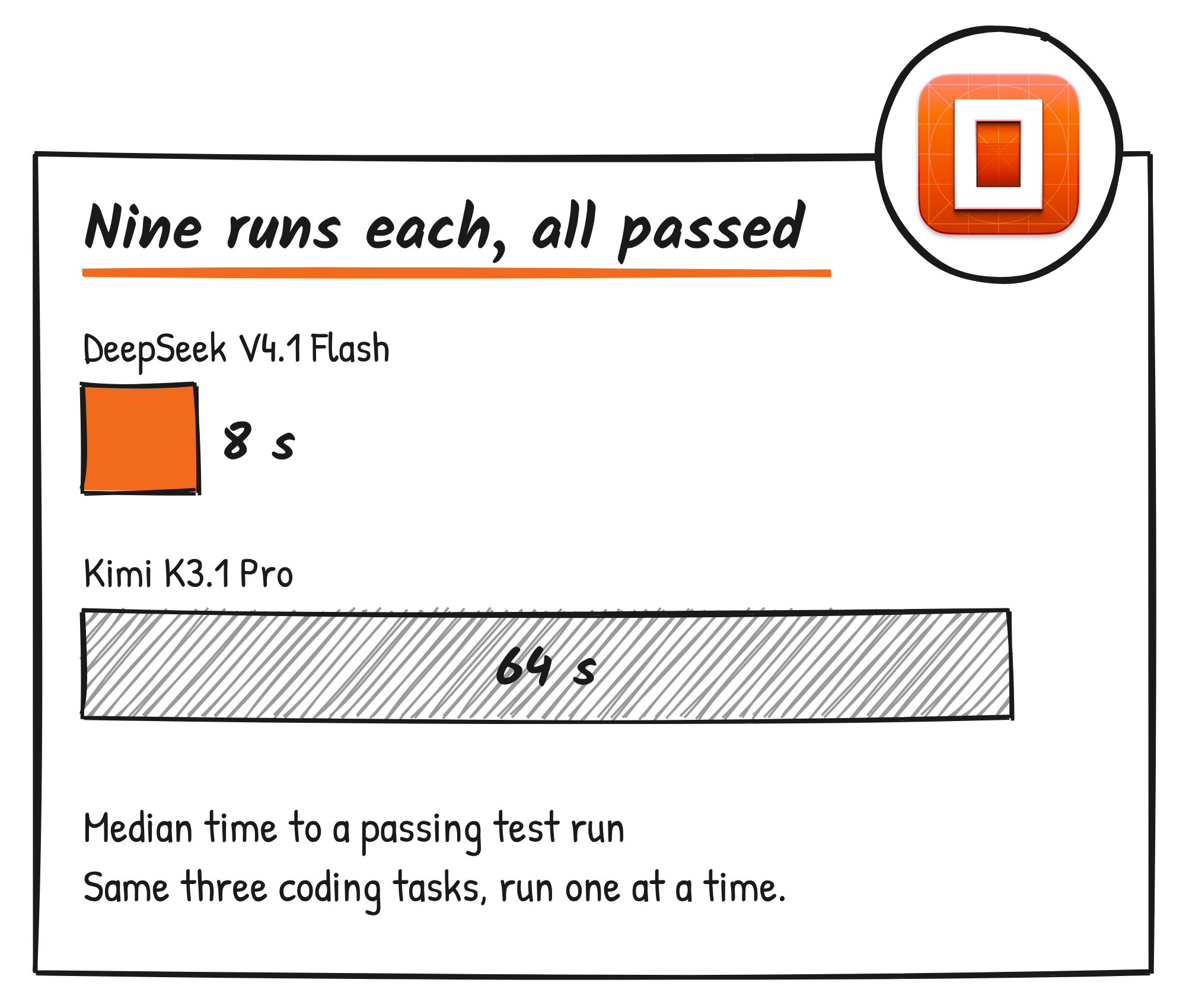
Both models passed everything, so the test can’t rank their quality. What differs is effort and time: Kimi K3.1 Pro took more steps, more tool calls and about twice the output tokens, and finished each task in a median of 46 to 73 seconds against 6 to 12 for DeepSeek. In a separate streaming check, DeepSeek V4.1 Flash returned its first token in 0.30 seconds at about 211 tokens a second, and Kimi K3.1 Pro in 0.97 seconds at about 63.
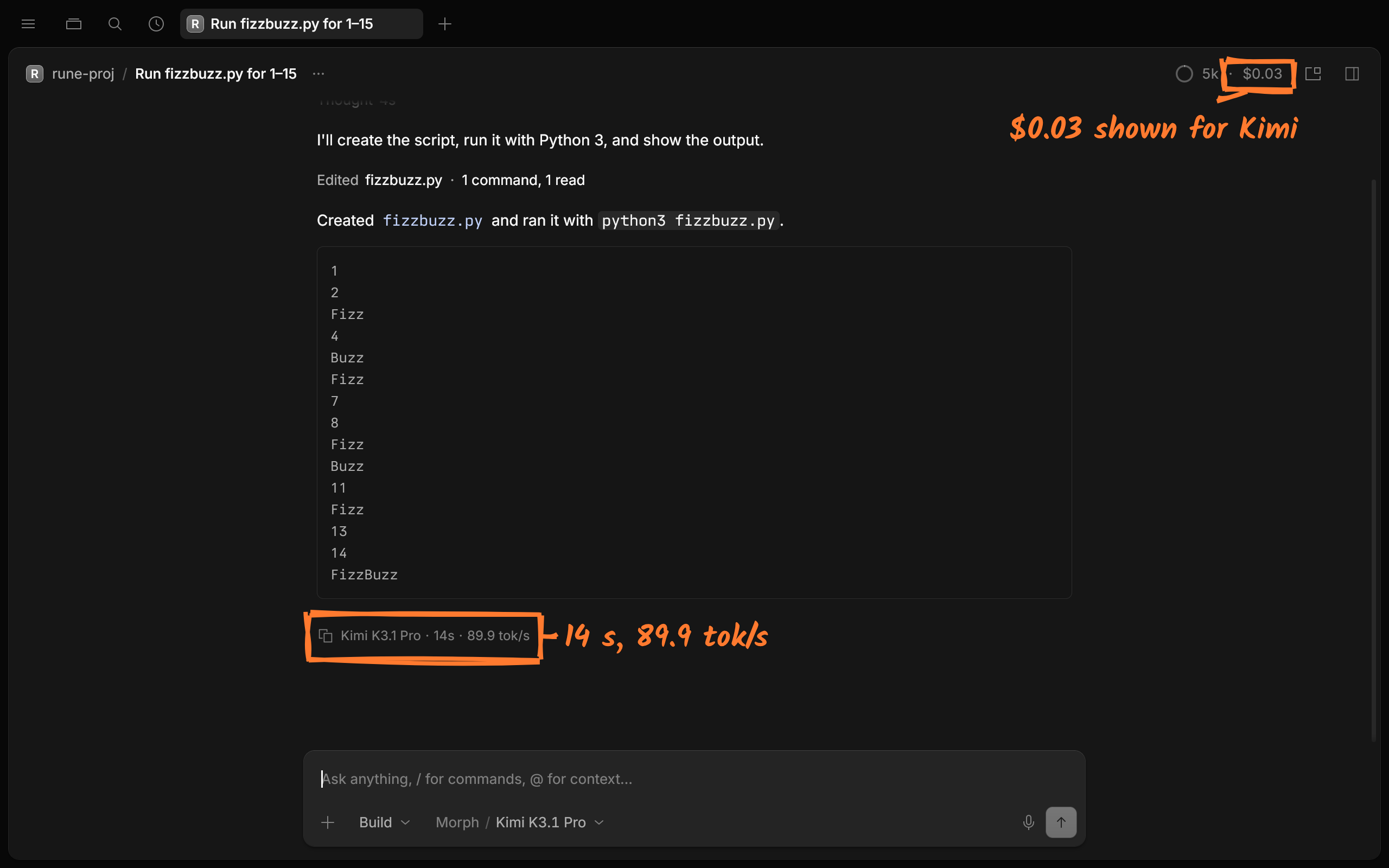
I also ran a Kimi K3.1 Pro session through the same service and opened it in Rune. The app’s footer showed 14 seconds and 89.9 tokens a second, and its header showed $0.03, against $0.00 for the DeepSeek session. Those are Rune’s own readouts for single short sessions, not a benchmark, and I didn’t check how the app works out its cost.
What happened when I ran them all at once
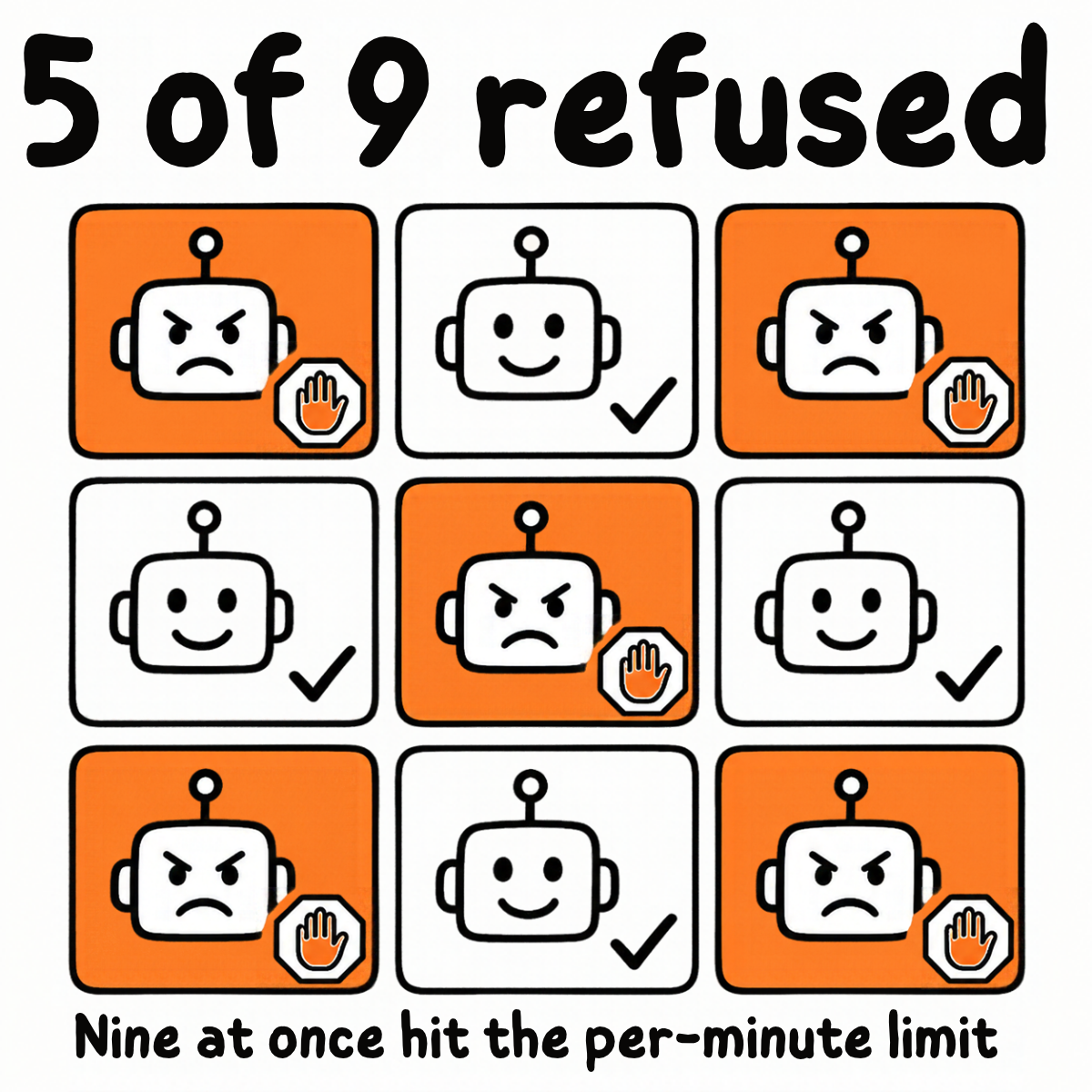
My first attempt launched nine runs per model in parallel. DeepSeek finished all nine. Of Kimi’s nine, five died on Morph’s rate limit, three passed, and one failed after opencode auto-rejected a request for permission to touch a directory outside the project. Morph’s response headers listed about 24,290 uncached input tokens a minute for Kimi K3.1 Pro against roughly 400,000 for DeepSeek V4.1 Flash. That’s why the serial run above has 20-second pauses.
The limit matters for Rune in particular. The OpenCode 2.0 line moved to one shared service with background subagents, and Rune connects to that same service. A session that fans out several subagents on Kimi can hit the per-minute ceiling in one burst.
Where it sits among native desktop apps
OpenCode’s desktop app has now been through three stacks in the repository’s history: a Tauri build, an Electron build from April, and Rune. Rune isn’t alone in leaving the browser engine behind. InfoQ reported on 19 November that Discord moved its client to GPUI, the Rust UI framework from the Zed editor. Anomaly also released the runtime behind Code Mode as a standalone package this week, Psychoscript.
| App | Interface stack |
|---|---|
| OpenCode Desktop 2.4.2 | Electron |
| OpenCode Rune | Rust on the Rune framework, drawn on the GPU |
| Zed | Rust on GPUI |
| Discord | GPUI, per InfoQ |
What my tests don’t show
- Speed and memory. I have no Rune-against-Electron timing or memory comparison, and the README’s range is unmeasured.
- A real GPU. Rune ran on software Vulkan, so frame times and memory on a Mac or a Windows machine with a GPU are untested.
- Other platforms. I tested Linux x64 only. macOS, Windows, the browser version, voice dictation, Office previews and the plugin system weren’t part of my runs.
- A moving target. Build 502 will be replaced about every six hours, so the sizes above will drift.
- The Morph runs. Three tasks, nine runs a model, one project, one day. Both models passed all nine, so the test shows speed and effort, not accuracy.
If you want to try it
- Download from the README. The dev build table lists each platform; on Linux, run
chmod +xon the AppImage. - Expect a service. Rune talks to an
opencode serve --serviceprocess. In my headless runs it didn’t start one for me, so I launched the bundled CLI by hand. The official app wouldn’t start while that service held port 49374, so check your process list if you run both. - Set your provider key first. With
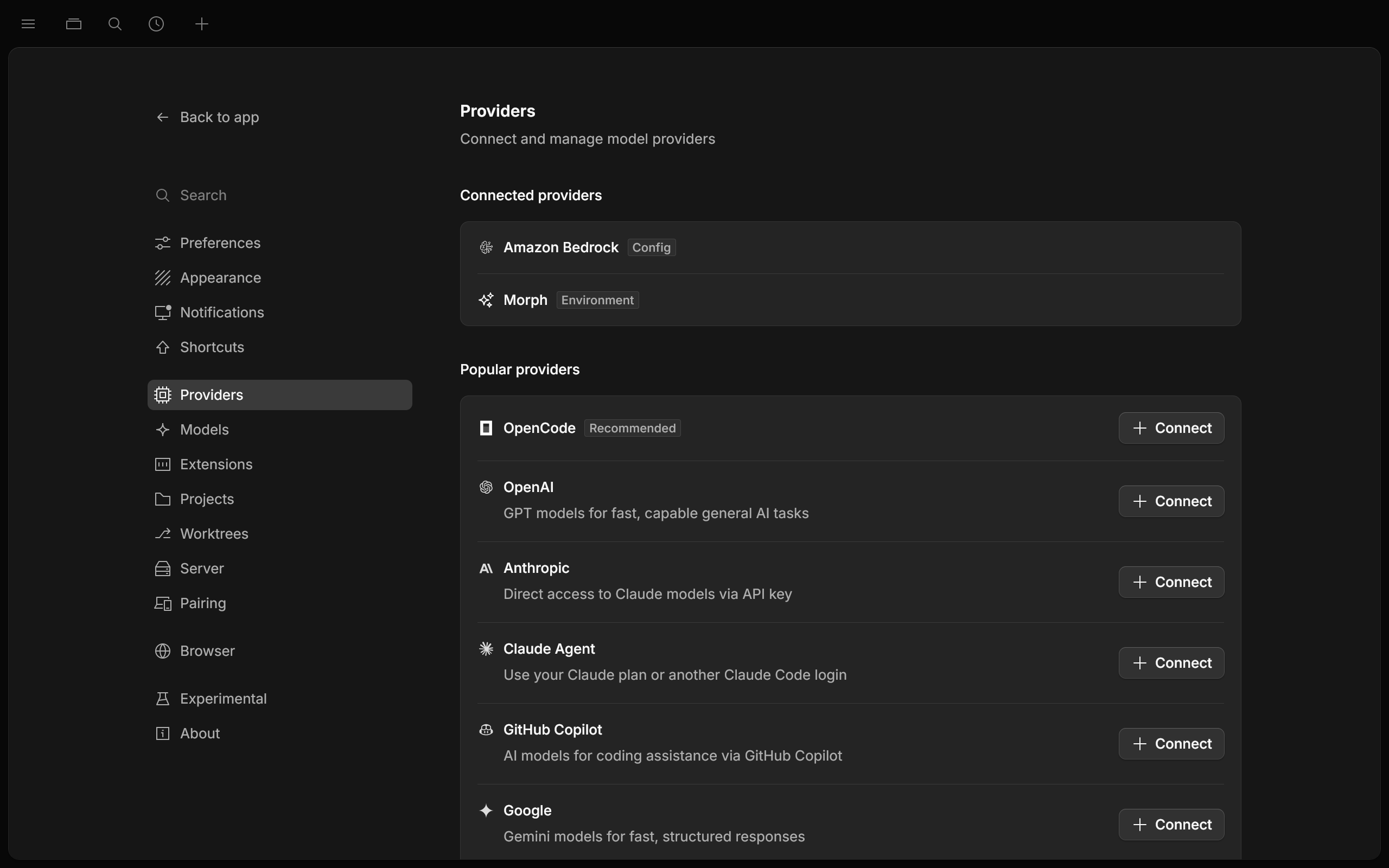
MORPH_API_KEYin the environment, Morph’s models appeared in the picker for me, and Rune’s Providers page listed Morph as an environment provider. - Pace parallel work on Kimi. The per-minute limit cut my nine-at-once run to three passes.
- Keep the official app installed. Rune has no stable channel, and OpenCode hasn’t given a date for one.
OpenCode hasn’t published figures behind the 10 to 100 times claim, and hasn’t said when Rune will replace the Electron app.