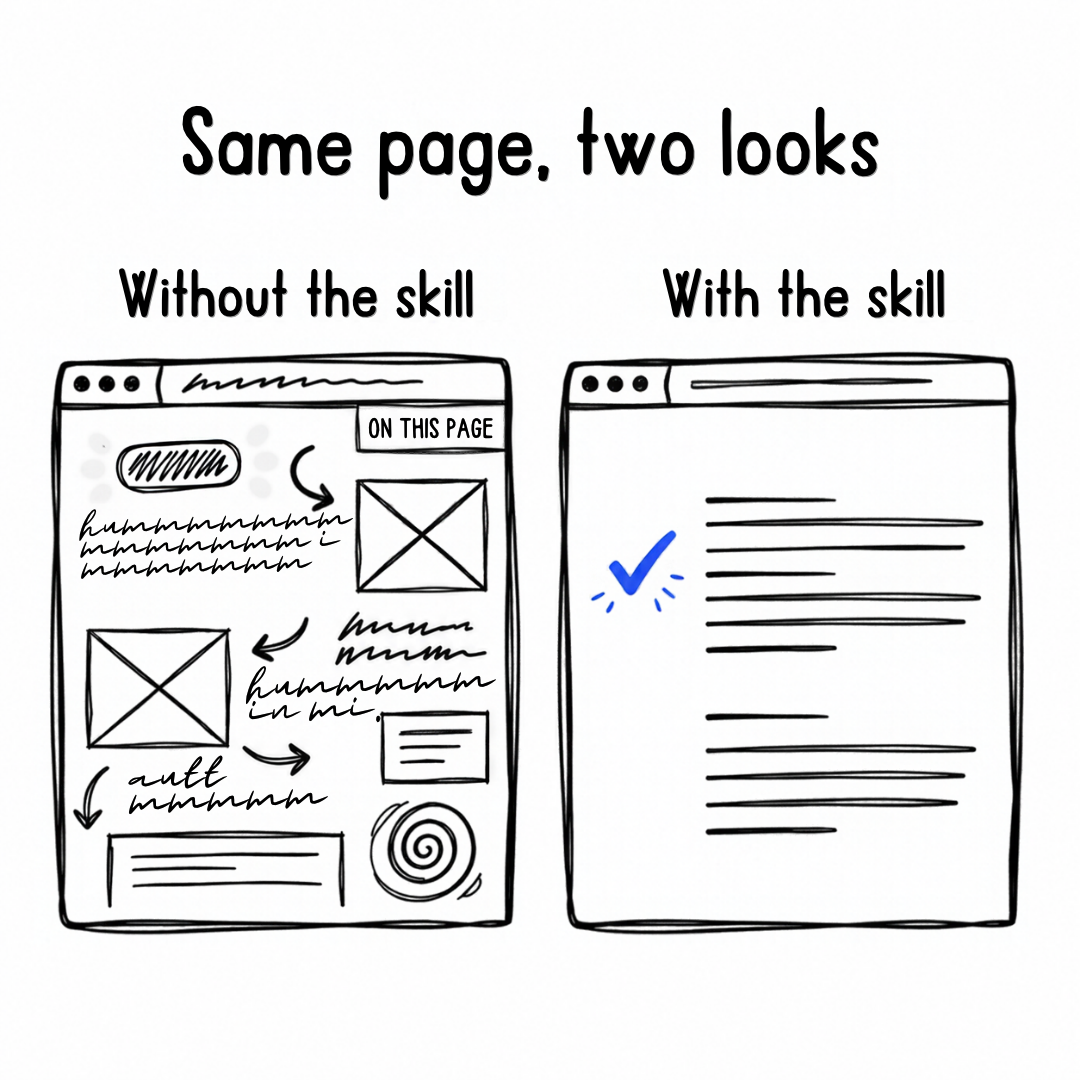
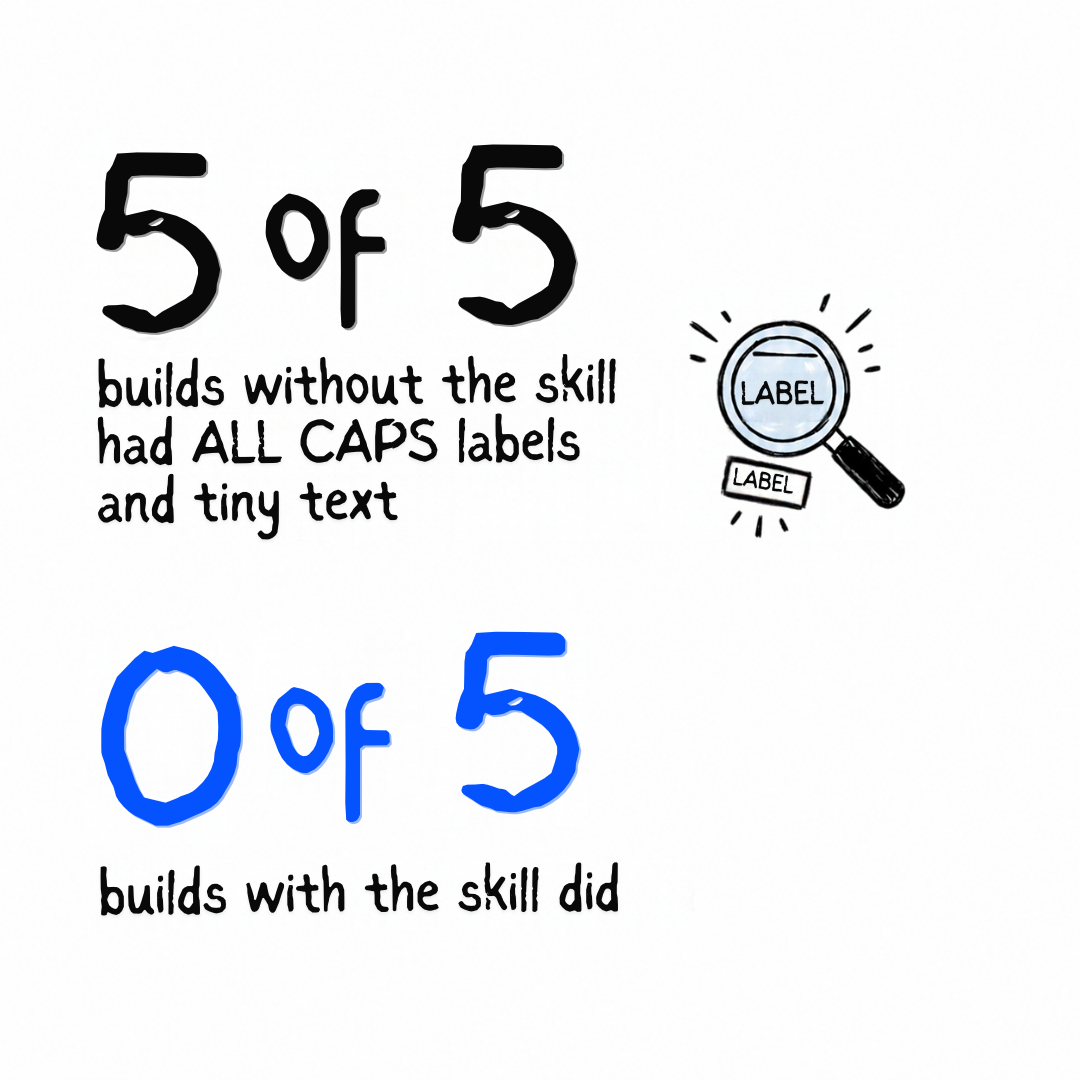
Google has published an agent skill that tells coding models how to design a web page. It bans label chips, shouty capital-letter headings and decorative numbering, and says a docs page should open straight into its content. So I took Google’s own Gemini API documentation and had five models redesign it, once with the skill and once without. None of the five pages built with the skill had a single ALL CAPS label or a line of tiny text. All five built without it did, and Google’s own page has both too.
What the skill is
The skill is called gemini-frontend-design and lives in Google’s google-gemini/demolab repository under the Apache-2.0 licence. I covered it when it surfaced but didn’t run it then. It’s a single SKILL.md of about 245 lines, and it works as a list of rules a model reads before it designs anything.
The rules that matter for a docs page are specific. Documentation should open directly into live content, with no marketing hero. Use at most two font families and a short ladder of body sizes, with nothing under 13 pixels above the fold. Use sentence case for labels rather than tracked-out capitals. Don’t put eyebrow labels, decorative chips or badges over headings, don’t number headings that aren’t steps, and don’t nest cards inside cards. It ends with a checklist and tells the model to look at the page at desktop size and at 390 by 844 on a phone before it finishes.
Google’s own docs as the subject
For the page I used the Gemini API’s Text generation documentation. The old ai.google.dev address forwards to AI Studio now. I loaded it once the way any visitor would, took a screenshot and saved its text and code samples to a markdown file: 41 lines of text and 9 code samples. That file is the brief. Every model got it, and every model was told to keep every word.
It’s Google’s design skill pointed at Google’s own docs, which is the joke. The skill is advice for agents, not a rule Google’s docs team signed up to, but I ran my checks on the original page too.
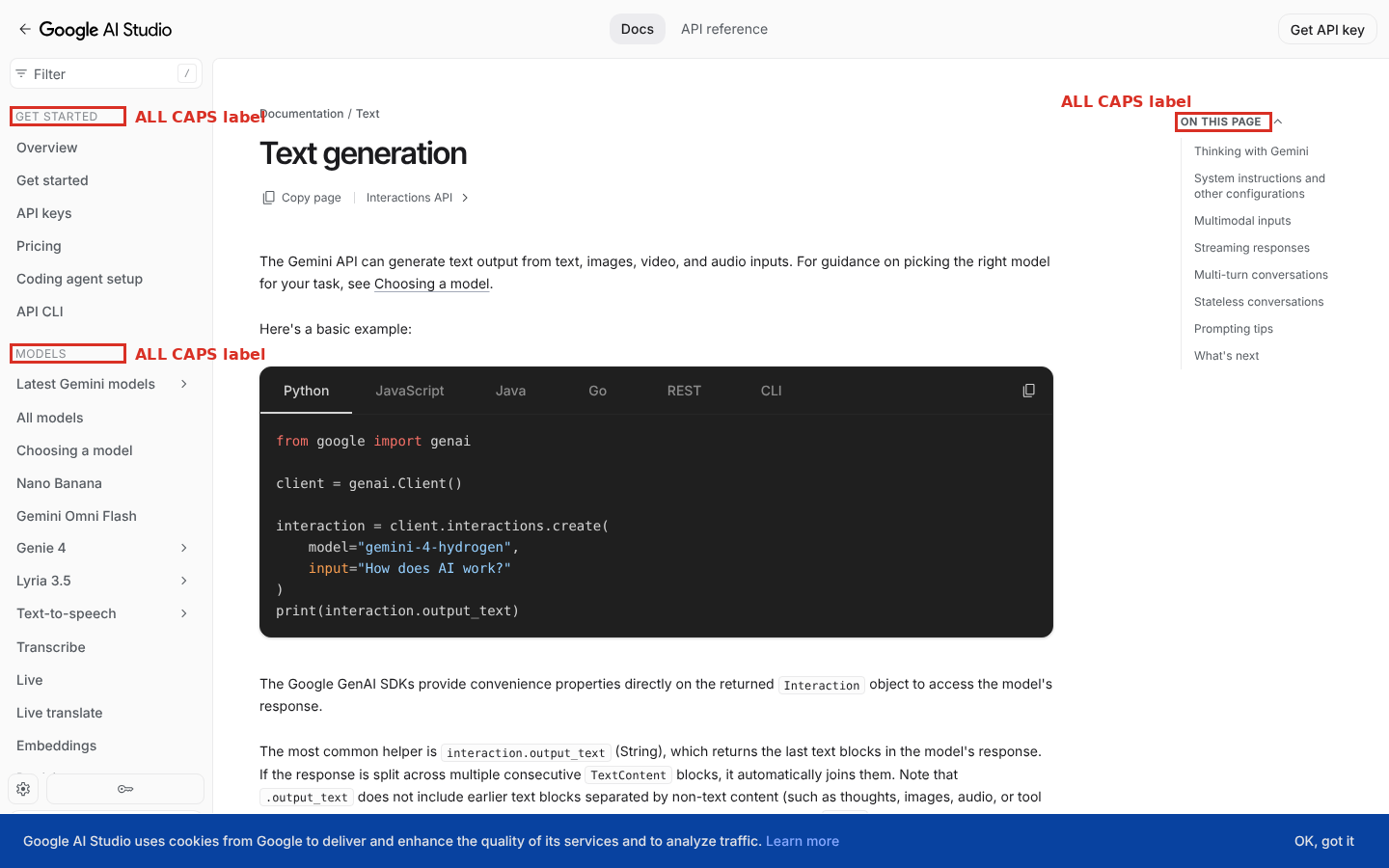
It opens straight into the content, which the skill approves of. It also sets its sidebar and contents rail in capitals (GET STARTED, MODELS, ON THIS PAGE and more), and it uses type at 11 and 12 pixels near the top of the page. Both are things the skill’s checklist says to avoid.
How I ran it
I installed the skill by copying its SKILL.md into the project’s .opencode/skills folder and ran everything headless in OpenCode 1.19.6, each run in its own fresh folder. Kimi K3.1 Pro ran through Synthetic, DeepSeek V4.1 Flash through Morph, Claude Opus 5.5 and GPT-6.2 Sol through their own APIs, and Gemini 4 Neon through Google’s. Neon needed its output limit raised and thinking set to low, or it ends silently on a large file write. This is the prompt, word for word, for the runs without the skill.
Redesign the documentation page in page.md as one self-contained index.html in this folder. Keep every word of the text and every code sample exactly as written. Before you finish, render it with `node shot.js index.html shot` (it saves shot-desktop.png and shot-mobile.png in this folder), look at the screenshots, and fix what is wrong.The runs with the skill got the same prompt plus one sentence.
Use the gemini-frontend-design skill.The logs show each of the five skill runs loading the skill and getting its text back, and none of the other five touched it. Afterwards I opened every page myself in headless Chromium and measured it with a script of my own, then compared the screenshots by eye. The script counts visible pieces of text under 13 pixels and ALL CAPS labels, and checks that every line of the source text and every code sample survived. It counts elements, not words, so treat its numbers as a comparison between runs, not a score. Each model got one run per condition, so these are smoke tests, not a benchmark.
What came back
Every page kept all 41 text lines and all 9 code samples, and none of the ten scrolls sideways on a phone. The difference is in everything around the words.
| Model | Time without, with | List-price cost without, with | Text under 13px without, with | ALL CAPS labels without, with |
|---|---|---|---|---|
| Kimi K3.1 Pro | About 5.5 min, 5.5 min | US$0.49, US$0.44 | 173, 0 | 12, 0 |
| DeepSeek V4.1 Flash | About 5.5 min, 10 min | US$0.06, US$0.13 | 15, 0 | 3, 0 |
| Claude Opus 5.5 | About 2.5 min, 2.5 min | US$0.57, US$0.60 | 19, 0 | 10, 0 |
| GPT-6.2 Sol | About 3 min, 3.5 min | US$0.23, US$0.29 | 29, 0 | 2, 0 |
| Gemini 4 Neon | About 2 min, 2.5 min | US$0.31, US$0.33 | 22, 0 | 2, 0 |
| One run each. Costs are OpenCode’s list-price estimates. The counts are elements on the rendered page at desktop size. | ||||
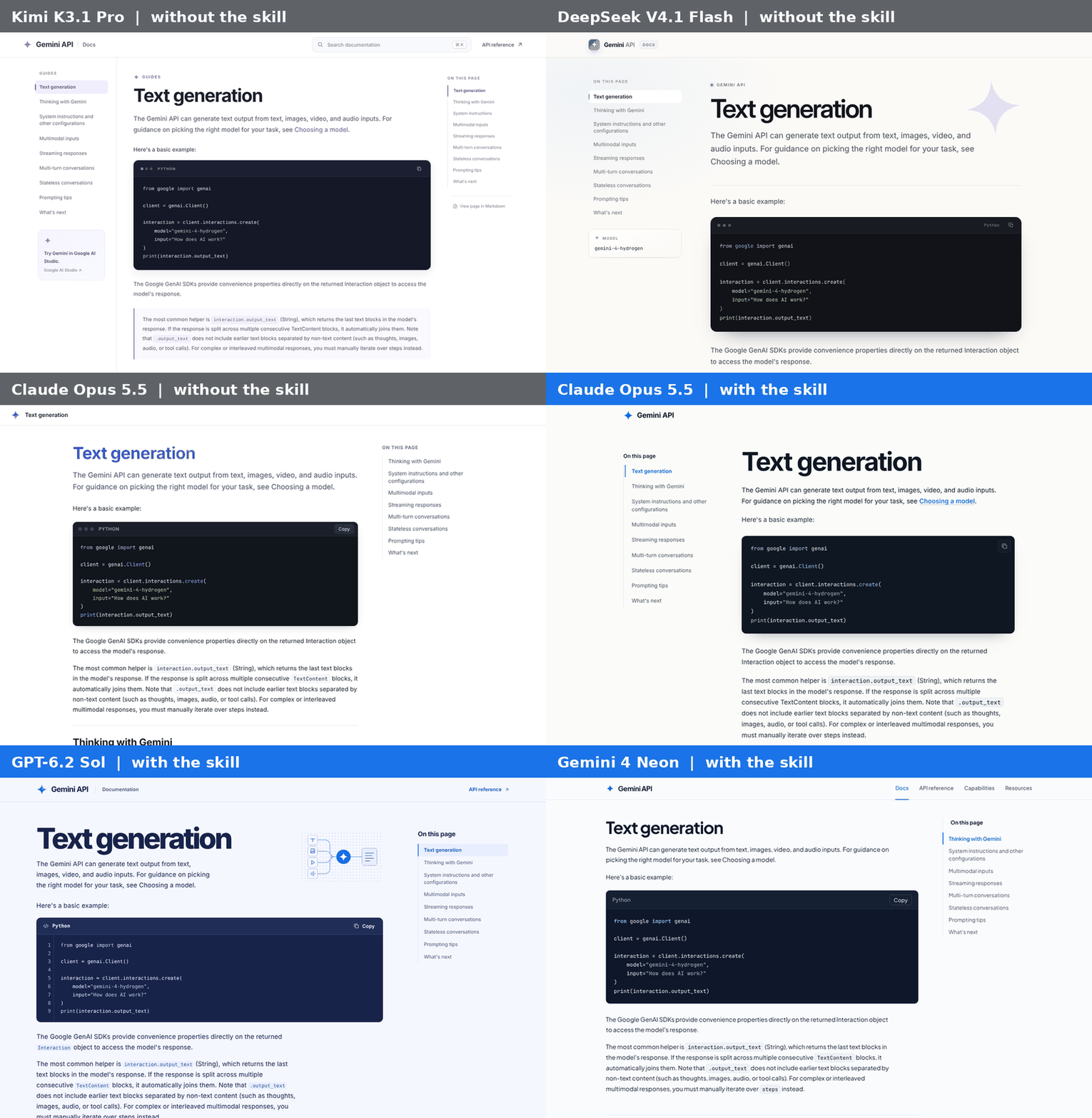
The skill cost little in time or money for four of the five. DeepSeek took nearly twice as long and cost twice as much with it, though it’s still the cheapest run of the lot. Here’s the whole set flipping between the two versions.
Model by model
Claude Opus 5.5
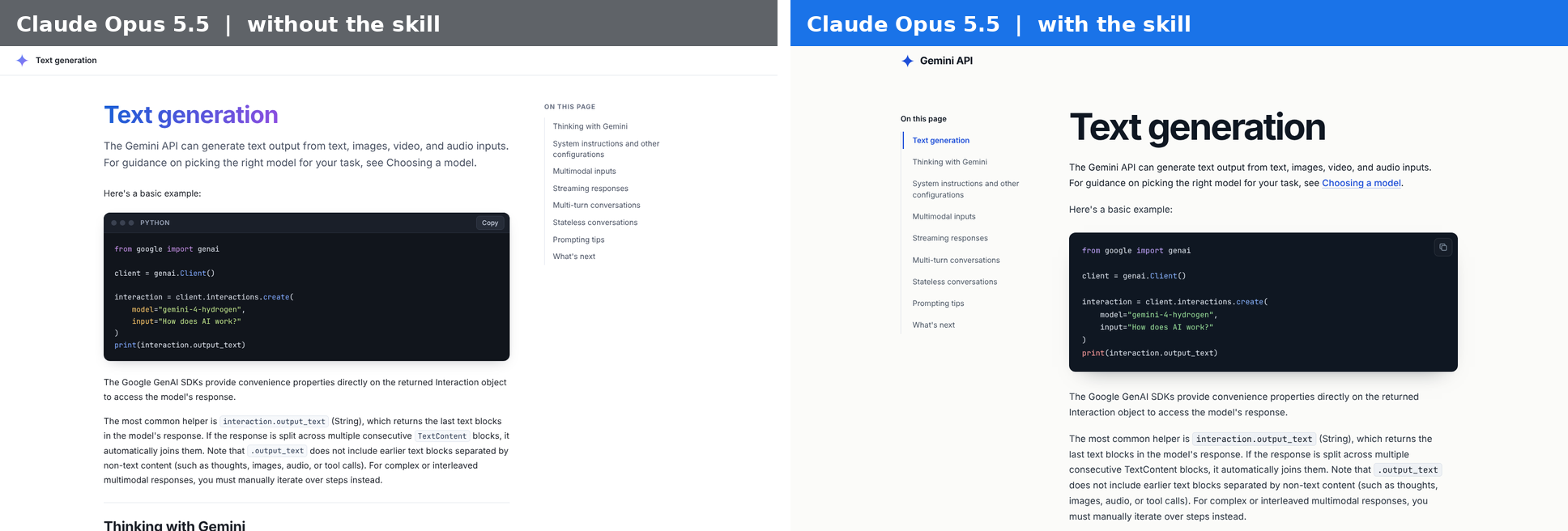
Without the skill, Opus gave the title a blue-to-purple gradient and put a capitalised PYTHON label and three window dots on the code block, a macOS-style title bar that nothing here needs. With the skill, the title is a big plain black headline, the contents list says “On this page” in sentence case, and the code block has no dots or label at all. The second page reads calmer.
Kimi K3.1 Pro
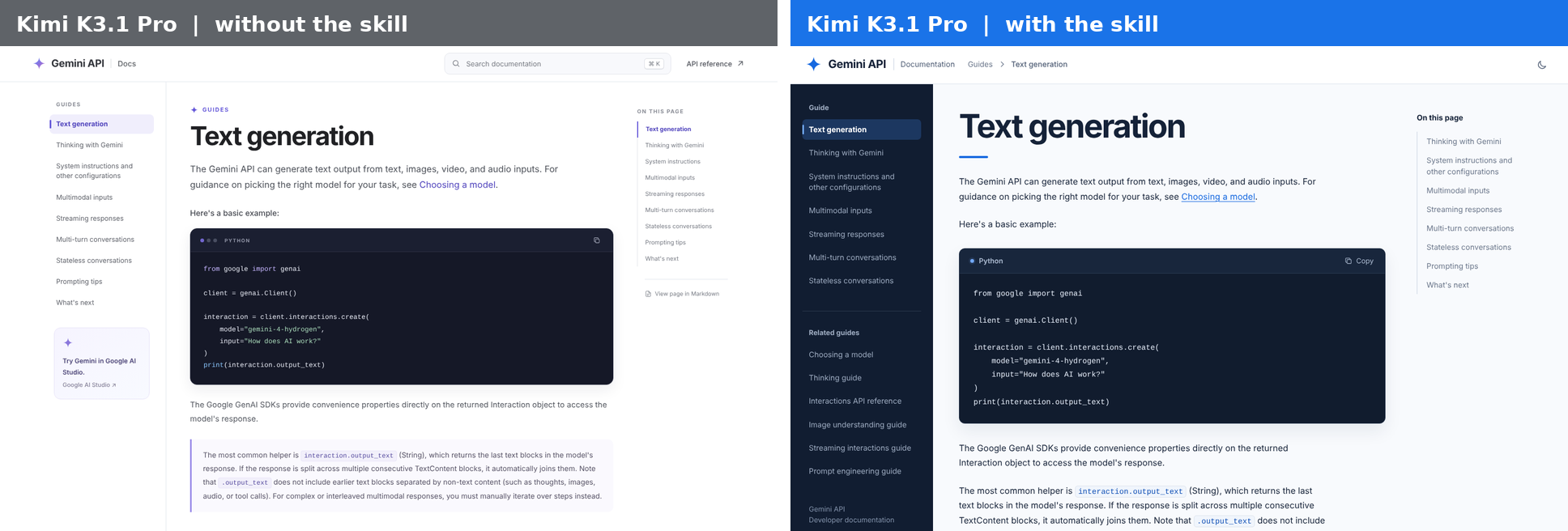
Kimi’s no-skill page had a GUIDES label with a sparkle above the title, window dots on the code, a promo card in the sidebar inviting you to try Gemini in AI Studio, and a tinted callout box around one paragraph. None of those labels or cards came from the source text. It also used the most small text of any page by a distance. With the skill it dropped all of it and built a dark sidebar with a breadcrumb. It also added a “Related guides” list of its own, so the skill didn’t stop it inventing navigation.
DeepSeek V4.1 Flash
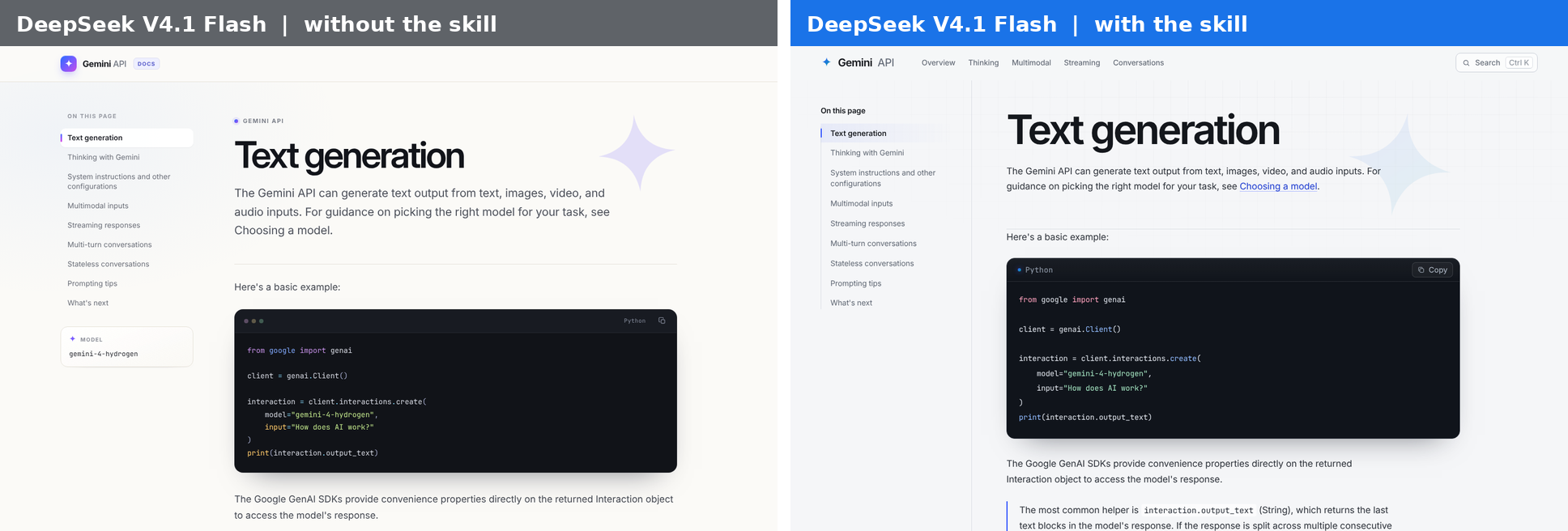
DeepSeek’s first page had a small GEMINI API eyebrow over the title, a DOCS chip next to the logo, a faint floating star and a model card in the sidebar. The skill version swapped those for a top nav and a search box and dropped the eyebrow and chip, though a faint star still sits behind the title. It took nearly twice as long and wrote a far bigger file.
GPT-6.2 Sol
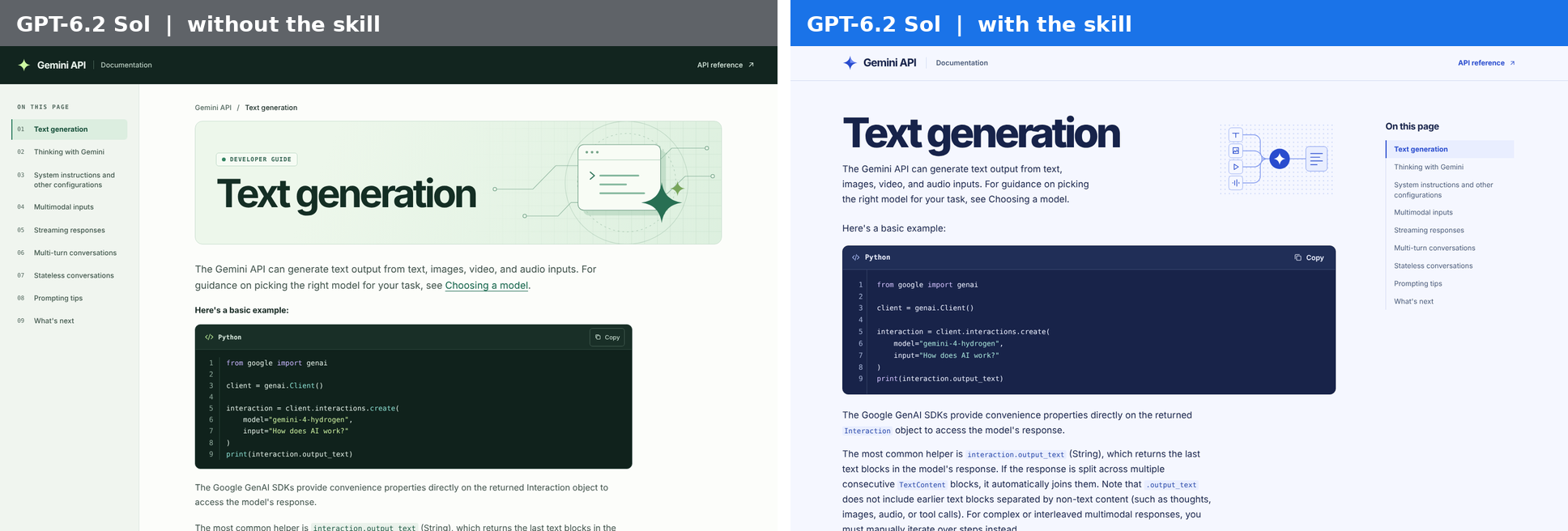
Sol’s skill-free page opened with a rounded banner, a DEVELOPER GUIDE chip and a numbered contents list from 01 to 09. With the skill the page is a plain title with a small circuit-style drawing off to one side and no chip, and the contents list lost its numbers. That drawing and DeepSeek’s star are the only pure decoration left on the skill pages.
Gemini 4 Neon
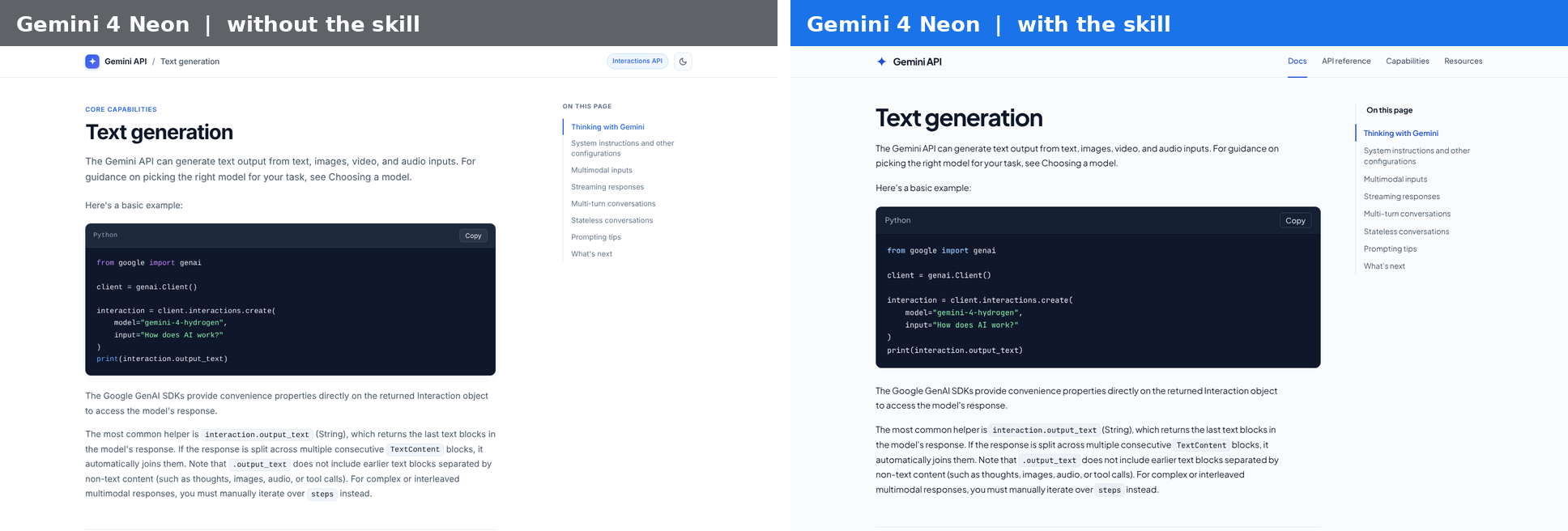
Neon is Google’s own model, and without the skill it added a CORE CAPABILITIES eyebrow, an Interactions API pill and a dark-mode toggle. With the skill it gave the page a plain top bar with Docs and API reference tabs, dropped the eyebrow, and kept the layout quiet. It was the quickest model in both runs. It also invented nav items, like Capabilities and Resources, that Google’s page doesn’t have.
On a phone
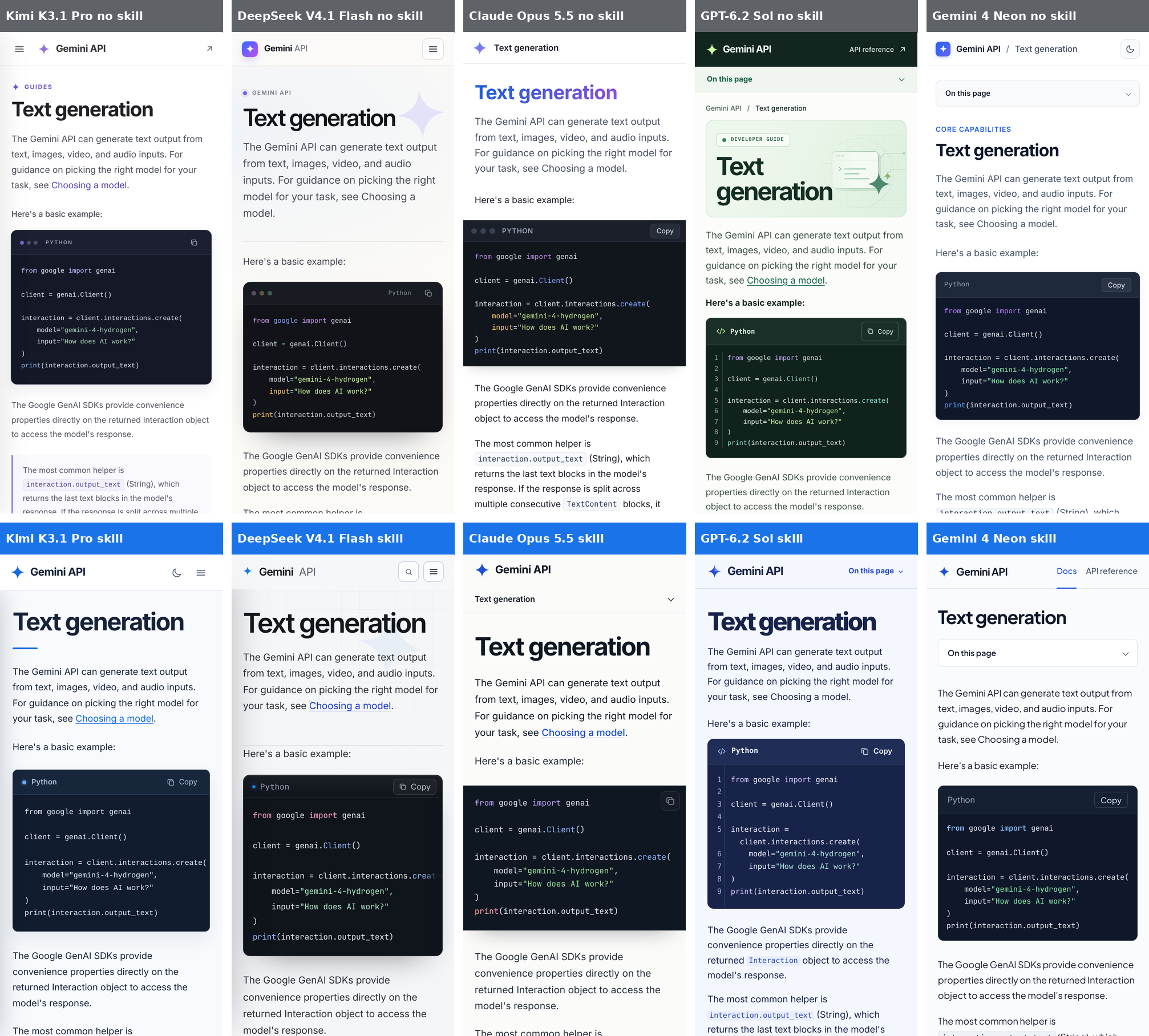
The phone view is where the difference reads fastest. The top row still has its labels and dots. The bottom row has plainer headers, and every page opens on the title.
What I couldn’t test
I tested one page and one run per model per condition, so a rerun could change details. I didn’t test the skill’s image generation, since no image tool was set up, so the imagery parts of the skill went unused. I didn’t check its claim, in the README, that people prefer its pages, and I didn’t ask anyone which version they preferred. Some pages name web fonts that may have rendered as fallbacks on my machine, so I didn’t judge typefaces. I also didn’t score the skill’s three-size rule, because my count of text sizes includes headings.
Where that leaves the skill
It works. It removed the specific habits it lists on all five models, at about the same time and cost for everyone but DeepSeek, and the pages that came out are the ones I’d ship. What it doesn’t do is stop a model adding things nobody asked for: Kimi and Neon each invented navigation. If you use it, check what the page added as well as what it dropped. The skill also doesn’t say a docs page like Google’s is wrong, only that its own checklist would flag it. For another skill test, see my run of Inkworks.
Disclosure: I’m an OpenAI, Firecrawl and Devin ambassador.