Google’s gemini-frontend-design agent skill went viral again on 24 November US time, pitched as a Gemini 4 Neon frontend skill. It isn’t new. The file has sat in the google-gemini/demolab repository since 10 November as version 1.0.0, and its SKILL.md doesn’t mention Neon anywhere. What is new is the claim going round with it: that Google’s skill “wins ~75% of all battles”.
I read the whole skill, checked its README claims against what Google publishes, and set it beside Anthropic’s skill for the same job. The rules are specific and some of them are good. The evidence behind the win rate isn’t published.
What the posts claim, and what’s older
Genevieve H makes two claims. One is that Gemini 4 does better with no skill at all than with the popular third-party design skills. The other is that Google’s skill beats the field, winning about 75% of battles. Philipp Schmid’s post points developers at the same skill. I can’t find a figure behind the first claim, and Google’s repo only speaks to the second.
The skill’s history is easy to trace. The repo commit dates it to 10 November. Google’s Carbon developer guide mentioned it that day, and the Hydrogen launch post did on 12 November. We covered both models, in our Carbon and Hydrogen pieces, and when Neon arrived we wrote up the launch and the community demos. The skill itself isn’t tied to one model. Calling it a Neon skill is the posts’ framing, not Google’s file.
What’s inside the skill
The SKILL.md is 245 lines and about 16 KB, licensed Apache-2.0. Its opening line sets the tone: strong web design commits to a visual point of view and lets typography, proportion, colour, imagery and motion carry the page “rather than decorative UI chrome”. It then sets five blocks of instructions, and most of them are rules you can count.
- Colour. Honour an explicit style request. Otherwise draw the palette from the subject. The skill calls out two model habits by name: warm beige or cream with rust or terracotta, and dark slate with a neon purple glow.
- Type. Two font families at most, three body text sizes at most, and nothing under 13px above the fold. No third monospace font for prices or counts, because
tabular-numsdoes that job. - Opening screen. News, blogs, docs, dashboards, tools and CVs open straight on live content. Brands, products, stores, events and portfolios get a hero, but not a 50/50 split, and the supporting copy is 25 words or fewer with one button.
- Motion. Transitions of 140 to 240 milliseconds with an ease-out curve, never
transition: all, and a reduced-motion fallback. - Things to avoid. No eyebrow labels above headings, no decorative chips or badges, no button walls, no fake numbering like 01 and 02, and no em dashes in generated copy.
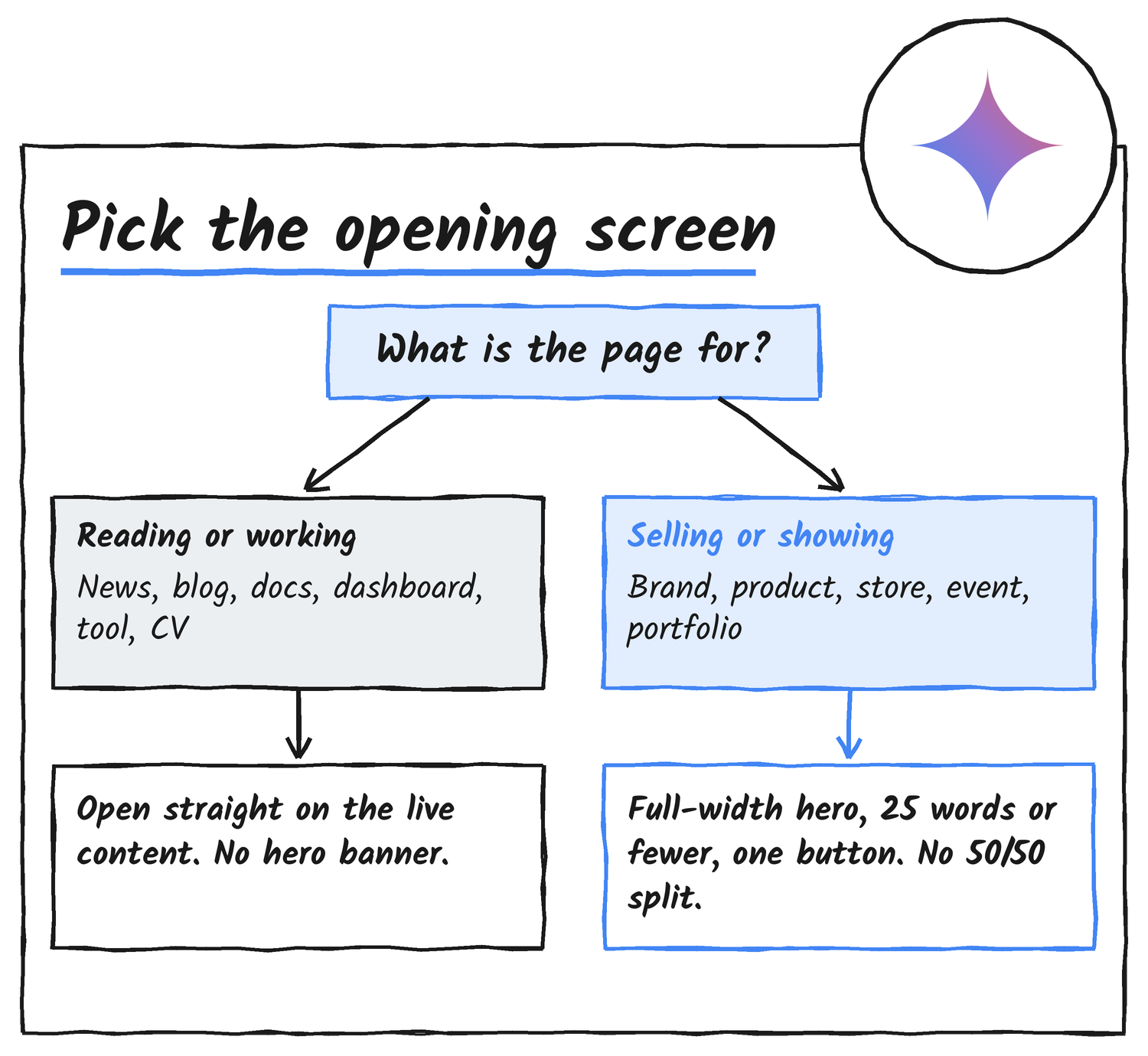
The type rules are the strictest. The big headline and the brand name don’t count toward the three sizes, but everything else does, and the skill says to separate subheadings, buttons and labels by weight, family and colour instead of inventing a 20px step.
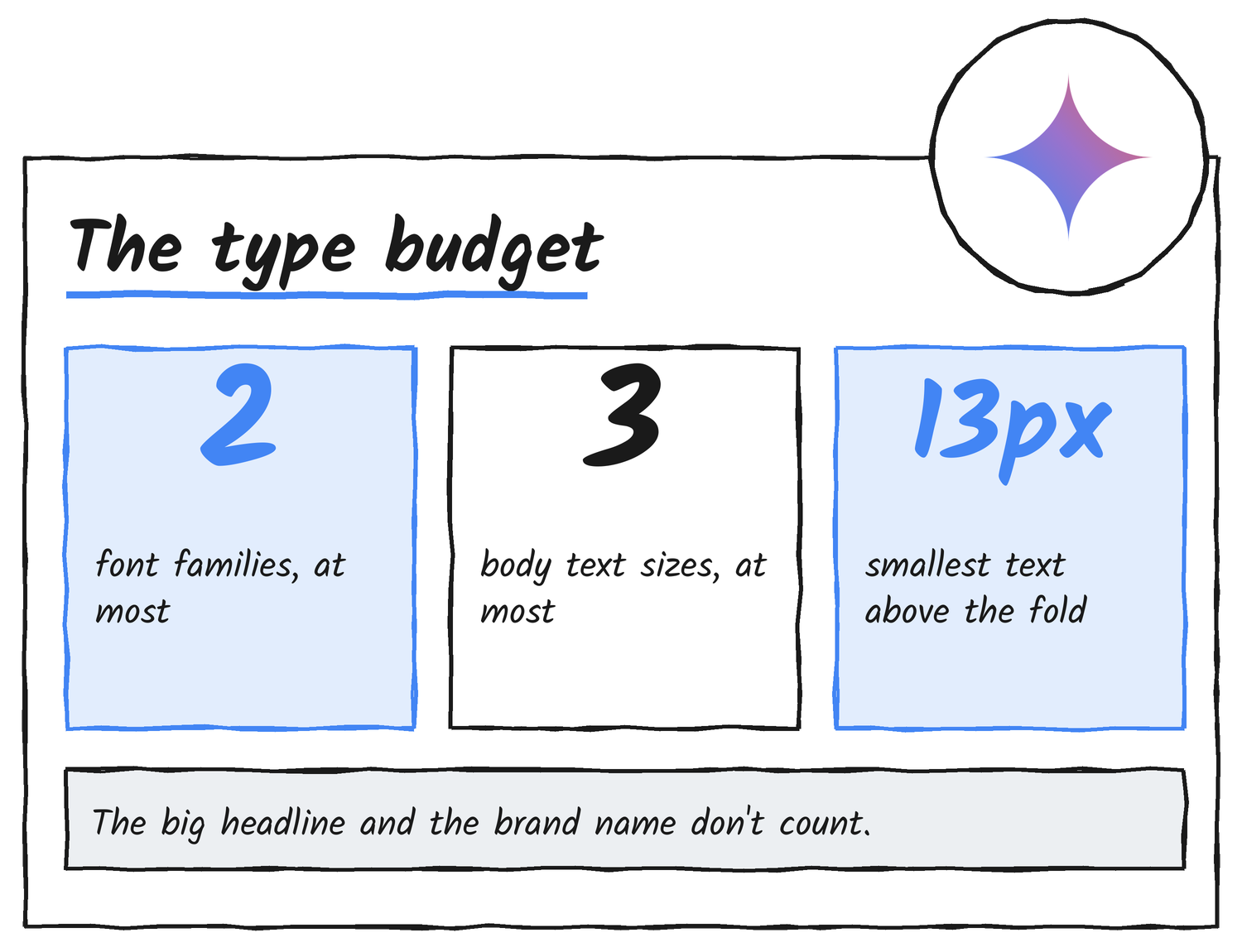
The last section is a checklist the agent runs before it finishes, plus an instruction to screenshot the page on desktop and at 390 by 844 on mobile and fix what it sees. That verification step is the part I’d keep even if I ignored every number above.
Against Anthropic’s skill
The obvious comparison is Anthropic’s frontend-design skill, which does the same job in 71 lines and about 9 KB. The two take different routes. Anthropic’s is built on principles and a process: plan the design direction, review the plan, build, then critique the result. Google’s is built on counted rules and a checklist.
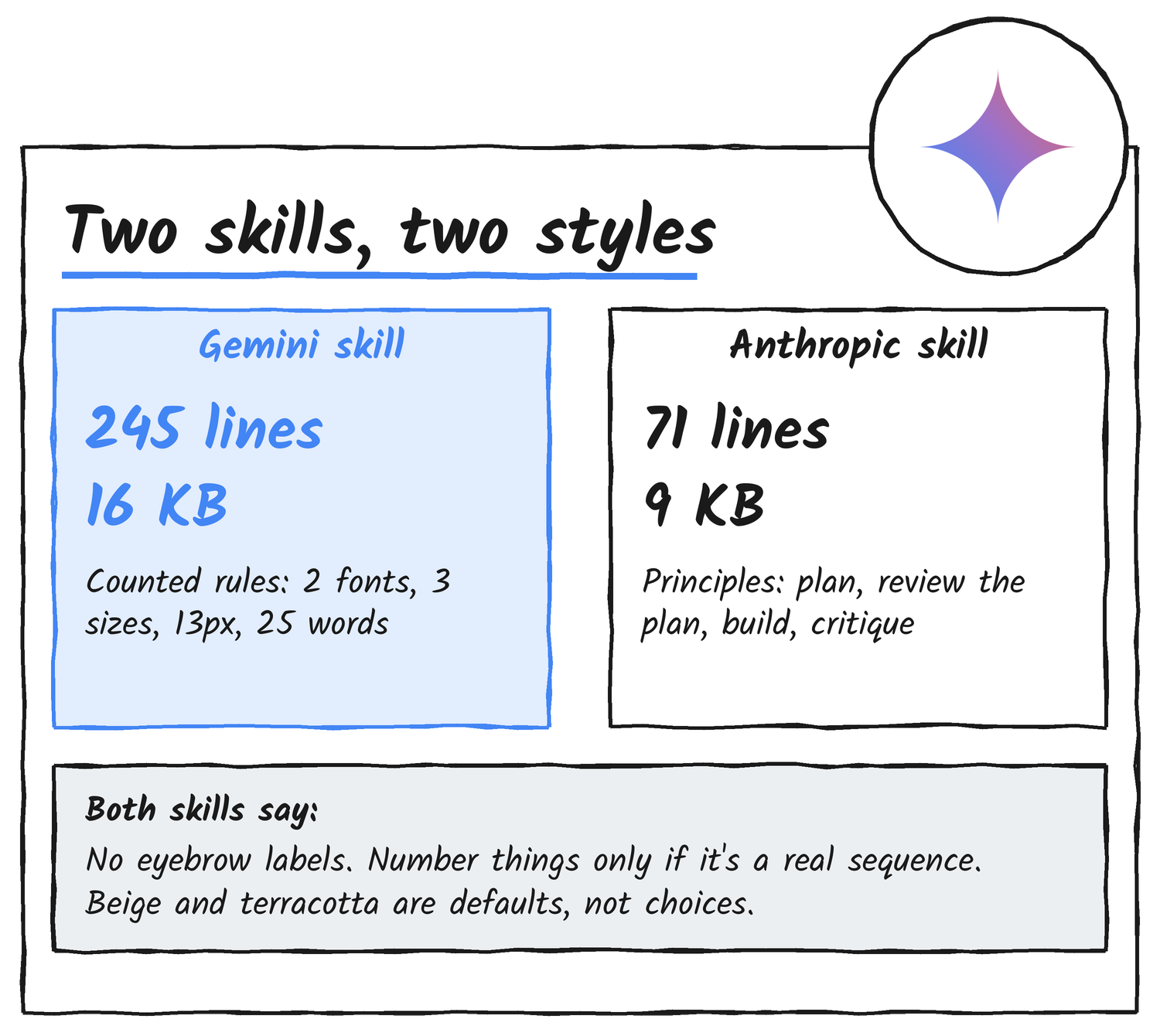
They agree on more than the sizes suggest. Both tell the model to stop adding eyebrow labels, to number things only when there’s a real sequence, and to treat beige and terracotta as a default instead of a choice. Where they differ is control. Google’s counts leave less to the model’s judgment, which makes them easy to audit and easy to break when a brief really does need a third size.
| Skill | Approach | Published testing |
|---|---|---|
| Google gemini-frontend-design | 245 lines of counted rules and a pre-delivery checklist | README claims 67% and 75% preference wins; method not published |
| Anthropic frontend-design | 71 lines of principles with plan, review, build and critique steps | None that I could find in the skill or repo |
| Google Labs stitch-skills | 15 workflows for the Stitch design tool | Not reviewed for this piece |
| Vercel product-design | Routes by request mode to references, linters and exemplars | Evals with and without the skill, described in Vercel’s post |
Vercel’s is the one that shows its working, and it tells you where skills fail. Its post says that in separate Next.js evals, agents failed to invoke an available skill in 56% of cases, and that it tests whether the skill gets loaded separately from whether the agent follows it. It also runs fixtures without the skill, to measure whether the skill changed anything. That’s the test the Gemini claim needs.
What the evidence shows
The 67% and 75% numbers come from the repo’s README. They say people preferred pages made with the skill 67% of the time against no skill, and 75% against popular third-party skills. That is all the README says. It doesn’t name the third-party skills, give a count of battles, say who judged them or what prompts they used, and there’s no evals folder in the repo.
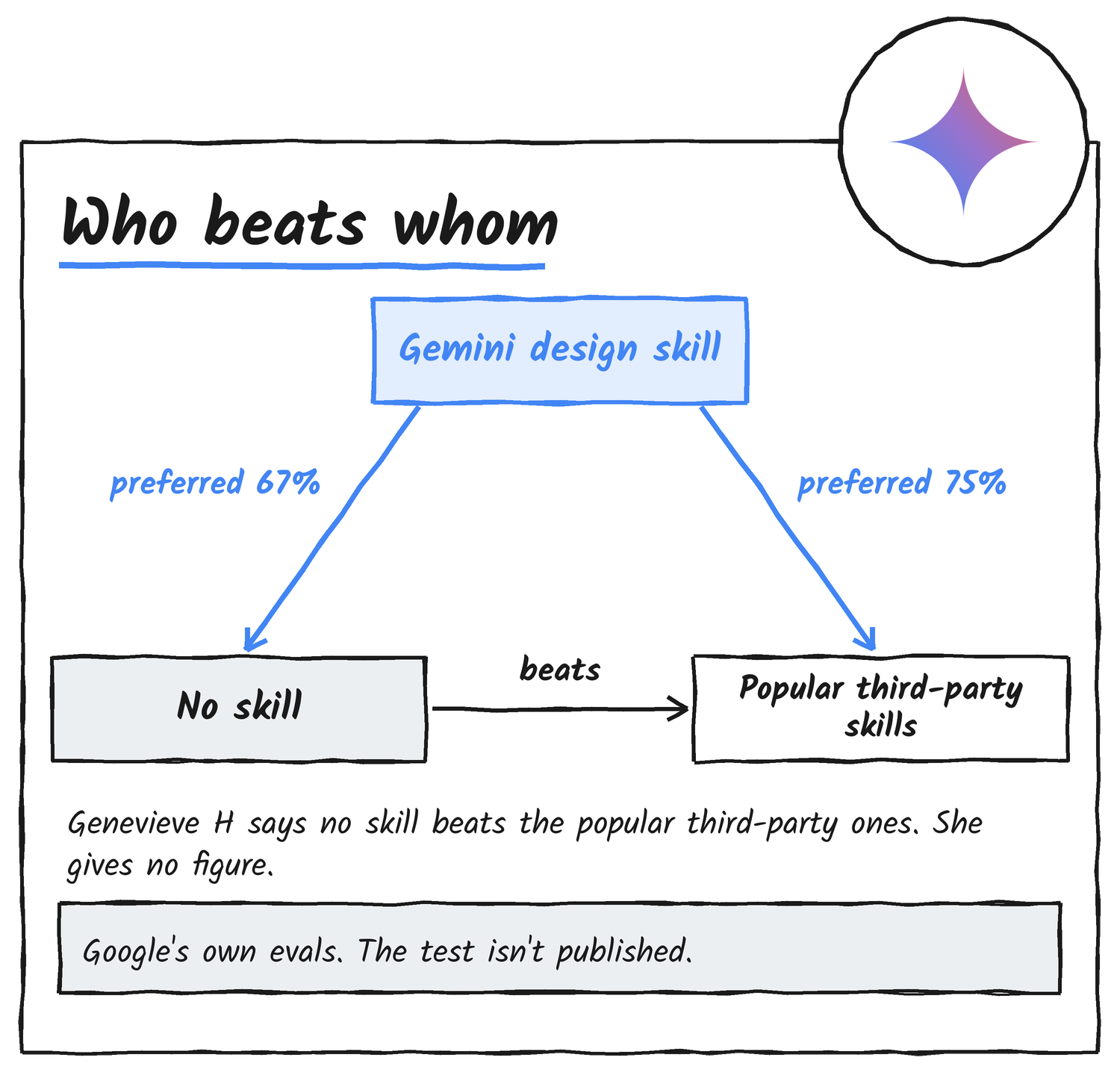
The two claims also fit together less neatly than the posts suggest. If no skill beats third-party skills, and Google’s skill beats no skill 67% of the time, the first claim has no number at all. Nothing I found measures it directly.
Schmid’s own guidance on testing skills is to run evals with and without the skill, the same standard Vercel uses. His AI Engineer talk is titled “Don’t ship skills without evals”. By that standard, a README percentage is a claim to check, not a result.
The DesignArena context
Google doesn’t say where its battles were run. DesignArena’s website leaderboard is the best-known one, and on a 23 November snapshot it had Gemini 4 Neon second at 1360, plus or minus 3.4, across 764 battles. That ranks the model, not the skill, and it doesn’t use the skill’s prompts, so it can’t confirm either percentage.
What a developer can do with it
The skill is free, Apache-2.0 and a single file, so trying it costs a few minutes. The sensible way to test it is the way Schmid and Vercel describe. Pick three or four briefs you’d actually build, run each with the skill and without it, and judge the results blind. The counted rules are also easy to check by eye: count the font families and the body sizes, and look for eyebrows.
Two cautions. The rules assume a particular taste, and a brief that wants a dense dashboard or a retro look will fight them, though the skill does allow a fourth size for dashboards and says to honour explicit style requests. And a skill only helps if the agent loads it, which Vercel’s 56% figure suggests isn’t guaranteed.
Google hasn’t published the battles behind its 67% and 75% figures, and Genevieve H hasn’t given one for the claim about third-party skills. The skill’s repo holds the full SKILL.md.
Discover more from Sulat AI & Tech News
Subscribe to get the latest posts sent to your email.