Paper, the design tool that draws in HTML and CSS, has launched remote MCP, founder Stephen Haney said in a post on X on 16 November (US time). Remote MCP lets an AI agent running in the cloud read and write Paper files without Paper Desktop open on anyone’s computer. Paper’s docs list it as early access.
Haney named three uses: cloud agents such as Grok Bot, Muse and Devin, CI jobs that update Paper on every commit, and designing from a phone. He said the launch “may change the industry forever.” In a follow-up post he gave the install step, which is to ask your agent to add mcp.paper.design as an MCP server.
Good morning!
Stephen Haney (@stephenhaney) November 16, 2026
Today @paper launches Remote MCP
This may change the industry forever.
Use Paper anywhere you work:
• Cloud agents: Grok Bot, Muse, Devin, etc
• CI: update Paper on every commit
• Design from your phone
Any agent, any time, any place
Start in the thread
Install
Stephen Haney (@stephenhaney) November 16, 2026
Just ask your agent: “please add mcp.paper.design as an mcp server”
Pricing
For this intro period remote MCP will be metered the same as local MCP. We’ll post an update in a month or so once we know more. The Pro plan should cover day-to-day designer tasks.…
Remote MCP is metered the same as local MCP for this intro period, Haney said, and Paper will post an update on pricing in about a month. He said the Pro plan should cover day-to-day designer tasks. Local MCP, the version inside Paper Desktop, is still the fastest at a desk because it saves network trips, he said. Remote is for when the agent isn’t running on your computer or Paper Desktop can’t be open.
What remote MCP changes
MCP, the Model Context Protocol, is the standard that lets an AI agent call tools in another app. Paper’s MCP server has run inside Paper Desktop since the app launched on 24 February, so an agent had to run on the same machine as an open Paper file.
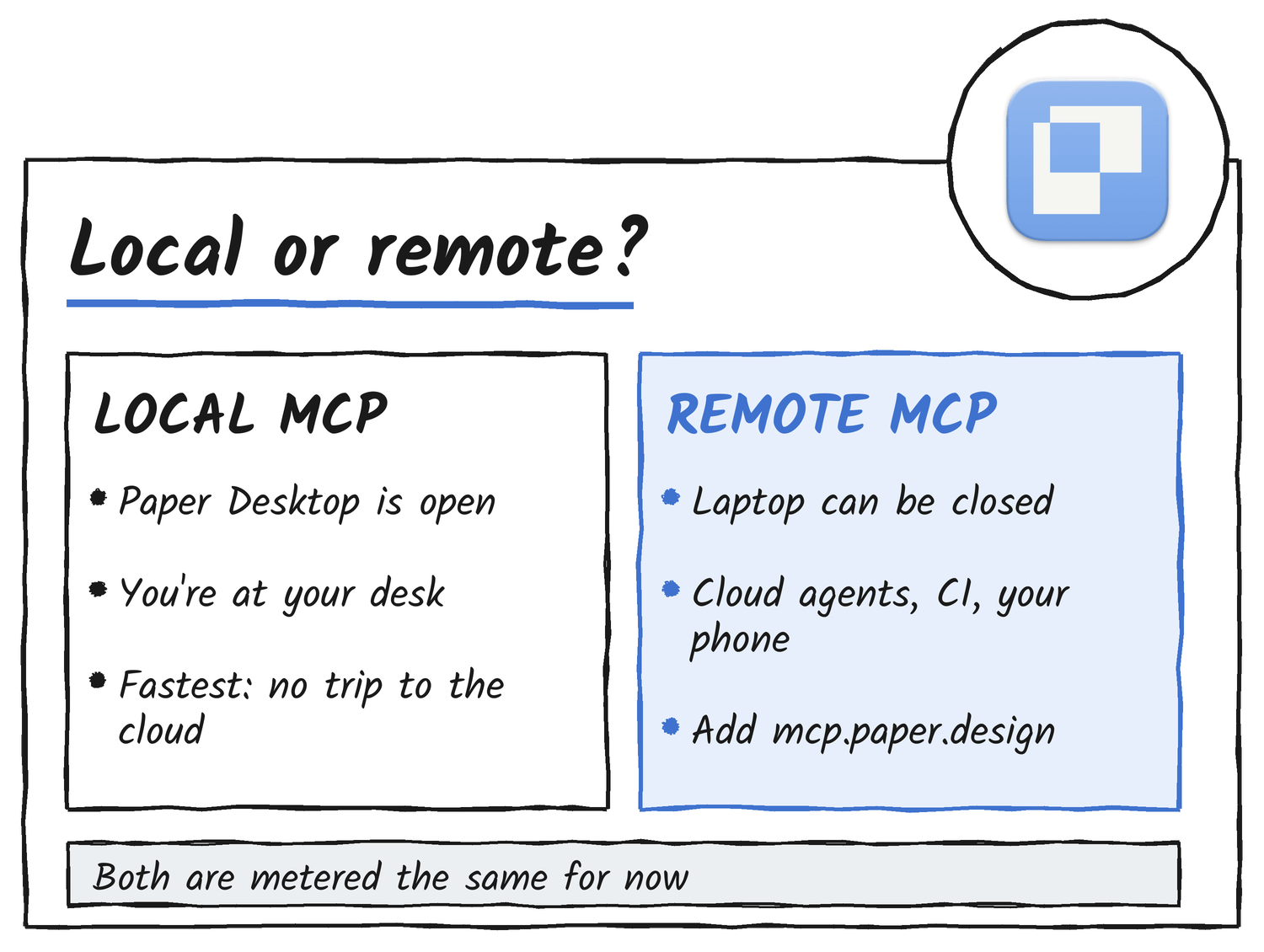
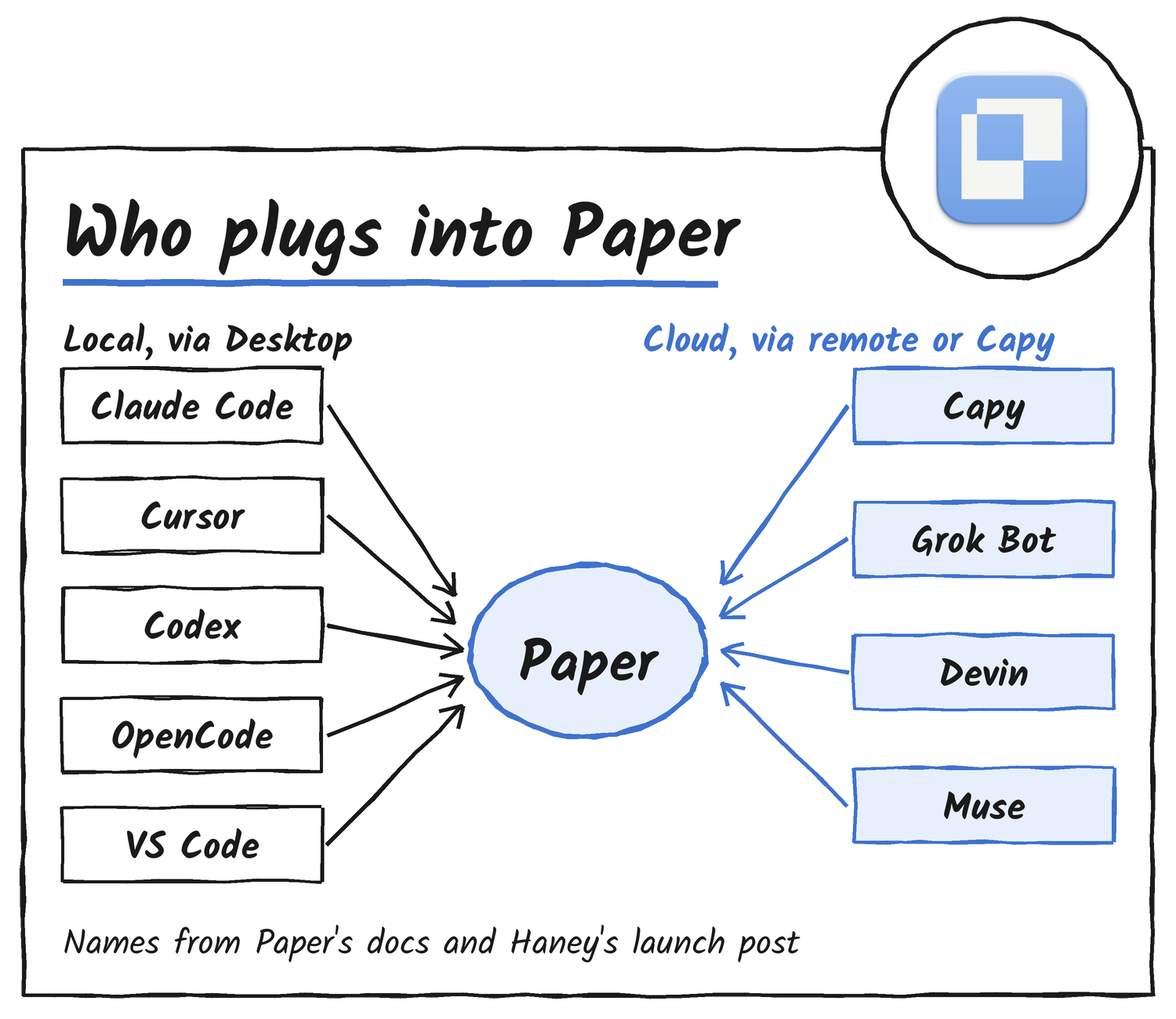
Paper’s docs say to use remote MCP when you’re away from your desk, when work should keep running without you, or when your agent already lives in the cloud. They suggest starting a design from your phone, letting work run overnight, or keeping designs in sync with a codebase on a schedule. The docs name Claude Code in the cloud and Grokbot as agents that can connect, and give the prompt “Add the Paper MCP server at https://mcp.paper.design”.
Capy got there first in its own way. On 8 October it launched a first-party Paper integration built with the Paper team, and it calls itself the first cloud coding agent with native Paper support. In Capy, Paper runs headless on the thread’s cloud machine, so a design task can finish after the laptop is shut and end in a pull request. Capy’s Luffy said the integration has sped up shipping UI changes “100x”, his own figure.
Introducing the Capy @paper integration
Capy (@capydotai) October 9, 2026
The easiest way to design with cloud coding agents
Paper runs in Capy’s VMs, so your agents and teammates can design together from any device
ever since we added @paper into @capydotai , shipping UI changes has sped up 100x
luffy (@0xluffy) October 9, 2026
how I use it:
> have Capy whip up a few designs for the feature you want
> comment
> iterate until you are happy
> ask Capy to ship it
blog on how I used this to ship Guided Reviews next week!
Why designers like Paper
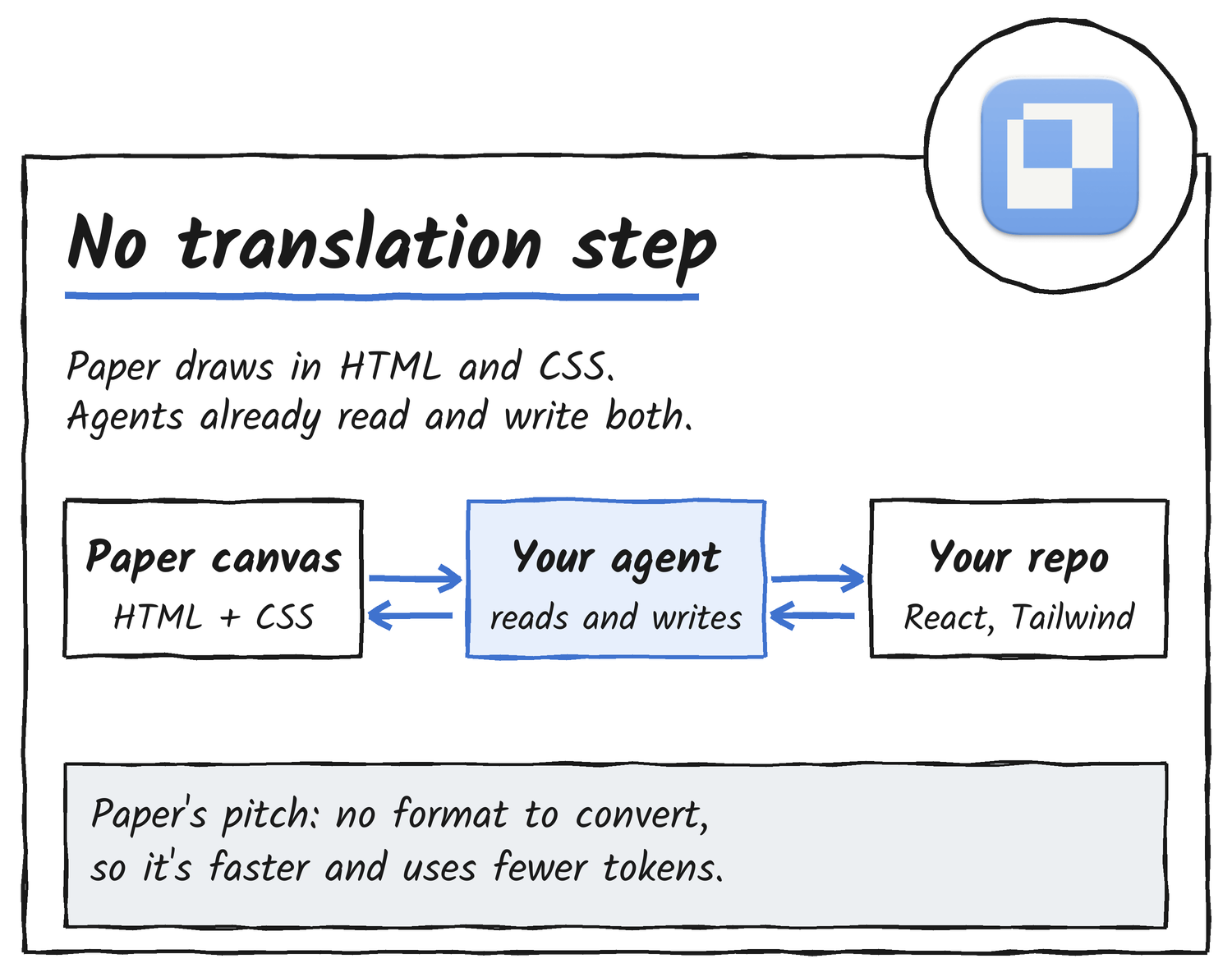
The core reason, in Paper’s telling, is the file format. Paper’s canvas is HTML and CSS, so there’s no proprietary format between the design and the code. Paper’s docs say that makes its MCP server “usually more accurate, faster, and more token-efficient” than using other design tools with agents. A token is the unit of text a model reads and is billed by.
Designer Fund’s interview with Haney describes the same thing from the product side: Paper renders directly in HTML and CSS instead of relying on a proprietary rendering engine, so agents edit designs by generating HTML and token costs stay low. Haney has been at the problem for years. He co-founded Modulz in 2018, which created the Radix component library, and WorkOS acquired it in 2022, according to his site.
The workflows Paper pushes follow from that. Its docs walk through three: syncing design tokens from Figma, filling a frame with real content from a Notion database, and turning a selected frame into a React and Tailwind site. The docs add two tips. Build with flex layouts and containers so the agent can read the structure, and start with a small section, because the larger the build, the more likely the agent gets things wrong.
Paper Snapshot runs the other direction. Haney describes it as copying a live website and pasting it into Paper as editable layers, so a redesign starts from what users see. He called it one of his favourite features.
People keep telling me that they haven’t heard about Paper Snapshot yet
Stephen Haney (@stephenhaney) August 18, 2026
So we made a new video, I hope you like it
Snapshot copies your live website and pastes it into Paper as editable layers.
Start iterating from what your users see. It’s one of my favorite features.
Collaboration is free. The pricing page says the Free plan includes unlimited viewers and editors, 100 MCP tool calls a week and limited image generation. Pro costs US$20 per editor a month, or US$16 billed yearly, and lifts the allowance to 1 million MCP calls a week, with video export and 100 times the image generation. One agent task can use many calls, since reading a frame, writing styles and taking screenshots each count, according to UXMagic’s September review.
UXMagic’s review also lists the craft features it calls unusual in a young tool: P3 colour, OkLCH colour controls, animated shaders and detailed typography controls. Paper Shaders and Paper Mono are open source, it says. Haney told Designer Fund that designers ask whether a tool is for them or meant to replace them. “Paper is clear: we’re going to do everything in our power to support professional creatives,” he said.
How people use it
Paper Desktop launched on 24 February with the line “Now any agent can read or write with Paper,” and the posts and videos since show what that looks like in practice.
Announcing Paper Desktop + MCP
Paper (@paper) February 24, 2026
Now any agent can read or write with Paper
Paper is connected. To your code. To your agents. To your data. To your teammates.
Download Paper Desktop at paper.design
Felix Lee wrote a guide to pairing Claude Code and Paper. He says he made 10 design iterations in five minutes from one prompt and skipped Figma. Neethan Wu, an engineer who says he hadn’t touched UI or UX design until three months earlier, wrote in his own post that he uses Paper mostly for design systems, tokens and page iterations, and treats it as the source of truth beside the product.
A Guide to Claude Code and Paper for Designers
Felix Lee (@felixleezd) April 2, 2026
Design Without Designing
Neethan Wu (@neethanwu) March 19, 2026
Not everyone was sold. Wes Bos tried Paper in March and described it as “like Figma” with an MCP that lets an agent push and pull design details and data. He added: “For some reason I thought it had some secret sauce that made your designs good though. You still need talent for that.” Under a Colm Tuite post praising a Paper guide, Johan Ronsse replied: “yeah but this is mostly just hype, can’t actually design in paper.”
Tried out @paper – It’s like Figma.
Wes Bos (@wesbos) March 11, 2026
It has an MCP so you can connect it to an Agent and it can both push and pull design details and data in/out of it.
Makes a ton of sense when your design app can pull real data from your database, or act on a ticket.
It seems like it’s built with HTML/CSS, so the heavy use of flex/grid to align stuff makes it easier to implement a design for the web.
For some reason I thought it had some secret sauce that made your designs good though.
You still need talent for that
Most demos sit on Paper’s own YouTube channel. Before remote MCP, the route to designing from a phone was Claude Code’s Remote Control, which links a phone to a desktop session, and Paper made a video showing how to prompt an agent and review screenshots that way.
Haney said in August that many people love pairing Conductor, a tool for running parallel coding agents, with Paper. Paper filmed a walkthrough with Conductor’s CEO, designing a roadmap for Conductor’s website with an agent, exploring iterations and shipping the result to code.
Outside Paper’s channel, Brendan O’Connell compared Paper with Pencil, another agent-friendly canvas, driving both from Claude Code. Jeff Buzulencia’s walkthrough covers a Paper, Claude Code and shadcn/ui workflow: a mood board in Paper, several directions from Claude Code, a design system built in code, then more pages designed with both the code and the canvas as references.
The company behind it
Paper raised a US$4.2 million seed round led by Accel in February 2025. On 22 July it announced a US$34 million Series A from Accel and ICONIQ, which takes total funding to US$38.5 million, in its Series A post. Paper says it grew annual recurring revenue 25 times in the month after the Desktop launch, that thousands of teams now pay, and that it ranked near the top of Ramp’s fastest-growing companies list for four months running. It names Ramp, Lovable and Harvey as customers.
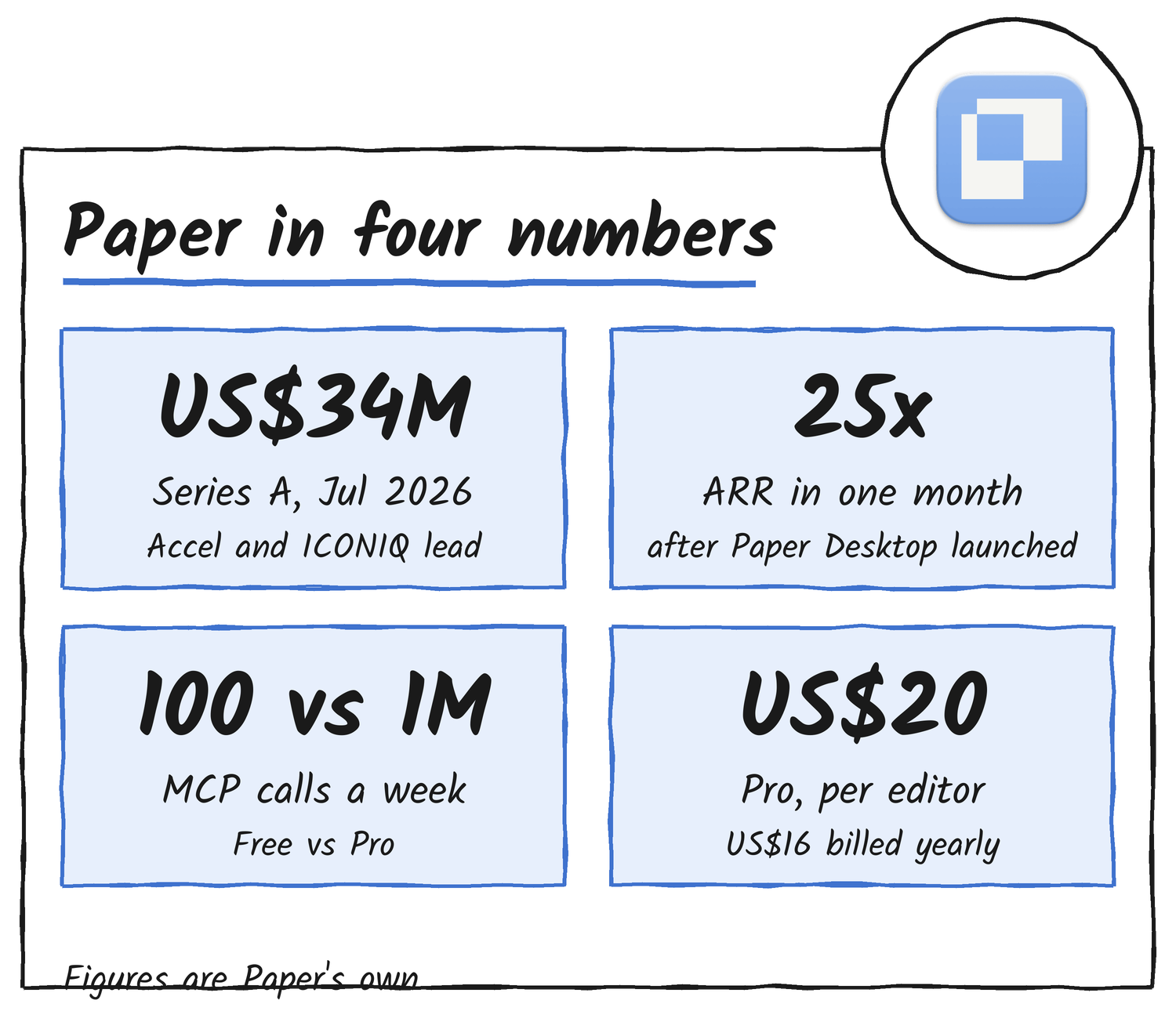
The post carries customer quotes. Nad Chishtie, Lovable’s head of design, said Paper “brings our production codebase into an infinite canvas for our design process.” Diego Zaks, Ramp’s VP of design, said it “plugs directly into Inspect, our own coding agent, and can pull and push right from production.” Accel’s Daniel Levine wrote that design teams at Vercel, Ramp and Lovable use it every day.
How it compares with Figma
Braintrust ran an independent eval in July. A headless Claude Code agent rebuilt 40 simple and 27 design-heavy web pages through each tool, and Braintrust scored every rebuild three ways. Across the 27 design-heavy pages Paper averaged 0.716 and Figma 0.679, a gap that didn’t reach significance (p = 0.21), according to its summary. Braintrust says the design MCP doesn’t matter on either page type, but that Paper held its quality across page types while Figma dropped on the complex designs. Figma’s run-to-run variance was about 1.9 times Paper’s, it ran 42% longer, and it cost 32% more per point of visual quality, US$3.73 against US$2.82.
Both Figma and Paper have MCP servers that give a coding agent a suite of design tools and claim to produce better frontends than writing CSS.
Braintrust (@braintrust) July 20, 2026
We ran an independent eval in Braintrust to test which is better. Here’s what we found.
What’s still open
Remote MCP has no long-term price yet. Paper says it will share one in about a month, and until then remote calls count against the same weekly allowance as local ones, which is 100 on Free and 1 million on Pro.
Paper’s docs are open about the rough edges. The most common cause of MCP trouble is long-running agent sessions, and the fix is to restart the session. In the Figma token guide, SVG fills often come back as images, spacer elements get ignored, inset borders don’t translate, and code-connected components aren’t reliably converted. UXMagic’s review adds that tokens live per file and that multiple theme modes were still planned in September.
Discover more from Sulat AI & Tech News
Subscribe to get the latest posts sent to your email.