Chris Tate, who created agent-browser at Vercel Labs, has added a modern-web-guidance skill to the project, and the idea is simple enough: your coding agent looks up Chrome’s Modern Web Guidance, writes the code the way it says to, and then opens the finished page in a real browser to see whether any of it worked. Tate posted about it on X late on 17 November UTC, which was already 18 November in New Zealand, and the examples he gave were layout shift, reduced motion, dark mode and dialog focus.
Modern Web Guidance comes from the Chrome team, with Firefox and Edge now helping out, and it’s basically a stack of short guides that tell AI coding agents which current web features to reach for instead of the outdated patterns they tend to pick up from their training data. Chrome released version 1.0 on 10 November, and I wrote about that the following day.
New skill: modern-web-guidance
— Chris Tate (@ctatedev) November 17, 2026
Your agent looks up Chrome's Modern Web Guidance, applies it to your code, then checks the result in a real browser
Layout shift, reduced motion, dark mode, dialog focus, more
Start here:
npx skills add vercel-labs/agent-browser
What the skill does
Tate’s post tells people to run npx skills add vercel-labs/agent-browser, although agent-browser’s skills docs say that command installs only a thin discovery stub, and the CLI serves the skill itself when the agent asks for it, with agent-browser skills get modern-web-guidance. The commit that added it, called “Add a Modern Web Guidance skill”, went into the repository on 12 November, about five days before Tate’s post.
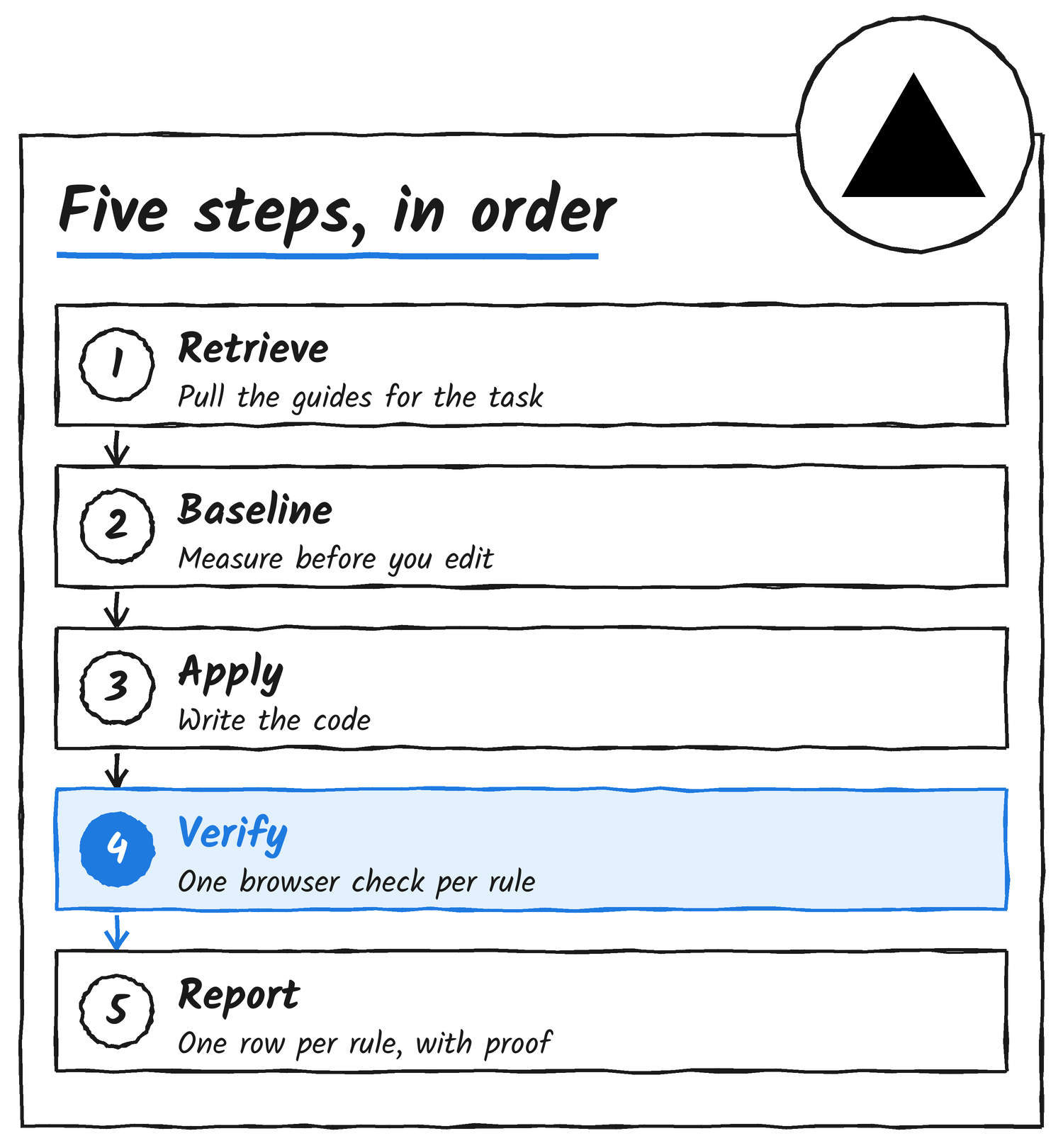
What the skill file asks of an agent is fairly strict. It has to pull up the guides that match the task, take a measurement of the existing UI before changing anything, make the change, and then run a browser check for every rule it applied, finishing with a report that lists each rule next to its result and the evidence behind it. If no browser check covers a rule, the file says to mark that rule unverified, and it says outright not to call a rule a pass just because the code follows the guide.
Why the guidance needs a second tool
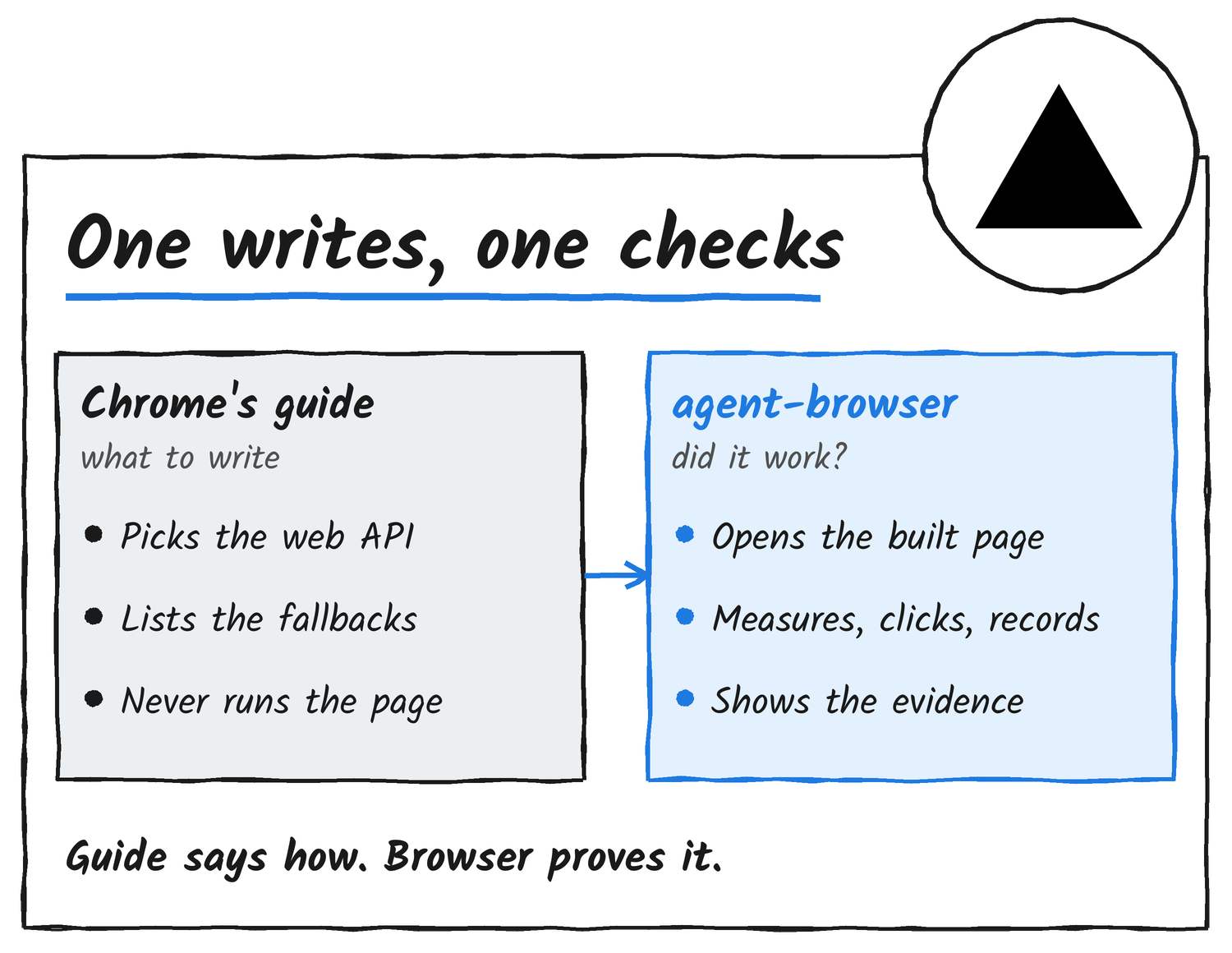
The reason for the second tool is that Chrome’s guidance never touches a running page. Its CLI searches and retrieves guides, and its static scan reads source files for legacy patterns, but the CLI doesn’t load or run the page, so it can’t say whether the result works. Chrome’s own 1.0 post suggests running the guidance alongside Chrome DevTools for agents to cover that, and Vercel’s skill does the same job with agent-browser, with the docs splitting the work so the guide decides what to write and the browser tests what got built.
The four checks
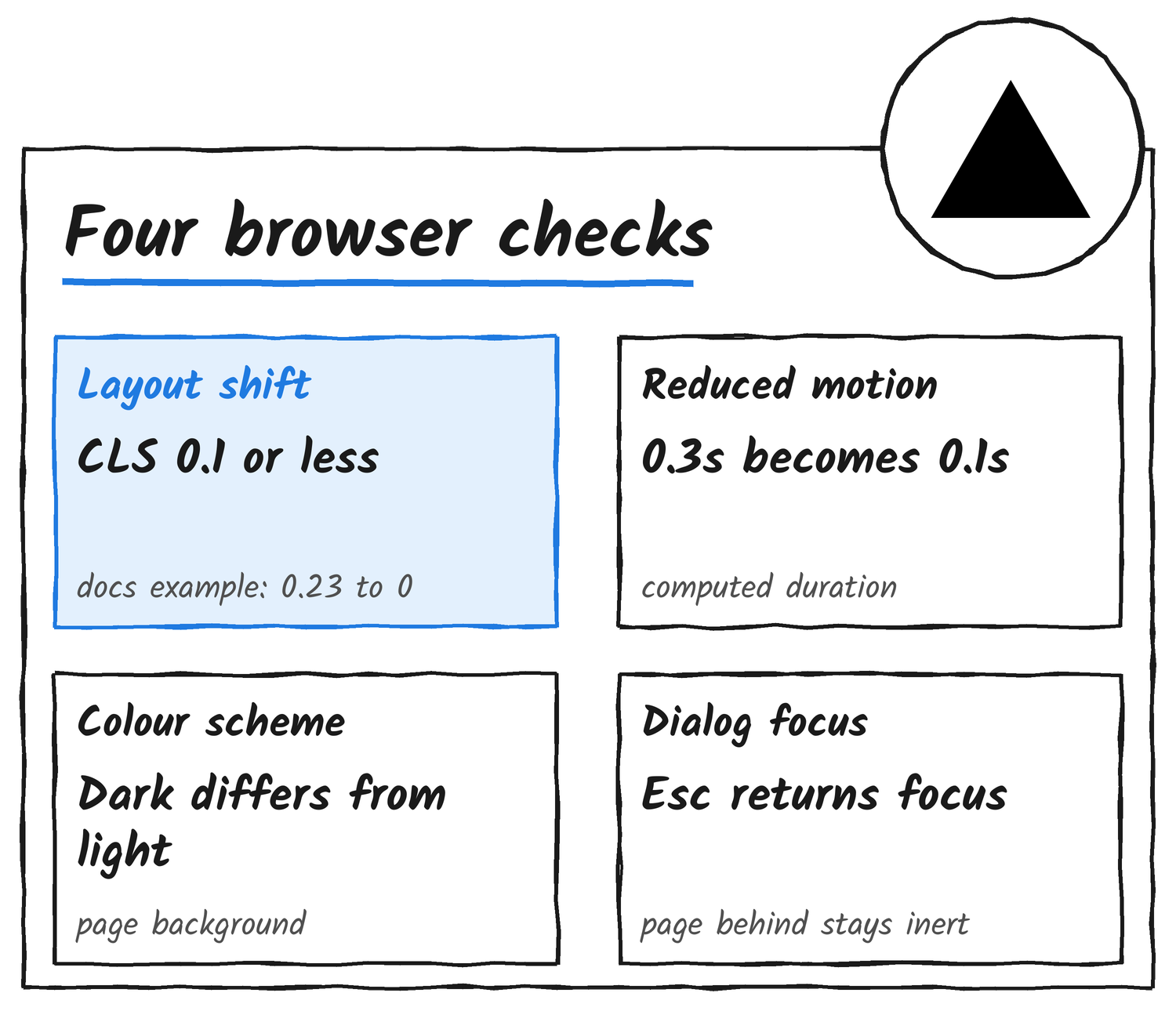
Each check ends in a number or a yes-or-no result the agent can read straight off the page. For layout shift the skill uses the vitals command, which loads the URL, waits for the load event and then a further three seconds so late shifts can settle, and reports the Core Web Vitals for that load. The example in the docs takes a page from a cumulative layout shift score of 0.23 down to 0 after an image is given width and height attributes, and anything above 0.1 counts as outside the good range.
| Check | agent-browser commands | Pass mark in the skill |
|---|---|---|
| Layout shift | vitals | CLS at most 0.1 and lower than the baseline |
| Reduced motion | set media reduced-motion, eval, record | The computed value matches the guide; its example transition goes from 0.3s to 0.1s |
| Colour scheme | set media dark, set media light, eval, screenshot | Background colours differ between dark and light and match the guide |
| Dialog focus | snapshot -i, eval, click, press | The snapshot lists only the dialog, focus lands inside it, a click on the page behind fails, and Escape returns focus to the trigger |
What it covers
According to the skill file, the legacy scan in Modern Web Guidance has rules for only 33 guides in version 1.0.0, which means a scan that finds nothing doesn’t prove the code follows every guide. The agent-browser docs page walks through three of the four checks, layout shift, reduced motion and dialog focus, and the colour-scheme check shows up only in the skill file.
To run any of it you need agent-browser and Chrome for Testing installed, with npm install -g agent-browser and agent-browser install, and recordings need ffmpeg on the path. Chrome’s own installer is npx modern-web-guidance@latest install.
Sources
- Post announcing the skill, Chris Tate on X
- Modern Web Guidance, agent-browser docs
- Add a Modern Web Guidance skill, commit in vercel-labs/agent-browser
- Skills, agent-browser docs
- Why developers and businesses should use Modern Web Guidance, Chrome for Developers
- Modern Web Guidance, Chrome for Developers
Discover more from Sulat AI & Tech News
Subscribe to get the latest posts sent to your email.