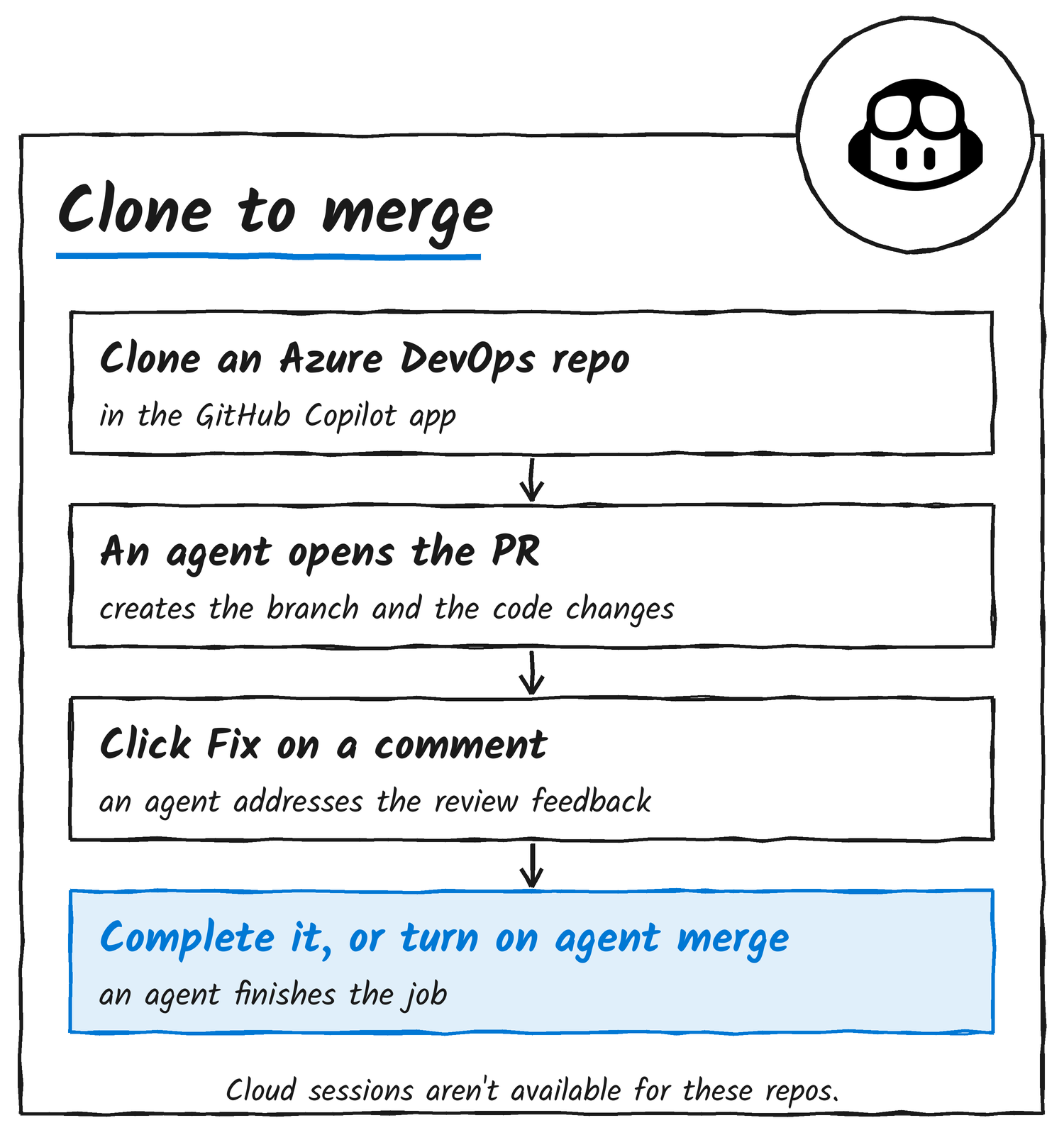
GitHub says its Copilot app now works with Azure DevOps, Microsoft’s repository and pipeline service, in public preview, according to a changelog post dated 17 November. You can clone an Azure DevOps repository into the app, have an agent create a branch, change the code and open a pull request, and follow that pull request through to completion from the same window.
GitHub announced the preview on X during Microsoft Ignite, Microsoft’s annual conference.
Just announced at #MSIgnite: the GitHub Copilot app now has Azure DevOps integration ☁️
— GitHub (@github) November 17, 2026
Clone an Azure DevOps repo, and see the pull request through to completion right in the app:
• track its status in the sidebar
• click Fix on a review comment to have an agent address it
• or turn on agent merge to let an agent fix CI failures and complete the pull request once your Azure DevOps checks and policies pass.
Now in public preview ⬇️ https://t.co/sOwrCNPSYc
What the agent does in a pull request
GitHub’s documentation says you start an agent session in the repository the same way as for a GitHub repository, then describe the task. The agent can create a branch, commit its changes and open the pull request. The pull request’s status shows in the app’s sidebar, and View PR opens it with its checks.
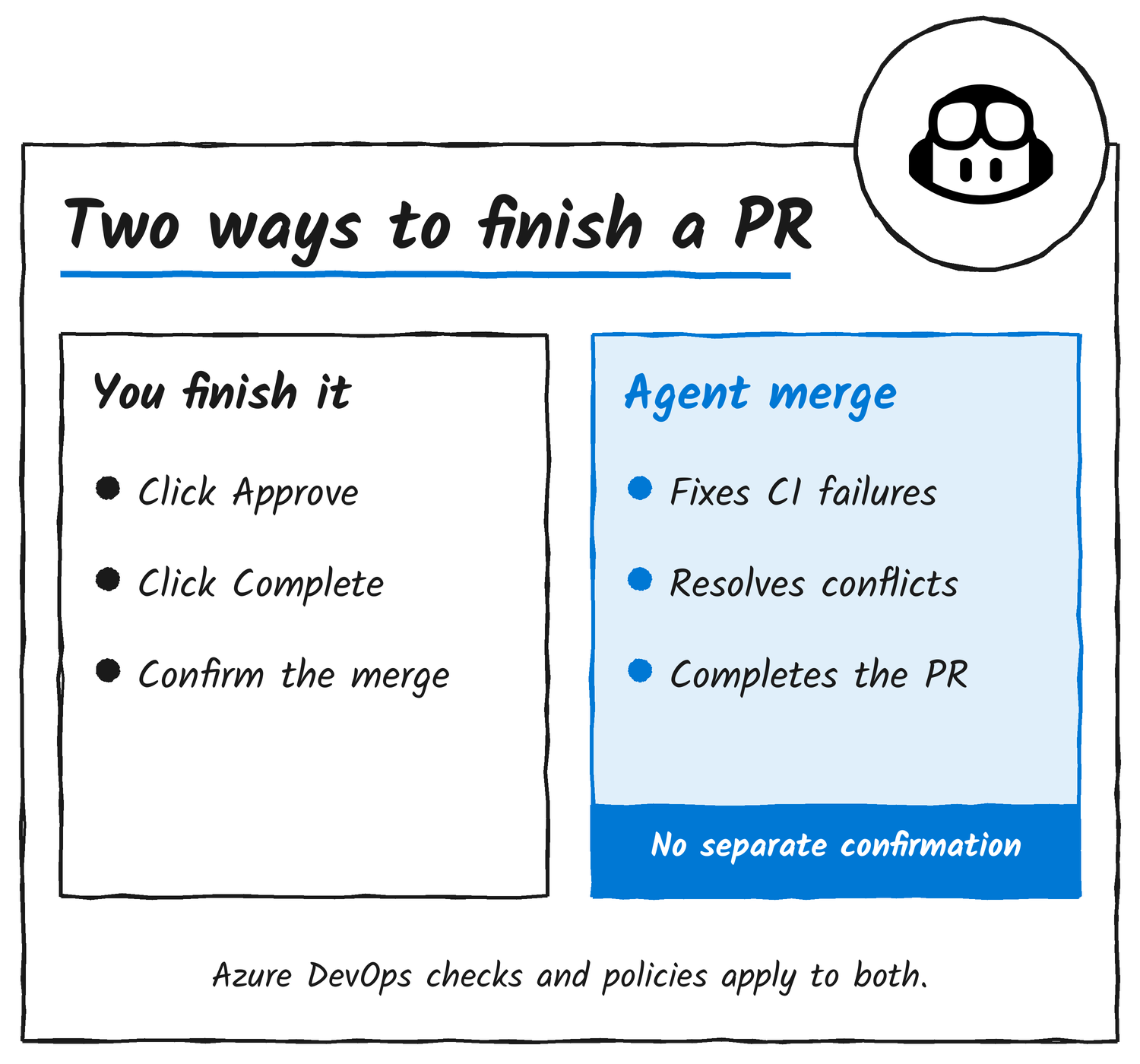
On a review comment, a Fix button sends an agent to address the feedback, and you review what it changed and how it replied to the thread. Approve and Complete are separate buttons you press yourself, and Complete asks you to confirm the merge. Azure DevOps permissions and the repository’s checks and policies decide whether you’re allowed to approve or complete a pull request. Depending on your tool permission settings, the docs add, actions such as creating a pull request or replying to and resolving review threads can run without another approval prompt.
Agent merge
Agent merge hands the last steps to the agent. GitHub says it addresses review feedback, fixes CI failures, resolves conflicts and completes the pull request once Azure DevOps checks and policies pass. You turn it on for a pull request, and the docs say that after that, “the agent can complete it without a separate confirmation.”
Setup and limits
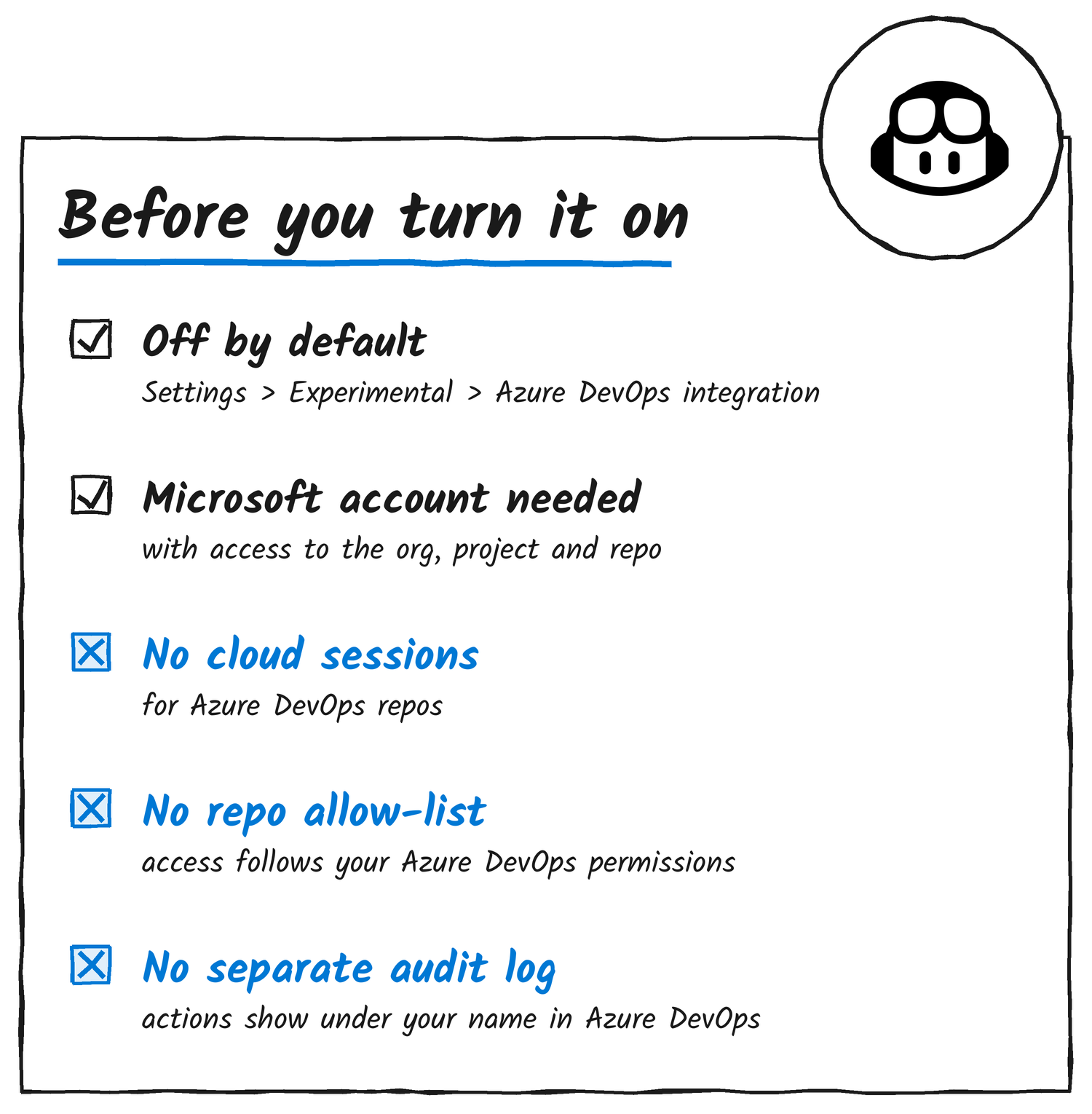
The integration is off by default. In the app, open Settings, then Experimental, and switch on Azure DevOps integration. Under Accounts, choose Add account and sign in with the Microsoft account you use for Azure DevOps, which needs access to the organisation, project and repository you want to work in. Copilot Business and Copilot Enterprise users need their administrator to keep the Copilot app policy enabled. Cloud sessions aren’t available for Azure DevOps repositories.
Azure DevOps permissions apply to every action, and connecting your account doesn’t add access. The docs say the integration has no setting to restrict it to selected repositories and no separate audit log; actions appear in Azure DevOps under the signed-in user’s name. Content returned to the agent can enter the model’s context, and the docs name private code, pull request descriptions and diffs, review comments and excerpts from build logs. Signing out of your Microsoft account in the app removes the stored tokens locally but doesn’t revoke access with Microsoft. For that, you use Microsoft Entra account controls.
Also in the Ignite release
The same changelog makes GitHub Enterprise Server support generally available, from app version 1.2.0, and puts browser use in public preview. Browser use lets Copilot fill out forms, pull information from webpages and test a web app in a Chromium-based browser such as Chrome or Edge, through the GitHub Copilot extension for Chrome and in an isolated tab group. It’s off by default and also works in Copilot CLI, VS Code and JetBrains IDEs. Cloud sessions aren’t available for GitHub Enterprise Server either.
The docs describe the Azure DevOps integration as “subject to change”. GitHub’s changelog doesn’t give a date for general availability.
Discover more from Sulat AI & Tech News
Subscribe to get the latest posts sent to your email.