Vercel’s UI SDK docs now name the libraries its agent claim was measured against. When the library launched on 12 November, the comparison was with a single unnamed component library, and I couldn’t name it in my launch coverage. The benchmark page lists four: Base UI and Ark UI for React, Reka UI for Vue and Bits UI for Svelte. On 17 November, shadcn shared a video by OrcDev about how the team is building UI SDK to be agent-first. The benchmark is the part of that pitch anyone can check.
This is a really good video on how we’re building UI SDK to be agent-first by @orcdev
— shadcn (@shadcn) November 17, 2026
The task and the first numbers
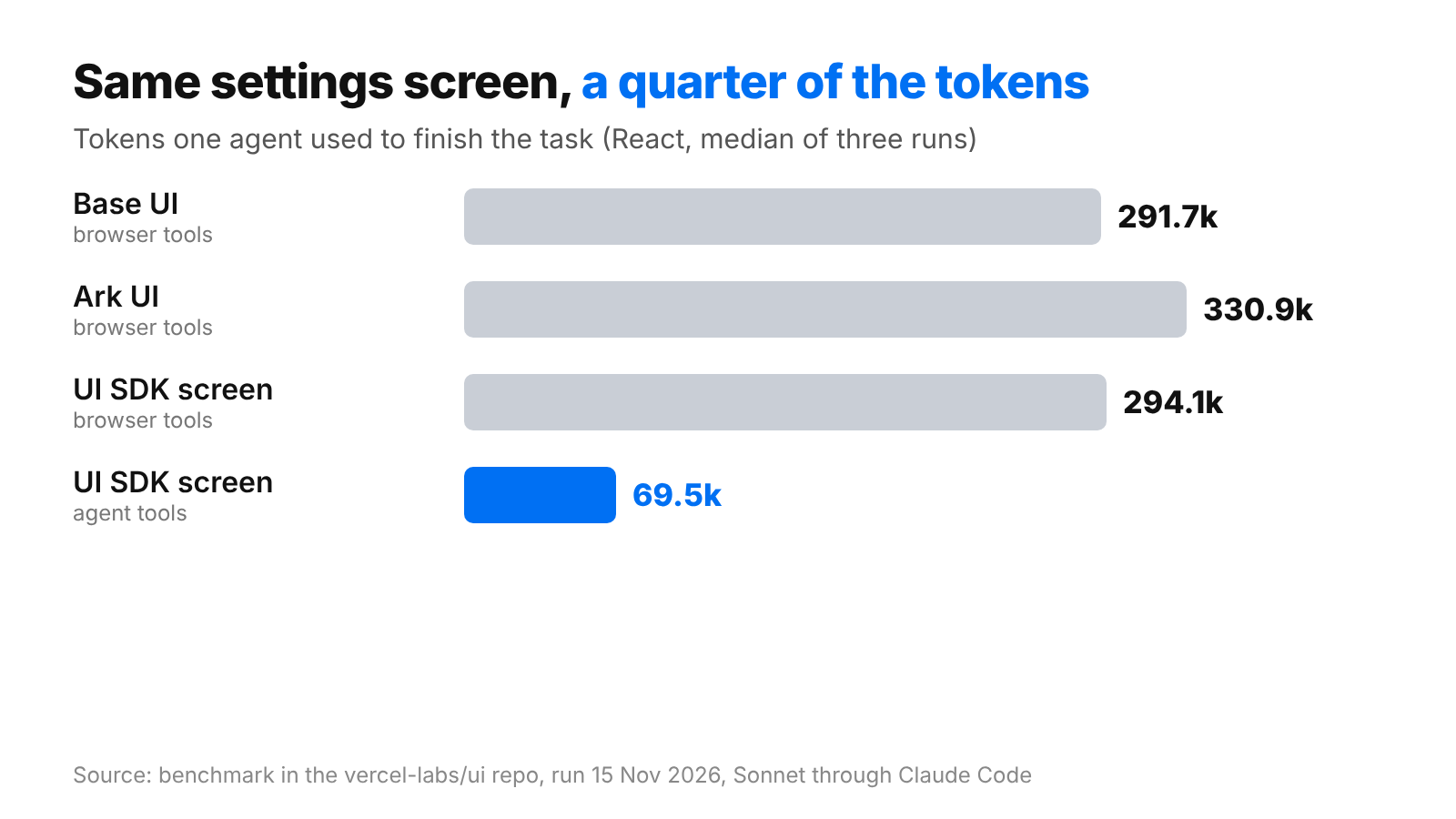
The test is one project settings screen. It has three tabs, 24 members with a menu on every row, a confirm dialog and an accordion of switches. The agent renames the project to Atlas, sets its visibility to Internal, makes Priya Shah an admin, removes Tom Becker and confirms, turns on Deploy failures and turns off Weekly digest under Email, leaves Slack alone, and saves. A run is correct only when the page saved once with exactly those changes. All of them were. Each figure below is a median of three runs, using Sonnet through Claude Code on 15 November.
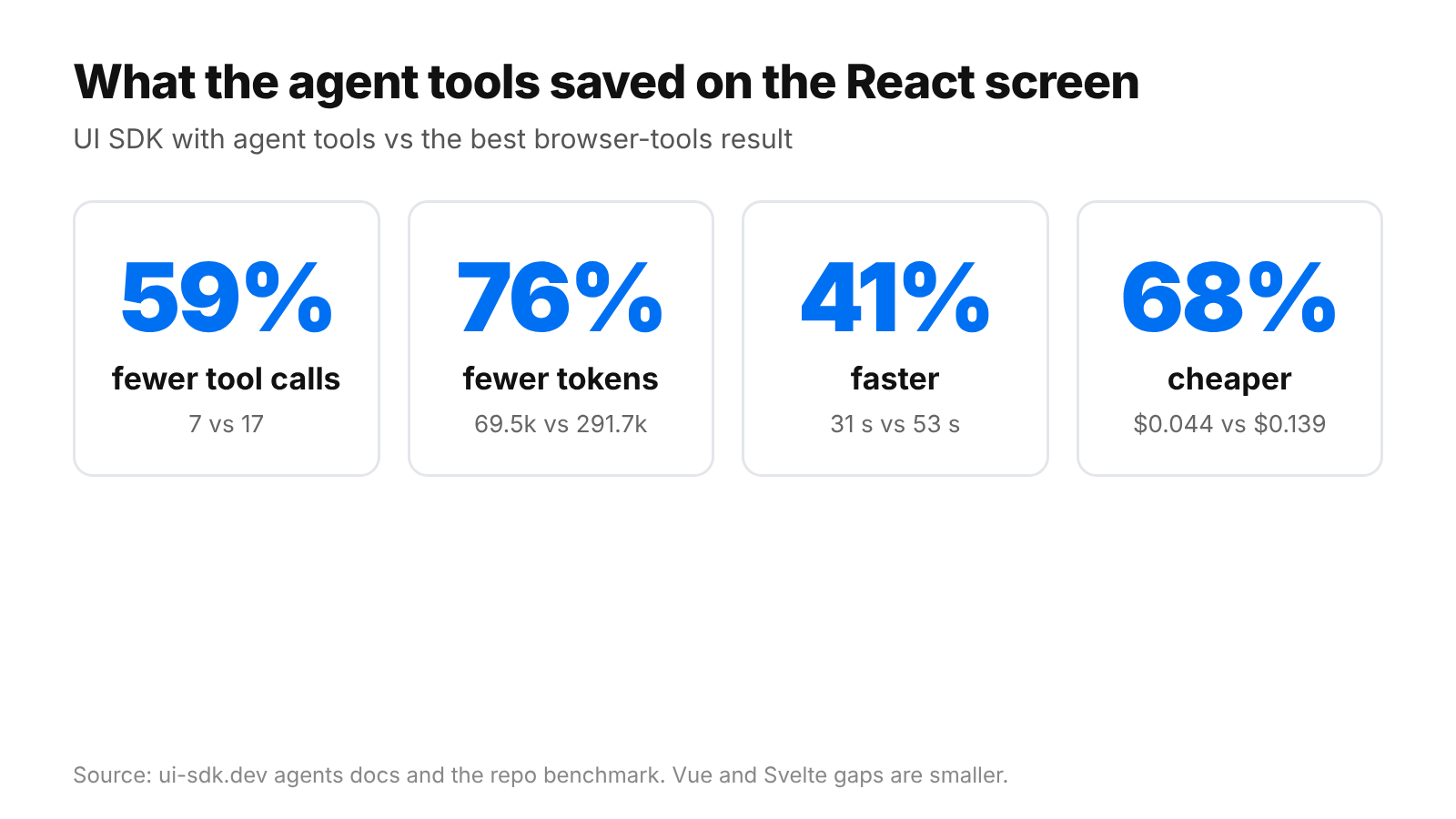
On React, the UI SDK screen driven through its agent tools needed 7 tool calls. Base UI needed 17 and Ark UI needed 19. The docs compare it with the best other result in each row.
| React | Base UI, browser tools | Ark UI, browser tools | UI SDK, agent tools | Difference |
|---|---|---|---|---|
| Tool calls | 17 | 19 | 7 | 59% fewer |
| Tokens | 291.7k | 330.9k | 69.5k | 76% fewer |
| Time | 53 s | 65 s | 31 s | 41% faster |
| Cost | $0.139 | $0.144 | $0.044 | 68% cheaper |
Vue and Svelte point the same way with smaller margins.
| Screen | Measure | Rival, browser tools | UI SDK, agent tools | Difference |
|---|---|---|---|---|
| Vue (Reka UI) | Tool calls | 16 | 9 | 44% fewer |
| Vue (Reka UI) | Tokens | 226.5k | 90.2k | 60% fewer |
| Vue (Reka UI) | Time | 56 s | 34 s | 39% faster |
| Vue (Reka UI) | Cost | $0.113 | $0.051 | 55% cheaper |
| Svelte (Bits UI) | Tool calls | 17 | 8 | 53% fewer |
| Svelte (Bits UI) | Tokens | 259.1k | 92.8k | 64% fewer |
| Svelte (Bits UI) | Time | 56 s | 30 s | 45% faster |
| Svelte (Bits UI) | Cost | $0.123 | $0.056 | 54% cheaper |
The tools do the work
The docs also ran the UI SDK screen with ordinary browser tools, the kind that read the accessibility tree, click and read again. It didn’t win. On React it used 294.1k tokens against 291.7k for Base UI. On Vue it used 294.3k against 226.5k for Reka UI, and on Svelte 294.3k against 259.1k for Bits UI. The saving comes from the agent tools and not from the component library.
How the agent tools work
A browser agent re-reads the page after each action. UI SDK’s tools skip that. Once the page has rendered, snapshot lists the components with their state and available actions, and act applies steps such as setting Project name to Atlas. Each step goes through the component’s own API and change callback. The app can supply an allow callback to approve or refuse an action, and change callbacks see a source of agent and can cancel the change.
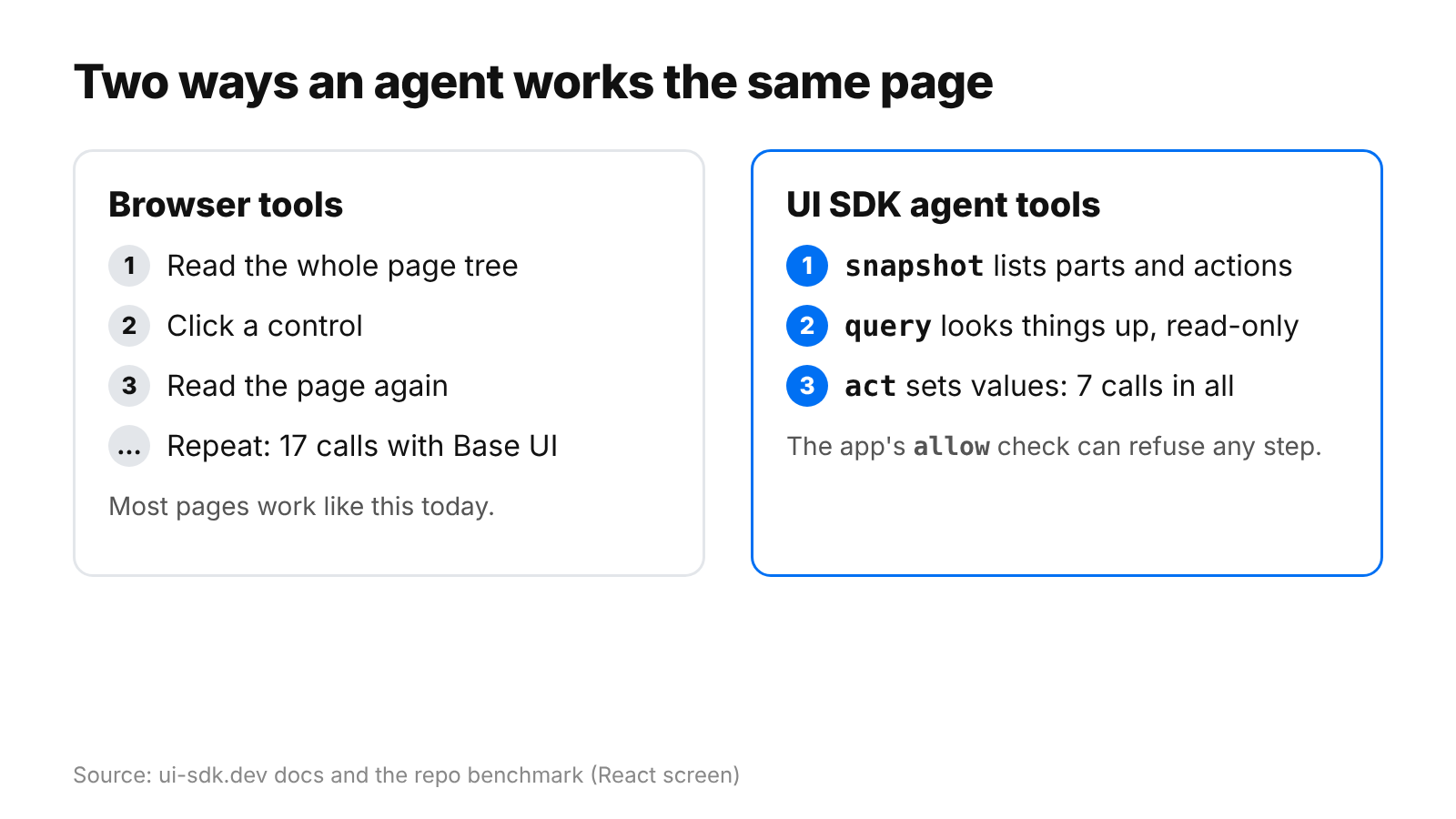
A browser’s built-in agent can use the same tools. registerTools exposes snapshot, act and query through document.modelContext, and does nothing in a browser without document.modelContext.registerTool. Snapshot and query are marked read-only. All three are marked as returning untrusted content, because results can include text that people typed. Act is marked consequential because a step can press any button, and registerTools takes an allow callback of its own that runs on every step.
Running it yourself
The benchmark lives in benchmarks/agent in the vercel-labs/ui repo. It runs its agents with Claude Code, so install that and sign in first.
git clone https://github.com/vercel-labs/ui
cd ui
pnpm install
pnpm exec playwright install chromium
pnpm --filter agent-benchmark bench
# other frameworks, with medians over three runs
pnpm --filter agent-benchmark bench --framework vue --runs 3
The current numbers differ from the launch-day table, which showed 5 calls and $0.032 for the agent bridge. UI SDK is Apache-2.0 and still in public beta. The benchmark covers one task on one screen with one model.
Discover more from Sulat AI & Tech News
Subscribe to get the latest posts sent to your email.