Lens is a free iPhone and iPad browser from one developer in Athens, and it turned up just as Arc Search starts to lose its features. I read its site, press kit, privacy policy, release notes and App Store listing, then checked each claim against them. It opens straight to search, blocks ads and trackers, weighs 51 MB and imports bookmarks from Arc, Safari, Chrome and others. If you’re leaving Arc Search, my guide to what stays on iPhone and where to go covers the wider field.
The short version
- What it is: a WebKit browser, free, with no ads and no account. It needs iOS 26 or iPadOS 26 and later.
- What it does well: opens to search, blocks ads, trackers and most cookie pop-ups, and tidies old tabs on its own.
- For Arc users: it imports bookmarks, folders and spaces. It has no equivalent of Browse for Me.
- The catches: no extensions, no assistant of its own, and a very young app with 71 US ratings.
Who made it, and what it costs
Maximos Angelakis, a designer in Athens, released Lens on the App Store on 30 October 2026. Version 1.2.1 followed on 18 November. The app is free, with nothing locked. Tips and an optional monthly or yearly subscription exist, and both unlock extra app icons and skies. A free companion, Lens for Mac, sits in the menu bar and shows your pins and the tabs open on your iPhone. It needs macOS 15 or later.
Under the hood it’s WebKit, the engine Safari uses, so security fixes arrive with each iOS update. The press kit says it’s built with SwiftUI and Apple’s frameworks, plus Mozilla’s open-source translation engine.
What it does well
Open Lens and you’re in a search box. You choose the engine, from DuckDuckGo, Brave, Kagi, Ecosia, Google or Bing, and favourite sites sit one tap away above the keyboard. Type a site’s name and tap space twice to search inside that site.
Blocking is on by default. Ads, trackers and most cookie pop-ups never load, and the block lists update daily. If a site breaks, you can pause blocking for that site alone. A separate Hide Elements tool lets you tap anything on a page and hide it for good, with an undo.
Tab housekeeping is automatic. A tab you haven’t opened in a day moves to an Archive and nothing is deleted. A tab holding a half-filled form stays open until you send it, and Lens says what you typed comes back even if the page crashes.
It also leans on the phone around it. iCloud passwords and passkeys fill in as they do in Safari, Apple Pay and Wallet passes work, Screen Time limits apply, and Face ID can lock private tabs and history. Make it your default browser and links from Messages and Mail open there.
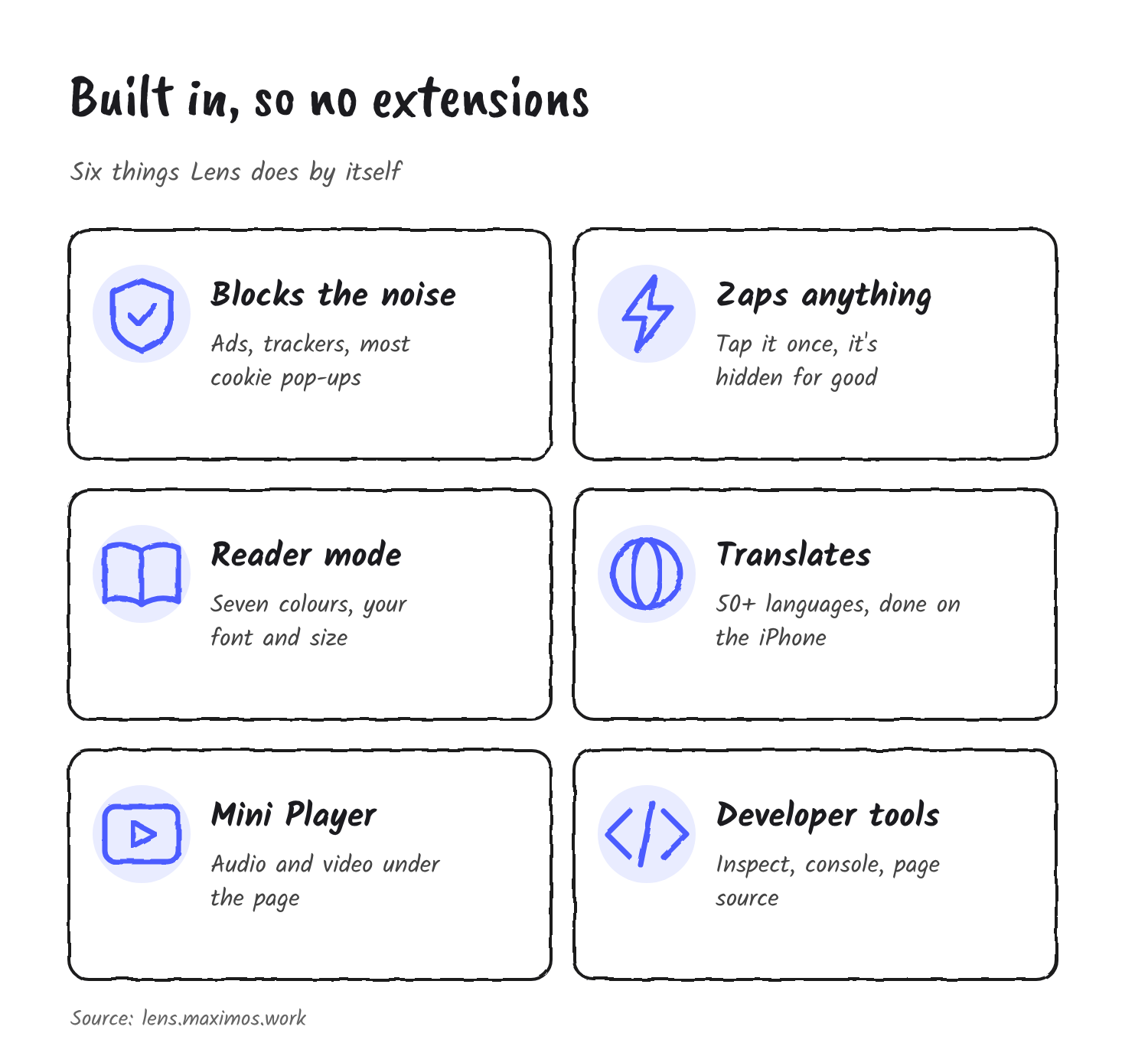
Lens has no extensions. It ships the usual extension jobs itself: ad blocking, a Reader mode in seven colours, translation on the iPhone in more than 50 languages, a Mini Player that keeps audio and video going under the page, and a download manager. Developer tools stay off until you switch them on in Settings. They cover an element inspector, a console, page source and custom CSS for any site.
What it says about privacy
Lens says it collects no data, and its privacy policy spells that out. There’s no account and no analytics, and the developer says he runs no server that receives your browsing. History, tabs and bookmarks stay on the device, or travel through your own iCloud, end-to-end encrypted, if you turn sync on. Private tabs aren’t synced at all.
The policy does list a few local counters, such as pages loaded and days used. Lens keeps them on the phone only, to decide when to ask for an App Store rating or mention a feature.
AI is opt-in. An Ask AI row under the search bar offers Perplexity, ChatGPT, Claude or Google AI Mode. It’s off until you pick one, and Lens says nothing is sent until you tap it. Pinching a page gives a short summary written by Apple Intelligence, only when you ask. That needs an iPhone 15 Pro or newer.
How it compares with Arc Search and the rest
Arc Search’s headline feature was Browse for Me, which read several pages and wrote one answer. Lens doesn’t try to do that. Its summary covers a single page, and the Ask AI row hands your question to another service. If Browse for Me is why you used Arc Search, Comet is the closer match.
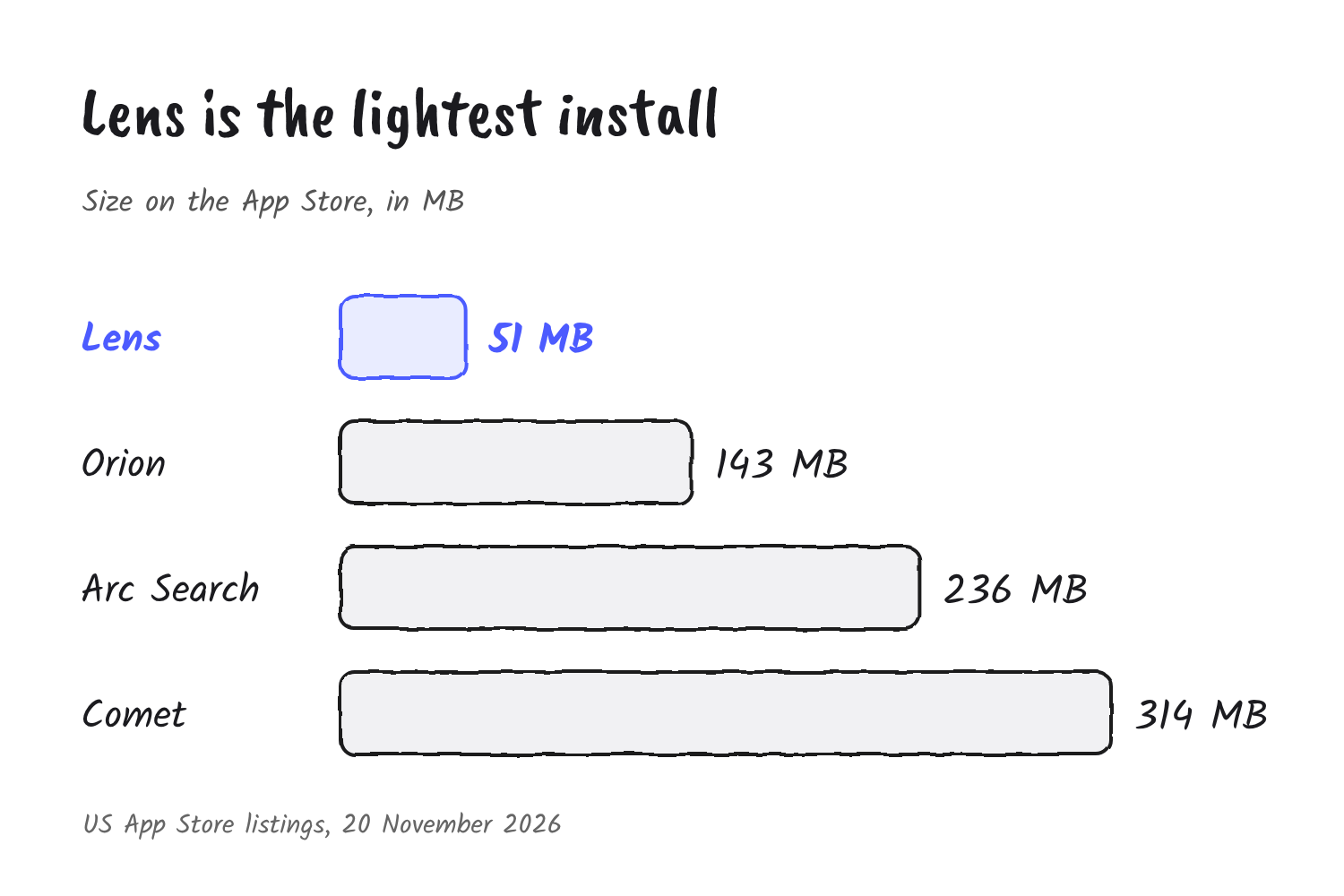
Weight is where Lens stands out. It’s 51 MB on the App Store, against Arc Search’s 236 MB, Orion’s 143 MB and Comet’s 314 MB, measured on the US listings on 20 November.
| Browser | Size | AI | Worth knowing |
|---|---|---|---|
| Lens | 51 MB | No assistant. Optional Ask AI row and on-request summaries. | Free, no extensions, needs iOS 26. |
| Arc Search | 236 MB | Browse for Me turns off on 23 November. | Stays on iPhone as a plain browser. |
| Orion | 143 MB | None built in. | Kagi says its Chrome and Firefox extension support is experimental. |
| Comet | 314 MB | Built-in assistant and answer engine. | In-app purchases. |
Coming from Arc
Bookmark import is the part that matters for Arc users. In Settings under Bookmarks, tap Import Bookmarks and pick Safari, Chrome, Arc, Zen, Firefox, Brave or another browser. Lens walks you through saving them from the old app, then brings them in with their folders. For Arc, its site says your spaces arrive as spaces and folders. It’s a one-off copy of your bookmarks, not a live link, and Arc’s own sync ends on 23 November anyway.
The timing is tight. Bookmarks only arrived in Lens 1.2 on 17 November, and iCloud sync for them came in 1.2.1 the next day. Before that there was nothing to import into. The What’s New page already lists 1.2.2 as coming soon. Export your open tabs from Arc Search first, because the import covers bookmarks only.
The catches
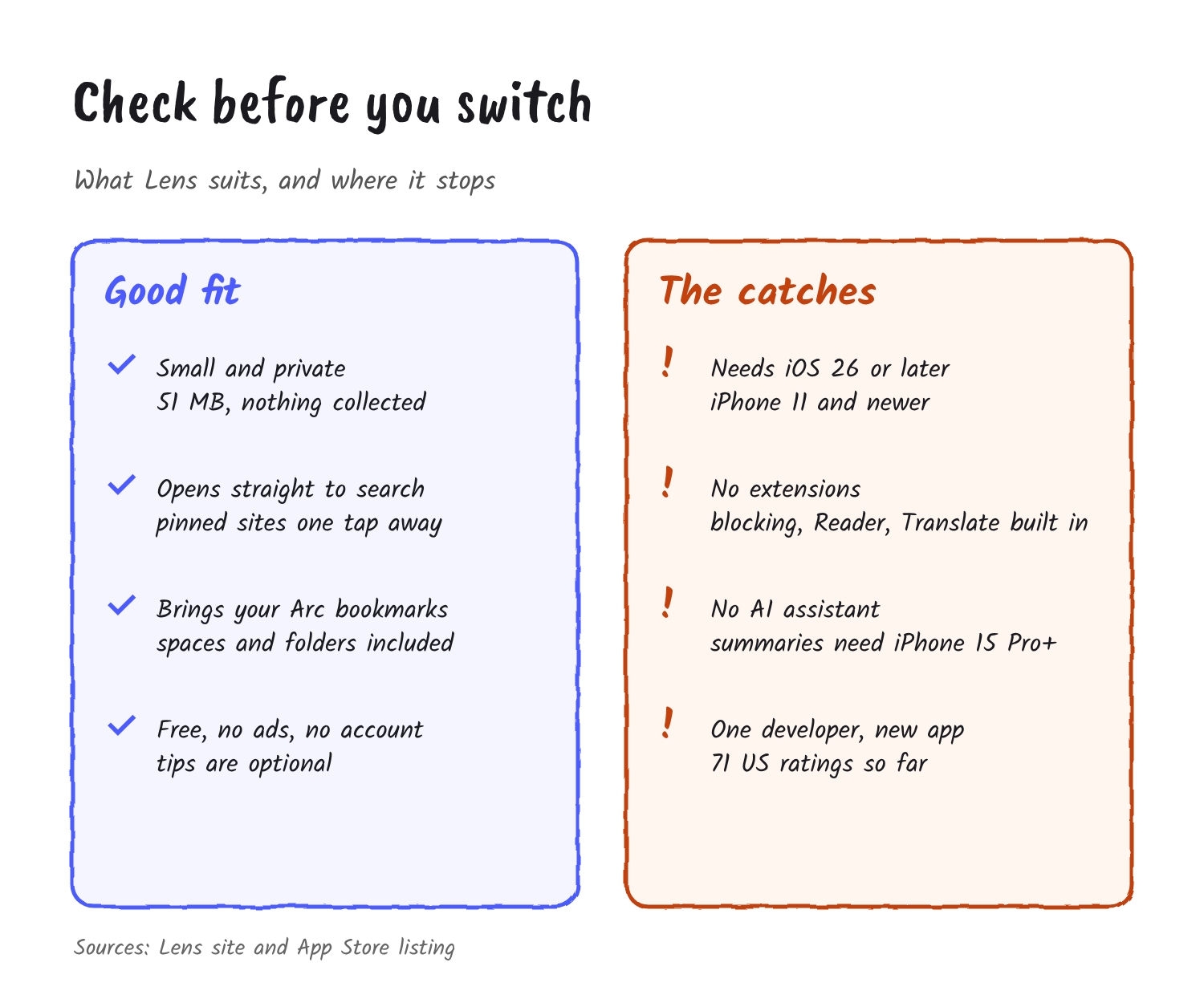
Lens needs iOS 26 or later, which rules out anything older than the iPhone 11. It has no extensions, so a password-manager add-on or a custom content blocker isn’t an option. It has no AI assistant of its own. And it’s new: the US App Store listing shows a 4.9 average from 71 ratings. It’s an independent project with no investors, funded by optional tips and subscriptions, and there’s no company behind it.
Who should try it
Try Lens if you want a small, fast browser that opens to search, blocks the noise and doesn’t know who you are, and you’re on iOS 26. Pick Comet if you want Arc Search’s AI answers. Stay on Safari if you’d rather keep what’s already on the phone. Lens costs nothing to try, and your bookmarks come with you.
Discover more from Sulat AI & Tech News
Subscribe to get the latest posts sent to your email.