Microsoft will retire its To Do apps on the web, Windows, Mac, iOS and Android on 30 June 2027, according to a Microsoft support page. The shutdown covers work, school and personal accounts, and people on personal accounts, including Microsoft 365 Personal and Family subscribers, get no Planner replacement and have to pick another app.
The date sits near the end of a Planner blog post about “unified plans” by Ashna Patel of the Planner team, published on 18 November US time (19 November in New Zealand), and Windows Latest spotted it. Patel wrote: “As we bring personal task management into Planner, we will phase out To Do.” Todoist founder Amir Salihefendić reacted on X on 19 November, saying competitors have come and gone over 20 years while Todoist stayed and kept iterating.
Wow, pretty unexpected that Microsoft To Do is shutting down.
— Amir Salihefendić (@amix3k) November 19, 2026
This is one of the special things about Todoist: over the last 20 years, competitors have come and gone, and we stayed and iterated day in and day out.
I also can’t wait for the next decade of Todoist. We still have so much more to do and improve. It’s still day 0 here 😊
What happens to existing tasks
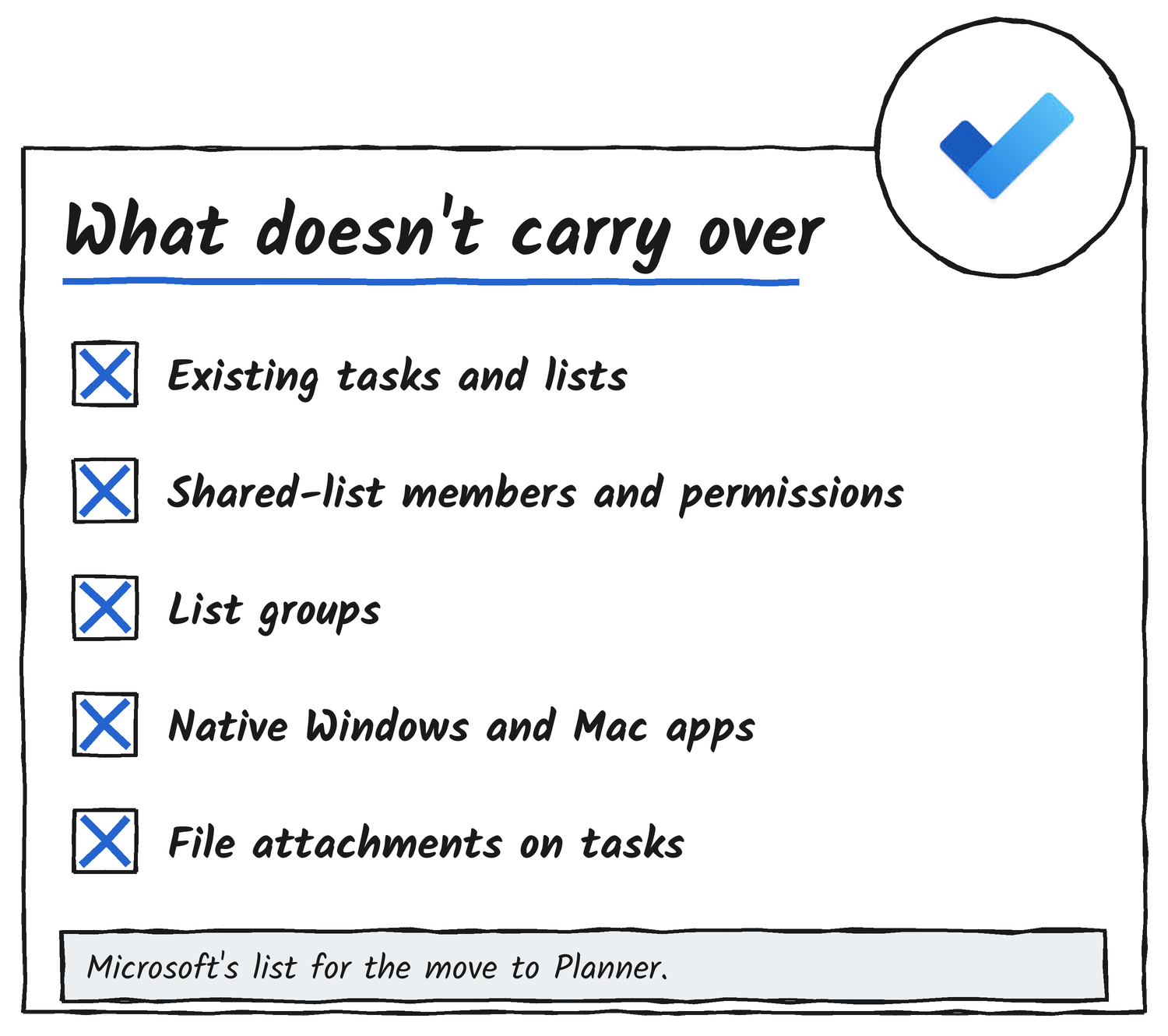
Existing To Do tasks and lists won’t move to Planner, Microsoft says. Work and school users can still see them in Planner until 30 June 2027, and after that date they can’t view or manage them there. Shared-list members, assignments and permissions don’t transfer either, and Microsoft says retiring the apps doesn’t by itself schedule any task data for deletion.
Microsoft says it will provide a way to export To Do data before the apps retire, but it hasn’t yet published instructions, supported data or limitations. The support page adds that an export doesn’t mean Planner or another app can import the file. The To Do service, its APIs and sync support retire on later timelines, and Microsoft says it will give separate notice of those dates. Classic Outlook’s Tasks feature is separate and keeps syncing with Exchange.
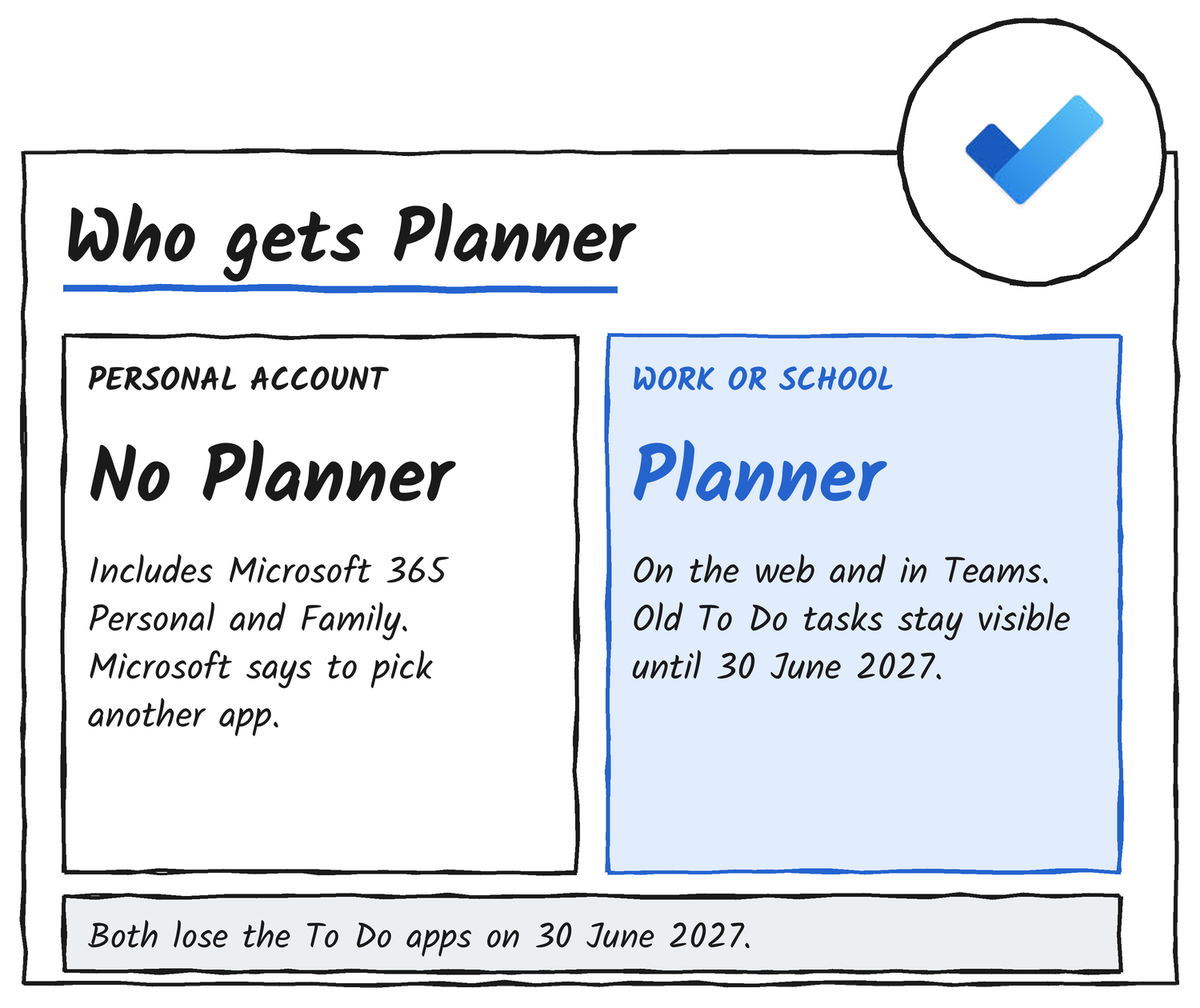
Who gets Planner
For work and school accounts, Planner is the destination. The updated My tasks view begins rolling out in Planner in December 2026, and newly created private tasks start to live in a private Planner plan. Access depends on the organisation’s subscription, the user’s licence and administrator settings, so Microsoft tells admins to confirm that affected users can open Planner. The support page says the change adds no new administrator controls.
Personal accounts get nothing in its place. Microsoft’s guidance for them is to review the tasks they want to keep, choose another task-management app and watch for the export instructions. Anyone with both kinds of account has to review each one separately.
Where Planner differs from To Do
Microsoft’s support page lists eight differences between To Do and Planner for work and school users, the only group Planner replaces To Do for.
| Area | What Microsoft says about Planner |
|---|---|
| Desktop and offline | Native Planner apps for Windows and Mac aren’t planned, and the web and Teams experiences have no equivalent offline use |
| Reminders | Planner sends due-date notifications instead of reminders scheduled per task |
| Sharing | Shared-list membership, assignments and permissions don’t transfer |
| Categories | Planner labels don’t sync with Outlook categories |
| Attachments | Not currently supported on tasks in the new private plan |
| List groups | No direct equivalent |
| Printing and email lists | Not currently planned |
| Views | My tasks offers Grid and Board views now, and a List view comes with the refresh |
The timeline so far
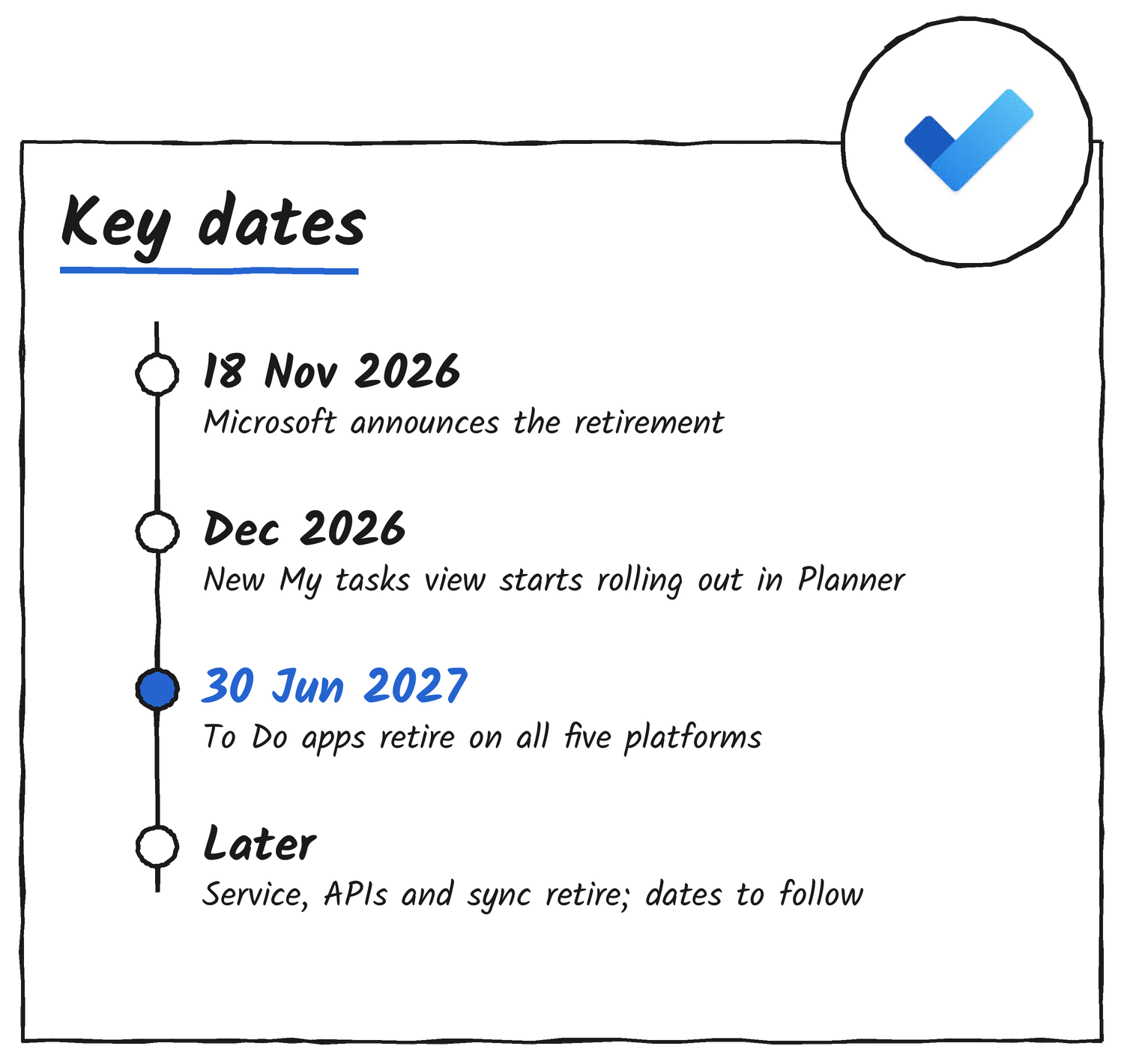
Microsoft made the announcement on 18 November US time. The new My tasks view starts rolling out in December 2026, the To Do apps retire on 30 June 2027, and the service, APIs and sync support follow on dates that haven’t been set.
Microsoft hasn’t published the export instructions or dates for retiring the To Do service, APIs and sync. The support page says Microsoft will update it when those details are final.
Discover more from Sulat AI & Tech News
Subscribe to get the latest posts sent to your email.