
A Japanese creator who posts about AI game development says Google’s Gemini Notebook API and MCP server now let Claude Code and Codex grow a personal knowledge base while you sleep. The API and the server are real, and they’re free for personal accounts. What Google ships stops at adding sources, though, and the overnight part is the creator’s own setup.
Google’s Gemini Notebook API opened in public preview in early November, and I covered it when it opened and again when file uploads arrived. Google’s pages haven’t changed since then. What’s new is a Japanese walk-through that pitches the API to people who don’t write code.
What the post claims
The post says an official API and MCP server are now open to individuals, so a coding agent can build a notebook without a person registering each URL or PDF by hand. The line that carries the pitch is 「寝ている間にAIが勝手に資料を集めて、自分専用の知識データベースを育ててくれる仕組み」, which means a setup where AI gathers materials on its own while you sleep and grows a knowledge database of your own.
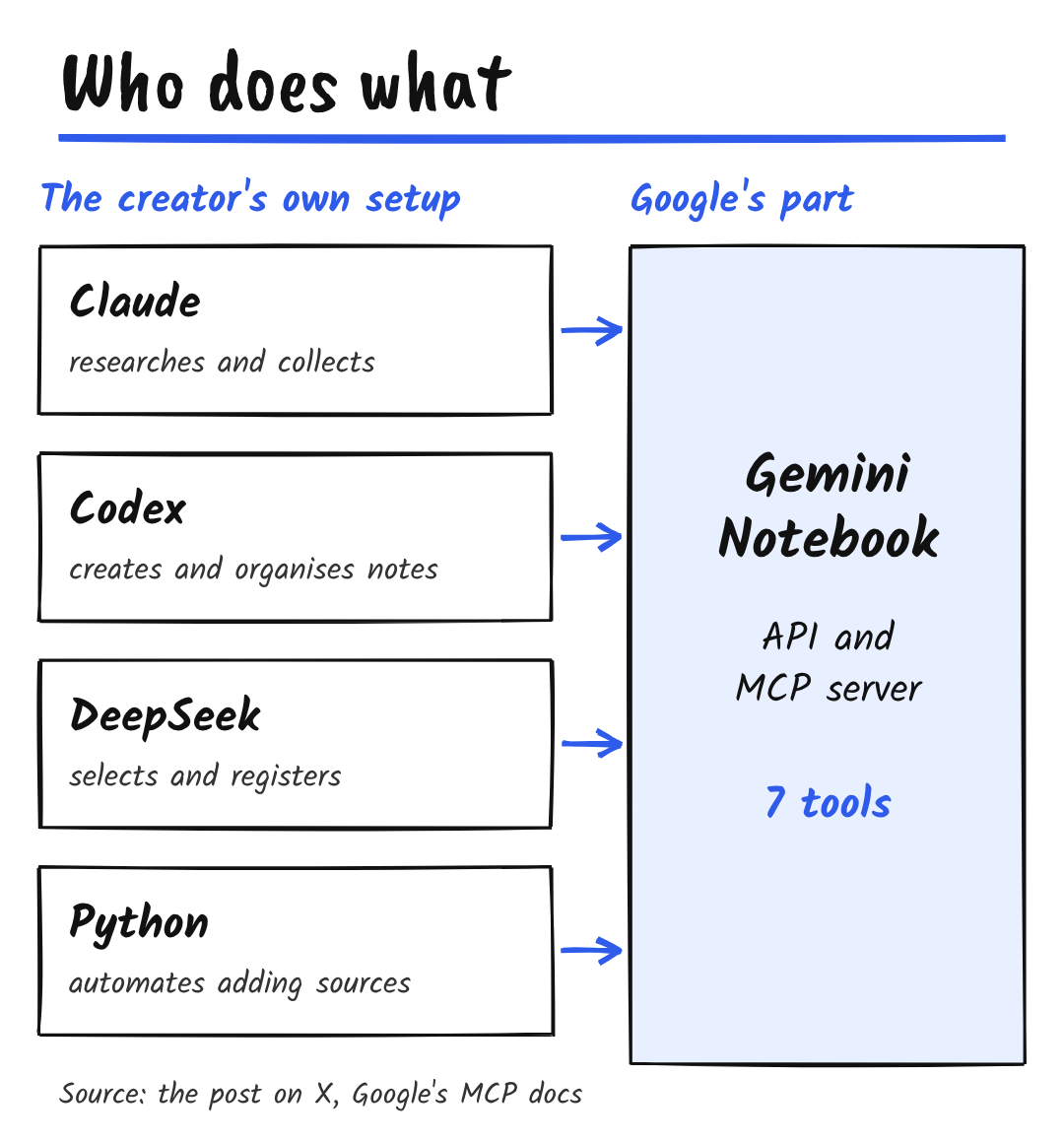
The creator splits the work across tools. Claude researches and collects, Codex creates and organises the notes, DeepSeek selects and registers what’s worth keeping, and a Python script automates adding the sources. The post lists three upgrades: notebook creation and source adding can run in the background, web pages, YouTube, PDFs, audio and images all go in through the official API, and the official MCP server lets you ask Claude Code or Codex in conversation once setup is done.
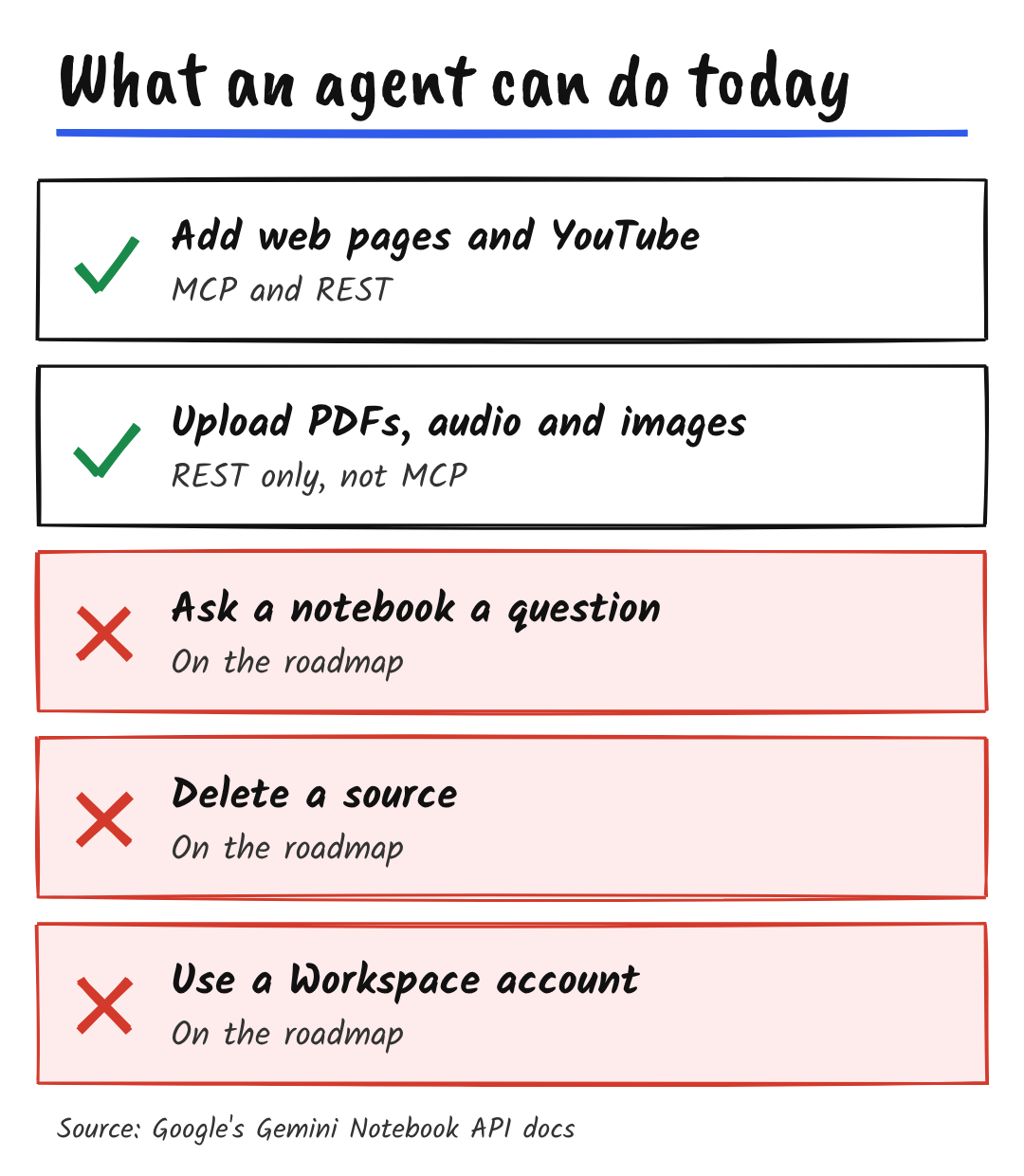
It also says Google charges nothing for the API right now, that the AI tools you connect use their own allowances, and that pricing after launch isn’t decided. It closes by noting that asking a notebook for information and generating study material through the API are on Google’s roadmap.
What Google’s pages back up
Most of the factual claims hold. The overnight one is the weak spot, because of how the connection is authorised.
| The post says | Google’s docs and server show |
|---|---|
| An official API and MCP server are open to individuals | Yes, in public preview for personal Google accounts. Workspace accounts get a 403 error. |
| Google charges nothing | The API is free during the preview. Google gives no price for afterwards. |
| Notebooks and sources can be created automatically | Yes. The MCP server has seven tools: create, get, list and update for notebooks, and create, get and list for sources. |
| PDFs, audio and images go in through the official API | Yes, through a REST upload route of up to 200 MiB. The MCP server has no upload tool. |
| You can ask Claude Code or Codex in conversation | For web pages, YouTube links, text and Markdown. Sending a file needs a script or shell that calls the REST route. |
| Asking a notebook and generating materials are on the roadmap | Yes. The roadmap lists retrieving information from a notebook and generating artifacts. |
| It runs while you sleep | Google’s setup gives the agent a token that expires after an hour, and its MCP page says to refresh it. |
What I ran
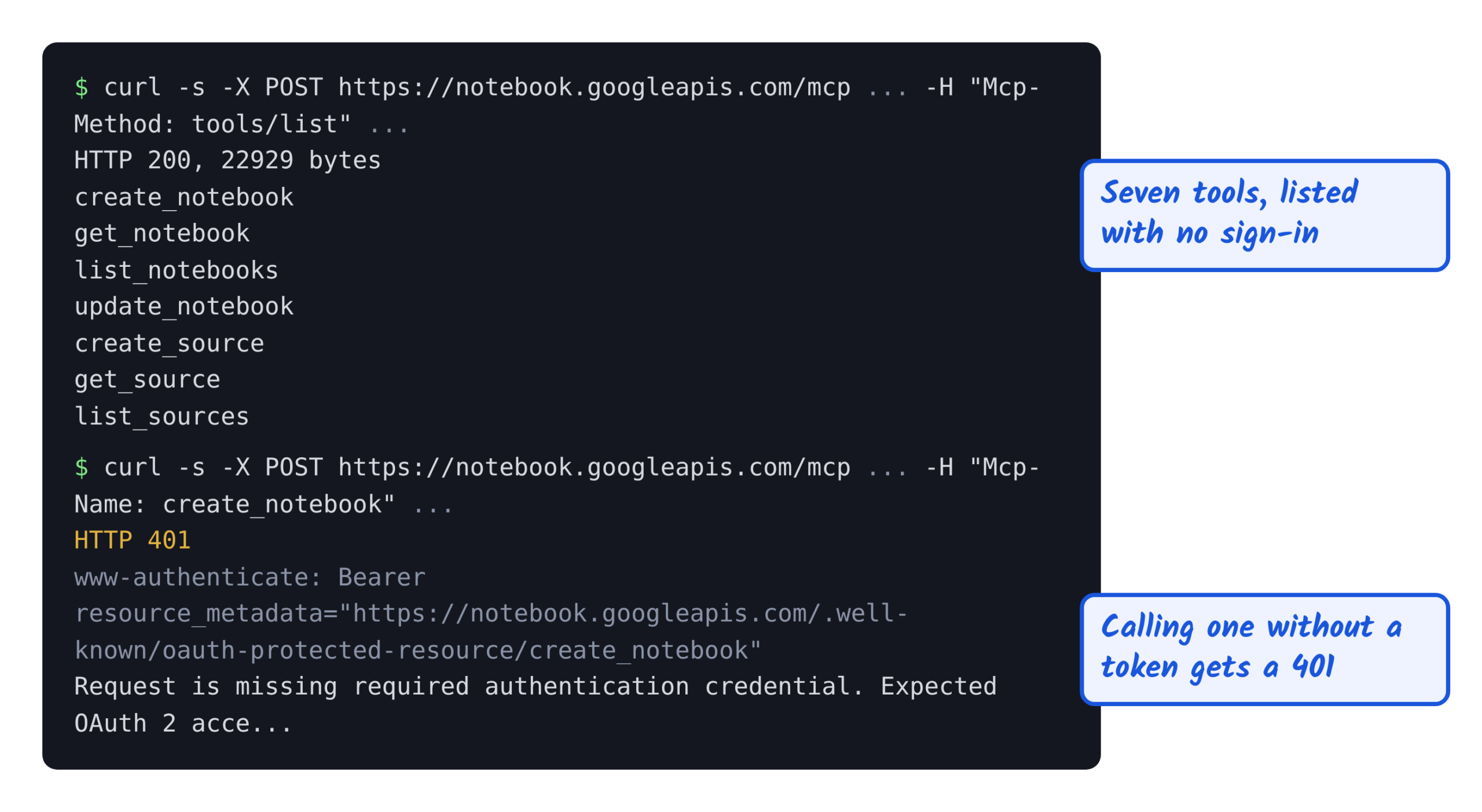
I haven’t signed in to the API with a Google account, so I haven’t created a notebook or added a source. What I could test is the live server. Calling tools/list on notebook.googleapis.com/mcp with no credentials returned seven tools in 22,929 bytes of JSON. Their names match Google’s docs. The server marks the four read tools as read-only and create_source as not idempotent.
Calling create_notebook without a token returned HTTP 401 and a pointer to Google’s OAuth metadata, which names one scope, https://www.googleapis.com/auth/notebook, and accounts.google.com as the authorisation server. A plain REST request to /v1/notebooks without a token returned 401 as well, which fits Google’s line that the API doesn’t accept API keys.
See the request I sent
This is the tools/list call from Google’s MCP page, with no token.
curl -s -X POST "https://notebook.googleapis.com/mcp" \
  -H "Content-Type: application/json" \
  -H "MCP-Protocol-Version: 2026-07-28" \
  -H "Mcp-Method: tools/list" \
  -d '{"jsonrpc":"2.0","id":1,"method":"tools/list","params":{"_meta":{"io.modelcontextprotocol/protocolVersion":"2026-07-28"}}}'
Everything below about writing sources comes from Google’s documentation, not a run of my own.
Where an overnight run stops
The first limit is the token. Google’s quickstart has the agent authenticate with the gcloud command line and pass the result as a bearer token. Its MCP page notes that tokens minted this way expire after one hour and need refreshing. A run that outlasts an hour needs a client that fetches a new token, which is what the OAuth client setup in Google’s authentication guide is for.
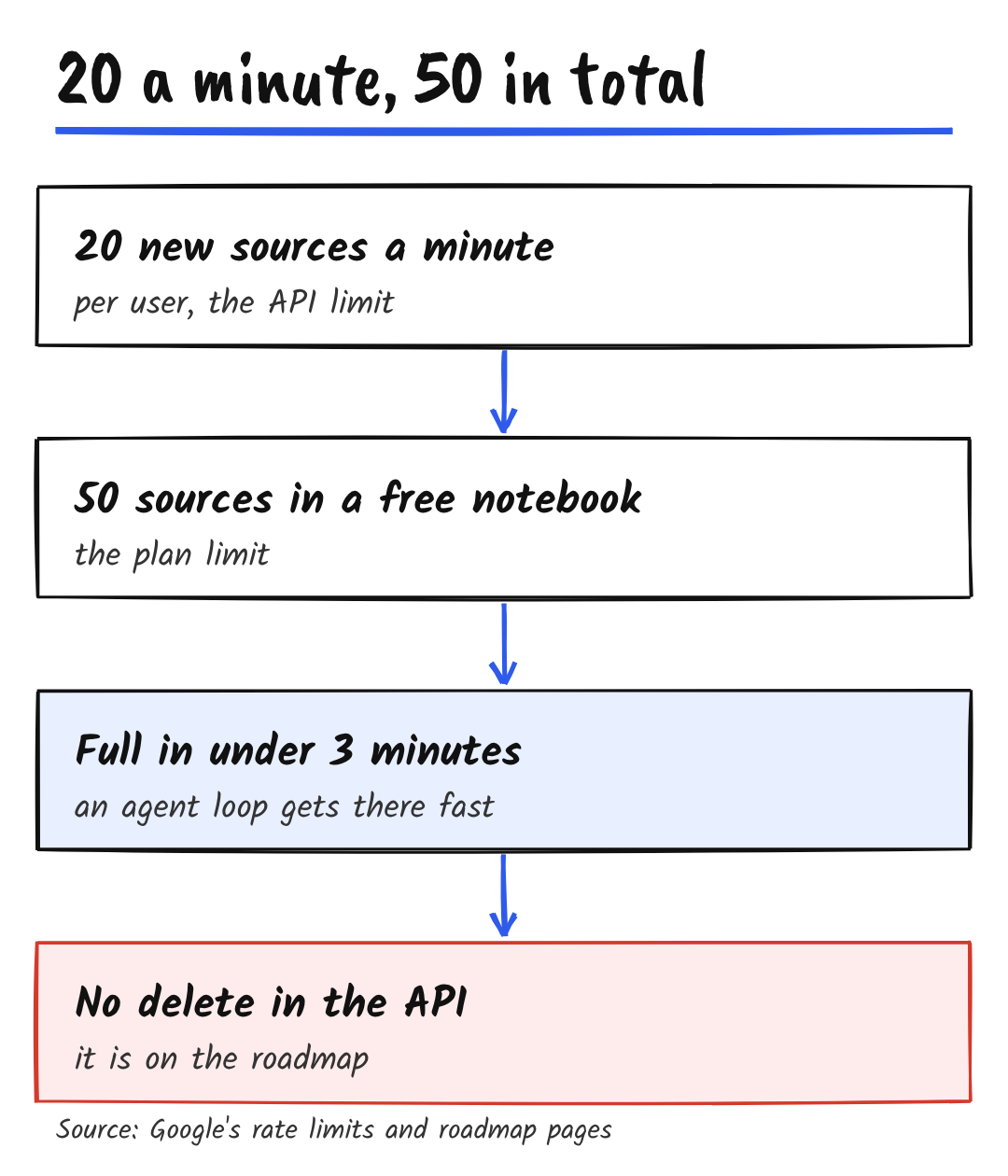
The second is volume. Each user can create 20 sources a minute, and Google’s rate limits page caps a free notebook at 50 sources. An agent adding sources in a loop reaches that cap in under three minutes, and the API has no delete method, so it can’t clear the notebook afterwards.
| Plan | Notebooks per user | Sources per notebook |
|---|---|---|
| Free | 100 | 50 |
| Plus | 200 | 100 |
| Pro | 500 | 300 |
| Ultra | 500 | Up to 600 |
Three smaller rules matter for an unattended run. A web page has to be a public HTTPS address with no login wall or paywall, and a YouTube video has to be public or unlisted with captions. A source is processed in the background and moves from PROCESSING to ACTIVE or FAILED, so a script has to poll it; Google’s own example checks every two seconds. And because the server marks create_source as not idempotent, a retry loop should call list_sources before it adds a URL again. A single source can run to 500,000 words, and inline text is capped at 1 MB.
What agents used before the official server
Agents reached notebooks long before Google’s server existed, through community tools. The best known is a command line and MCP server that exposes 55 tools. Its README says it uses internal, undocumented APIs, needs cookies extracted from your browser, and may not align with Google’s terms of service. It can query notebooks across a whole library, which Google’s seven tools can’t. A browser-extension product, ExtendLM, takes a similar route and says its MCP server can fetch grounded notebook content for agents.
The official server gives up that reach for a documented endpoint with OAuth and a short tool list. Its tool descriptions come to about 23 KB of JSON, against a community server whose README warns that its 55 tools use up context and suggests switching it off when you’re not using it.
How it compares
Gemini Notebook’s API gives an agent a place to put material, not a way to get answers back. Other tools that hold knowledge for agents work differently.
| Tool | Where the knowledge lives | What an agent can do with it |
|---|---|---|
| Gemini Notebook API | Google notebooks, with source caps by plan | Create notebooks and add sources through a remote MCP server or REST, signed in with OAuth. No questions yet. |
| Claude Projects | A project’s knowledge base inside Claude | Anthropic’s help page describes uploading documents and chatting in Claude. Paid plans switch to retrieval, which expands capacity by up to 10 times. |
| Perplexity Projects | A shared file system with persistent memory | Perplexity’s own agent works in the files and connects to more than 400 tools, including Google Drive, Notion, Linear, Snowflake and GitHub. |
| Notion MCP | Your Notion workspace | An assistant searches the workspace and creates and edits pages and databases through a hosted MCP server. |
Notion’s server is the closest match to what the creator describes, because an agent can read and write the same workspace. Gemini Notebook’s draw is different: Google renamed NotebookLM to Gemini Notebook in July and is syncing notebooks across the Gemini app and Search. The API feeds that product, and the answers still come from Google’s apps. Google also runs a separate Gemini Notebook Enterprise API on Google Cloud for licensed organisations.
If you build it anyway
- Use a personal Google account that has opened Gemini Notebook at least once, and enable
notebook.googleapis.comon a Google Cloud project. An account that has never signed in gets a 404 error. - Mint the token with the notebook scope and plan its refresh. Google’s quickstart token lasts an hour.
- Keep new sources under 20 a minute and under your plan’s cap, and poll each one until it reads ACTIVE or FAILED.
- Check
list_sourcesbefore adding a URL again. - Send files through the REST upload route, because the MCP server can’t take them.
- Don’t plan on tidying up. The API has no delete.
Google’s MCP page gives this command for connecting Claude Code once you have a token and a project ID:
claude mcp add gemini-notebook-api \
  --transport http https://notebook.googleapis.com/mcp \
  --header "Authorization: Bearer $ACCESS_TOKEN" \
  --header "x-goog-user-project: $PROJECT_ID"
What changes it
Google’s roadmap lists five items: Workspace accounts, deleting notebooks and sources, Drive URLs as sources, retrieving information from a notebook, and generating artifacts. Google calls it informational and gives no dates. If retrieval ships, an agent could gather sources and then consult them, which is the loop the post describes. Until then it can fill a notebook, and a person still has to open the app to ask it anything. Google takes feature requests for the API and server in its Issue Tracker.