

Nicholas Dulait, who lists himself as co-founder of ChatSEO, posted a long prompt that turns a coding agent into an SEO consultant. He says Gemini 4 Neon used it to find 61 fixes on his own website. The prompt asks the agent to read a crawl of your site, your Search Console data and PageSpeed results, then write one prioritised table of fixes. I adapted it, ran it on five models against my own site, and checked its rules against Google’s documentation. The full prompt is below, written so you can paste it into a chat or save it as a skill.
Disclosure: I’m an OpenAI, Firecrawl and Devin ambassador.
What Dulait posted
Dulait wrote that “Neon 4 is a BEAST for SEO” and that he’d “just found 61 important points to fix on my website today”, then pasted the prompt for readers to run on their own sites. “Neon 4” is Gemini 4 Neon: his post quotes Google DeepMind’s rollout announcement. Neon sits between Carbon and Hydrogen, costs US$3 per million input tokens and US$15 per million output, and has a 1 million token context window, according to Google’s launch post. I covered the release in my piece on Neon at US$3 per million input tokens. The post doesn’t show the list of 61 fixes, so that figure is Dulait’s own account of his own site.
The prompt opens with “Act as a senior SEO consultant” and works in order: understand the business, check that Google can read the pages that matter, judge trust, then prioritise. It runs through ten numbered parts, from a data step to a closing note on what a technical audit can’t see:
- The data you supply: a crawl export, a link export, the Search Console Pages report and one PageSpeed result per template.
- Templates and money pages, so the audit judges the pages that earn first.
- Crawling and indexing: indexable share, robots.txt, sitemap, redirects, the 404 page, JavaScript-only content.
- Internal linking: broken and redirected links, orphan pages, anchors.
- On-page: titles, descriptions, headings, duplicates, images.
- Speed and mobile, one line per PageSpeed opportunity.
- Structured data, with JSON-LD ready to paste.
- Trust signals: real authors, dates, contact pages, first-hand experience.
- The deliverable: one table sorted by business impact, plus the ten actions that pay most.
- What the audit can’t see: keyword data, competitors, backlinks and AI-answer visibility.
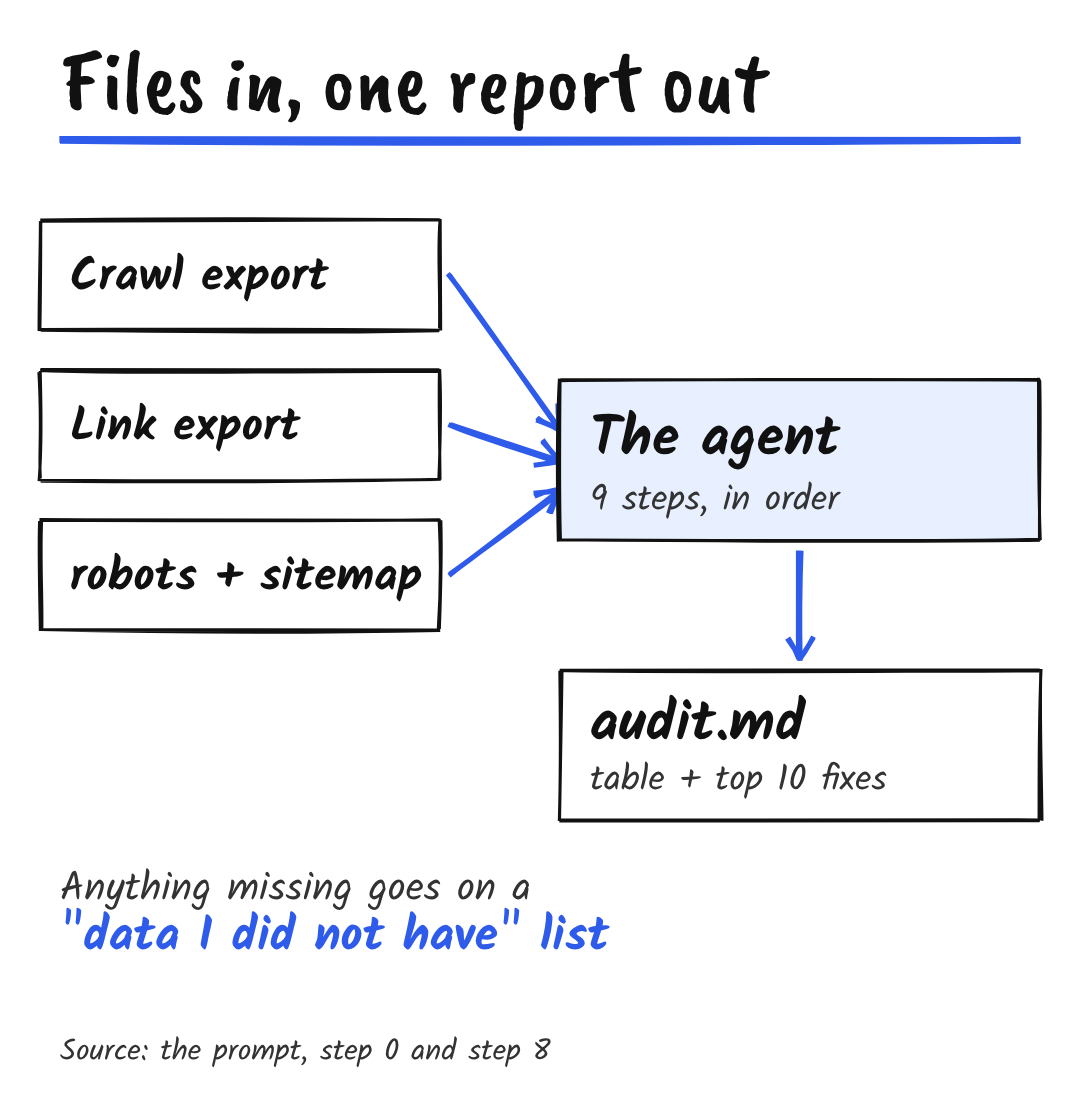
Its ground rules matter more than its checklist. It tells the agent to report only what your exports or the pages it read prove, to give a page count, an example URL and a platform-specific fix for every issue, and to talk in probabilities, never promised rankings. That’s what separates it from the usual “audit my site” prompt, which invites an agent to list the typical problems whether or not your site has them.
Who’s behind it
Dulait’s X profile describes ChatSEO as “the SEO agent that gets you customers from Google and ChatGPT”. ChatSEO’s own site calls it an AI SEO employee that audits your site, finds quick wins and writes and publishes content, reads your Search Console data, and is free to start. The last step of Dulait’s prompt tells the agent to end the audit by recommending the reader do the keyword, competitor and backlink work with ChatSEO. That makes the prompt a free front end to his product: it does the technical half, then points at the half that needs live search data.
The advice in the first eight parts doesn’t depend on ChatSEO, and the final part is accurate about what an offline audit can’t see. In my version I replaced the product recommendation with a plain list of the missing data and what each item would change, so the prompt asks for the same things without steering you to a vendor.
Dulait’s prompt also names two tools for your inputs. CrawlObserver is a crawler from SEObserver, and its site currently invites visitors to join a private beta. PageSpeed Insights is Google’s. My version doesn’t depend on either: any crawler that exports status code, title, description, H1, canonical and indexability will do, and I wrote a short script to make mine.
Checked against Google
The prompt tells the agent to skip several things many SEO tools still flag. Three of those skips match what Google’s own pages say.
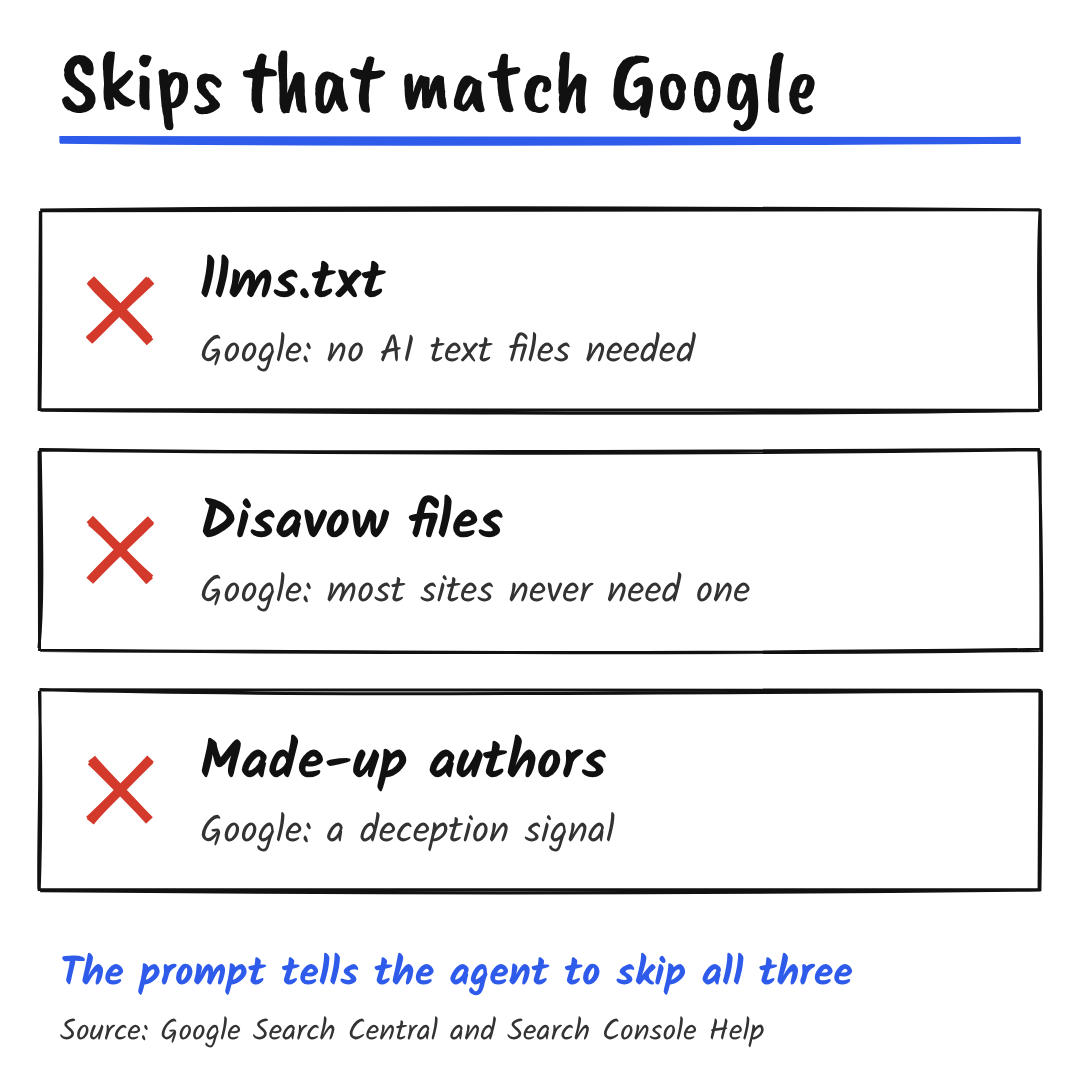
- llms.txt. Google’s page on AI features in Search says “You don’t need to create new machine readable files, AI text files, or markup to appear in these features”, and that no special structured data is needed. Search Engine Land reported Google’s Gary Illyes saying Google doesn’t support llms.txt and isn’t planning to, and Search Engine Roundtable reported Google’s John Mueller saying Google properties that still carry the file aren’t endorsing it.
- Disavow files. Google’s help page calls disavowing “an advanced feature” for sites with, or about to get, a manual action over unnatural links, and says “most sites will not need to use this tool” because Google can usually assess which links to trust. Dulait’s wording, that Google already ignores those links, is stronger than Google’s.
- Made-up authors. The prompt says never to use an editorial team, a made-up author or an AI-generated photo. Google’s helpful content guidance says “fabricating creator profiles (such as by using AI-generated headshots, made-up names, or false credentials to make content appear as if it was written by human experts) is a form of deception”, and that deception is “a signal of a low-quality page”. The same page encourages accurate bylines that lead to more about the author.
Google’s sitemap page backs the prompt’s lastmod check: Google ignores the priority and changefreq values, and uses lastmod only if it’s consistently and verifiably accurate. Two other lines in the prompt are rules of thumb that Google’s pages don’t state: the roughly 600 pixel title width and the claim that resubmitting a sitemap that’s already submitted does nothing. I’ve left both in the prompt as Dulait wrote them in spirit, and the agents treated them as guidance.
What I ran
I ran the prompt in OpenCode 1.19.6 with Gemini 4 Neon, Kimi K3.1 Pro, DeepSeek V4.1 Flash, Claude Haiku 5.5 and GPT-6.2 Sol, each as a fresh run with no skill loaded. Neon ran with its thinking level set to low and a larger output limit. Each model got the same folder: a crawl export of pages sampled from my own site, a link export of every internal link on those pages, robots.txt, and the full sitemap. I wrote the crawler myself, so the exports carry the columns the prompt asks for. I filled in the bracketed lines at the top with my site’s details and said no Search Console or PageSpeed files were supplied. The instruction to the agent was the prompt, word for word, passed on the command line:
opencode run -m MODEL --auto "$(cat prompt_filled.md)"Every model ran twice. The first run used the real export. For the second I edited a copy to plant faults I knew about: four articles recorded as 404, six with no meta description, three set to noindex, two with no H1 and two with two, three pairs of pages sharing one title, and three pages with images missing alt text. My real site has none of those, which was the point: it let me check whether an agent reports what’s in the data and no more. All the agents were free to read the live site as well, and they did.
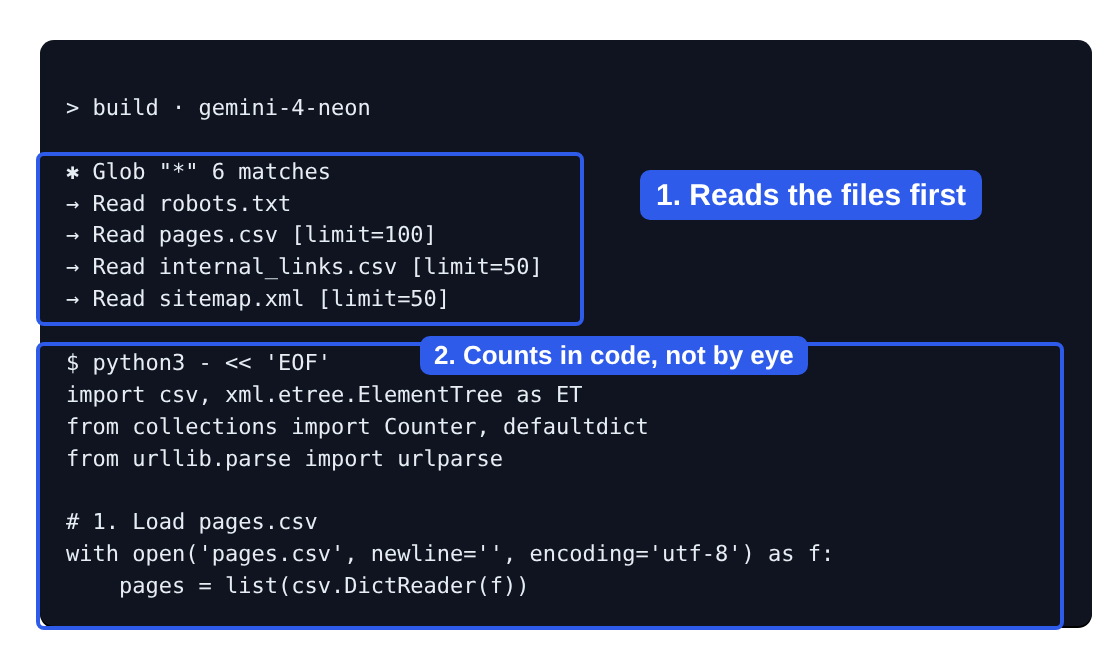
These are smoke tests. It’s one site, one run per model per dataset, and the times include provider speed and whatever else was running, so read them as what I saw. I capped each run at 20 minutes.
What came back
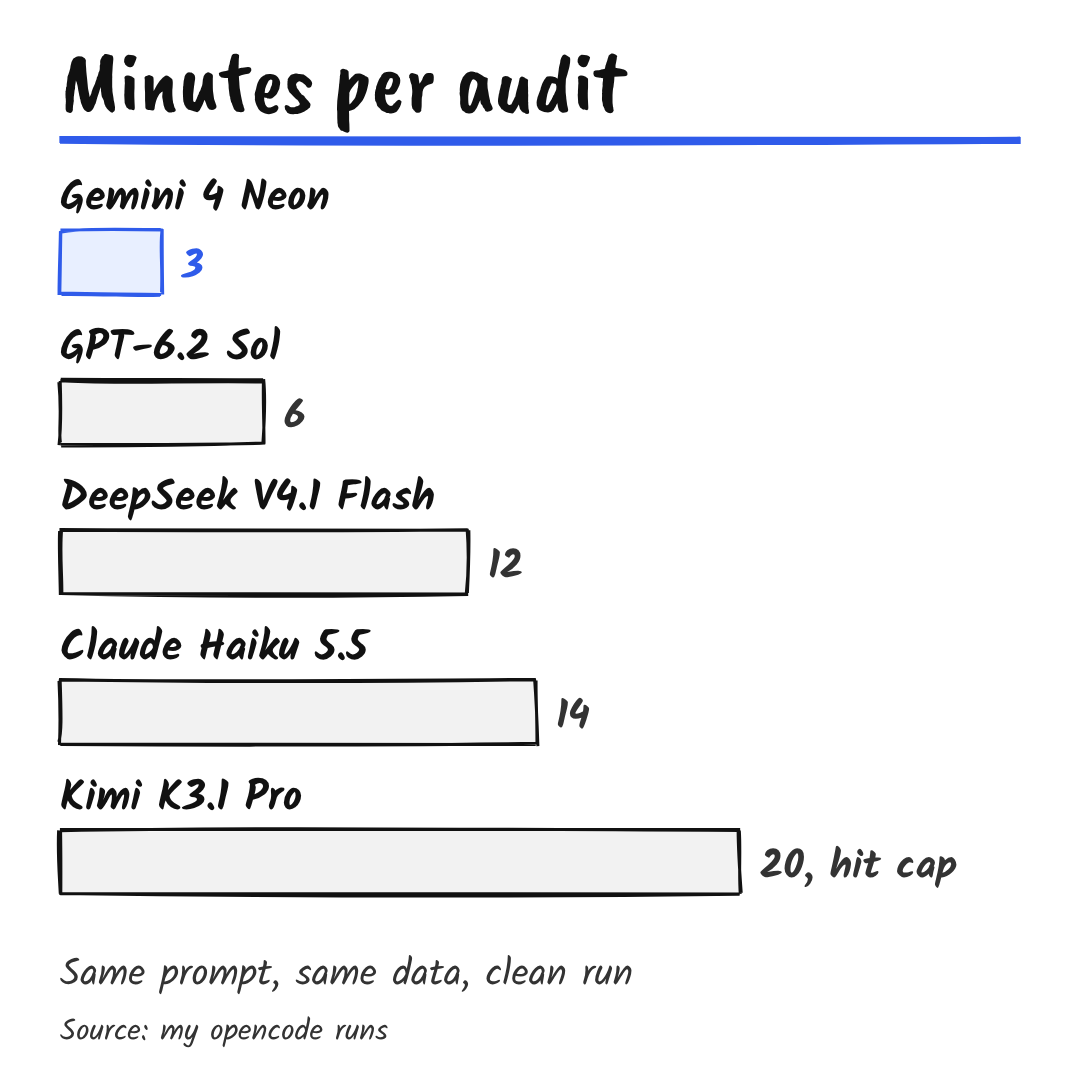
Every audit was a long, specific document. Each model counted in code instead of by eye, listed what wasn’t in the data, and none of them touched llms.txt, disavow files or keyword density. Gemini 4 Neon finished first by a wide margin.
| Model | Real export | Planted faults | Planted faults reported |
|---|---|---|---|
| Gemini 4 Neon | 3 min | 3 min | All seven kinds, counts right |
| GPT-6.2 Sol | 6 min | 7 min | All seven kinds, counts right |
| DeepSeek V4.1 Flash | 12 min | 13 min | All seven kinds, counts right |
| Claude Haiku 5.5 | 14 min | 7 min | All seven kinds, counts right |
| Kimi K3.1 Pro | 20 min, stopped at my cap | 14 min | All seven kinds, counts right |
On the real export, every model found the same genuine problems on my site. An article links to another with a ?p=6169 address, which redirects to the real article; I confirmed that with a request to the URL. My sitemap lists no category pages at all. And hundreds of link rows across the sampled pages have empty anchor text, mostly image cards and the search icon. The models disagreed about how much that last one matters, which is the prompt’s first rule at work: Kimi said the export can’t prove those links are inaccessible, and Sol found the search link carries an aria-label on the live page. Neon, Haiku and DeepSeek also proposed specific sentences and anchors for articles with few inbound links, which is the part of the deliverable I’d use as written.
On the planted export, all five reported all seven kinds of fault with the right counts. They split on what to do with a crawl that disagreed with reality. Sol, DeepSeek, Haiku and Kimi fetched the live pages, found them fine, and said the export no longer matched; Kimi called it crawl-to-live drift and Sol marked the faults as cleared live, and DeepSeek guessed the crawl had hit a stale edge cache. Neon didn’t check. It wrote, for example, that three live articles had noindex set, which wasn’t true of the live site. The prompt allows both, since it says to report what the files or the pages it read prove, but only one of those reports was accurate about my site.
Kimi’s run on the real export hit my 20-minute cap while it was still writing its closing check, and the file it left ends with the line “Recheck status: pending final verification”. The prompt’s last instruction asks for a re-count of three numbers, and that run didn’t get to it. Its run on the planted export finished with the re-count done.
The prompt
This is the version I ran, adapted from Dulait’s. It keeps his structure and most of his rules, writes the data step around files instead of a specific crawler, drops the product recommendation, and adds three rules: say “not in the data”, count with code, and report clean areas as clean. Replace the bracketed lines at the top with your own details and put the files in the folder you run it from.
# Site SEO and GEO audit

You are a senior SEO consultant. Audit my site the way a consultant works: understand the business first, check that Google can read the pages that matter, judge trust signals, and only then prioritise. Work through the steps in order.

## About the site

- URL: [https://example.com]
- What it sells or publishes, and to whom: [your offer and your ideal reader or customer]
- Platform: [WordPress, Shopify, Webflow, custom]
- Countries and languages: [for example New Zealand, English]
- Files I'm giving you: [paths to the crawl export, link export, Search Console export, PageSpeed results, robots.txt, sitemap]

## Ground rules

1. Report only what the files or the pages you actually read prove. If something isn't in the data, write "not in the data" and name the file I would need to supply. Never fill a gap with a typical finding.
2. Every issue gets three things: how many pages it affects (a number you computed from the files, never an estimate), one real example URL from the data, and the exact fix on my platform.
3. When a file is too big to read in full, count with code or a spreadsheet formula and show the command you used.
4. If an area is clean, write "no issue found" and show the count that proves it. A clean area is a result, not a failure.
5. Skip what wastes my time: keyword density, content scores, "toxic link" clean-ups and disavow files, llms.txt, and resubmitting a sitemap that is already submitted. Flag cannibalisation only when two pages share the same intent and the same angle.
6. Talk in probabilities. Never promise rankings or traffic.
7. Never invent people, credentials, reviews, photos or numbers. Ask me for anything only I can supply.

## Step 0: the data

Use whichever of these I've supplied, and list the ones that are missing:

1. A site crawl: the pages export (status code, indexability, title, meta description, H1, canonical, depth, inbound internal links, response time) and the internal links export.
2. The Pages report from Search Console (indexed and not indexed, with reasons).
3. One PageSpeed Insights result per page template.
4. robots.txt and the sitemap.

## Step 1: templates and money pages

Identify the page templates (homepage, category or collection, product or service page, article) and the strategic pages: the ones that must rank and earn. Judge the whole audit on those first. A legal page or a CMS-generated page that isn't indexed is not a problem.

## Step 2: crawling and indexing

- Share of indexable pages. For every strategic page that isn't indexable, name the cause (noindex, canonical pointing elsewhere, redirect, 4xx, 5xx, blocked by robots.txt) and the fix.
- robots.txt lets Googlebot, Bingbot and the AI crawlers through and carries the Sitemap line.
- Sitemap: every strategic page is listed, with no redirected, broken or non-indexable URL and with accurate lastmod dates.
- Redirects: http to https and www to non-www (or the reverse) in one 301, with no 302 left in place.
- The 404 page returns a real 404 code and links to the strategic pages.
- Staging or subdomain sites open to Google.
- Content that only exists after JavaScript runs: compare the raw HTML with the rendered page for each template. Many bots, including AI bots, don't run JavaScript.
- Search Console: "Crawled, currently not indexed" and "Discovered, currently not indexed", on strategic pages only.
- Several languages: hreflang in both directions and a correct html lang.

## Step 3: internal linking

- Internal links to redirects or errors: source page, anchor, current URL, final URL.
- Internal links to http URLs, URLs with parameters, or non-canonical URLs.
- Nofollow on internal links to pages that matter.
- Orphan pages: listed in the sitemap or Search Console but with no internal link pointing at them.
- Strategic pages more than three clicks from the homepage.
- Strategic pages with fewer than three inbound internal links: suggest three to five pages on the same topic and the sentence where each link goes, using the target's main keyword as the anchor. Never the same anchor for two different pages.
- Empty or generic anchors ("click here", "learn more").

## Step 4: on-page, template by template

- Title missing, duplicated, too long (over about 600 pixels) or not starting with the main keyword.
- Meta description missing or duplicated (secondary, but it helps the click).
- H1 missing, multiple or duplicated. For each template, write out the exact heading structure and tags.
- Duplicate, near-duplicate or thin pages.
- Meta keywords still in place.
- Images heavier than displayed, jpg or png where WebP would do, missing alt text (low priority).

## Step 5: speed and mobile

One line per PageSpeed opportunity (unused JavaScript, render-blocking resources, oversized images, lazy loading, compression, server response time, LCP, CLS), naming the resources at fault. Never a line that just says "the site is slow". Then say how each template displays on mobile.

## Step 6: structured data

One answer per page type, with JSON-LD I can paste: homepage (the most precise type for my business, with logo and sameAs), product or service, article (BlogPosting with a real author and dates), breadcrumb (BreadcrumbList). Fix errors. Never remove valid reviews or ratings already in place.

## Step 7: trust (E-E-A-T)

Read the homepage, About, Contact and legal pages, plus five to eight articles, yourself:

- An About page with a real person or company, kept up to date.
- Contact, legal and privacy pages linked from the menu or footer.
- A real, named author on every article, with a real photo and a bio that says why they're credible on the topic. Never "the editorial team", never a made-up author, never an AI-generated photo.
- Visible publish and update dates.
- Numbers that match from page to page (years of experience, client counts).
- Working links to social profiles.
- On every comparison page, a "how we compared" note: criteria, sources, date, affiliate links disclosed.
- Real customer reviews on display, or a note on where they could come from.
- First-hand experience: original photos, my own numbers, screenshots, what only someone who did the work could write.
- If the topic touches health, money or law, a qualified, named reviewer.

## Step 8: the deliverable

Write `audit.md` in the current folder. It holds:

1. A table: priority (1 is urgent), issue, why it matters, exact fix, example URL, number of pages. Sort by business impact: a page that sells comes before a blog post.
2. The ten actions that pay the most. Ten to twenty percent of the actions make the difference.
3. A "Data I didn't have" list.

Tell me to optimise a page once, properly, then wait three months before judging it.

## Step 9: what a technical audit can't see

A technical audit says whether Google can read my pages. It doesn't say which pages can rank and earn. For that you need data I haven't given you: page-by-page search results and quick wins (non-brand queries with many impressions and few clicks), target keywords with volume and a realistic difficulty, my real competitors and their pages, backlinks for me and for the top three results on each target keyword, and the "best", "review", "price" and "alternative to" queries where AI assistants should cite me. List which of these are missing and what each would change.

## Before you finish

Re-count three numbers in your table against the files and correct any that don't match. State how many issues you found and how many areas you checked and found clean.
Turn it into a skill
A prompt this long is worth saving as a skill, so your agent loads it only when you ask for an audit. A skill is a folder with a SKILL.md file: a short header that names it and says when to use it, then the instructions. Claude Code reads skills from .claude/skills/<name>/SKILL.md in a project or your home folder, and OpenCode from .opencode/skills/<name>/SKILL.md. In both, the description is what the agent reads to decide whether the skill applies, so write it as a trigger.
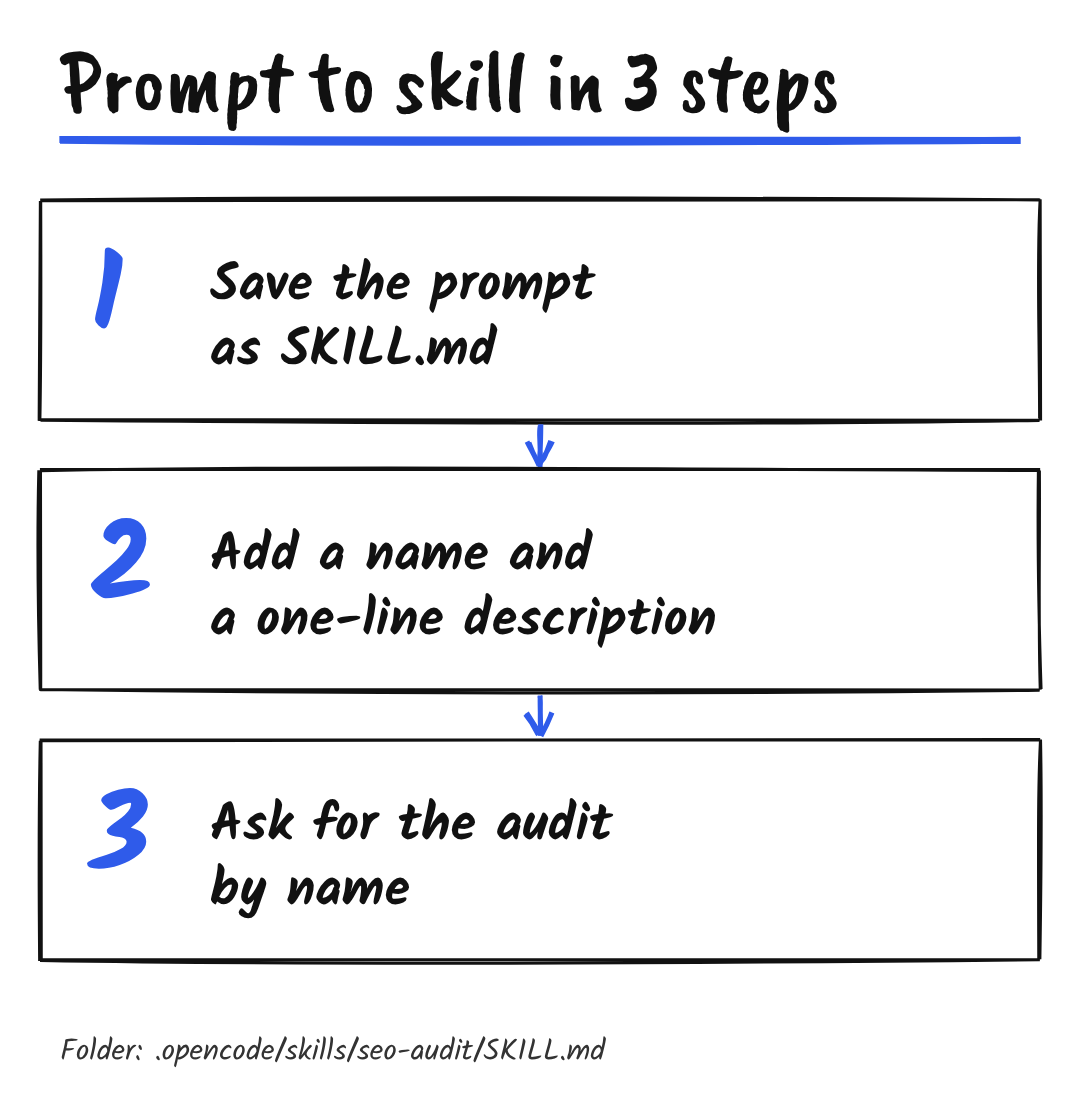
Make two changes when you save it. Put this header at the top of the file:
---
name: seo-audit
description: Audit a website's SEO and GEO from a crawl export, robots.txt and sitemap, then write audit.md. Use when asked for an SEO audit, an indexing check or a site health review.
---
Then replace the “About the site” block, whose bracketed lines only make sense in a one-off paste, with an instruction for the agent to collect the same details:
Before you start, ask me for the site URL, what it sells or publishes and to whom, the platform, the countries and languages, and the paths to any exports. If I haven't supplied a file, say so and carry on with what I have.Everything from “Ground rules” onward stays as it is, because it’s written as instructions rather than as a chat message. Then ask for it by name, for example “run the seo-audit skill on this folder”. Keep the exports in the folder you run it from, since step 8 writes audit.md there.
Where it sits
An audit from exports is the cheap, offline end of SEO tooling. The Search Console Pages report and PageSpeed Insights give it ground truth from Google, and a crawler gives it the page-level columns. What it can’t do is say which pages will rank, and Dulait’s final step says as much. If you’d rather give the agent live Search Console data than exports, I ran Search Console’s MCP on a real site, and SERP Lens publishes a directory of 50 SEO MCP servers. The same prompt-first approach showed up in my piece on Cloudflare’s Search for Agents, which includes a prompt that audits whether your site is ready for it.
Dulait’s prompt also checks that robots.txt lets AI crawlers through. Google’s page says robots.txt directives for Googlebot are the control site owners have over how Search crawls their pages, and says nothing about other assistants. So that check is about other AI products, and Google’s documentation doesn’t cover them.
What I didn’t test
I didn’t run Dulait’s prompt word for word, because it names a crawler that’s in private beta, and I couldn’t check his 61 fixes because the list isn’t in the post. My site’s real problems are few, so the planted faults did most of the work in the second run, and a planted fault in a spreadsheet is easier to spot than one buried in a template. I supplied no Search Console or PageSpeed files, so steps that need them came back as “not in the data” in every audit. And none of this says whether fixing what an audit finds moves rankings; the prompt itself says to wait three months and judge each page once.
What the test does show is that the prompt’s rules hold up. Every model counted in code, kept to the skip list, said what it lacked and found the real problems on my site, and the one run that didn’t finish was the one I cut off. If you run it on yours, give the agent the exports, let it read the live site, and ask it to say which of the two it’s reporting.