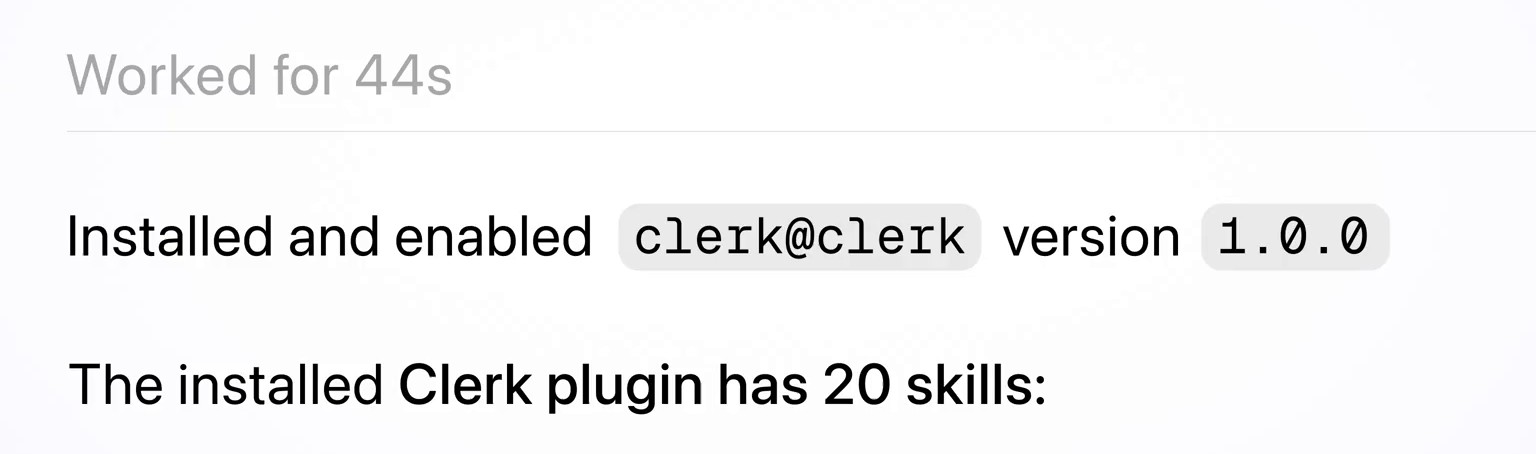
Clerk, the authentication and user-management company, has released a plugin for OpenAI’s Codex coding agent. It packages 20 Clerk “skills” (instruction files that tell an agent how to do a specific job) with Clerk’s MCP server, which lets an agent work inside a developer’s Clerk account. Clerk says the plugin gives Codex Clerk-specific guidance for adding sign-in, building custom sign-in flows, and setting up Clerk’s Organizations and Billing products.
The skills themselves aren’t new. Clerk launched Clerk Skills in January as an open package that developers could install into Codex, Claude Code, Cursor and other agents with a terminal command. The change is packaging: one Codex plugin that carries the skills and the MCP connection together, which Clerk staff say OpenAI has now approved.
What’s in the plugin
The plugin lives in Clerk’s public clerk/skills repository under an MIT licence. Its Codex manifest names it clerk, version 1.0.0, in the Coding category, and points Codex at two things: a skills/ folder and an MCP configuration for https://mcp.clerk.com/mcp.
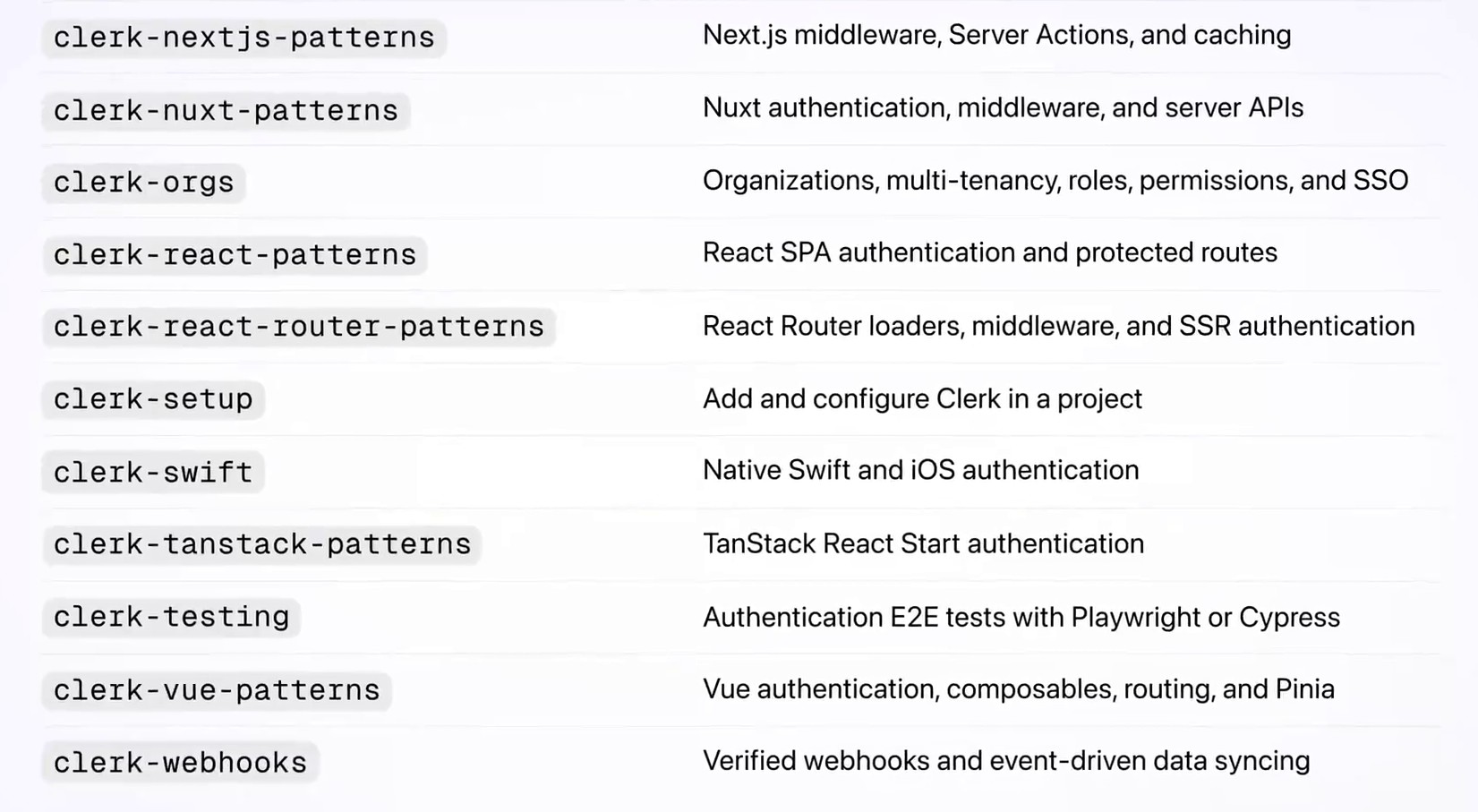
The repository’s README groups the 20 skills into four sets. The /clerk router skill is meant to run first and hand off to the right specialist.
| Group | Skills | What Clerk says they cover |
|---|---|---|
| Core (5) | clerk, clerk-cli, clerk-setup, clerk-custom-ui, clerk-backend-api |
Routing, the Clerk command-line tool, adding Clerk to a project, custom sign-in and sign-up screens, and Clerk’s backend REST API |
| Framework patterns (8) | Next.js, React, React Router, Vue, Nuxt, Astro, TanStack Start, Chrome extensions | Middleware, protected routes, server-side auth and framework-specific hooks |
| Features (4) | clerk-orgs, clerk-billing, clerk-webhooks, clerk-testing |
Multi-tenant team workspaces and roles, subscription billing and feature gating, event syncing, and Playwright or Cypress tests for sign-in flows |
| Native mobile (3) | clerk-swift, clerk-android, clerk-expo |
iOS and macOS, Android with Kotlin and Jetpack Compose, and Expo or React Native |
For the Codex command-line tool, the README gives two commands:
codex plugin marketplace add clerk/skills
codex plugin add clerk@clerk
The same repository also carries manifests for Claude Code, Cursor and GitHub Copilot CLI, so the bundle isn’t exclusive to Codex.
What the setup skill tells Codex to do
The clerk-setup skill is the one behind prompts like Clerk’s Next.js example. It tells the agent to use the Clerk CLI and, on supported frameworks, to start with “accountless” setup: npx -y clerk@latest init creates an application the developer can claim later and writes temporary development keys, with no Clerk account needed at first.
The skill also sets limits. Before it starts, the agent is told to show the developer a three-step checklist and “wait for a yes”. When it inspects a project, it’s told to look at auth dependencies, routes, middleware, sessions and user records, and “never environment files”. If the project already uses another sign-in provider, the agent has to stop and get a migration plan approved.
Do not modify or remove existing auth without approval.
For projects that already use Clerk, the skill tells the agent to skip init, because a signed-out agent run could create a second application and replace the project’s keys.
What the MCP server can reach
MCP, the Model Context Protocol, is a standard way for an AI agent to call tools in an outside service. Clerk’s MCP documentation says every tool on its server requires the developer to sign in with their Clerk account through OAuth, pick a workspace, and approve the requested permissions. The server then acts as that person and can only do what their workspace role allows.
The account tools can list and create applications, read and change instance configuration with an optional dry run, list and create users, check the DNS records a domain needs, and create a production instance. Clerk says that last step can’t be undone, so the tool requires confirm: true. Tools that make changes are marked so the agent’s client can ask before running them. A second set returns Clerk SDK code snippets.
Keys and telemetry: Clerk’s MCP docs say the server never returns an instance’s secret keys and redacts sensitive values when it reads configuration. In a 4 November update, Clerk said agents can now go from its MCP server to a deployed app with the secret key returned “encrypted to your agent’s public key”, so it never appears in plaintext. The docs also say each tool call sends Clerk, for product analytics, a one-sentence summary of the task written by the agent, along with the tool name, success or failure, the Clerk user ID and the client’s name and version. Tool inputs and results aren’t sent.
In the same 4 November update, Clerk said its MCP server could now send skills directly to an agent, with “early support in Codex”. Asked on X which copy wins when locally installed skills and MCP-delivered skills overlap, Clerk chief executive Colin Sidoti replied: “We expect everything in our plugin to be prioritized when it’s installed, and we regularly run evals against it to ensure it’s working as expected.”
How plugins reach Codex users
OpenAI’s plugin documentation describes a plugin as a package that can contain skills, an MCP server, or both. ChatGPT and Codex share one public plugin directory, so a published listing can be found from either product. According to ChatGPT’s help pages, plugins work in Codex inside the ChatGPT desktop app, and the Codex CLI has its own plugin browser under /plugins. The Codex IDE extension doesn’t support plugins.
Getting into that directory takes a review. OpenAI’s submission guide says developers upload the plugin as a ZIP, clear automated checks, then submit it to OpenAI’s review team; once it’s approved, the developer chooses when to publish. After that, changes to the MCP server are picked up automatically, while changes to skills or metadata need a new upload.
That queue has been slow. Max Stoiber, who works on plugins, MCP and skills at OpenAI, wrote in October that ChatGPT plugin submissions had grown almost tenfold since the start of the year, then tripled again after OpenAI’s DevDay, pushing the wait for a response to about two weeks. OpenAI declared what he called “a temporary code red” and relaxed some nice-to-have requirements. A week later he said reviews had nearly doubled but the backlog was still growing, and the team had started “fundamentally rethinking how we review plugins”. On 28 October he added that updates to plugins already in the directory were reviewed much faster, and that initial submissions were the main remaining overhead.
Clerk’s team pointed to that process when the plugin arrived. Devin Gould, who works on growth at Clerk, wrote that it had been “a bit painful” but that Stoiber and his team “had made the process much easier by the time we got this approved”.
Sidoti framed it as the end of a manual install step.
Who’s behind Clerk
Brothers Colin and Braden Sidoti founded Clerk in 2019, according to its investor Georgian. Colin Sidoti is chief executive. It sells drop-in sign-in, sign-up and user-profile components plus the backend that runs them, and has added B2B tools such as Organizations, enterprise single sign-on and Billing.
The company raised a US$50 million Series C led by Menlo Ventures and Anthology Fund, Menlo’s joint fund with Anthropic, with Georgian joining. It said at the time that it managed more than 200 million users across more than 15,000 applications and would spend part of the money on “agent identity”. In its October launch of Clerk Protect, Clerk said it secures more than 100,000 active applications.
The Codex plugin follows a run of agent-focused releases from Clerk. In the past month it tied its MCP server to Clerk accounts, let developers collect feedback from agents that use their own MCP servers, opened a private beta of Clerk for Agent Auth, and added one-time signed-in browser links for agents.
Developers who installed Clerk’s earlier Codex plugin, clerk-skills@clerk, will need to switch: the README says it no longer updates, and tells users to run codex plugin remove clerk-skills@clerk before adding clerk@clerk.
Discover more from Sulat AI & Tech News
Subscribe to get the latest posts sent to your email.