OpenAI’s guide to prompting GPT-6.2 Astra and Sol tells developers to do less. Cut the old style rules, let the model make reasonable assumptions, and leave the start of a conversation alone. The guide, Using GPT-6.2, is in OpenAI’s API docs. It includes prompts you can paste and API changes that affect cost and answer quality.
It covers four Astra behaviours, a migration checklist and a rule about conversation prefixes. Break that rule and the API drops the model’s reasoning. OpenAI released both models on 17 November US time, and I covered the launch separately. This piece looks at how to prompt them.
Four habits OpenAI says to watch for
OpenAI lists four behaviours from its work with Astra and Sol. Astra writes more concisely and directly by default. If a request is unclear, it may propose a next step and wait for confirmation. Its code is more efficient and higher quality than earlier models produce, so project conventions matter. And a particular interface look has to be spelled out, imagery and typography included.
Each behaviour has its own section and a prompt. If you see the behaviour in your app, try the prompt.
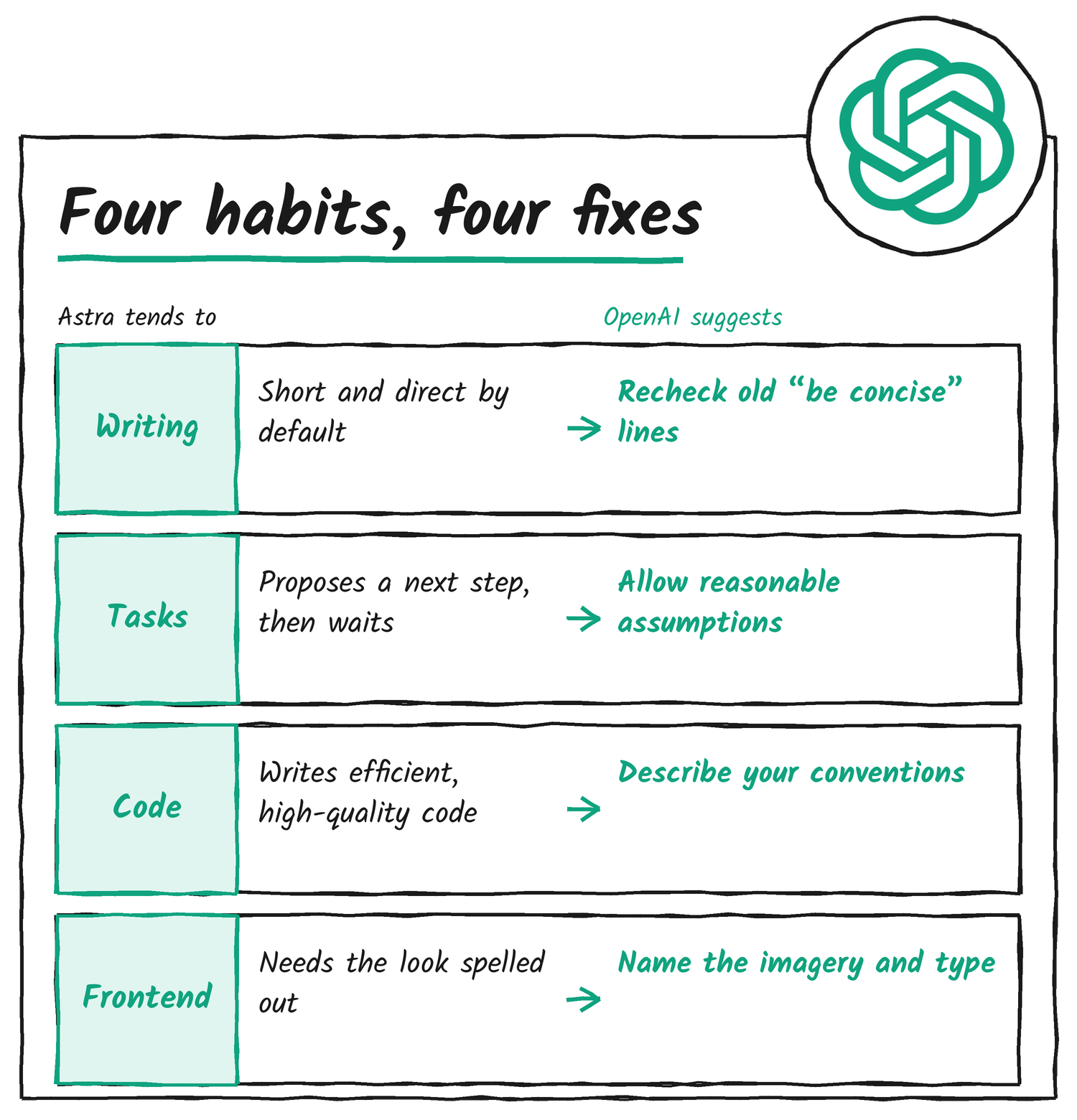
Writing: recheck your “be concise” lines
Astra is more concise and direct than earlier models. OpenAI says to revisit instructions like “be concise” when you migrate. Tone is still adjustable, from professional colleague to conversational assistant. The guide offers three prompts.
Prompt one is for a collaborator or thought partner. Use the terms the user and the sources use. Keep technical detail and domain language when they add precision. Write in the active voice, lead with the key points, and give enough context to follow the reasoning. Avoid references the reader can only understand later.
Prompt two is for drafting something for another person. Consider who reads it. They likely lack the user’s context, so supply the background. When editing existing content, preserve the author’s wording and follow the edit instructions closely.
Prompt three targets long tasks, where working shorthand can leak from the model’s reasoning, or from other agents, into the finished answer. It frames the answer as the reader’s first look at the work. Commentary updates get collapsed once the answer shows up, so the answer has to stand alone. The model rewrites it fresh for the reader, without copying or paraphrasing its reasoning, and drops the jargon from tool calls and subagent instructions.
Task completion: let it assume and keep going
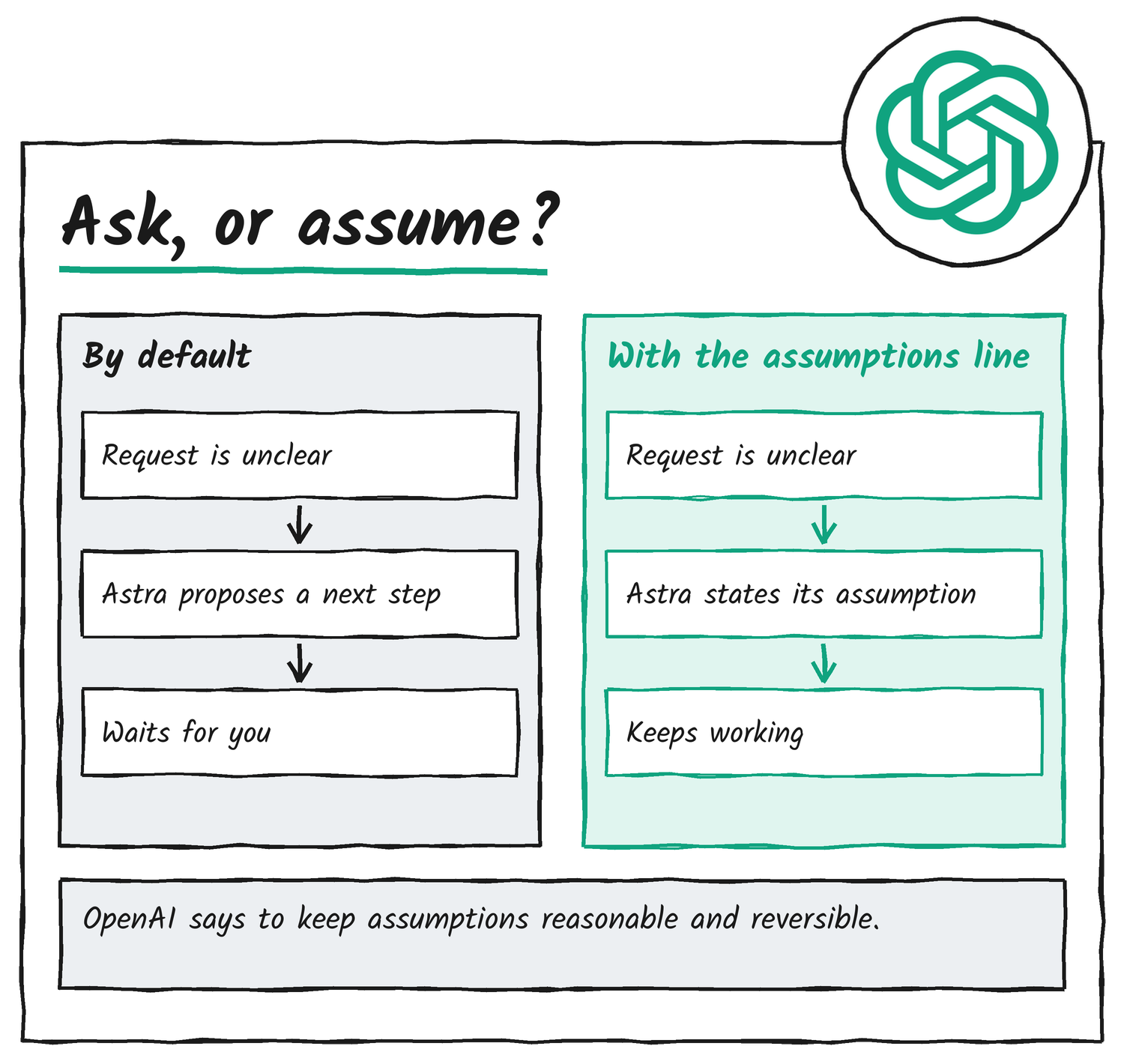
This section has the biggest change. When the user’s intent is unclear, Astra may propose a next step and wait. For longer tasks, OpenAI wants you to give it room to make reasonable assumptions and keep working. Three prompts cover it.
The outcome prompt suits work that can run unsupervised. Specify the outcome, and which decisions need the user. The model shouldn’t end a turn on a suggested next step, a plan or a routine question. If it’s authorised, it takes those steps and flags its assumptions and decisions. It stops to ask only when scope changes significantly, when it’s concretely blocked, when the user must decide, or before something irreversible or destructive.
The verification prompt tells the model to bias towards action and account for every part of the request. Before it ends a turn or calls the work complete, it checks that the result satisfies the request and finishes any open step. It also progresses autonomously: creating isolated worktrees, resolving merge conflicts, opening draft pull requests, unless the action is destructive or irreversible. OpenAI says higher reasoning effort helps the model persist through final checks on complex or long tasks. Set it with reasoning.effort in the Responses API.
The assumptions prompt is the shortest, and the one I’d try first. Make reasonable, reversible assumptions and state them when they move the task along. Don’t second-guess, stop after describing what you could do, offer to do the work, or hand back a partial answer unless there’s truly no way to proceed. Reversible is the word doing the work here. A guess you can undo is cheap. A guess you can’t is a reason to stop and ask.
Asking without stopping
Some questions can’t be assumed away. For those, OpenAI points to an async tool such as request_user_input_async, which lets GPT-6.2 ask the user for clarification while it continues work that doesn’t depend on the answer. That tool isn’t built into the Responses API. Your application defines it as a function with async: true, shows the question, and returns the user’s reply on the original call_id.
OpenAI’s async tool calling guide says the feature works with GPT-6 Astra and later models. It applies to function and custom tools that your application runs, not to hosted built-in tools. An async call doesn’t hold the response open until the user replies, so you tell the model to carry on with independent work and wait before any step that needs the answer.
Coding: describe the conventions
For code, the guide says to describe the codebase’s conventions and any behaviour that existing callers rely on. That includes when to reuse existing logic, how narrowly to scope a change and when a new test is warranted. The sample prompt opens by asking for thorough, correct code that meets the task, then lists four rules.
- Reuse existing classes, methods, representations and APIs in the repo when that preserves correctness, and keep the behaviour callers rely on before consolidating or removing code.
- Skip new tests unless they’re requested, required by the repo, or needed to catch a specific regression the existing tests would miss.
- Keep code readable. Fewer lines, shorter variable names and dense one-liners don’t count as simplicity, and code-golfed expressions that hide branches or assumptions count as overly complex.
- Avoid unnecessary indirection. Helper functions, utilities and class abstractions add cognitive complexity even when they add no branches.
Frontend: say what it should look like
If your application depends on a specific visual style, the guide says to put it in the prompt: the kinds of images, the typography, and a particular typeface when that matters. Its sample prompt prefers realistic images from image generation or image search that suit the project, with SVGs only when the user asks for them.
It also trims interface copy. A text element belongs only if it gives the user information they need, helps them navigate or act, or fulfils an explicit content request. The prompt removes decorative numbering, filler badges, redundant headings and explanatory copy that restates what the interface already shows, and keeps the labels, instructions and status feedback people need.
For visual work, OpenAI suggests sharing a reference from your design software, or giving GPT-6.2 the image generation tool and asking it to produce one with GPT Image. Once the reference captures the look, you ask the model to build the asset, render it and refine it against the reference.
Two API changes that shape your prompts
The guide’s “What’s new” section has two items that matter as much as any prompt. The first is prefix edits. From GPT-6.2 on, the Responses API discards the model’s reasoning items in three cases: you edit earlier history mid-conversation, you change models in certain ways (downgrades included), or the end user or organisation changes. Without those items, answers can get worse and the model may burn extra tokens redoing work.
The second is the instructions field. Models from GPT-6.2 append top-level instructions after input. To make reusable instructions eligible for prompt caching, put them in a developer message as the first item in input, and keep top-level instructions for guidance that applies to the current request only.
Keep the prefix unchanged
OpenAI’s keep the prefix unchanged page explains the first change in detail. A reasoning item’s prefix is the conversation history before it. A prefix change edits that history, for example by shortening a tool result, rewriting a developer message or replacing older turns with a summary. You can also change it by accident when you update the tools, instructions or text.format parameters.
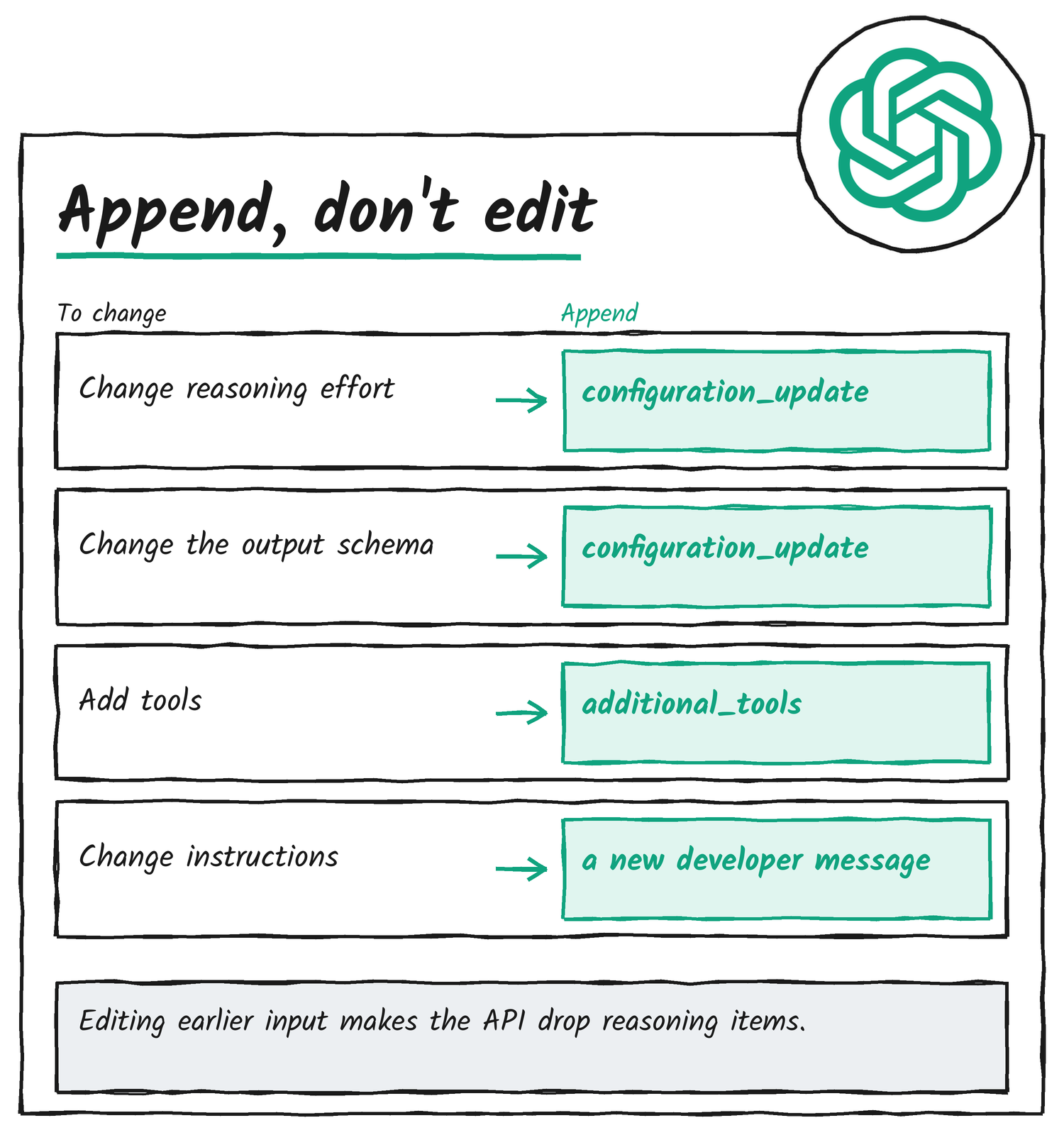
Edit anything early in a conversation and the cache stops matching from that point on. That’s always been true, and OpenAI says appending can substantially lower input costs and speed up responses. What’s new with GPT-6.2 is the second hit: the API also drops the reasoning items that follow the edit. So the page’s answer is dull and mechanical. Don’t edit. Append. The page gives an append-only equivalent for each common reason to edit.
| If you want to change | Append this instead |
|---|---|
| Reasoning effort | A configuration_update item with the new effort, with the request-level setting left as it was |
| The structured output schema | A configuration_update item with the new schema, with text.format left as it was |
| The tools available | An additional_tools item with the developer role to add tools, or tool_choice with allowed_tools to restrict them |
| Developer instructions | A new developer message telling the model to ignore the older instructions, with an explicit cache breakpoint before it for single-turn guidance |
Compaction changes the prefix too. If you use OpenAI compaction through /responses/compact or context_management, OpenAI’s systems keep the reasoning items that follow. With your own compaction, put the compacted item at the end of the model’s context instead of before recent turns, or accept that the reasoning items after it get dropped. If you truncate old tool outputs or downsize old images, do it before they’re first sent, since trimming them later changes the prefix.
To find out whether you’re doing any of this, OpenAI points to Prompt Cache Diagnostics. Set prompt_cache_options.comparison_response_id to an earlier response ID and read the diagnostic reason and cached token count. It reports the first difference it finds, and it can’t confirm whether the model reused reasoning. The input_transformations field in the response lists which reasoning items the API removed from the input and why.
The migration checklist
The migration quickstart in the guide comes down to seven checks. OpenAI also lists the OpenAI Docs skill as the way to migrate an API application to Astra with a coding agent.
- Model. Set
modeltogpt-6.2-astraorgpt-6.2-sol. - Reasoning effort. Start with
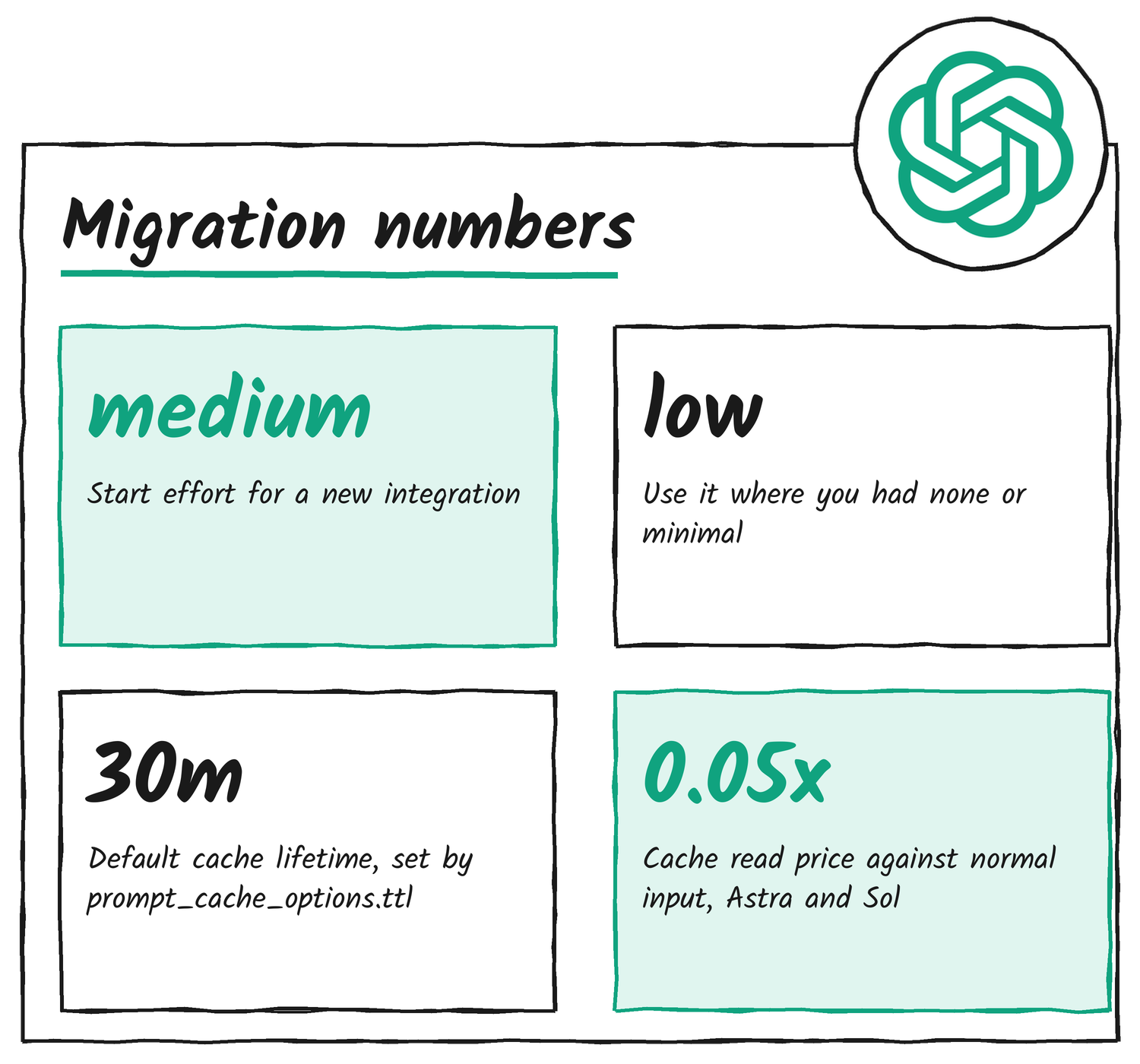
mediumfor a new integration. If you usenoneorminimaltoday, uselow. - Tool calling. Use the Responses API. Both models support Chat Completions, but tool calling needs Responses.
- Unsupported parameters. On Chat Completions, omit
temperature,top_p,logprobsandtop_logprobs. On Responses, omittemperature,top_pandtop_logprobs, and removemessage.output_text.logprobsfrominclude. - Prompt caching. Move stable instructions into a
developermessage at the start ofinput. Coming from GPT-5.5 or earlier, replaceprompt_cache_retentionwithprompt_cache_options.ttlset to"30m". - Zero Data Retention. Both models support it for approved organisations on eligible endpoints and features. With it on, the Responses API treats
storeasfalse, so multi-turn work passes prior output items back in order, encrypted reasoning items included. - Service tiers and regions. Both models support US and EU data residency with Standard, Fast and Batch. Ultrafast supports US data residency only.
What caching costs on the new models
The caching changes have prices attached. OpenAI’s prompt caching guide puts cache reads for Astra and Sol at 0.05 times the uncached input rate, which matches the US$0.40 and US$0.10 cached prices in the launch table. Cache writes cost 1.25 times the standard input rate at the default 30-minute lifetime. In the Responses API you can pick a 12-hour minimum lifetime instead, at 2.5 times.
The guide adds one control worth knowing. Setting prompt_cache_options.mode to explicit caches only the breakpoints you mark, so the changing end of a request, such as the current question, doesn’t incur a cache-write charge.
Where I’d start
If I were moving a production prompt to Astra today, I’d work in this order, which follows the guide’s own sections:
- Recheck every “be concise” line, and compare outputs with and without it before you keep it.
- Add the assumptions line, and an async question tool if your app can show a question without blocking.
- Move stable instructions into the first developer message, and switch effort changes to
configuration_updateitems. - Turn on cache diagnostics for one busy flow and read
input_transformationsto see whether reasoning is being dropped.
Sources
- OpenAI API docs: Using GPT-6.2
- OpenAI API docs: Keep the prefix unchanged
- OpenAI API docs: Async tool calling
- OpenAI API docs: Prompt caching
Disclosure: I’m an OpenAI, Firecrawl and Devin ambassador.
Discover more from Sulat AI & Tech News
Subscribe to get the latest posts sent to your email.