Raycast has launched Raycast MCP, a server that lets AI agents use Raycast’s Notes, Clipboard History and settings from outside the app. The company announced it on X on 19 November NZ time (18 November in the US), and you switch it on in Settings → MCP.
Raycast’s post names three uses. Agents can access your Notes and Clipboard History, automate your setup (assigning hotkeys is its example), and share AI Memory with agents like Claude and Codex.
Introducing Raycast MCP 🔌
— Raycast (@raycast) November 18, 2026
Use Raycast from any agent:
📂 Access your Notes, Clipboard History and more
⌨️ Automate your setup, like assigning hotkeys
🧠 Share AI Memory with agents like Claude and Codex
Turn it on in Settings → MCP
Changelog 👉 raycast.com/changelog
Raycast has worked as an MCP client since 8 May 2025, when version 1.98.0 let you install MCP servers and call their tools from Quick AI and AI Chat. This server runs the other direction: your agent connects to Raycast.
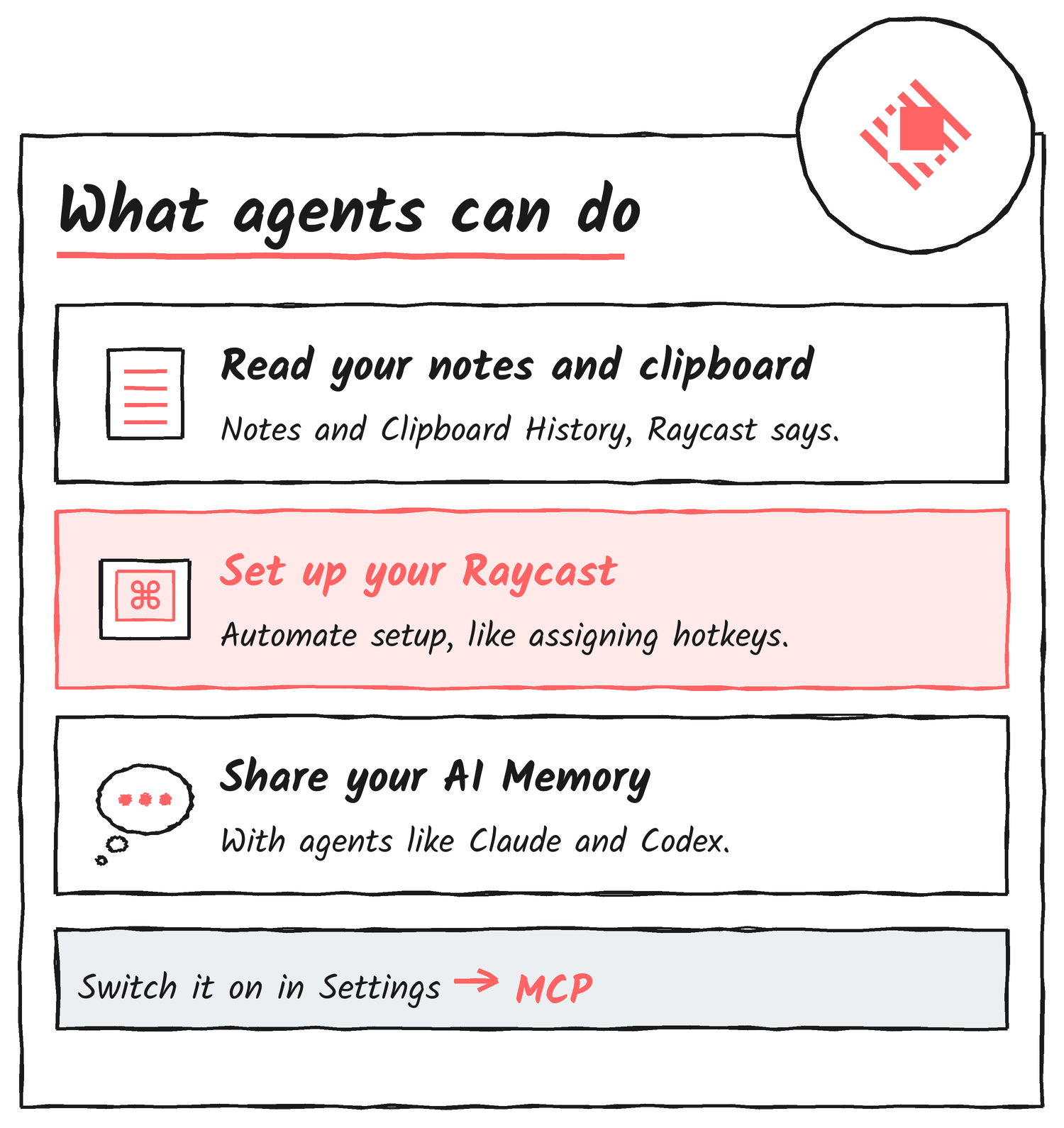
What the server shares
Raycast’s manual describes the Raycast MCP Server as a local server that lets AI apps on your computer use Raycast’s built-in AI Extensions. The manual’s AI Extensions page lists those built-ins, among them Notes, Quicklinks, Snippets, Memory and Terminal. Using the server requires Pro features, the manual says.
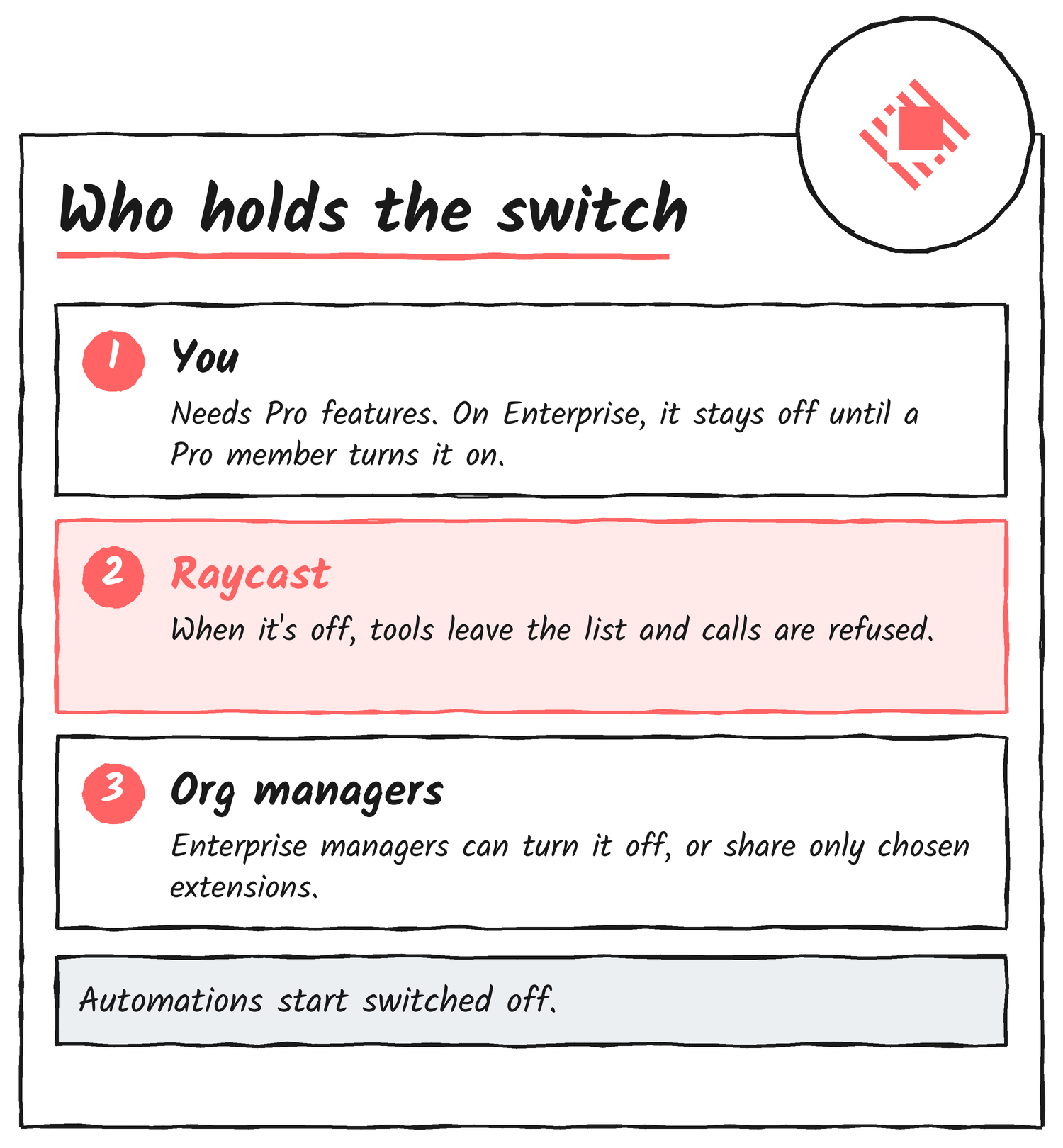
Who controls it
Raycast’s Enterprise page sets the default: the server stays off on each computer until a member with Pro features turns it on. Managers can switch it off for the whole organisation from the AI Control Center in Account Settings. When it’s off, Raycast leaves the server’s tools out of the tool list and refuses calls to them.
Managers can also limit the server to an allow-list of extensions. Allowing an extension doesn’t turn sharing on for members, and each member’s Shared Extensions list still starts with Automations off.
Pedro Duarte’s setup prompt
Pedro Duarte, whose X bio reads “hype @raycast”, used the server to publish a prompt that copies his Raycast setup onto yours. He wrote that you can now set up your Raycast just like his, and pointed agents to a page on his site.
i told you were not ready
— Pedro Duarte (@peduarte) November 18, 2026
raycast now has an MCP and that enables things that, to be honest, i cant even fully imagine
but here’s one thing that’s cool. you can now set up your raycast just like mine
just point your agent to: ped.ro/my-raycast-setup
The page says to paste the prompt into Raycast AI, or any agent connected to the Raycast MCP. The prompt names two tools, search-settings and update-setting, and tells the agent to look up each setting’s real id before changing it and never to guess. It skips apps and extensions you haven’t installed, leaves any hotkey you already use alone, and batches changes so you confirm them in as few prompts as possible. At the end it asks for a table of what was applied, skipped, in conflict or left for manual setup.
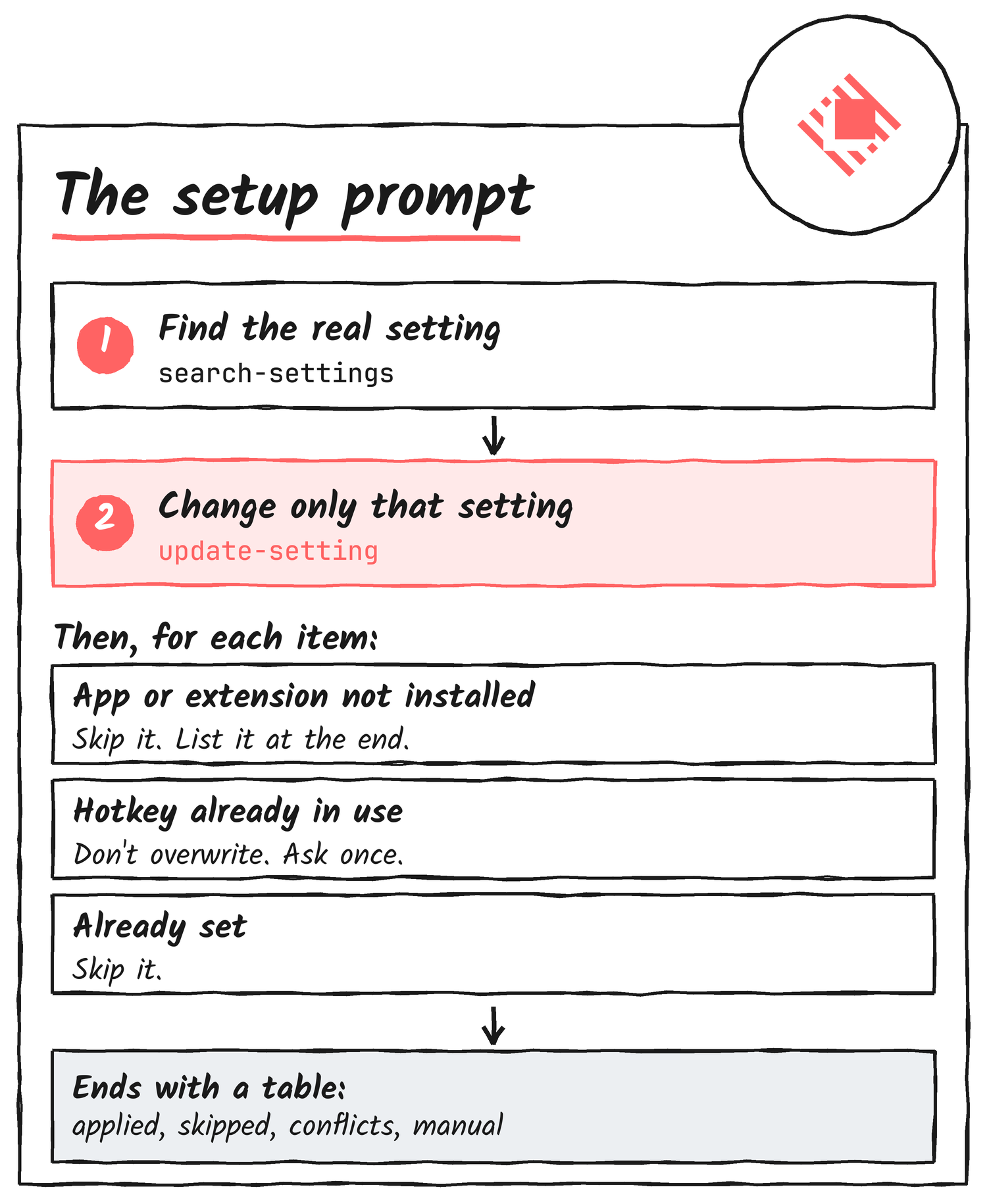
The prompt covers general settings, window management, app hotkeys, built-in commands, quicklinks and snippets.
| Area | Examples from the prompt |
|---|---|
| General | ⌘Space as the Raycast hotkey, dark appearance, launch at login |
| Window management | Half and quarter windows on ⌃⌥⌘ plus arrows or numbers; Maximize on ⌃⌥⌘F |
| App hotkeys (if installed) | 1Password on ⌥1, Slack on ⌥S, Messages on ⌥M |
| Raycast built-ins | AI Chat on ⌥A, Notes on ⌥N, Clipboard History on ⇧⌘V |
| Quicklinks | Search Google, Search YouTube, Open Downloads, Tweet Selected Text |
| Snippets | Keyboard symbols such as !cmd for ⌘, arrows, fractions and dates |
Two steps stay with you. The prompt asks you to set Caps Lock as the Hyper Key in Raycast’s Advanced settings yourself, and, if you want ⌘Space for Raycast, to turn off Spotlight’s shortcut in macOS System Settings. Hotkeys that are double-taps of a modifier key go under “needs manual setup” when the tools can’t set them.
Raycast’s post doesn’t list the server’s tools beyond those three uses, and doesn’t say which platforms it runs on. Pedro’s prompt is written for a Mac. Raycast publishes release notes at raycast.com/changelog.
Discover more from Sulat AI & Tech News
Subscribe to get the latest posts sent to your email.